• Categories
    Category
    {{ postCtrl.tags }}
    • {{ category.tag_type }}

      • {{tag.tag_name}}
      • View more
  • Categories
    Category
    {{ postCtrl.tags }}
    • {{ category.tag_type }}

      • {{tag.tag_name}}
      • View more
  • News
  • Tutorials
  • Forums
  • Tags
  • Users
Tutorial News Comments FAQ Related Articles

How to install Rubyripper in Ubuntu

{{postValue.id}}

How to install Rubyripper in Ubuntu

Rubyripper is a secure digital audio extraction application for linux. It uses cdparanoia error correcting power and its own secure ripping algorithm to make sure that a CD rip is done successfully and accurately. It is very similar to EAC. Rubyripper is written in the ruby programming language. This tutorial covers the installation process of Rubyripper on Ubuntu.

Installation procedure

To start the installation procedure, first download the key and add the repository by exeucting the following commands.

root@linuxhelp:/home/user1# wget -q -O - http://archive.getdeb.net/getdeb-archive.key | sudo apt-key add -
OK
root@linuxhelp:/home/user1# sh -c ' echo " deb http://archive.getdeb.net/ubuntu trusty-getdeb apps"  > >  /etc/apt/sources.list.d/getdeb.list' 

The repository is downloaded in the target system. Update the local repository index by running the apt-get update command.

root@linuxhelp:/home/user1# apt-get update
Ign http://extras.ubuntu.com trusty InRelease
Ign http://in.archive.ubuntu.com trusty InRelease                  
Get:1 http://extras.ubuntu.com trusty Release.gpg [72 B]       
&hellip 
&hellip 
&hellip 
Hit http://security.ubuntu.com trusty-security/restricted Translation-en      
Hit http://security.ubuntu.com trusty-security/universe Translation-en        
Fetched 5,424 kB in 45s (118 kB/s)                                            
Reading package lists... Done  

The target system is updated with the latest repository. Install the rubyripper package by executing the following command.

root@linuxhelp:/home/user1# apt-get install rubyripper
Reading package lists... Done
Building dependency tree      
Reading state information... Done
&hellip 
&hellip 
&hellip 
Setting up ruby-gtk2 (2.1.0-1) ...
Setting up rubyripper (0.6.2-1~getdeb3~trusty) ...
Setting up ruby1.9.1 (1.9.3.484-2ubuntu1.2) ...
Processing triggers for libc-bin (2.19-0ubuntu6.9) ...

The application is installed successfully. To open the application, type the rubyripper package name in the ubuntu dashboard and click on the icon to run the application.
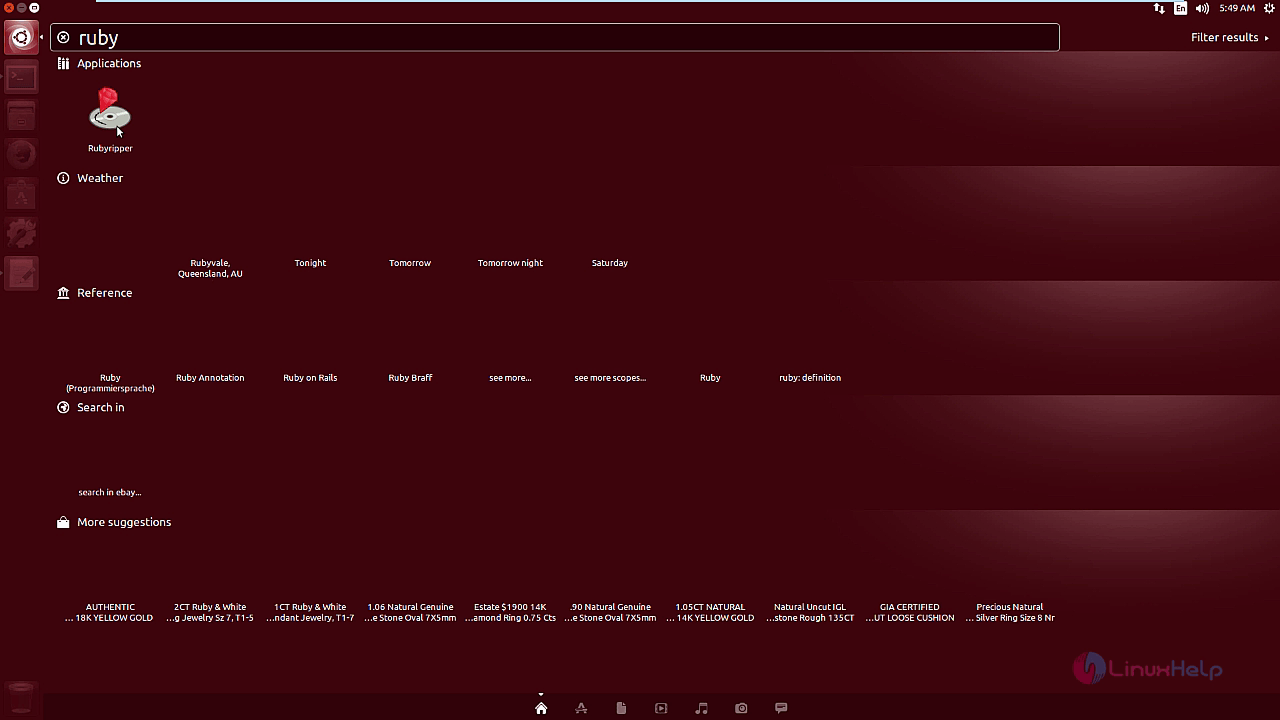
ubuntu dashboard

The rubyripper scans the drive for audio disc.
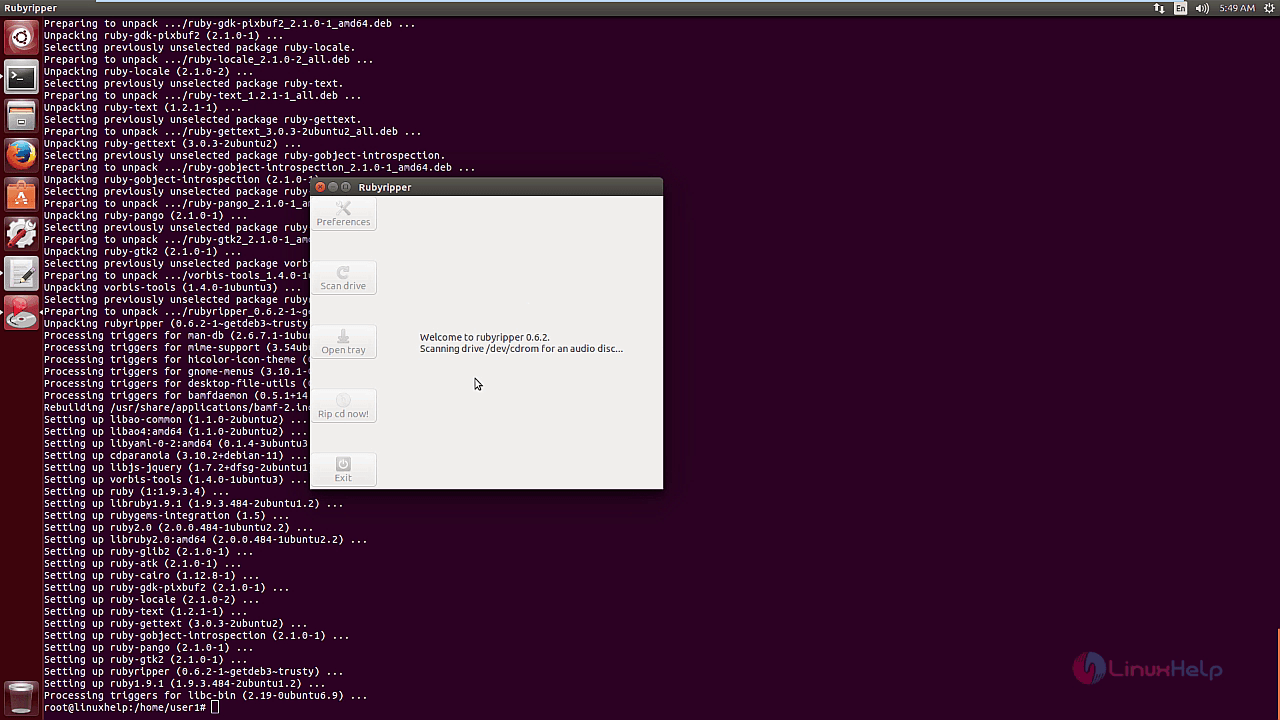
scan drive

The rubyripper application contains a set of secure ripping options to securely extract the audio.
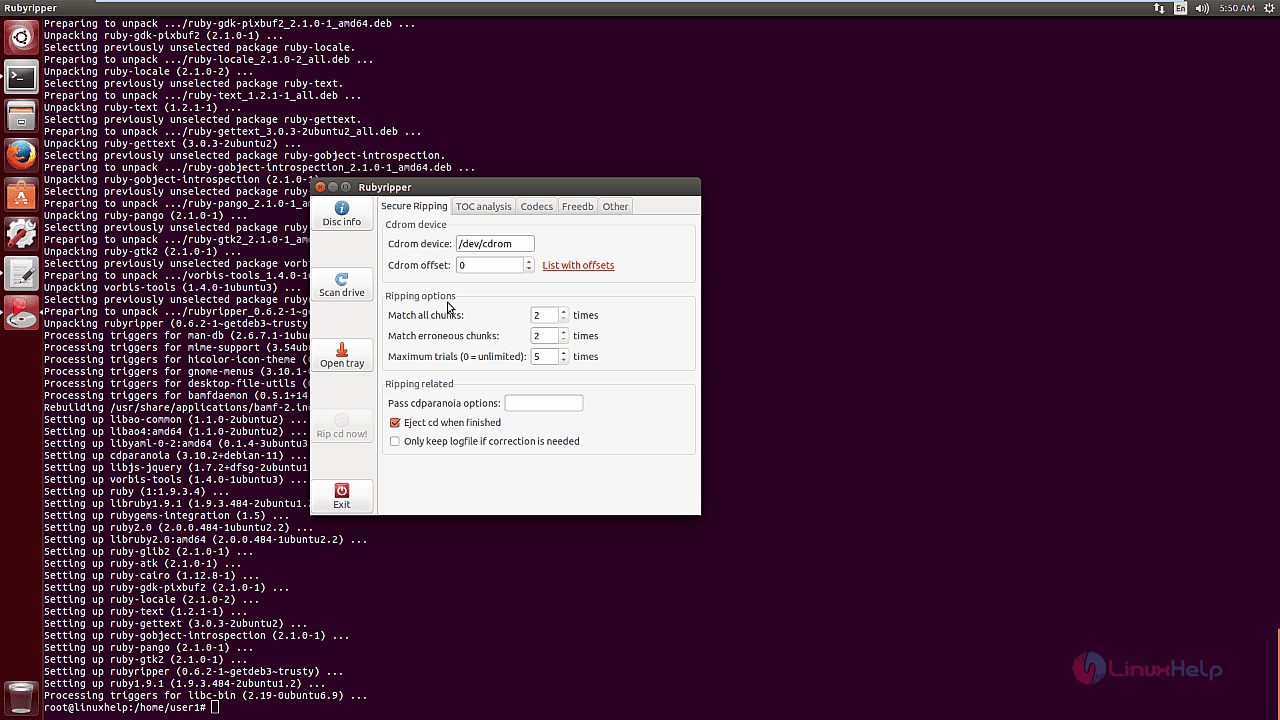
secure ripping

Select the audio codecs that is needed to be extracted. And the extraction is done successfully to the desired drive.
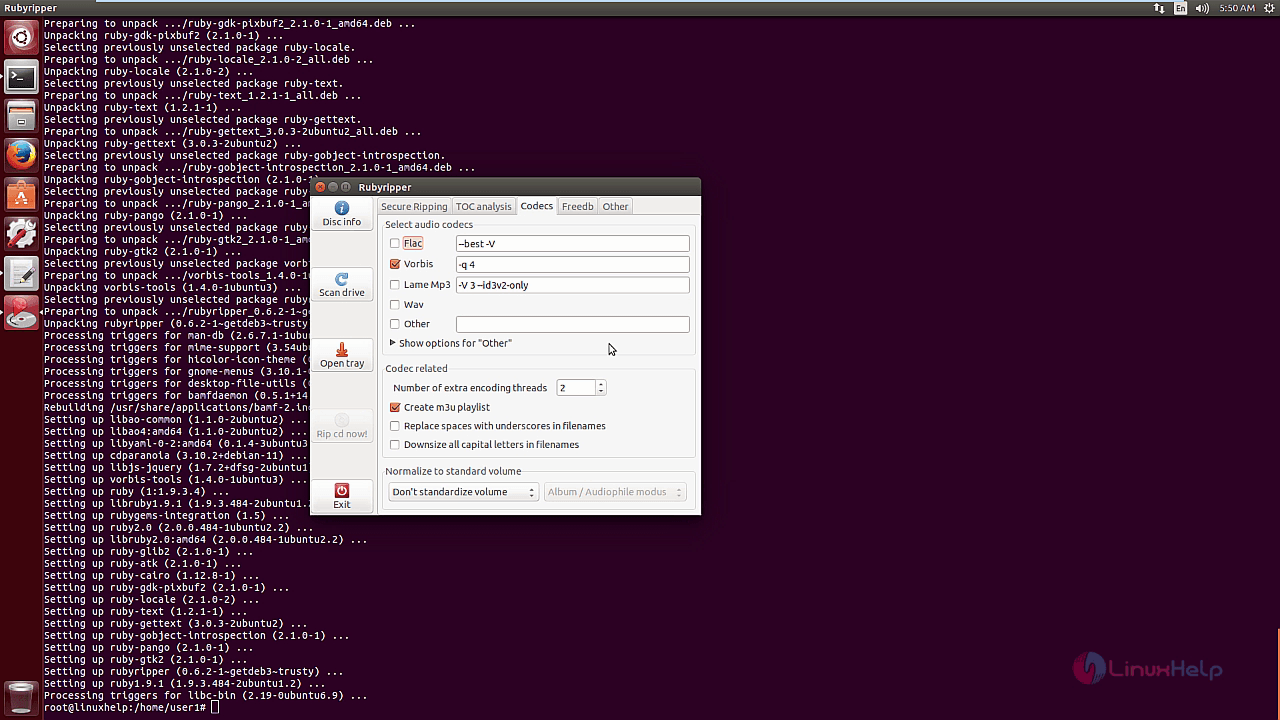
audio codecs

Wasn' t that an easy installation process? Rubyripper can run multiple codecs in a single run.

Tags:
andrew
Author: 

Comments ( 0 )

No comments available

Add a comment
{{postCtrl.cmtErrMsg}}

Frequently asked questions ( 5 )

Q

how to install using source of Rubyripper?

A

refer the below link to install the source of rubyripper
"https://github.com/bleskodev/rubyripper#How-to-install".

Q

Why does the last track go slower than the rest?

A

Chances are that you've supplied an offset different than 0 and supplied the option -Z to cdparanoia. A cdparanoia bug prevents finishing ripping the last track if -Z is supplied, so it's aut

Q

Will Rubyripper work on any platform other than linux?

A

If the same dependencies are available on these platforms, then things will probably just work fine. If some of the dependencies are missing, but you do know one other utility which does jus

Q

how to download the key and repo for rubyripper in terminal?

A

use the following command to download key and repo for rubyripper
# wget -q -O - http://archive.getdeb.net/getdeb-archive.key | sudo apt-key add -

Q

where to get open the application of rubyripper in ubuntu?

A

open the application, type the rubyripper package name in the ubuntu dashboard and click on the icon to run the application

Back To Top!
Rank
User
Points

Top Contributers

userNamenaveelansari
135850

Top Contributers

userNameayanbhatti
92510

Top Contributers

userNamehamzaahmed
32150

Top Contributers

1
userNamelinuxhelp
31040

Top Contributers

userNamemuhammadali
24500
Can you help Isaiah ?
What is the use of SUID & SGID commands

How to set the special permissions to the files and folders using SUID and SGID commands...

Networking
  • Routing
  • trunk
  • Netmask
  • Packet Capture
  • domain
  • HTTP Proxy
Server Setup
  • NFS
  • KVM
  • Memory
  • Sendmail
  • WebDAV
  • LXC
Shell Commands
  • Cloud commander
  • Command line archive tools
  • last command
  • Shell
  • terminal
  • Throttle
Desktop Application
  • Linux app
  • Pithos
  • Retrospect
  • Scribe
  • TortoiseHg
  • 4Images
Monitoring Tool
  • Monit
  • Apache Server Monitoring
  • EtherApe 
  • Arpwatch Tool
  • Auditd
  • Barman
Web Application
  • Nutch
  • Amazon VPC
  • FarmWarDeployer
  • Rukovoditel
  • Mirror site
  • Chef
Contact Us | Terms of Use| Privacy Policy| Disclaimer
© 2025 LinuxHelp.com All rights reserved. Linux™ is the registered trademark of Linus Torvalds. This site is not affiliated with linus torvalds in any way.