• Categories
    Category
    {{ postCtrl.tags }}
    • {{ category.tag_type }}

      • {{tag.tag_name}}
      • View more
  • Categories
    Category
    {{ postCtrl.tags }}
    • {{ category.tag_type }}

      • {{tag.tag_name}}
      • View more
  • News
  • Tutorials
  • Forums
  • Tags
  • Users
Tutorial News Comments FAQ Related Articles

How To Install Schooltool in Ubuntu

{{postValue.id}}

To Install Schooltool in Ubuntu 15.10

In this tutorial we will learn how to install schooltool in Ubuntu. It is an open source web-based student information system for maintaining school activities.

To maintain

  • Achievement and goal tracking.
  • Attendance journals.
  • Event calendars.
  • Gradebooks.
  • Guardian/parent, staff, and student contact information.
  • Infraction/intervention reports.
  • Student enrollment and demographics .
  • Grading and grade reporting.

To install Schooltool

Add the schooltool package into the repository by using the following command.

root@user1-linuhelp:/home/user1# add-apt-repository ppa:schooltool-owners/2.8
 Releases of schooltool 2.8 series, see http://book.schooltool.org/2.8-release-notes.html
 More info: https://launchpad.net/~schooltool-owners/+archive/ubuntu/2.8
.
.
.
gpg: Total number processed: 1
gpg:               imported: 1  (RSA: 1)
OK

Utilise the following command to install the software properties package.

root@user1-linuhelp:/home/user1# apt-get install software-properties-common
Reading package lists... Done
Building dependency tree       
Reading state information... Done
.
.
.
Setting up software-properties-common (0.96.13.1) ...
Setting up software-properties-gtk (0.96.13.1) ...

Update the machine with the help of the apt-get command.

root@user1-linuhelp:/home/user1# apt-get update
Ign http://ppa.launchpad.net wily InRelease
Ign http://ppa.launchpad.net wily Release.gpg                                                    
Get:1 http://security.ubuntu.com wily-security InRelease [65.9 kB]
.
.
.
Hit http://in.archive.ubuntu.com wily-backports/main Translation-en                                                      
Hit http://in.archive.ubuntu.com wily-backports/universe Translation-en

Run the following command to install the schooltool package.

root@user1-linuhelp:/home/user1# apt-get install schooltool
Reading package lists... Done
Building dependency tree       
Reading state information... Done
The following extra packages will be installed:
.
.
.
Processing triggers for systemd (225-1ubuntu9) ...
Processing triggers for schooltool (1:2.6.4-0ubuntu3) ...
[ ok ] Stopping schooltool (via systemctl): schooltool.service.

Open the configuration file of schooltool.

root@user1-linuhelp:~# nano /etc/schooltool/standard/paste.ini

Enter the following setup to provide the public Internet access.

[composite:main]
use = egg:Paste#urlmap
/ = schooltool
/schooltool.task_results = task_results

[app:schooltool]
use = egg:schooltool#main
config_file=schooltool.conf

[app:task_results]
use = egg:schooltool#task_results
config_file=schooltool.conf

[server:main]
use = egg:zope.server
host = 0.0.0.0
port = 7080

Restart the schooltool service.

root@user1-linuhelp:~# service schooltool restart

Open the web-browser and call https://< IP_address> :7080
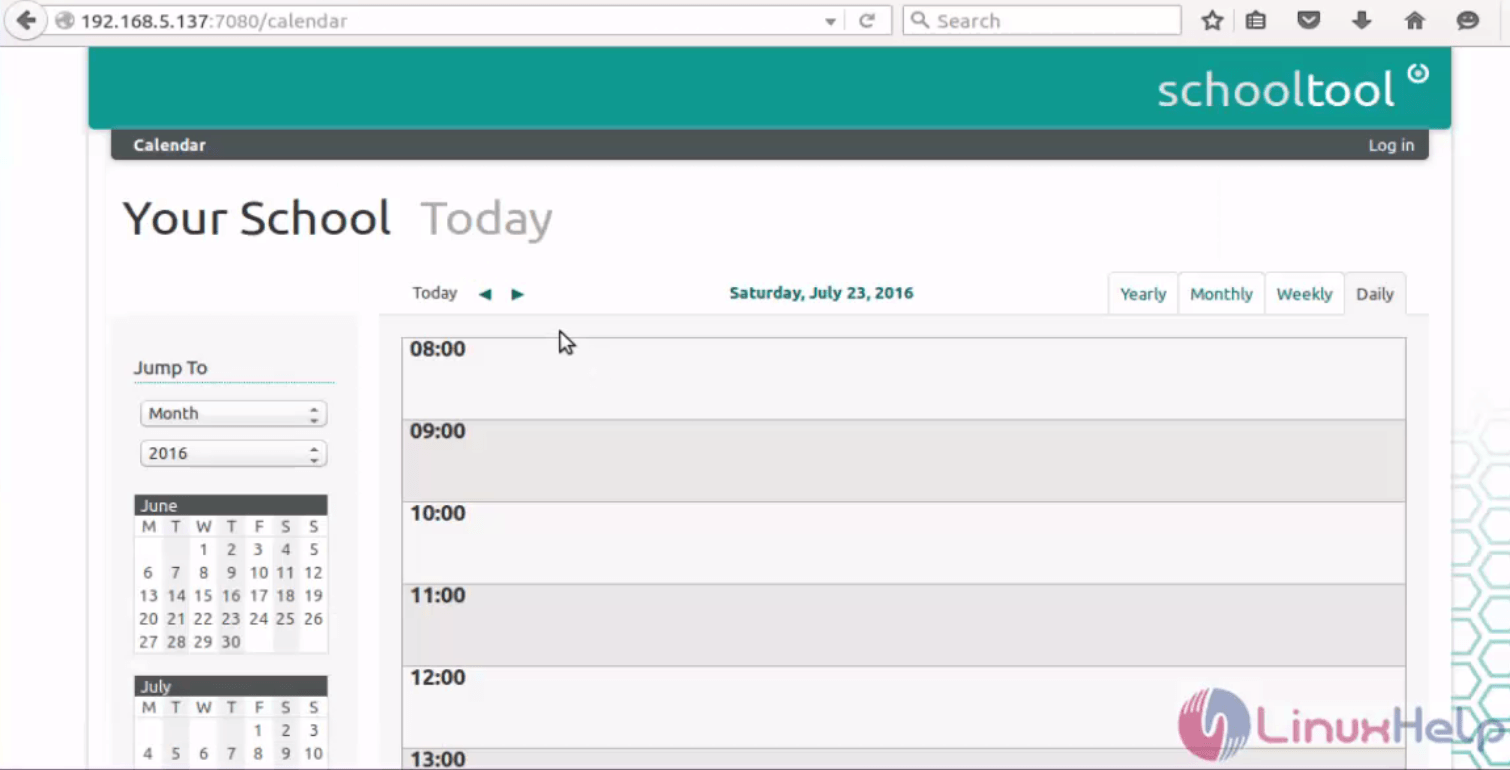
Installation-Schooltool-Ubuntu15.10-web-based-student-information-system-web-browser
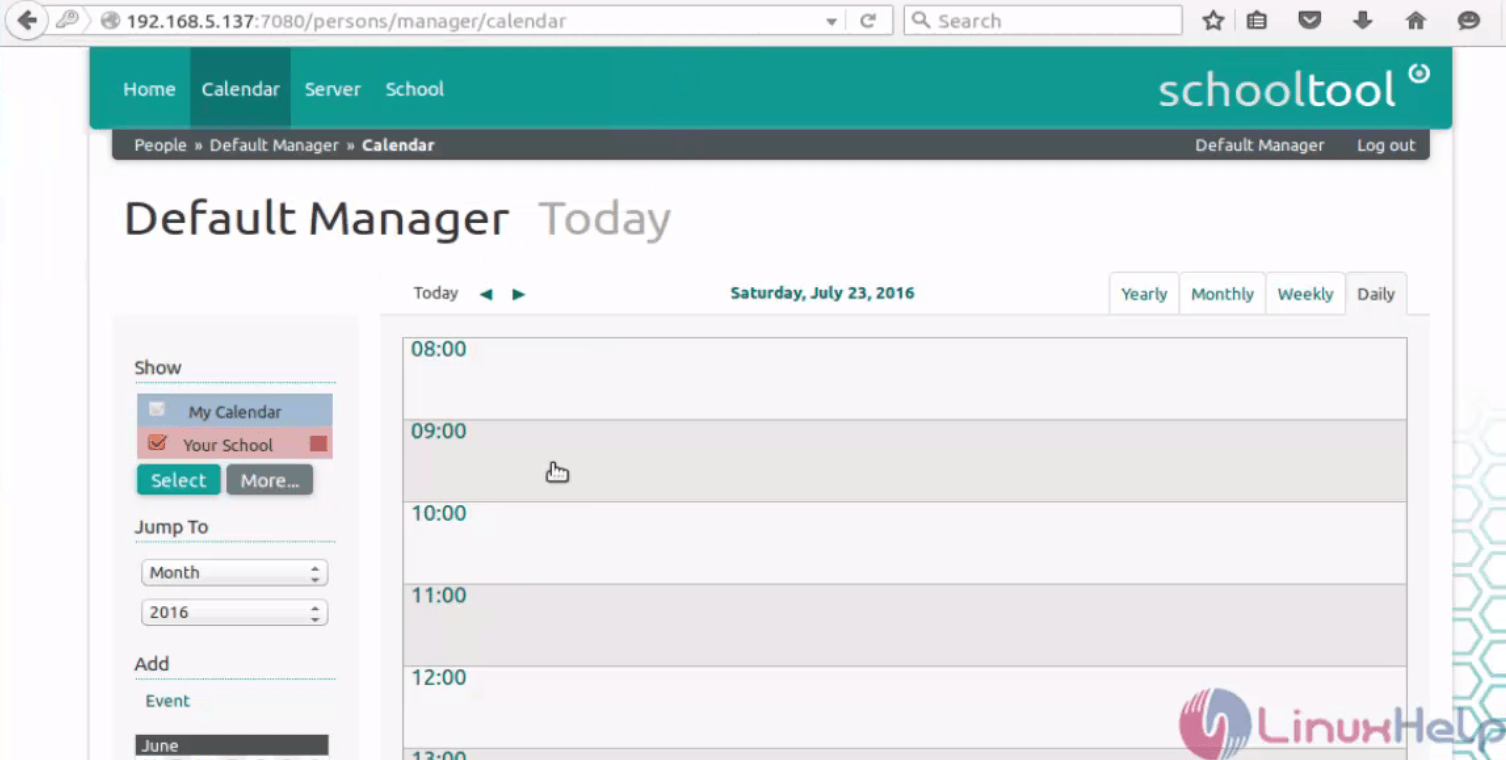
Login to the schooltool through the default user credentials.

Default username : manager
Default password : schooltool
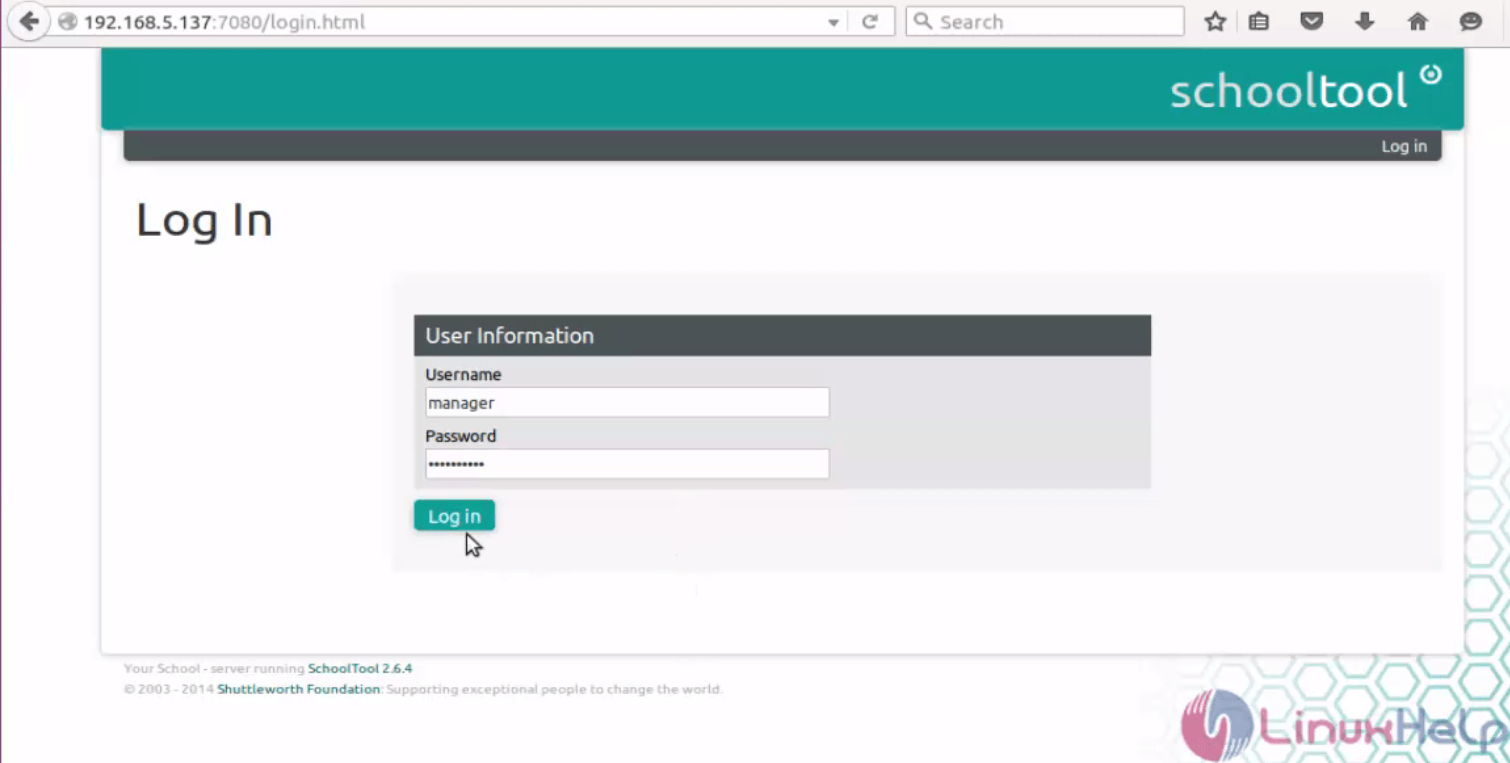
Installation-Schooltool-Ubuntu15.10-web-based-student-information-system-user-credentials

Installation-Schooltool-Ubuntu15.10-web-based-student-information-system-today

To Configure Schooltool

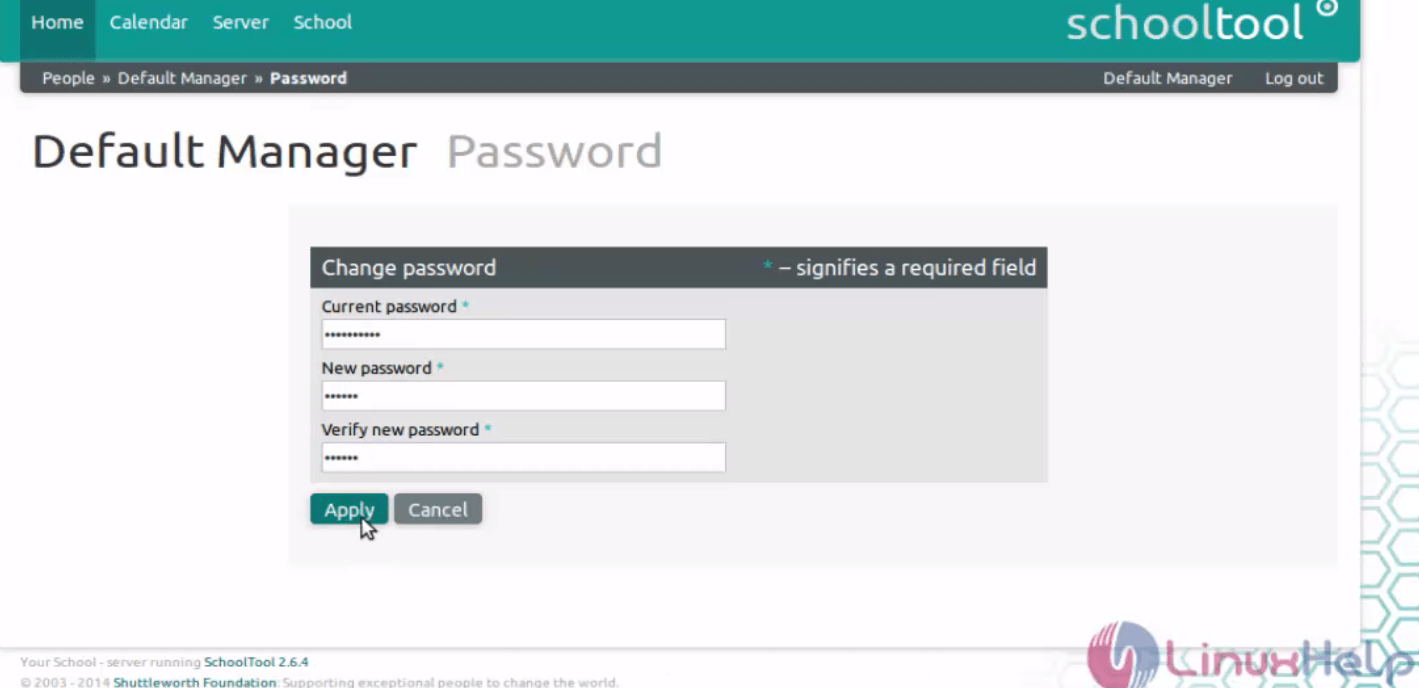
Hit password option in settings menu and change the password.
Installation-Schooltool-Ubuntu15.10-web-based-student-information-system-password-option
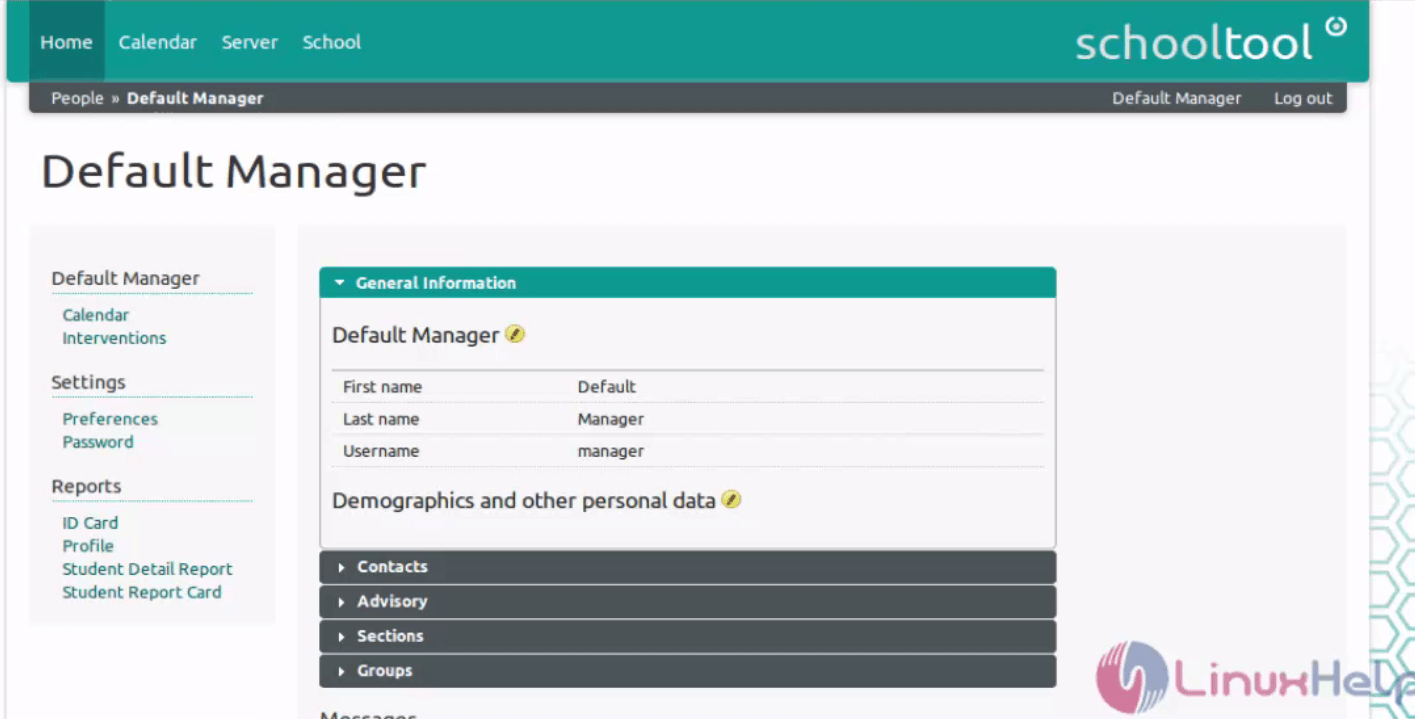
Installation-Schooltool-Ubuntu15.10-web-based-student-information-system-default-manager
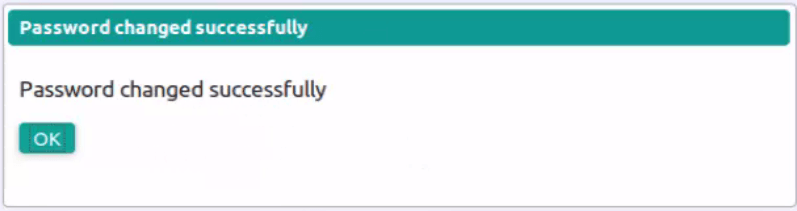
Installation-Schooltool-Ubuntu15.10-web-based-student-information-system-password-changed
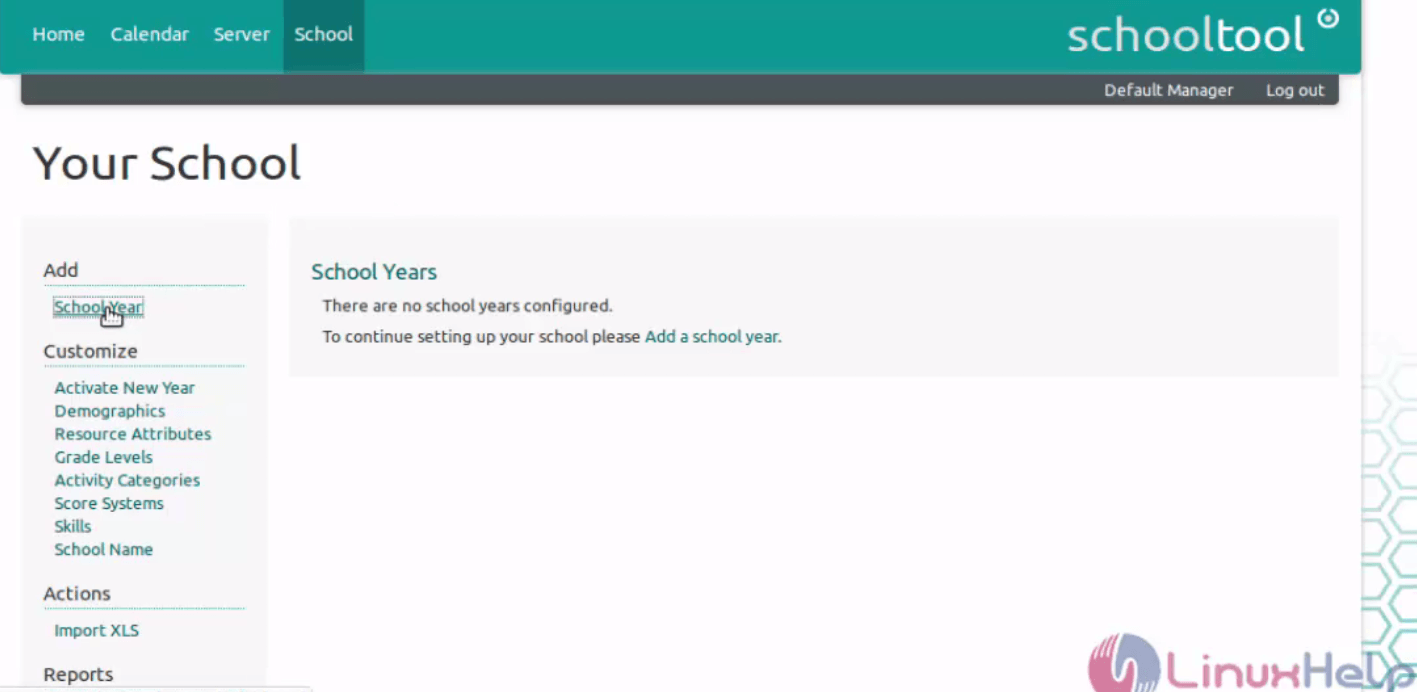
Click School tab to customise the Schooltool.

Installation-Schooltool-Ubuntu15.10-web-based-student-information-system-customise

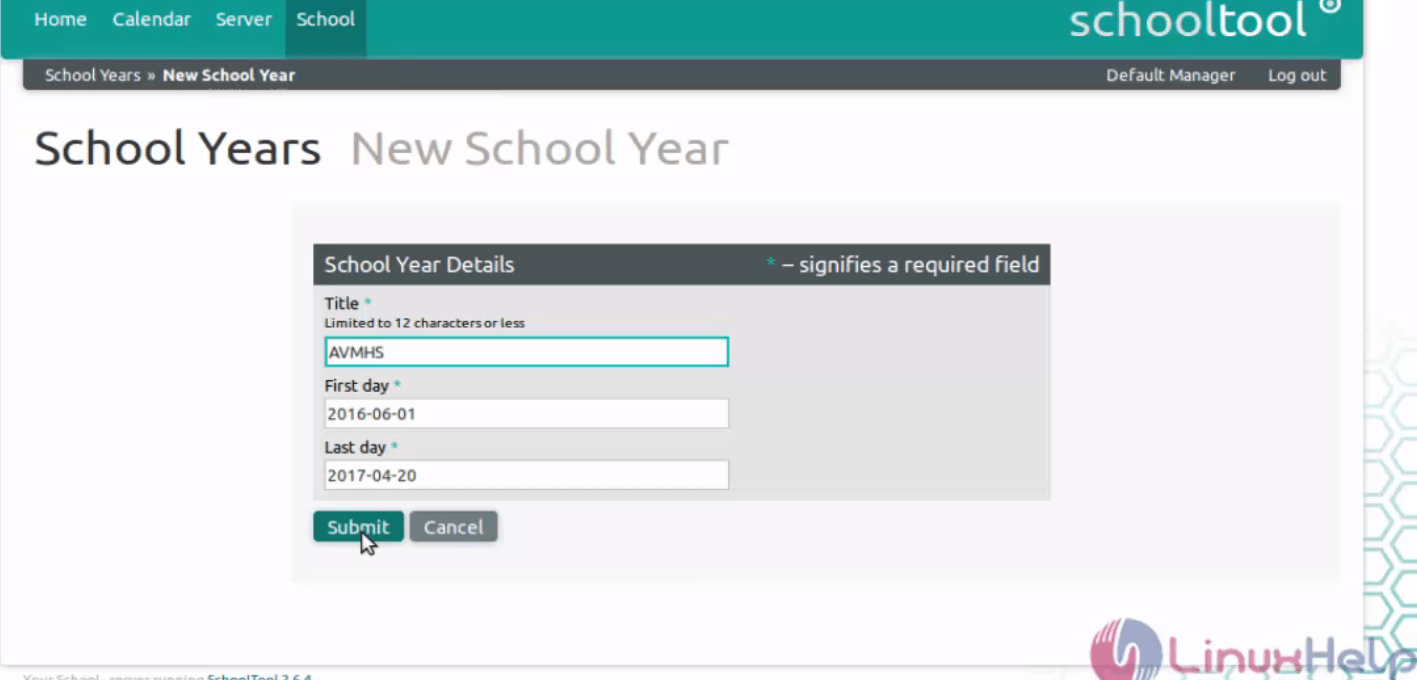
Add the academic year as follows and click Submit.
Installation-Schooltool-Ubuntu15.10-web-based-student-information-system-academic-year

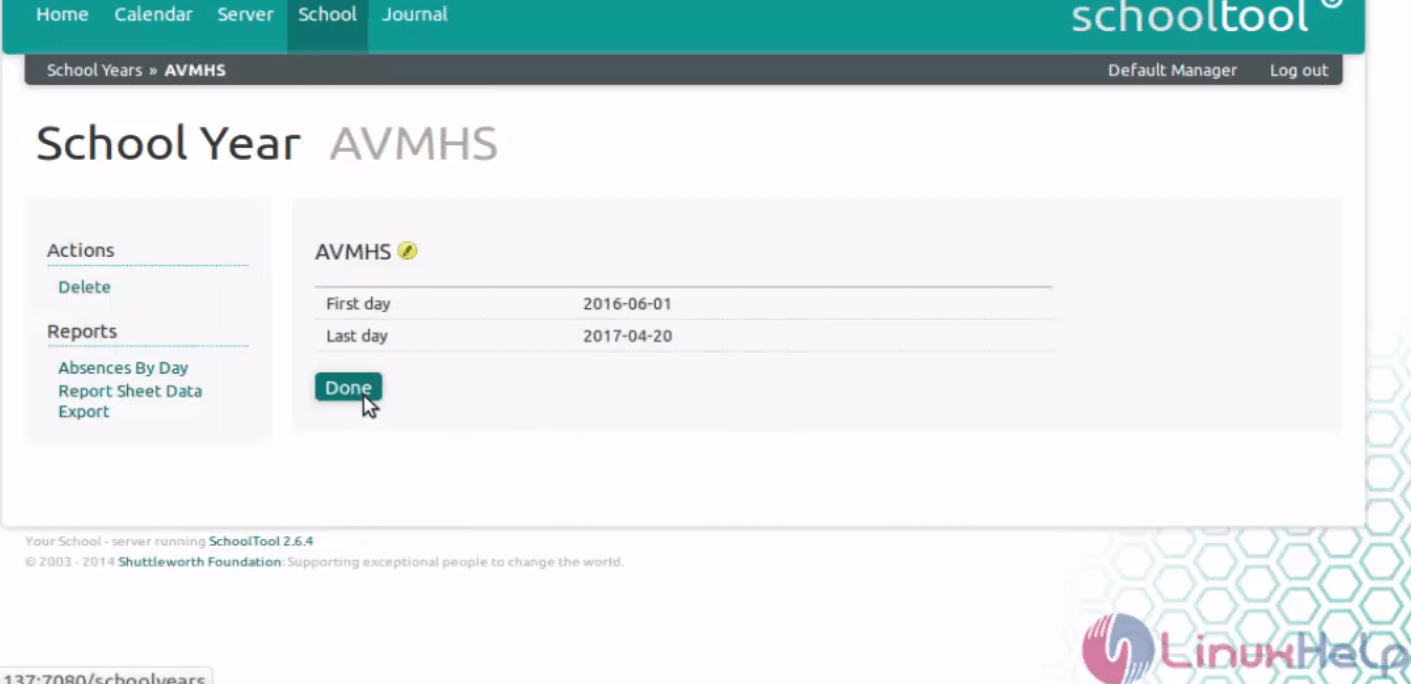
Click done after verifying the first and last day.
Installation-Schooltool-Ubuntu15.10-web-based-student-information-system-first-last-day

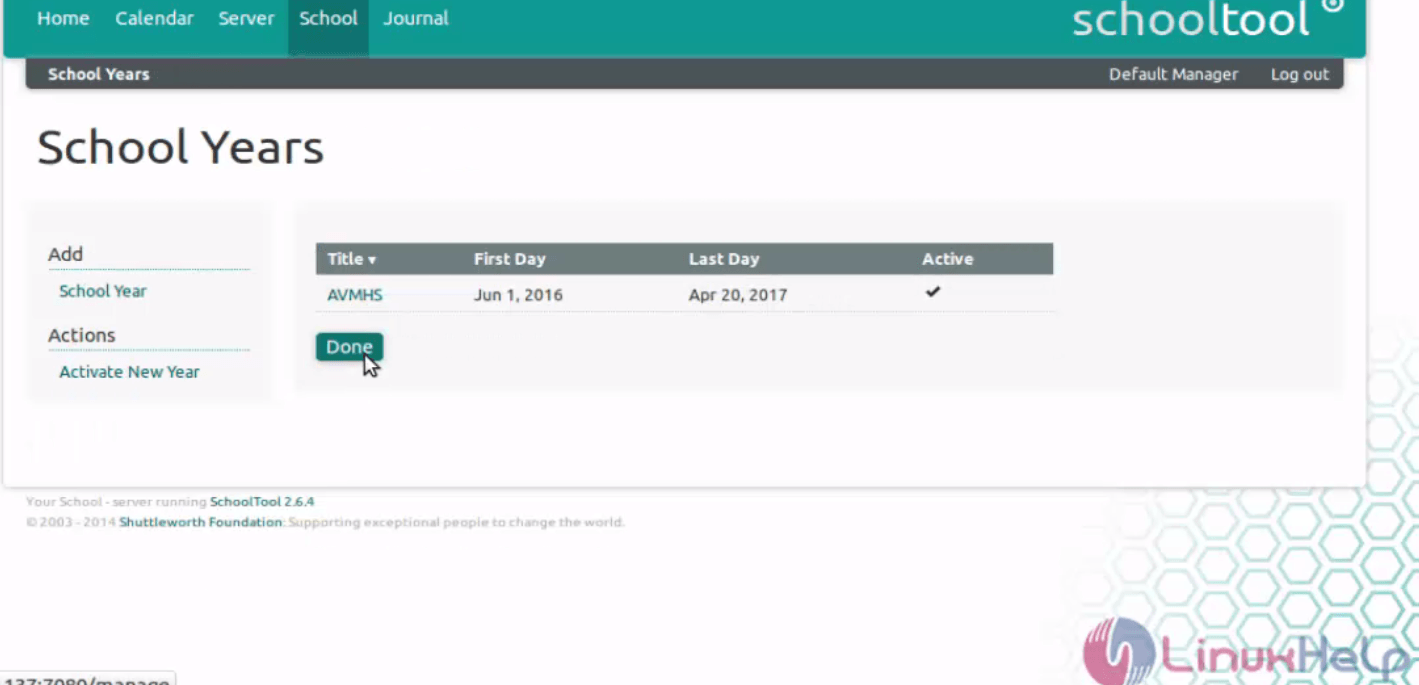
To activate the School years, click done.
Installation-Schooltool-Ubuntu15.10-web-based-student-information-system-School-years

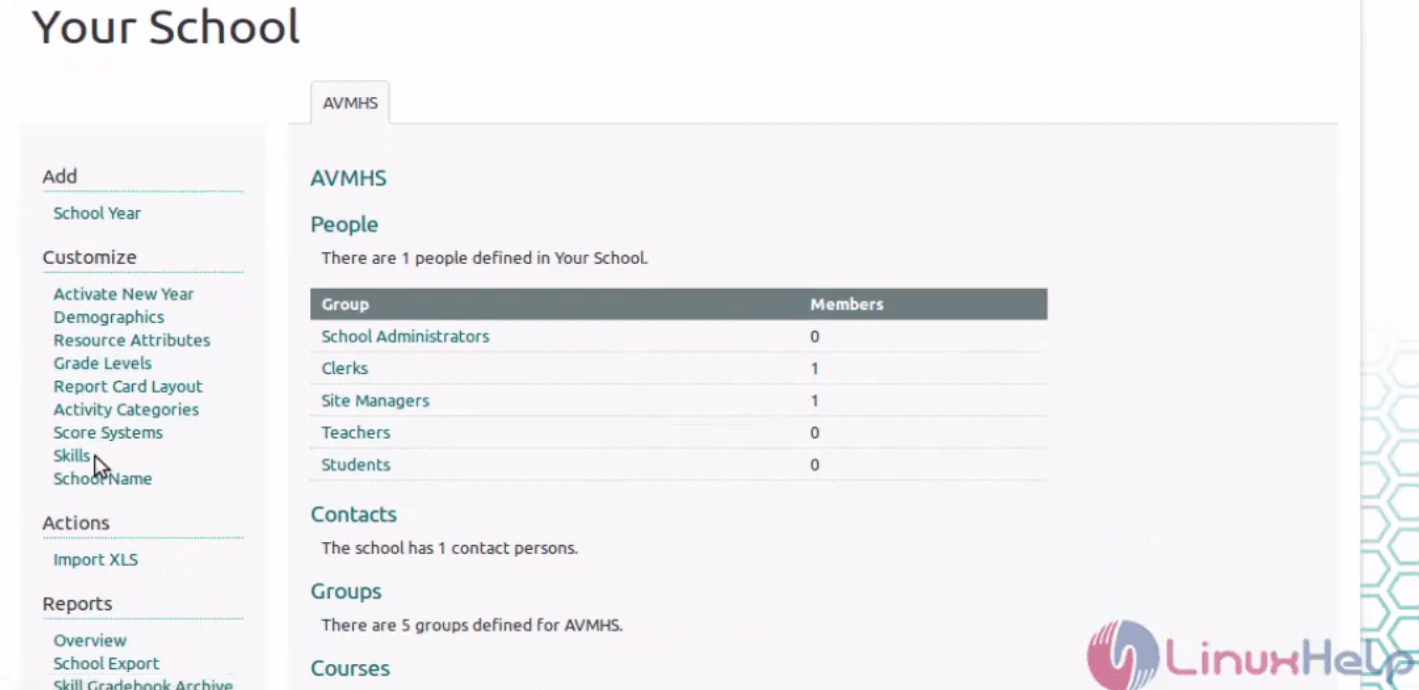
Now the Schooltool is ready to use.
Installation-Schooltool-Ubuntu15.10-web-based-student-information-system-comlete

Tags:
jackson
Author: 

Comments ( 0 )

No comments available

Add a comment
{{postCtrl.cmtErrMsg}}

Frequently asked questions ( 5 )

Q

Why am I having trouble printing from schooltool?

A

An ActiveX Print Control must be installed on all Internet Explorer clients that will require printing of reports. Users will be prompted to install this Print Control add-on the first time t

Q

What browser should I be using?

A

The preferred browser is an updated version of Internet Explorer. You can also use Safari, Chrome, and Firefox.

Q

How do I login?

A

Use the default credentials

Default username : manager
Default password : schooltool
Q

Why am I having trouble printing from schooltool?

A

An ActiveX Print Control must be installed on all Internet Explorer clients that will require printing of reports. Users will be prompted to install this Print Control add-on the first time t

Q

What browser should I be using?

A

The preferred browser is an updated version of Internet Explorer. You can also use Safari, Chrome, and Firefox.

Back To Top!
Rank
User
Points

Top Contributers

userNamenaveelansari
135850

Top Contributers

userNameayanbhatti
92510

Top Contributers

userNamehamzaahmed
32150

Top Contributers

1
userNamelinuxhelp
31040

Top Contributers

userNamemuhammadali
24500
Can you help Lucas ?
Various options in Top command

Am using Top command only to view the load average, what are the various options in Top command..??

Networking
  • Routing
  • trunk
  • Netmask
  • Packet Capture
  • domain
  • HTTP Proxy
Server Setup
  • NFS
  • KVM
  • Memory
  • Sendmail
  • WebDAV
  • LXC
Shell Commands
  • Cloud commander
  • Command line archive tools
  • last command
  • Shell
  • terminal
  • Throttle
Desktop Application
  • Linux app
  • Pithos
  • Retrospect
  • Scribe
  • TortoiseHg
  • 4Images
Monitoring Tool
  • Monit
  • Apache Server Monitoring
  • EtherApe 
  • Arpwatch Tool
  • Auditd
  • Barman
Web Application
  • Nutch
  • Amazon VPC
  • FarmWarDeployer
  • Rukovoditel
  • Mirror site
  • Chef
Contact Us | Terms of Use| Privacy Policy| Disclaimer
© 2025 LinuxHelp.com All rights reserved. Linux™ is the registered trademark of Linus Torvalds. This site is not affiliated with linus torvalds in any way.