• Categories
    Category
    {{ postCtrl.tags }}
    • {{ category.tag_type }}

      • {{tag.tag_name}}
      • View more
  • Categories
    Category
    {{ postCtrl.tags }}
    • {{ category.tag_type }}

      • {{tag.tag_name}}
      • View more
  • News
  • Tutorials
  • Forums
  • Tags
  • Users
Tutorial News Comments FAQ Related Articles

How to install Screenlets Application in Ubuntu

{{postValue.id}}

Screenlets- An amazing tool

Screenlets is an application software which supports Unix-like Operating system. It is released under the GNU Public License. In this article we are going to discuss the procedure to install and configure amazing Screenlets application. This tutorial covers the ground on screenlets.

Features

  • Easy from Developer point as well as from End-user point of view.
  • It supports for Themes feature
  • Install Google gadgets on screenlets engine.
  • Highly Customized
  • It will work with any non composited X desktop as well as composited desktop.
  • Embedded Drop and Drag
  • Saving option is Automatic
  • Full compositing Support.
  • A entire range of screenlets to select from.
  • Scalable

To Install Screenlets in Linux

Before installing the screenlets, install the dependency package with the help of the following command.

user1@linuxhelp:~$ sudo apt-get install libcanberra-gtk-module
[sudo] password for user1: 
Reading package lists... Done
Building dependency tree       
Reading state information... Done
libcanberra-gtk-module is already the newest version.
0 upgraded, 0 newly installed, 0 to remove and 7 not upgraded.

After installing the dependency package,install the screenlets application.

user1@linuxhelp:~$ sudo apt-get install screenlets screenlets-pack-all
Reading package lists... Done
Building dependency tree       
Reading state information... Done
&hellip 
&hellip 
&hellip 
Setting up screenlets (0.1.6-0ubuntu2) ...
Setting up screenlets-pack-all (0.1.6-0ubuntu1) ...
Processing triggers for python-support (1.0.15) ...

To start Screenlets using user account.

user1@linuxhelp:~$ screenlets
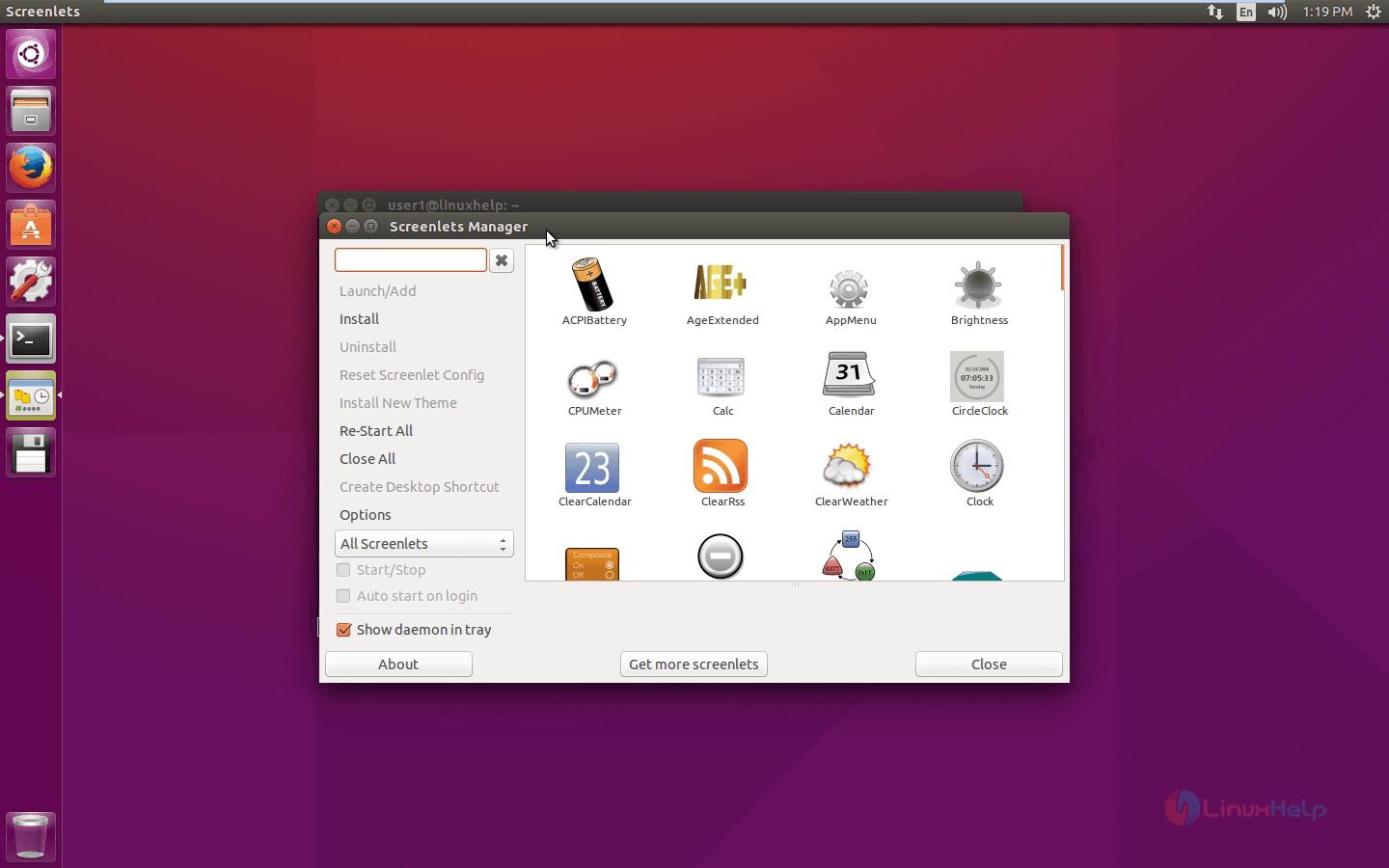
Screenlets_manager

Double click it or select the widget and click launch/add, to add a widget on your screen and there is no limitation.
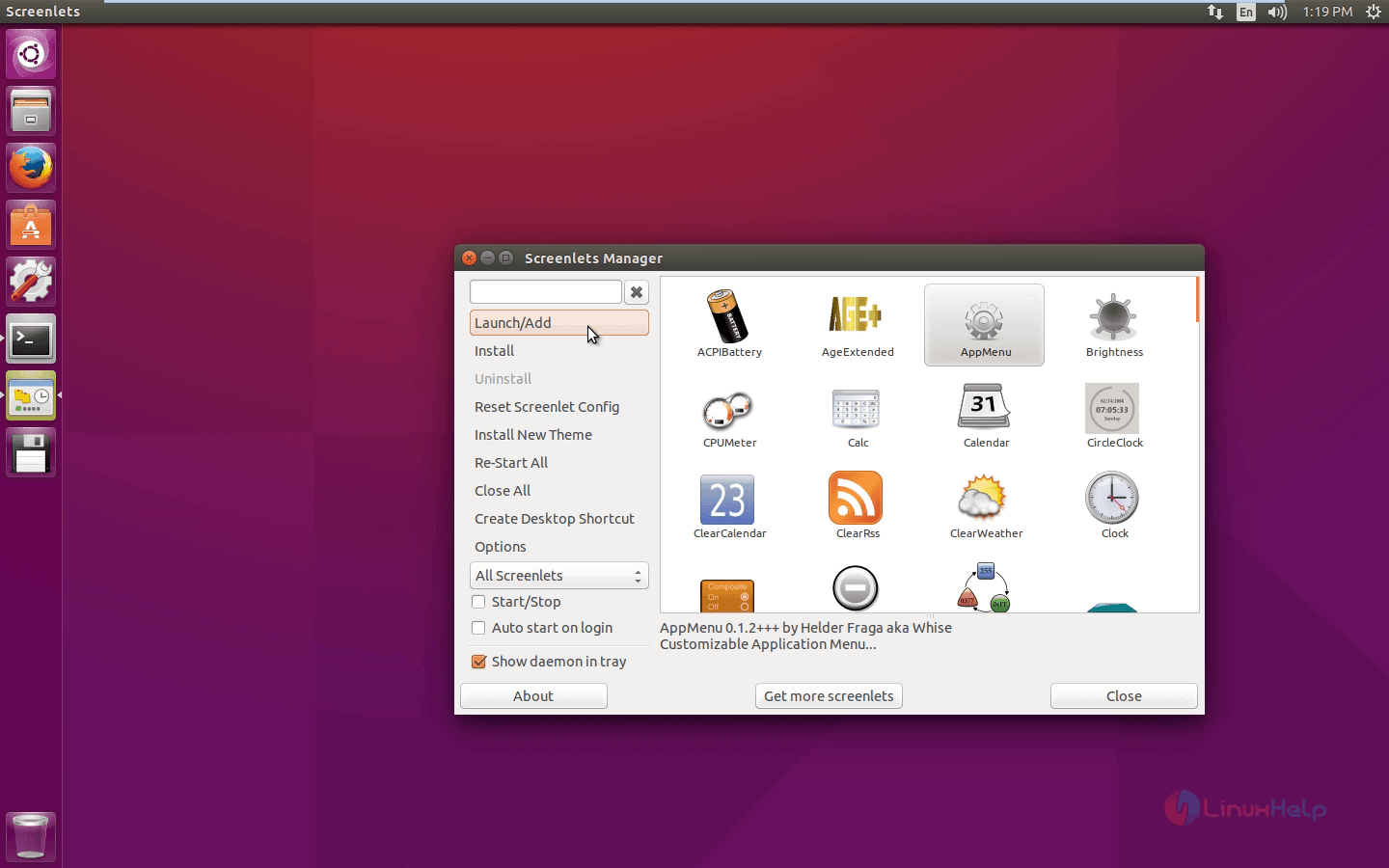
launch_a_widget

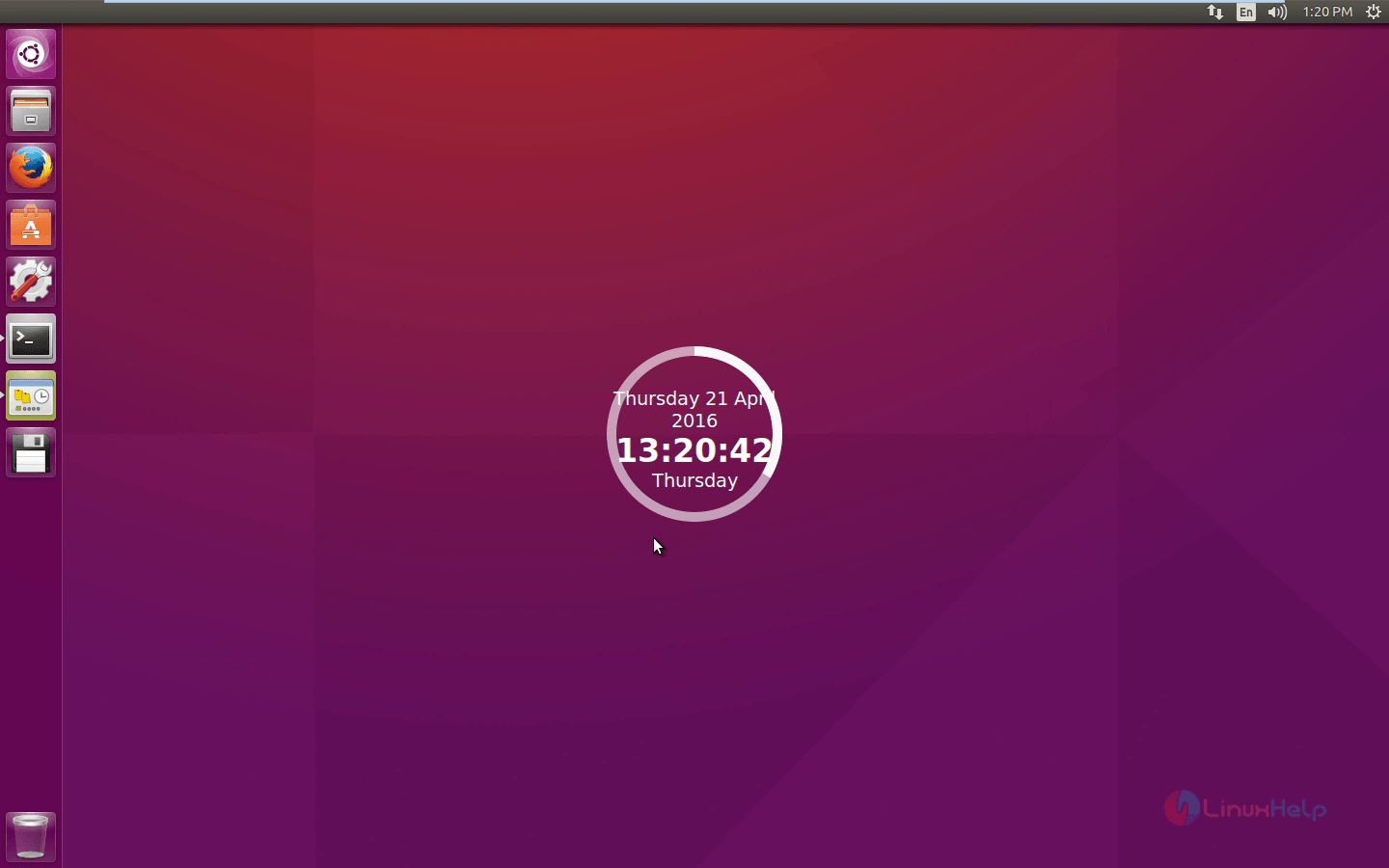
Circle clock widget looks as below.

circle_clock_widget

Select the Setting options of Specific Screenlets to configure it as per your wish.
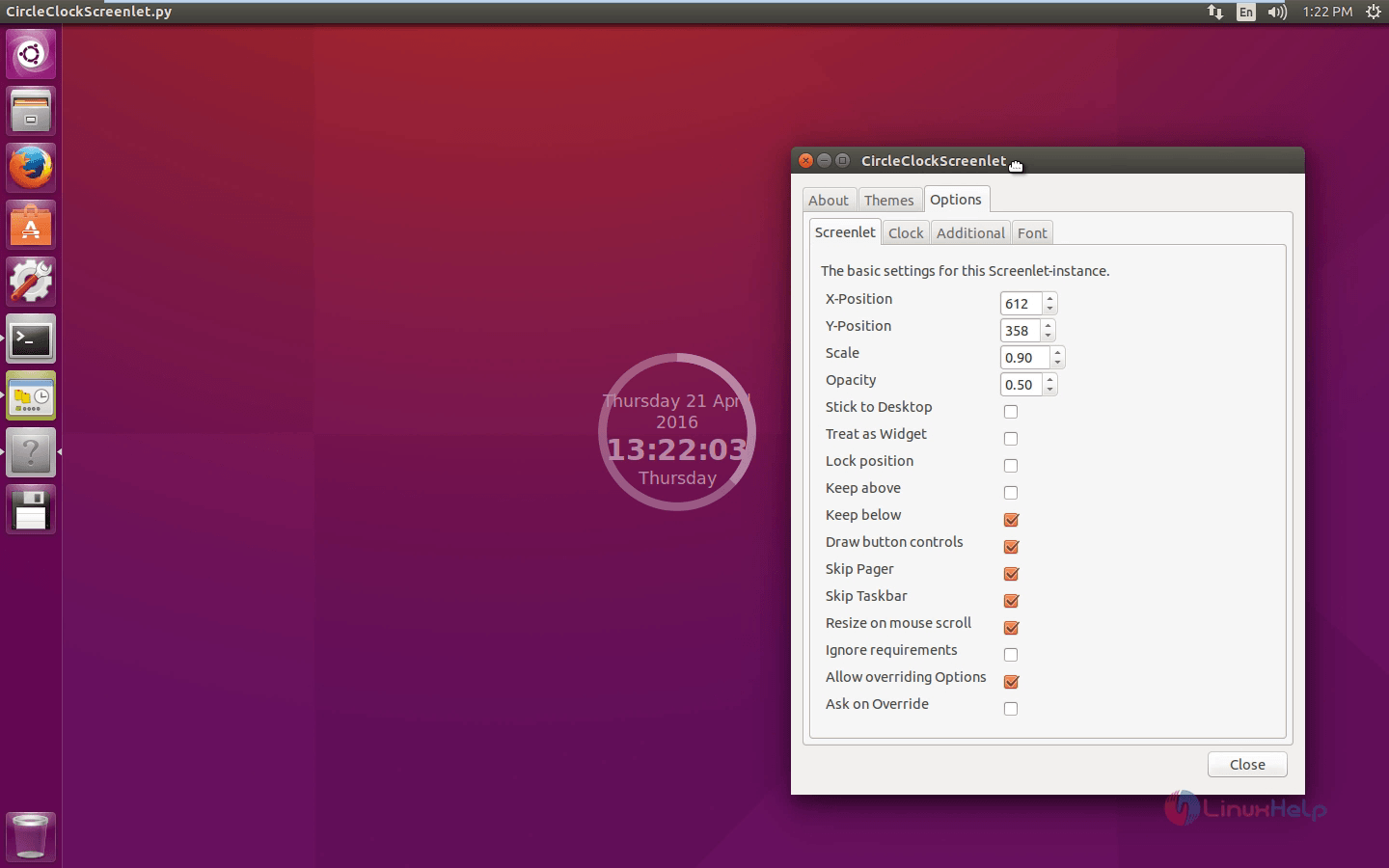
configure_screenlet

You can check the information About Screenlets.
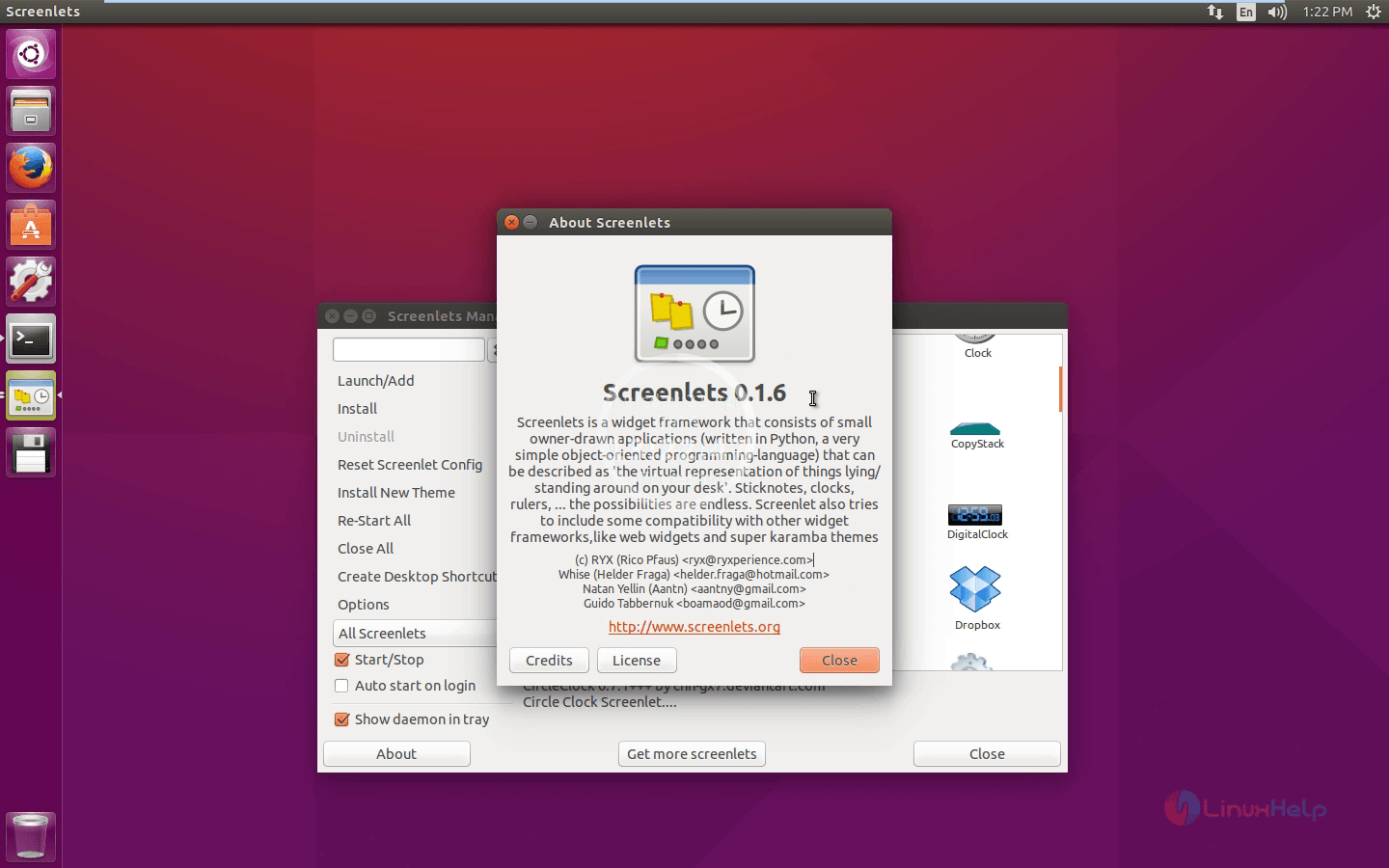
about_screenlets

Tags:
michael
Author: 

Comments ( 1 )

Frederik
Hi, I'm trying to install on Ubuntu 18, but when I run the command to install screenlets I get the following error: $ sudo apt-get install screenlets screenlets-pack-all Reading package lists... Done Building dependency tree Reading state information... Done E: Unable to locate package screenlets E: Unable to locate package screenlets-pack-all so, do I need something additional? Thanks!
Add a comment
{{postCtrl.cmtErrMsg}}

Frequently asked questions ( 5 )

Q

I need a screen recorder

A

https://www.linuxhelp.com/how-to-install-green-screen-recorder-on-ubuntu-16-04/

Q

nice tools for ubuntu

A

please visit www.linuxhelp.com for more tutorials like this

Q

how to set attributes for the to view?

A

You can set a Screenlet’s attributes via the app’s layout XML file.

Q

Where are Screenlets configuration files?

A

The configuration for individual screenlets is stored in ~/.config/screenlets/ per the XDG Base Directory Specification. The actual screenlets are (non-compliantly) stored in ~/screenlets/.

Q

What are the main features of the Screenlets?

A

Features

Install SuperKaramba themes.
Install Google Gadgets.
Load web apps.
Compositing support.

Back To Top!
Rank
User
Points

Top Contributers

userNamenaveelansari
135850

Top Contributers

userNameayanbhatti
92510

Top Contributers

userNamehamzaahmed
32150

Top Contributers

1
userNamelinuxhelp
31040

Top Contributers

userNamemuhammadali
24500
Can you help Jayce ?
What are the types of table used in IPtables

What are the various types of table used in IPtables and how to use that for my server security?

Networking
  • Routing
  • trunk
  • Netmask
  • Packet Capture
  • domain
  • HTTP Proxy
Server Setup
  • NFS
  • KVM
  • Memory
  • Sendmail
  • WebDAV
  • LXC
Shell Commands
  • Cloud commander
  • Command line archive tools
  • last command
  • Shell
  • terminal
  • Throttle
Desktop Application
  • Linux app
  • Pithos
  • Retrospect
  • Scribe
  • TortoiseHg
  • 4Images
Monitoring Tool
  • Monit
  • Apache Server Monitoring
  • EtherApe 
  • Arpwatch Tool
  • Auditd
  • Barman
Web Application
  • Nutch
  • Amazon VPC
  • FarmWarDeployer
  • Rukovoditel
  • Mirror site
  • Chef
Contact Us | Terms of Use| Privacy Policy| Disclaimer
© 2025 LinuxHelp.com All rights reserved. Linux™ is the registered trademark of Linus Torvalds. This site is not affiliated with linus torvalds in any way.