How to install ScreenStudio Screencaster on Ubuntu 16.04
To install ScreenStudio Screencaster on Ubuntu
ScreenStudio is a free, open source and cross-platform screen casting application licensed under GPL. It’ s a java-based application and requires JRE 8 and ffmpeg for it to function efficiently. It can be used for recording your desktop and save it in HD video format. It can also stream your desktop to services such as UStream, Hitbox, or Twitch.tv. In this article, the installation of ScreenStudio on Ubuntu is covered.
Requirements:
- Linux (Tested on Ubuntu 16.04) or Mac OS X (Yosemite)
- ffmpeg 0.9x (For Linux only... Often already installed with Ubuntu by installing libav-tools 9.x)
- JRE 8.x or above (OpenJDK is available for Ubuntu)
- A webcam (Optional)
- An account with some provider like Youtube Live, Ustream to broadcast live!
- More harddisk space to record locally
- For dependencies: sudo apt-get install ffmpeg openjdk-8-jre
Installing ScreenStudio
Before initiating the installation of ScreenStudio package, it is essential to install java. So, to verify the presence of Java in your system, use the following command as it displays the version of Java present in your machine.
user1@linuxhelpubnt:~$ java -version
java version " 1.8.0_121"
Java(TM) SE Runtime Environment (build 1.8.0_121-b13)
Java HotSpot(TM) 64-Bit Server VM (build 25.121-b13, mixed mode)
Once it is done, use the following command to install ffmpeg package.
user1@linuxhelpubnt:~$ sudo apt-get install ffmpeg
[sudo] password for user1:
Reading package lists... Done
Building dependency tree
Reading state information... Done
The following packages were automatically installed and are no longer required:
  libpango1.0-0 libpangox-1.0-0
Use ' sudo apt autoremove'  to remove them.
The following additional packages will be installed:
  i965-va-driver libaacs0 libass5 libavcodec-ffmpeg56 libavdevice-ffmpeg56 libavfilter-ffmpeg5
.
.
Setting up vdpau-driver-all:amd64 (1.1.1-3ubuntu1) ...
Processing triggers for libc-bin (2.23-0ubuntu5) ...
To install the Latest version of ScreenStudio, make sure that you download its binary package from its official website. If you want to download it through a command, use the wget utility as follows.
user1@linuxhelpubnt:~$ wget http://screenstudio.crombz.com/archives/ubuntu/ScreenStudio-Ubuntu-3.1.1-bin.tar.gz
--2017-02-28 17:37:06--  http://screenstudio.crombz.com/archives/ubuntu/ScreenStudio-Ubuntu-3.1.1-bin.tar.gz
Resolving screenstudio.crombz.com (screenstudio.crombz.com)... 198.38.82.100
Connecting to screenstudio.crombz.com (screenstudio.crombz.com)|198.38.82.100|:80... connected.
HTTP request sent, awaiting response... 200 OK
Length: 1335027 (1.3M) [application/octet-stream]
Saving to: ‘ ScreenStudio-Ubuntu-3.1.1-bin.tar.gz’

ScreenStudio-Ubuntu-3.1.1- 100%[=======================================> ]   1.27M  71.5KB/s    in 13s

2017-02-28 17:37:21 (99.3 KB/s) - ‘ ScreenStudio-Ubuntu-3.1.1-bin.tar.gz’  saved [1335027/1335027]
Once the package is downloaded, extract it by using the following command.
user1@linuxhelpubnt:~$ tar xvf ScreenStudio-Ubuntu-3.1.1-bin.tar.gz
ScreenStudio.Ubuntu/
ScreenStudio.Ubuntu/lib/
ScreenStudio.Ubuntu/lib/jna.jar
ScreenStudio.Ubuntu/lib/jkeymaster-1.1.jar
ScreenStudio.Ubuntu/ScreenStudio.jar
ScreenStudio.Ubuntu/createDesktopIcon.sh
ScreenStudio.Ubuntu/ScreenStudio.sh
ScreenStudio.Ubuntu/README.txt
ScreenStudio.Ubuntu/logo.png
Now change the directory for the package as follows.
user1@linuxhelpubnt:~$ cd ScreenStudio.Ubuntu/
user1@linuxhelpubnt:~/ScreenStudio.Ubuntu$
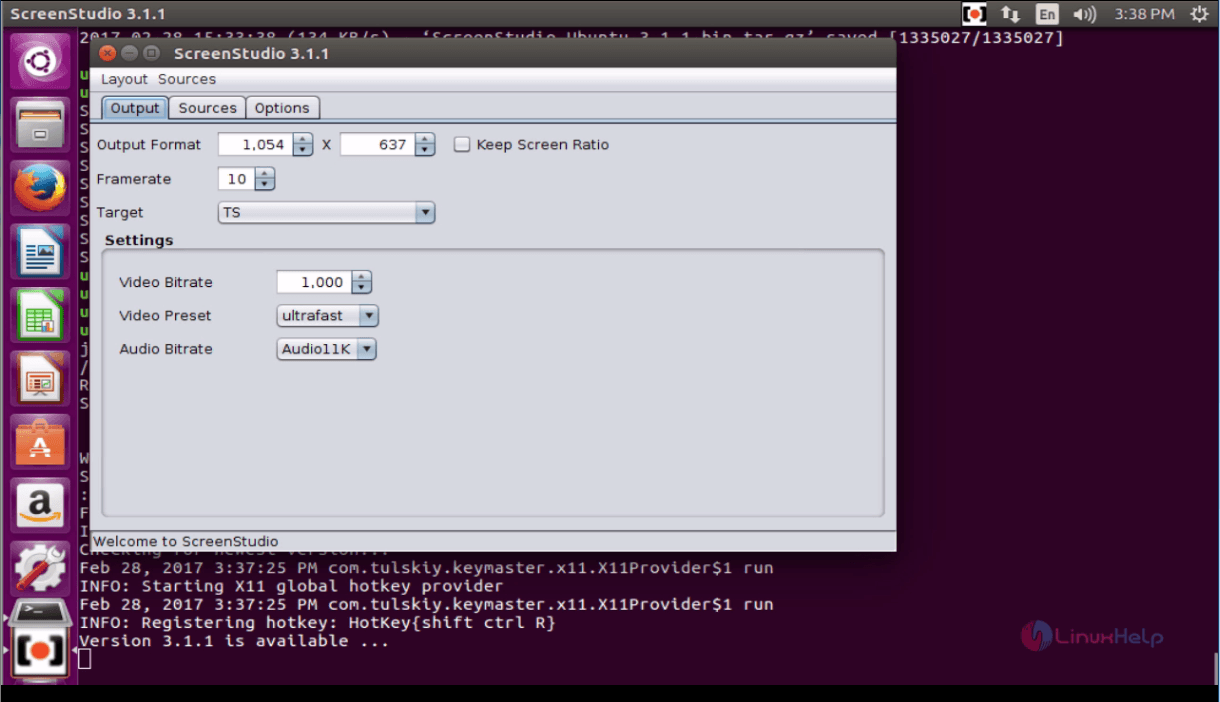
Once it is done, start the application by simply executing the start script.
user1@linuxhelpubnt:~/ScreenStudio.Ubuntu$ ./ScreenStudio.sh
java is hashed (/usr/bin/java)
/home/user1/ScreenStudio.Ubuntu
Running on linux
Source Audio List:
 alsa_output.pci-0000_02_02.0.analog-stereo.monitor
 alsa_input.pci-0000_02_02.0.analog-stereo
Webcam List:
Screen List:
:0.0+0,0 [x=0,y=0,width=1045,height=635]
Feb 28, 2017 5:38:18 PM java.util.prefs.FileSystemPreferences$1 run
INFO: Created user preferences directory.
Checking for newest version...
Feb 28, 2017 5:38:19 PM com.tulskiy.keymaster.x11.X11Provider$1 run
INFO: Starting X11 global hotkey provider
Feb 28, 2017 5:38:19 PM com.tulskiy.keymaster.x11.X11Provider$1 run
INFO: Registering hotkey: HotKey{shift ctrl R}
Version 3.1.1 is available ...
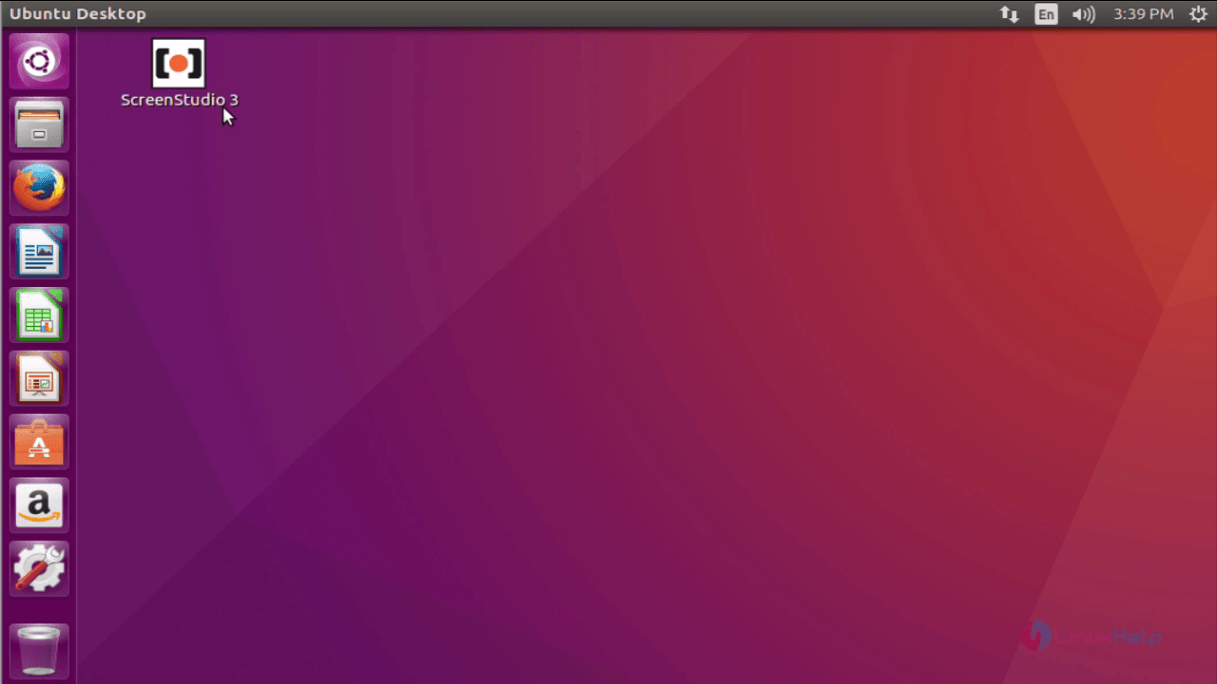
If you want to create a shortcut on your desktop, execute the following command.
user1@linuxhelpubnt:~/ScreenStudio.Ubuntu$ ./createDesktopIcon.sh
user1@linuxhelpubnt:~/ScreenStudio.Ubuntu$
Comments ( 0 )
No comments available