• Categories
    Category
    {{ postCtrl.tags }}
    • {{ category.tag_type }}

      • {{tag.tag_name}}
      • View more
  • Categories
    Category
    {{ postCtrl.tags }}
    • {{ category.tag_type }}

      • {{tag.tag_name}}
      • View more
  • News
  • Tutorials
  • Forums
  • Tags
  • Users
Tutorial News Comments FAQ Related Articles

How to install Scribus 1.5.5 on Ubuntu 18.04

{{postValue.id}}

To install Scribus 1.5.5 on Ubuntu 18.04

Scribus is a freeware, cross-platform publishing program which is capable of giving a press-ready output and has new approaches to page design. Scribus is designed for layout, typesetting, and preparation of files for professional-quality image-setting equipment. It can also create animated and interactive PDF presentations and forms. Its uses include writing newspapers, brochures, newsletters, posters, and books.

Installation

Add a new repository to install a Scribus

 root@linuxhelp1:~# add-apt-repository ppa:scribus/ppa
 Packages from the Scribus friends

scribus: current 1.4.x branch
scribus-ng: current 1.5.x branch
scribus-trunk: whatever inside the current svn repository, built daily.
.
.
Get:6 http://ppa.launchpad.net/scribus/ppa/ubuntu bionic/main i386 Packages [2,460 B]         
Get:7 http://in.archive.ubuntu.com/ubuntu bionic-backports InRelease [74.6 kB]
Get:8 http://ppa.launchpad.net/scribus/ppa/ubuntu bionic/main Translation-en [1,528 B]
Fetched 268 kB in 2s (149 kB/s)
Reading package lists... Done

Update the system repository

root@linuxhelp1:~# apt-get update
Hit:1 http://ppa.launchpad.net/scribus/ppa/ubuntu bionic InRelease
Hit:2 http://in.archive.ubuntu.com/ubuntu bionic InRelease               
Get:3 http://security.ubuntu.com/ubuntu bionic-security InRelease [83.2 kB]
Get:4 http://in.archive.ubuntu.com/ubuntu bionic-updates InRelease [83.2 kB]
Get:5 http://in.archive.ubuntu.com/ubuntu bionic-backports InRelease [74.6 kB]
Fetched 241 kB in 2s (130 kB/s)     
Reading package lists... Done

Install a Scribus

root@linuxhelp1:~# apt-get install scribus-trunk -y
Reading package lists... Done
Building dependency tree      
Reading state information... Done


The following packages were automatically installed and are no longer required:

  apache2-bin apache2-data apache2-utils libapr1 libaprutil1 libaprutil1-dbd-sqlite3
  libaprutil1-ldap
.
.
Setting up qt-at-spi:amd64 (0.4.0-8) ...
Setting up odbcinst (2.3.4-1.1ubuntu3) ...
Setting up libgdal20 (2.2.3+dfsg-2) ...
Setting up libqt4-opengl:amd64 (4:4.8.7+dfsg-7ubuntu1) ...
Setting up libopenscenegraph100v5:amd64 (3.2.3+dfsg1-2ubuntu8) ...
Setting up scribus-trunk (1.5.5svn~r22576~20180605~ppa73~ubuntu18.04.1) ...
Processing triggers for libc-bin (2.27-3ubuntu1) ...

After installation, you can access the application from the menu as follows

menu

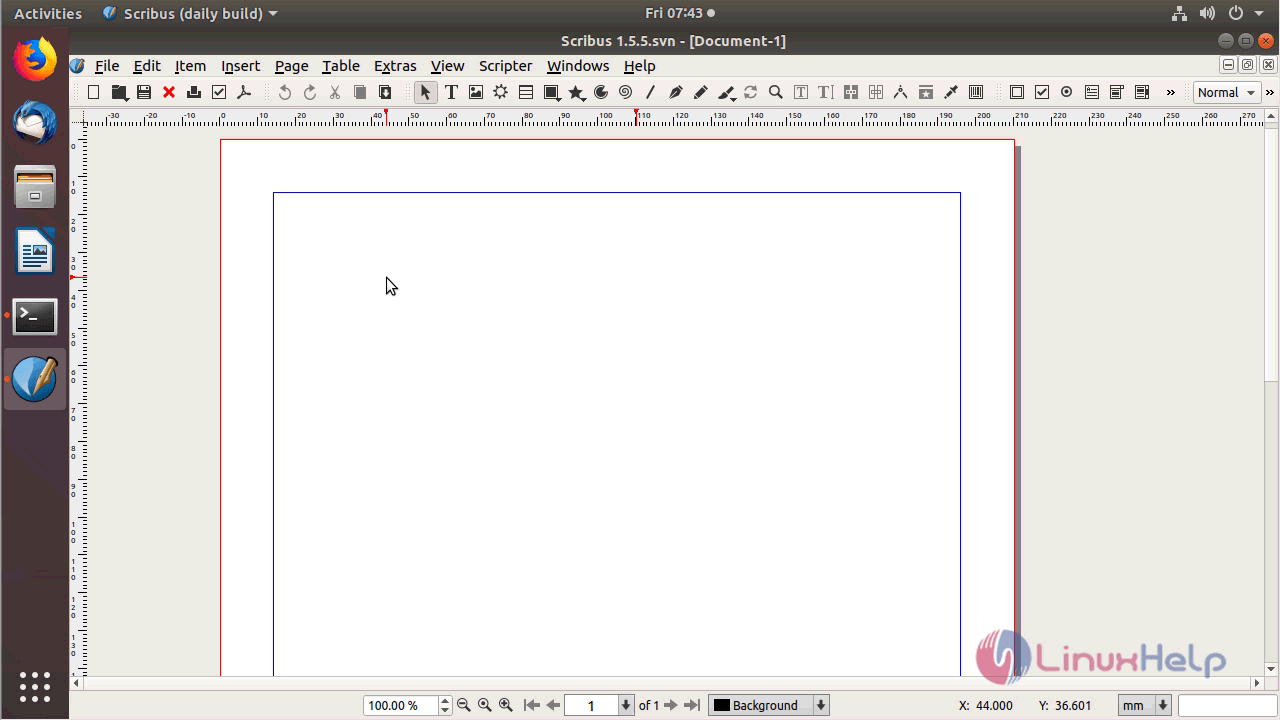
Create a new document
scribus_application

Scribus application
scribus

Version of Scribus
version

With this, the method to install Scribus 1.5.5 on Ubuntu 18.04 comes to an end.

Tags:
sebastian
Author: 

Comments ( 0 )

No comments available

Add a comment
{{postCtrl.cmtErrMsg}}

Frequently asked questions ( 5 )

Q

Major usage of Scribus application?

A

Scribus is a freeware, multi-platform publishing program applicable for all platforms. Its user- friendly interface allows users to publish their work more effectively. It provides an extensi

Q

Can I use a command line interface with Scribus?

A

You cannot directly call Scribus. However, you can use Scribus to build templates. The Scribus .sla file type is XML (tagged plain-text) and can be processed with nearly any CLI converter out

Q

Some people are not familiar with GPL license. So: Can Scribus be used legally in a company to produce internally used documents? Can Scribus be used legally by a company or an indiv

A

Both Scribus code and the application are free to download and use without any limitations. They are also free to distribute as long as you comply with the requirements of the GPLv2 license.

Q

Yes to both without any reservations.

A
Q

How do I get Scribus for Linux?

A

If you don't need anything fancy, use your packet manager to install Scribus (synaptics, yum, apt-get, ...). This is the preferred way to install Scribus.
If you want to be more up to date than your distribution is, you can add Scribus's own repositories.

Load more

Back To Top!
Rank
User
Points

Top Contributers

userNamenaveelansari
135850

Top Contributers

userNameayanbhatti
92510

Top Contributers

userNamehamzaahmed
32150

Top Contributers

1
userNamelinuxhelp
31040

Top Contributers

userNamemuhammadali
24500
Can you help David Lopez Guillen ?
Ayuda urgente instale SSL para servidor Opensuse y ahora no funciona tengo servicio web

hola segui este tutorial para tener un certificado ssl y ahora no se ve mi app en la red, espero alguien pueda ayudarme, tengo M9oodle en3.5 en un servidor open suse y ahora no funciona por favor ayuda.

https://www.linuxhelp.com/how-to-create-ssl-certificate-in-opensuse

Networking
  • Routing
  • trunk
  • Netmask
  • Packet Capture
  • domain
  • HTTP Proxy
Server Setup
  • NFS
  • KVM
  • Memory
  • Sendmail
  • WebDAV
  • LXC
Shell Commands
  • Cloud commander
  • Command line archive tools
  • last command
  • Shell
  • terminal
  • Throttle
Desktop Application
  • Linux app
  • Pithos
  • Retrospect
  • Scribe
  • TortoiseHg
  • 4Images
Monitoring Tool
  • Monit
  • Apache Server Monitoring
  • EtherApe 
  • Arpwatch Tool
  • Auditd
  • Barman
Web Application
  • Nutch
  • Amazon VPC
  • FarmWarDeployer
  • Rukovoditel
  • Mirror site
  • Chef
Contact Us | Terms of Use| Privacy Policy| Disclaimer
© 2025 LinuxHelp.com All rights reserved. Linux™ is the registered trademark of Linus Torvalds. This site is not affiliated with linus torvalds in any way.