How to install Selene - Media encoder Tool
To install selene media converter on Ubuntu 16.04
Selene is an audio/video converter for converting files to the desired audio/video formats.It is designed using a simple GUI to convert files to the desired with a powerful command-line options for automated/unattended encoding. Installation of Selene is explained in this manual.
Features
- Encode videos/video files to the desired formats.
- Supports run in background and shutdown PC after encoding.
- Bash scripts can be written to control the encoding process.
- Commandline interface option for unattended/automated encoding.
- Provides option to pause/resume encoding.
Installation of selene
Add the selene repo file to apt source list by using the following command.
root@linuxhelp:~# apt-add-repository ppa:teejee2008/ppa
 More info: https://launchpad.net/~teejee2008/+archive/ubuntu/ppa
Press [ENTER] to continue or ctrl-c to cancel adding it

gpg: keyring `/tmp/tmpxom31apw/secring.gpg'  created
gpg: keyring `/tmp/tmpxom31apw/pubring.gpg'  created
gpg: requesting key 2D0F61F0 from hkp server keyserver.ubuntu.com
gpg: /tmp/tmpxom31apw/trustdb.gpg: trustdb created
gpg: key 2D0F61F0: public key " Launchpad PPA for Tony George"  imported
gpg: no ultimately trusted keys found
gpg: Total number processed: 1
gpg:               imported: 1  (RSA: 1)
OK
Next update apt source with the help of apt-get update command.
root@linuxhelp:~# apt-get update
Hit:1 http://ppa.launchpad.net/enlightenment-git/ppa/ubuntu xenial InRelease
Hit:2 http://in.archive.ubuntu.com/ubuntu xenial InRelease
Hit:3 http://ppa.launchpad.net/gns3/ppa/ubuntu xenial InRelease
Get:4 http://in.archive.ubuntu.com/ubuntu xenial-updates InRelease [95.7 kB]
Hit:5 http://ppa.launchpad.net/me-davidsansome/clementine/ubuntu xenial InRelease
Hit:6 http://ppa.launchpad.net/mystic-mirage/komodo-edit/ubuntu xenial InRelease
Get:7 http://security.ubuntu.com/ubuntu xenial-security InRelease [94.5 kB]
Hit:8 http://ppa.launchpad.net/starws-box/deadbeef-player/ubuntu xenial InRelease
Hit:9 http://ppa.launchpad.net/team-xbmc/unstable/ubuntu xenial InRelease
Get:10 http://ppa.launchpad.net/teejee2008/ppa/ubuntu xenial InRelease [17.5 kB]
Hit:11 http://ppa.launchpad.net/wereturtle/ppa/ubuntu xenial InRelease
Hit:12 http://in.archive.ubuntu.com/ubuntu xenial-backports InRelease
Ign:13 https://www.arangodb.com/repositories/arangodb3/xUbuntu_16.04  InRelease
Hit:14 https://www.arangodb.com/repositories/arangodb3/xUbuntu_16.04  Release
Get:15 http://ppa.launchpad.net/teejee2008/ppa/ubuntu xenial/main amd64 Packages [1,992 B]
Get:16 http://ppa.launchpad.net/teejee2008/ppa/ubuntu xenial/main i386 Packages [1,992 B]
Get:17 http://ppa.launchpad.net/teejee2008/ppa/ubuntu xenial/main Translation-en [1,080 B]
Fetched 213 kB in 8s (24.4 kB/s)
Reading package lists... Done
W: https://www.arangodb.com/repositories/arangodb3/xUbuntu_16.04/Release.gpg: Signature by key 4497DA50FBD0158CCFD1996CEE611E131C42E360 uses weak digest algorithm (SHA1)
Then start installing selene media converter by using the following command.
root@linuxhelp:~# apt-get install selene
Reading package lists... Done
Building dependency tree
Reading state information... Done
The following packages were automatically installed and are no longer required:
  linux-headers-4.4.0-21 linux-headers-4.4.0-21-generic linux-headers-4.4.0-28
  linux-headers-4.4.0-28-generic linux-image-4.4.0-21-generic
  linux-image-4.4.0-28-generic linux-image-extra-4.4.0-21-generic
  linux-image-extra-4.4.0-28-generic
Use ' sudo apt autoremove'  to remove them.
The following additional packages will be installed:
  esound-common ffmpeg gpac gpac-modules-base lame libaudiofile1
  libavdevice-ffmpeg56 libavfilter-ffmpeg5 libavresample-ffmpeg2
  libboost-regex1.58.0 libbs2b0 libdc1394-22 libdca0 libdirectfb-1.2-9
  libebml4v5 libenca0 libesd0 libfdk-aac0 libffms2-4 libflite1 libfreenect0.5
  libgpac4 libkate-tools libkate1 libmatroska6v5 libmediainfo0v5 libmms0
  liboggkate1 liboggz2 libopencv-core2.4v5 libopencv-imgproc2.4v5
  libpostproc-ffmpeg53 libsodium18 libsox-fmt-alsa libsox-fmt-base libsox2

.
.
.
Setting up libvorbisidec1 (1.0.2+svn18153-0.2) ...
Setting up mplayer (2:1.2.1-1ubuntu1) ...
Setting up opus-tools (0.1.9-1) ...
Setting up realpath (8.25-2ubuntu2) ...
Setting up sox (14.4.1-5) ...
Setting up vorbis-tools (1.4.0-7ubuntu1) ...
Setting up vpx-tools (1.5.0-2ubuntu1) ...
Setting up x264 (2:0.148.2643+git5c65704-1) ...
Setting up x265 (1.9-3) ...
Setting up selene (16.5.0~283~ubuntu16.04.1) ...
Processing triggers for libc-bin (2.23-0ubuntu3) ...
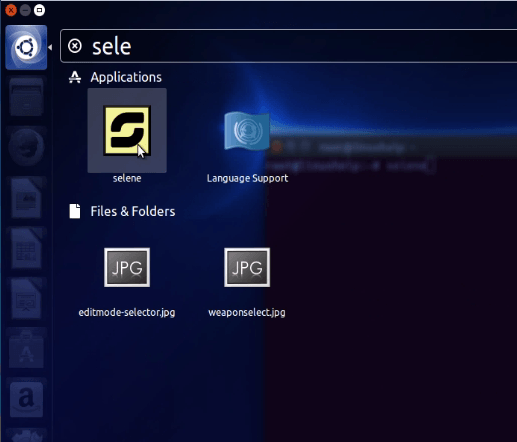
Type selene on terminal and select the application from the dash board and click the application.
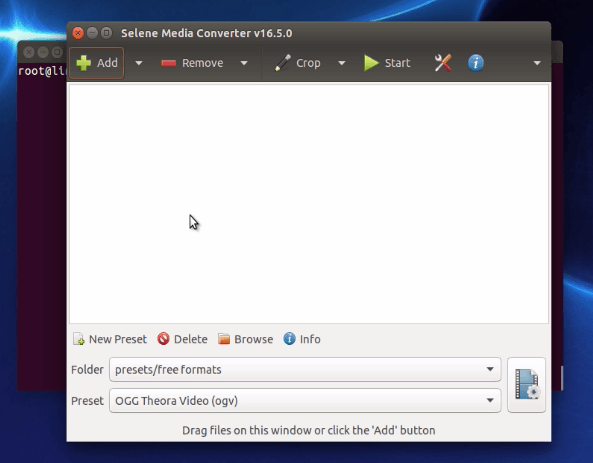
The converter opens as follows.
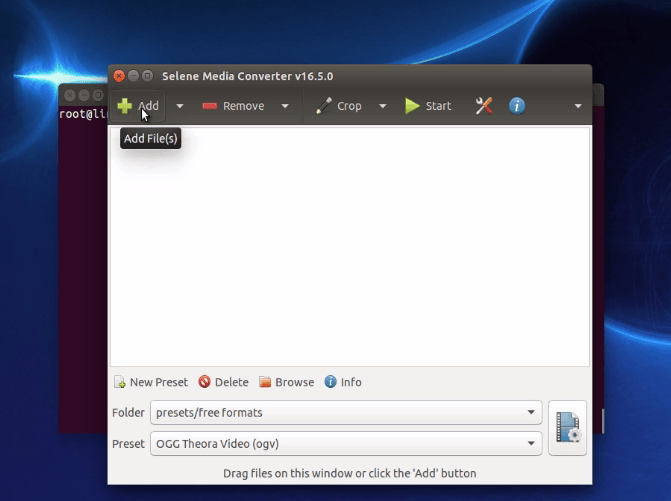
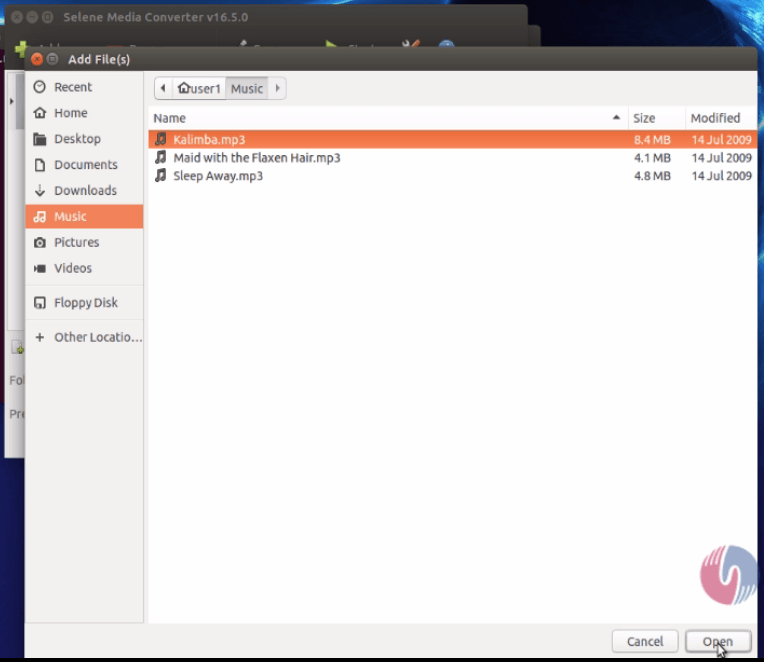
To start the conversions, add a media file by using + add icon.
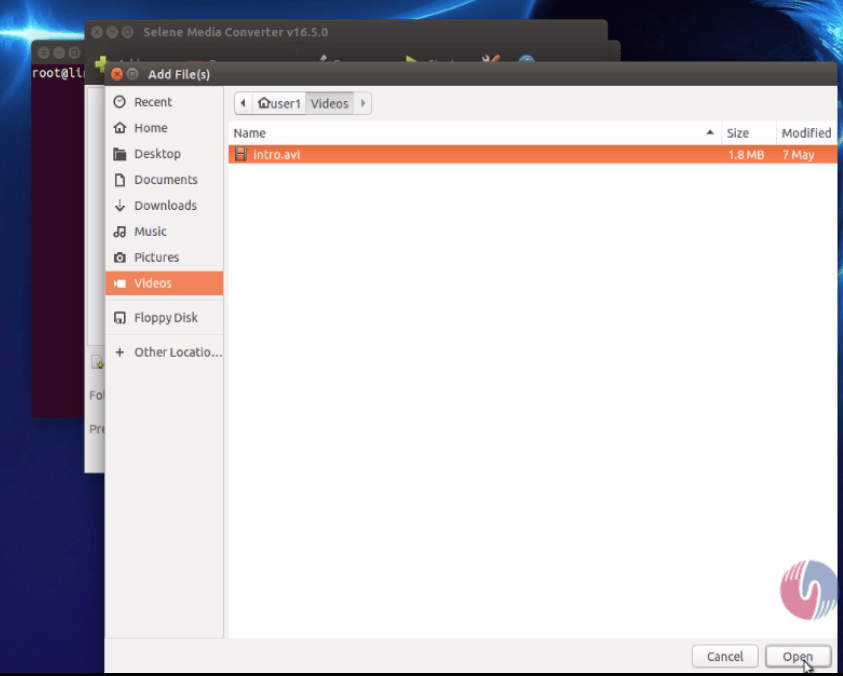
Choose the file and click open.
Now it has added the file to convert file list as shown below.
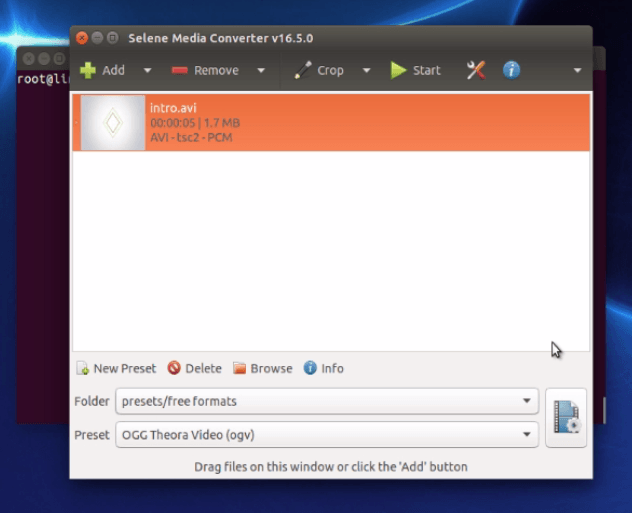
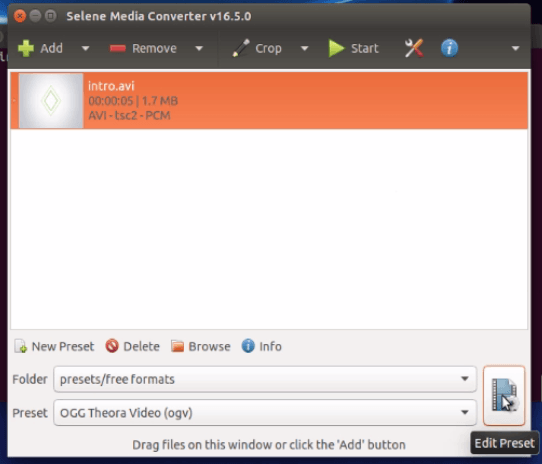
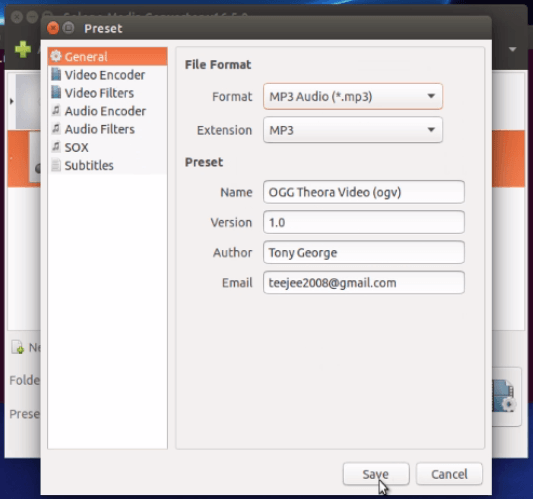
Then click edit preset icon.
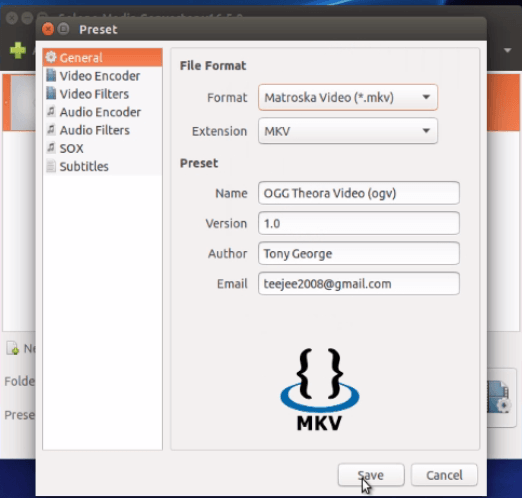
Choose your desired format in which the file has to be converted and finally click save.
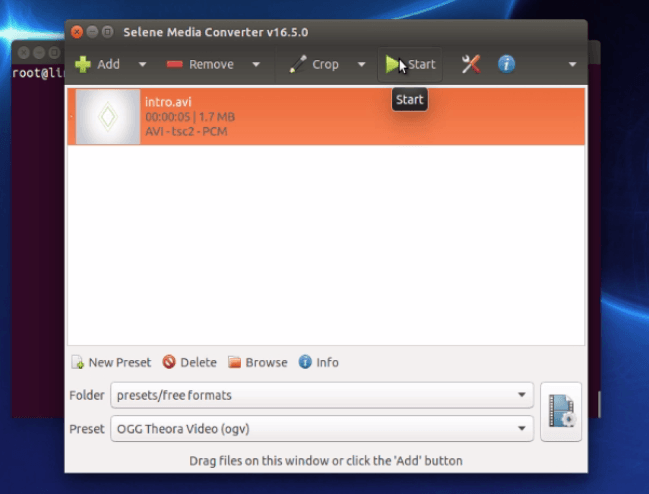
Next use start interface for converting.
Once the conversion is completed, click finish.
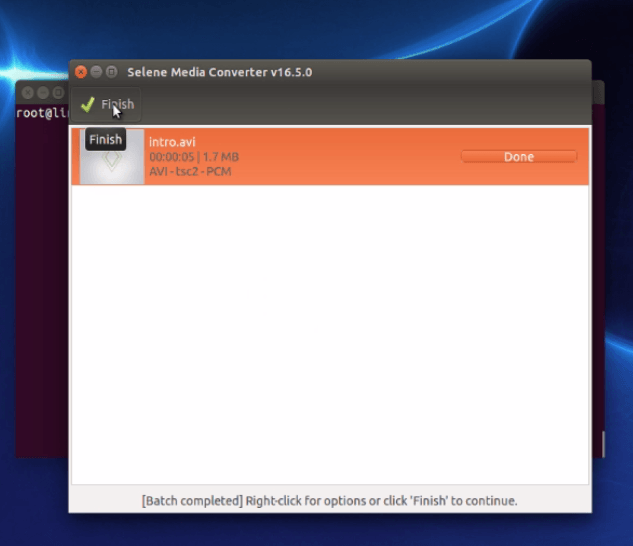
Now both the original and the converted file will be displayed.
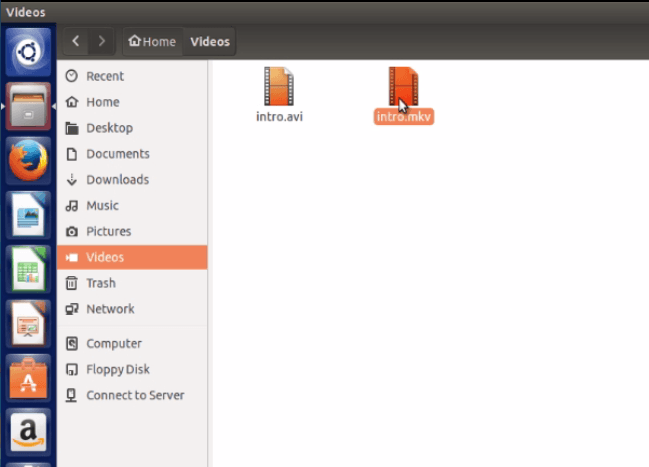
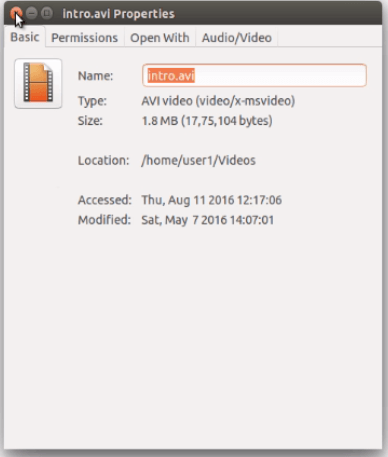
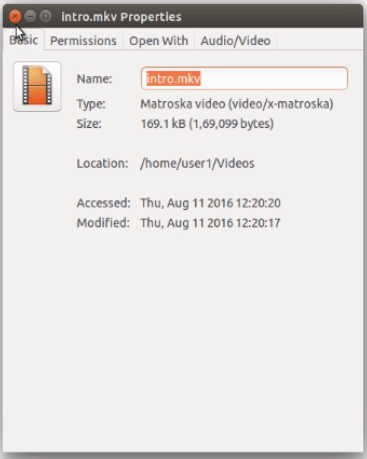
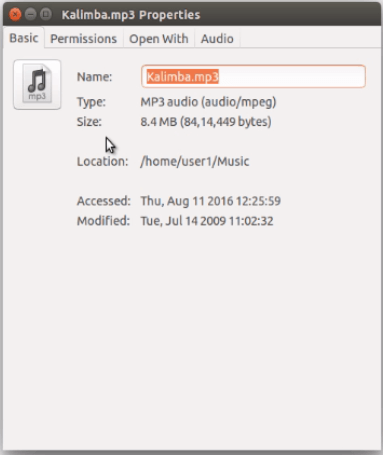
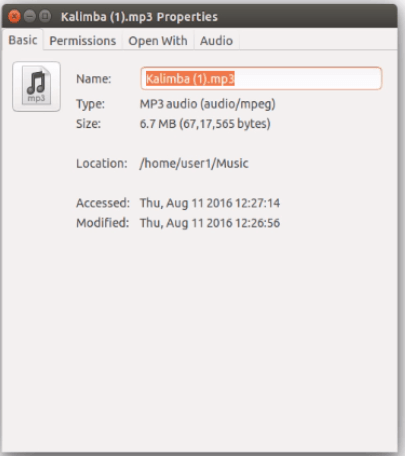
Then check the properties of the files.
Source file
Converted file
The same procedure is followed for audio conversions too. Add a file to be converted using +Add icon.
Set the file format and click save.
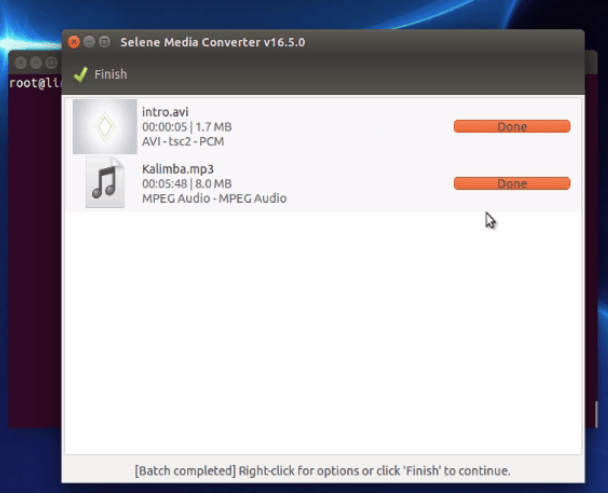
Now you can see the converted file in your source file location.
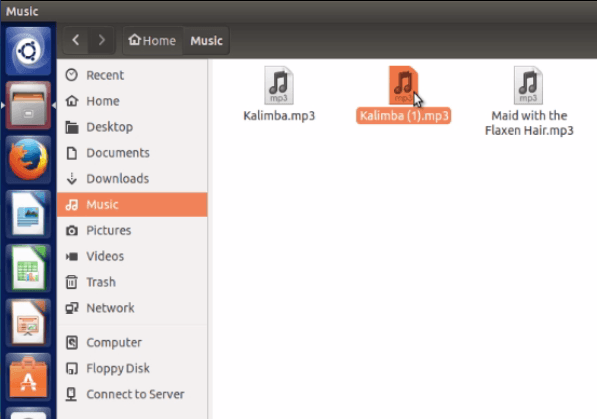
Check the properties of both the files.
Comments ( 0 )
No comments available