How to Install Shotcut video editor On Ubuntu-18.04
{{postValue.id}}
To Install Shotcut video editor On Ubuntu-18.04
Shotcut is a free and opensource, multi-platform video editing software, that supports all forms of audio and video files and many images formats such as BMP, GIF, JPEG, PNG and many more.
Installation
Add the repository of shotcut video editor using PPA
root@linuxhelp:~# add-apt-repository ppa:haraldhv/shotcut

 Unofficial package for shotcut
This package will simply install the official release from shotcut.org into /usr/lib/shotcut (including all dependencies), and have it listed together with the other applications.

I am fully aware that this is not the preferred way of packaging, but due to time constraints the shotcut developer does not wish to support the number of configurations required from a proper debian/ubuntu package. Importing the official tarball like this is a compromise that gives the convenience of apt for installing/upgrading while staying in line with the official releases, at the expense of a large package size.

Any concerns related to this PPA should be directed towards me and not the shotcut author.
.
.
.
.
Get:7 http://security.ubuntu.com/ubuntu bionic-security/universe amd64 DEP-11 Metadata [2,456 B]
Get:8 http://in.archive.ubuntu.com/ubuntu bionic-updates InRelease [83.2 kB]
Get:9 http://ppa.launchpad.net/haraldhv/shotcut/ubuntu bionic/main i386 Packages [464 B]
Get:10 http://in.archive.ubuntu.com/ubuntu bionic-backports InRelease [74.6 kB]
Get:11 http://ppa.launchpad.net/haraldhv/shotcut/ubuntu bionic/main Translation-en [156 B]
Get:12 http://in.archive.ubuntu.com/ubuntu bionic-updates/main amd64 Packages [114 kB]
Get:13 http://in.archive.ubuntu.com/ubuntu bionic-updates/main i386 Packages [104 kB]
Get:14 http://in.archive.ubuntu.com/ubuntu bionic-updates/main amd64 DEP-11 Metadata [74.7 kB]
Get:15 http://in.archive.ubuntu.com/ubuntu bionic-updates/main DEP-11 64x64 Icons [30.5 kB]
Get:16 http://in.archive.ubuntu.com/ubuntu bionic-updates/universe amd64 Packages [71.0 kB]
Get:17 http://in.archive.ubuntu.com/ubuntu bionic-updates/universe i386 Packages [70.9 kB]
Get:18 http://in.archive.ubuntu.com/ubuntu bionic-updates/universe amd64 DEP-11 Metadata [117 kB]
Get:19 http://in.archive.ubuntu.com/ubuntu bionic-updates/universe DEP-11 64x64 Icons [192 kB]
Get:20 http://in.archive.ubuntu.com/ubuntu bionic-backports/universe amd64 DEP-11 Metadata [5,100 B]
Fetched 1,040 kB in 5s (192 kB/s)
Reading package lists... Done
Install the shotcut video editor
root@linuxhelp:~# apt-get install shotcut -y
Reading package lists... Done
Building dependency tree
Reading state information... Done


The following additional packages will be installed:

  libgsm1 libsdl1.2debian swh-plugins

The following NEW packages will be installed:

  libgsm1 libsdl1.2debian shotcut swh-plugins
0 upgraded, 4 newly installed, 0 to remove and 469 not upgraded.
Need to get 47.2 MB of archives.

After this operation, 222 MB of additional disk space will be used.

Get:1 http://ppa.launchpad.net/haraldhv/shotcut/ubuntu bionic/main amd64 shotcut all 18.06.02-bionic1 [46.6 MB]
.
.
.
Get:2 http://in.archive.ubuntu.com/ubuntu bionic/universe amd64 libsdl2-2.0-0 amd64 2.0.8+dfsg1-1ubuntu1 [378 kB]
Fetched 402 kB in 2s (255 kB/s)
Selecting previously unselected package libsndio6.1:amd64.
(Reading database ... 129731 files and directories currently installed.)
Preparing to unpack .../libsndio6.1_1.1.0-3_amd64.deb ...
Unpacking libsndio6.1:amd64 (1.1.0-3) ...
Selecting previously unselected package libsdl2-2.0-0:amd64.
Preparing to unpack .../libsdl2-2.0-0_2.0.8+dfsg1-1ubuntu1_amd64.deb ...
Unpacking libsdl2-2.0-0:amd64 (2.0.8+dfsg1-1ubuntu1) ...
Processing triggers for libc-bin (2.27-0ubuntu2) ...
Setting up libsndio6.1:amd64 (1.1.0-3) ...
Setting up libsdl2-2.0-0:amd64 (2.0.8+dfsg1-1ubuntu1) ...
Processing triggers for libc-bin (2.27-0ubuntu2) ...
Lauch application from the terminal as follows
root@linuxhelp:~# shotcut
No appenders registered with logger
[Debug  ] < ShotcutSettings::singleton>  language " en_IN"
[Debug  ] < ShotcutSettings::singleton>  deinterlacer " onefield"
[Debug  ] < ShotcutSettings::singleton>  external monitor " "
[Debug  ] < ShotcutSettings::singleton>  GPU processing false
[Debug  ] < ShotcutSettings::singleton>  interpolation " nearest"

[&hellip ]
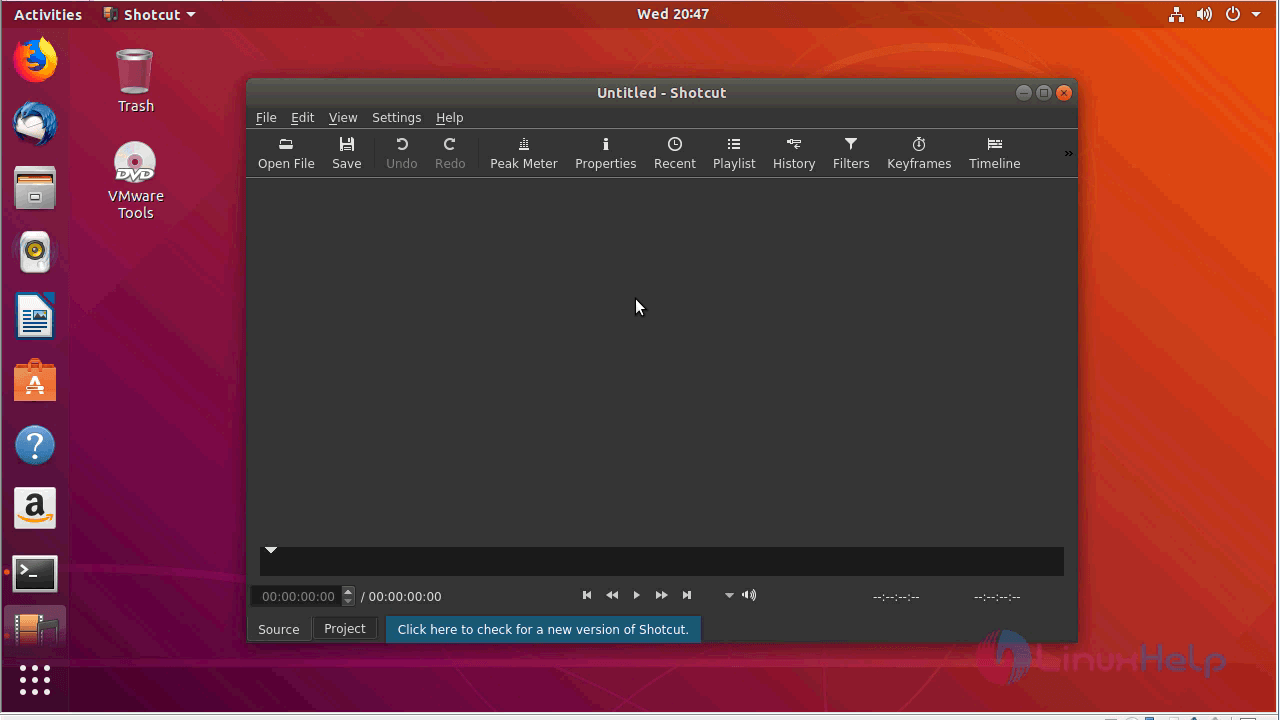
shotcut video editor application
 Snap1
Snap1
The version of shotcut video editor

With this, the method to install Shotcut video editor On Ubuntu-18.04
Comments ( 0 )
No comments available