How to install Simple Weather Indicator on Ubuntu 16.04
To install Simple Weather Indicator on Ubuntu 16.04
Simple Weather Indicator is the simplest weather indicator app you can use on Unity and Gnome desktops (among others). It is an Open Source indicator app written in Python and it implements Eris, a free Open Source Weather API to fetch the current weather condition of designated regions. It contains features such as easily customizable with humidity level, weather cloudiness, weather visibility and wind speed. This tutorial explains the installation procedure of Simple Weather Indicator on Ubuntu 16.04.
Installation procedure
To proceed with the installation procedure, add the following repository for the Simple Weather Indicator to run on the system.
root@linuxhelp:/var/www/html# add-apt-repository ppa:kasra-mp/ubuntu-indicator-weather
 Simple weather indicator is a simple indicator to get weather temperature automatically. It calls two web services to detect location and gets weather temperature. Then it displays in the small indicator for users. Weather updates every ten minutes and it requires the Internet connection.
 More info: https://launchpad.net/~kasra-mp/+archive/ubuntu/ubuntu-indicator-weather
Press [ENTER] to continue or ctrl-c to cancel adding it

gpg: keyring `/tmp/tmp7xoouftn/secring.gpg'  created
gpg: keyring `/tmp/tmp7xoouftn/pubring.gpg'  created
gpg: requesting key B8FEAE9A from hkp server keyserver.ubuntu.com
gpg: /tmp/tmp7xoouftn/trustdb.gpg: trustdb created
gpg: key B8FEAE9A: public key " Launchpad PPA for kasra_mp"  imported
gpg: Total number processed: 1
gpg:               imported: 1  (RSA: 1)
OK
Next update the repository by executing the following update command.
root@linuxhelp:/var/www/html# apt update
Hit:1 http://ppa.launchpad.net/kasra-mp/ubuntu-indicator-weather/ubuntu xenial InRelease
Hit:2 http://in.archive.ubuntu.com/ubuntu xenial InRelease
Hit:3 http://in.archive.ubuntu.com/ubuntu xenial-updates InRelease
Hit:4 http://ppa.launchpad.net/notepadqq-team/notepadqq/ubuntu xenial InRelease
Get:5 http://security.ubuntu.com/ubuntu xenial-security InRelease [102 kB]
Get:6 http://in.archive.ubuntu.com/ubuntu xenial-backports InRelease [102 kB]
Fetched 204 kB in 1s (172 kB/s)
Reading package lists... Done
Building dependency tree
Reading state information... Done
Next install simple weather indicator by running the following command and press y to continue with the installation procedure.
root@linuxhelp:/var/www/html# apt install indicator-weather -y
Reading package lists... Done
Building dependency tree
Reading state information... Done
The following packages were automatically installed and are no longer required:
  gnome-software-common libgtkspell3-3-0
Use ' sudo apt autoremove'  to remove them.
The following additional packages will be installed:
  python-cairo python-gi python-gobject-2 python-gtk2

.
.
Setting up python-gi (3.20.0-0ubuntu1) ...
Setting up indicator-weather (0.9-0ubuntu4) ...
Processing triggers for libc-bin (2.23-0ubuntu3) ...
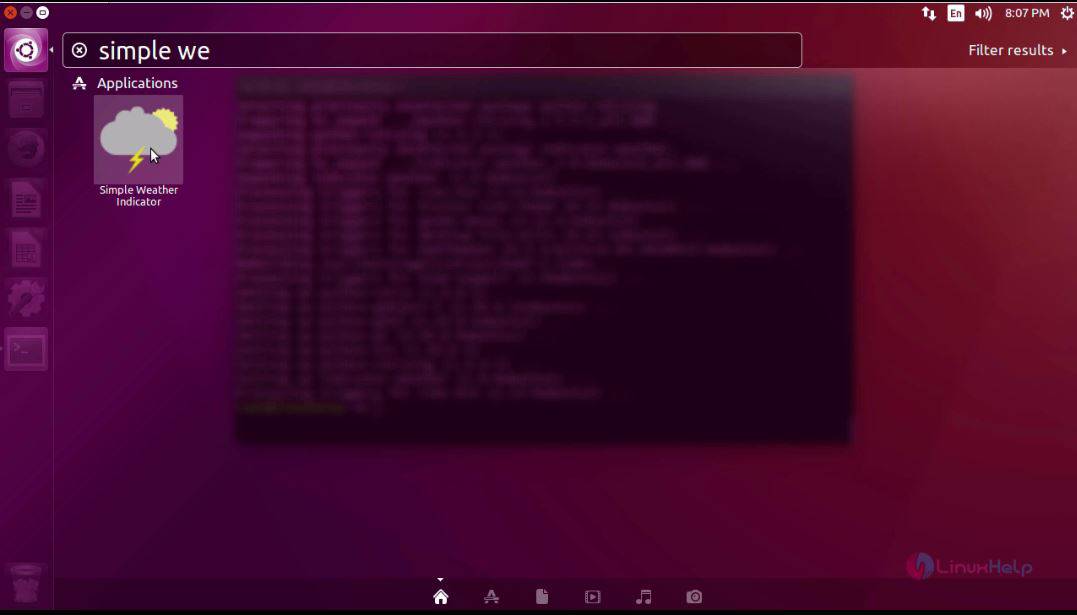
The application has been installed successfully, to run the application type the application name in the Ubuntu dashboard and click on the icon to run it.
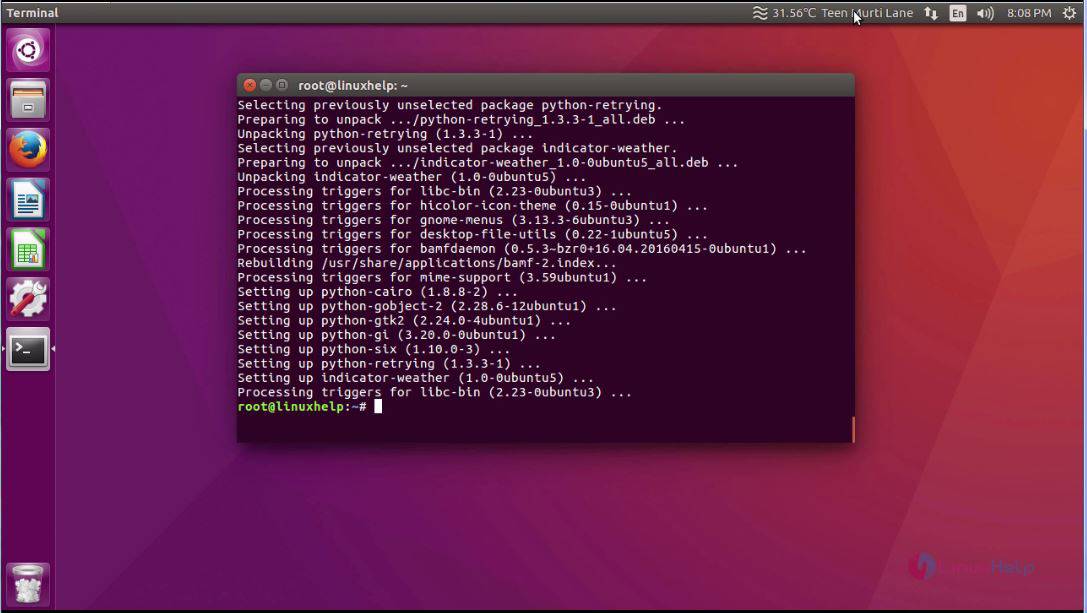
The application is open and running in the system. You can see the application in the menu header.
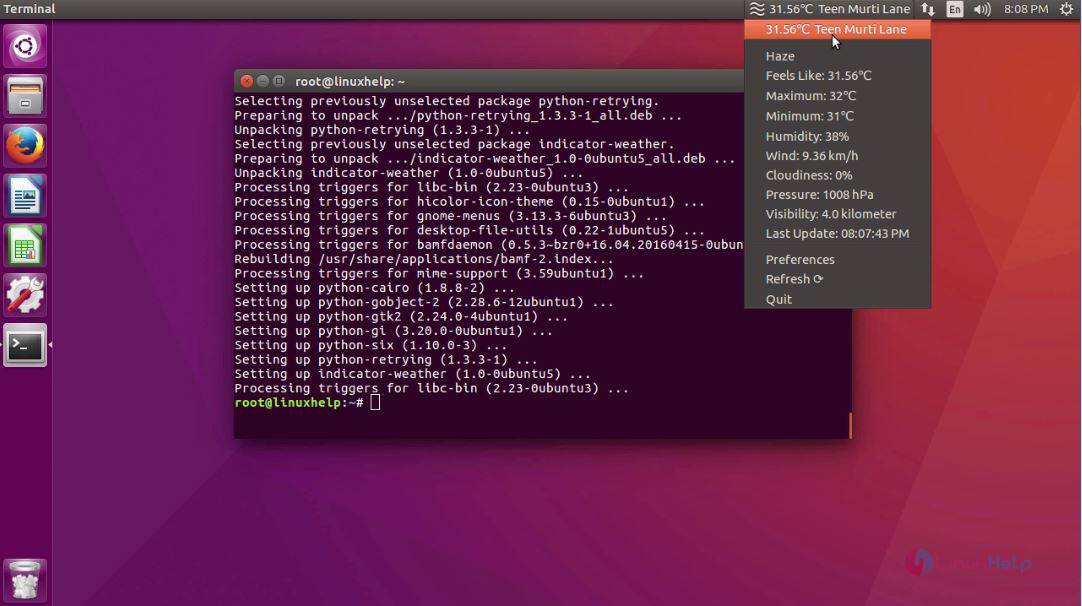
Click on the icon to display all the weather conditions of the particular region.
Now choose preference option.
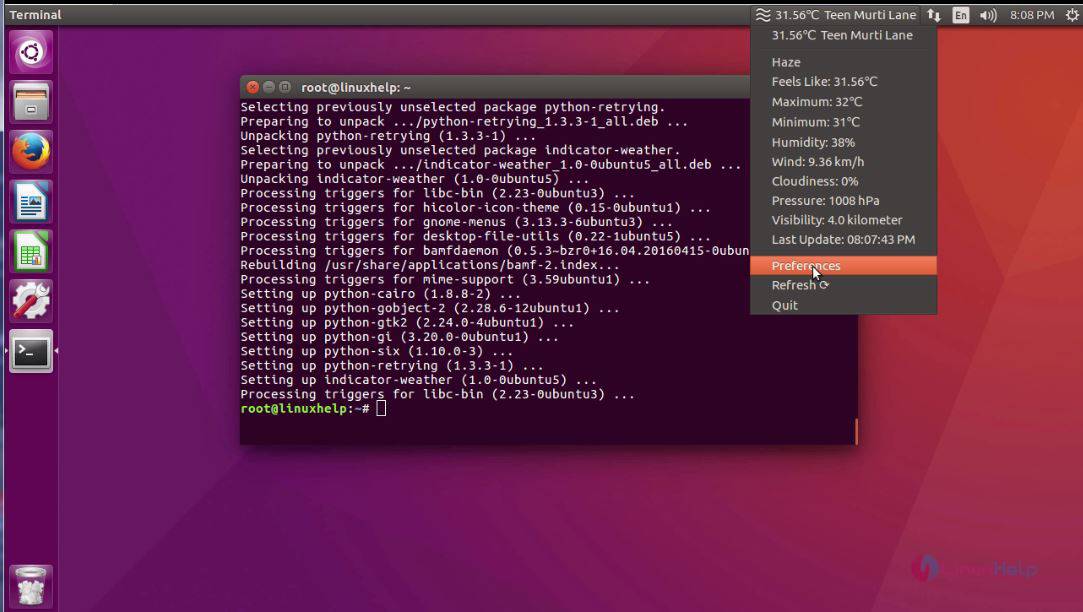
In the preference option, you can change the measurement, unit and temperature to be displayed.
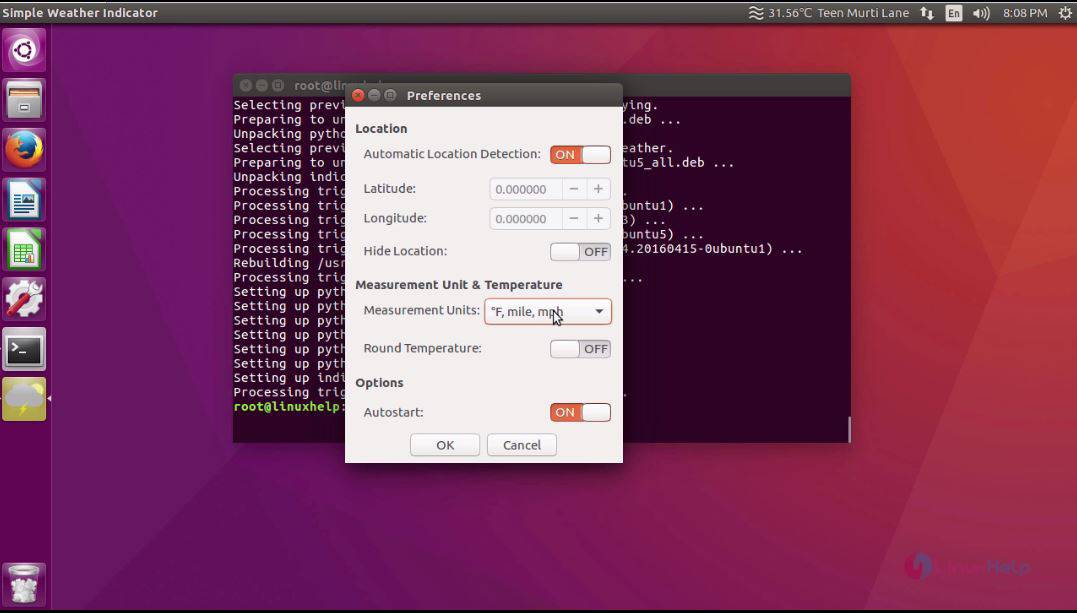
The installation of Simple Weather Indicator on Ubuntu 16.04 is installed successfully.
Comments ( 0 )
No comments available