How to install Simplenote on ParrotOs 3.9
To install Simple Note on ParrotOs 3.9
Simplenote 1.0.8, the most recent update of Simplenote application, is a light, clean, and free note taking application that works on several platforms such as iOS, Android, Mac, Windows, Linux, and the web. Simplenote is built with React as well as runs on Electron. It is really very simple to install Simplenote on ParrotOS 3.9, and this tutorial covers the ground on the same process.
Installing Simplenote
Before you begin with the installation process, remember you need to install gdebi which is very essential for this process. Run the following command to initiate gdebi installation.
┌─[root@linuxhelp]─[~]
└──╼ #apt-get install gdebi
Reading package lists... Done
Building dependency tree
Reading state information... Done
gdebi is already the newest version (0.9.5.7+nmu1).
0 upgraded, 0 newly installed, 0 to remove and 1016 not upgraded.
After that, download the package for SimpleNote with the help of wget command.
┌─[root@linuxhelp]─[~]
└──╼ #wget https://github.com/Automattic/simplenote-electron/releases/download/v1.0.8/simplenote-1.0.8.deb
--2017-12-29 20:01:10--  https://github.com/Automattic/simplenote-electron/releases/download/v1.0.8/simplenote-1.0.8.deb
Resolving github.com (github.com)... 192.30.253.113, 192.30.253.112
Connecting to github.com (github.com)|192.30.253.113|:443... connected.
HTTP request sent, awaiting response... 302 Found
Location: https://github-production-release-asset-2e65be.s3.amazonaws.com/41199577/54f855c0-e7a4-11e6-9688-5413ef46925f?X-Amz-Algorithm=AWS4-HMAC-SHA256& X-Amz-Credential=AKIAIWNJYAX4CSVEH53A%2F20171229%2Fus-east-1%2Fs3%2Faws4_request& X-Amz-Date=20171229T090104Z& X-Amz-Expires=300& X-Amz-Signature=888d71870d810fbcac3c47f395b8fcdcb0277ade1f176f58254a607ef9efb7d8& X-Amz-SignedHeaders=host& actor_id=0& response-content-disposition=attachment%3B%20filename%3Dsimplenote-1.0.8.deb& response-content-type=application%2Foctet-stream [following]
--2017-12-29 20:01:12--  https://github-production-release-asset-2e65be.s3.amazonaws.com/41199577/54f855c0-e7a4-11e6-9688-5413ef46925f?X-Amz-Algorithm=AWS4-HMAC-SHA256& X-Amz-Credential=AKIAIWNJYAX4CSVEH53A%2F20171229%2Fus-east-1%2Fs3%2Faws4_request& X-Amz-Date=20171229T090104Z& X-Amz-Expires=300& X-Amz-Signature=888d71870d810fbcac3c47f395b8fcdcb0277ade1f176f58254a607ef9efb7d8& X-Amz-SignedHeaders=host& actor_id=0& response-content-disposition=attachment%3B%20filename%3Dsimplenote-1.0.8.deb& response-content-type=application%2Foctet-stream
Resolving github-production-release-asset-2e65be.s3.amazonaws.com (github-production-release-asset-2e65be.s3.amazonaws.com)... 52.216.64.80
Connecting to github-production-release-asset-2e65be.s3.amazonaws.com (github-production-release-asset-2e65be.s3.amazonaws.com)|52.216.64.80|:443... connected.
HTTP request sent, awaiting response... 200 OK
Length: 52290092 (50M) [application/octet-stream]
Saving to: ‘ simplenote-1.0.8.deb’

simplenote-1.0.8.deb                                         100%[============================================================================> ]  49.87M   270KB/s    in 3m 45s

2017-12-29 20:04:59 (227 KB/s) - ‘ simplenote-1.0.8.deb’  saved [52290092/52290092]
Now, you shall kickstart the installation of Simplenote. Simply run the following command for the same process.
┌─[root@linuxhelp]─[~]
└──╼ #gdebi simplenote-1.0.8.deb
Reading package lists... Done
Building dependency tree
Reading state information... Done
Reading state information... Done

Simplenote for Linux
Do you want to install the software package? [y/N]:y
Selecting previously unselected package simplenote.
(Reading database ... 419766 files and directories currently installed.)
Preparing to unpack simplenote-1.0.8.deb ...
Unpacking simplenote (1.0.8) ...
Setting up simplenote (1.0.8) ...
Processing triggers for desktop-file-utils (0.23-2) ...
Processing triggers for mime-support (3.60) ...
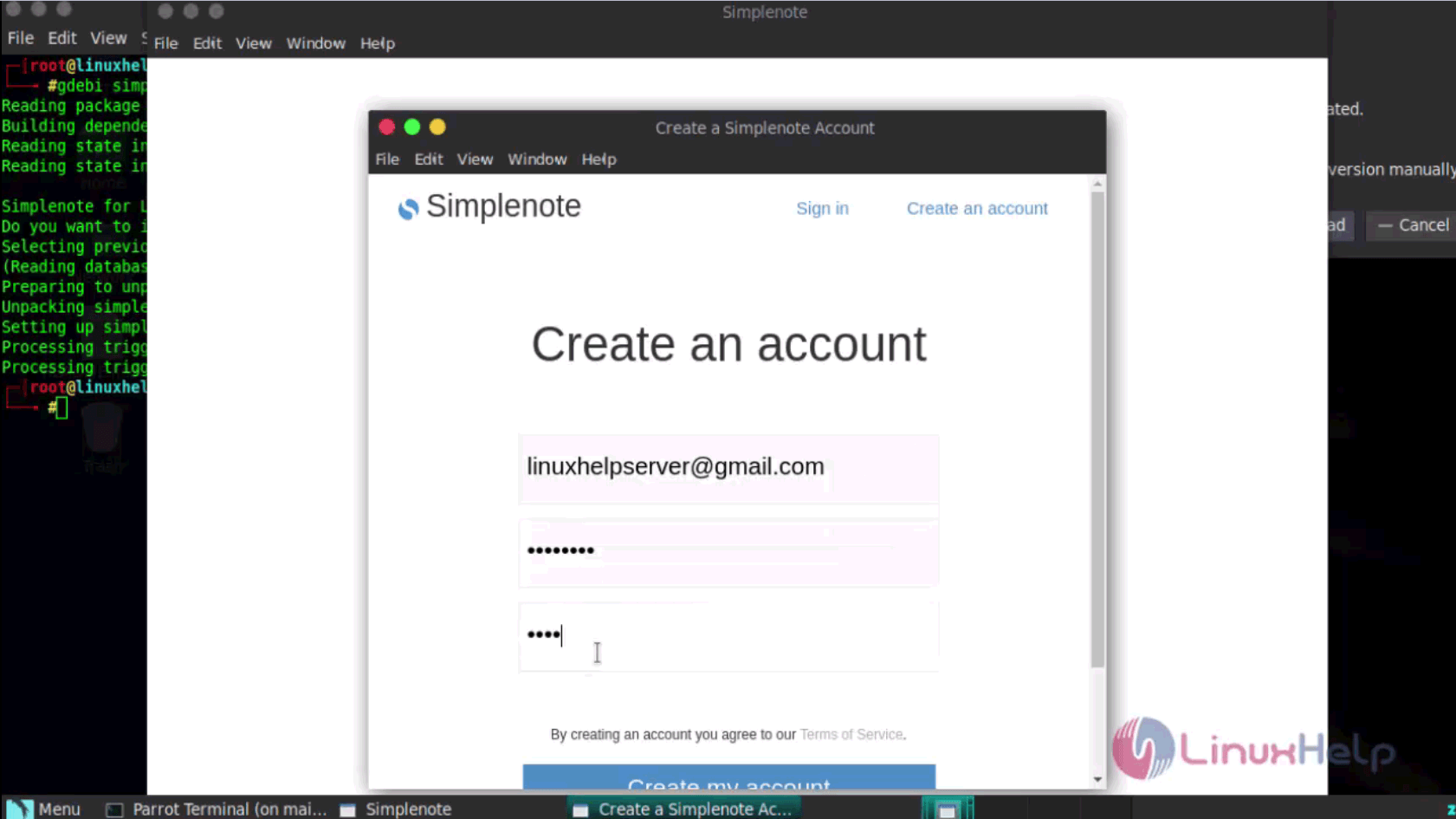
Launch your application via your applications tab. Simply click programming, and choose the Simplenote. The login page of Simplenote application looks like the one in the following image.

If you don' t have an account, you shall create your own account.
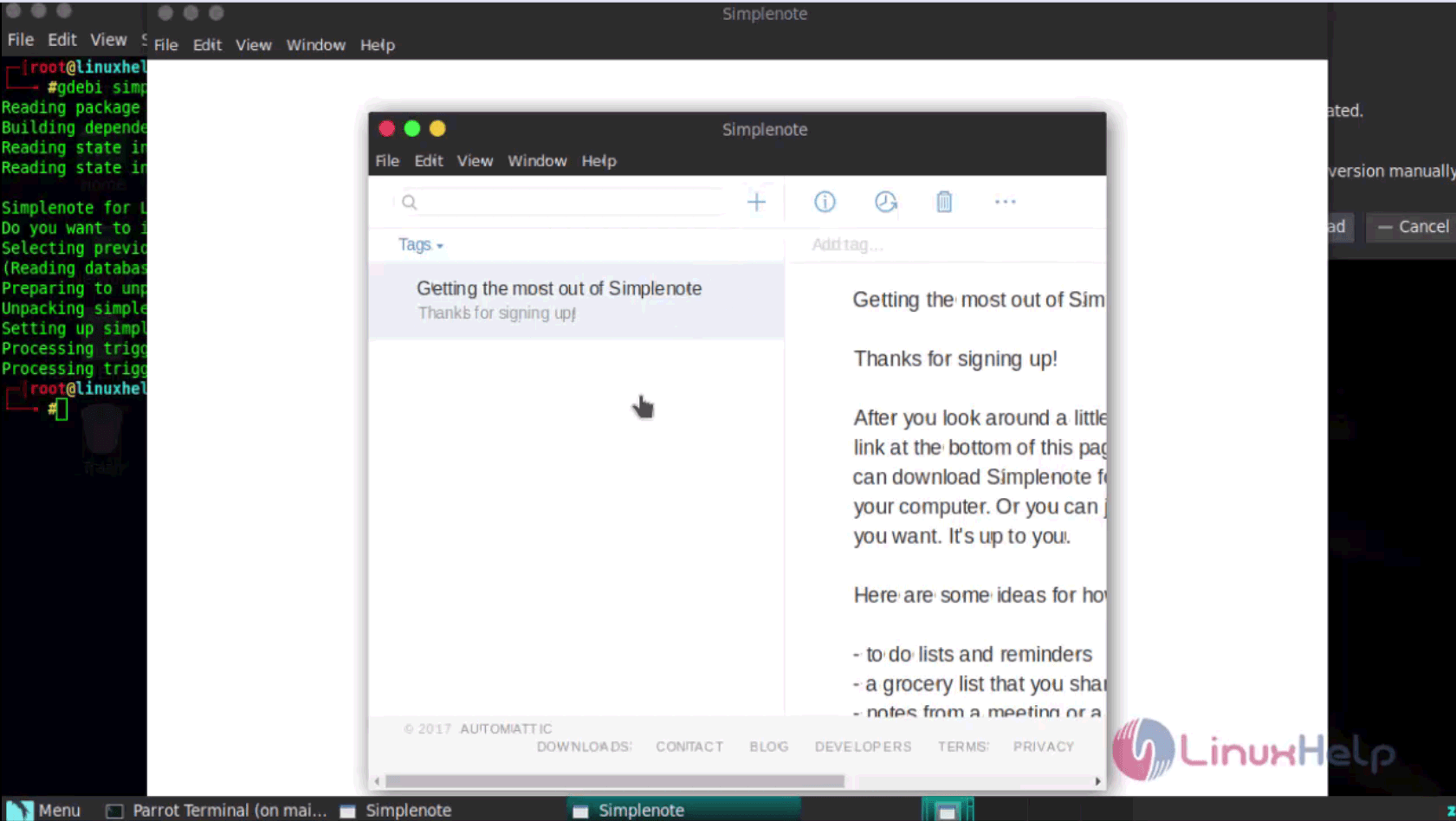
Once you login, you can enjoy the Simplenote features.
With this, the installation of Simplenote comes to an end.
Comments ( 0 )
No comments available