• Categories
    Category
    {{ postCtrl.tags }}
    • {{ category.tag_type }}

      • {{tag.tag_name}}
      • View more
  • Categories
    Category
    {{ postCtrl.tags }}
    • {{ category.tag_type }}

      • {{tag.tag_name}}
      • View more
  • News
  • Tutorials
  • Forums
  • Tags
  • Users
Tutorial News Comments FAQ Related Articles

How to install SmartGit on Ubuntu

{{postValue.id}}

To install SmartGit on Ubuntu

SmartGit/Hg is an open source, cross platform, graphical client for Git and Mercurial with SVN repositories. SmartGit' s interface is similar to windows explorer. This article will help you with the installation of SmartGit on Ubuntu.

To install SmartGit

Initiate the SmartGit installation by adding the repository to your system. Use the following command for the same purpose.

root@localhost:/home/user1# add-apt-repository ppa:eugenesan/ppa
 This repository contains collection of customized, updated, ported and backported
packages for two last LTS releases and latest pre-LTS release.
Packages for older releases relocated to ppa:eugenesan/archive or deleted.
&hellip 
&hellip 
&hellip 
gpg: keyring `/tmp/tmpwgdvfs4r/secring.gpg'  created
gpg: keyring `/tmp/tmpwgdvfs4r/pubring.gpg'  created
gpg: requesting key 8313A596 from hkp server keyserver.ubuntu.com
gpg: /tmp/tmpwgdvfs4r/trustdb.gpg: trustdb created
gpg: key 8313A596: public key " Launchpad synergy+"  imported
gpg: Total number processed: 1
gpg:               imported: 1  (RSA: 1)
OK

Once it is done, update the local repository index by running the following command.

root@localhost:/home/user1# apt-get update
Get:1 http://ppa.launchpad.net trusty InRelease [15.4 kB]
Get:2 http://security.ubuntu.com trusty-security InRelease [65.9 kB]           
Ign http://in.archive.ubuntu.com trusty InRelease                              
Ign http://extras.ubuntu.com trusty InRelease                                  
&hellip 
..
&hellip 
Ign http://in.archive.ubuntu.com trusty/restricted Translation-en_IN           
Ign http://in.archive.ubuntu.com trusty/universe Translation-en_IN             
Fetched 5,269 kB in 32s (163 kB/s)                                             
Reading package lists... Done

Now is the time to install SmartGit by invoking the following command.

root@localhost:/home/user1# apt-get install smartgithg
Reading package lists... Done
Building dependency tree       
Reading state information... Done
&hellip 
&hellip 
&hellip 
Setting up mercurial (2.8.2-1ubuntu1.3) ...
Creating config file /etc/mercurial/hgrc.d/hgext.rc with new version
Setting up smartgit (17.0.0-0~eugenesan~trusty1) ...

SmartGit has been installed, use the following command to open the application.

root@localhost:/home/user1# smartgit
Configure java-8 installer
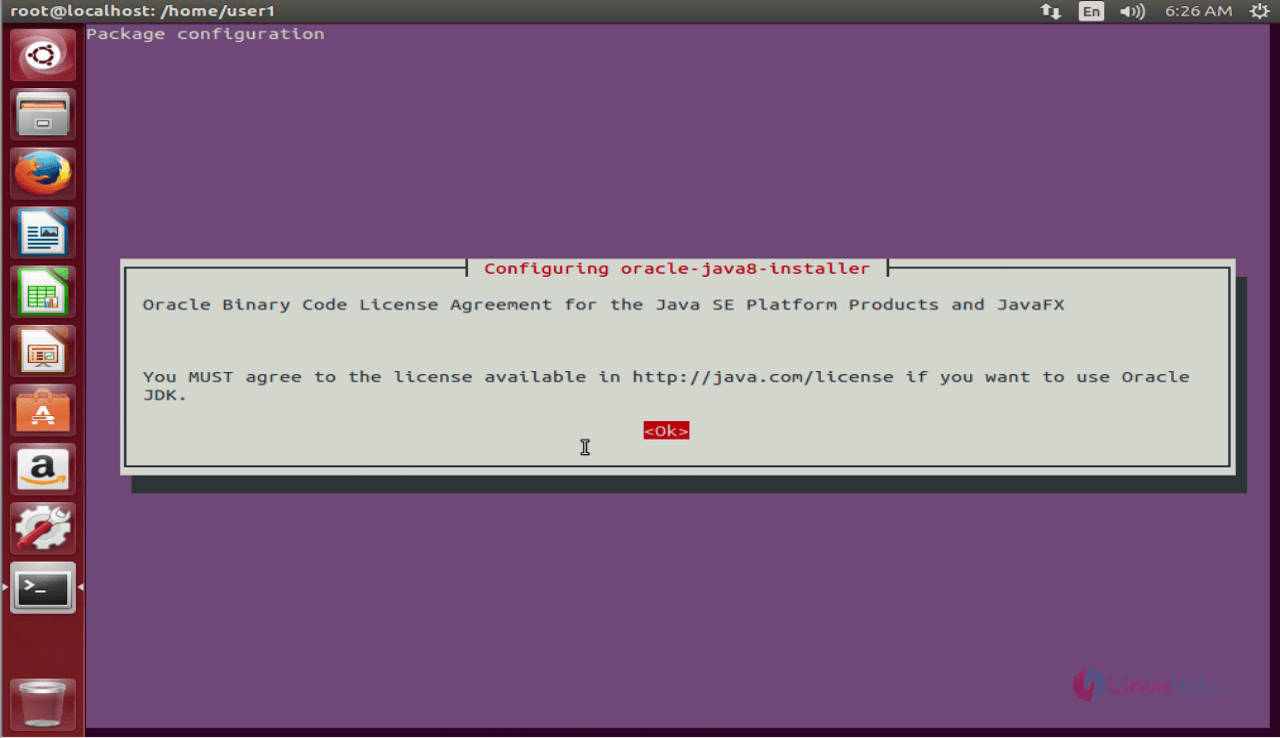

smartgit
Accept the oracle binary code license terms.
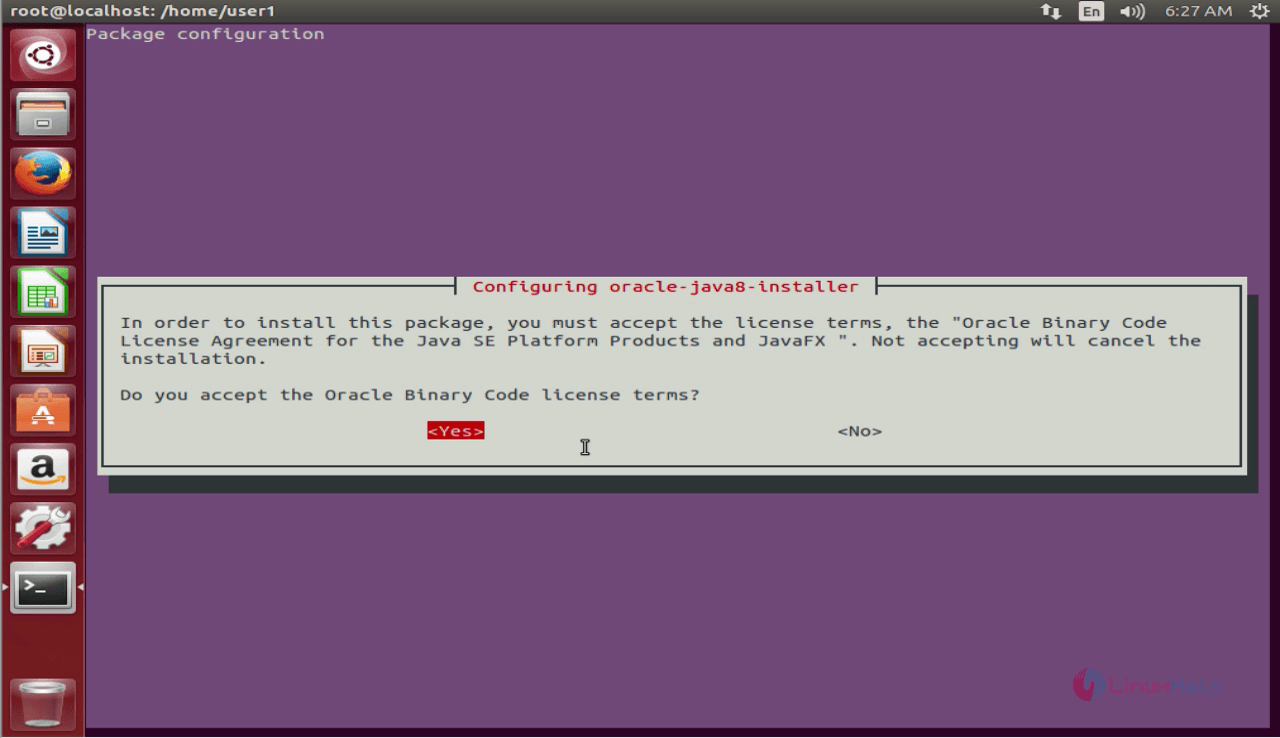
license
SmartGit application launches once you accept.
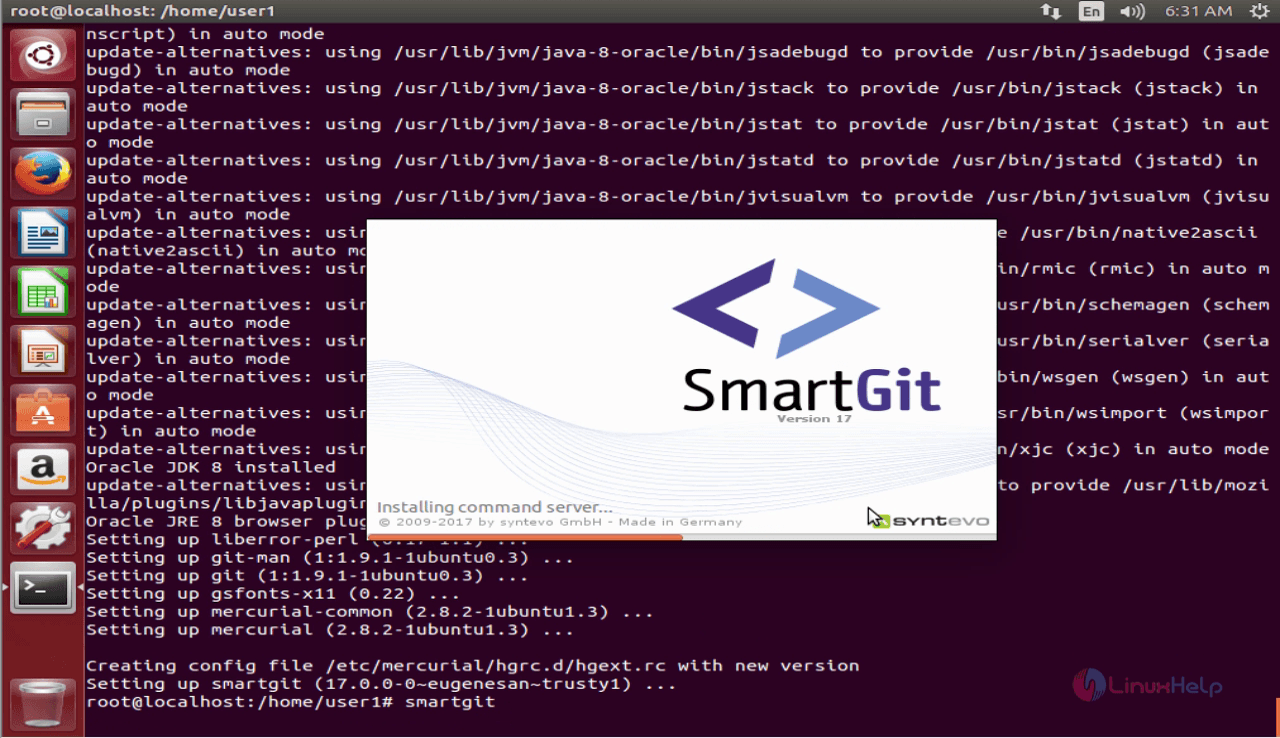
Smartgit application
Select your license type and click on Next
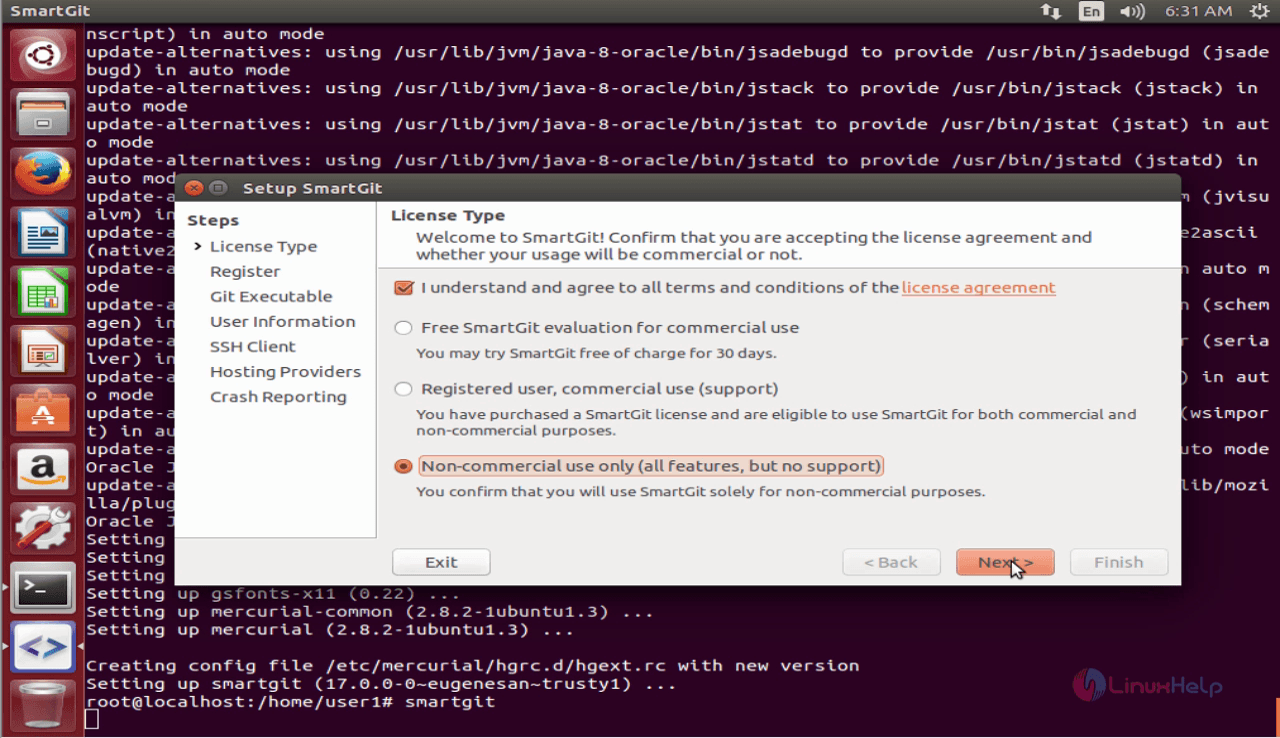
4
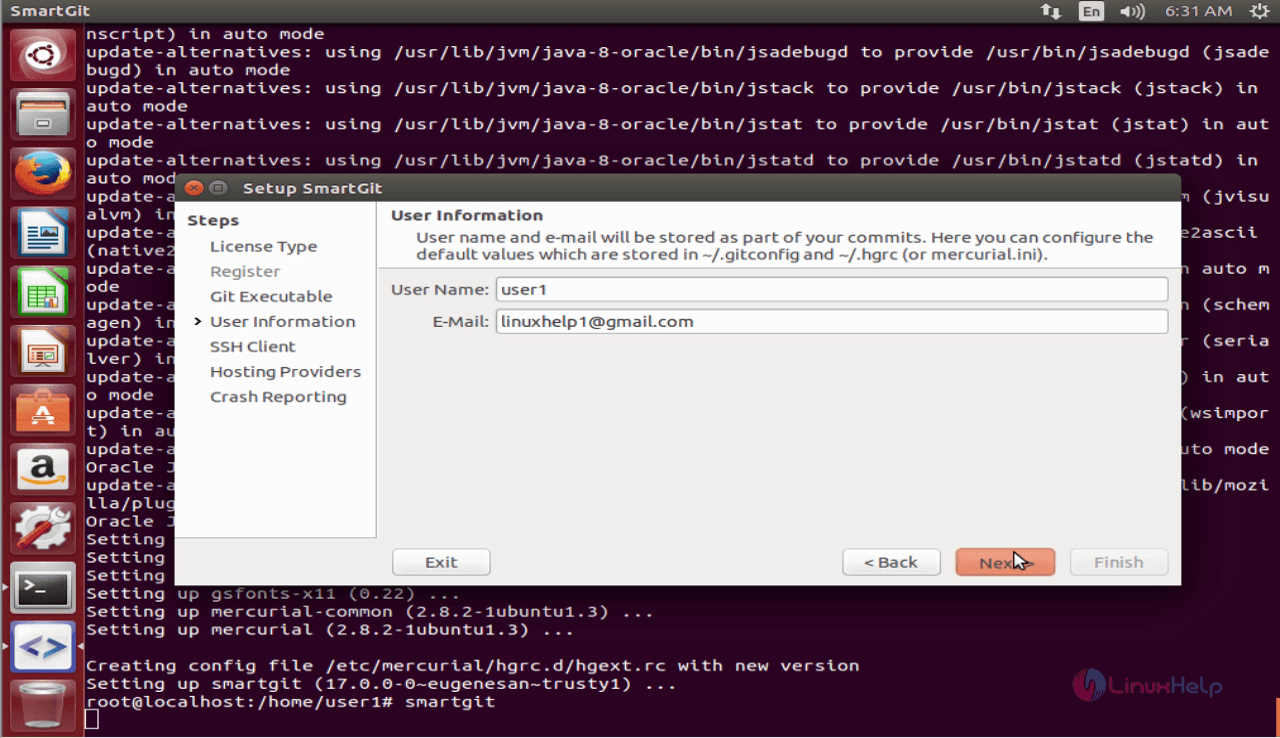
Enter user information and click on Next.
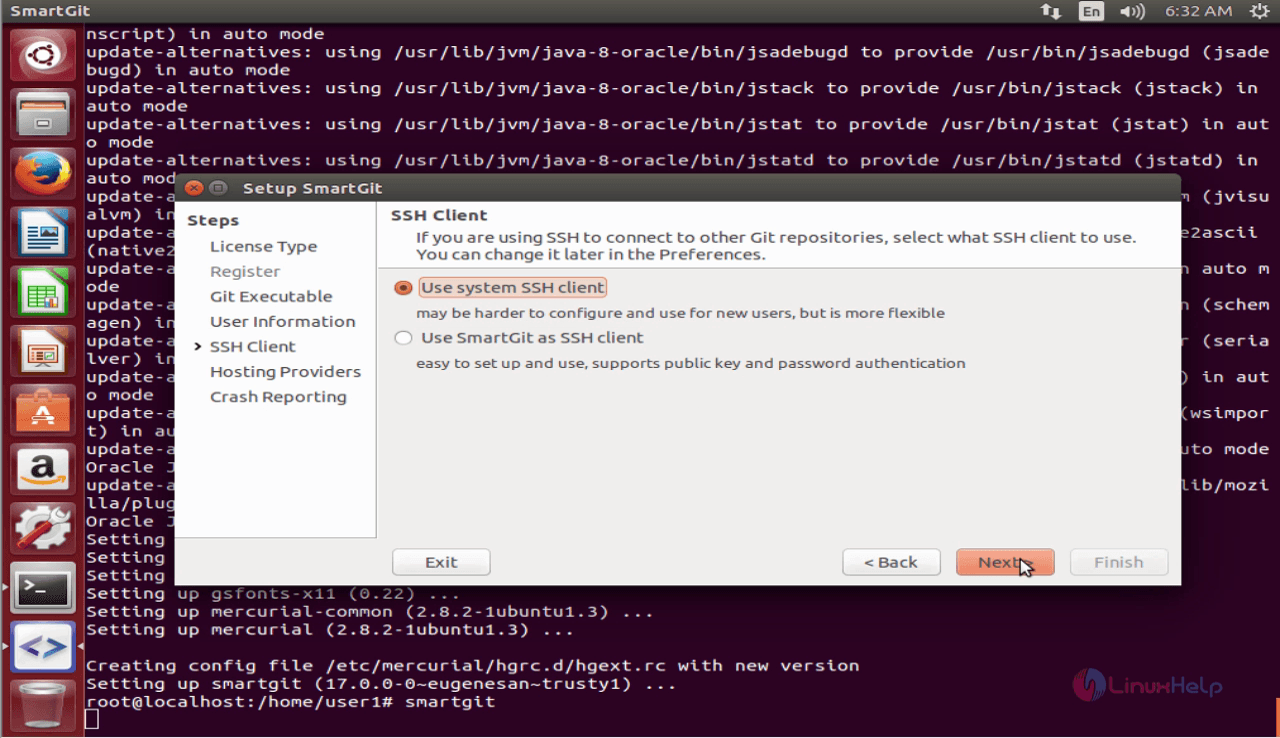
ssh_client
Select the ssh client and click Next.
ssh client
Configure Hosting providers accordingly and click on Next.
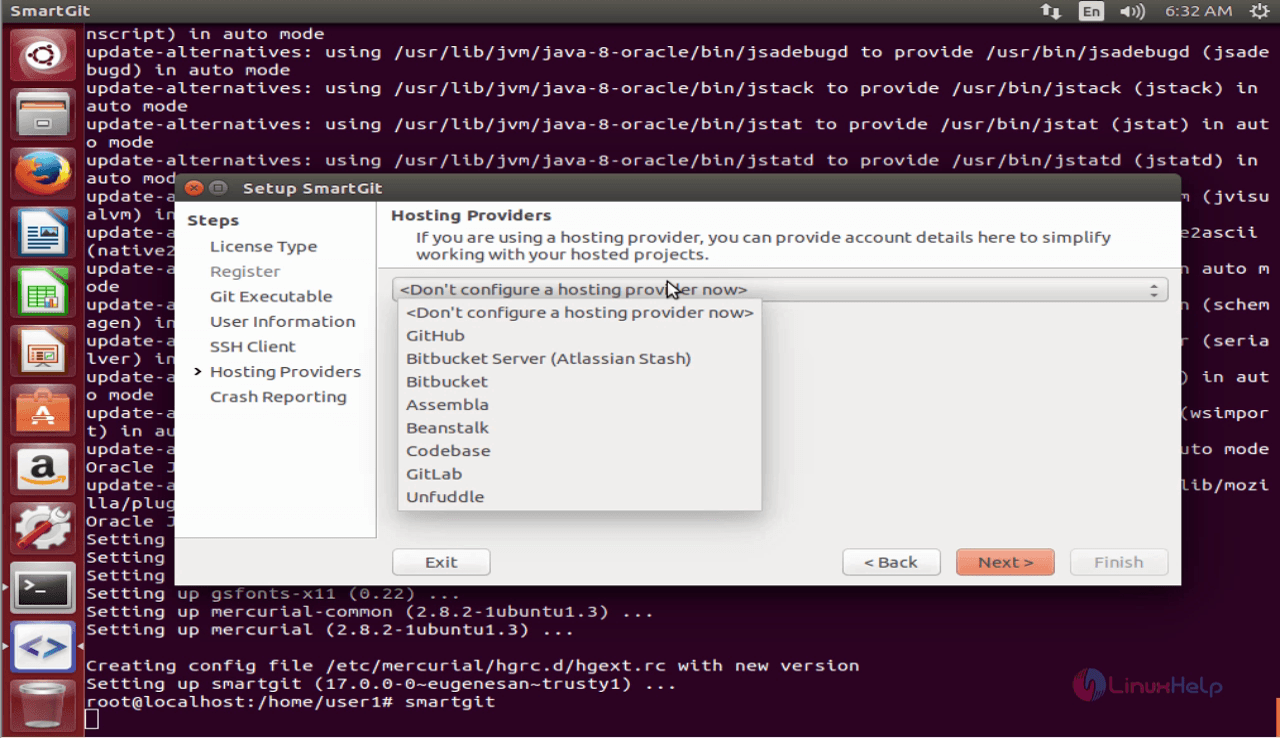
 Hosting_providers

Configure crash reporting and finally click on Finish.
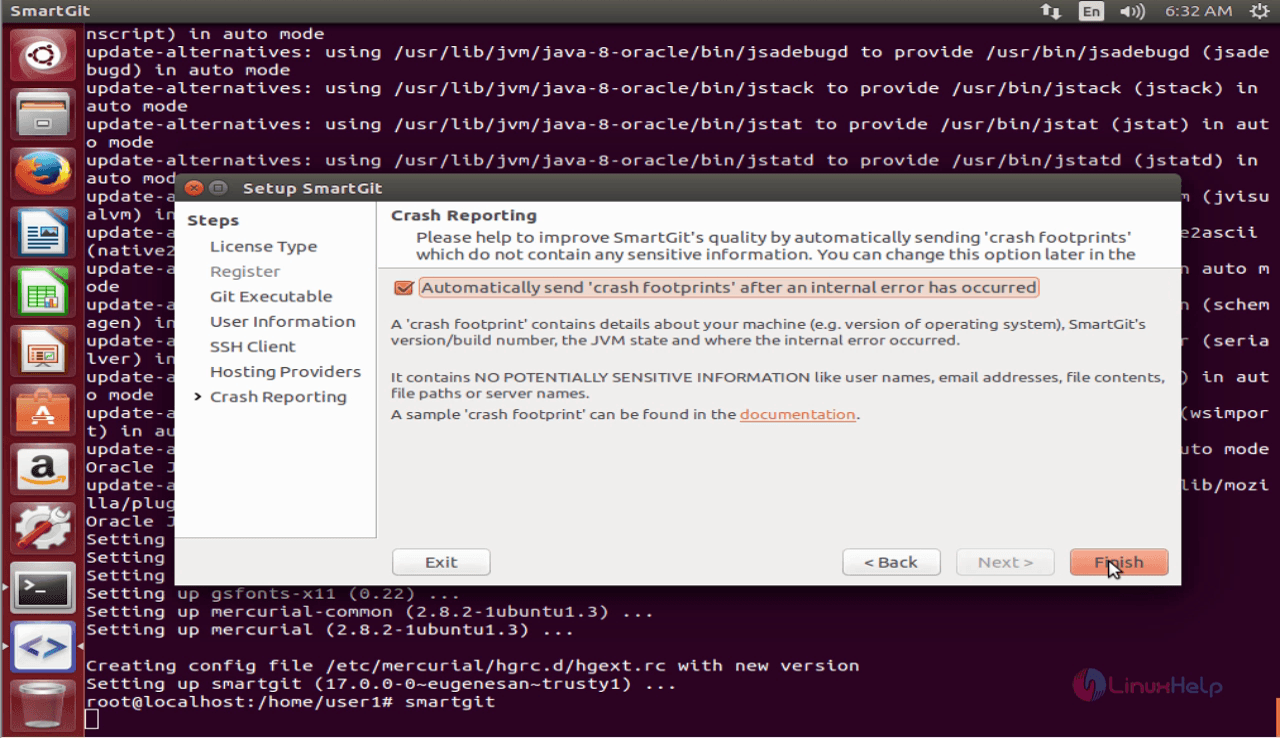
crash_reporting
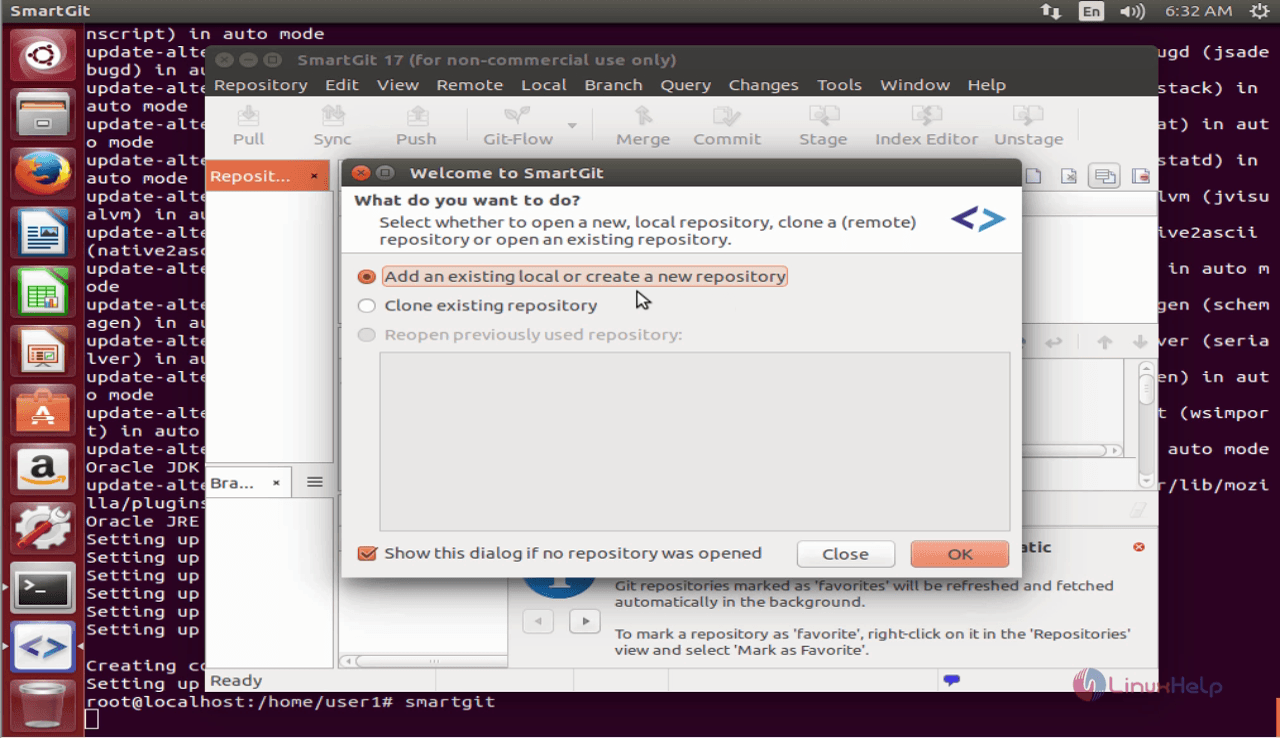
Create or add your repository and click Ok
add_repository
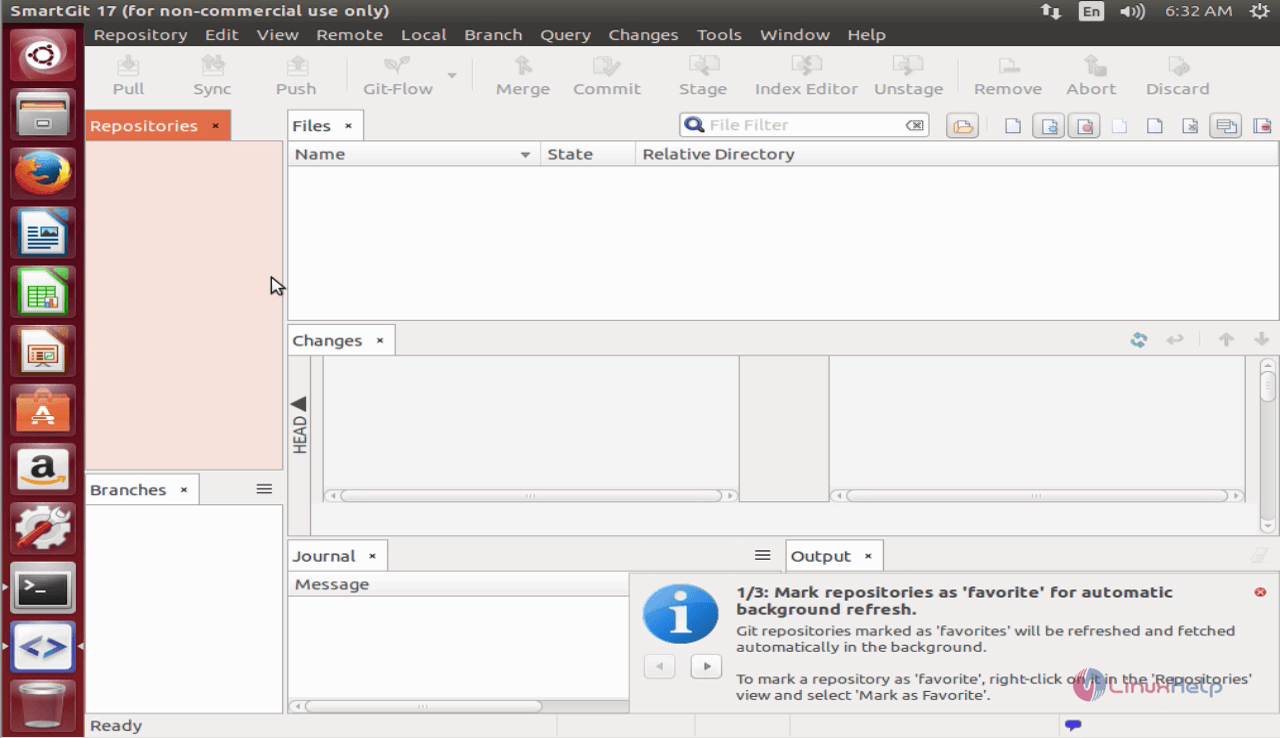
SmartGit application is ready to be used.
Smartgit_dashboard

Tags:
jacob
Author: 

Comments ( 0 )

No comments available

Add a comment
{{postCtrl.cmtErrMsg}}

Frequently asked questions ( 5 )

Q

How to install SmartGit on Fedora?

A

By invoking the following command.
# apt-get install smarting

Q

What is SmartGit on Ubuntu?

A

SmartGit/Hg is an open source, cross-platform, graphical client for Git and Mercurial with SVN repositories. SmartGit' s interface is similar to windows explorer.

Q

How to open the SmartGit on Ubuntu?

A

Run the following command:
# smart it

Q

How to configure the crash report?

A

By following the instruction:
Create or add your repository and click Ok
SmartGit application is ready to be used.

Q

What is log in SmarttGit?

A

The history of an opened repository is displayed in a separate window, the so-called Log window, and many Git/Mercurial commands can be performed both on the main window and the Log window, such as switching between branches, merging branches, creating branches and tags, etc.

Back To Top!
Rank
User
Points

Top Contributers

userNamenaveelansari
135850

Top Contributers

userNameayanbhatti
92510

Top Contributers

userNamehamzaahmed
32150

Top Contributers

1
userNamelinuxhelp
31040

Top Contributers

userNamemuhammadali
24500
Can you help Elijah ?
Remote Desktop Connection Has Stopped Working

When accessing my remote machine server using remote desktop on a windows machine I am getting this error

forum (1)

Networking
  • Routing
  • trunk
  • Netmask
  • Packet Capture
  • domain
  • HTTP Proxy
Server Setup
  • NFS
  • KVM
  • Memory
  • Sendmail
  • WebDAV
  • LXC
Shell Commands
  • Cloud commander
  • Command line archive tools
  • last command
  • Shell
  • terminal
  • Throttle
Desktop Application
  • Linux app
  • Pithos
  • Retrospect
  • Scribe
  • TortoiseHg
  • 4Images
Monitoring Tool
  • Monit
  • Apache Server Monitoring
  • EtherApe 
  • Arpwatch Tool
  • Auditd
  • Barman
Web Application
  • Nutch
  • Amazon VPC
  • FarmWarDeployer
  • Rukovoditel
  • Mirror site
  • Chef
Contact Us | Terms of Use| Privacy Policy| Disclaimer
© 2025 LinuxHelp.com All rights reserved. Linux™ is the registered trademark of Linus Torvalds. This site is not affiliated with linus torvalds in any way.