How to install SmartGit on Ubuntu 17.04
To install SmartGit on Ubuntu 17.04
SmartGit is a open-source, cross-platform, graphical client version control manager. It is designed for Git and Mercurial with SVN repositories. It contains features such as downloading a repository from the web repository, create a new repo from scratch, create a local version control and much more. This tutorial explains the installation procedure of SmartGit on Ubuntu 17.04.
Installation procedure
To proceed with the installation procedure, add the required repository by executing the following command.
root@linuxhelp:~# add-apt-repository ppa:eugenesan/ppa
 This repository contains collection of customized, updated, ported and backported
packages for two last LTS releases and latest pre-LTS release.
Packages for older releases relocated to ppa:eugenesan/archive or deleted.

+-------------------------------------------------------------------------------------+
| Disclaimer:
+-------------------------------------------------------------------------------------+
* Packages in this a nd related PPAs are for personal use only.
  They developed specifically for several custom environments and may not work for you.
* Usage of packages in this PPA, in some forms, might contradict licenses of software
  packaged in this and related PPAs. End users and administrator are responsible for
  runtime licensing and possible legal consequences.
* Some packages provided with their dependencies while some might require additional
  Ubuntu repositories and external PPAs. Below is the list of

+-------------------------------------------------------------------------------------+
| To add this repository, to your Ubuntu installation, invoke:
+-------------------------------------------------------------------------------------+
$ sudo add-apt-repository ppa:eugenesan/ppa

+-------------------------------------------------------------------------------------+
| To access experimental packages before they enter main PPA, invoke:
+-------------------------------------------------------------------------------------+
$ sudo add-apt-repository ppa:eugenesan/boiler

+-------------------------------------------------------------------------------------+
| To access archived/outdated packages, invoke:
+-------------------------------------------------------------------------------------+
$ sudo add-apt-repository ppa:eugenesan/archive

+-------------------------------------------------------------------------------------+

.
.
.
.
* Report bug on mdadm bug with 0.90 arrays on 2TB+0.90 on 64bit systems
* Report HeandBreak on amd64
 More info: https://launchpad.net/~eugenesan/+archive/ubuntu/ppa
Press [ENTER] to continue or ctrl-c to cancel adding it

gpg: keybox ' /tmp/tmp00jsjda1/pubring.gpg'  created
gpg: /tmp/tmp00jsjda1/trustdb.gpg: trustdb created
gpg: key E61380B28313A596: public key " Launchpad synergy+"  imported
gpg: Total number processed: 1
gpg:               imported: 1
OK
The repositories are added to the system. Now update the system by executing the apt-get update command.
root@linuxhelp:~# apt-get update
Get:1 http://security.ubuntu.com/ubuntu zesty-security InRelease [89.2 kB]
Get:2 http://ppa.launchpad.net/eugenesan/ppa/ubuntu zesty InRelease [15.4 kB]
Hit:3 http://in.archive.ubuntu.com/ubuntu zesty InRelease
Get:4 http://ppa.launchpad.net/eugenesan/ppa/ubuntu zesty/main i386 Packages [4,192 B]
Get:5 http://in.archive.ubuntu.com/ubuntu zesty-updates InRelease [89.2 kB]
Get:6 http://ppa.launchpad.net/eugenesan/ppa/ubuntu zesty/main amd64 Packages [4,192 B]
Get:7 http://ppa.launchpad.net/eugenesan/ppa/ubuntu zesty/main Translation-en [3,288 B]
Get:8 http://in.archive.ubuntu.com/ubuntu zesty-backports InRelease [89.2 kB]
Fetched 295 kB in 3s (78.4 kB/s)
Reading package lists... Done
The target system has been updated with the required repositories. Next install the SmartGit application by running the following command.
root@linuxhelp:~# apt-get install smartgithg
Reading package lists... Done
Building dependency tree
Reading state information... Done
Note, selecting ' smartgit'  instead of ' smartgithg'
The following additional packages will be installed:
  ca-certificates-java git git-man java-common javascript-common liberror-perl
  libjs-excanvas mercurial mercurial-common openjdk-9-jre-headless
Suggested packages:
  git-daemon-run | git-daemon-sysvinit git-doc git-el git-email git-gui gitk
  gitweb git-arch git-cvs git-mediawiki git-svn default-jre apache2 | lighttpd
  | httpd qct kdiff3 | kdiff3-qt | kompare | meld | tkcvs | mgdiff
.
.
.
.
update-alternatives: using /usr/lib/jvm/java-9-openjdk-amd64/bin/orbd to provide /usr/bin/orbd (orbd) in auto mode
update-alternatives: using /usr/lib/jvm/java-9-openjdk-amd64/bin/servertool to provide /usr/bin/servertool (servertool) in auto mode
update-alternatives: using /usr/lib/jvm/java-9-openjdk-amd64/bin/tnameserv to provide /usr/bin/tnameserv (tnameserv) in auto mode
update-alternatives: using /usr/lib/jvm/java-9-openjdk-amd64/lib/jexec to provide /usr/bin/jexec (jexec) in auto mode
Setting up smartgit (17.0.4-0~eugenesan~zesty1) ...
The application has been installed in the target system. To run the application, execute the following smartgit command.
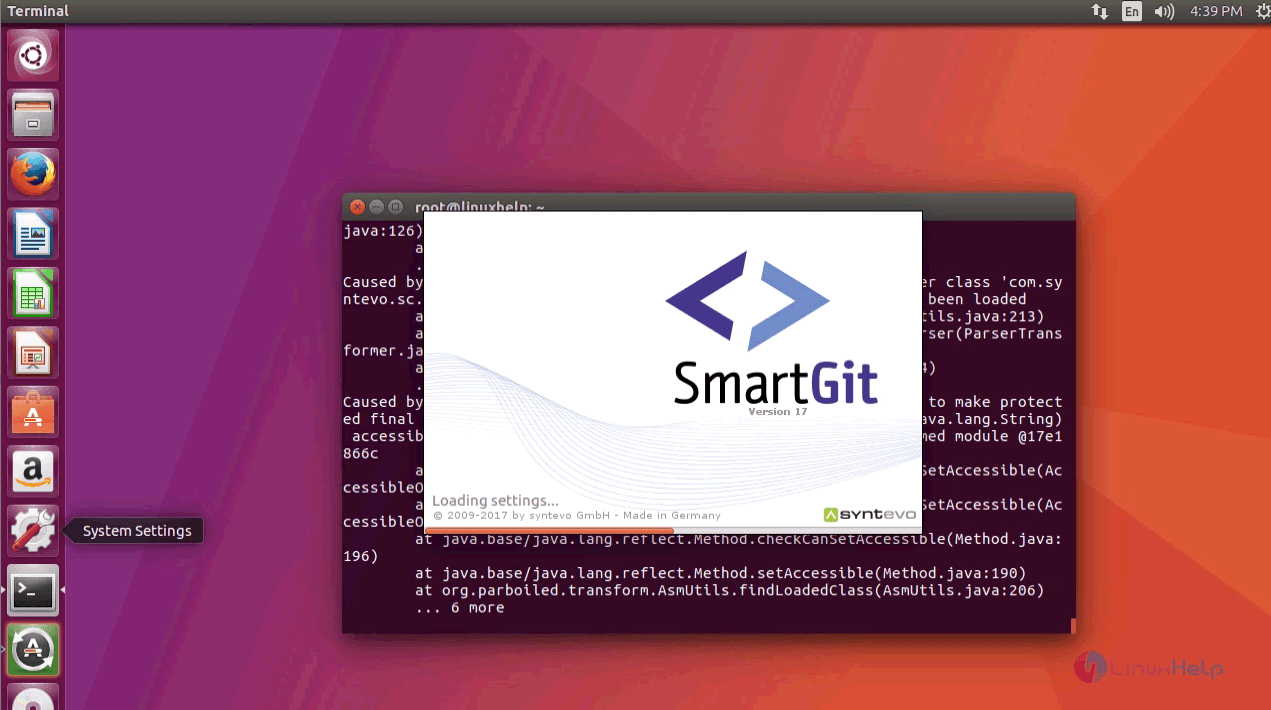
root@linuxhelp:~# smartgit
The SmartGit application is running graphically in the system. The installation wizard of the application is displayed on the screen.
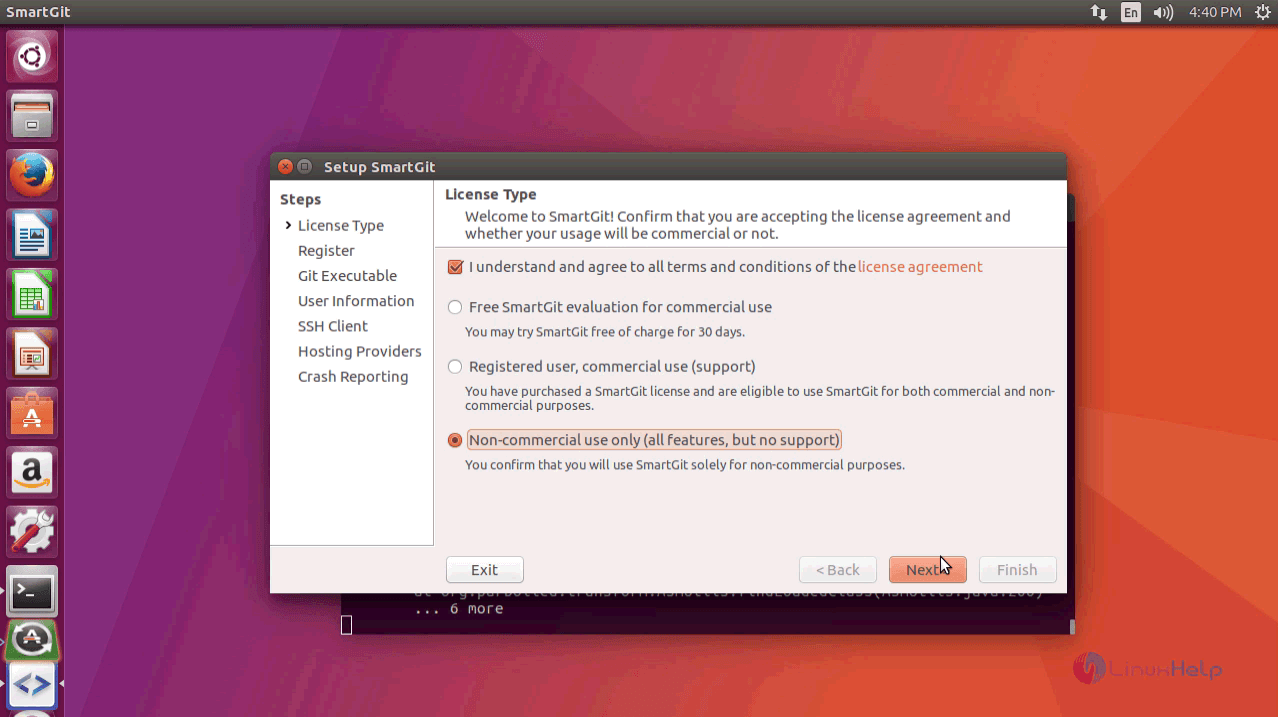
Choose the required License type according to your use.
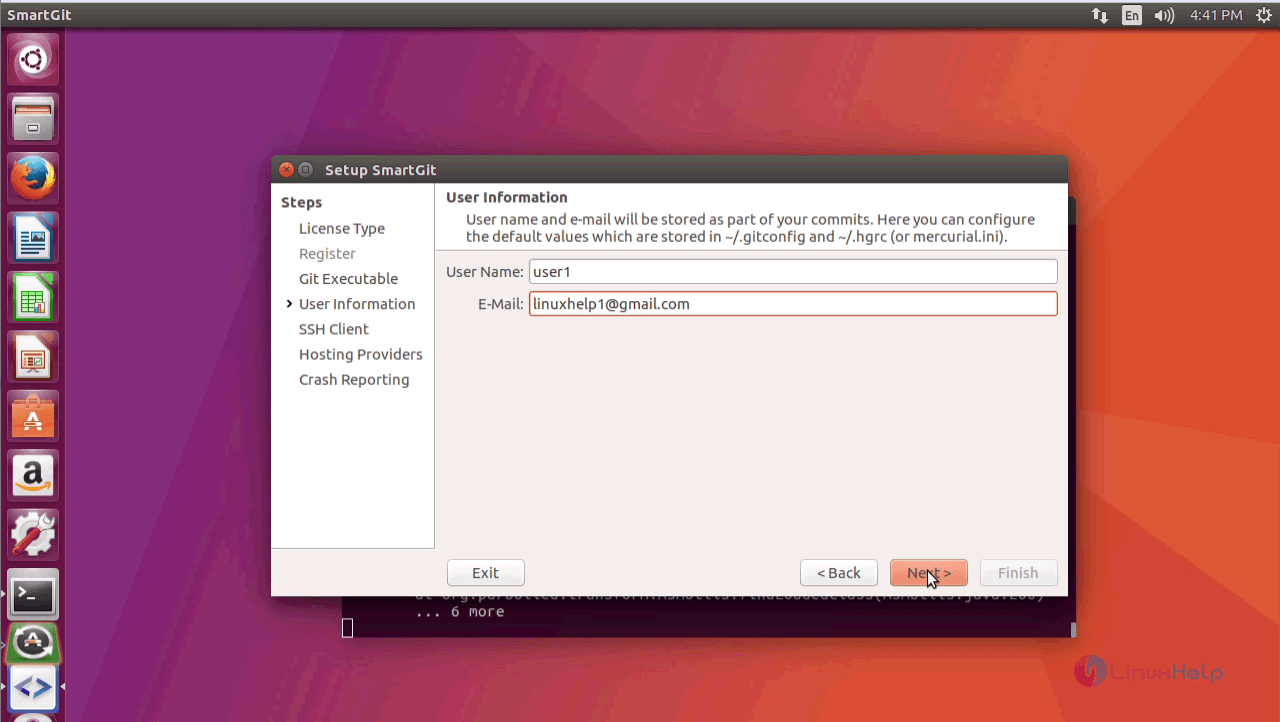
Enter the required user information and click Next.
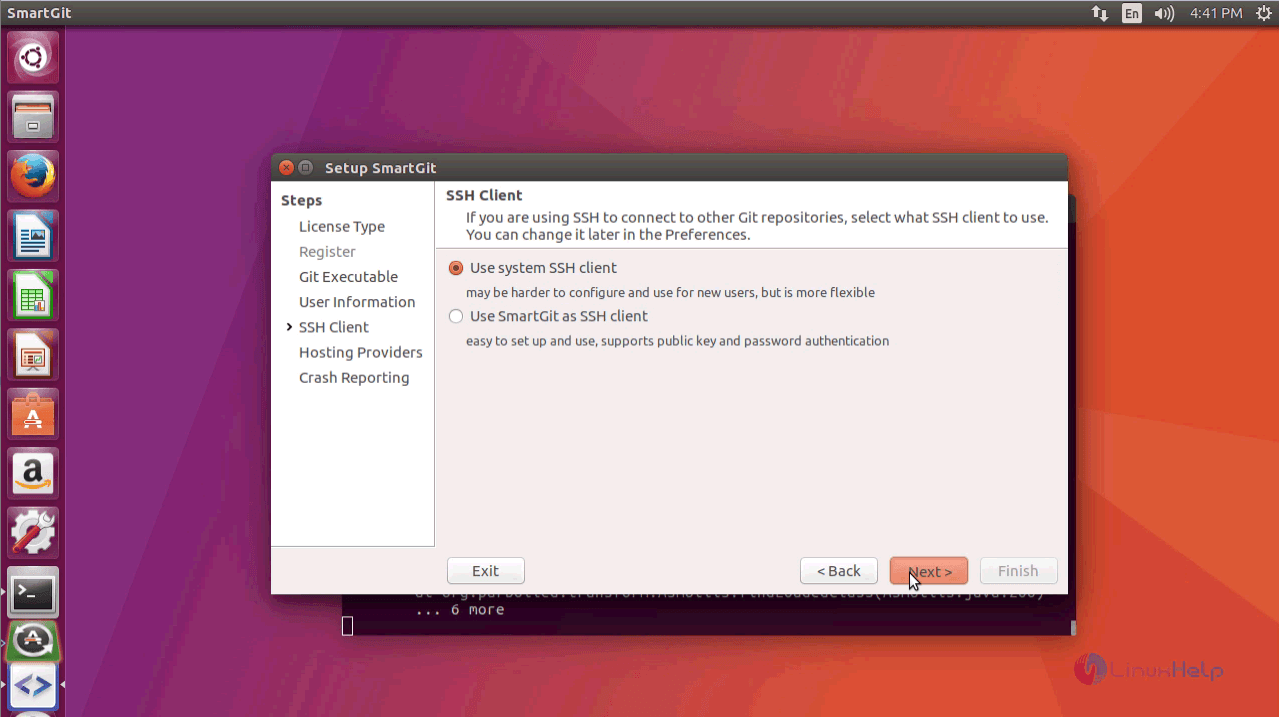
Choose the SSH client as Use System SSH Client option and click Next.
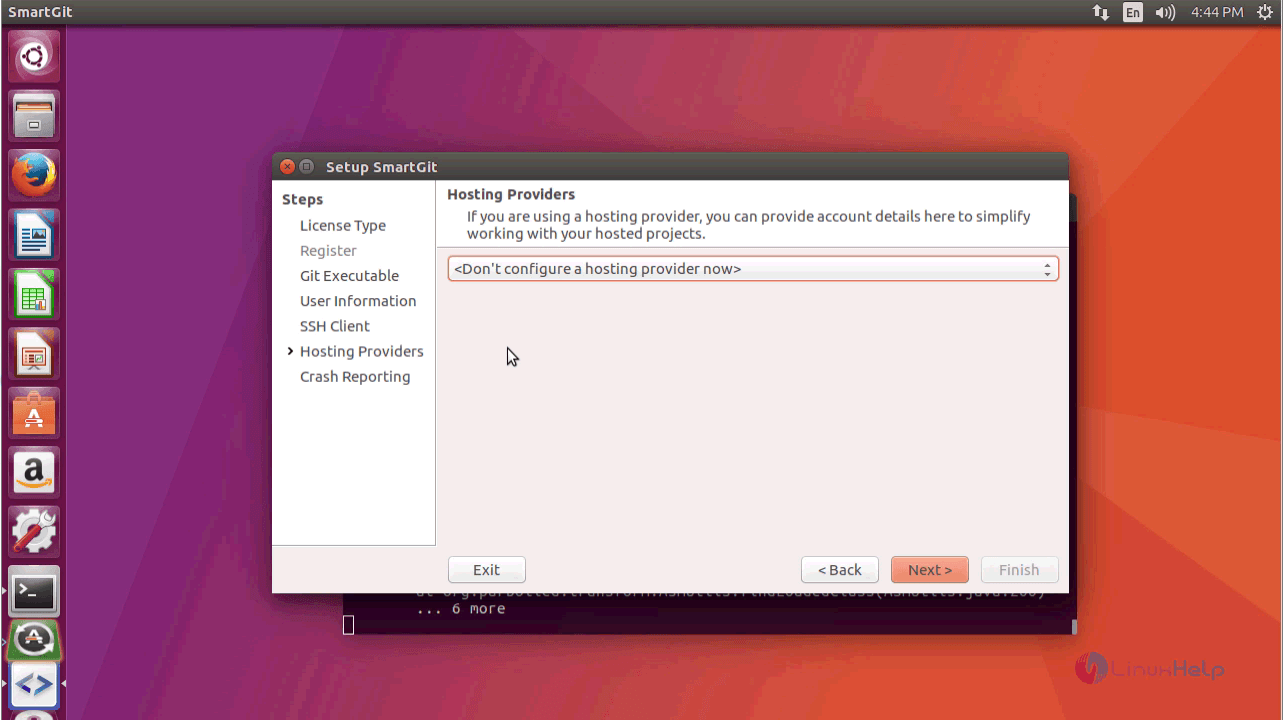
Choose to configure a Hosting Provider. You can skip the process by clicking Next option.
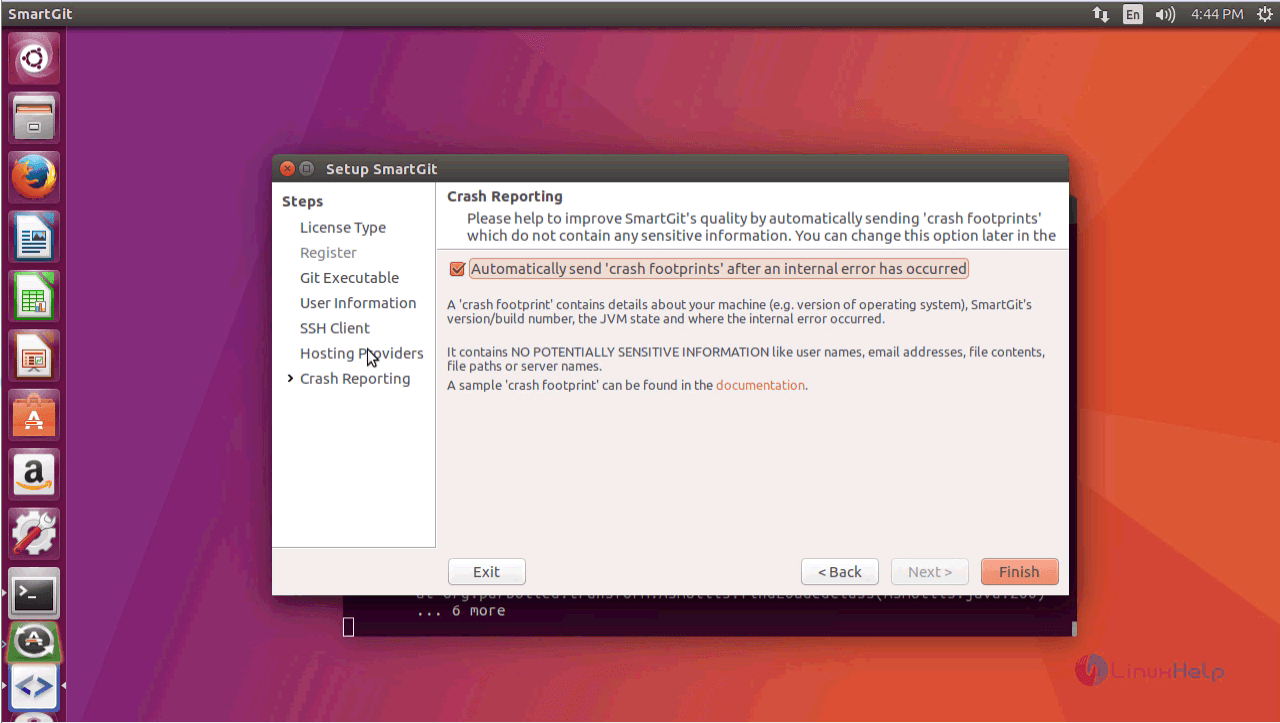
Select the Crash Reporting option to automatically send the reports and click Finish option to complete the setup.
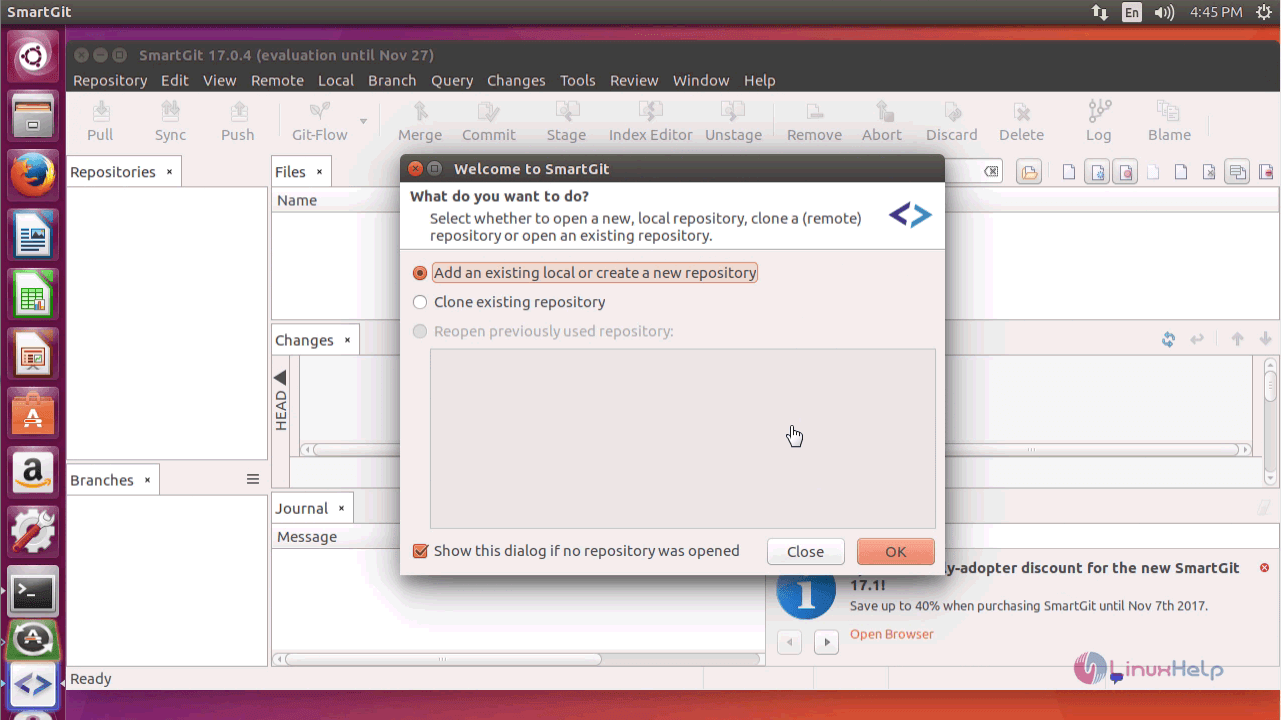
Select the options displayed below. You can choose to create a new repository or clone existing repository. Select the required options as shown below and click OK.
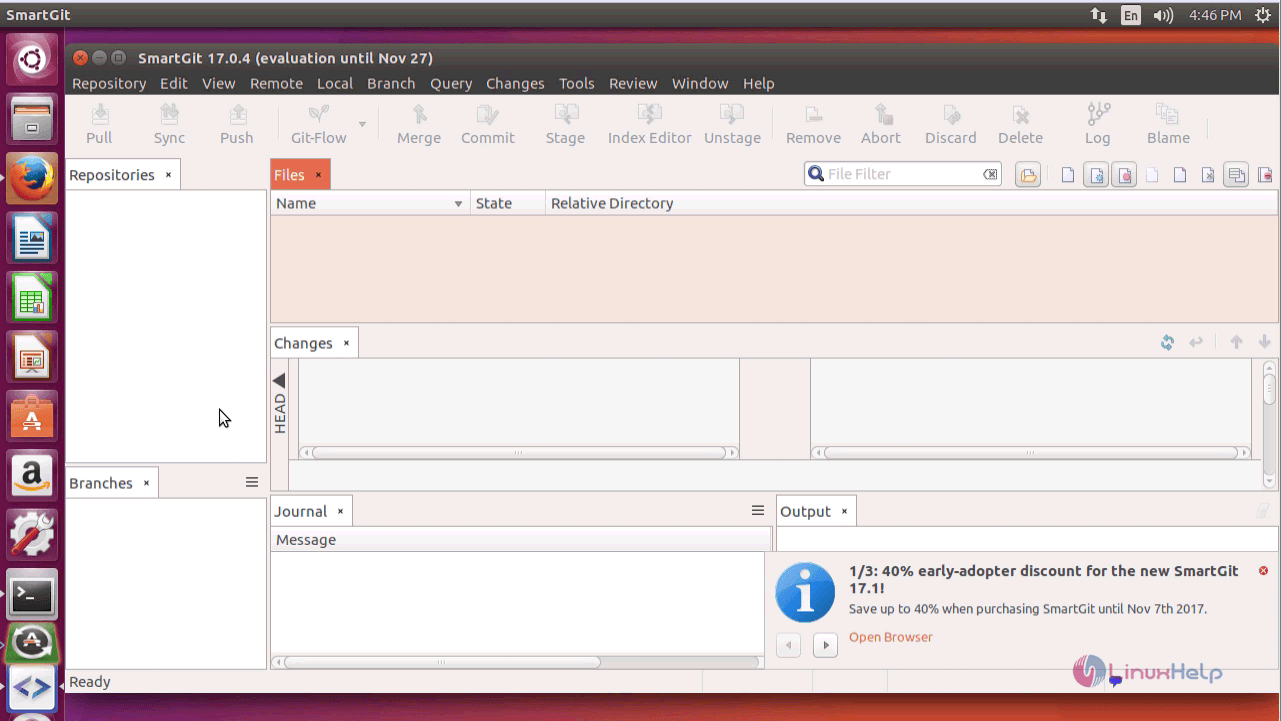
The Work area of SmartGit is displayed on the screen.
Thus we conclude the installation procedure of SmartGit on Ubuntu 17.04.
Comments ( 0 )
No comments available