How to install Smillaenlarger in Ubuntu
{{postValue.id}}
To Install Smillaenlarger In Ubuntu 16.04
SmillaEnlager is an open source uses for algorithmic approach to enlarge images without pixellization. It is graphical tool for photo resizing and magnifying bitmaps in high quality. It is programmed in C++ and is based on the Qt libraries. Installation of Smillaenlarger is explained in this manual.
To install Smillaenlarger
For installing SmillaEnlager, add the repository by using the following command.
root@linuxhelp1:~# add-apt-repository ppa:dhor/myway
Every photographer needs some tools...
   More info: https://launchpad.net/~dhor/+archive/ubuntu/myway
Press [ENTER] to continue or ctrl-c to cancel adding it
gpg: keyring `/tmp/tmphjwqwbsz/secring.gpg'  created
gpg: keyring `/tmp/tmphjwqwbsz/pubring.gpg'  created
gpg: requesting key 93330B78 from hkp server keyserver.ubuntu.com
gpg: /tmp/tmphjwqwbsz/trustdb.gpg: trustdb created
gpg: key 93330B78: public key " Launchpad PPA for Dariusz Duma"  imported
gpg: Total number processed: 1
gpg:               imported: 1  (RSA: 1)
OK
Run the following command to update the newly added repository.
root@linuxhelp1:~# apt-get update
Hit:1 http://in.archive.ubuntu.com/ubuntu xenial InRelease
Get:2 http://ppa.launchpad.net/dhor/myway/ubuntu xenial InRelease [17.5 kB]
Get:3 http://in.archive.ubuntu.com/ubuntu xenial-updates InRelease [95.7 kB]
Get:4 http://ppa.launchpad.net/dhor/myway/ubuntu xenial/main amd64 Packages [8,824 B]
Get:5 http://ppa.launchpad.net/dhor/myway/ubuntu xenial/main i386 Packages [8,640 B]
Hit:6 http://in.archive.ubuntu.com/ubuntu xenial-backports InRelease
Get:7 http://in.archive.ubuntu.com/ubuntu xenial-updates/main amd64 Packages [362 kB]
Get:8 http://ppa.launchpad.net/dhor/myway/ubuntu xenial/main Translation-en [5,336 B]
Get:9 http://security.ubuntu.com/ubuntu xenial-security InRelease [94.5 kB]
Get:10 http://security.ubuntu.com/ubuntu xenial-security/main amd64 Packages [129 kB]
Get:11 http://in.archive.ubuntu.com/ubuntu xenial-updates/main i386 Packages [358 kB]
Get:12 http://security.ubuntu.com/ubuntu xenial-security/main i386 Packages [125 kB]
Get:13 http://security.ubuntu.com/ubuntu xenial-security/main Translation-en [50.8 kB]
.
.

.
Get:23 http://in.archive.ubuntu.com/ubuntu xenial-updates/universe amd64 Packages [313 kB]
Get:24 http://in.archive.ubuntu.com/ubuntu xenial-updates/universe i386 Packages [310 kB]
Get:25 http://in.archive.ubuntu.com/ubuntu xenial-updates/universe Translation-en [106 kB]
Get:26 http://in.archive.ubuntu.com/ubuntu xenial-updates/universe amd64 DEP-11 Metadata [87.9 kB]
Get:27 http://in.archive.ubuntu.com/ubuntu xenial-updates/universe DEP-11 64x64 Icons [86.4 kB]
Fetched 2,841 kB in 43s (66.0 kB/s)
Reading package lists... Done
Then start with the installation of the Smillaenlarger package.
root@linuxhelp1:~# apt-get install smillaenlarger -y
Reading package lists... Done
Building dependency tree
Reading state information... Done
The following packages were automatically installed and are no longer required:
  libpango1.0-0 libpangox-1.0-0 linux-headers-4.4.0-21 linux-headers-4.4.0-21-generic linux-image-4.4.0-21-generic
  linux-image-extra-4.4.0-21-generic
Use ' sudo apt autoremove'  to remove them.
The following NEW packages will be installed:
  smillaenlarger
.
.
.
Get:1 http://ppa.launchpad.net/dhor/myway/ubuntu xenial/main amd64 smillaenlarger amd64 0.9-1dhor~xenial [386 kB]
Fetched 386 kB in 9s (42.7 kB/s)
Selecting previously unselected package smillaenlarger.
(Reading database ... 238764 files and directories currently installed.)
Preparing to unpack .../smillaenlarger_0.9-1dhor~xenial_amd64.deb ...
Unpacking smillaenlarger (0.9-1dhor~xenial) ...
Processing triggers for bamfdaemon (0.5.3~bzr0+16.04.20160701-0ubuntu1) ...
Rebuilding /usr/share/applications/bamf-2.index...
Processing triggers for gnome-menus (3.13.3-6ubuntu3.1) ...
Processing triggers for desktop-file-utils (0.22-1ubuntu5) ...
Processing triggers for mime-support (3.59ubuntu1) ...
Setting up smillaenlarger (0.9-1dhor~xenial) ...
To Launch Smillaenlarger
In the search bar and type Smillaenlarger and the icon appears, click on the icon to open the Smillaenlarger.
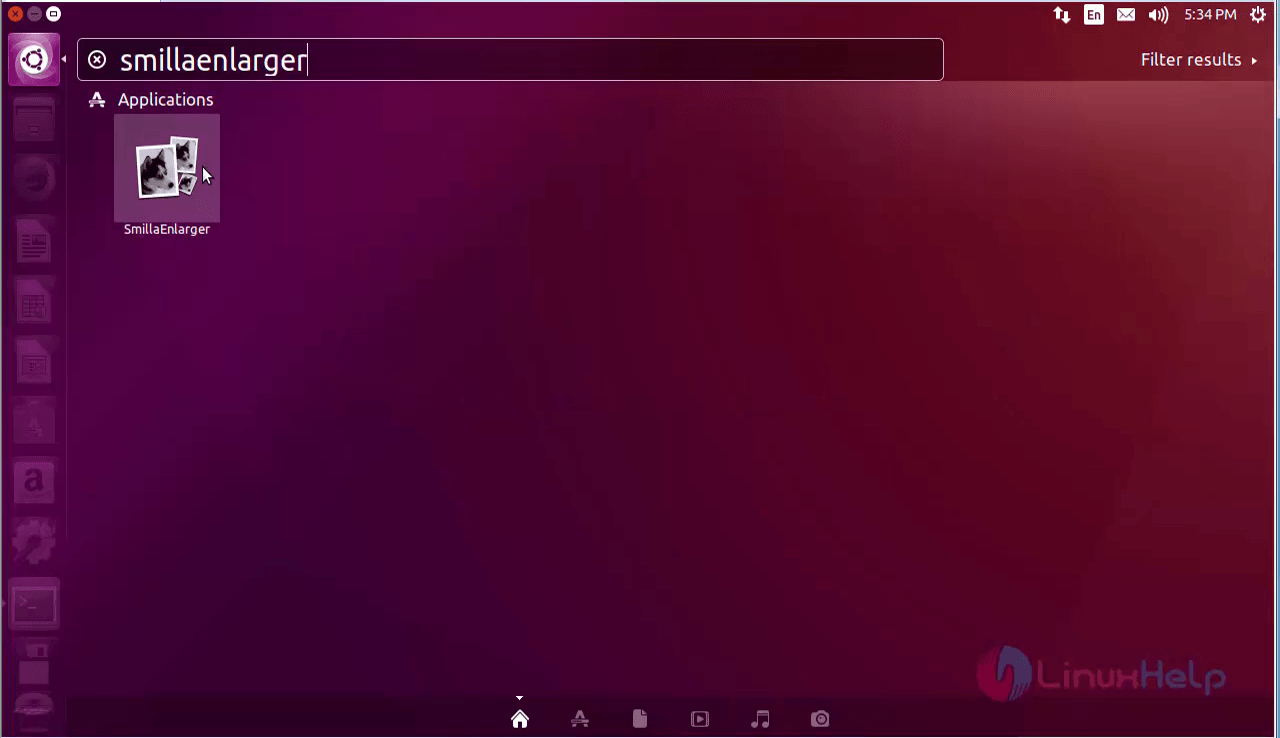
The Smillaenlarger icon appears.
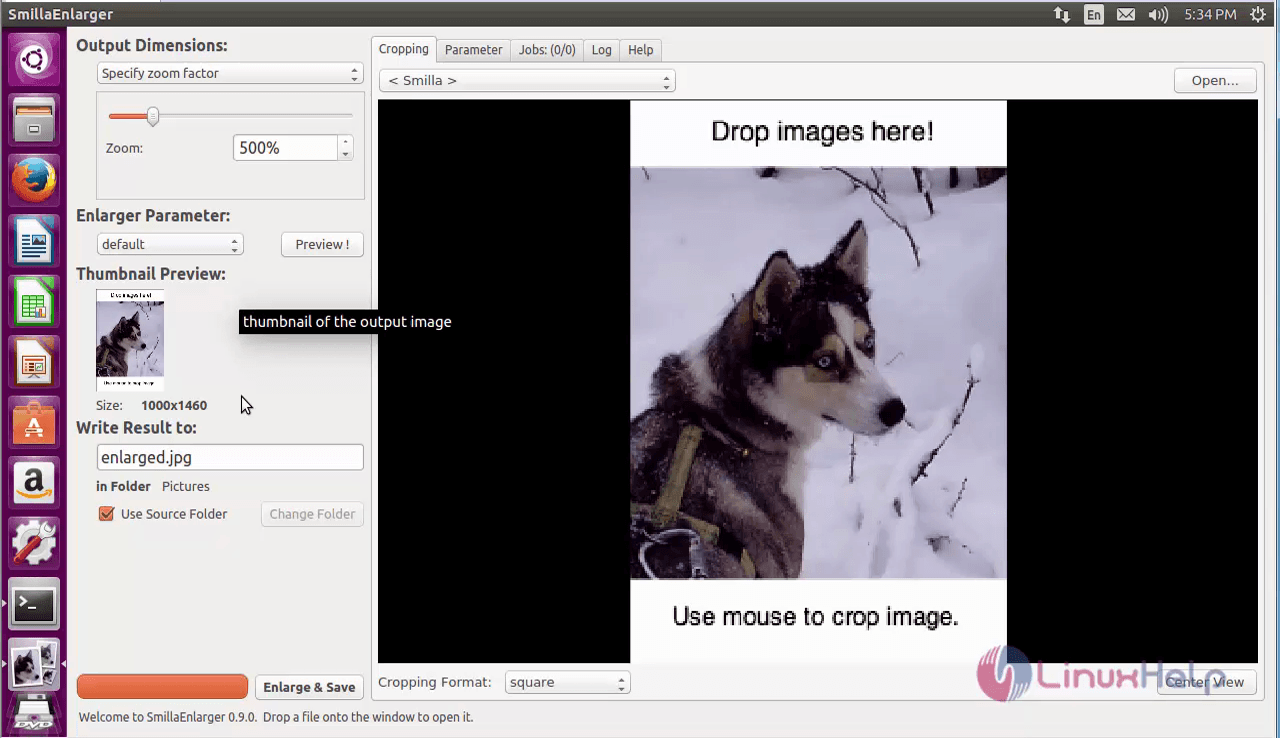
To uninstall Smillaenlarger
For removing the package, use the following command.
root@linuxhelp1:~# apt-get remove smillaenlarger -y
Reading package lists... Done
Building dependency tree
Reading state information... Done
The following packages were automatically installed and are no longer required:
  libpango1.0-0 libpangox-1.0-0 linux-headers-4.4.0-21 linux-headers-4.4.0-21-generic linux-image-4.4.0-21-generic
  linux-image-extra-4.4.0-21-generic
Use ' sudo apt autoremove'  to remove them.
The following packages will be REMOVED:
  smillaenlarger
0 upgraded, 0 newly installed, 1 to remove and 59 not upgraded.
After this operation, 1,092 kB disk space will be freed.
(Reading database ... 238772 files and directories currently installed.)
Removing smillaenlarger (0.9-1dhor~xenial) ...
Processing triggers for bamfdaemon (0.5.3~bzr0+16.04.20160701-0ubuntu1) ...
Rebuilding /usr/share/applications/bamf-2.index...
Processing triggers for gnome-menus (3.13.3-6ubuntu3.1) ...
Processing triggers for desktop-file-utils (0.22-1ubuntu5) ...
Processing triggers for mime-support (3.59ubuntu1) ...
Comments ( 0 )
No comments available