How to install SMPlayer 18.2.2 on Linux Mint 18.3
To install SMPlayer 18.2.2 on Linux Mint 18.3
SMPlayer is an open source, cross-platform best media player for Linux used to play video and audio files eg: Music, Movies, etc. It is written using the C++ programming language and released under GNU GPL license. The method to install SMPlayer 18.2.2 on Linux Mint 18.3 is so simple and this tutorial covers the ground in the same process.
Install SMPlayer
Begin, update the system repository package by making use of the following command.
linuxhelp user # apt-get update
Hit:1 http://archive.ubuntu.com/ubuntu xenial InRelease
Ign:2 http://packages.linuxmint.com sylvia InRelease
Get:3 http://archive.canonical.com/ubuntu xenial InRelease [11.5 kB]
Hit:4 http://packages.linuxmint.com sylvia Release
Get:5 http://security.ubuntu.com/ubuntu xenial-security InRelease [102 kB]
Get:6 http://archive.ubuntu.com/ubuntu xenial-updates InRelease [102 kB]
Get:8 http://archive.ubuntu.com/ubuntu xenial-backports InRelease [102 kB]
.
.
Get:24 http://archive.ubuntu.com/ubuntu xenial-updates/universe Translation-en [242 kB]
Get:25 http://archive.ubuntu.com/ubuntu xenial-updates/multiverse amd64 Packages [16.2 kB]
Get:26 http://archive.ubuntu.com/ubuntu xenial-updates/multiverse i386 Packages [15.3 kB]
Get:27 http://archive.ubuntu.com/ubuntu xenial-backports/universe amd64 Packages [7,080 B]
Get:28 http://archive.ubuntu.com/ubuntu xenial-backports/universe i386 Packages [7,064 B]
Get:29 http://archive.ubuntu.com/ubuntu xenial-backports/universe Translation-en [3,812 B]
Fetched 5,323 kB in 10s (525 kB/s)
Reading package lists... Done
After updating the repo package add the following repository which contains SMplayer package.
linuxhelp user # add-apt-repository ppa:rvm/smplayer
You are about to add the following PPA:
 Packages for SMPlayer.
To install SMPlayer from this PPA, run these commands on a terminal:
sudo add-apt-repository ppa:rvm/smplayer
sudo apt-get update
sudo apt-get install smplayer smtube smplayer-themes smplayer-skins
 More info: https://launchpad.net/~rvm/+archive/ubuntu/smplayer
Press Enter to continue or Ctrl+C to cancel
Executing: /tmp/tmp.cZ1IVieUGy/gpg.1.sh --keyserver
hkp://keyserver.ubuntu.com:80
--recv-keys
E4A4F4F4
gpg: requesting key E4A4F4F4 from hkp server keyserver.ubuntu.com
gpg: key E4A4F4F4: public key " Launchpad PPA named smplayer for rvm"  imported
gpg: Total number processed: 1
gpg:               imported: 1  (RSA: 1)
After adding the repository we need to update the system repository.
linuxhelp user # apt-get update
Hit:1 http://security.ubuntu.com/ubuntu xenial-security InRelease
Hit:2 http://archive.ubuntu.com/ubuntu xenial InRelease
Hit:3 http://archive.ubuntu.com/ubuntu xenial-updates InRelease
Ign:4 http://packages.linuxmint.com sylvia InRelease
Get:5 http://ppa.launchpad.net/rvm/smplayer/ubuntu xenial InRelease [17.5 kB]
Hit:6 http://archive.canonical.com/ubuntu xenial InRelease
Hit:7 http://archive.ubuntu.com/ubuntu xenial-backports InRelease
Hit:8 http://packages.linuxmint.com sylvia Release
Get:10 http://ppa.launchpad.net/rvm/smplayer/ubuntu xenial/main Sources [2,888 B]
Get:11 http://ppa.launchpad.net/rvm/smplayer/ubuntu xenial/main amd64 Packages [2,324 B]
Get:12 http://ppa.launchpad.net/rvm/smplayer/ubuntu xenial/main i386 Packages [2,328 B]
Get:13 http://ppa.launchpad.net/rvm/smplayer/ubuntu xenial/main Translation-en [5,284 B]
Fetched 30.3 kB in 2s (14.6 kB/s)
Reading package lists... Done
The system repository is updated now so we can install SMPlayer by using the following command.
linuxhelp user # apt-get install smplayer smtube smplayer-themes smplayer-skins
Reading package lists... Done
Building dependency tree
Reading state information... Done
The following additional packages will be installed:
  esound-common liba52-0.7.4 libass5 libaudiofile1 libavcodec-ffmpeg56 libavformat-ffmpeg56 libavutil-ffmpeg54
  libbluray1 libbs2b0 libcrystalhd3 libdca0 libdirectfb-1.2-9 libenca0 libesd0 libfaad2 libgme0 libmad0
  libmodplug1 libmp3lame0 libmpeg2-4 libmpg123-0 libopenal-data libopenal1 libopenjpeg5 libpostproc-ffmpeg53
  libschroedinger-1.0-0 libshine3 libsnappy1v5 libsoxr0 libssh-gcrypt-4 libswresample-ffmpeg1 libswscale-ffmpeg3
  libtwolame0 libva1 libvdpau1 libvorbisidec1 libx264-148 libx265-79 libxvidcore4 libzvbi-common libzvbi0 mplayer
Suggested packages:
  libbluray-bdj firmware-crystalhd pulseaudio-esound-compat mplayer-doc netselect | fping
Recommended packages:
  va-driver-all | va-driver vdpau-driver-all | vdpau-driver
The following NEW packages will be installed:
.
.
etting up libmpg123-0:amd64 (1.22.4-1) ...
Setting up libpostproc-ffmpeg53:amd64 (7:2.8.11-0ubuntu0.16.04.1) ...
Setting up libswscale-ffmpeg3:amd64 (7:2.8.11-0ubuntu0.16.04.1) ...
Setting up libvdpau1:amd64 (1.1.1-3ubuntu1) ...
Setting up libvorbisidec1 (1.0.2+svn18153-0.2) ...
Setting up mplayer (2:1.2.1-1ubuntu1) ...
Setting up smplayer (18.2.2-1~xenial1) ...
Setting up smplayer-skins (2:15.2.0-1~xenial1) ...
Setting up smplayer-themes (2:17.3.0-1~xenial1) ...
Setting up smtube (18.1.0-1~xenial1) ...
Processing triggers for libc-bin (2.23-0ubuntu9) ...
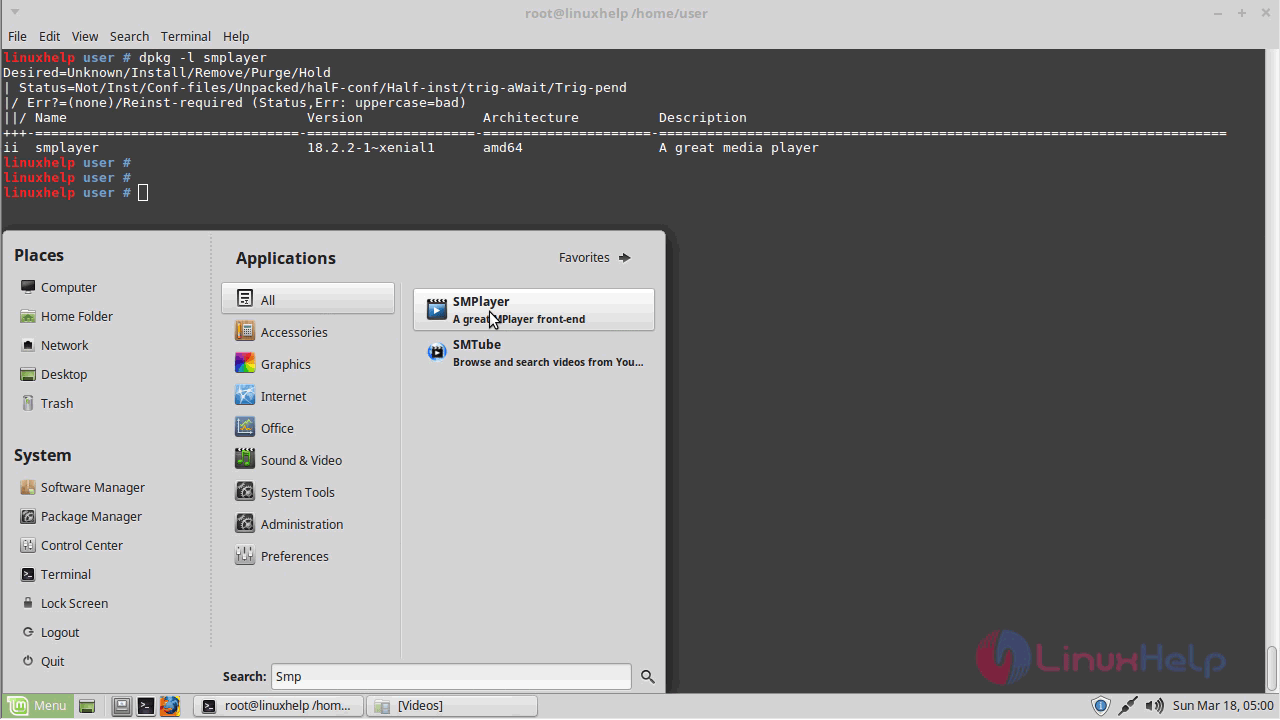
To confirm that the SMplayer is installed on your machine you can make use of the following command.
linuxhelp user # dpkg -l smplayer
Desired=Unknown/Install/Remove/Purge/Hold
| Status=Not/Inst/Conf-files/Unpacked/halF-conf/Half-inst/trig-aWait/Trig-pend
|/ Err?=(none)/Reinst-required (Status,Err: uppercase=bad)
||/ Name                   Version          Architecture     Description
+++-======================-================-================-==================================================
ii  smplayer               18.2.2-1~xenial1 amd64            A great media playe
After installation completes, to open SMPlayer you can go and search from the menu when the SMPlayer application appears on search click to open it
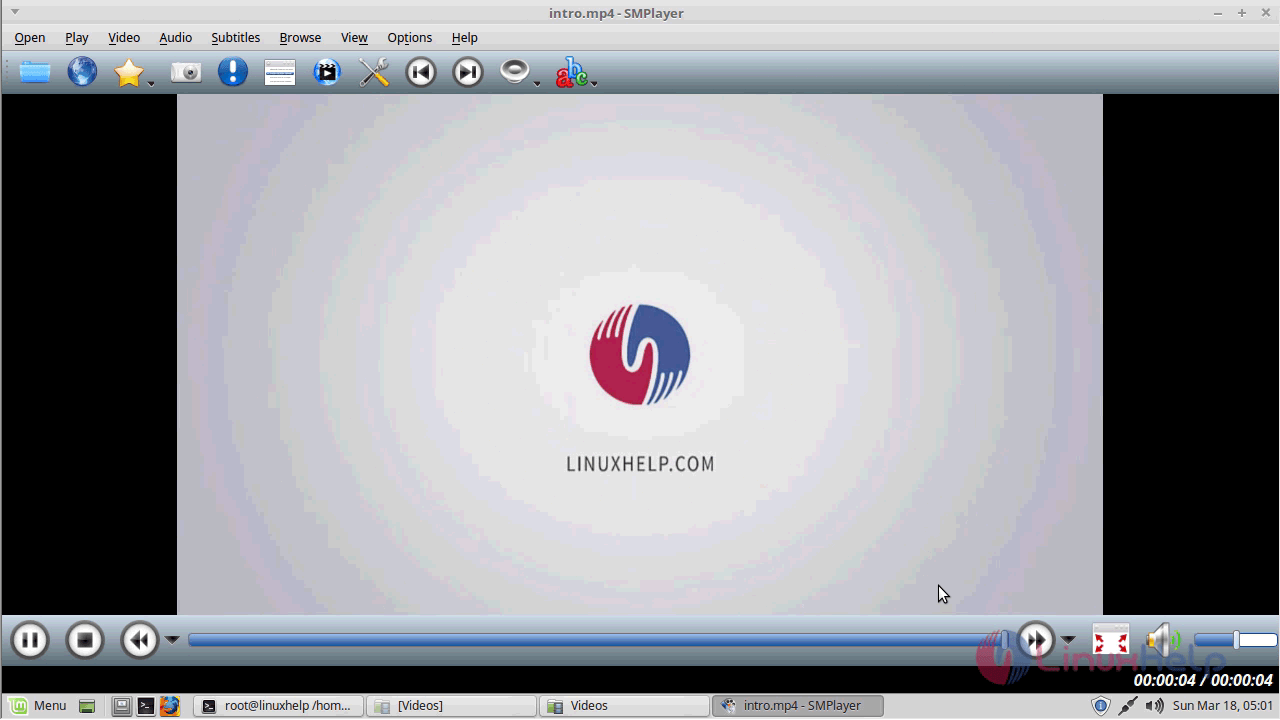
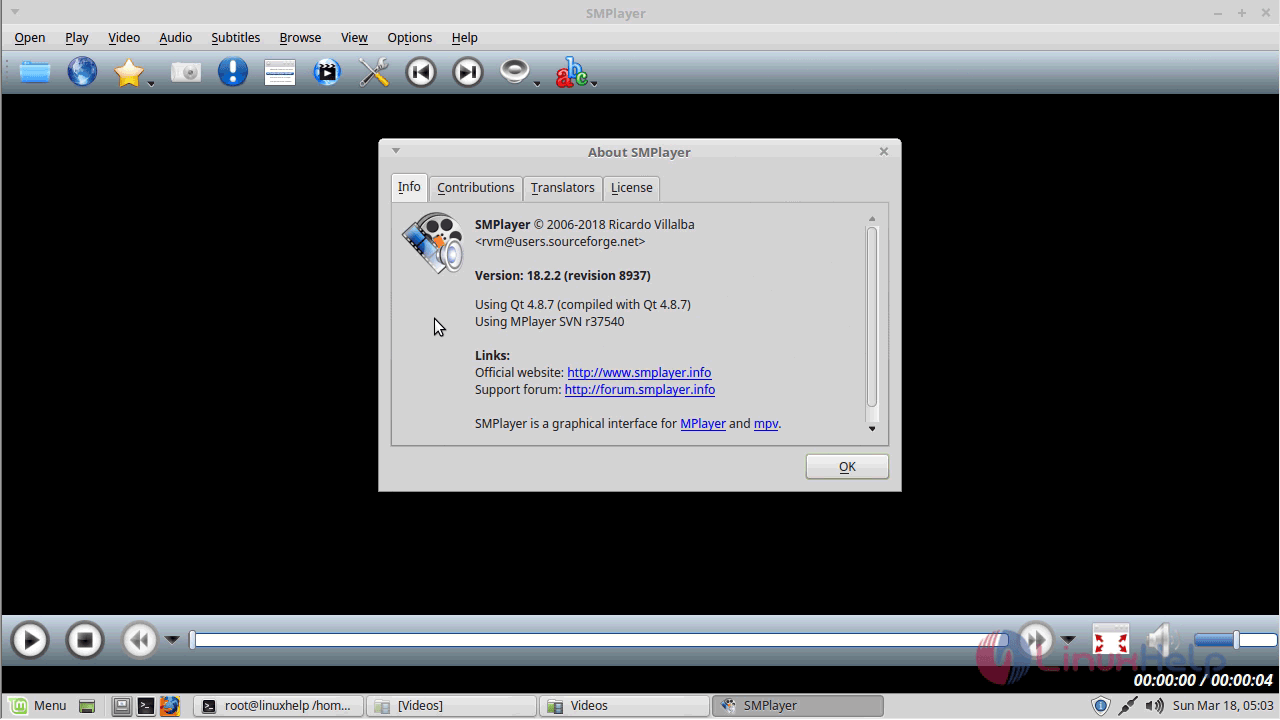
To check the version of the SMPlayer installed on the machine go to Help menu and click on about SMplayer and then browse to info menu from the pop-up.
With this, the method to install SMPlayer 18.2.2 on Linux Mint 18.3 comes to an end.
Comments ( 0 )
No comments available