How to install Smuxi on Ubuntu 17.04
To install Smuxi on Ubuntu 17.04
Smuxi is a free Twitter, XMPP, IRC, and JabbR client developed in GTK+3. It has support for notifications, browser mode, word completion, full keyboard control, word wrapping, integrated spell checking, unified nickname colors, clickable URLs, and full screen mode. This tutorial explains the installation procedure of Smuxi on Ubuntu 17.04.
Installation procedure
To proceed with the installation procedure, add the required repository by executing the following command as follows.
root@linuxhelp:~#  add-apt-repository ppa:meebey/smuxi-stable
 More info: https://launchpad.net/~meebey/+archive/ubuntu/smuxi-stable
Press [ENTER] to continue or ctrl-c to cancel adding it

gpg: keybox ' /tmp/tmp33m_ebhm/pubring.gpg'  created
gpg: /tmp/tmp33m_ebhm/trustdb.gpg: trustdb created
gpg: key 5C39B6F9FC6D77D5: public key " Launchpad smuxi"  imported
gpg: Total number processed: 1
gpg:               imported: 1
OK
The repositories are added successfully. Next update the system by running the apt-get update command.
root@linuxhelp:~# apt-get update
Hit:1 http://in.archive.ubuntu.com/ubuntu zesty InRelease
Hit:2 http://in.archive.ubuntu.com/ubuntu zesty-updates InRelease
Get:3 http://ppa.launchpad.net/meebey/smuxi-stable/ubuntu zesty InRelease [15.4 kB]
Hit:4 http://in.archive.ubuntu.com/ubuntu zesty-backports InRelease
Hit:5 http://security.ubuntu.com/ubuntu zesty-security InRelease
Get:6 http://ppa.launchpad.net/meebey/smuxi-stable/ubuntu zesty/main amd64 Packages [1,416 B]
Get:7 http://ppa.launchpad.net/meebey/smuxi-stable/ubuntu zesty/main i386 Packages [1,416 B]
Get:8 http://ppa.launchpad.net/meebey/smuxi-stable/ubuntu zesty/main Translation-en [1,232 B]
Fetched 19.5 kB in 3s (6,379 B/s)
Reading package lists... Done
The target system is updated with the required repositories. Install the smuxi application by executing the following command and press y to continue with the installation procedure.
root@linuxhelp:~# apt-get install smuxi -y
Reading package lists... Done
Building dependency tree
Reading state information... Done
The following additional packages will be installed:
  binfmt-support ca-certificates-mono cli-common cron-apt dma
  libdbus-glib1.0-cil libdbus-glib2.0-cil libdbus1.0-cil libdbus2.0-cil
  libgdiplus libgif7 libglade2-0 libglade2.0-cil libglib2.0-cil libgtk2.0-cil
  libgtkspell0 liblockfile-bin liblockfile1 liblog4net1.2-cil
  libmessagingmenu12.10-cil libmono-accessibility4.0-cil libmono-cairo4.0-cil
  libmono-corlib4.5-cil libmono-data-tds4.0-cil libmono-i18n-west4.0-cil
  libmono-i18n4.0-cil libmono-ldap4.0-cil libmono-posix4.0-cil
  libmono-security4.0-cil libmono-sqlite4.0-cil
.
.
.
.
Certificate added: C=US, O=Wells Fargo WellsSecure, OU=Wells Fargo Bank NA, CN=WellsSecure Public Root Certificate Authority
Certificate added: C=CN, O=WoSign CA Limited, CN=Certification Authority of WoSign
Certificate added: C=CN, O=WoSign CA Limited, CN=CA ?????
Certificate added: C=US, OU=www.xrampsecurity.com, O=XRamp Security Services Inc, CN=XRamp Global Certification Authority
Certificate added: C=RO, O=certSIGN, OU=certSIGN ROOT CA
Certificate added: C=TW, O=" Chunghwa Telecom Co., Ltd." , OU=ePKI Root Certification Authority
Certificate added: C=US, O=" thawte, Inc." , OU=Certification Services Division, OU=" (c) 2006 thawte, Inc. - For authorized use only" , CN=thawte Primary Root CA
Certificate added: C=US, O=" thawte, Inc." , OU=" (c) 2007 thawte, Inc. - For authorized use only" , CN=thawte Primary Root CA - G2
Certificate added: C=US, O=" thawte, Inc." , OU=Certification Services Division, OU=" (c) 2008 thawte, Inc. - For authorized use only" , CN=thawte Primary Root CA - G3
173 new root certificates were added to your trust store.
Import process completed.
Done
done.
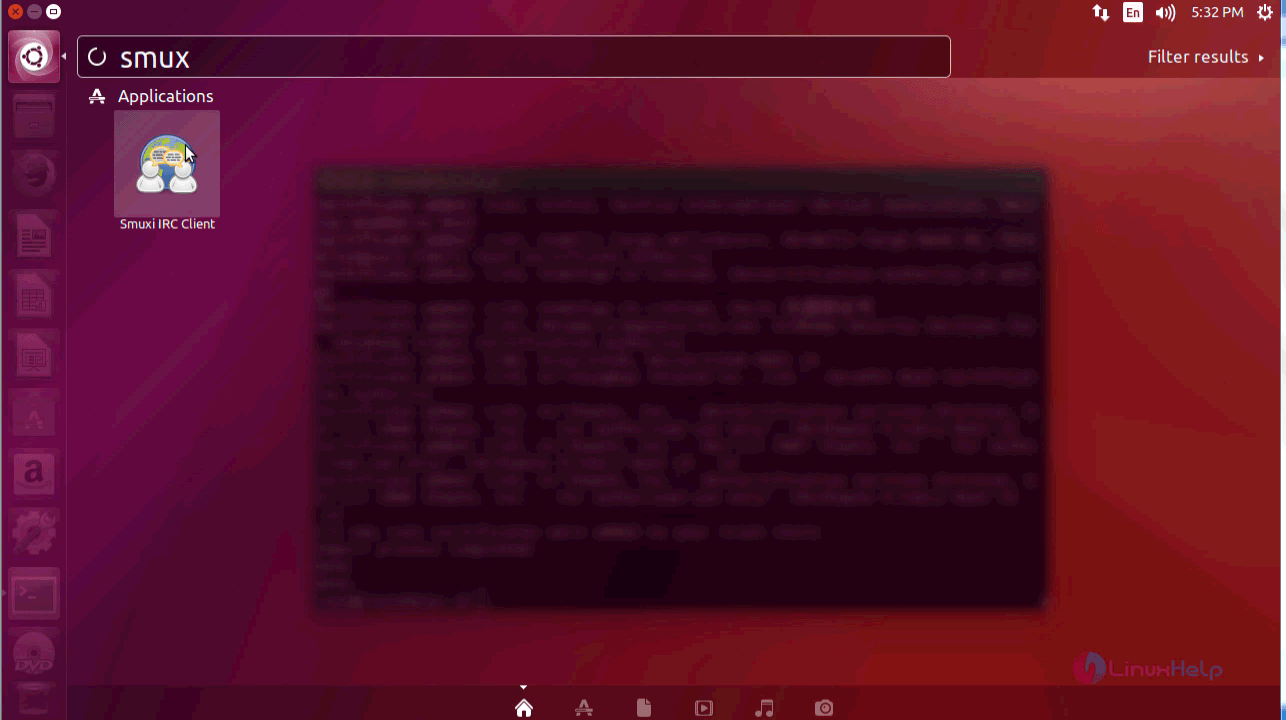
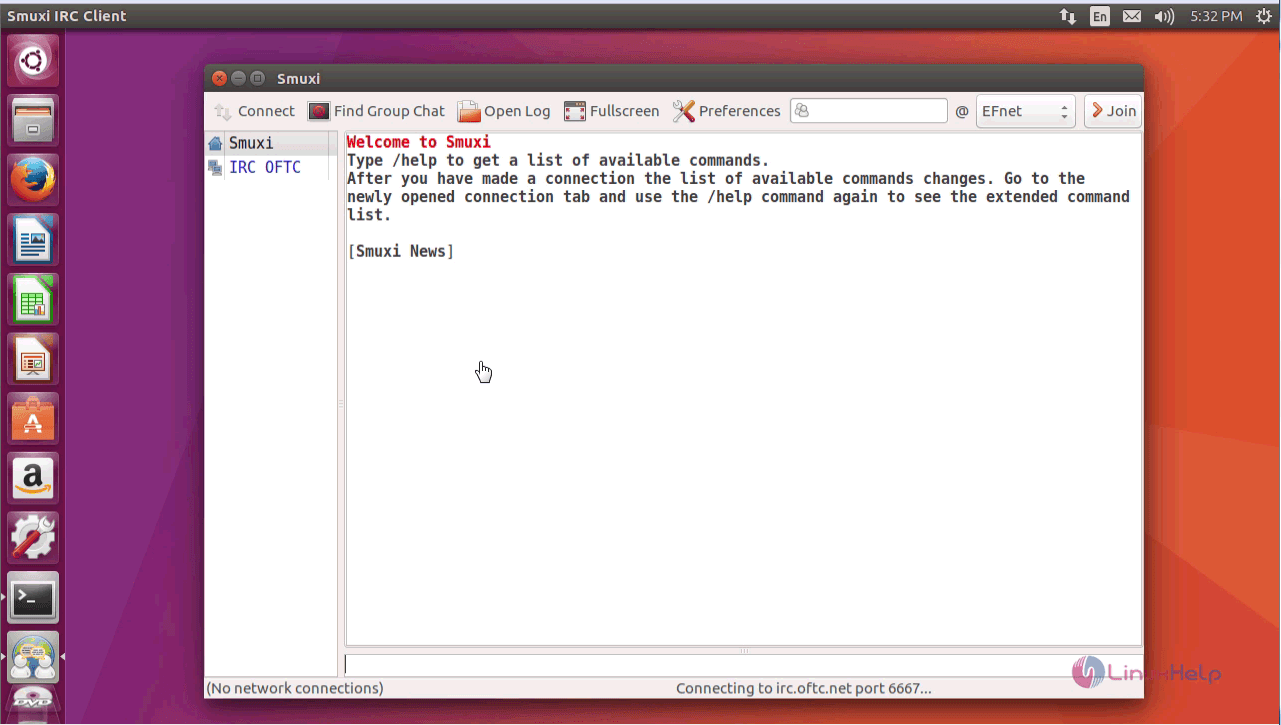
The Smuxi application is installed without any glitches. To run the application, type the application name in the Ubuntu dashboard and click on the icon to run the application.
The Smuxi application runs successfully on the Ubuntu system.
Thus we conclude the installation procedure of Smuxi on Ubuntu 17.04.
Comments ( 0 )
No comments available