• Categories
    Category
    {{ postCtrl.tags }}
    • {{ category.tag_type }}

      • {{tag.tag_name}}
      • View more
  • Categories
    Category
    {{ postCtrl.tags }}
    • {{ category.tag_type }}

      • {{tag.tag_name}}
      • View more
  • News
  • Tutorials
  • Forums
  • Tags
  • Users
Tutorial News Comments FAQ Related Articles

How to install Snow Linux 4

{{postValue.id}}

To install Snow Linux 4

Snow Linux is based on ‘ Raring Ringtail’ of Ubuntu 13.04. It has the default desktop environment as MATE 1.6 and Cinnamon 1.8. It uses the latest technologies and updated packages. Installation of Snow Linux 4 is explained in this manual.

To install Snowlinux 4 E17 Desktop

First download the Snowlinux 4 E17 Image file from the following link,
ftp://linuxfreedom.com/snowlinux/download.html


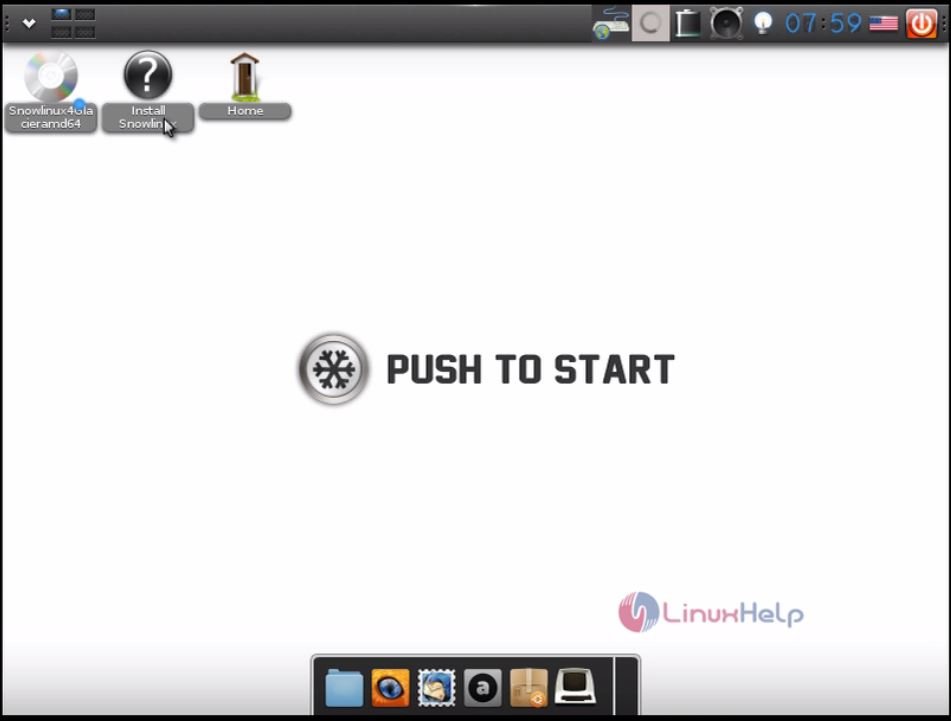
After downloading, boot it to a DVD or pendrive. Once installation is started the following screen appears.
Click start Snowlinux.
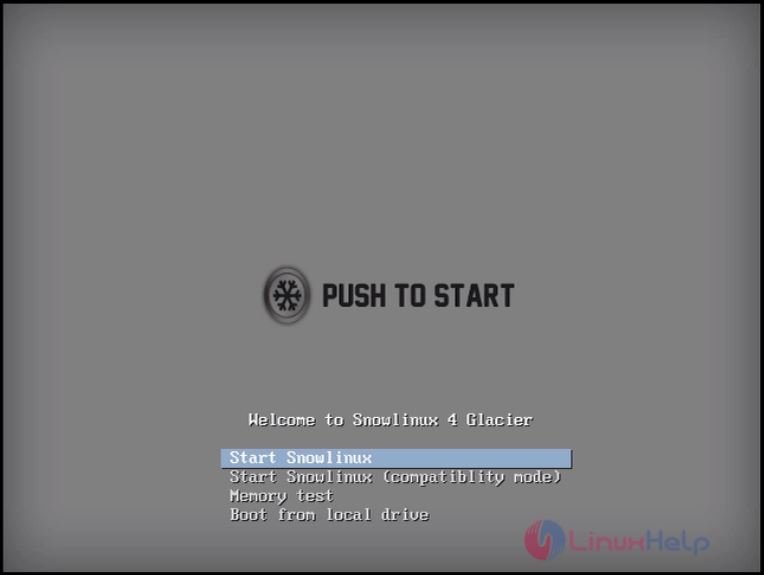
snowlinux
Double click install Snowlinux icon
install_linux
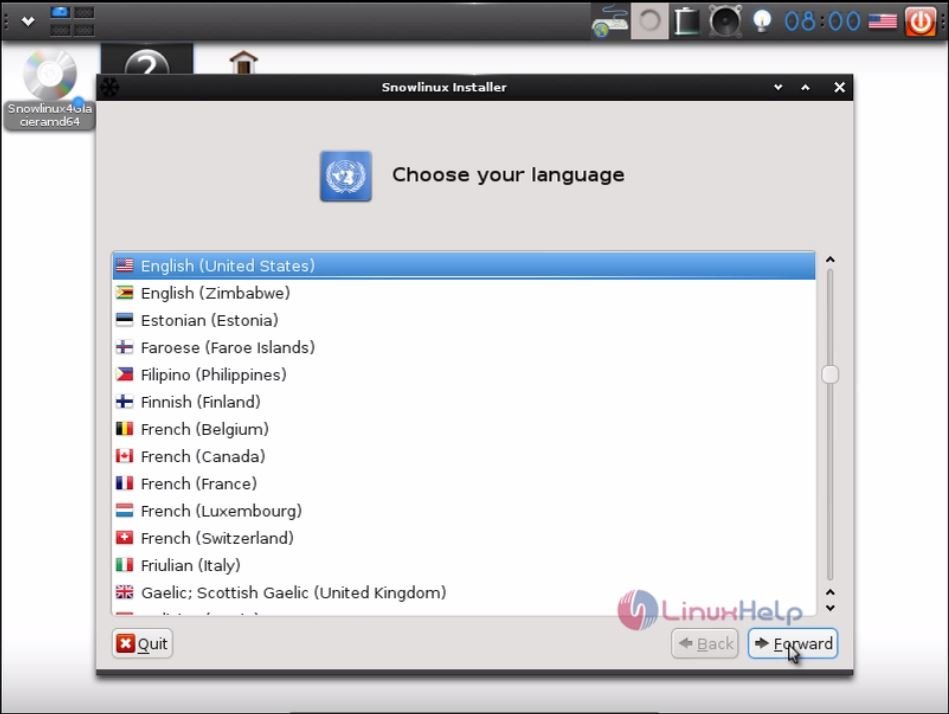
Choose your preferred language.
language
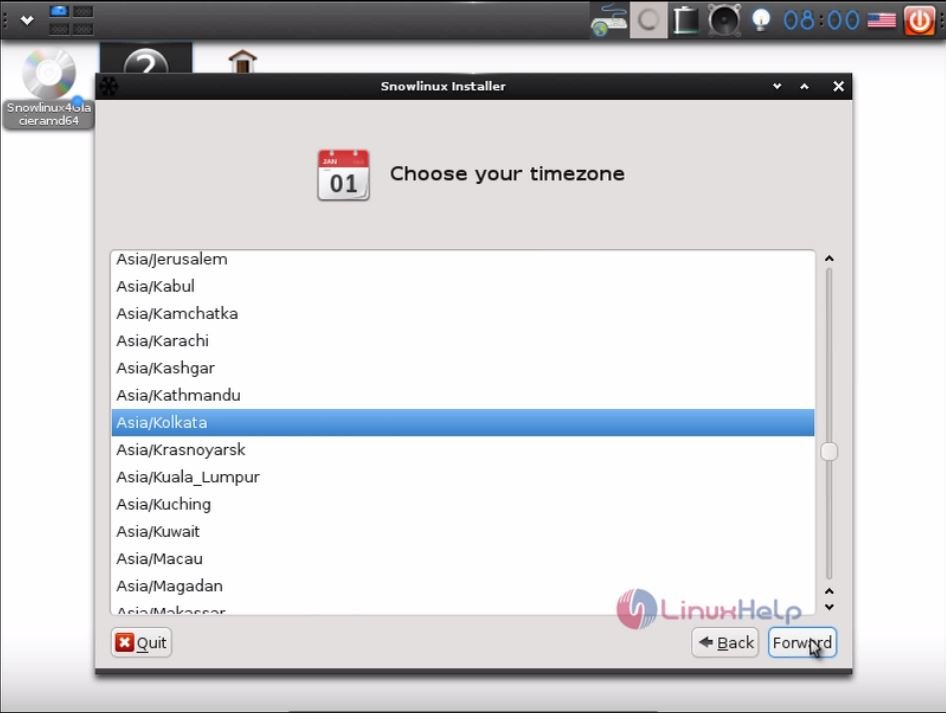
Select the Time zone you prefer.


time_zone
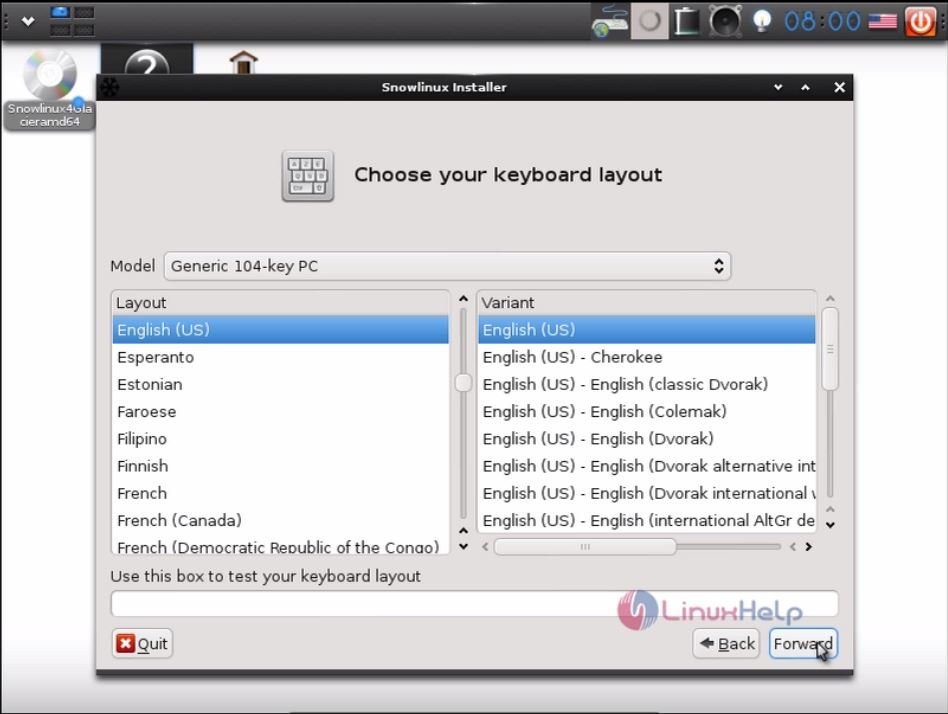
Choose your Keyboard layout.
keyboard_layout
To start with the partitions, click yes to proceed further.
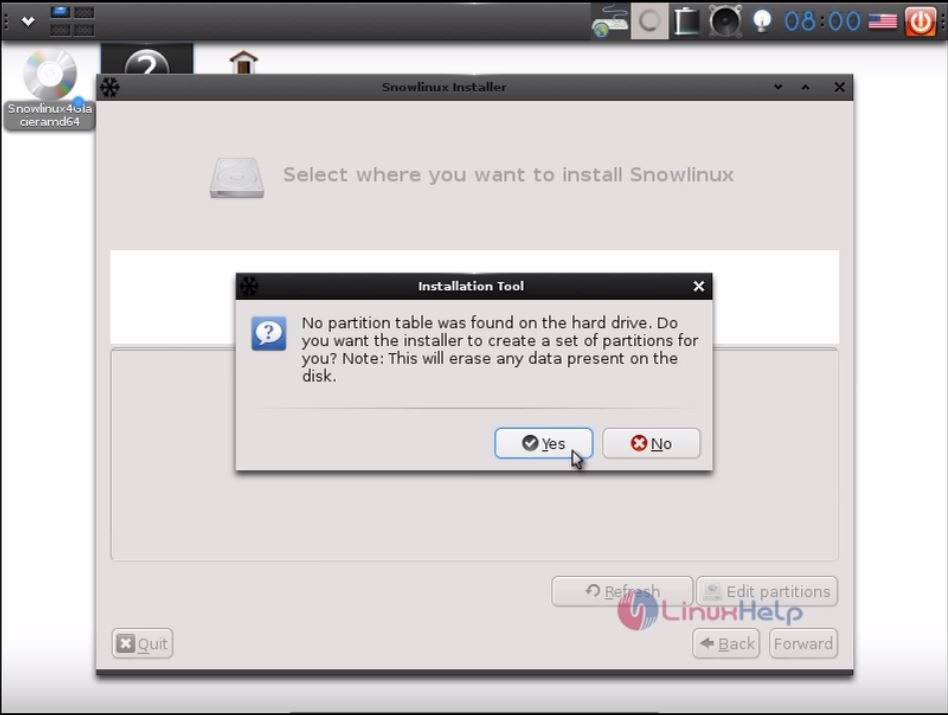
start_partition
Click Edit partitions.
edit_partition
Click add icon to create a new partition in the free space.
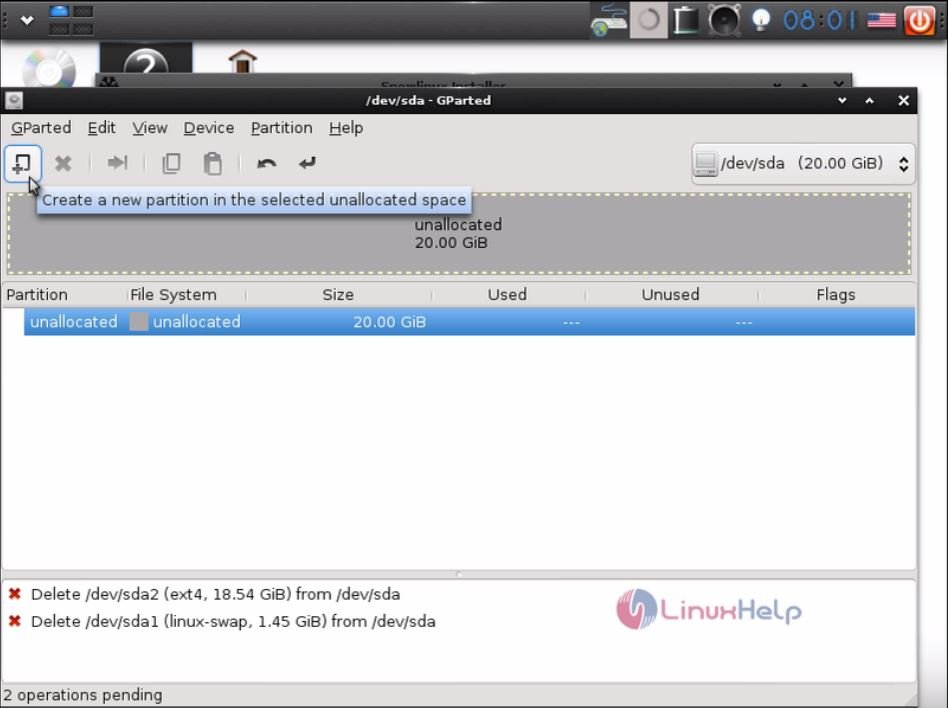
create_partition
Create the following partitions as primary.

Boot partition
Size : 300 MB
File system : ext4
Label : boot
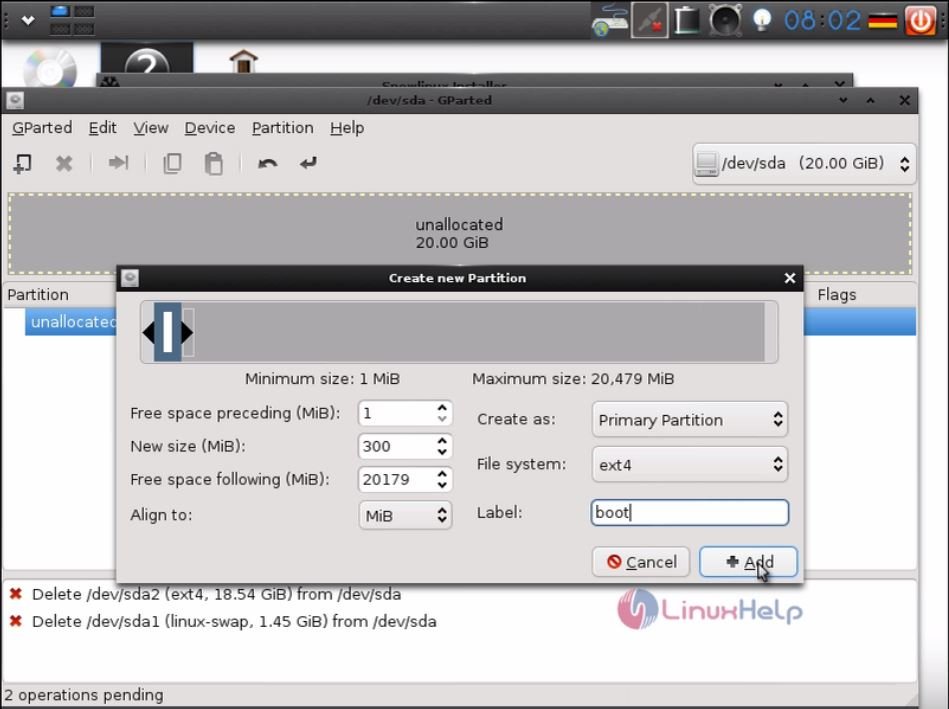
boot_partition

Swap partition
Size : 2 GB
File system : linux swap
Label : swap
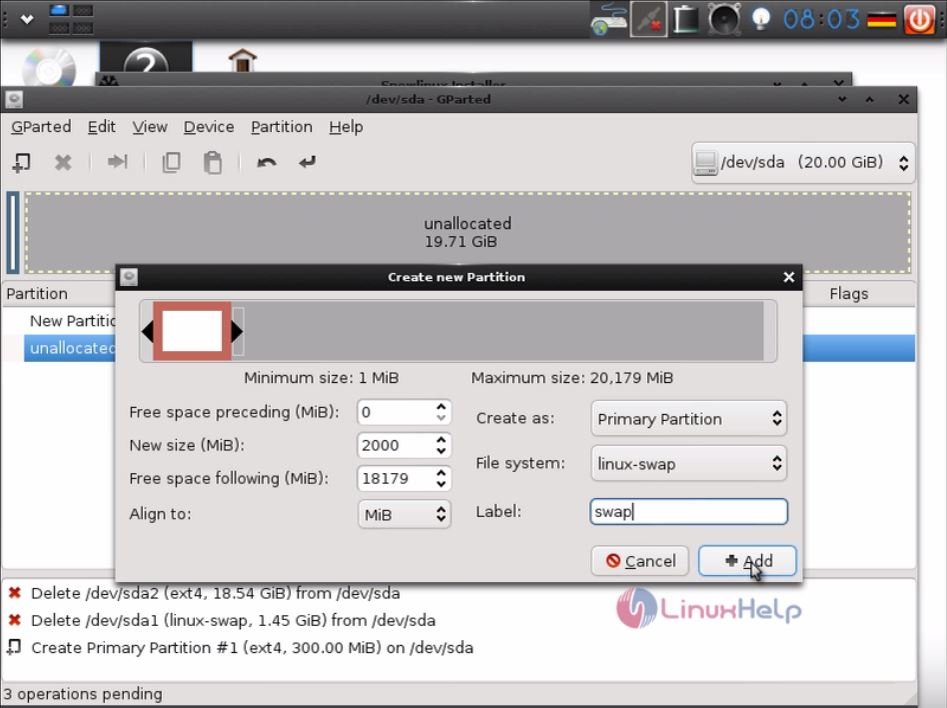
swap_partition

Root partition
Size : 17 GB
File system : ext4
Label : root
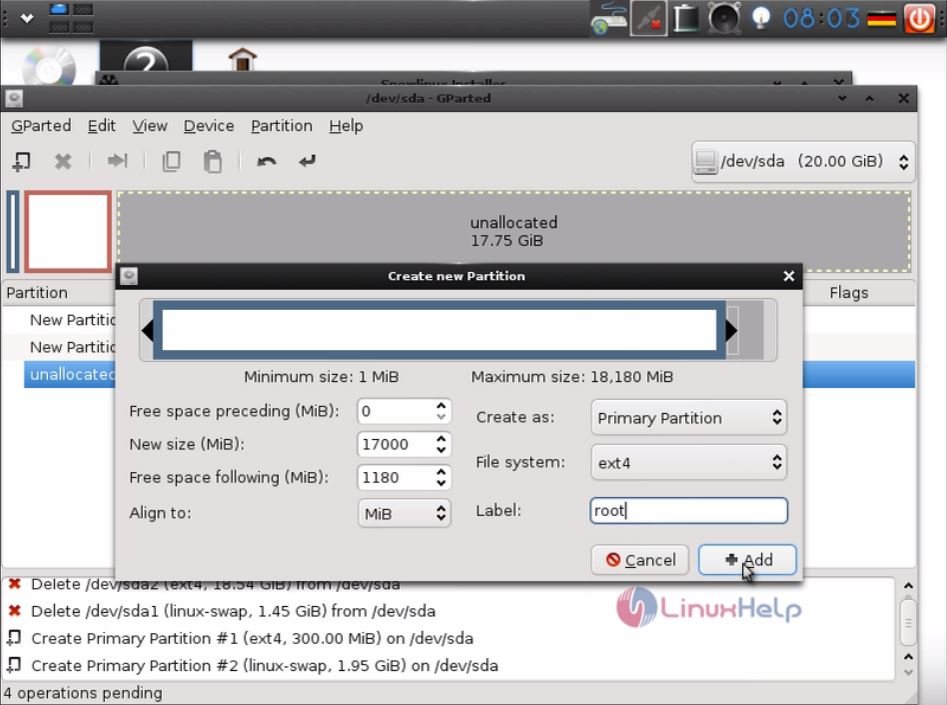
root_partition
Navigate to Edit &rarr Apply all operations.
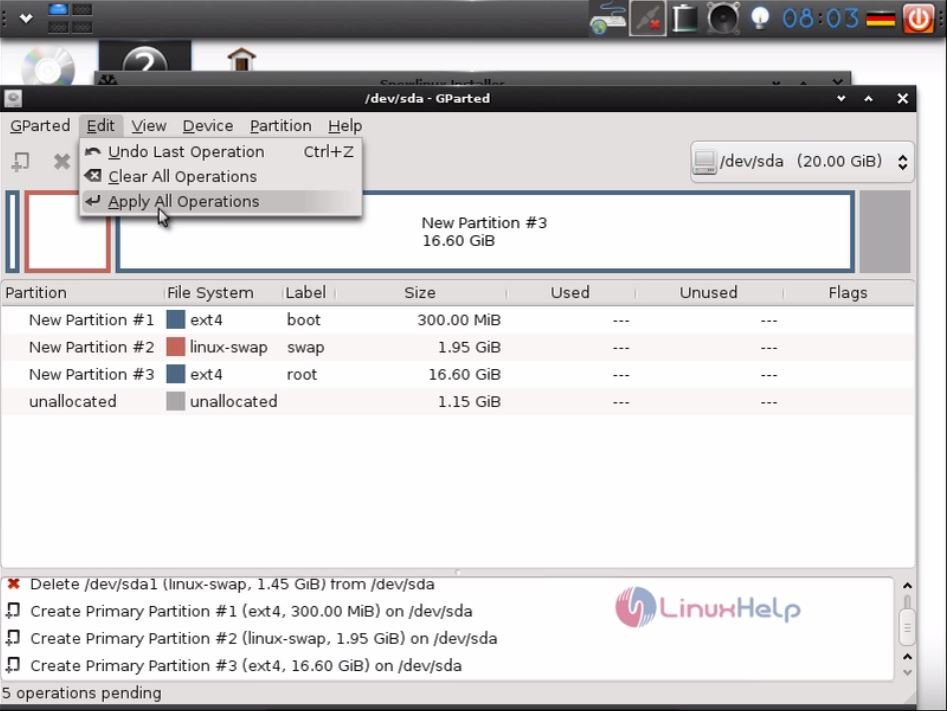
edit_partition
Right click the boot partition and edit as follows.
Mount point : /boot
Format as : ext4
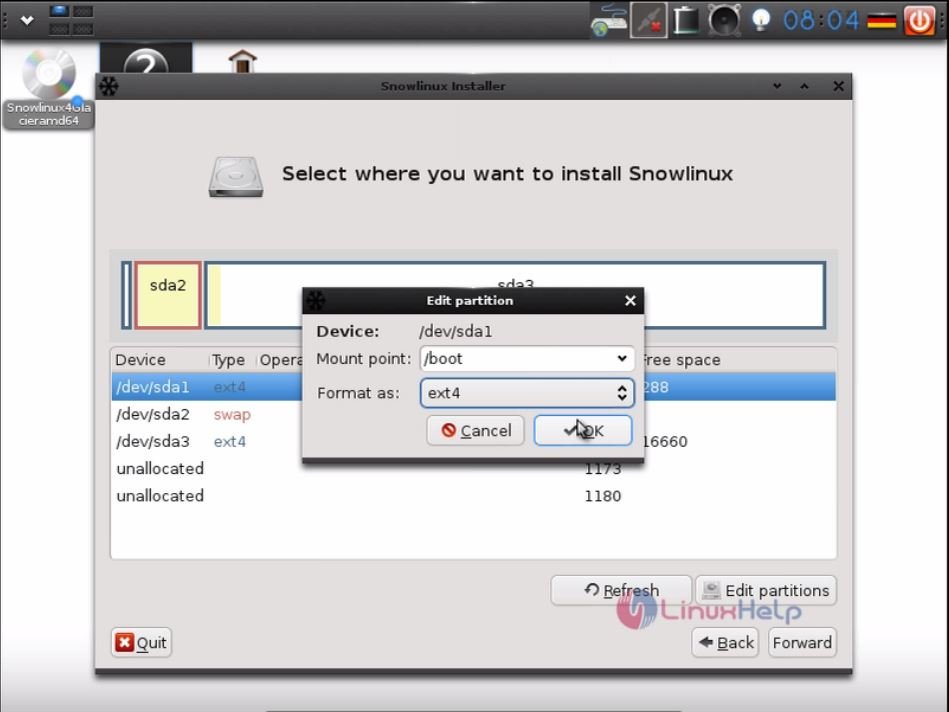
edit_boot_partition
Right click the swap partition and edit as follows.
Mount point : swap
Format as : swap
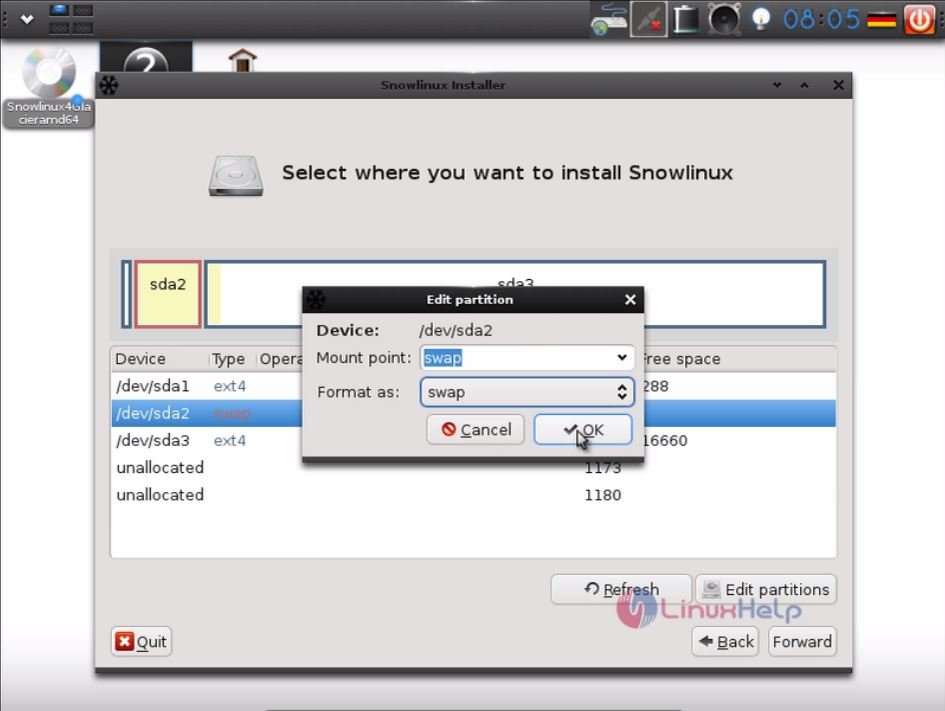
swap_boot_partition
Right click the root partition and edit.
Mount point : /
Format as : ext4
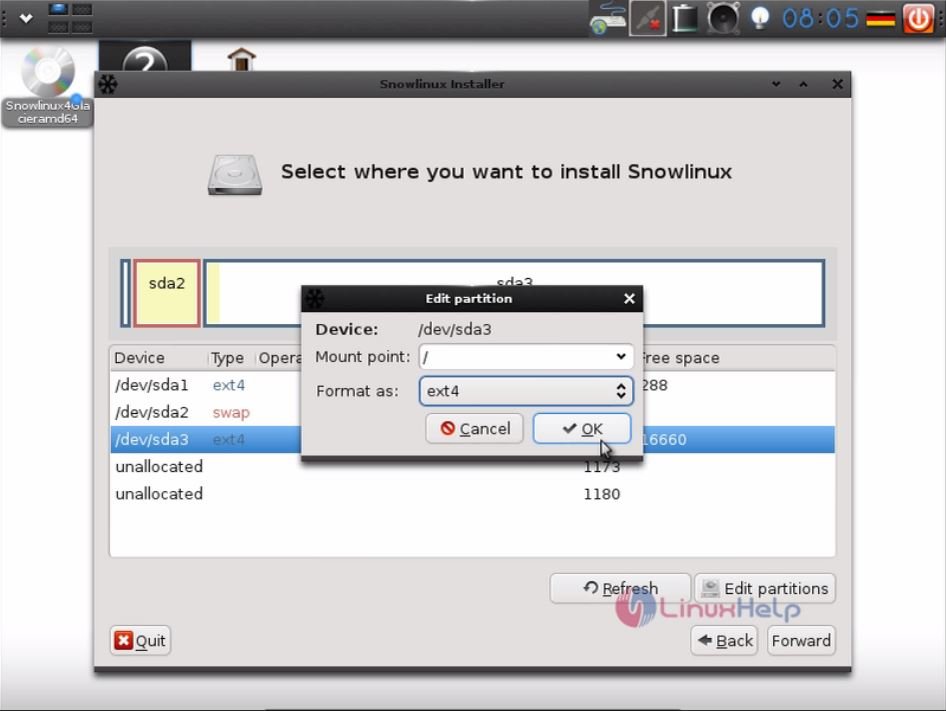
edit_root_partition
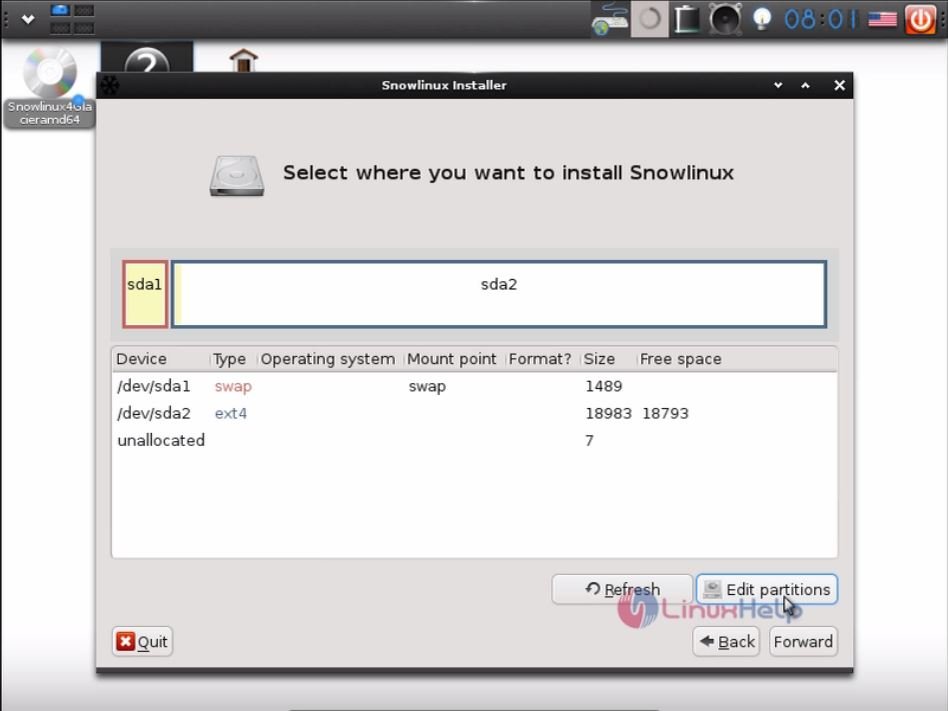
After creating the partitions, Click forward.
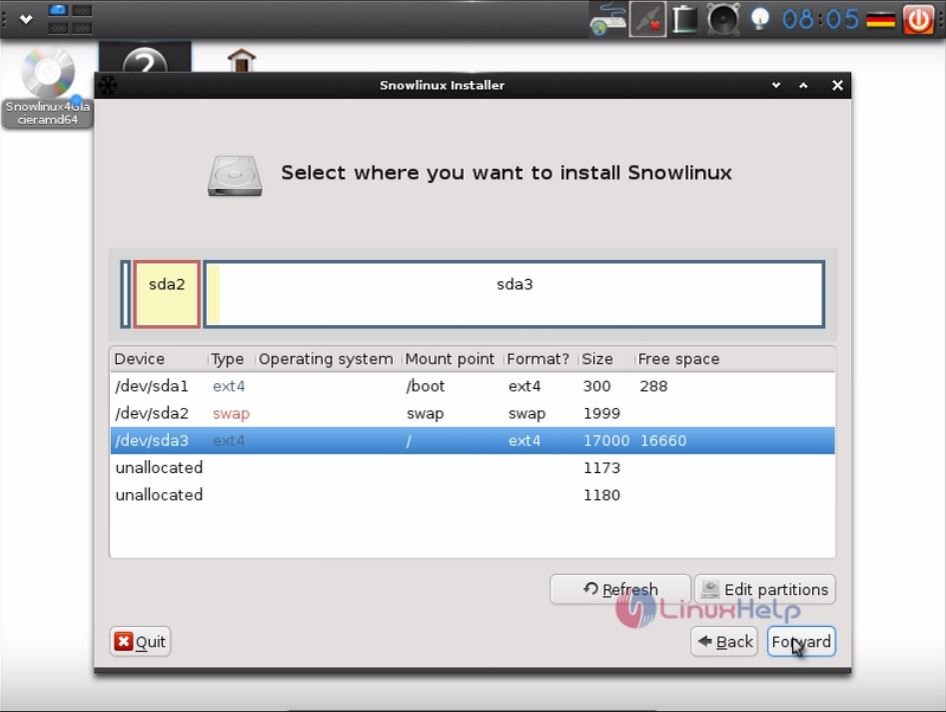
partitions_created
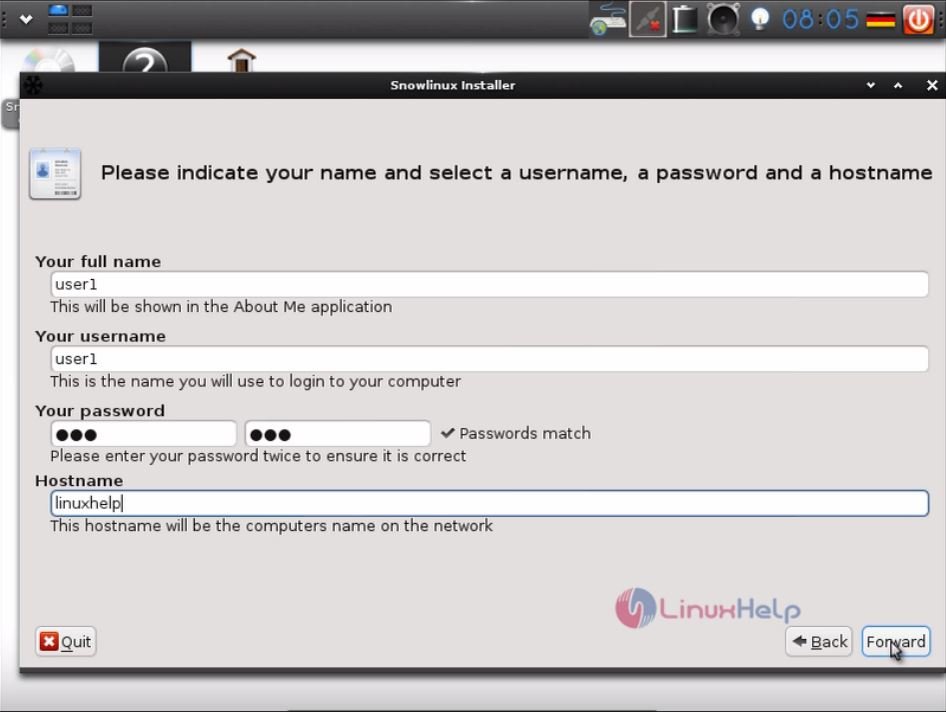
Enter the name, password and hostname details and click forward.
hostname
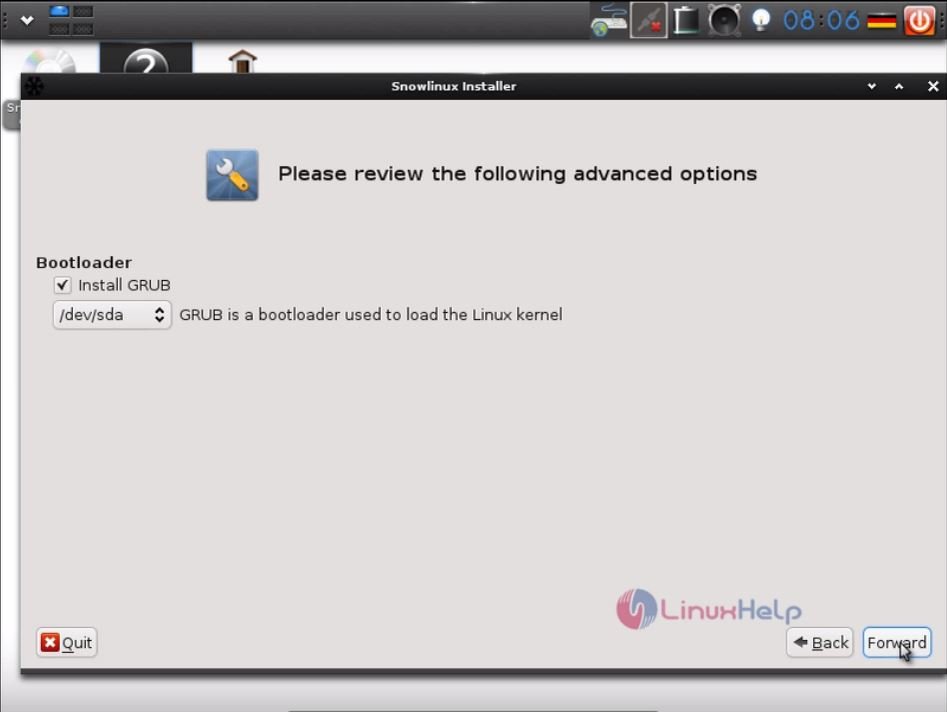
Next Install GRUB bootloader and click forward to proceed further.
grub_loader
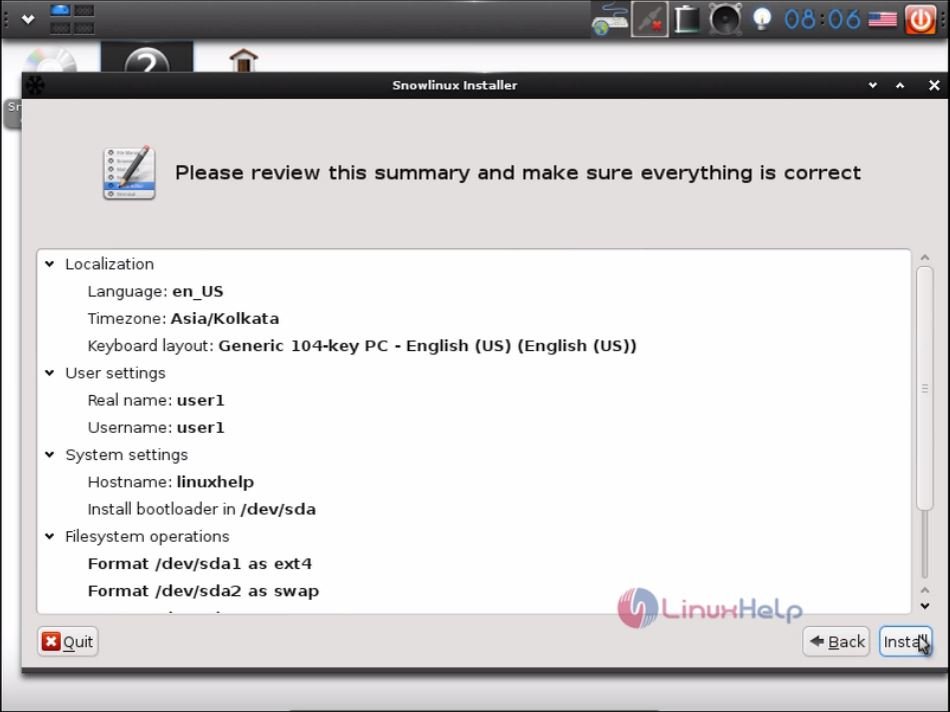
It displays the Summary of the installation settings. Check it and click install.
summary
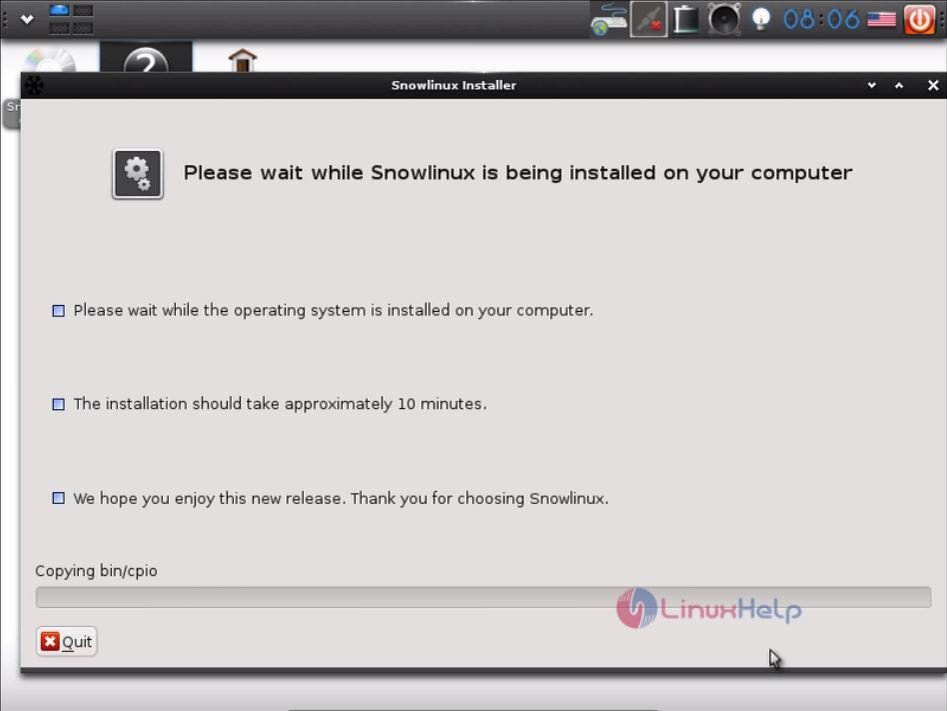
Installation process starts.
installation_process
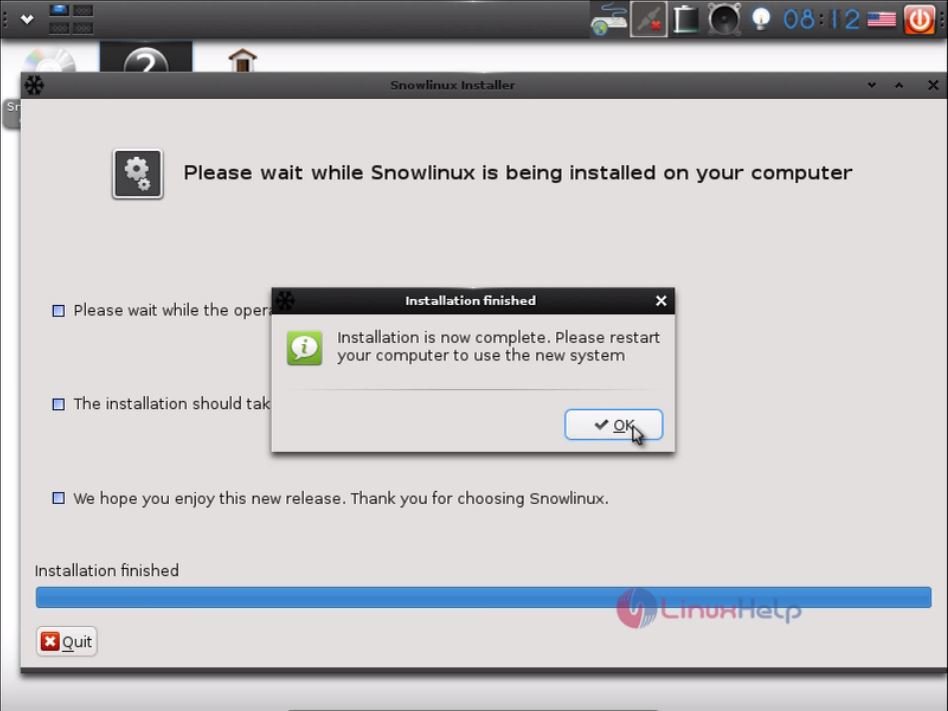
Installation completed.
installed
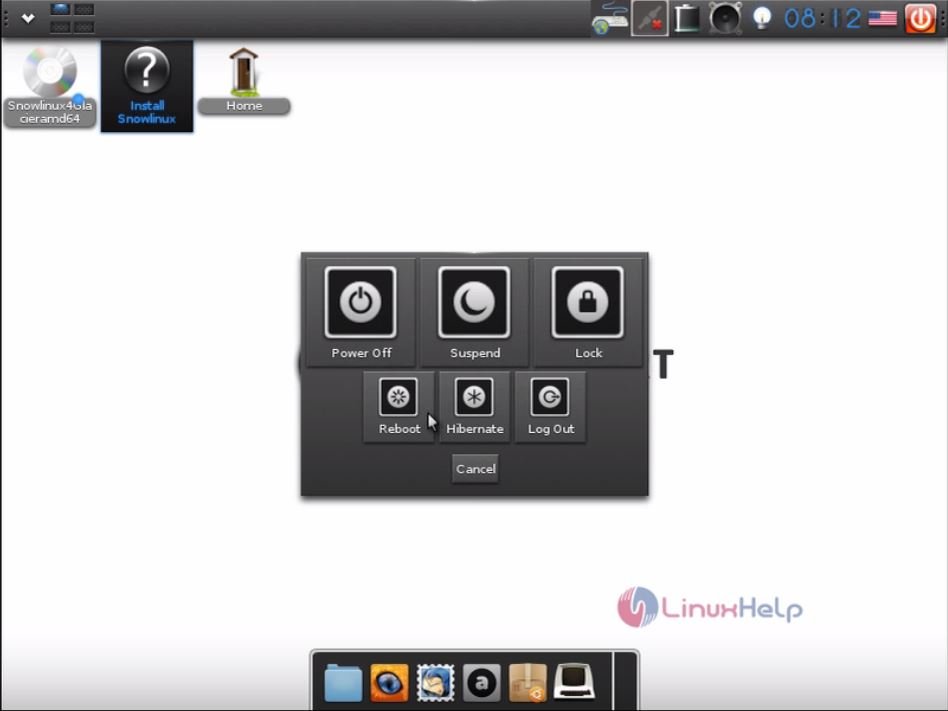
After installation, Reboot the system.

reboot
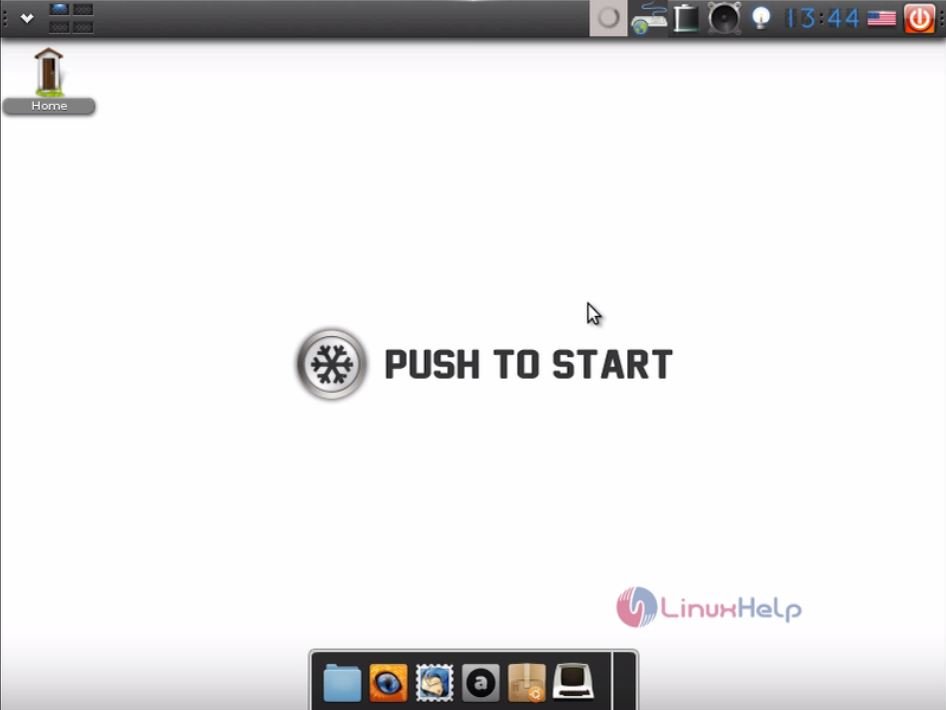
The Login screen appears, use the login credentials to enter into the Snowlinux homescreen.
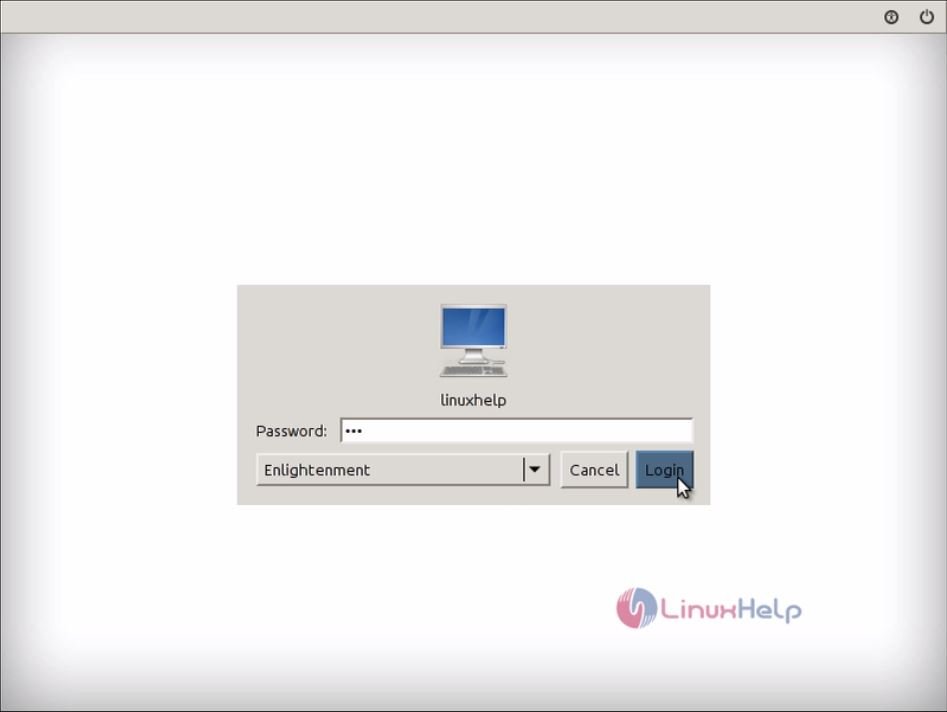
login_screen
home_screen
Click File explorer to view the files in Snowlinux.
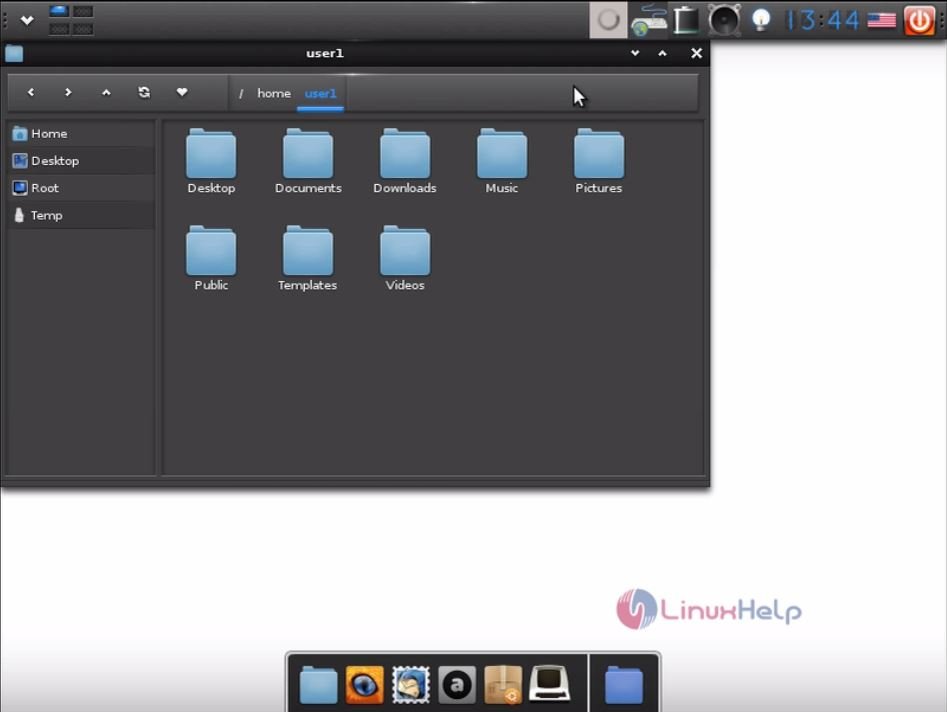
file_explorer
Go to menu option to view the settings and other details.
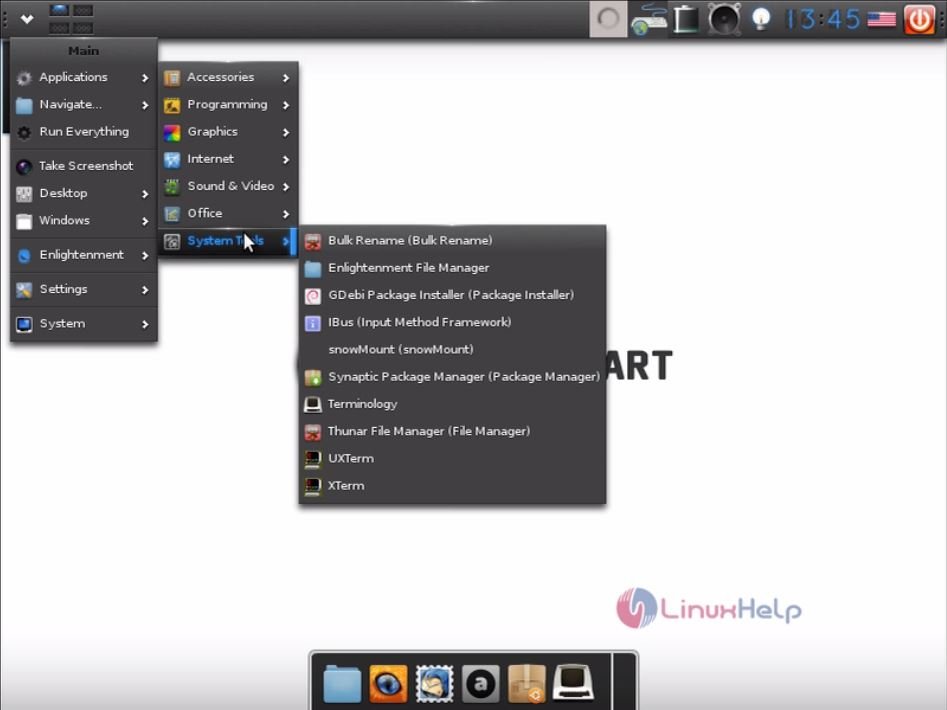
menu
settings

Tags:
john
Author: 

Comments ( 0 )

No comments available

Add a comment
{{postCtrl.cmtErrMsg}}

Frequently asked questions ( 5 )

Q

the link is not working give any other link ?

A

you can try this one, http://www.snowlinux.de/

Q

can you give me link to download snowlinux with cinnamon desktop ?

A

Please refer the following link http://iso.linuxquestions.org/snowlinux/snowlinux-2-cinnamon/

Q

what are the minimum requirements for this OS?

A

you can refer in it's official site, http://www.snowlinux.de/

Q

What Platforms Does Linux Support?

A

Linux runs on almost every general−purpose computer made in the last 10 years. It runs on systems as
small as PDAs (for example, the Sharp Zaurus) and on systems as large as IBM mainframes.

Q

What Hardware Is Supported?

A

A minimal Linux installation requires a machine for which a port exists, at least 2Mb of RAM, and a
single floppy drive, but to do anything even remotely useful, more RAM and disk space are needed.

Back To Top!
Rank
User
Points

Top Contributers

userNamenaveelansari
135850

Top Contributers

userNameayanbhatti
92510

Top Contributers

userNamehamzaahmed
32150

Top Contributers

1
userNamelinuxhelp
31040

Top Contributers

userNamemuhammadali
24500
Can you help Owen ?
How to add SSH key to my Gitlab account

I need to add the SSH key in my gitlab account. How to do so ????

Networking
  • Routing
  • trunk
  • Netmask
  • Packet Capture
  • domain
  • HTTP Proxy
Server Setup
  • NFS
  • KVM
  • Memory
  • Sendmail
  • WebDAV
  • LXC
Shell Commands
  • Cloud commander
  • Command line archive tools
  • last command
  • Shell
  • terminal
  • Throttle
Desktop Application
  • Linux app
  • Pithos
  • Retrospect
  • Scribe
  • TortoiseHg
  • 4Images
Monitoring Tool
  • Monit
  • Apache Server Monitoring
  • EtherApe 
  • Arpwatch Tool
  • Auditd
  • Barman
Web Application
  • Nutch
  • Amazon VPC
  • FarmWarDeployer
  • Rukovoditel
  • Mirror site
  • Chef
Contact Us | Terms of Use| Privacy Policy| Disclaimer
© 2025 LinuxHelp.com All rights reserved. Linux™ is the registered trademark of Linus Torvalds. This site is not affiliated with linus torvalds in any way.