How to install SoundConverter on Debian 9.0
How to install SoundConverter on Debian 9.0
SoundConverter is a simple sound converter application for the GNOME environment. It reads sound files in any format supported by GStreamer and the file output is in Ogg Vorbis, FLAC or WAV format. The output can also be in MP3 if the GStreamer LAME plugin. This tutorial covers the installation procedure of SoundConverter on Debian 9.0.
Installation procedure
Before starting the installation procedure, add the repo by using nano command to open the sources.list configuration file. Enter the following lines in the files and save the file.
root@debian:~# nano /etc/apt/sources.list
deb http://deb.debian.org/debian/ stable main contrib non-free
deb-src http://deb.debian.org/debian/ stable main contrib non-free
Update the apt sources.list file by running the apt-get update command.
root@debian:~# apt-get update
Ign:1 http://deb.debian.org/debian stable InRelease
Hit:2 http://deb.debian.org/debian stable-updates InRelease
Get:3 http://ftp.debian.org/debian stretch-backports InRelease [91.8 kB]
Get:4 http://deb.debian.org/debian-security stable/updates InRelease [62.9 kB]
Get:5 http://ftp.debian.org/debian stretch-backports/main Sources [75.3 kB]
Hit:6 http://deb.debian.org/debian stable Release
Get:8 http://deb.debian.org/debian-security stable/updates/main Sources [58.0 kB]
Get:9 http://deb.debian.org/debian-security stable/updates/main amd64 Packages [144 kB]
Get:10 http://ftp.debian.org/debian stretch-backports/main amd64 Packages [124 kB]
Get:11 http://ftp.debian.org/debian stretch-backports/main Translation-en [64.7 kB]
Get:12 http://deb.debian.org/debian-security stable/updates/main Translation-en [63.2 kB]
Fetched 684 kB in 2s (232 kB/s)
Reading package lists... Done
root@debian:~#
The system is updated with the required repositories. Install the Soundconverter package by executing the following command.
root@debian:~# apt-get install soundconverter
Reading package lists... Done
Building dependency tree
Reading state information... Done
The following NEW packages will be installed:
  soundconverter
0 upgraded, 1 newly installed, 0 to remove and 33 not upgraded.
Need to get 0 B/104 kB of archives.
After this operation, 767 kB of additional disk space will be used.
Selecting previously unselected package soundconverter.
(Reading database ... 126992 files and directories currently installed.)
Preparing to unpack .../soundconverter_3.0.0~alpha1+git20151209-1_all.deb ...
Unpacking soundconverter (3.0.0~alpha1+git20151209-1) ...
Processing triggers for mime-support (3.60) ...
Processing triggers for desktop-file-utils (0.23-1) ...
Setting up soundconverter (3.0.0~alpha1+git20151209-1) ...
Processing triggers for man-db (2.7.6.1-2) ...
Processing triggers for gnome-menus (3.13.3-9) ...
Processing triggers for hicolor-icon-theme (0.15-1) ...
The SoundConverter application is installed successfully. Type the application name in the Activities window and click on the icon to run the application.
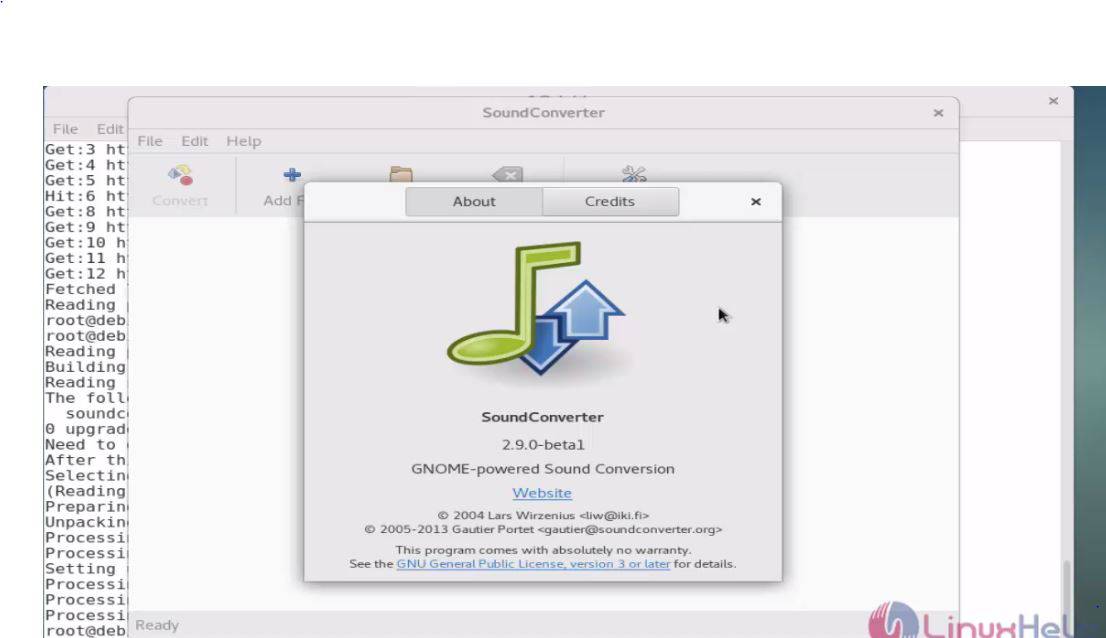
The installation of SoundConverter is done without any glitches.
Comments ( 0 )
No comments available