• Categories
    Category
    {{ postCtrl.tags }}
    • {{ category.tag_type }}

      • {{tag.tag_name}}
      • View more
  • Categories
    Category
    {{ postCtrl.tags }}
    • {{ category.tag_type }}

      • {{tag.tag_name}}
      • View more
  • News
  • Tutorials
  • Forums
  • Tags
  • Users
Tutorial News Comments FAQ Related Articles

How to install SoundConverter on Linuxmint-18.03

{{postValue.id}}

To install SoundConverter on Linuxmint-18.03


GNOME SoundConverter is an unofficial GNOME-based free and open-source transcoder for digital audio SoundConverter .it’ s supports for Ogg, AAC, MP3, FLAC, WAV, AVI, MPEG, MOV, M4A and many more.


Installation

Update the system repository using the following command

linuxhelp ~ # apt-get update 
Hit:1 http://archive.canonical.com/ubuntu xenial InRelease
Hit:2 http://archive.ubuntu.com/ubuntu xenial InRelease                                        
Hit:3 http://archive.ubuntu.com/ubuntu xenial-updates InRelease                                
Ign:4 http://packages.linuxmint.com sylvia InRelease                                          
Hit:5 http://packages.linuxmint.com sylvia Release                                            
Get:7 http://security.ubuntu.com/ubuntu xenial-security InRelease [107 kB]
Get:8 http://archive.ubuntu.com/ubuntu xenial-backports InRelease [107 kB]
Fetched 214 kB in 1s (151 kB/s)    
Reading package lists... Done

Install sound converter application as shown below

linuxhelp ~ # apt-get install soundconverter -y
Reading package lists... Done
Building dependency tree      
Reading state information... Done

The following NEW packages will be installed:

  soundconverter
0 upgraded, 1 newly installed, 0 to remove and 374 not upgraded.
Need to get 0 B/101 kB of archives.
After this operation, 766 kB of additional disk space will be used.
Selecting previously unselected package soundconverter.
(Reading database ... 225426 files and directories currently installed.)
Preparing to unpack .../soundconverter_3.0.0~alpha1+git20151209-1_all.deb ...
Unpacking soundconverter (3.0.0~alpha1+git20151209-1) ...
Processing triggers for hicolor-icon-theme (0.15-0ubuntu1) ...
Processing triggers for man-db (2.7.5-1) ...
Processing triggers for desktop-file-utils (0.22+linuxmint1) ...
Processing triggers for mime-support (3.59ubuntu1) ...
Setting up soundconverter (3.0.0~alpha1+git20151209-1) ...

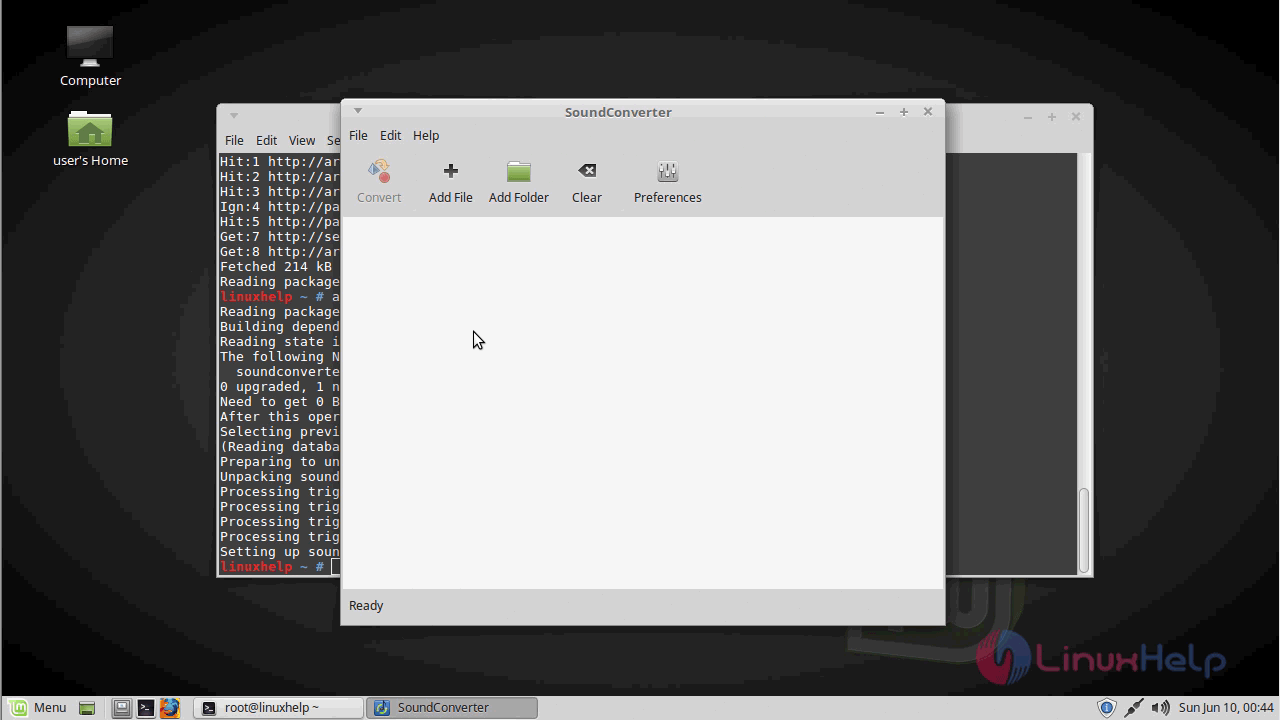
Once Installation is done you can access the application from the Menu as shown here
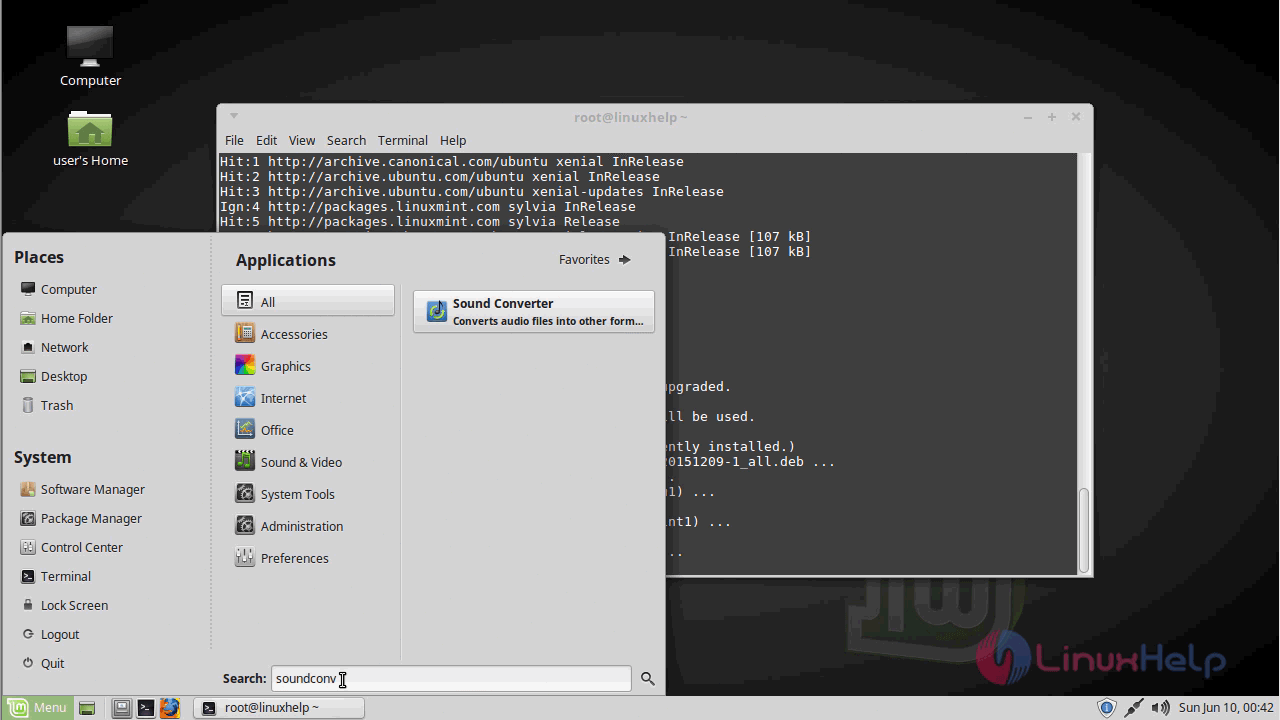
menu

Sound converter application
sound_converter_application

The version of the sound converter application
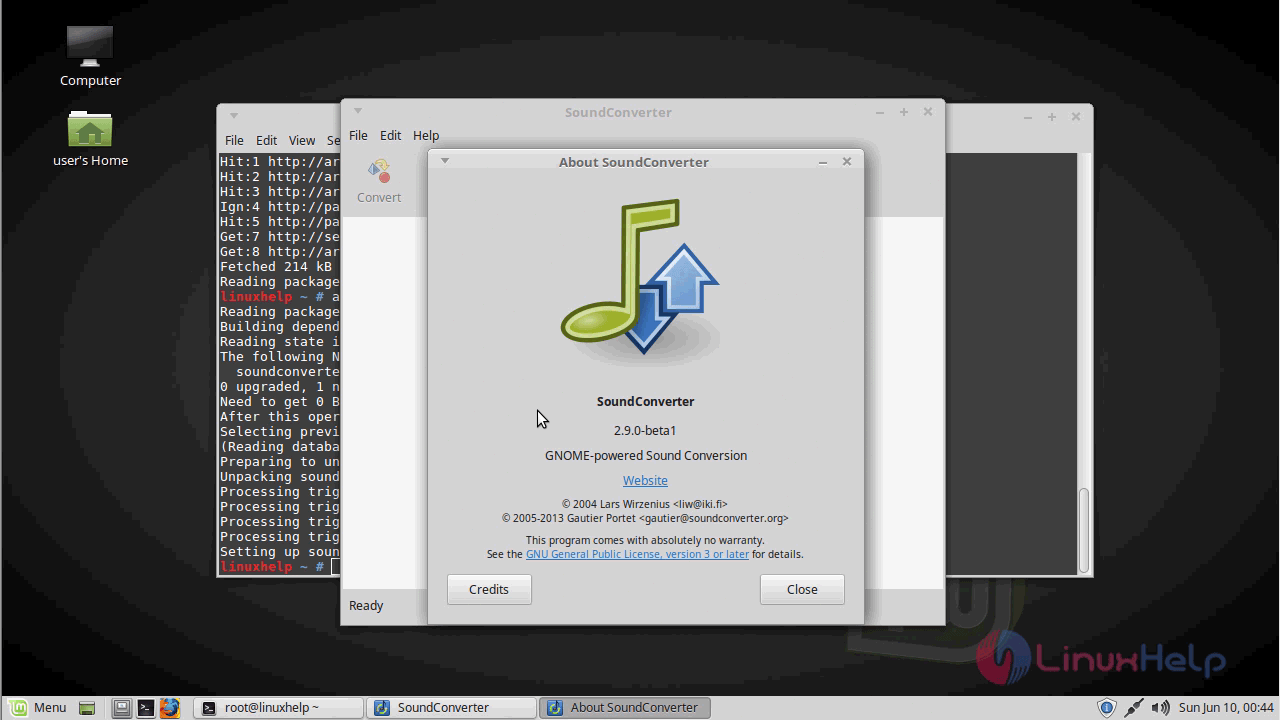
version

With this, the method to install SoundConverter on Linuxmint-18.03 comes to an end.

Tags:
lucas
Author: 

Comments ( 0 )

No comments available

Add a comment
{{postCtrl.cmtErrMsg}}

Frequently asked questions ( 5 )

Q

What are the mail features of SoundConverter?

A

SoundConverter Features


is simple to use, with an intuitive interface

is very fast and uses multithreaded conversion

is capable of processing many files with ease, CPU usage reduced.

Q

Any way to add sample rate of 43200 when converting to FLAC?

A

I am in the process of converting my entire audio library to FLAC but I want to use sample rate 43200 instead of 44100 or 48000 for that matter. Your application would be perfect but no option for 43200.

Q

is there any source package available ?

A

https://launchpad.net/soundconverter/trunk/3.0.0/+download/soundconverter-3.0.0.tar.xz

Q

How to get older version source files

A

https://launchpad.net/soundconverter/+download

Q

What is command to add into the repositary?

A

Add the repository GPG key, open a terminal window and type:

wget -q -O- http://archive.getdeb.net/getdeb-archive.key |

And then update

Back To Top!
Rank
User
Points

Top Contributers

userNamenaveelansari
135850

Top Contributers

userNameayanbhatti
92510

Top Contributers

userNamehamzaahmed
32150

Top Contributers

1
userNamelinuxhelp
31040

Top Contributers

userNamemuhammadali
24500
Can you help Ryan ?
how to use visual traceroute tool

Am using traceroute command to check for the route. i got this tool while surfing. So pls help me out installation and usage of Visual traceroute tool.

Networking
  • Routing
  • trunk
  • Netmask
  • Packet Capture
  • domain
  • HTTP Proxy
Server Setup
  • NFS
  • KVM
  • Memory
  • Sendmail
  • WebDAV
  • LXC
Shell Commands
  • Cloud commander
  • Command line archive tools
  • last command
  • Shell
  • terminal
  • Throttle
Desktop Application
  • Linux app
  • Pithos
  • Retrospect
  • Scribe
  • TortoiseHg
  • 4Images
Monitoring Tool
  • Monit
  • Apache Server Monitoring
  • EtherApe 
  • Arpwatch Tool
  • Auditd
  • Barman
Web Application
  • Nutch
  • Amazon VPC
  • FarmWarDeployer
  • Rukovoditel
  • Mirror site
  • Chef
Contact Us | Terms of Use| Privacy Policy| Disclaimer
© 2025 LinuxHelp.com All rights reserved. Linux™ is the registered trademark of Linus Torvalds. This site is not affiliated with linus torvalds in any way.