How to install SpiderOak ONE on Ubuntu 17.04
To install SpiderOak ONE on Ubuntu 17.04
SpiderOak is a cross-platform and open-source collaboration tool, online backup and file hosting service that allows the users to access, synchronize and share via cloud-based server. It contains features such as de-duplicated location, multi-platform synchorinization, RSS notification and zero-knowledge data encryption. SpiderOak ONE is the mobile version of SpiderOak application. This tutorial covers the installation procedure of SpiderOak ONE on Ubuntu 17.04.
Installation procedure
To proceed with the installation procedure, create a source list file for SpiderOak and enter the following content in the file. Save and exit the file.
root@linuxhelp:~# nano /etc/apt/sources.list.d/spideroakone.list
deb http://APT.spideroak.com/ubuntu-spideroak-hardy/ release restricted
Execute the following command to import public key of SpiderOak repository.
root@linuxhelp:~# apt-key adv --keyserver keyserver.ubuntu.com --recv-keys 573E3D1C51AE1B3D
Executing: /tmp/apt-key-gpghome.P4B0yNF7sO/gpg.1.sh --keyserver keyserver.ubuntu.com --recv-keys 573E3D1C51AE1B3D
Update the repository by running the apt-get update command.
root@linuxhelp:~# apt-get update
Get:1 http://APT.spideroak.com/ubuntu-spideroak-hardy release InRelease [2,539 B]
Ign:1 http://APT.spideroak.com/ubuntu-spideroak-hardy release InRelease
Hit:2 http://ppa.launchpad.net/kasra-mp/ubuntu-indicator-weather/ubuntu zesty InRelease
Get:3 http://APT.spideroak.com/ubuntu-spideroak-hardy release/restricted i386 Packages [628 B]
Hit:4 http://security.ubuntu.com/ubuntu zesty-security InRelease
Get:5 http://APT.spideroak.com/ubuntu-spideroak-hardy release/restricted amd64 Packages [628 B]
Hit:6 http://ppa.launchpad.net/menulibre-dev/daily/ubuntu zesty InRelease
Hit:7 http://us.archive.ubuntu.com/ubuntu zesty InRelease
Get:8 http://us.archive.ubuntu.com/ubuntu zesty-updates InRelease [89.2 kB]
Get:9 http://us.archive.ubuntu.com/ubuntu zesty-backports InRelease [89.2 kB]
Fetched 182 kB in 10s (17.5 kB/s)
Reading package lists... Done
The target system has been updated with the required repositories. Next install SpiderOak ONE by executing the following command.
root@linuxhelp:~# apt-get install spideroakone
Reading package lists... Done
Building dependency tree
Reading state information... Done
The following NEW packages will be installed:
  spideroakone
0 upgraded, 1 newly installed, 0 to remove and 286 not upgraded.
Need to get 26.9 MB of archives.
After this operation, 74.2 MB of additional disk space will be used.
WARNING: The following packages cannot be authenticated!
  spideroakone
Install these packages without verification? [y/N] y
Get:1 http://APT.spideroak.com/ubuntu-spideroak-hardy release/restricted amd64 spideroakone amd64 1:6.4.0 [26.9 MB]
Fetched 23.3 MB in 1min 49s (212 kB/s)
Selecting previously unselected package spideroakone.
(Reading database ... 170842 files and directories currently installed.)
Preparing to unpack .../spideroakone_1%3a6.4.0_amd64.deb ...
Unpacking spideroakone (1:6.4.0) ...
Processing triggers for mime-support (3.60ubuntu1) ...
Processing triggers for desktop-file-utils (0.23-1ubuntu2) ...
Setting up spideroakone (1:6.4.0) ...

Configuration file ' /etc/apt/sources.list.d/spideroakone.list'
 ==>  File on system created by you or by a script.
 ==>  File also in package provided by package maintainer.
   What would you like to do about it ?  Your options are:
    Y or I  : install the package maintainer' s version
    N or O  : keep your currently-installed version
      D     : show the differences between the versions
      Z     : start a shell to examine the situation
 The default action is to keep your current version.
*** spideroakone.list (Y/I/N/O/D/Z) [default=N] ?
Processing triggers for bamfdaemon (0.5.3+17.04.20170406-0ubuntu1) ...
Rebuilding /usr/share/applications/bamf-2.index...
Processing triggers for man-db (2.7.6.1-2) ...
Processing triggers for gnome-menus (3.13.3-6ubuntu5) ...
The SpiderOak ONE has been installed successfully in the target system. To access the SpiderOak One, execute the following command.
root@linuxhelp:~# SpiderOakONE
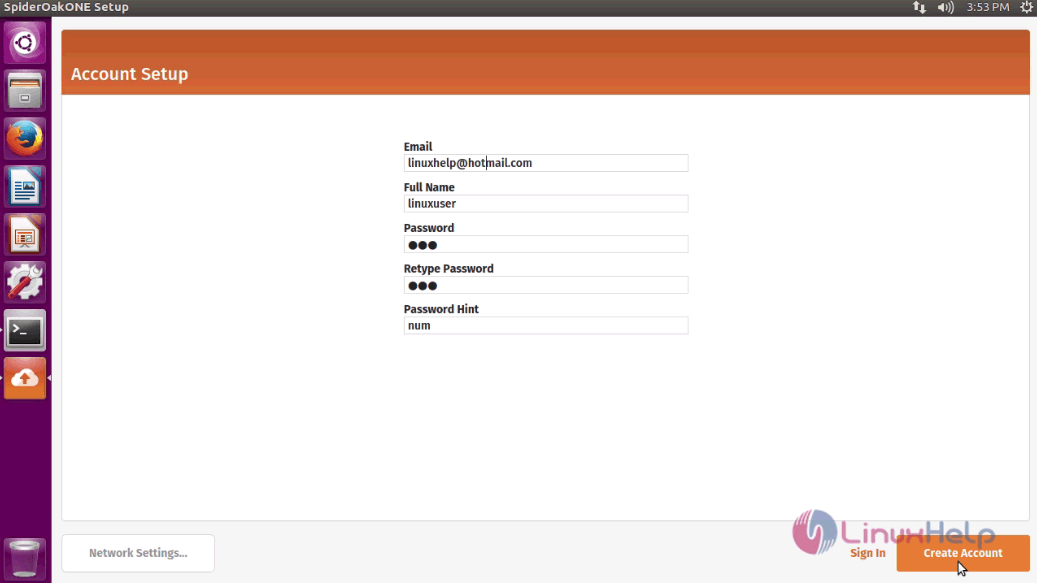
The application is now open and running successfully. Now create an account by entering the following details and click Create Account option.
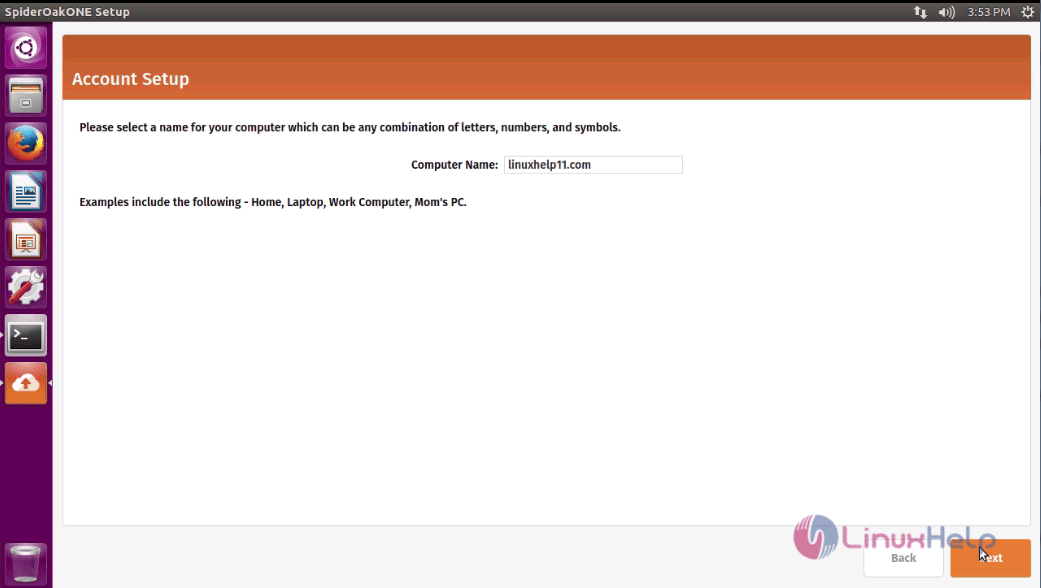
Select a name for the computer in which the application is installed. Enter the name and click Next.
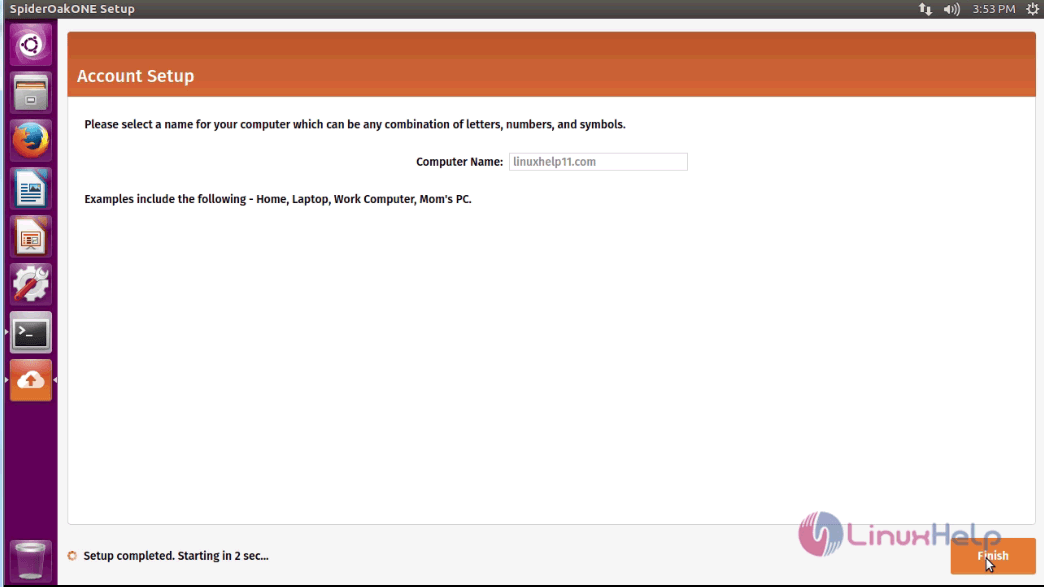
Click Finish option to complete the setup.
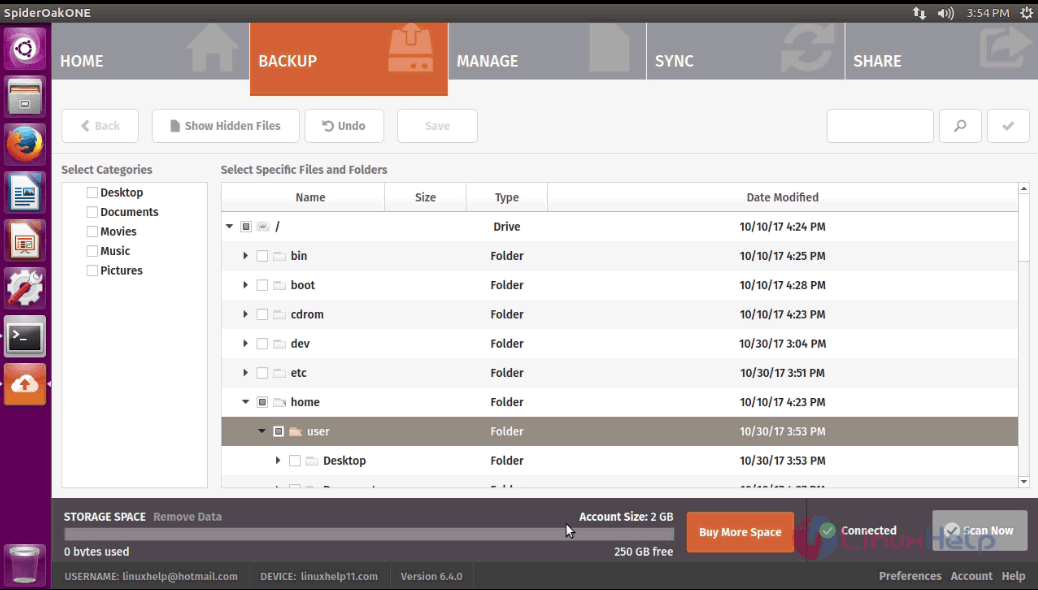
The setup is now complete. Now you can access the dashboard of SpiderOak ONE in your system.
Thus we conclude the installation procedure of SpiderOak ONE on Ubuntu 17.04.
Comments ( 0 )
No comments available