• Categories
    Category
    {{ postCtrl.tags }}
    • {{ category.tag_type }}

      • {{tag.tag_name}}
      • View more
  • Categories
    Category
    {{ postCtrl.tags }}
    • {{ category.tag_type }}

      • {{tag.tag_name}}
      • View more
  • News
  • Tutorials
  • Forums
  • Tags
  • Users
Tutorial News Comments FAQ Related Articles

How to install Spotify on Ubutnu 18.04

{{postValue.id}}

To install Spotify on Ubuntu 18.04

Spotify remains one of the most widely used music streaming services. But with the rising of the likes of Apple music, Spotify team have constantly been releasing new features like Release radar and Discover Weekly, including Daily Mix. Unfortunately, Spotify for Linux is no longer in active development as there are no developers working on it, hence future updates/bugfixes would no longer be provided and supported.

Installation

Install a Snap package using this following command

root@linuxhelp1:~# apt-get install snap -y
Reading package lists... Done
Building dependency tree      
Reading state information... Done
The following packages were automatically installed and are no longer required:
  apache2-bin apache2-data apache2-utils libapr1 libaprutil1 libaprutil1-dbd-sqlite3
  libaprutil1-ldap
.
.
Fetched 375 kB in 1s (259 kB/s)
Selecting previously unselected package snap.
(Reading database ... 167439 files and directories currently installed.)
Preparing to unpack .../snap_2013-11-29-8_amd64.deb ...
Unpacking snap (2013-11-29-8) ...
Setting up snap (2013-11-29-8) ...
Processing triggers for man-db (2.8.3-2) ...

Now install Spotify using the Snap command

root@linuxhelp1:~# snap install spotify
spotify 1.0.80.474.gef6b503e-7 from ' spotify'  installed

After the installation, you can access the application from the menu as follows
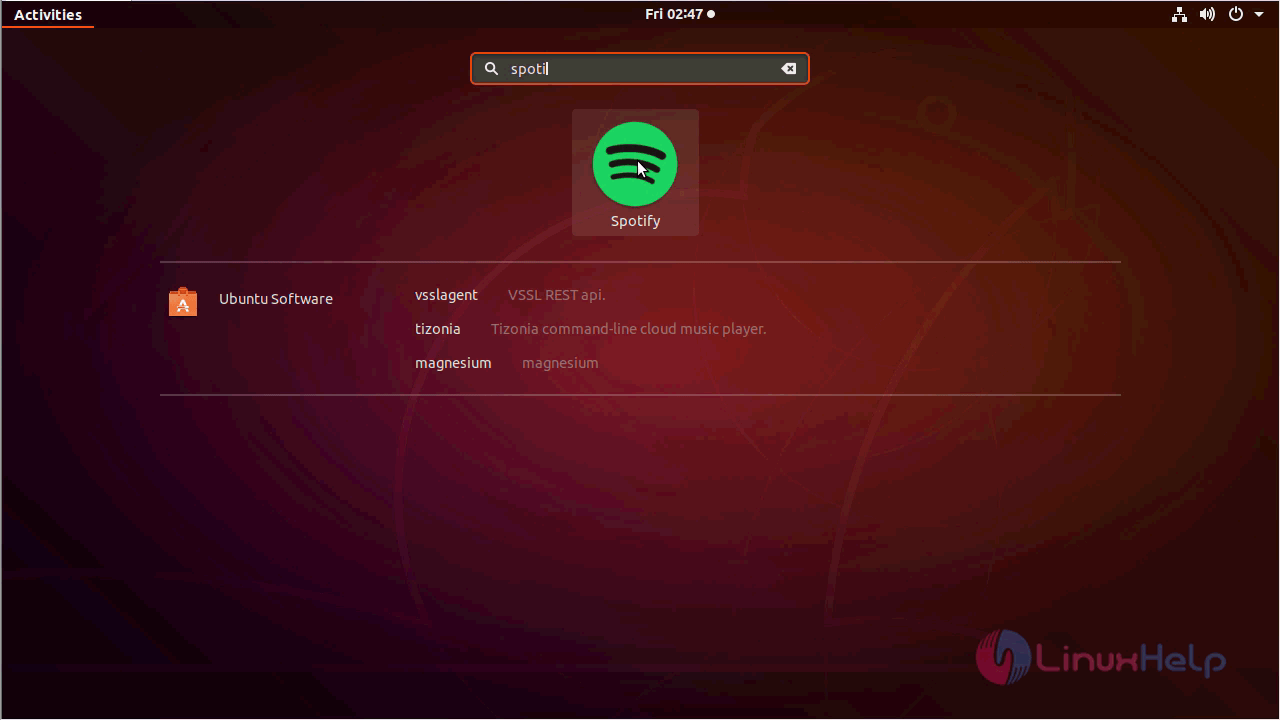
ubuntu_menu

Once you finish sign up or login Spotify you can use the Spotify
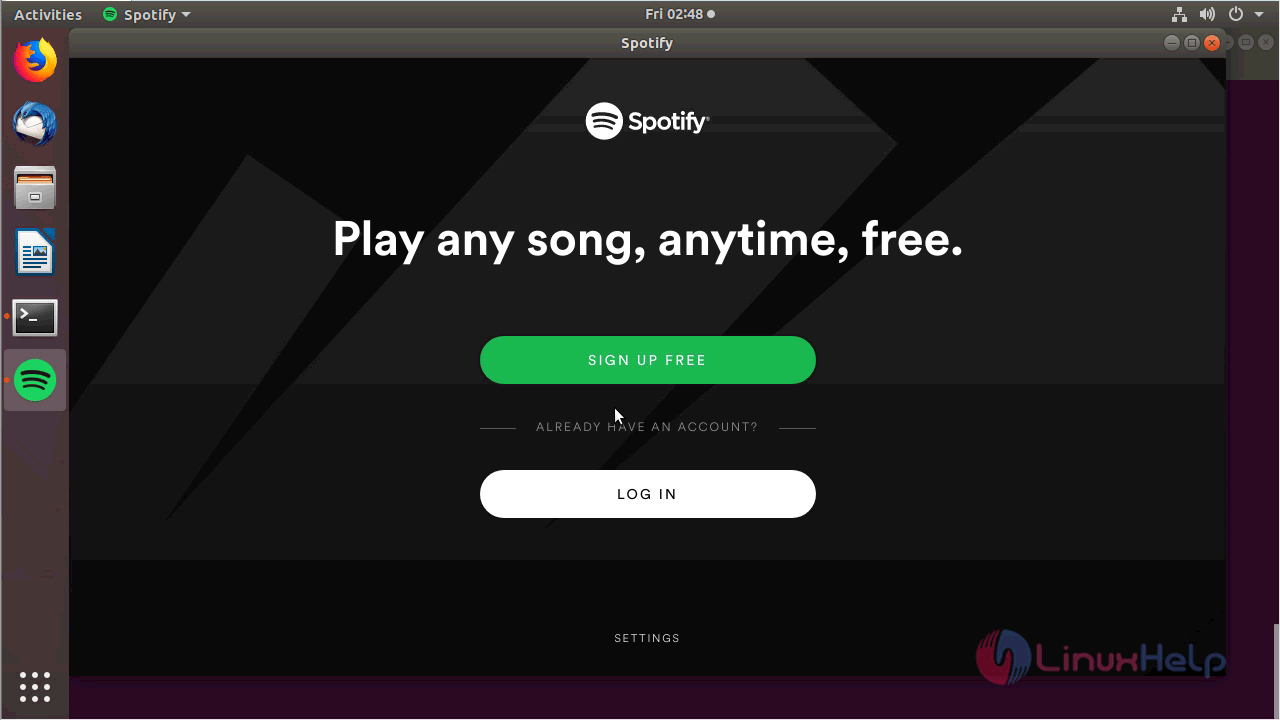
open_spotify

with this, the method to install Spotify on Ubuntu 18.04 comes to an end.

Tags:
mason
Author: 

Comments ( 0 )

No comments available

Add a comment
{{postCtrl.cmtErrMsg}}

Frequently asked questions ( 5 )

Q

How I connect or disconnect to/from Facebook on Spotify?

A

To connect or disconnect from Facebook,
Go to Edit - Preferences in Spotify.

Q

How I clean Spotify cache?

A

To clean Spotify cache,
Go to Edit - Preferences and check folder location, then copy and paste it in My Computer.

Q

Can I listen to my Local files and artist get paid by Spotify?

A

No. Spotify does not pay to right holders when you listen to Local files which are not in Spotify.

Q

Does using Spotify use your data?

A

At the normal setting, 1 hour of listening to Spotify on the train (i.e. when not connected to WiFi) every day for the month would require over 1GB of data in your cell phone data plan. If you listen less, say an average of 30 min a day of music, you'll use up about 0.5 GB of data a month.

Q

What is Spotify?

A

Spotify remains one of the most widely used music streaming services. But with the rising of the likes of Apple music, Spotify team have constantly been releasing new features like Release radar and Discover Weekly, including Daily Mix.

Back To Top!
Rank
User
Points

Top Contributers

userNamenaveelansari
135850

Top Contributers

userNameayanbhatti
92510

Top Contributers

userNamehamzaahmed
32150

Top Contributers

1
userNamelinuxhelp
31040

Top Contributers

userNamemuhammadali
24500
Can you help Isaiah ?
What is the use of SUID & SGID commands

How to set the special permissions to the files and folders using SUID and SGID commands...

Networking
  • Routing
  • trunk
  • Netmask
  • Packet Capture
  • domain
  • HTTP Proxy
Server Setup
  • NFS
  • KVM
  • Memory
  • Sendmail
  • WebDAV
  • LXC
Shell Commands
  • Cloud commander
  • Command line archive tools
  • last command
  • Shell
  • terminal
  • Throttle
Desktop Application
  • Linux app
  • Pithos
  • Retrospect
  • Scribe
  • TortoiseHg
  • 4Images
Monitoring Tool
  • Monit
  • Apache Server Monitoring
  • EtherApe 
  • Arpwatch Tool
  • Auditd
  • Barman
Web Application
  • Nutch
  • Amazon VPC
  • FarmWarDeployer
  • Rukovoditel
  • Mirror site
  • Chef
Contact Us | Terms of Use| Privacy Policy| Disclaimer
© 2025 LinuxHelp.com All rights reserved. Linux™ is the registered trademark of Linus Torvalds. This site is not affiliated with linus torvalds in any way.