• Categories
    Category
    {{ postCtrl.tags }}
    • {{ category.tag_type }}

      • {{tag.tag_name}}
      • View more
  • Categories
    Category
    {{ postCtrl.tags }}
    • {{ category.tag_type }}

      • {{tag.tag_name}}
      • View more
  • News
  • Tutorials
  • Forums
  • Tags
  • Users
Tutorial News Comments FAQ Related Articles

How to install squid in windows 7

{{postValue.id}}

To install Squid in Windows 7

Squid is a proxy/cache tool with a variety of acl configurations and it is released under GPL 3. It is usually used to reduce bandwidth and to increase response time. It is also used to filter traffic on HTTP, FTP and HTTPS. It also increases the speed for a web server via caching. It is so simple to install Squid and in this article, you will learn about the method to install and configure Squid on Windows.


Installing Squid

Go to the official Squid website and download the Squid installation package.
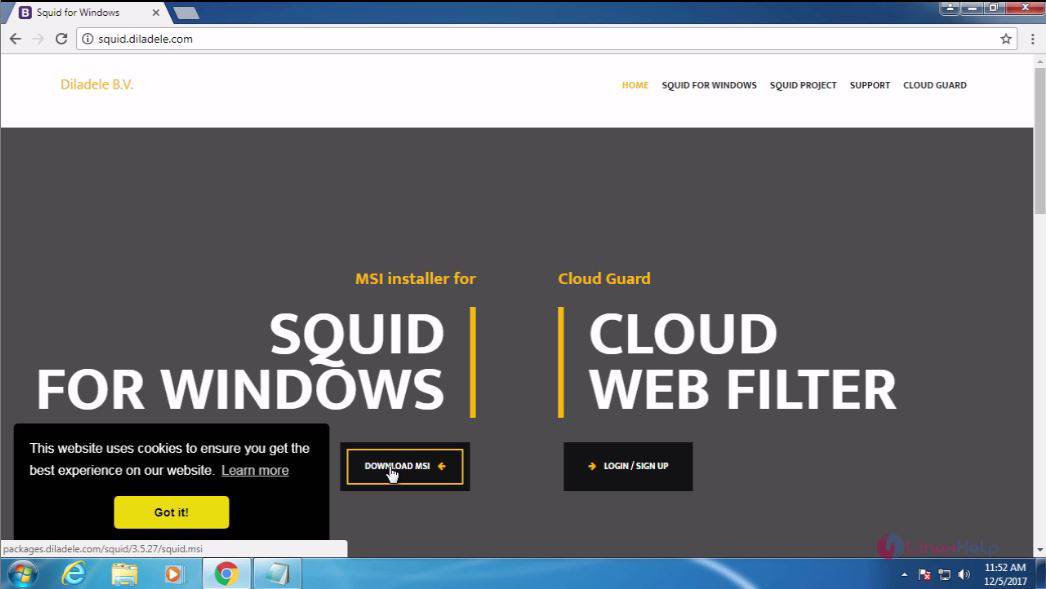
Squid

Next, open the downloaded file in file manager.
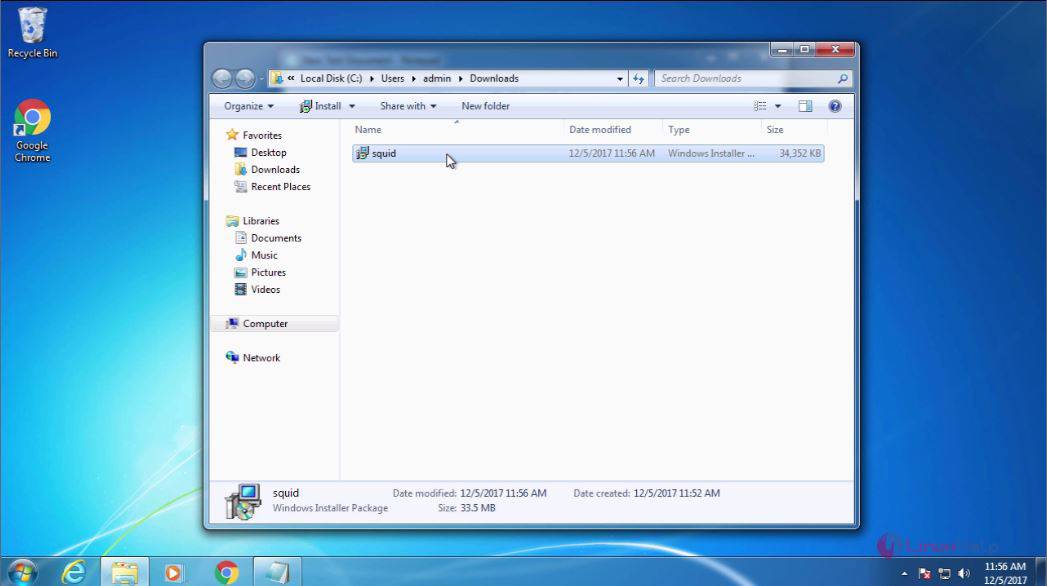
Manager


And then execute the downloaded file, and for that click run.
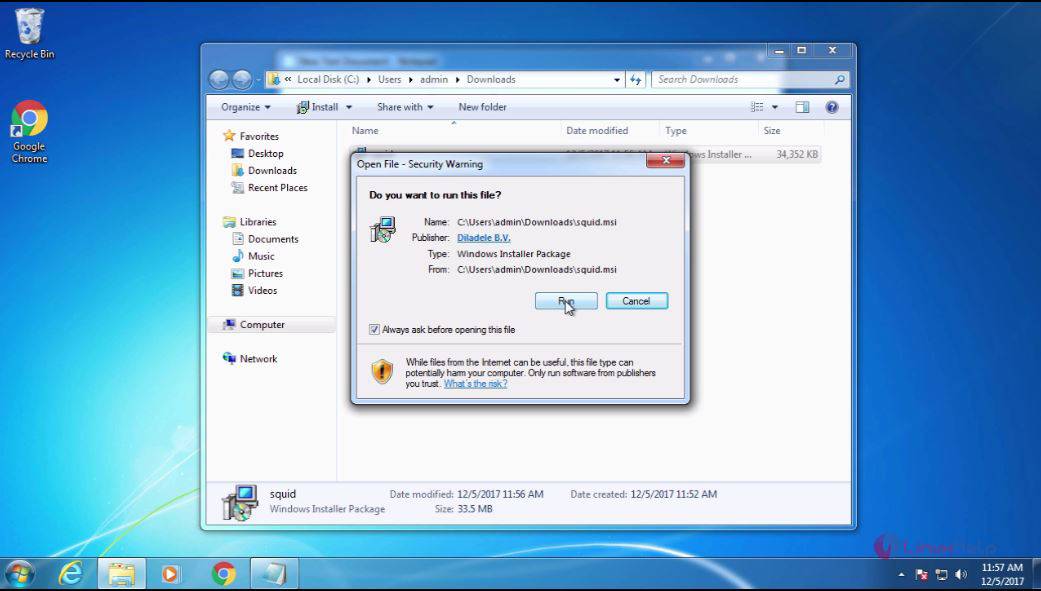
execute


After that, you need to proceed with the Next option.
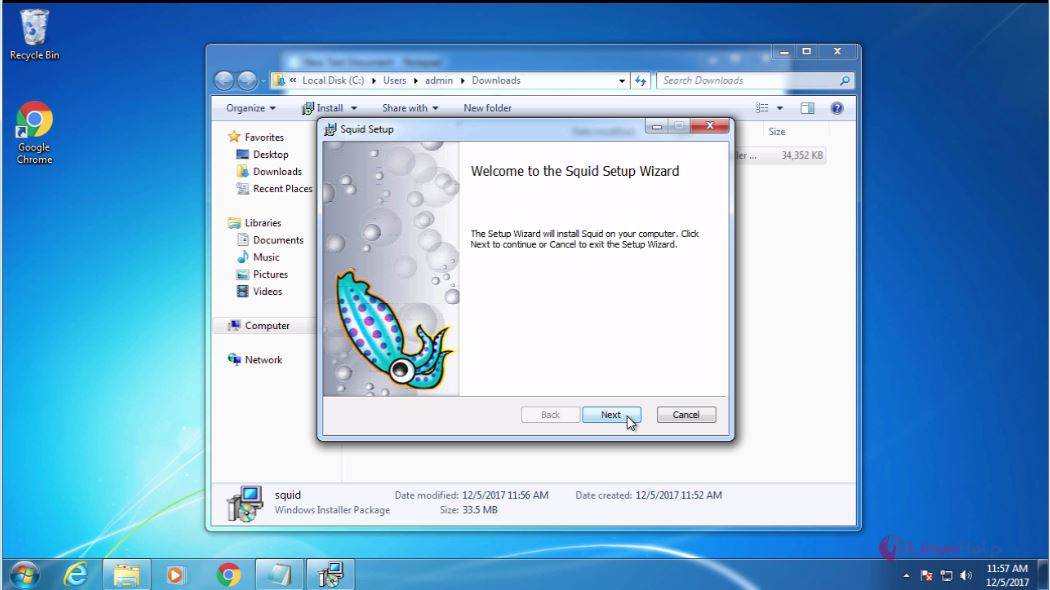
Proceed


In the next page, select I accept, and click Next.
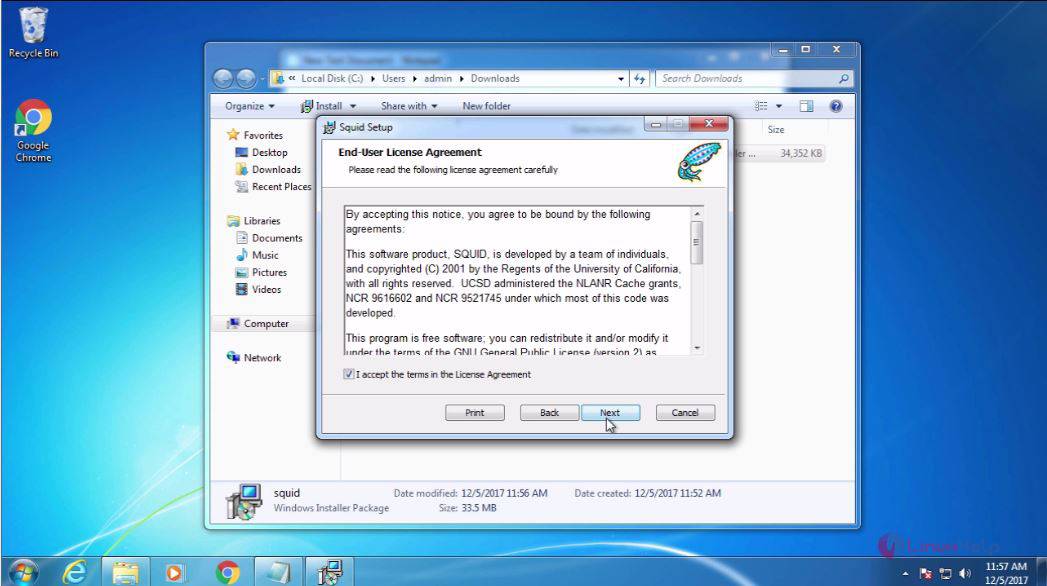
Page


Check the details and click Next to proceed further.
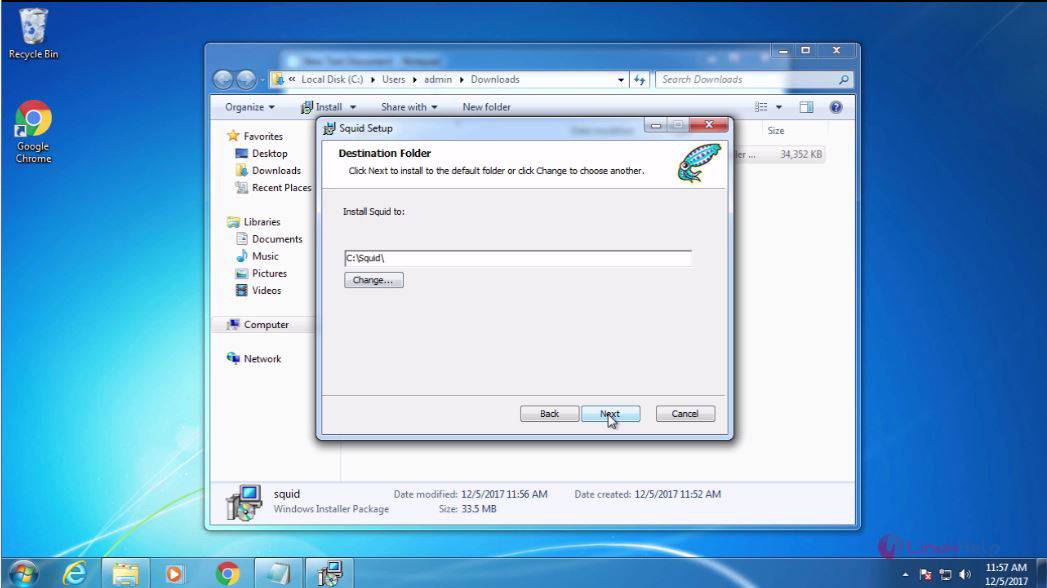
Details


Now, you shall click the Install button to trigger the installation.
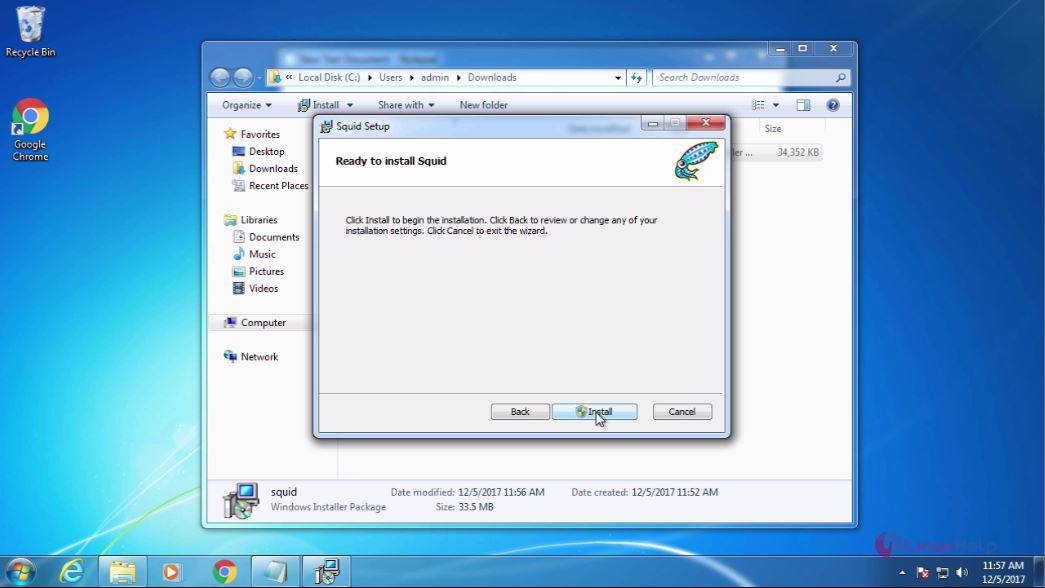
Trigger


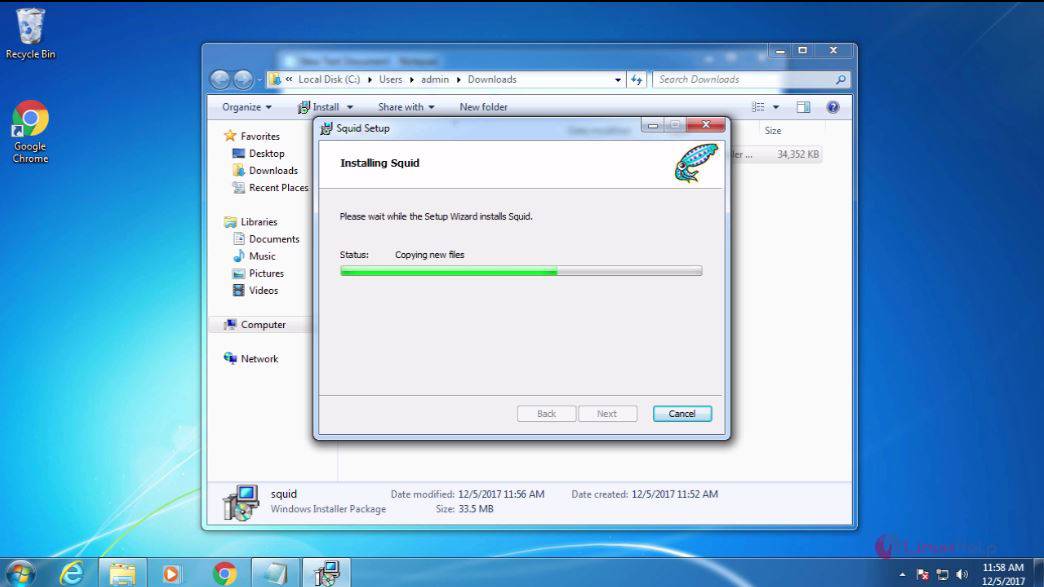
Your Squid is getting installed now.
Squid

When this page appears, you need to click Finish. It means that your installation has been completed.
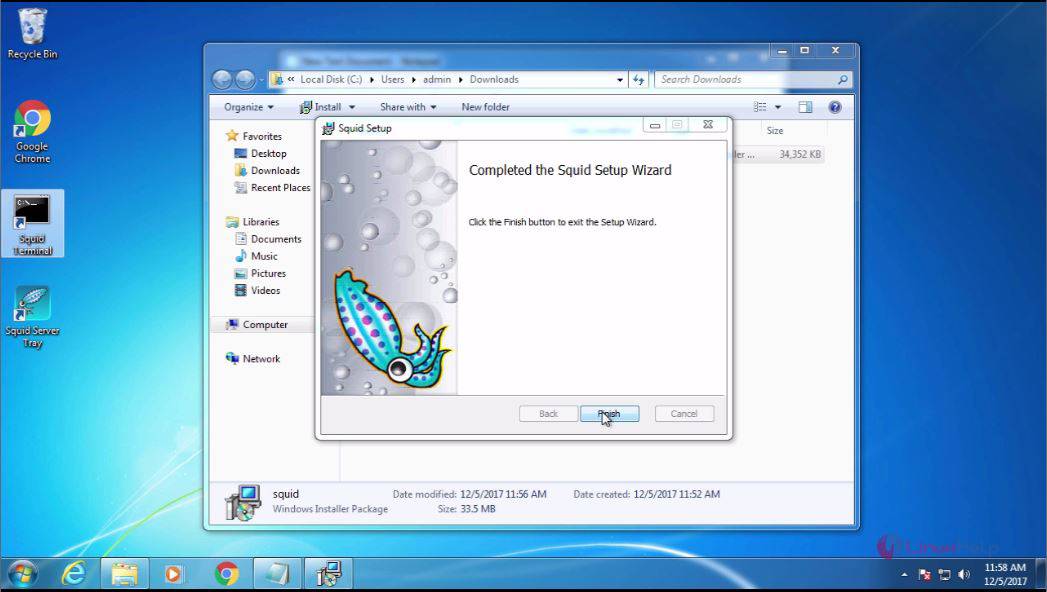
Finish

Now that the installation has been completed, you can click on the squid icon in task bar and open squid configuration.
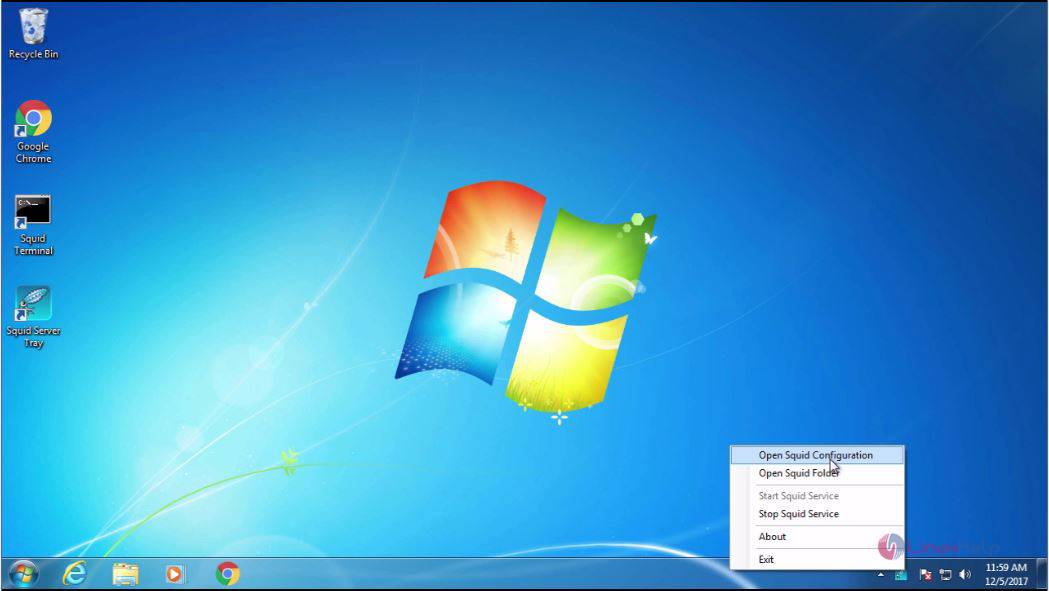
Bar


The squid configuration page appears.
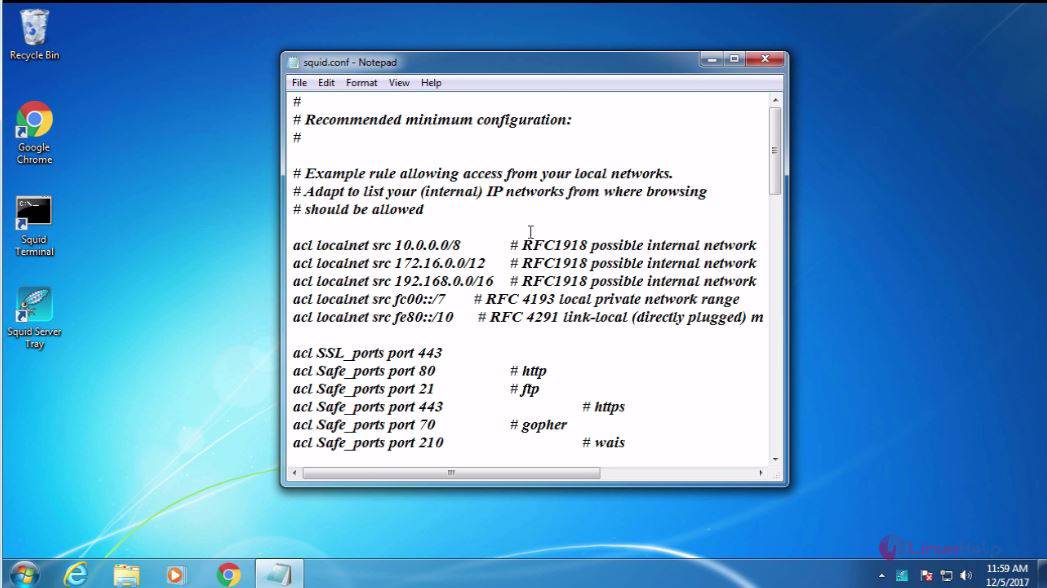
Config

In that, you need to open the squid folder.
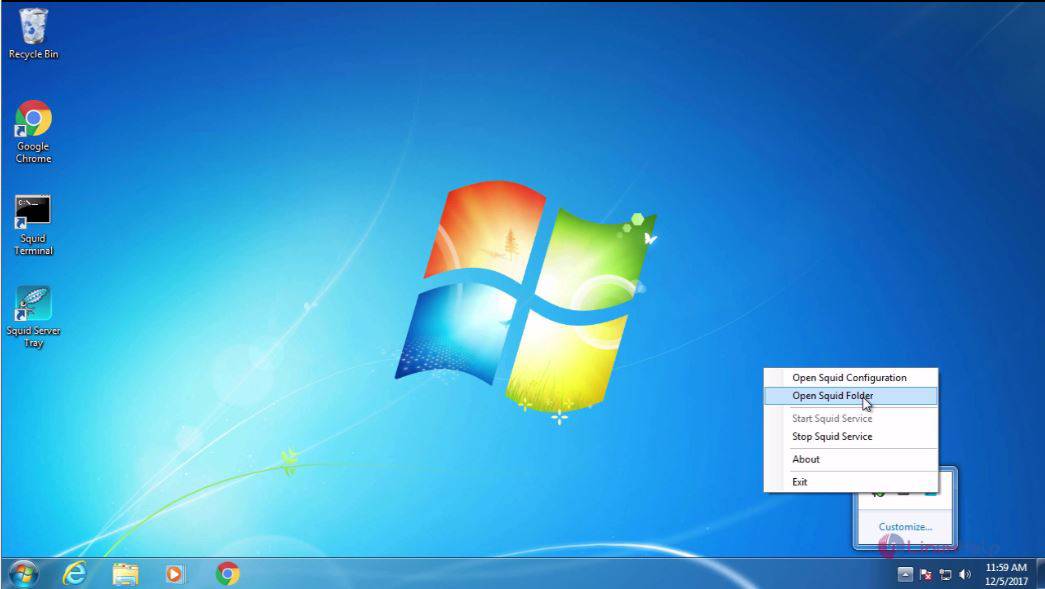
Folder

Your Squid folder looks like the one given in the following image.
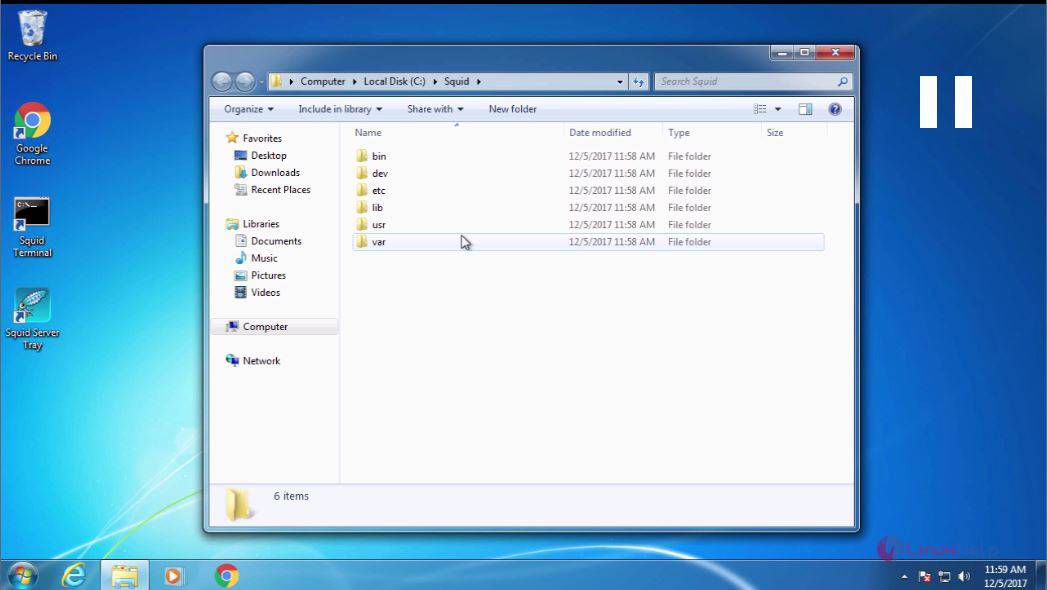
 image

Later, enable the port in firewall, and for that open the firewall.
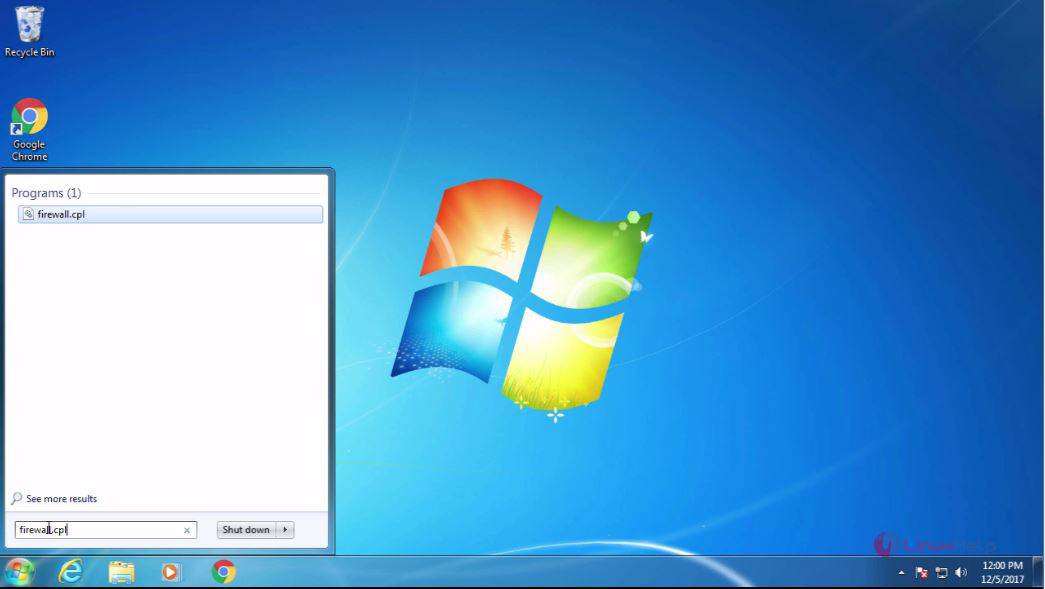
Firefall


The firewall settings is now open. Click on the advanced settings option.
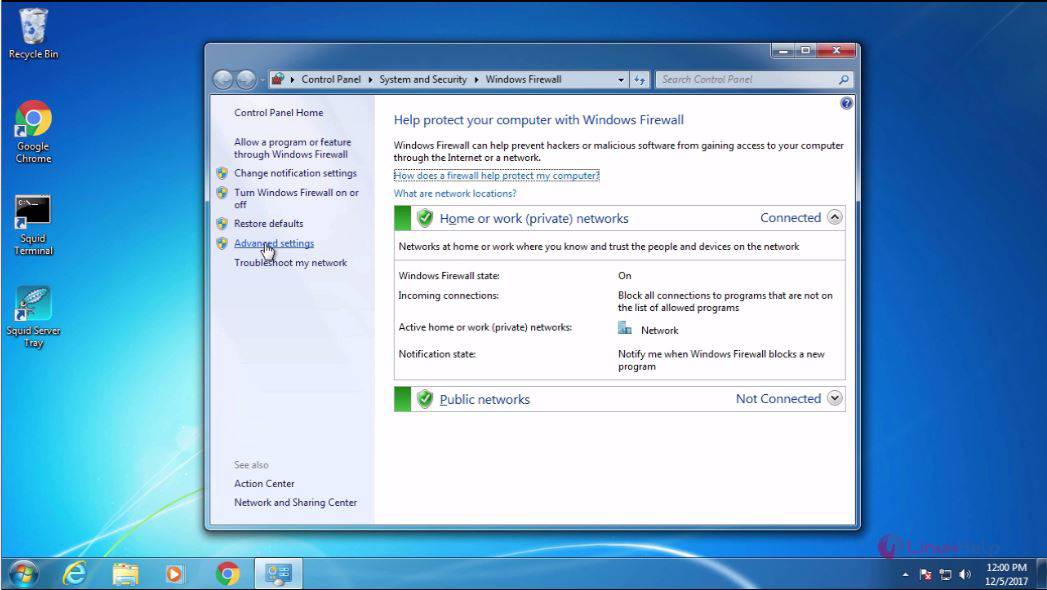
Open


In Advanced Settings, you choose the Inbound rules from the left panel.
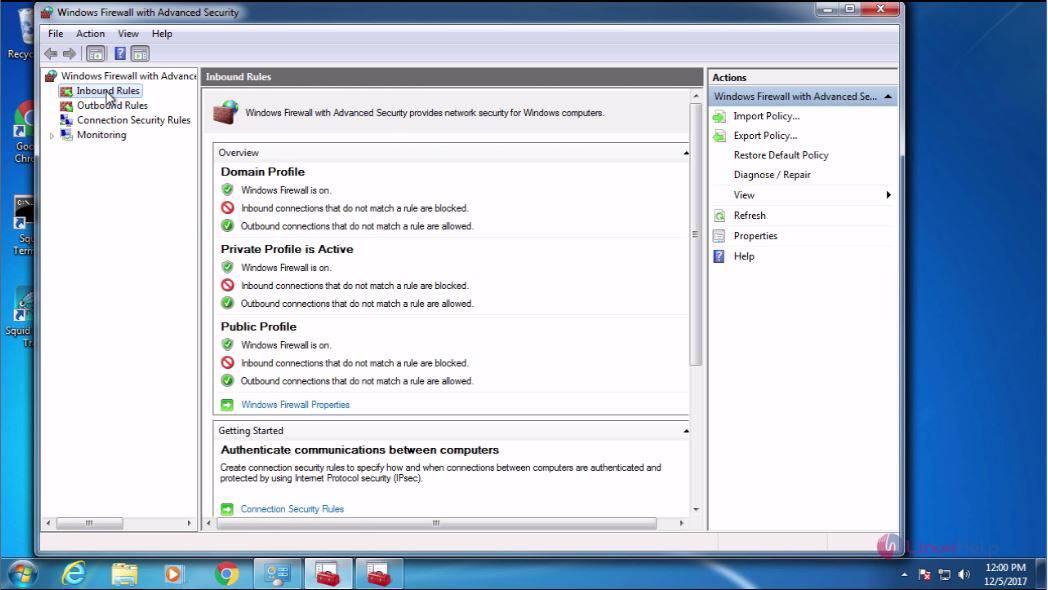
Inbound

And then, click on the New rule option.
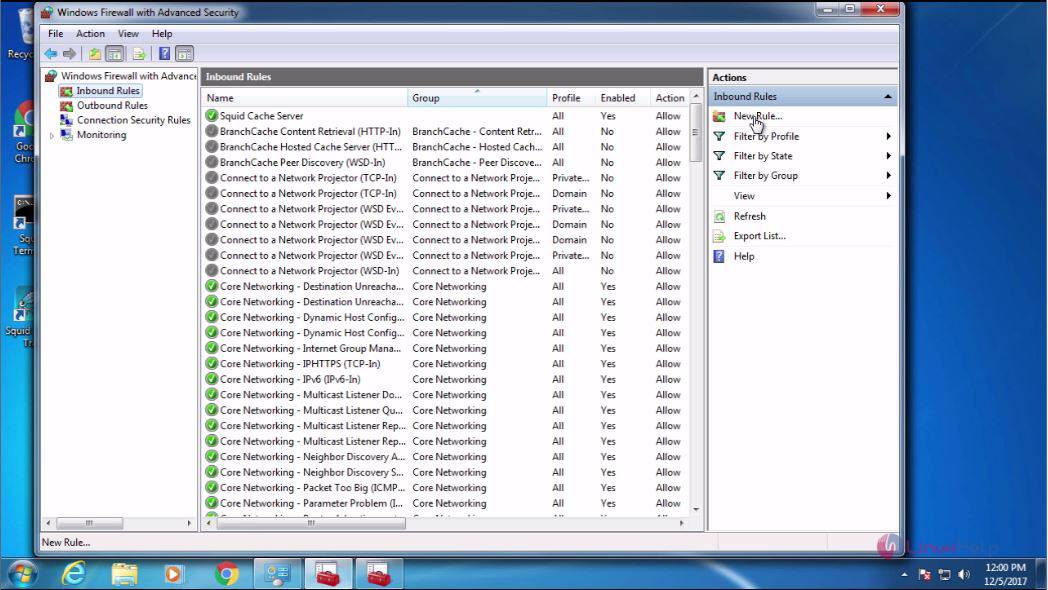
Rule

Later, select the port and click Next to proceed further.
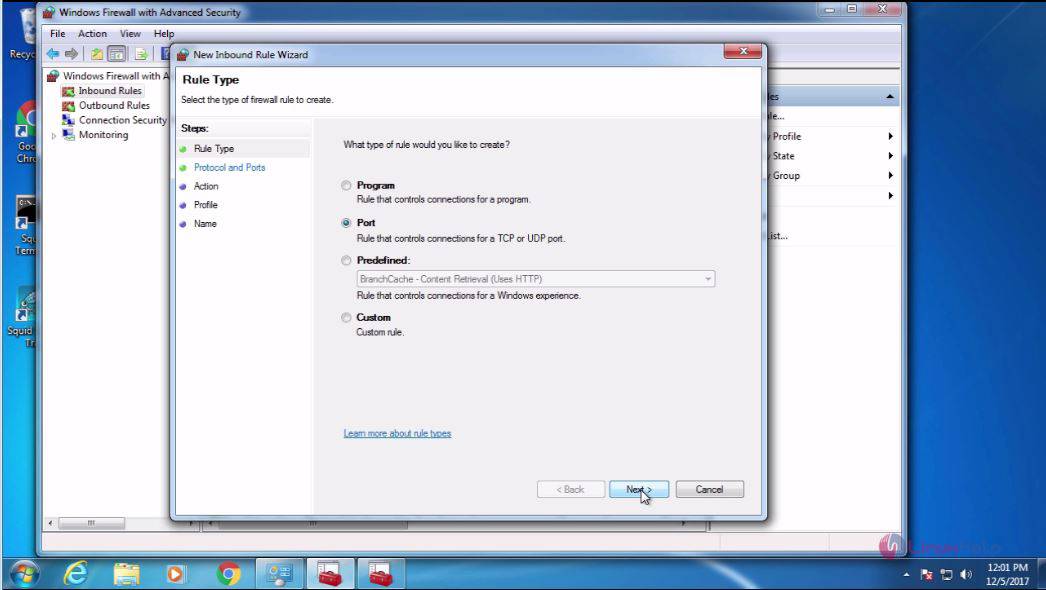
Port

And after that, you need to select TCP and enter the port number, after which you need to click Next.
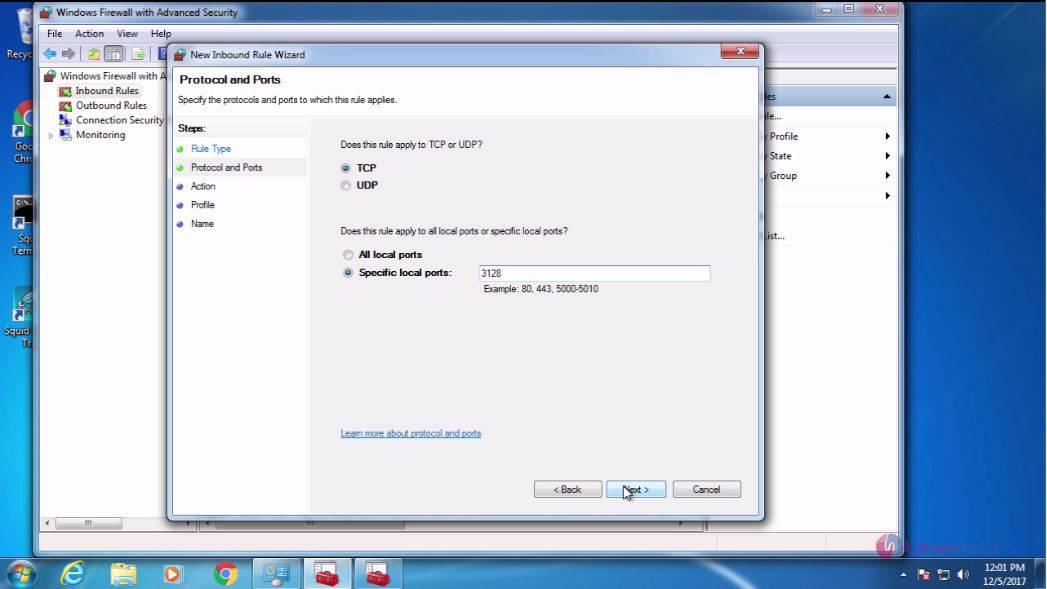
tcp

After that, you shall choose the Next option.
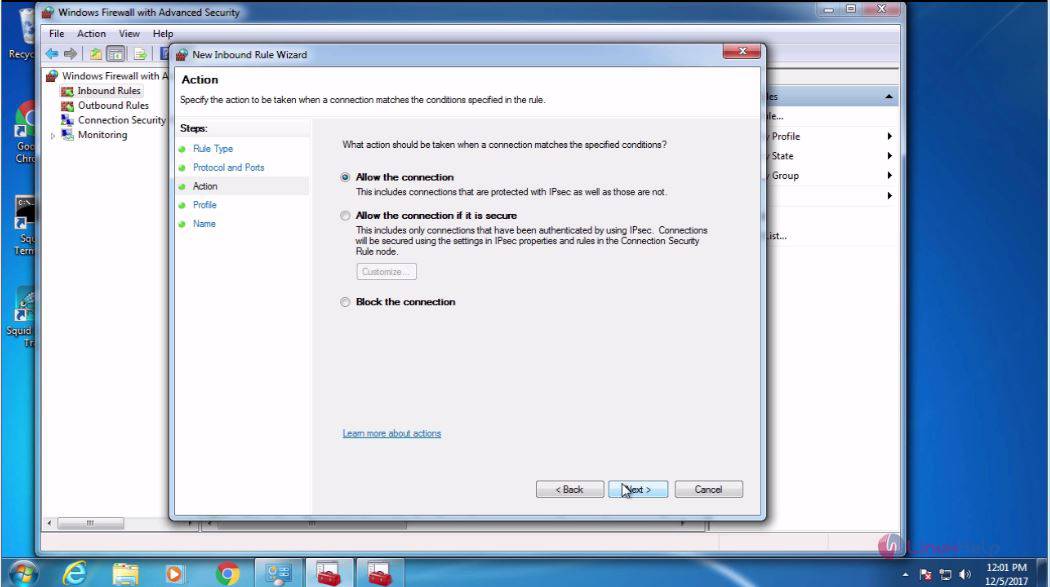
Allow

And after that, you need to choose the Next option.
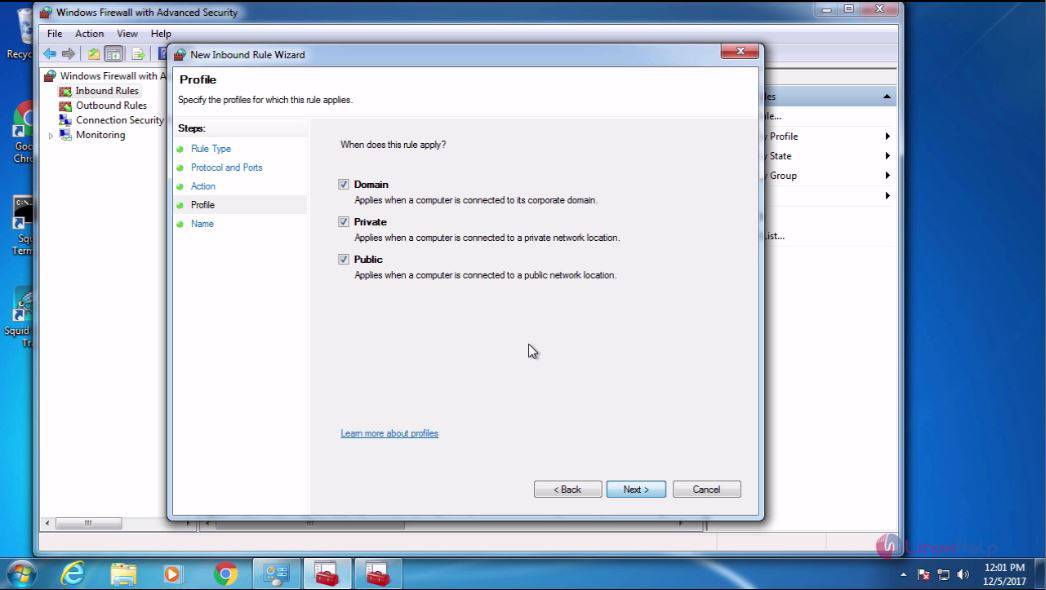
next

In your New Inbound Rule Wizard, you need to give the name and click Finish.
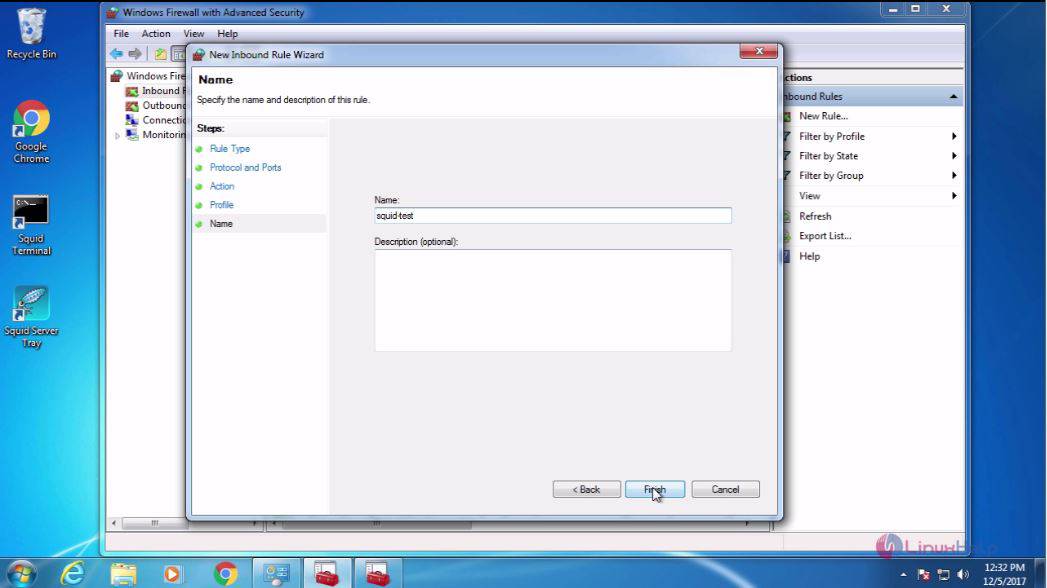
Finish

Chech if things are proper in the Inbound Rules.
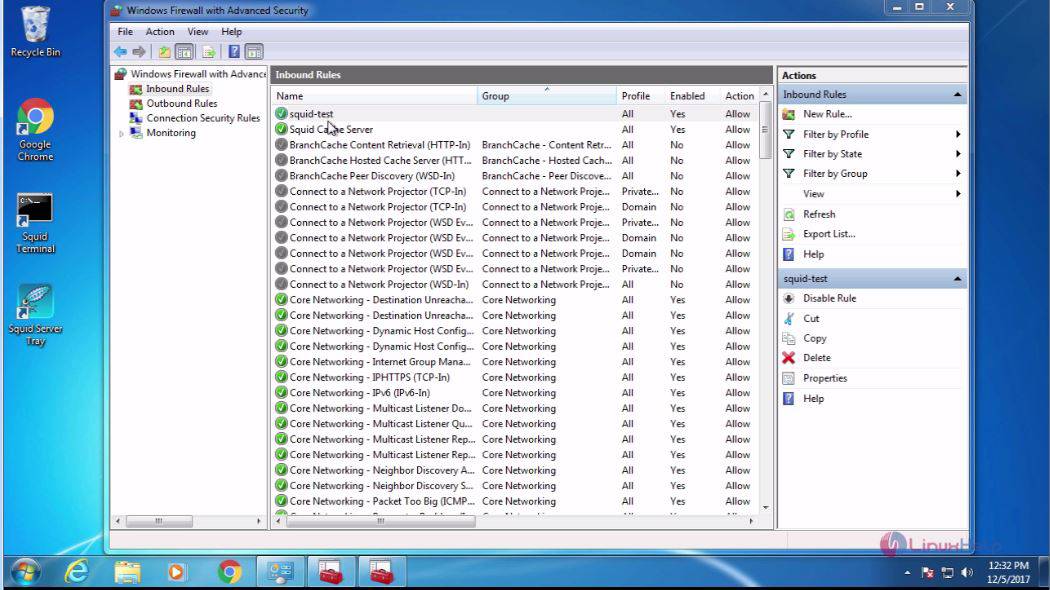
Rule

The installation process of Squid has been completed.

Tags:
aiden
Author: 

Comments ( 0 )

No comments available

Add a comment
{{postCtrl.cmtErrMsg}}

Frequently asked questions ( 5 )

Q

What is squid in windows?

A

Squid is a proxy/cache tool with a variety of acl configurations and it is released under GPL 3. It is usually used to reduce bandwidth and to increase response time. It is also used to filter traffic on HTTP, FTP, and HTTPS. It also increases the speed for a web server via caching.

Q

what is the purpose of using squid?

A

Squid is a caching proxy for the Web and it by tracking the objects use over the network.
Squid has variety of uses and advantages such as speeding up web browsing for end user,
reduces ba

Q

Who is responsible for Squid?

A

Squid is the result of efforts by numerous individuals from the Internet community.

The Squid Software Foundation provides representation and oversight of the Squid Project.
The core team and main contributors list are at WhoWeAre.

A list of our many excellent code contributors can be seen in the CONTRIBUTORS file within each copy of published sources.

Q

What is Internet object caching?

A

Internet object caching is a way to store requested Internet objects (i.e., data available via the HTTP, FTP, and gopher protocols) on a system closer to the requesting site than to the source. Web browsers can then use the local Squid cache as a proxy HTTP server, reducing access time as well as bandwidth consumption

Q

Where can I get Squid?

A

You can download Squid via FTP from the primary FTP site or one of the many worldwide mirror sites.
Many sushi bars also have Squid.

Back To Top!
Rank
User
Points

Top Contributers

userNamenaveelansari
135850

Top Contributers

userNameayanbhatti
92510

Top Contributers

userNamehamzaahmed
32150

Top Contributers

1
userNamelinuxhelp
31040

Top Contributers

userNamemuhammadali
24500
Can you help Luke ?
workbench for debian

I am using workbench in CentOS whereas now I need to use Debian Operating system so could you please help to install and use in Debian?

Networking
  • Routing
  • trunk
  • Netmask
  • Packet Capture
  • domain
  • HTTP Proxy
Server Setup
  • NFS
  • KVM
  • Memory
  • Sendmail
  • WebDAV
  • LXC
Shell Commands
  • Cloud commander
  • Command line archive tools
  • last command
  • Shell
  • terminal
  • Throttle
Desktop Application
  • Linux app
  • Pithos
  • Retrospect
  • Scribe
  • TortoiseHg
  • 4Images
Monitoring Tool
  • Monit
  • Apache Server Monitoring
  • EtherApe 
  • Arpwatch Tool
  • Auditd
  • Barman
Web Application
  • Nutch
  • Amazon VPC
  • FarmWarDeployer
  • Rukovoditel
  • Mirror site
  • Chef
Contact Us | Terms of Use| Privacy Policy| Disclaimer
© 2025 LinuxHelp.com All rights reserved. Linux™ is the registered trademark of Linus Torvalds. This site is not affiliated with linus torvalds in any way.