How to install Steam on Ubuntu
How to install Steam on Ubuntu
The Steam is a cross-platform software written in C++ and Java, that enables the users with installation and automatic updating of games on multiple computers. Its primary service is to allow users to download games and other software that is stored in the virtual libraries to the local computers as game cache files (GCFs). It also supports mobile apps with connected functionlity. This tutorial explains the installation procedure of Steam on Ubuntu.
Installation procedure
To start the installation procedure, download the debian package from the official site by the link given below using the wget command.
user1@linuxhelpubnt:~/Desktop$ wget http://repo.steampowered.com/steam/archive/precise/steam_latest.deb
--2017-05-18 06:36:18--  http://repo.steampowered.com/steam/archive/precise/steam_latest.deb
.
.
.
steam_latest.deb                     100%[======================================================================> ]   2.62M   736KB/s    in 3.7s
2017-05-18 06:36:22 (736 KB/s) - ‘ steam_latest.deb’  saved [2752252/2752252]
The package has been downloaded. Now the package can be installed using dpkg installer and execute the following command.
user1@linuxhelpubnt:~/Desktop$ sudo dpkg -i steam_latest.deb
Selecting previously unselected package steam-launcher.
(Reading database ... 172193 files and directories currently installed.
.
.
.
Setting up python-apt (1.1.0~beta1build1) ...
Setting up steam-launcher (1.0.0.54) ...
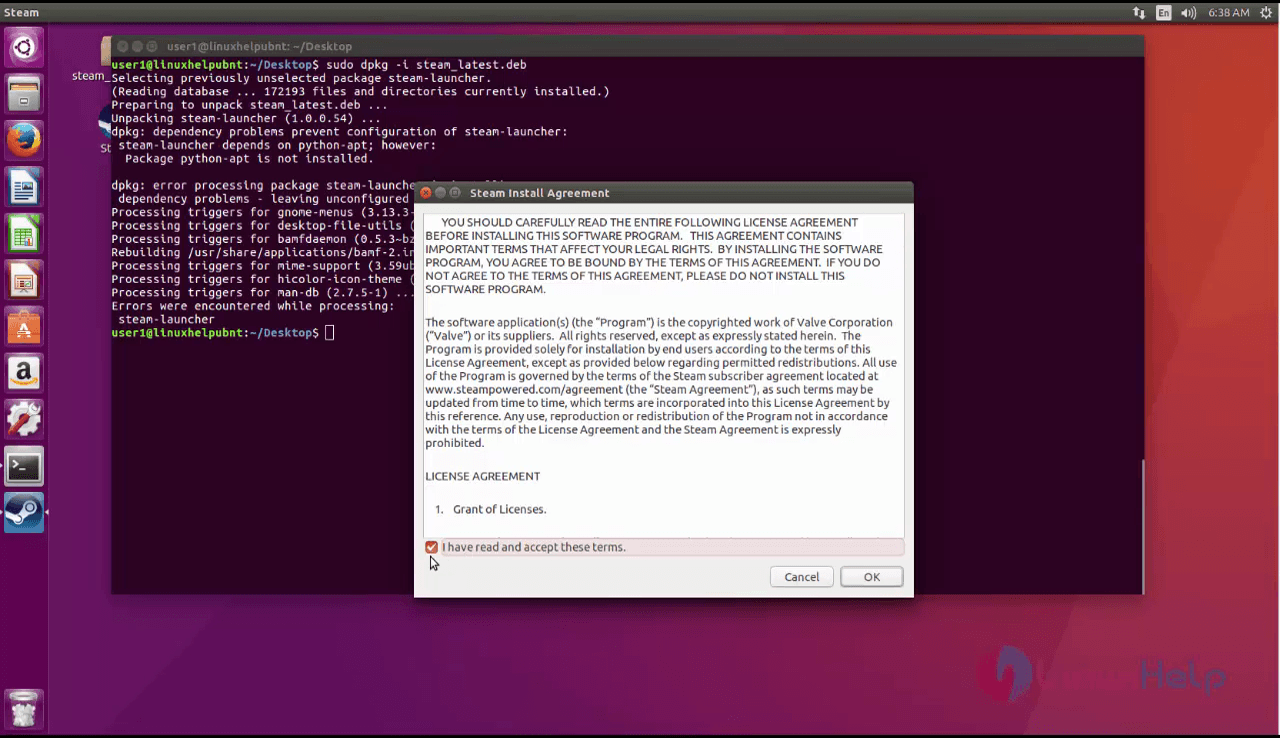
Now the application will be installed with a desktop icon. Double clicking on the icon opens the application, Accept the license agreement and click to proceed to the next window.
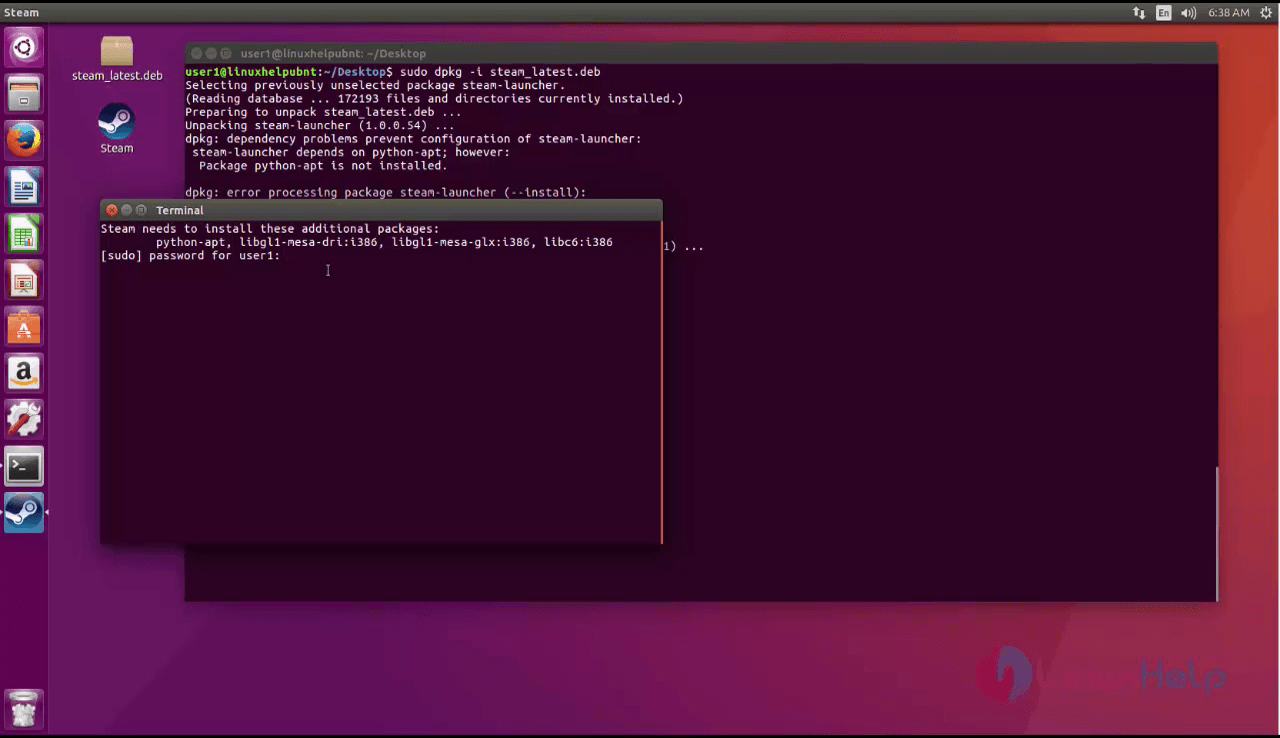
A new terminal window opens showing a list of dependency packages to be installed. Enter the sudo password and press ‘ y ’ to download and install the required packages.
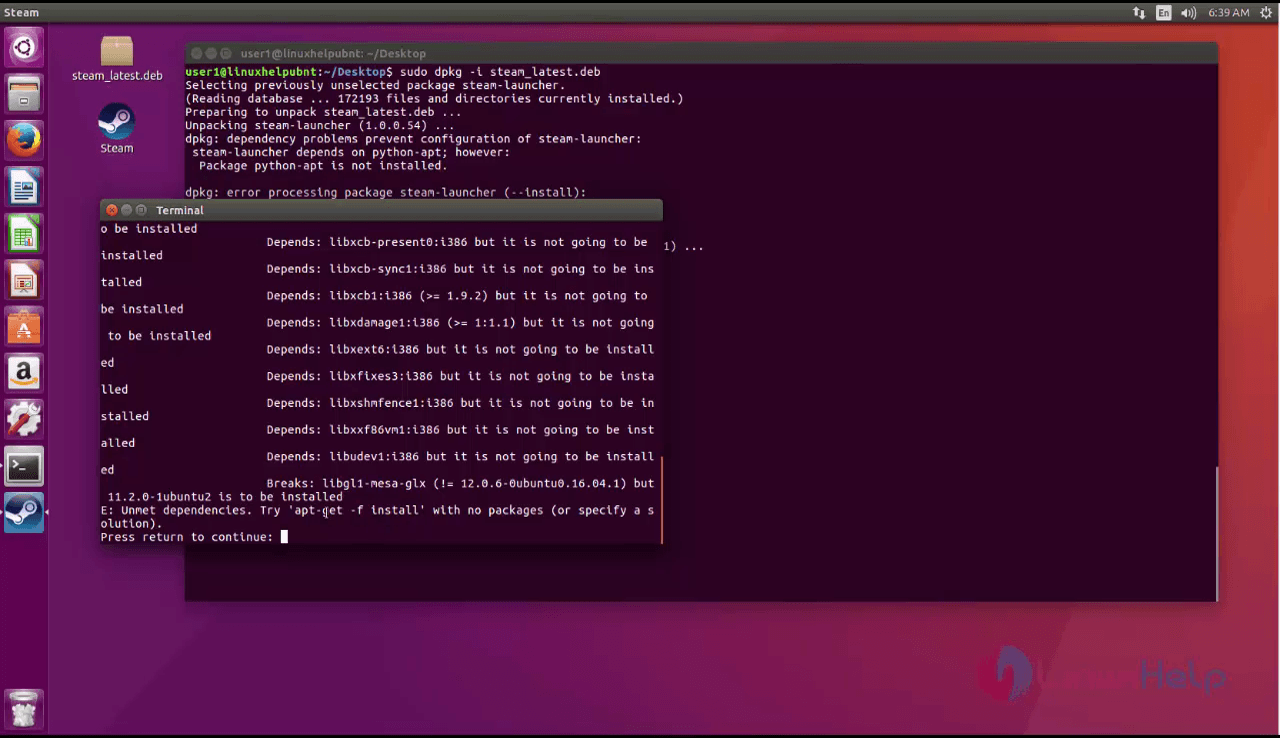
The dependency packages are installed. After the installation give enter to return to the application. The steam application has been successfully installed.
Wasn' t that an easy installation procedure? Steam also supports community features like friends list and groupd, cloud saving and chat functionality.
Comments ( 0 )
No comments available