• Categories
    Category
    {{ postCtrl.tags }}
    • {{ category.tag_type }}

      • {{tag.tag_name}}
      • View more
  • Categories
    Category
    {{ postCtrl.tags }}
    • {{ category.tag_type }}

      • {{tag.tag_name}}
      • View more
  • News
  • Tutorials
  • Forums
  • Tags
  • Users
Tutorial News Comments FAQ Related Articles

How to Install sublime text editor V3.1.1 on fedora-28

{{postValue.id}}

To Install sublime text editor V3.1.1 on Fedora 28

Sublime Text is a most popular, lightweight and smart cross-platform text editor. It’ s a source code editor with a Python API which is available for Linux, Windows, and Mac Operating systems. It supports many programming and markup languages such as C, C++, HTML, Java, JavaScript, PHP and so on


Installation

Add the gpg key

[root@linuxhelp ~]# rpm -v --import https://download.sublimetext.com/sublimehq-rpm-pub.gpg

Add the repository of the sublime text editor as follows

[root@linuxhelp ~]# dnf config-manager --add-repo https://download.sublimetext.com/rpm/stable/x86_64/sublime-text.repo
Adding repo from: https://download.sublimetext.com/rpm/stable/x86_64/sublime-text.repo

Install the sublime-text editor using the following command.

[root@linuxhelp ~]# dnf install sublime-text
Fedora 28 - x86_64 - Updates                                 751 kB/s | 9.4 MB     00:12    
Sublime Text - x86_64 - Stable                               1.3 kB/s | 1.5 kB     00:01    
Last metadata expiration check: 0:00:00 ago on Mon 21 May 2018 06:33:39 PM IST.
Dependencies resolved.
=============================================================================================
 Package                 Arch              Version             Repository               Size
=============================================================================================

Total                                                        396 kB/s |  10 MB     00:26     
Running transaction check
Transaction check succeeded.
Running transaction test
Transaction test succeeded.
Running transaction
  Preparing        :                                                                     1/1 
  Installing       : sublime-text-3176-1.x86_64                                          1/1 
  Running scriptlet: sublime-text-3176-1.x86_64                                          1/1 
  Verifying        : sublime-text-3176-1.x86_64                                          1/1 

Installed:
  sublime-text.x86_64 3176-1                                                                 

Complete!

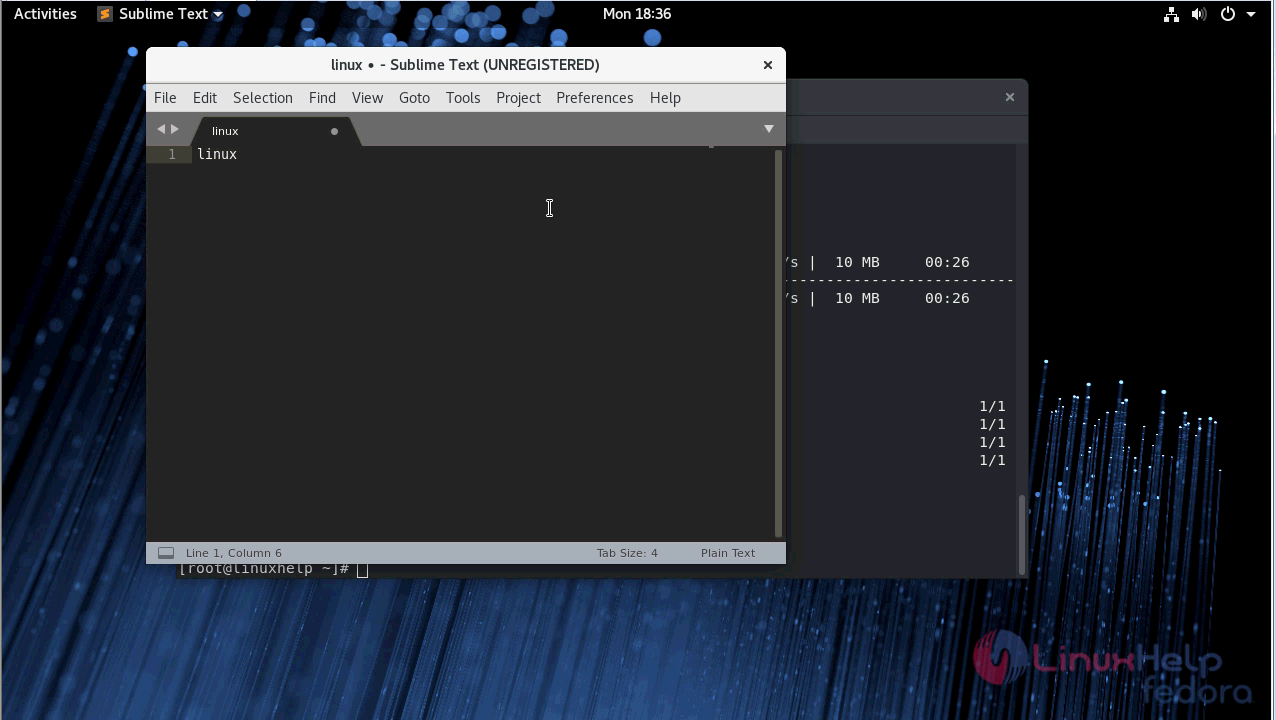
After the installation, you can access the application from the menu as follows
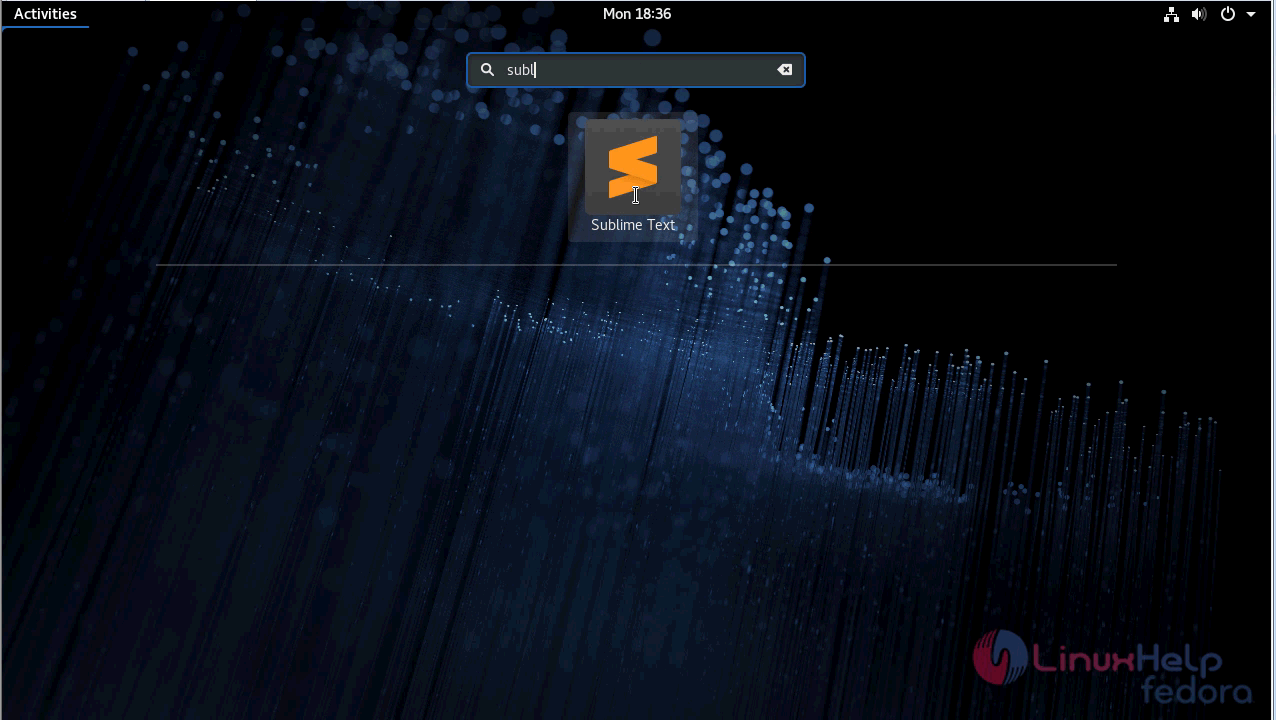
snap1


snap2

you can verify the version by navigating to help menu
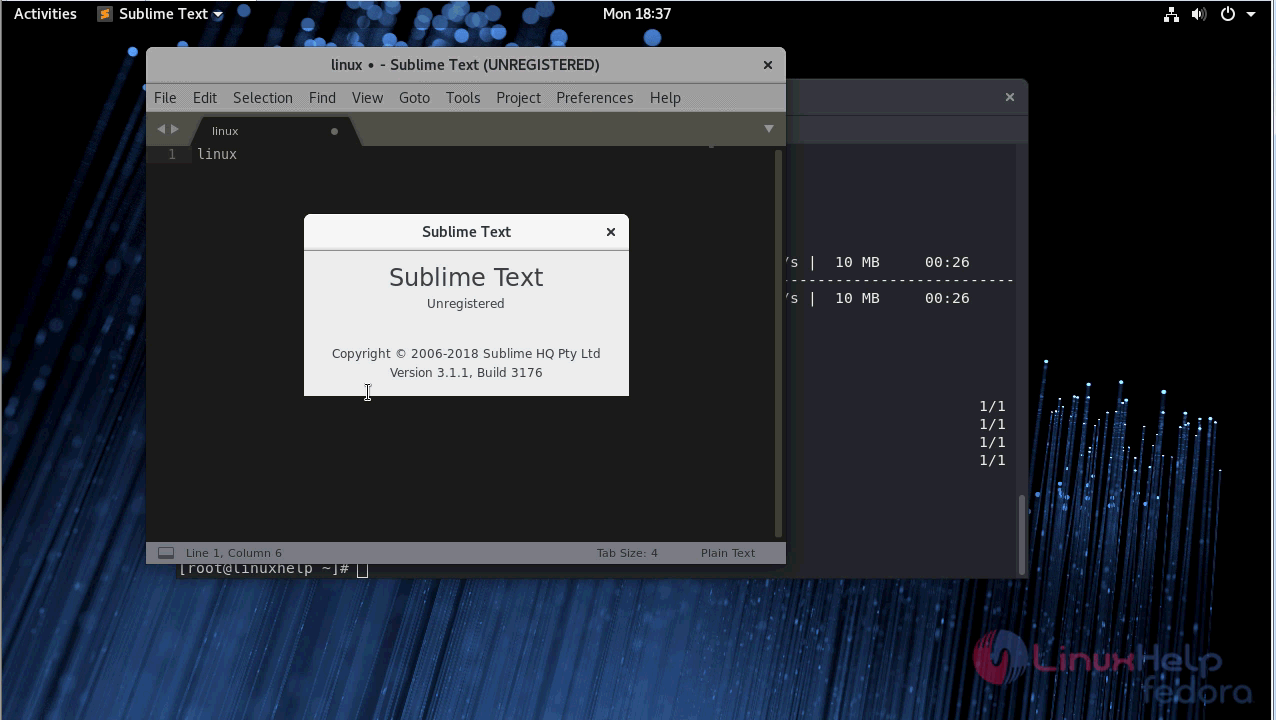
snap3

Tags:
noah
Author: 

Comments ( 0 )

No comments available

Add a comment
{{postCtrl.cmtErrMsg}}

Frequently asked questions ( 5 )

Q

Can Sublime Text be run from a USB key?

A

Yes. Sublime Text may be installed to any location, however it will read and write your settings to %APPDATA%\Sublime Text. You can change this to use a directory on the USB key,

Q

What is sublime text editor?

A

Sublime Text is a most popular, lightweight and smart cross-platform text editor. It&rsquo s a source code editor with a Python API which is available for Linux, Windows, and Mac Operating systems.

Q

How to add the gpg keys for Sublime text editor ?

A

To add the gpg keys for Sublime text editor use the following command

#rpm -v --import https://download.sublimetext.com/sublimehq-rpm-pub.gpg

Q

How to add repo for installing sublime text editor V3.1.1 on fedora-28?

A

To add repo for installing sublime text editor V3.1.1 on fedora-28 use the following command

#dnf config-manager --add-repo https://download.sublimetext.com/rpm/stable/x86_64/sublime-text.repo

Q

How to access the sublime application ?

A

After the installation you can access the application from the application menu

Back To Top!
Rank
User
Points

Top Contributers

userNamenaveelansari
135850

Top Contributers

userNameayanbhatti
92510

Top Contributers

userNamehamzaahmed
32150

Top Contributers

1
userNamelinuxhelp
31040

Top Contributers

userNamemuhammadali
24500
Can you help Isaac ?
How to run windows application in linux

I need to run the windows application in my Linux machine, instead of installing from yum repo or any other repos. How to do that..??

Networking
  • Routing
  • trunk
  • Netmask
  • Packet Capture
  • domain
  • HTTP Proxy
Server Setup
  • NFS
  • KVM
  • Memory
  • Sendmail
  • WebDAV
  • LXC
Shell Commands
  • Cloud commander
  • Command line archive tools
  • last command
  • Shell
  • terminal
  • Throttle
Desktop Application
  • Linux app
  • Pithos
  • Retrospect
  • Scribe
  • TortoiseHg
  • 4Images
Monitoring Tool
  • Monit
  • Apache Server Monitoring
  • EtherApe 
  • Arpwatch Tool
  • Auditd
  • Barman
Web Application
  • Nutch
  • Amazon VPC
  • FarmWarDeployer
  • Rukovoditel
  • Mirror site
  • Chef
Contact Us | Terms of Use| Privacy Policy| Disclaimer
© 2025 LinuxHelp.com All rights reserved. Linux™ is the registered trademark of Linus Torvalds. This site is not affiliated with linus torvalds in any way.