How to install Subsonic in CentOS
{{postValue.id}}
To Install Subsonic in CentOS
Subsonic is a media server for Streaming Media files over Network. It is a web based music streamer, podcast receiver and jukebox that is used to enjoy music from anywhere. It also provides facility to share music files and folders. The procedures to install Subsonic in CentOS is explained.
Installation of Subsonic
For installing Subsonic, install java by utilizing the below command.
[root@linuxhelp1 Desktop]# yum install java-1.7.0-openjdk
Loaded plugins: fastestmirror, langpacks
Determining fastest mirrors
 * base: centos.excellmedia.net
 * extras: centos.excellmedia.net
 * updates: centos.excellmedia.net
Resolving Dependencies
-->  Running transaction check
--->  Package java-1.7.0-openjdk.x86_64 1:1.7.0.51-2.4.5.5.el7 will be updated
--->  Package java-1.7.0-openjdk.x86_64 1:1.7.0.111-2.6.7.2.el7_2 will be an update
-->  Processing Dependency: java-1.7.0-openjdk-headless = 1:1.7.0.111-2.6.7.2.el7_2 for package: 1:java-1.7.0-openjdk-1.7.0.111-
.
.
.
  Updating   : 1:java-1.7.0-openjdk-1.7.0.111-2.6.7.2.el7_2.x86_64                                                         3/5
  Cleanup    : 1:java-1.7.0-openjdk-1.7.0.51-2.4.5.5.el7.x86_64                                                            4/5
  Cleanup    : 1:java-1.7.0-openjdk-headless-1.7.0.51-2.4.5.5.el7.x86_64                                                   5/5
  Verifying  : 1:java-1.7.0-openjdk-headless-1.7.0.111-2.6.7.2.el7_2.x86_64                                                1/5
  Verifying  : 1:java-1.7.0-openjdk-1.7.0.111-2.6.7.2.el7_2.x86_64                                                         2/5
  Verifying  : lksctp-tools-1.0.13-3.el7.x86_64                                                                            3/5
  Verifying  : 1:java-1.7.0-openjdk-1.7.0.51-2.4.5.5.el7.x86_64                                                            4/5
  Verifying  : 1:java-1.7.0-openjdk-headless-1.7.0.51-2.4.5.5.el7.x86_64                                                   5/5

Dependency Installed:
  lksctp-tools.x86_64 0:1.0.13-3.el7

Updated:
  java-1.7.0-openjdk.x86_64 1:1.7.0.111-2.6.7.2.el7_2

Dependency Updated:
  java-1.7.0-openjdk-headless.x86_64 1:1.7.0.111-2.6.7.2.el7_2

Complete!
After installing java, start downloading the Subsonic rpm package.
[root@linuxhelp1 Desktop]# wget http://jaist.dl.sourceforge.net/project/subsonic/subsonic/4.9/subsonic-4.9.rpm
--2016-09-29 09:52:28--  http://downloads.sourceforge.net/project/subsonic/subsonic/4.9/subsonic-4.9.rpm?download& failedmirror=jaist.dl.sourceforge.net
Resolving downloads.sourceforge.net (downloads.sourceforge.net)... 216.34.181.59
Connecting to downloads.sourceforge.net (downloads.sourceforge.net)|216.34.181.59|:80... connected.
HTTP request sent, awaiting response... 302 Found
Location: http://liquidtelecom.dl.sourceforge.net/project/subsonic/subsonic/4.9/subsonic-4.9.rpm [following]
--2016-09-29 09:52:29--  http://liquidtelecom.dl.sourceforge.net/project/subsonic/subsonic/4.9/subsonic-4.9.rpm
Resolving liquidtelecom.dl.sourceforge.net (liquidtelecom.dl.sourceforge.net)... 197.155.77.8
Connecting to liquidtelecom.dl.sourceforge.net (liquidtelecom.dl.sourceforge.net)|197.155.77.8|:80... connected.
HTTP request sent, awaiting response... 200 OK
Length: 36416689 (35M) [application/octet-stream]
Saving to: ‘ subsonic-4.9.rpm’

100%[=====================================================================================> ] 36,416,689  71.1KB/s   in 4m 12s

2016-09-29 09:56:41 (141 KB/s) - ‘ subsonic-4.9.rpm’  saved [36416689/36416689]
Utilize the following command to install the Subsonic.
[root@linuxhelp1 Desktop]# yum install --nogpgcheck subsonic-4.9.rpm
Loaded plugins: fastestmirror, langpacks
Examining subsonic-4.9.rpm: subsonic-4.9-3853.i386
Marking subsonic-4.9.rpm to be installed
Resolving Dependencies
-->  Running transaction check
--->  Package subsonic.i386 0:4.9-3853 will be installed
-->  Finished Dependency Resolution

.
.
.
Downloading packages:
Running transaction check
Running transaction test
Transaction test succeeded
Running transaction
  Installing : subsonic-4.9-3853.i386                                                                                      1/1
Starting subsonic (via systemctl):  [  OK  ]
  Verifying  : subsonic-4.9-3853.i386                                                                                      1/1
Installed:
  subsonic.i386 0:4.9-3853
Complete!
Now add the Subsonic user for accessing the media server.
[root@linuxhelp1 Desktop]# useradd subsonic
Open the Subsonic configuration file and change the subsonic user as the new user.

[root@linuxhelp1 Desktop]# vim /etc/sysconfig/subsonic
SUBSONIC_USER=subsonic
Restart the Subsonic service by using the following command.

[root@linuxhelp1 Desktop]# service subsonic restart
Restarting subsonic (via systemctl):                       [  OK  ]
Trigger the browser and navigate to http://< IP_address> :4040
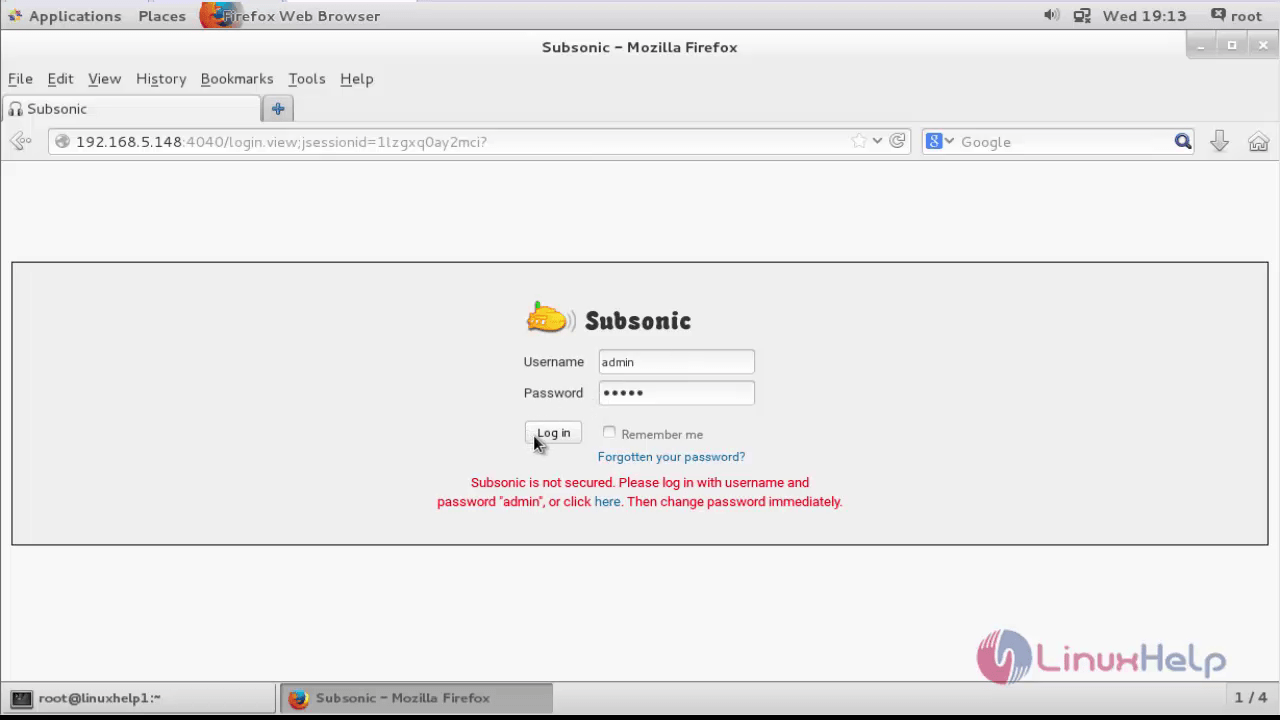
Login to the Subsonic by using the username " admin" and password " admin"
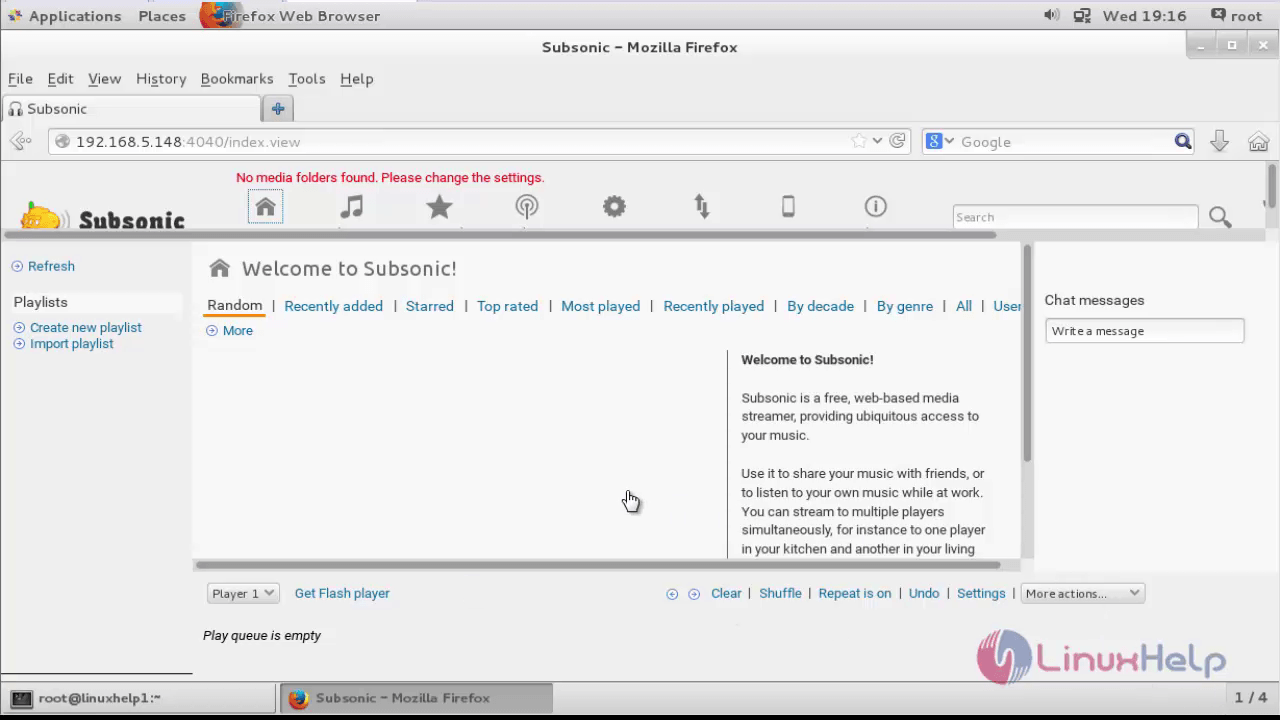
Now the Subsonic is ready to use.
Comments ( 3 )