How to install SugarCRM Community Edition in Linux
Installation of SugarCRM Community Edition
SugarCRM is a Customer Relationship Management. This guide will help you how to install SugarCRM Community Edition on RedHat and Debian based systems. It is installed on the top of LAMP stack and written in PHP. SugarCRM comes with three editions: Community Edition (free), Professional Edition and Enterprise Edition.
LAMP Stack Installation
Install LAMP stack on respective Linux distributions by using the following commands.
-------------------- On RHEL/CentOS 7 --------------------
# yum install httpd mariadb-server mariadb php php-mysql php-pdo php-gd php-mbstring php-imap
-------------------- On RHEL/CentOS 6 and Fedora --------------------
# yum install httpd mysql mysql-server php php-mysql php-pdo php-gd php-mbstring php-imap
-------------------- On Fedora 23+ Version --------------------
# dnf instll httpd mariadb-server mariadb php php-mysql php-pdo php-gd php-mbstring php-imap
-------------------- On Debian 8/7 and Ubuntu 15.10/15.04 --------------------
# apt-get install apache2 mariadb-server mariadb-client php5 php5-mysql libapache2-mod-php5 php5-imap
-------------------- On Debian 6 and Ubuntu 14.10/14.04 --------------------
# apt-get instll apache2 mysql-client mysql-server php5 php5-mysql libapache2-mod-php5
For more info about LAMP installation:
https://www.linuxhelp.com/install-lamp-fedora-22/
https://www.linuxhelp.com/lamp-stack-installation-ubuntu-15-10/
Apache2 Installation
Using the following command to install Apache2.
root@linuxhelp:/home/user1/Downloads# apt-get install apache2
Reading package lists... Done
Building dependency tree
Reading state information... Done
The following extra packages will be installed:
  apache2-data apache2-utils
.
.
.
.
Enabling conf serve-cgi-bin.
Enabling site 000-default.
Processing triggers for systemd (215-17+deb8u3) ...
Now the installation is completed successfully.
To install Php and its dependencies
Execute the following command to install Php and its dependencies.
root@linuxhelp:/home/user1/Downloads# apt-get install php5
Reading package lists... Done
Building dependency tree
Reading state information... Done
The following extra packages will be installed:
  libapache2-mod-php5 libonig2 libqdbm14 php5-cli php5-common php5-json
  php5-readline
Suggested packages:
  php-pear php5-user-cache
.
.
.
php5_invoke: Enable module readline for apache2 SAPI
Processing triggers for libc-bin (2.19-18+deb8u2) ...
Processing triggers for libapache2-mod-php5 (5.6.20+dfsg-0+deb8u1) ...
Now the Php and its dependencies installation is completed successfully.
To install php5-gd, execute the following command.
root@linuxhelp:/home/user1/Downloads# apt-get install php5-gd
Reading package lists... Done
Building dependency tree
Reading state information... Done
The following NEW packages will be installed:
   php5-gd
0 upgraded, 1 newly installed, 0 to remove and 152 not upgraded.
Need to get 28.8 kB of archives.
.
.
.
Creating config file /etc/php5/mods-available/gd.ini with new version
php5_invoke: Enable module gd for cli SAPI
php5_invoke: Enable module gd for apache2 SAPI
Processing triggers for libapache2-mod-php5 (5.6.20+dfsg-0+deb8u1) ...
Run the following commands to install php5-curl.
root@linuxhelp:/home/user1/Downloads# apt-get install php5-curl
Reading package lists... Done
Building dependency tree
Reading state information... Done
The following extra packages will be installed:
  libcurl3
The following NEW packages will be installed:
  libcurl3 php5-curl
0 upgraded, 2 newly installed, 0 to remove and 152 not upgraded.
Need to get 287 kB of archives.
.
.
php5_invoke: Enable module curl for apache2 SAPI
Processing triggers for libc-bin (2.19-18+deb8u2) ...
Processing triggers for libapache2-mod-php5 (5.6.20+dfsg-0+deb8u1) ...
MySQL Installation
Run the following command to install MySQL.
root@linuxhelp:/home/user1/Downloads# apt-get install mysql-server
Reading package lists... Done
Building dependency tree
Reading state information... Done
The following extra packages will be installed:
  libaio1 libdbd-mysql-perl libdbi-perl libhtml-template-perl libmysqlclient18
  libterm-readkey-perl mysql-client-5.5 mysql-common mysql-server-5.5
  mysql-server-core-5.5
.
.
.
Setting up mysql-server (5.5.49-0+deb8u1) ...
Processing triggers for libc-bin (2.19-18+deb8u2) ...
Processing triggers for systemd (215-17+deb8u3) ...
Once the installation is completed, start MySQL service.
root@linuxhelp:/var/www/html# /etc/init.d/mysql start
First we need to create MySQL database, before the SugarCRM installation. Now login to MySQL database then create the database and the user for SugarCRM installation by running the below commands.
root@linuxhelp:/var/www/html# mysql -p
Enter password:
Welcome to the MySQL monitor.  Commands end with   or g.
Your MySQL connection id is 43
Server version: 5.5.49-0+deb8u1 (Debian)

Copyright (c) 2000, 2016, Oracle and/or its affiliates. All rights reserved.

Oracle is a registered trademark of Oracle Corporation and/or its affiliates. Other names may be trademarks of their respective owners.

Type ' help '  or ' h'  for help. Type ' c'  to clear the current input statement.

mysql>  create database crm1
Query OK, 1 row affected (0.00 sec)

mysql>  exit
Bye
root@linuxhelp:/var/www/html#
Now open /etc/php5/apache2/php.ini configuration file and make the following changes.
root@linuxhelp:/var/www/html# nano /etc/php5/apache2/php.ini
upload_max_filesize = 20M
Now move to Download directory by using “ cd” command.
root@linuxhelp ~# cd /home/user1/Downloads
Install SugarCRM and grab the latest version on your system by executing the following command.
root@linuxhelp:/home/user1/Downloads# wget http://liquidtelecom.dl.sourceforge.net/project/sugarcrm/1%20-%20SugarCRM%206.5.X/SugarCommunityEdition-6.5.X/SugarCE-6.5.23.zip
--2016-05-07 20:50:38--  http://liquidtelecom.dl.sourceforge.net/project/sugarcrm/1%20-%20SugarCRM%206.5.X/SugarCommunityEdition-6.5.X/SugarCE-6.5.23.zip
Resolving liquidtelecom.dl.sourceforge.net (liquidtelecom.dl.sourceforge.net)... 197.155.77.8
Connecting to liquidtelecom.dl.sourceforge.net (liquidtelecom.dl.sourceforge.net)|197.155.77.8|:80... connected.
HTTP request sent, awaiting response... 200 OK
Length: 22095458 (21M) [application/octet-stream]
Saving to: ‘ SugarCE-6.5.23.zip’

SugarCE-6.5.23.zip  100%[=====================> ]  21.07M   558KB/s   in 44s

2016-05-07 20:51:23 (493 KB/s) - ‘ SugarCE-6.5.23.zip’  saved [22095458/22095458]
Now extract the archive and copy the configuration files to our webserver document root.
root@linuxhelp:/home/user1/ Downloads# unzip SugarCE-6.5.22.zip
 root@linuxhelp:/home/user1/ Downloads# cp -rf SugarCE-Full-6.5.22/* /var/www/html/
Then set execute permission to that html directory using chmod command and change owner permission also.
Now change the directory to /var/www/html and then modify the permissions for the below directories, files to grant Apache with write permissions.
root@linuxhelp:/var/www/html# chmod -R 755 /var/www/html/
After that restart Apache and mysql service.
Next open a browser from a remote location in our LAN and then navigate to the IP Address of the machine running LAMP. Now click Next after selecting the installation language.0
http://< ip or domain> /install.php
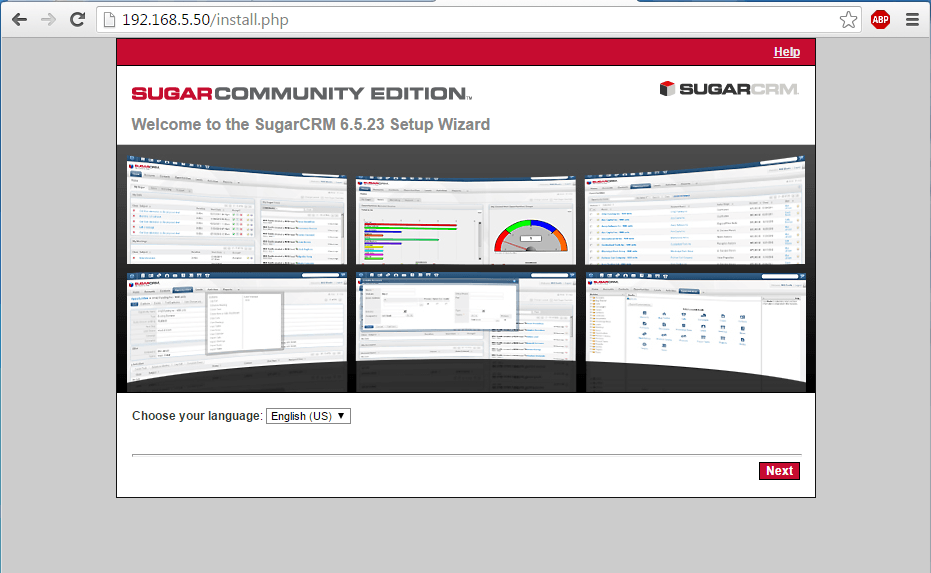
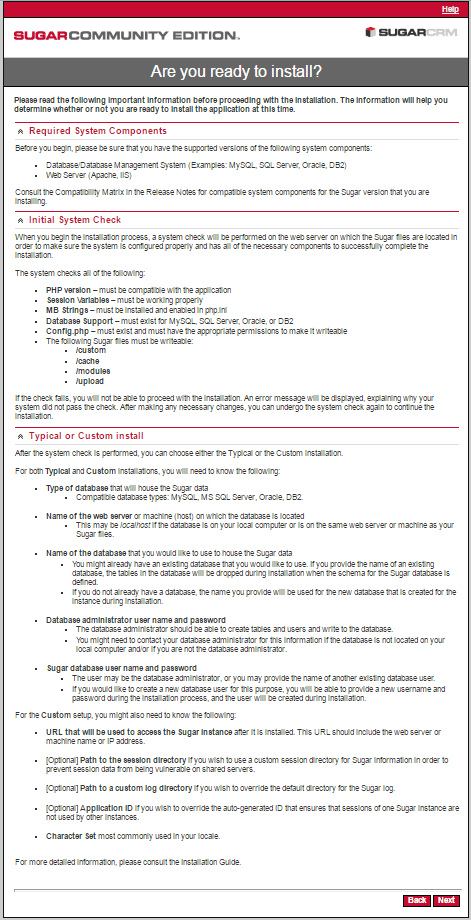
After a series of system checking, click Next to continue.
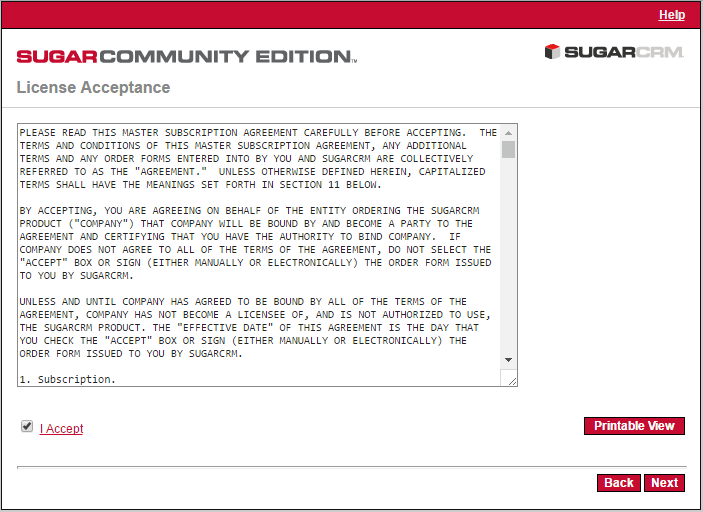
In this screen, accept the license and click Next.
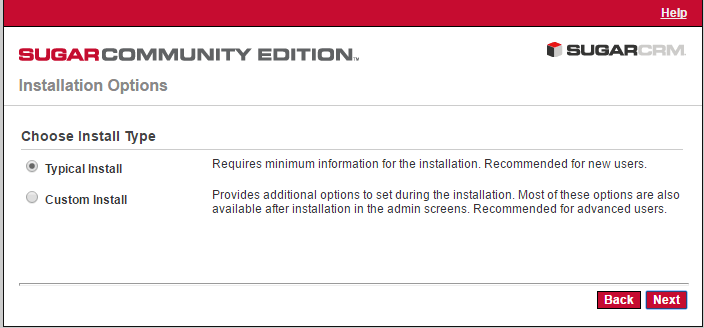
Now check the installer which will redirect to SugarCRM Installation. Choose Custom Install then click Next.
For SugarCRM internal database, Choose MySQL and click Next to proceed further.
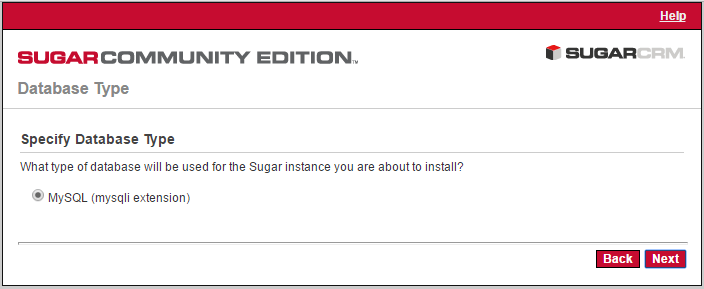
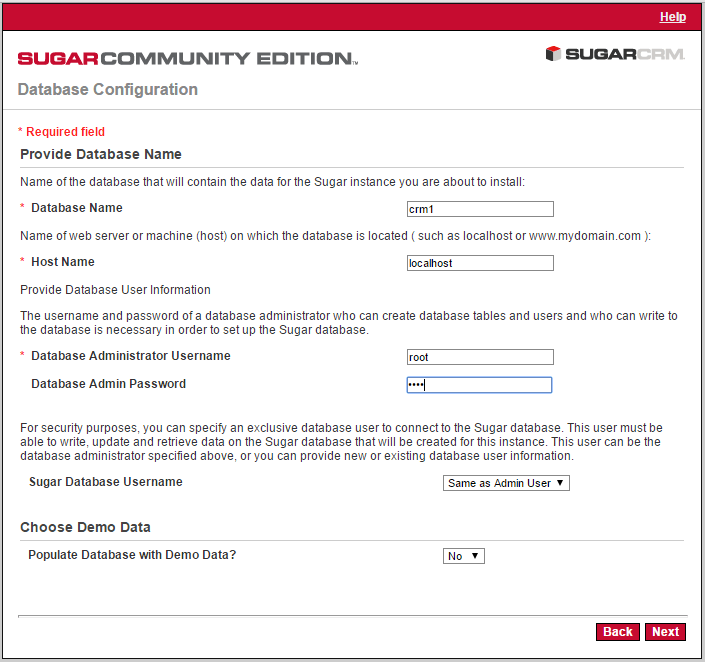
After the database configuration, the screen will appear to proceed MySQL database setup. The values created earlier for SugarCRM MySQL database should be entered in these fields and click Next when finished.
Database Name: crm1
Host name: localhost
Database Administrator Username: root
Database Admin Password: password
Sugar Database Username: Same as Admin User
Populate Database with Demo Data: no
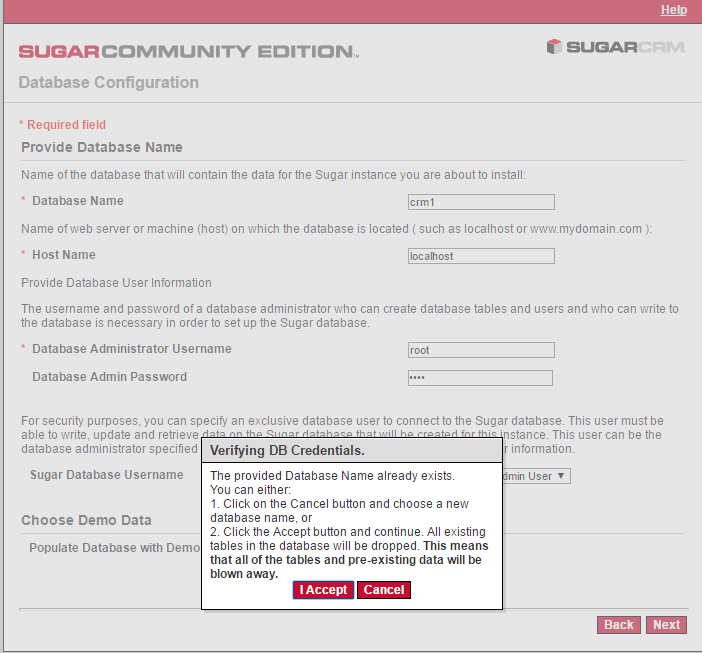
A notification will prompt to verify DB Credentials if the database is already created and click the Accept button for further process.
On next page installer will ask the name for the system and URL of Sugar instance. Choose a descriptive name for SugarCRM system and leave the URL value as default then enter a Admin username and password for SugarCRM.
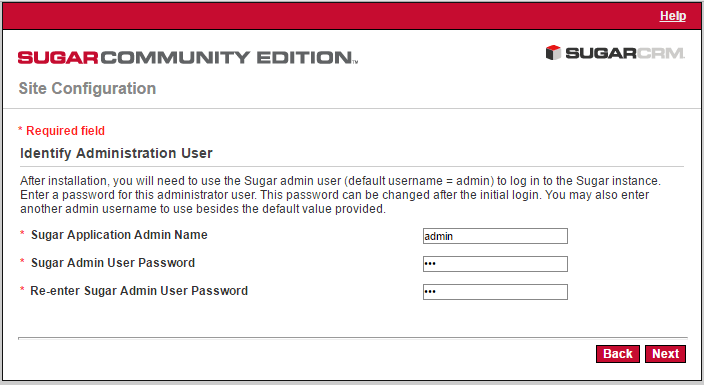
Atlast click the Install button to review the SugarCRM configurations and confirm its settings.
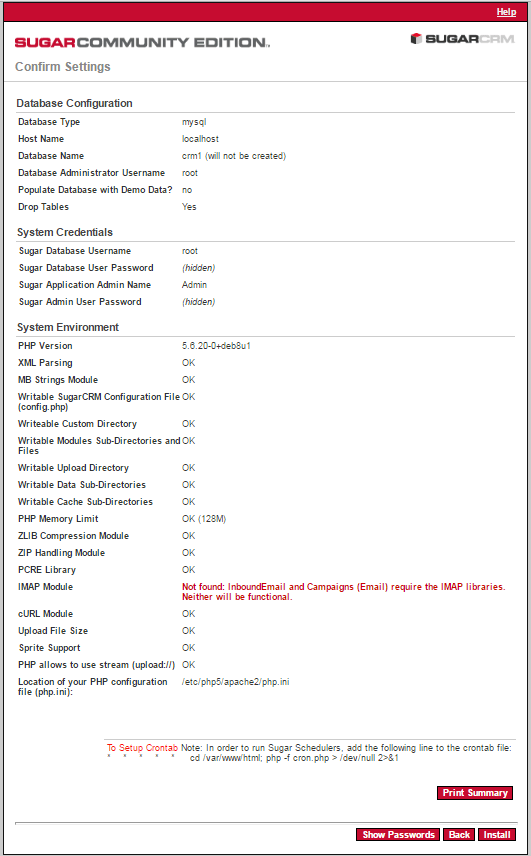
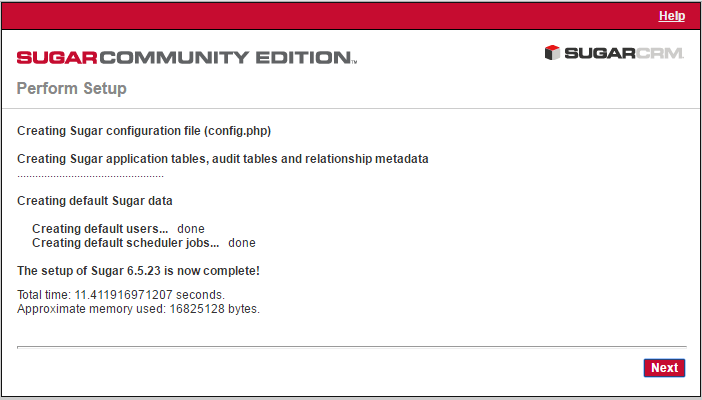
After the installation, click Next button .
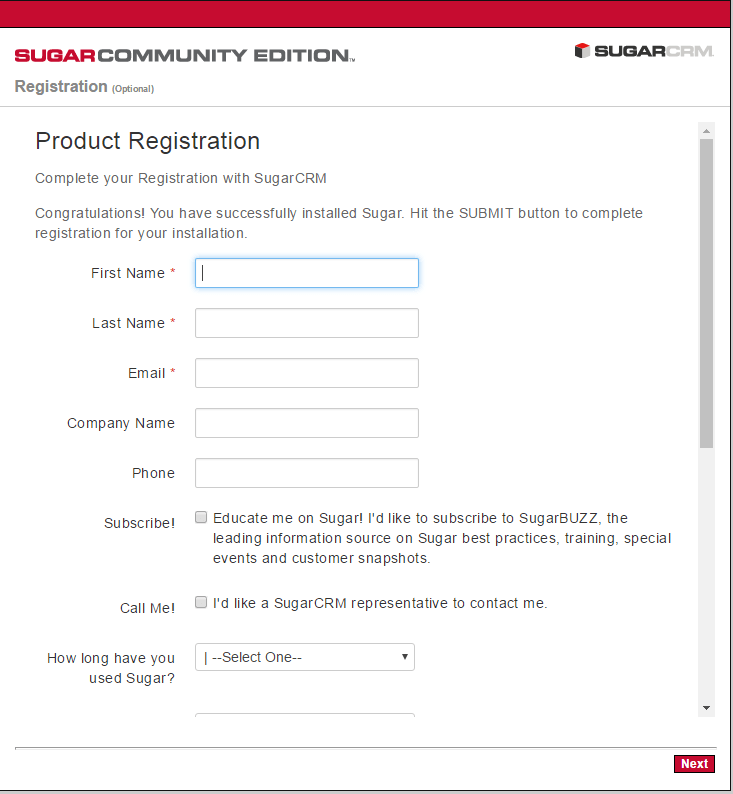
Here we can choose to register the software and fill the required fields then press Submit. Now Login window will appear after that click Next.
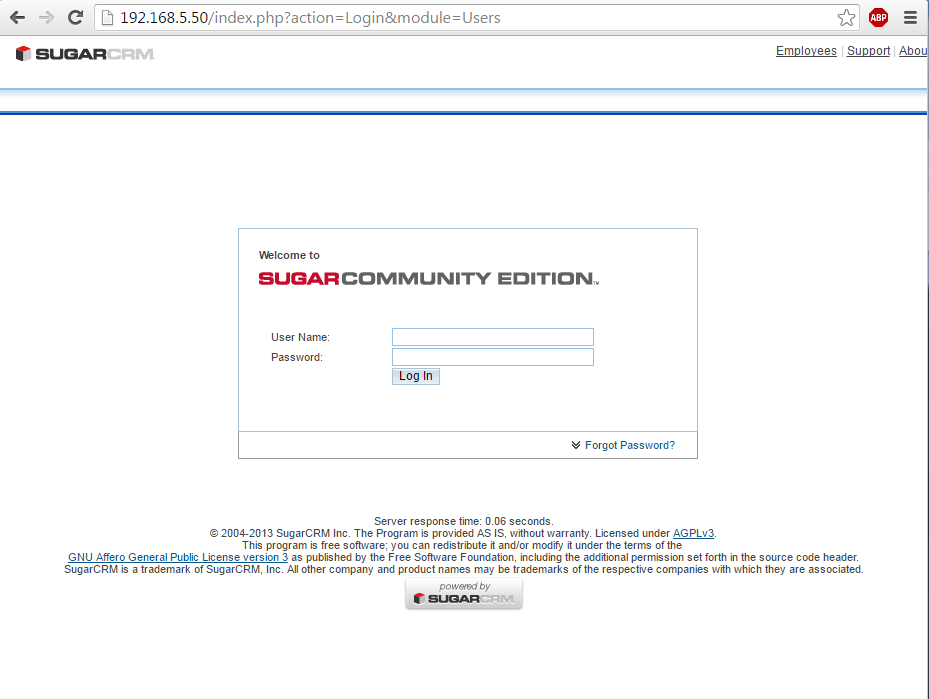
Here login with the credentials and proceed by personalizing SugarCMS with a logo, local settings, mail settings and your personal information.
Comments ( 0 )
No comments available