• Categories
    Category
    {{ postCtrl.tags }}
    • {{ category.tag_type }}

      • {{tag.tag_name}}
      • View more
  • Categories
    Category
    {{ postCtrl.tags }}
    • {{ category.tag_type }}

      • {{tag.tag_name}}
      • View more
  • News
  • Tutorials
  • Forums
  • Tags
  • Users
Tutorial News Comments FAQ Related Articles

How to install Sushi-browser on Linux mint 18.03

{{postValue.id}}

How to install Sushi-browser on Linux mint 18.03

Sushi Browser is a multi-panel Chromium-based browser that aims to allow maximum screen space usage. It allows you to access multiple things at once within separate panels. You can watch two websites at once with synchronized scrolling capabilities, access your user directory, view in mobile mode, slim menu and more. In this article we will see about the installation of foobnix music player in Linux mint 18.03

Installation

Download the Sushi-browser debian package by using wget command.

linuxhelp ~ # wget https://sushib.me/dl/sushi-browser_0.21.2_amd64.deb
--2018-09-09 04:58:19--  https://sushib.me/dl/sushi-browser_0.21.2_amd64.deb
Resolving sushib.me (sushib.me)... 150.95.139.154
Connecting to sushib.me (sushib.me)|150.95.139.154|:443... connected.
HTTP request sent, awaiting response... 200 OK
Length: 93925112 (90M) [application/octet-stream]
Saving to: ‘sushi-browser_0.21.2_amd64.deb’

sushi-browser_0.21.2_amd64.deb   100%[==========================================================>]  89.57M  1.08MB/s    in 1m 55s  

2018-09-09 05:00:15 (795 KB/s) - ‘sushi-browser_0.21.2_amd64.deb’ saved [93925112/93925112]

Install the sushi browser run the following command.

linuxhelp ~ # gdebi sushi-browser_0.21.2_amd64.deb 
Reading package lists... Done
Building dependency tree        
Reading state information... Done

Sushi Browser
 Sushi Browser
Do you want to install the software package? [y/N]:y
Selecting previously unselected package sushi-browser.
(Reading database ... 225134 files and directories currently installed.)
Preparing to unpack sushi-browser_0.21.2_amd64.deb ...
Unpacking sushi-browser (0.21.2-1) ...
Setting up sushi-browser (0.21.2-1) ...
Processing triggers for desktop-file-utils (0.22+linuxmint1) ...
Processing triggers for mime-support (3.59ubuntu1) ...

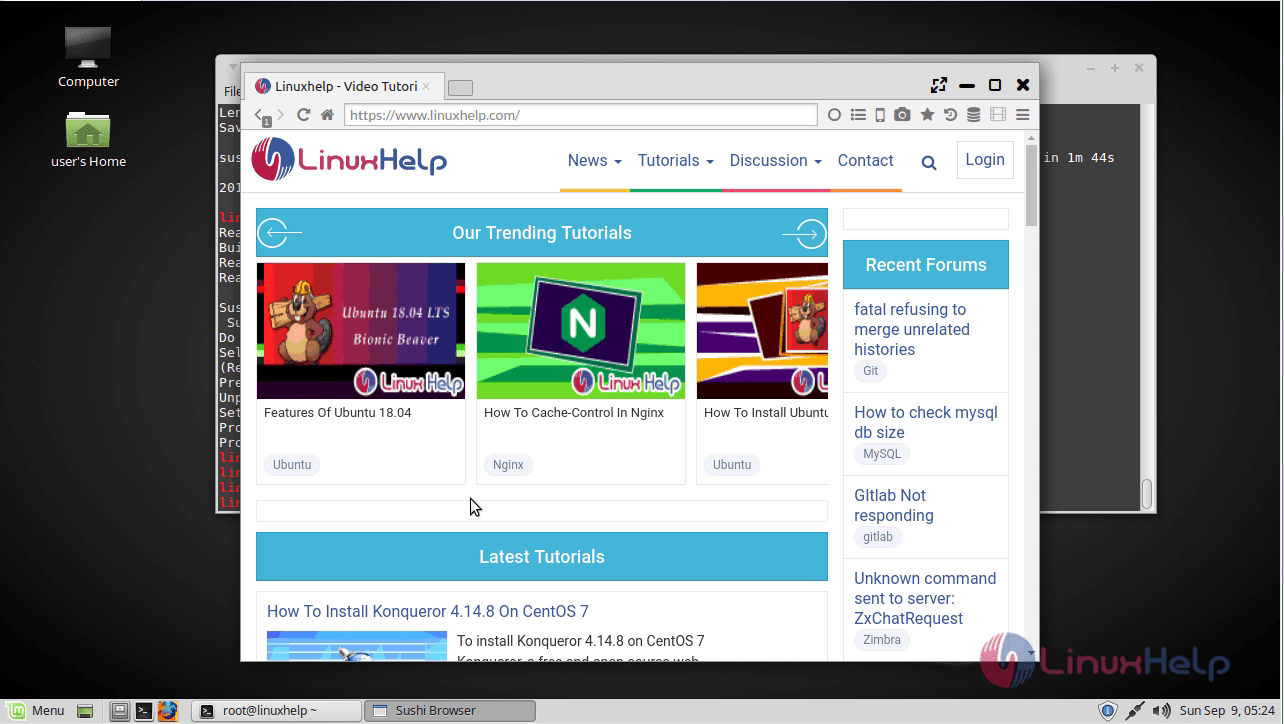
Once Installation is done you can access the sushi-browser from the Menu as shown here 1
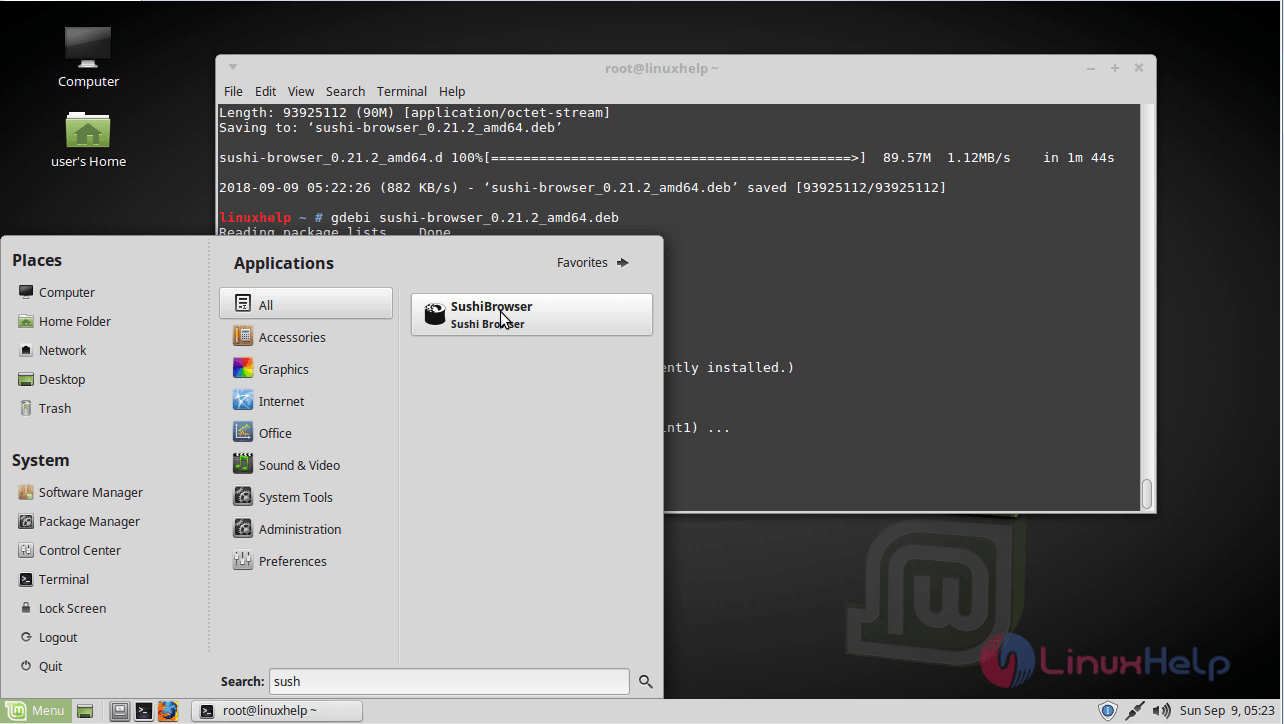
Sushi-browser application. 2

With this, the method to install Sushi-browser on Linux mint-18.03 comes to an end.

Tags:
sebastian
Author: 

Comments ( 0 )

No comments available

Add a comment
{{postCtrl.cmtErrMsg}}

Frequently asked questions ( 5 )

Q

What is the Sushi-browser?

A

Sushi Browser is a multi-panel Chromium-based browser that aims to allow maximum screen space usage.

Q

How do I change my browser language (e.g. English to Spanish)?

A

While browser language support is not a function created or administered by Avionté, it is a frequently asked question as many staffing agency applicants and employees use English as a second language.

Q

Do I need a license to install the Genome Browser or its databases on my own machine?

A

A license is required for commercial use of the Genome Browser or Blat alignment tool. No license is needed for academic, nonprofit, and personal use. The data displayed by the Genome Browser is freely available for both public and commercial use with a few exceptions. Check the README.txt file in the assembly download directory to view the use restrictions specific to that release.

Q

Where can I download the source code and executables for the Genome Browser?

A

The Genome Browser source code and executables are freely available for academic, nonprofit, and personal use (see Licensing the Genome Browser or Blat for commercial licensing requirements). The latest version of the source code may be downloaded here.

Q

Are there any minimum system requirements for setting up my own mirror?

A

There are a number of minimum software and hardware requirements that must be considered before trying to set up your own mirror. These requirements are described in detail in the README.requirements file from the source tree.

Load more

Back To Top!
Rank
User
Points

Top Contributers

userNamenaveelansari
135850

Top Contributers

userNameayanbhatti
92510

Top Contributers

userNamehamzaahmed
32150

Top Contributers

1
userNamelinuxhelp
31040

Top Contributers

userNamemuhammadali
24500
Can you help Gibbson ?
How do i run both nginx and apache in same instance on centos

Hi...,

my server is based centos operating system and my webserver is already running on Apache.... i need to run both apache and nginx on same instance ... please help me to implement this concept...

Networking
  • Routing
  • trunk
  • Netmask
  • Packet Capture
  • domain
  • HTTP Proxy
Server Setup
  • NFS
  • KVM
  • Memory
  • Sendmail
  • WebDAV
  • LXC
Shell Commands
  • Cloud commander
  • Command line archive tools
  • last command
  • Shell
  • terminal
  • Throttle
Desktop Application
  • Linux app
  • Pithos
  • Retrospect
  • Scribe
  • TortoiseHg
  • 4Images
Monitoring Tool
  • Monit
  • Apache Server Monitoring
  • EtherApe 
  • Arpwatch Tool
  • Auditd
  • Barman
Web Application
  • Nutch
  • Amazon VPC
  • FarmWarDeployer
  • Rukovoditel
  • Mirror site
  • Chef
Contact Us | Terms of Use| Privacy Policy| Disclaimer
© 2025 LinuxHelp.com All rights reserved. Linux™ is the registered trademark of Linus Torvalds. This site is not affiliated with linus torvalds in any way.