How to Install Terminator 1.91 v on Ubuntu 19.04
Installation of Terminator 1.91 v On Ubuntu 19.04
Terminator is an advanced, powerful and feature-rich terminal emulator for Linux and Unix operating systems which supports multiple resizable terminal panels in one window. It allows users to create multiple terminals in one window and arrange terminals in grids. You can change other properties such as fonts, fonts color, title color, size, terminal fonts color, terminal background color, and terminal shape, etc. This video covers the method to install terminator 1.91 version on Ubuntu 19.04
Features:
Arrange terminals as per your wish
Arrange terminals in a grid
Drag and drop re-ordering of terminals
Lots of keyboard shortcuts
Save multiple layouts and profiles via GUI preferences editor
Simultaneous typing to arbitrary groups of terminals
Terminator provides you with a find function so you can search for text and regular expressions within your terminal.
Horizontal & Vertical scrolling
Tabs supported
Installation Procedure:
Update the apt repository to update the installed packages that are in the apt repositories list.
root@linuxhelp:~# apt update
Hit:1 http://in.archive.ubuntu.com/ubuntu disco InRelease
Hit:2 http://in.archive.ubuntu.com/ubuntu disco-updates InRelease
Hit:3 http://security.ubuntu.com/ubuntu disco-security InRelease
Hit:4 http://in.archive.ubuntu.com/ubuntu disco-backports InRelease
Reading package lists... Done
Building dependency tree
Reading state information... Done
147 packages can be upgraded. Run 'apt list --upgradable' to see them.
Install the terminator by executing the following command.
root@linuxhelp:~# apt install terminator -y
Reading package lists... Done
Building dependency tree
Reading state information... Done
The following additional packages will be installed:
  gir1.2-keybinder-3.0 libkeybinder-3.0-0 python3-configobj python3-psutil
Suggested packages:
  python-configobj-doc python-psutil-doc
The following NEW packages will be installed:
  gir1.2-keybinder-3.0 libkeybinder-3.0-0 python3-configobj python3-psutil
  terminator
.
.
.
.
Processing triggers for libc-bin (2.29-0ubuntu2) ...
Processing triggers for man-db (2.8.5-2) ...
Processing triggers for desktop-file-utils (0.23-4ubuntu1) ...
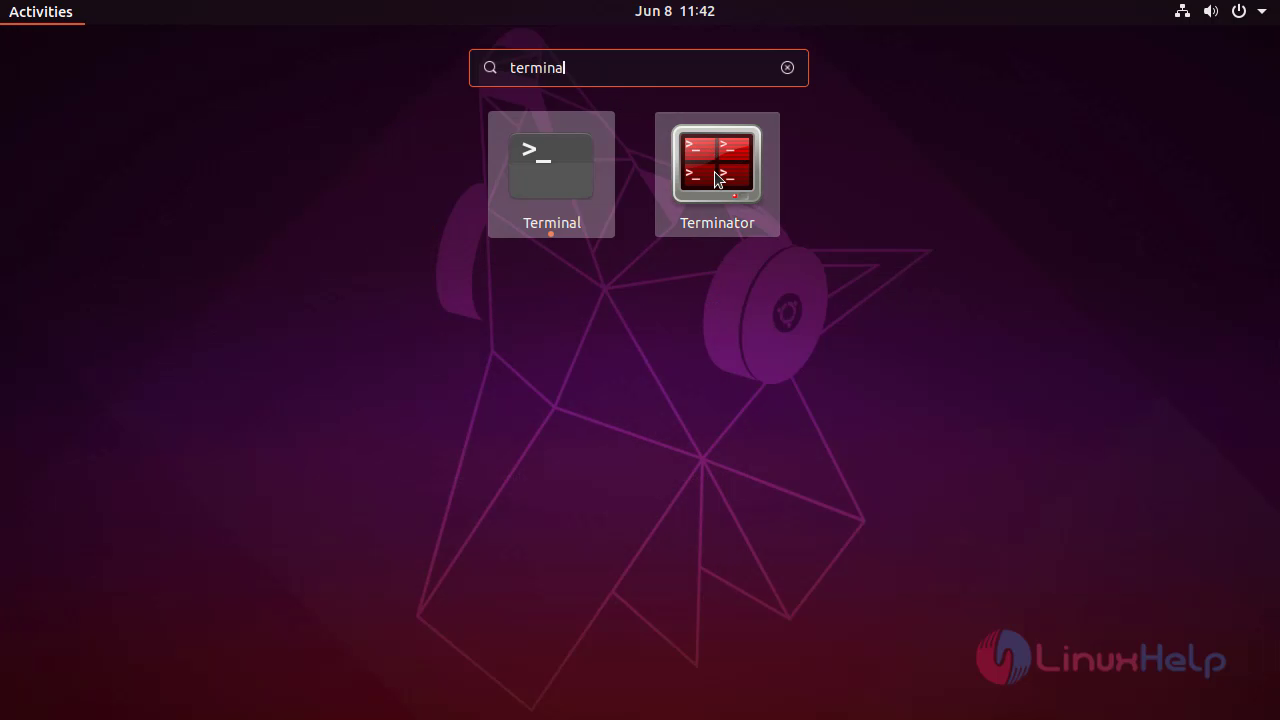
Go to activities Menu, Search for Terminator and click on the Terminator app.
Create different grids inside a single window as shown below.
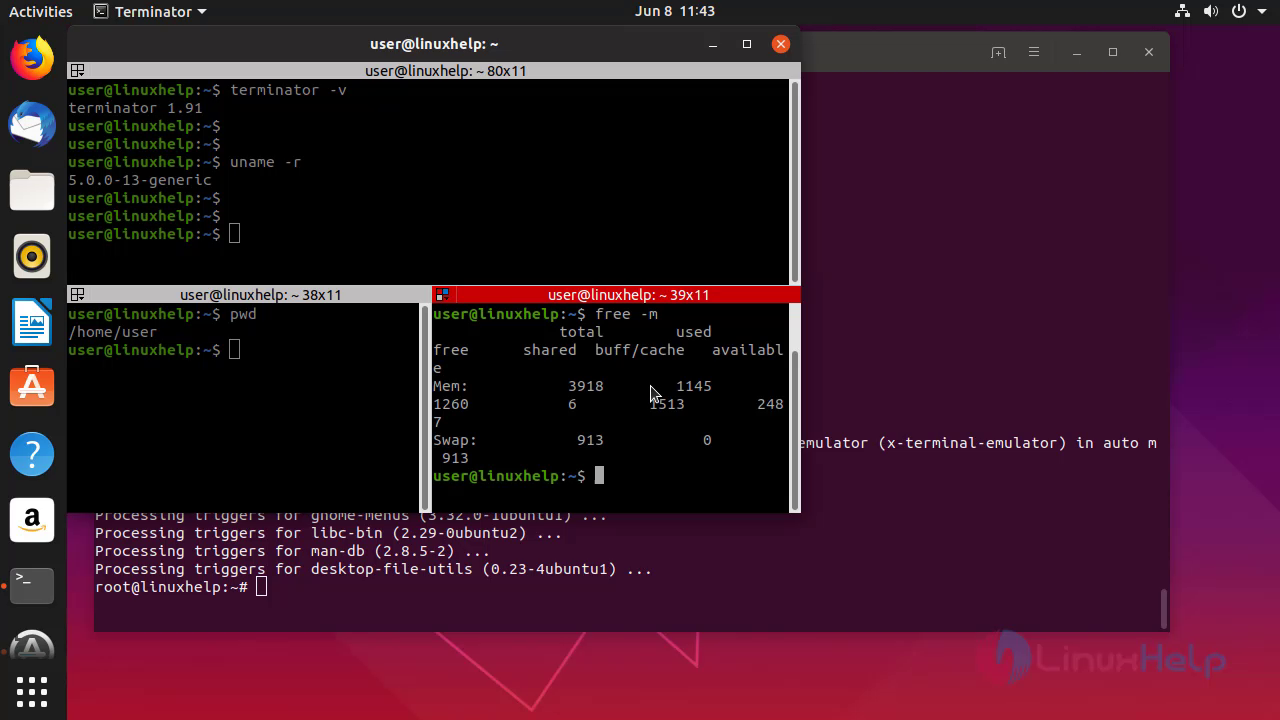
With this, the installation of Terminator 1.91 version On Ubuntu 19.04 comes to end.
Comments ( 0 )
No comments available