How to install Terminus on ubuntu-18.04
{{postValue.id}}
To install Terminus on ubuntu-18.04
Terminus is a simple to use web-based terminal that is heavily inspired by Hyper. Terminus is designed especially for people who want to get things done on time. It runs on Windows, macOS as well as Linux, and comes with various theming and color schemes.
Installation
Download the terminus application using wget command
root@linuxhelp:~# wget https://github.com/Eugeny/terminus/releases/download/v1.0.0-alpha.47/terminus_1.0.0-alpha.47_amd64.deb
--2018-05-16 19:32:30--  https://github.com/Eugeny/terminus/releases/download/v1.0.0-alpha.47/terminus_1.0.0-alpha.47_amd64.deb
Resolving github.com (github.com)... 192.30.253.113, 192.30.253.112
Connecting to github.com (github.com)|192.30.253.113|:443... connected.
HTTP request sent, awaiting response... 302 Found
Location: https://github-production-release-asset-2e65be.s3.amazonaws.com/77213120/91c52c40-586d-11e8-8df0-756cb9f7cf7a?X-Amz-Algorithm=AWS4-HMAC-SHA256& X-Amz-Credential=AKIAIWNJYAX4CSVEH53A%2F20180516%2Fus-east-1%2Fs3%2Faws4_request& X-Amz-Date=20180516T083239Z& X-Amz-Expires=300& X-Amz-Signature=5783b713eefb931ded18faff3eefebb34bccb41495c9c400934dd8d8c81bd2b3& X-Amz-SignedHeaders=host& actor_id=0& response-content-disposition=attachment%3B%20filename%3Dterminus_1.0.0-alpha.47_amd64.deb& response-content-type=application%2Foctet-stream [following]
--2018-05-16 19:32:31--  https://github-production-release-asset-2e65be.s3.amazonaws.com/77213120/91c52c40-586d-11e8-8df0-756cb9f7cf7a?X-Amz-Algorithm=AWS4-HMAC-SHA256& X-Amz-Credential=AKIAIWNJYAX4CSVEH53A%2F20180516%2Fus-east-1%2Fs3%2Faws4_request& X-Amz-Date=20180516T083239Z& X-Amz-Expires=300& X-Amz-Signature=5783b713eefb931ded18faff3eefebb34bccb41495c9c400934dd8d8c81bd2b3& X-Amz-SignedHeaders=host& actor_id=0& response-content-disposition=attachment%3B%20filename%3Dterminus_1.0.0-alpha.47_amd64.deb& response-content-type=application%2Foctet-stream
Resolving github-production-release-asset-2e65be.s3.amazonaws.com (github-production-release-asset-2e65be.s3.amazonaws.com)... 52.216.102.99
Connecting to github-production-release-asset-2e65be.s3.amazonaws.com (github-production-release-asset-2e65be.s3.amazonaws.com)|52.216.102.99|:443... connected.
HTTP request sent, awaiting response... 200 OK
Length: 45408440 (43M) [application/octet-stream]
Saving to: ‘ terminus_1.0.0-alpha.47_amd64.deb’

terminus_1.0.0-alpha.47 100%[=============================> ]  43.30M   867KB/s    in 51s

2018-05-16 19:33:24 (865 KB/s) - ‘ terminus_1.0.0-alpha.47_amd64.deb’  saved [45408440/45408440]
Install gdebi using following commands
root@linuxhelp:~# ls
terminus_1.0.0-alpha.47_amd64.deb
root@linuxhelp:~# apt-get install gdebi-core
Reading package lists... Done
Building dependency tree
Reading state information... Done

The following NEW packages will be installed

  gdebi-core
0 upgraded, 1 newly installed, 0 to remove and 28 not upgraded.
Need to get 116 kB of archives.
After this operation, 876 kB of additional disk space will be used.
Get:1 http://in.archive.ubuntu.com/ubuntu bionic/universe amd64 gdebi-core all 0.9.5.7+nmu2 [116 kB]
Fetched 116 kB in 2s (58.0 kB/s)
Selecting previously unselected package gdebi-core.
(Reading database ... 180585 files and directories currently installed.)
Preparing to unpack .../gdebi-core_0.9.5.7+nmu2_all.deb ...
Unpacking gdebi-core (0.9.5.7+nmu2) ...
Setting up gdebi-core (0.9.5.7+nmu2) ...
Processing triggers for man-db (2.8.3-2) ...
Finally, Install terminus application using gdebi as follows
root@linuxhelp:~# gdebi terminus_1.0.0-alpha.47_amd64.deb
Reading package lists... Done
Building dependency tree
Reading state information... Done
Reading state information... Done
Requires the installation of the following packages: gconf-service gconf-service-backend gconf2 gconf2-common libappindicator1 libgconf-2-4 libindicator7 libutempter0 screen tmux

A terminal for a modern age
Do you want to install the software package? [y/N]:y
Get:1 http://in.archive.ubuntu.com/ubuntu bionic/universe amd64 libindicator7 amd64 16.10.0+18.04.20180321.1-0ubuntu1 [21.7 kB]
Get:2 http://in.archive.ubuntu.com/ubuntu bionic/universe amd64 libappindicator1 amd64 12.10.1+18.04.20180322.1-0ubuntu1 [19.4 kB]
Get:3 http://in.archive.ubuntu.com/ubuntu bionic/universe amd64 gconf2-common all 3.2.6-4ubuntu1 [700 kB]
Get:4 http://in.archive.ubuntu.com/ubuntu bionic/universe amd64 libgconf-2-4 amd64 3.2.6-4ubuntu1 [84.8 kB]
.
.
.
Processing triggers for systemd (237-3ubuntu10) ...
Setting up tmux (2.6-3) ...
Processing triggers for man-db (2.8.3-2) ...
Setting up screen (4.6.2-1) ...
Setting up gconf-service (3.2.6-4ubuntu1) ...
Setting up gconf-service-backend (3.2.6-4ubuntu1) ...
Setting up gconf2 (3.2.6-4ubuntu1) ...
Processing triggers for systemd (237-3ubuntu10) ...
Processing triggers for ureadahead (0.100.0-20) ...
Selecting previously unselected package terminus.
(Reading database ... 180917 files and directories currently installed.)
Preparing to unpack terminus_1.0.0-alpha.47_amd64.deb ...
Unpacking terminus (1.0.0-alpha.47-297) ...
Setting up terminus (1.0.0-alpha.47-297) ...
Processing triggers for hicolor-icon-theme (0.17-2) ...
Processing triggers for gnome-menus (3.13.3-11ubuntu1) ...
Processing triggers for desktop-file-utils (0.23-1ubuntu3) ...
Processing triggers for mime-support (3.60ubuntu1) ...
root@linuxhelp:~#
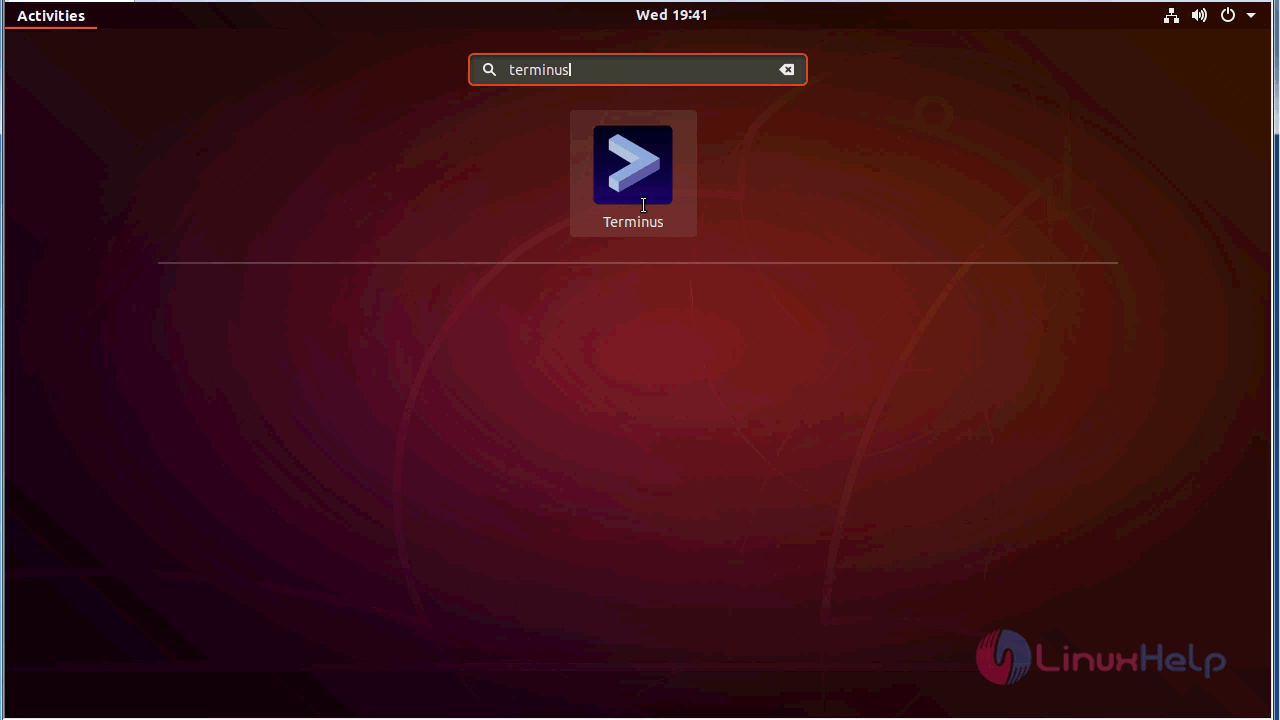
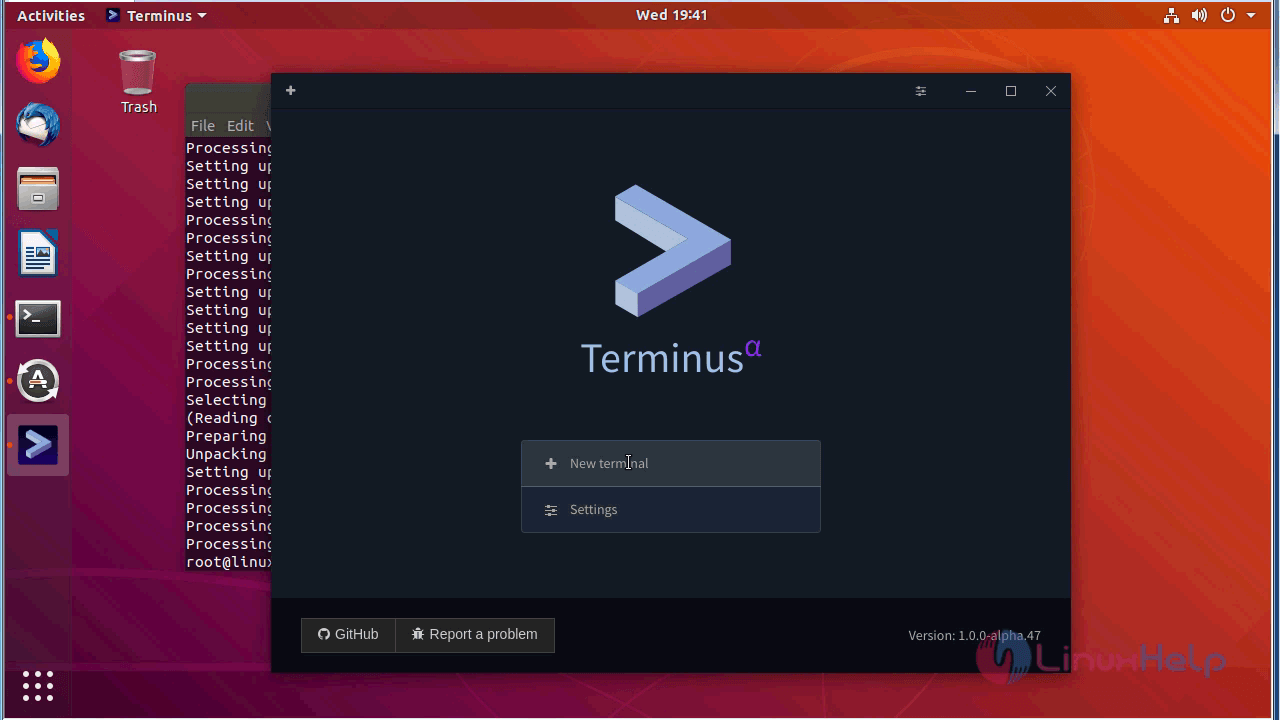
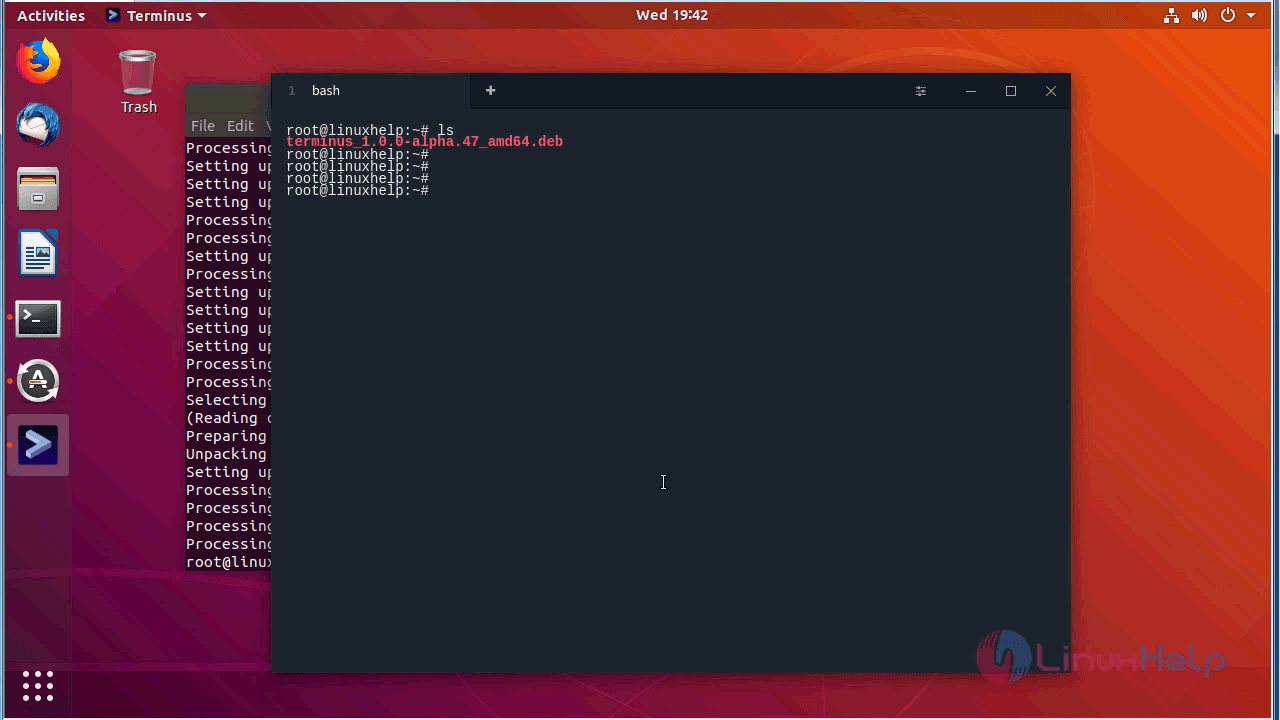
After the installation, you can access the application from the menu as follows
with this, the method to install Terminus on ubuntu-18.04 comes to an end.
Comments ( 0 )
No comments available