How to install TextAdept in Ubuntu
To install TextAdept in Ubuntu
TextAdept is a free source text editor that can be extended using Lua and it uses buffers instead of tabs. It also provides multi-lingual support with unlimited split screens. It is widely used as it supports more than 80 programming language. Installation of TextAdept is explained in this manual.
Features
It is most widely used by programmers and coders.
Supports keyboard shortcuts.
" Ctrl + b" &rarr open a new buffer
" Ctrl + Tab" &rarr switch between buffers
" Ctrl + Shift + tab" &rarr switch to the previous buffer
To install TextAdept
Run the following command to add the repository before installing the textadept.
root@linuxhelp1:~# add-apt-repository ppa:nilarimogard/webupd8
 The main Web Upd8 PPA maintained by: http://www.webupd8.org/
To add this PPA, simply paste this in a terminal:
sudo add-apt-repository ppa:nilarimogard/webupd8
Packages in this PPA: audacious, ap-hotspot, awn-applet-radio, awn-applet-wm, calise, cmus, dockbarx, dockbarx-themes-extra, dropbox-share, emerald, exaile, fbmessenger, gnome-subtitles, gnome-window-applets, grsync, grive, gthumb, launchpad-getkeys, mc, mdm (Mint Display Manager), minitunes, minitube, musique, notifyosdconfig, nautilus-columns, powertop, ppa-purge, rosa-media-player, fixed pulseaudio-equalizer, subtitleeditor, syncwall, umplayer, unity-reboot, wimlib, youtube-dl, xfce4-dockbarx-plugin, xournal, yad, yarock and others. Almost all packages are updated to their latest version.
For other (specialized) PPAs we maintain, see: https://launchpad.net/~webupd8team
 More info: https://launchpad.net/~nilarimogard/+archive/ubuntu/webupd8
Press [ENTER] to continue or ctrl-c to cancel adding it
gpg: keyring `/tmp/tmp2nxwbyzf/secring.gpg'  created
gpg: keyring `/tmp/tmp2nxwbyzf/pubring.gpg'  created
gpg: requesting key 4C9D234C from hkp server keyserver.ubuntu.com
gpg: /tmp/tmp2nxwbyzf/trustdb.gpg: trustdb created
gpg: key 4C9D234C: public key " Launchpad webupd8"  imported
gpg: Total number processed: 1
gpg:               imported: 1  (RSA: 1)
OK
Run the following command to update the newly added repository.
root@linuxhelp1:~# apt-get update
Hit:1 http://in.archive.ubuntu.com/ubuntu xenial InRelease
Get:2 http://ppa.launchpad.net/nilarimogard/webupd8/ubuntu xenial InRelease [17.5 kB]
Hit:3 http://security.ubuntu.com/ubuntu xenial-security InRelease
Hit:4 http://in.archive.ubuntu.com/ubuntu xenial-updates InRelease
Hit:5 http://in.archive.ubuntu.com/ubuntu xenial-backports InRelease
Ign:6 http://download.opensuse.org/repositories/home:/Horst3180/xUbuntu_16.04  InRelease
Hit:7 http://ppa.launchpad.net/ubuntu-desktop/ubuntu-make/ubuntu xenial InRelease
Hit:8 http://download.opensuse.org/repositories/home:/Horst3180/xUbuntu_16.04  Release
Get:9 http://ppa.launchpad.net/nilarimogard/webupd8/ubuntu xenial/main amd64 Packages [25.6 kB]
Get:10 http://download.opensuse.org/repositories/home:/Horst3180/xUbuntu_16.04  Release.gpg [481 B]
Get:11 http://ppa.launchpad.net/nilarimogard/webupd8/ubuntu xenial/main i386 Packages [25.6 kB]
Get:12 http://ppa.launchpad.net/nilarimogard/webupd8/ubuntu xenial/main Translation-en [19.2 kB]
Fetched 88.5 kB in 2s (43.2 kB/s)
Reading package lists... Done
Then install the textadept by running the following command.
root@linuxhelp1:~# apt-get install textadept -y
Reading package lists... Done
Building dependency tree
Reading state information... Done
The following packages were automatically installed and are no longer required:
  python3-argcomplete python3-gnupg python3-progressbar python3-yaml
Use ' sudo apt autoremove'  to remove them.
Suggested packages:
  textadept-default-cli
The following NEW packages will be installed:
  textadept
0 upgraded, 1 newly installed, 0 to remove and 10 not upgraded.
Need to get 7,080 B of archives.
After this operation, 76.8 kB of additional disk space will be used.
Get:1 http://ppa.launchpad.net/nilarimogard/webupd8/ubuntu xenial/main amd64 textadept all 8.7-1~webupd8~0 [7,080 B]
Fetched 7,080 B in 0s (12.6 kB/s)
Preconfiguring packages ...
Selecting previously unselected package textadept.
(Reading database ... 211661 files and directories currently installed.)
Preparing to unpack .../textadept_8.7-1~webupd8~0_all.deb ...
.
.
.
textadept_8.7.x86_64/modules/ansi_c/
textadept_8.7.x86_64/modules/ansi_c/api
textadept_8.7.x86_64/modules/ansi_c/tags
textadept_8.7.x86_64/modules/ansi_c/init.lua
textadept_8.7.x86_64/modules/ansi_c/lua_api
textadept_8.7.x86_64/modules/ansi_c/lua_tags
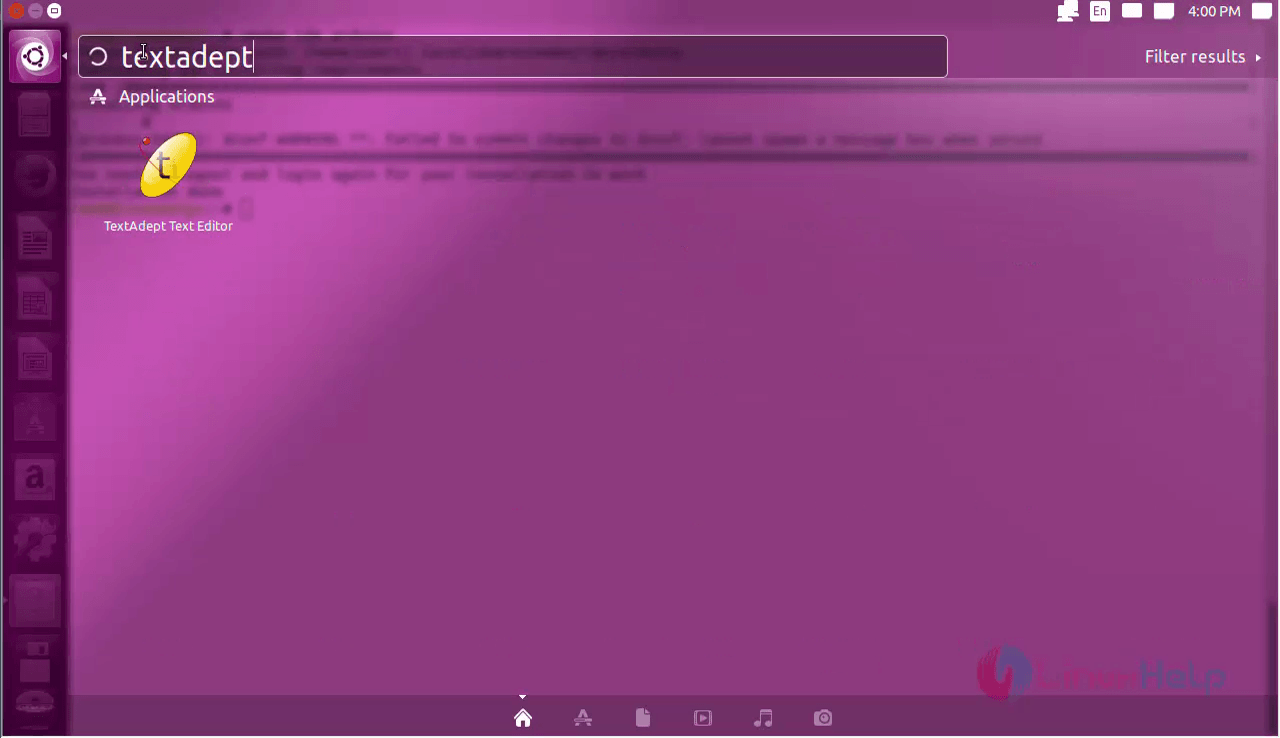
Open the textadept form the unity dash by searching the icon.
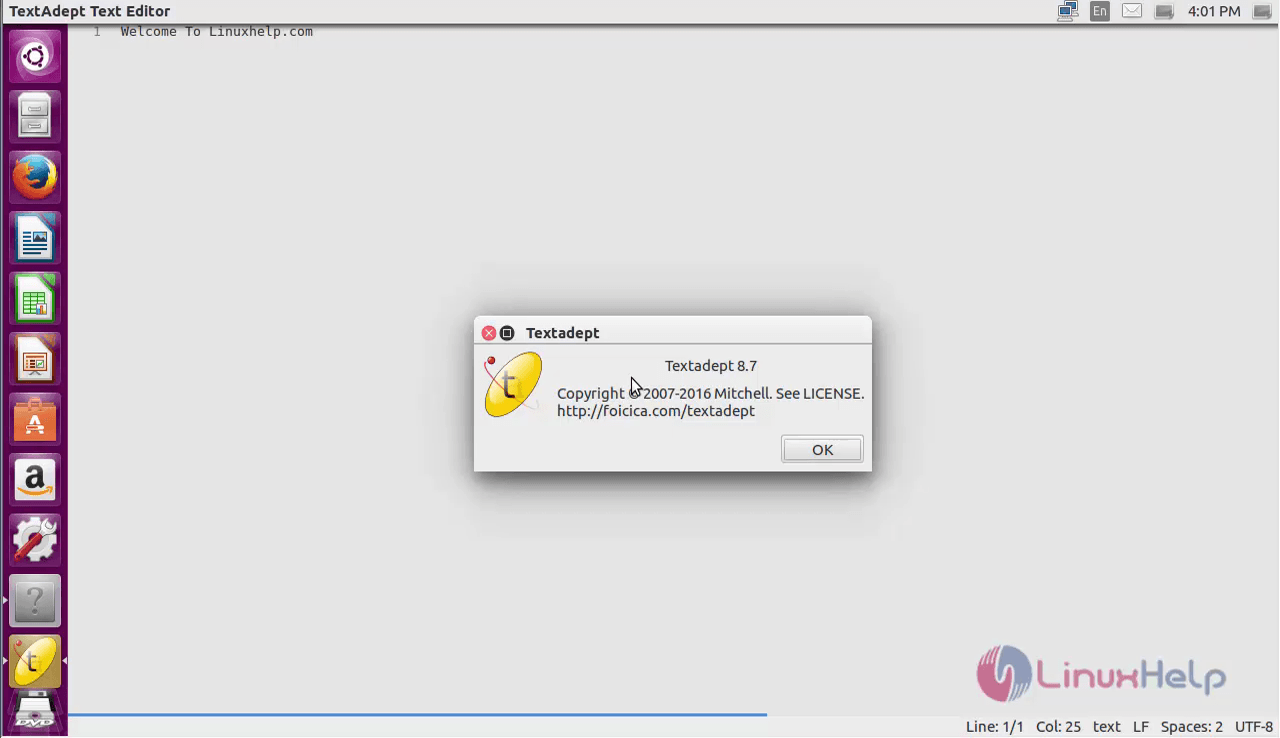
Now the textadept is ready to use.
To remove the TextAdept
Run the following command to remove the textadept
root@linuxhelp1:~# apt-get remove textadept -y
Reading package lists... Done
Building dependency tree
Reading state information... Done
The following packages were automatically installed and are no longer required:
  python3-argcomplete python3-gnupg python3-progressbar python3-yaml
Use ' sudo apt autoremove'  to remove them.
The following packages will be REMOVED:
  textadept
0 upgraded, 0 newly installed, 1 to remove and 10 not upgraded.
After this operation, 76.8 kB disk space will be freed.
(Reading database ... 211666 files and directories currently installed.)
Removing textadept (8.7-1~webupd8~0) ...
Processing triggers for hicolor-icon-theme (0.15-0ubuntu1) ...
Processing triggers for bamfdaemon (0.5.3~bzr0+16.04.20160701-0ubuntu1) ...
Rebuilding /usr/share/applications/bamf-2.index...
Processing triggers for gnome-menus (3.13.3-6ubuntu3.1) ...
Processing triggers for desktop-file-utils (0.22-1ubuntu5) ...
Processing triggers for mime-support (3.59ubuntu1) ...
Comments ( 0 )
No comments available