How to install Textpattern CMS- 4.6.2 on Ubuntu – 17.04
How to install Textpattern CMS- 4.6.2 on Ubuntu &ndash 17.04
Textpattern is a free open source software for web developers, designers, and bloggers to publish their content with an easy web interface.you can easily create, edit and publish contents on your site. Textpattern CMS is also lightweight as it will only consume very little space in memory and disk. It contains features like conversion of plain text to XHTML code, tag-based template system, built-in site statistics and separation of content from presentation. In this tutorial, the method to install Textpattern CMS 4.6.2 on Ubuntu 17.04.
Prerequisites
Textpattern CMS requires a webserver to functionally based on LAMP setup on your system and also with following required PHP modules.
apt-get install php-mysql php-curl php-json php-cgi php libapache2-mod-php php-mcrypt php-xmlrpc php-gd php-mbstring php php-common php-xmlrpc php-soap php-xml php-intl php-cli php-ldap php-zip php-readline php-imap php-tidy php-recode php-sqlite3 php-xdebug php-gettext php-dev php-pear php-memcache php-memcached php-bz2
Let' s start with updating the system repositories
root@linuxhelp1:~# apt-get update
Hit:1 http://old-releases.ubuntu.com/ubuntu zesty InRelease
Hit:2 http://old-releases.ubuntu.com/ubuntu zesty-updates InRelease
Hit:3 http://old-releases.ubuntu.com/ubuntu zesty-backports InRelease
Hit:4 http://old-releases.ubuntu.com/ubuntu zesty-security InRelease
Reading package lists... Done
Create a database for Textpattern cms
root@linuxhelp1:~# mysql -u root -p
Enter password:
Welcome to the MariaDB monitor.  Commands end with   or g.
Your MariaDB connection id is 11
Server version: 10.1.25-MariaDB- Ubuntu 17.04

Copyright (c) 2000, 2017, Oracle, MariaDB Corporation Ab and others.

Type ' help '  or ' h'  for help. Type ' c'  to clear the current input statement.

MariaDB [(none)]>  create database textpattern
Query OK, 1 row affected (0.00 sec)

MariaDB [(none)]>  grant all privileges on textpattern.* to ' textuser' @' localhost'  identified by ' 123'
Query OK, 0 rows affected (0.01 sec)

MariaDB [(none)]>  flush privileges
Query OK, 0 rows affected (0.00 sec)

MariaDB [(none)]>  exit
Bye
Next, we have to download and install text pattern cms in my case I have already downloaded it so let' s navigate to the download location
root@linuxhelp1:~# cd /home/user/Downloads/
we have to extract the file to proceed further
root@linuxhelp1:/home/user/Downloads# tar -zxvf textpattern-4.6.2.tar.gz
textpattern-4.6.2/
textpattern-4.6.2/.htaccess
textpattern-4.6.2/css.php
textpattern-4.6.2/files/
textpattern-4.6.2/HISTORY.txt
textpattern-4.6.2/images/
textpattern-4.6.2/index.php
textpattern-4.6.2/LICENSE-BSD-3.txt
textpattern-4.6.2/LICENSE-LESSER.txt
textpattern-4.6.2/LICENSE.txt
.
.
textpattern-4.6.2/sites/site1/private/config-dist.php
textpattern-4.6.2/sites/site1/admin/admin-themes
textpattern-4.6.2/sites/site1/admin/index.php
textpattern-4.6.2/sites/site1/admin/setup/
textpattern-4.6.2/sites/site1/admin/textpattern.css
textpattern-4.6.2/sites/site1/admin/textpattern.js
textpattern-4.6.2/sites/site1/admin/vendors
textpattern-4.6.2/sites/site1/admin/setup/index.php
textpattern-4.6.2/rpc/index.php
textpattern-4.6.2/rpc/TXP_RPCServer.php
textpattern-4.6.2/files/.htaccess-dist
move the file to the Apache HTML directory
root@linuxhelp1:/home/user/Downloads# mv textpattern-4.6.2 /var/www/ textpattern
And then switch to the directory
root@linuxhelp1:/home/user/Downloads# cd /var/www/
We have to change the ownership and permission of the Textpattern directory
root@linuxhelp1:/var/www# chown -R www-data.www-data textpattern
root@linuxhelp1:/var/www# chmod -R 755 textpattern
make the configuration in the php.ini file
root@linuxhelp1:/var/www# vim /etc/php/7.0/apache2/php.ini
[..]
Memory_limit = On
upload_max_filesize = 100M
max_execution_time = 360
date.timezone = Asia/Kolkata
[..]
create virtualhost for the Textpattern cms
root@linuxhelp1:/var/www# vim /etc/apache2/sites-available/text.conf
< VirtualHost *:80>
ServerName www.linuxhelp1.com
DocumentRoot /var/www/textpattern/

< Directory /var/www/textpattern/>
AllowOverride All
allow from all
< /Directory>

< /VirtualHost>
Enable the site access by using the following command
root@linuxhelp1:/var/www# a2ensite text.conf

Enabling site text.
To activate the new configuration, you need to run:
  systemctl reload apache2
enable the rewrite module
root@linuxhelp1:/var/www# a2enmod rewrite
Enabling module rewrite.
To activate the new configuration, you need to run:
  systemctl restart apache2
And also we need to disable the default site access
root@linuxhelp1:/var/www# a2dissite 000-default.conf
Site 000-default disabled.
To activate the new configuration, you need to run:
  systemctl reload apache2
Finally, restart the apache2 service to make the changes effect
root@linuxhelp1:/var/www# systemctl restart apache2
now we can continue the post-installation from the browser by navigating to the following URL http://local IP (or) domain name
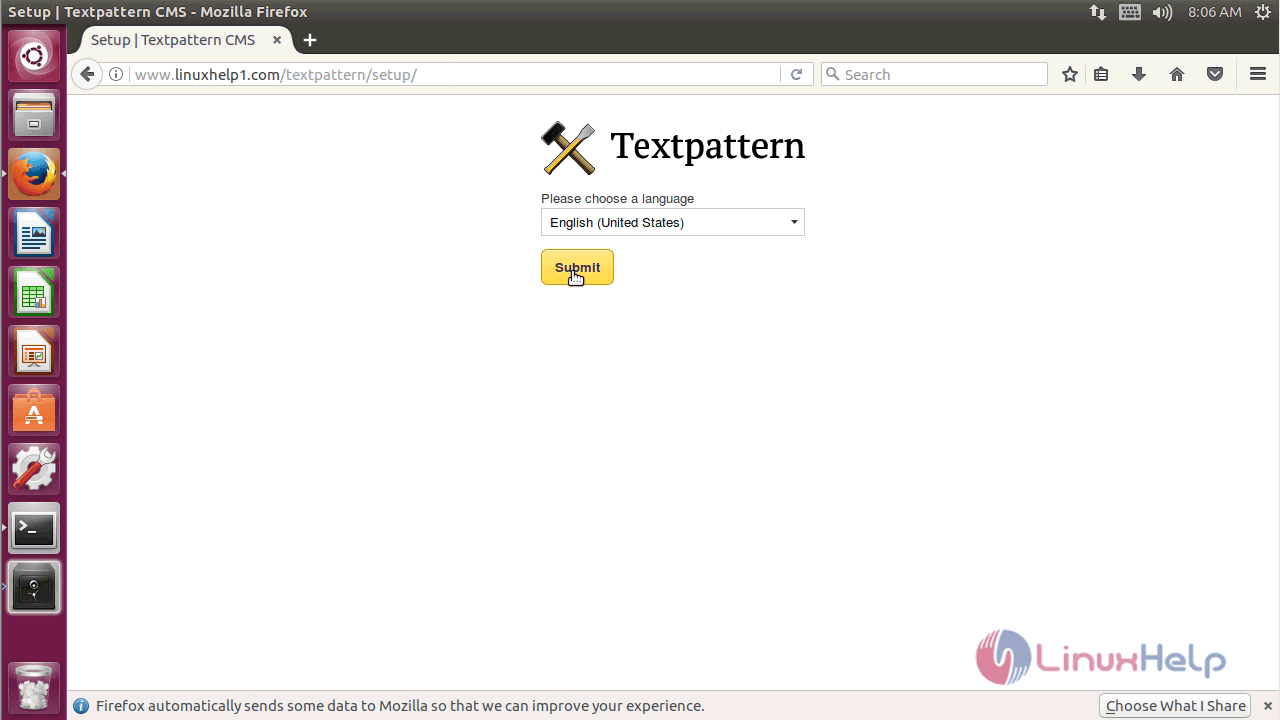
start the installation by choosing the language for the installation
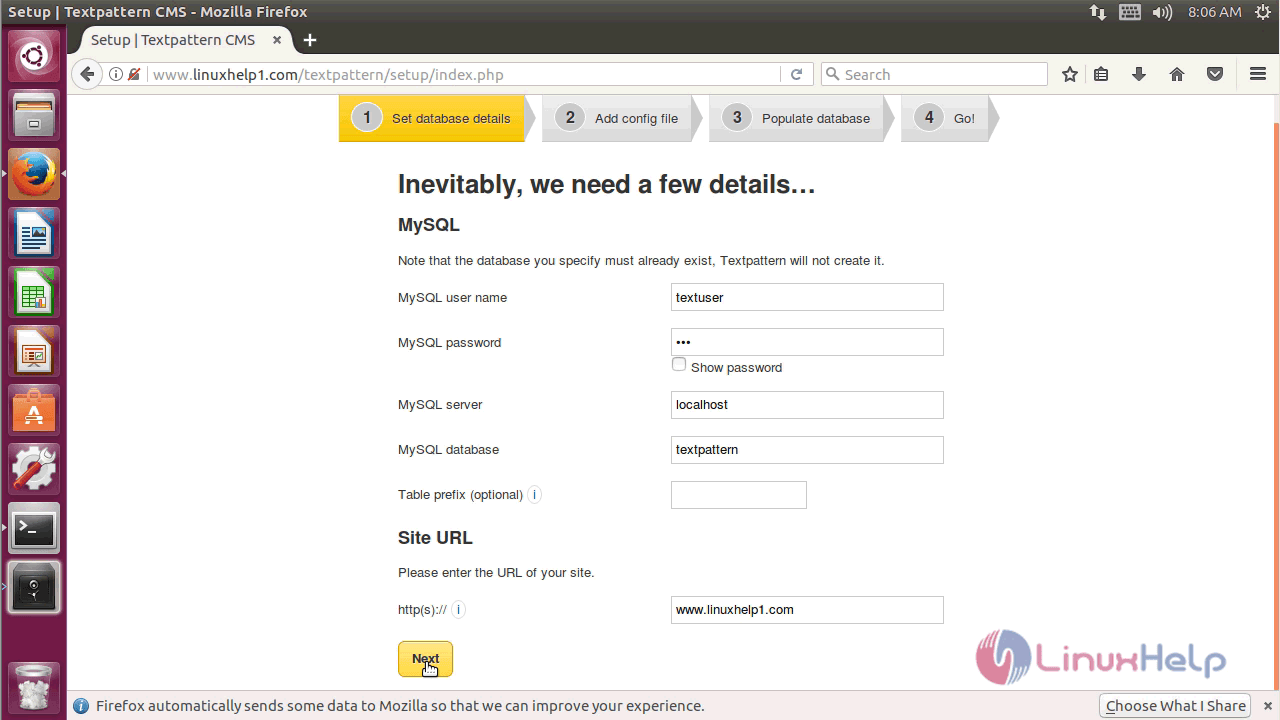
Configure the database details
Verify the status of the database connection
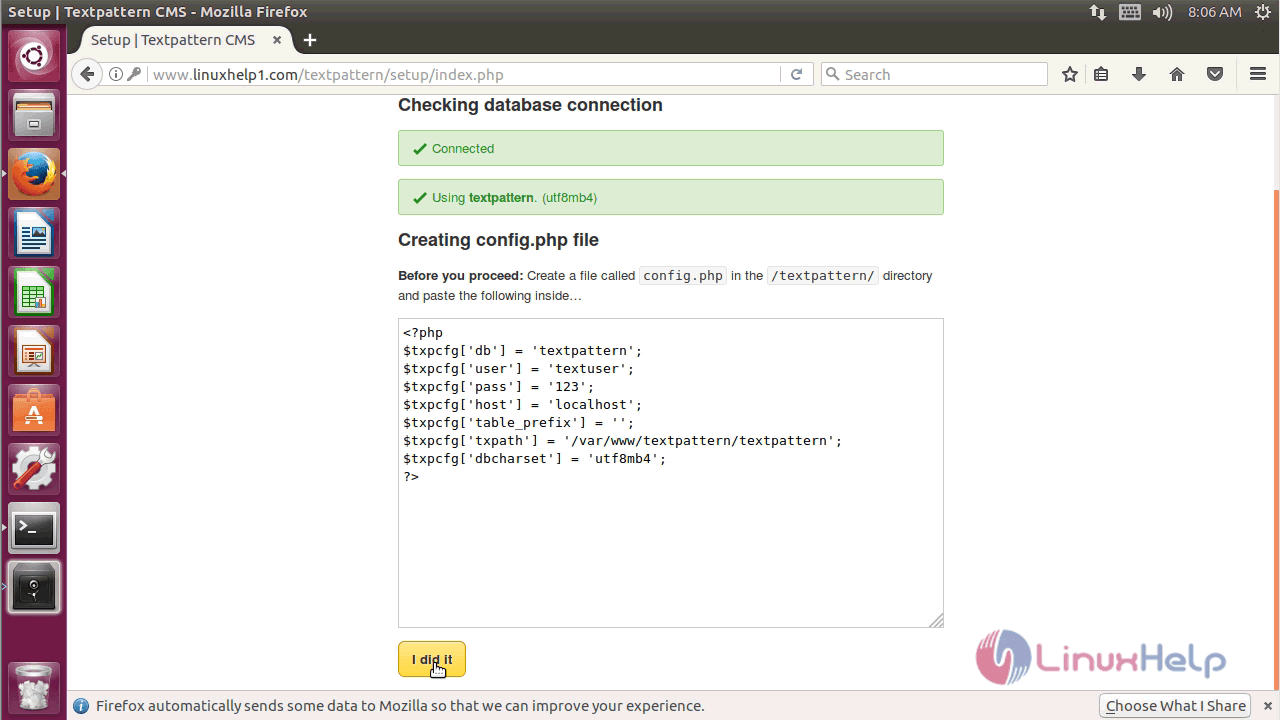
Next, you may face the PHP config errors so you need to resolve those errors by creating pasting the below contents in a config.php file
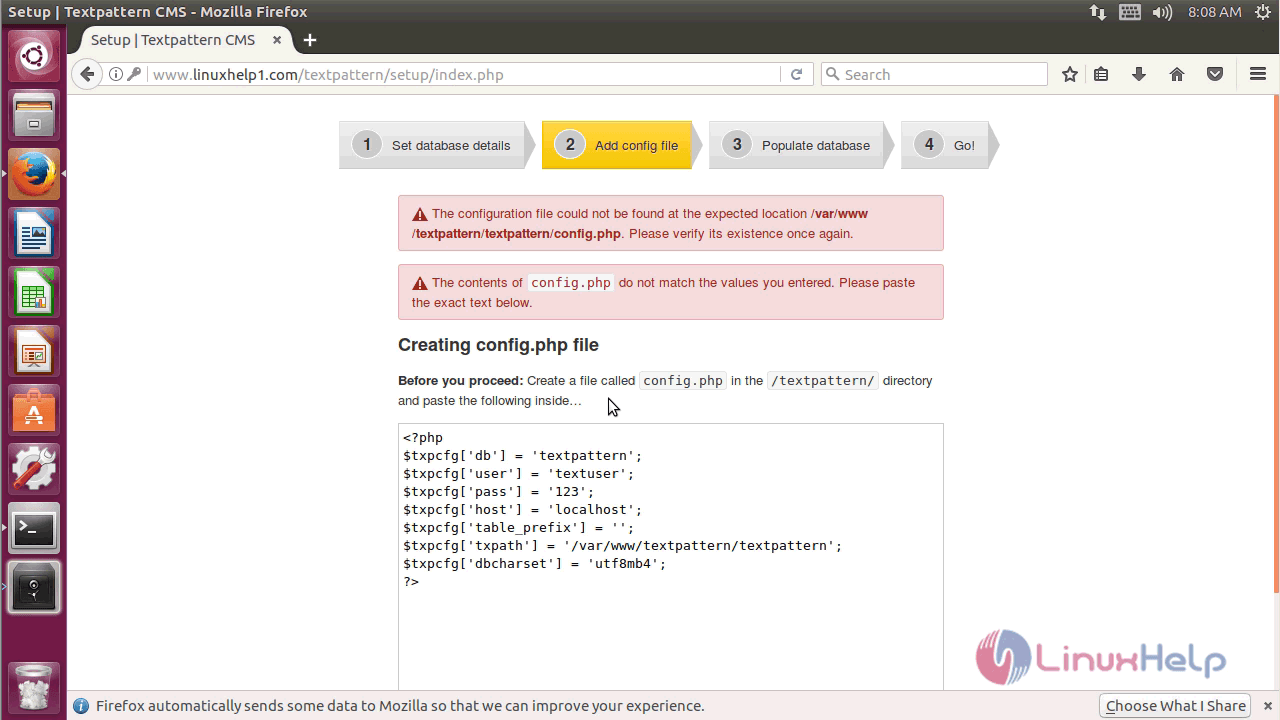
so switch to the Textpattern directory and create a config.php file
root@linuxhelp1:/var/www# cd textpattern/ textpattern/
create the config.php file inside the “ /var/www/textpattern/textpattern/” directory
root@linuxhelp1:/var/www/textpattern/textpattern# vim config.php
< ?php
$txpcfg[' db' ] = ' textpattern'
$txpcfg[' user' ] = ' textuser'
$txpcfg[' pass' ] = ' 123'
$txpcfg[' host' ] = ' localhost'
$txpcfg[' table_prefix' ] = ' '
$txpcfg[' txpath' ] = ' /var/www/textpattern/textpattern'
$txpcfg[' dbcharset' ] = ' utf8mb4'
?>
restart the apache2 service to make the changes effect
root@linuxhelp1:/var/www/textpattern/textpattern# systemctl restart apache2
configure the database tables and give the detail of Admin user
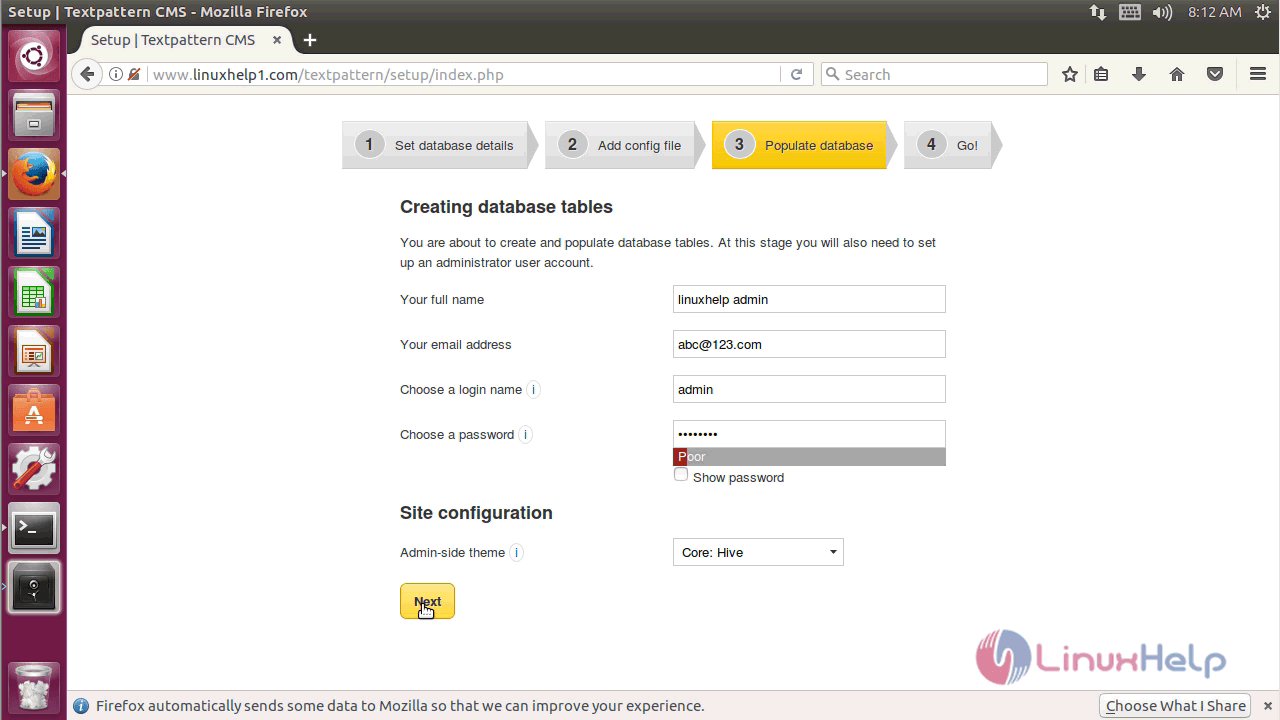
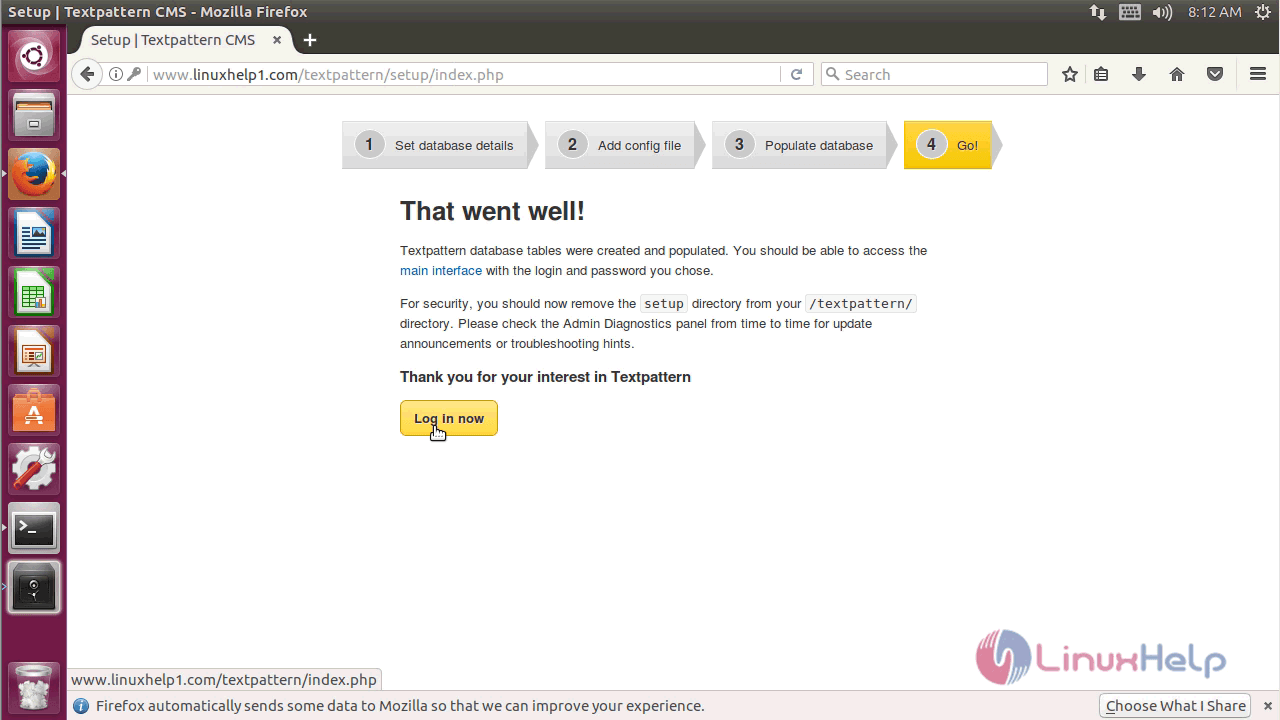
AT next screen you will see the configuration completion message. you can log in now
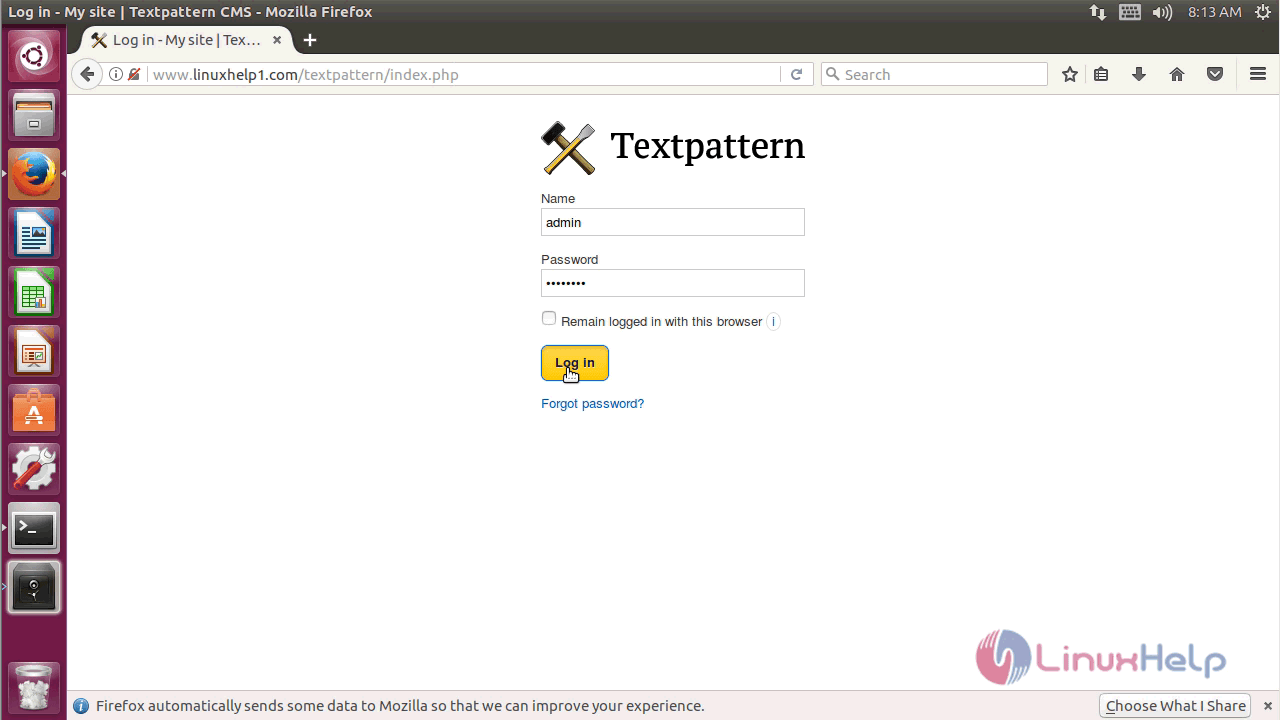
login with the Admin user credential
open the textpattern site using this you can develop the contents of your site from here.
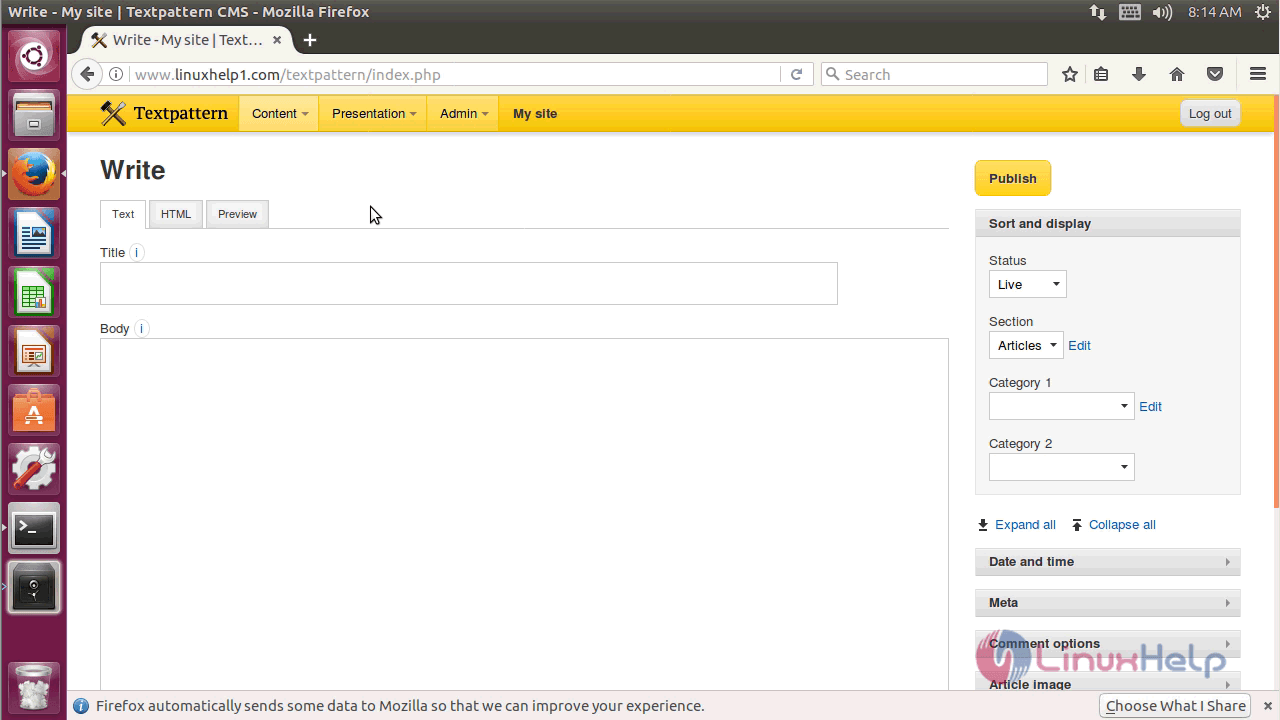
with this, the method to install Textpattern CMS- 4.6.2 on Ubuntu &ndash 17.04 comes to an end
Comments ( 0 )
No comments available