How to install Textpattern CMS in CentOS
Install Textpattern CMS with CentOS 7
Textpattern is a content management systems which is a free source. It is composed of a rich features to create a well refined and powerful website. Installation of Textpattern CMS is explained in this article.
Features
- Coding knowledge is not mandatory.
- Plain text can be easily converted into XHTML code.
- Design and security
- Easy management
To install Textpattern CMS
Utilise the following command to install the mariadb and mariadb-server.
[root@linuxhelp1 ~]# yum install mariadb mariadb-server -y
Loaded plugins: fastestmirror, langpacks
Loading mirror speeds from cached hostfile
 * base: mirror.nbrc.ac.in
 * extras: mirror.nbrc.ac.in
 * updates: mirror.nbrc.ac.in
Resolving Dependencies
-->  Running transaction check
--->  Package mariadb.x86_64 1:5.5.47-1.el7_2 will be installed
--->  Package mariadb-server.x86_64 1:5.5.47-1.el7_2 will be installed
-->  Finished Dependency Resolution
.
.
.
Installed:
 mariadb.x86_64 1:5.5.47-1.el7_2                              mariadb-server.x86_64 1:5.5.47-1.el7_2

Complete!
Install the web server by running the following command.
[root@linuxhelp1 ~]# yum install httpd -y
Loaded plugins: fastestmirror, langpacks
Loading mirror speeds from cached hostfile
 * base: mirror.nbrc.ac.in
 * extras: mirror.nbrc.ac.in
 * updates: mirror.nbrc.ac.in
Resolving Dependencies
-->  Running transaction check
--->  Package httpd.x86_64 0:2.4.6-40.el7.centos.4 will be installed
-->  Finished Dependency Resolution
.
.
.
Installed:
  httpd.x86_64 0:2.4.6-40.el7.centos.4

Complete!
Start and enable the apache and mariadb services.
[root@linuxhelp1 ~]# systemctl start mariadb
[root@linuxhelp1 ~]# systemctl enable mariadb
Created symlink from /etc/systemd/system/multi-user.target.wants/mariadb.service to /usr/lib/systemd/system/mariadb.service.
[root@linuxhelp1 ~]# systemctl start httpd
[root@linuxhelp1 ~]# systemctl enable httpd
Created symlink from /etc/systemd/system/multi-user.target.wants/httpd.service to /usr/lib/systemd/system/httpd.service.
Create a mysql admin password and database as follows.
[root@linuxhelp1 ~]# mysqladmin -u root password linuxc
[root@linuxhelp1 ~]# mysql -u root -p
Enter password:
Welcome to the MariaDB monitor.  Commands end with   or g.
Your MariaDB connection id is 3
Server version: 5.5.47-MariaDB MariaDB Server

Copyright (c) 2000, 2015, Oracle, MariaDB Corporation Ab and others.

Type ' help '  or ' h'  for help. Type ' c'  to clear the current input statement.

MariaDB [(none)]>  create database linuxhelp
Query OK, 1 row affected (0.02 sec)

MariaDB [(none)]>  create user ' user1' @' localhost'  identified by ' linuxc'
Query OK, 0 rows affected (0.00 sec)

MariaDB [(none)]>  grant all on linuxhelp.* to ' user1' @' localhost'
Query OK, 0 rows affected (0.02 sec)

MariaDB [(none)]>  flush privileges
Query OK, 0 rows affected (0.00 sec)

MariaDB [(none)]>  exit
Bye
Install the required packages for the cms
[root@linuxhelp1 ~]# yum install php php-pdo php-common php-mbstring php-mysql -y
Loaded plugins: fastestmirror, langpacks
Loading mirror speeds from cached hostfile
 * base: mirror.nbrc.ac.in
 * extras: mirror.nbrc.ac.in
 * updates: mirror.nbrc.ac.in
Resolving Dependencies
-->  Running transaction check
--->  Package php.x86_64 0:5.4.16-36.1.el7_2.1 will be installed
-->  Processing Dependency: php-cli(x86-64) = 5.4.16-36.1.el7_2.1 for package: php-5.4.16-36.1.el7_2.1.x86_64
--->  Package php-common.x86_64 0:5.4.16-36.1.el7_2.1 will be installed
.
.
.
Installed:
  php.x86_64 0:5.4.16-36.1.el7_2.1          php-common.x86_64 0:5.4.16-36.1.el7_2.1    php-mbstring.x86_64 0:5.4.16-36.1.el7_2.1
  php-mysql.x86_64 0:5.4.16-36.1.el7_2.1    php-pdo.x86_64 0:5.4.16-36.1.el7_2.1

Dependency Installed:
  php-cli.x86_64 0:5.4.16-36.1.el7_2.1

Complete!
Download the package for the cms
[root@linuxhelp1 ~]# cd /tmp
[root@linuxhelp1 tmp]# wget http://textpattern.com/latest.zip
--2016-07-20 10:56:14--  http://textpattern.com/latest.zip
Resolving textpattern.com (textpattern.com)... 37.153.96.164
Connecting to textpattern.com (textpattern.com)|37.153.96.164|:80... connected.
HTTP request sent, awaiting response... 302 Found
Location: http://textpattern.com/file_download/99/textpattern-4.5.7.zip [following]
--2016-07-20 10:56:14--  http://textpattern.com/file_download/99/textpattern-4.5.7.zip
Reusing existing connection to textpattern.com:80.
HTTP request sent, awaiting response... 200 OK
Length: unspecified [application/octet-stream]
Saving to: ‘ latest.zip’
[                                                 < =>                                       ] 6,18,715    45.9KB/s   in 17s

2016-07-20 10:56:31 (35.9 KB/s) - ‘ latest.zip’  saved [618715]
Extract the downloaded package.
[root@linuxhelp1 tmp]# unzip latest.zip -d /var/www/html/
Archive:  latest.zip
   creating: /var/www/html/textpattern-4.5.7/
  inflating: /var/www/html/textpattern-4.5.7/HISTORY.txt
   creating: /var/www/html/textpattern-4.5.7/textpattern/
   creating: /var/www/html/textpattern-4.5.7/textpattern/lang/
  inflating: /var/www/html/textpattern-4.5.7/textpattern/lang/en-gb.txt
  inflating: /var/www/html/textpattern-4.5.7/textpattern/lang/README
.
.
.
  inflating: /var/www/html/textpattern-4.5.7/js/css3-mediaqueries.js
  inflating: /var/www/html/textpattern-4.5.7/js/html5shiv.js
  inflating: /var/www/html/textpattern-4.5.7/index.php
  inflating: /var/www/html/textpattern-4.5.7/css.php
Changes with permissions and ownership by using the following command.
[root@linuxhelp1 tmp]# chown -R apache.apache /var/www/html/textpattern-4.5.7/
Move the contents that are present inside the textpattern.
[root@linuxhelp1 textpattern]# mv * /var/www/html/
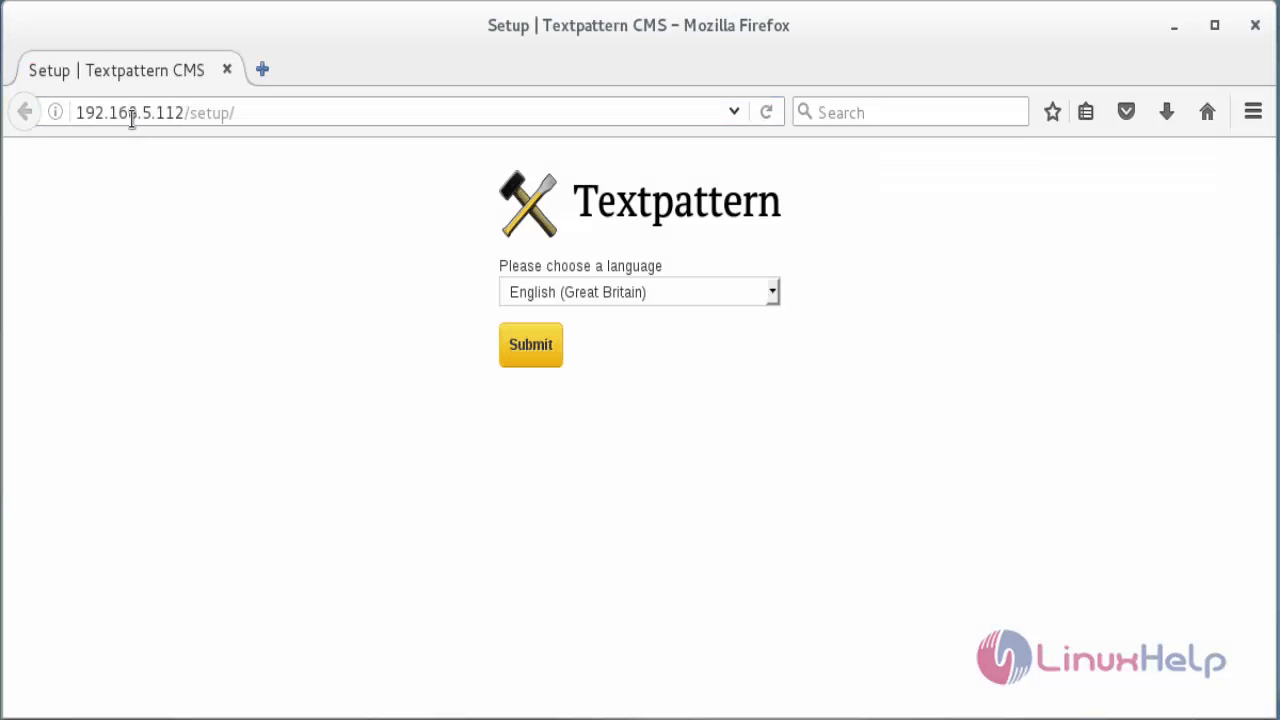
Open the browser and navigate to http://< IP_address> /setup/
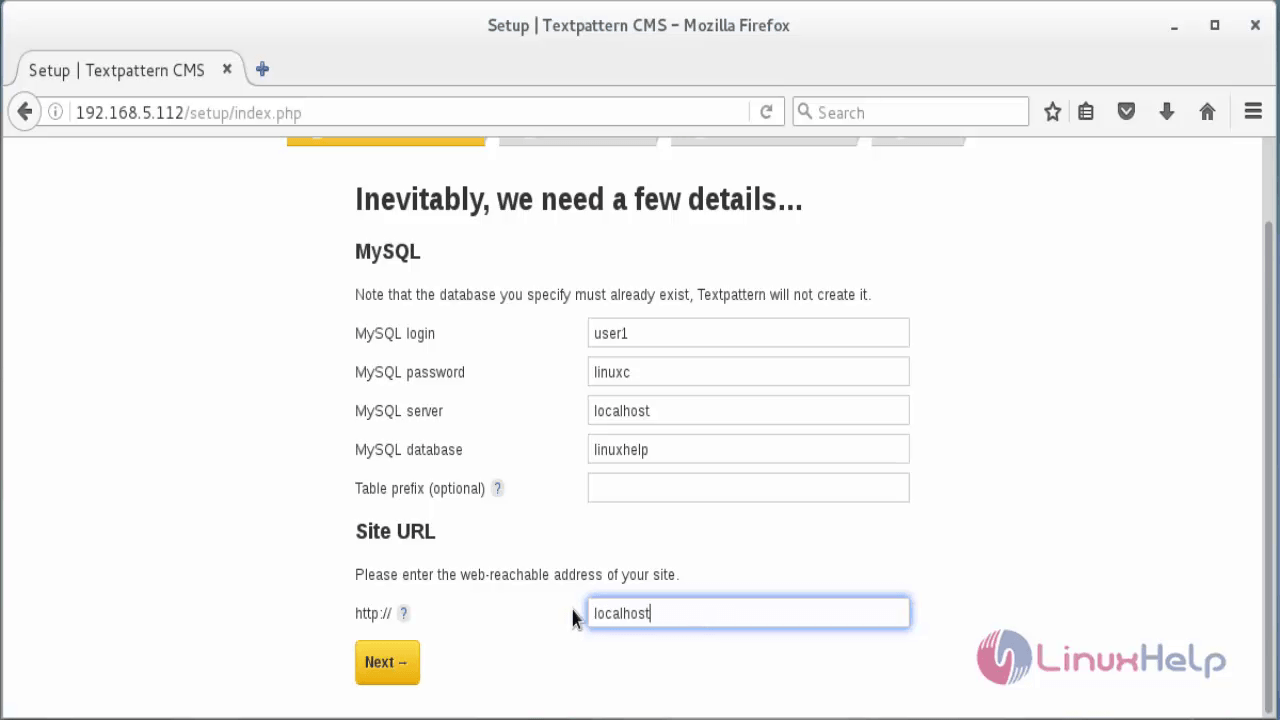
Enter the database details.
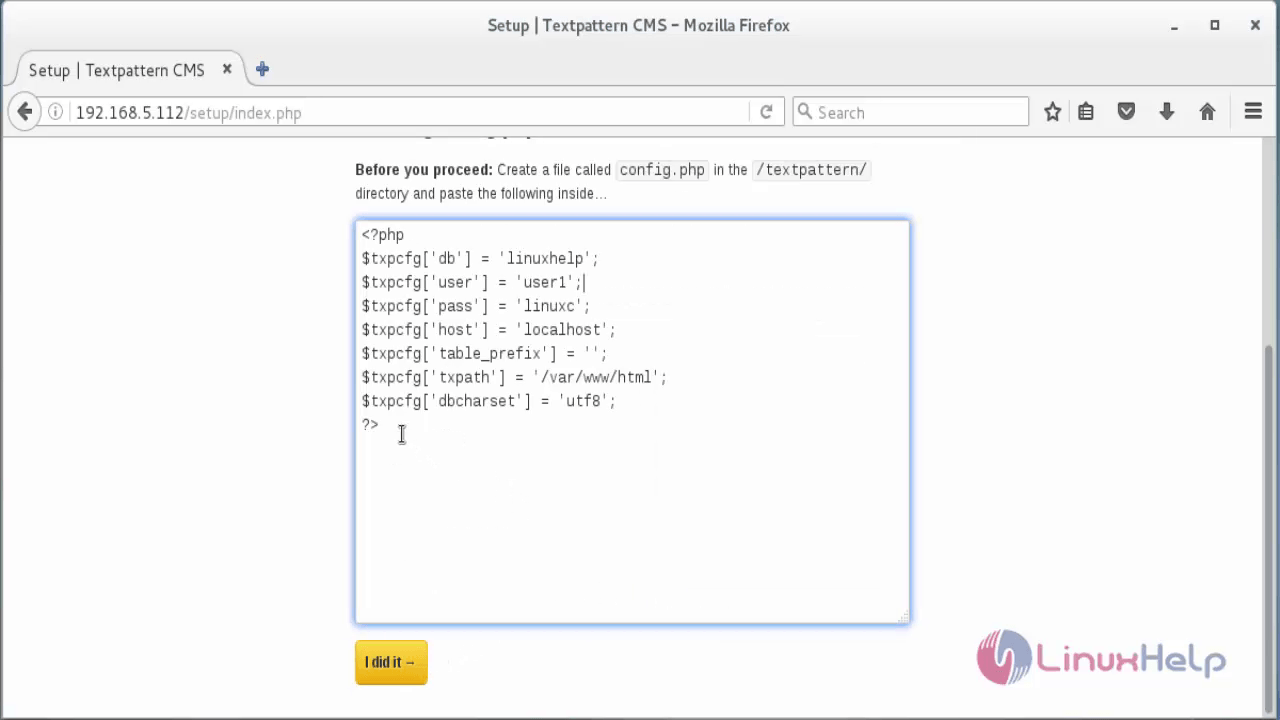
Now create a new file called config .php and paste the above code.
[root@linuxhelp1 html]# vim config.php
< ?php
$txpcfg[' db' ] = ' linuxhelp'
$txpcfg[' user' ] = ' user1'
$txpcfg[' pass' ] = ' linuxc'
$txpcfg[' host' ] = ' localhost'
$txpcfg[' table_prefix' ] = ' '
$txpcfg[' txpath' ] = ' /var/www/html'
$txpcfg[' dbcharset' ] = ' utf8'
?>
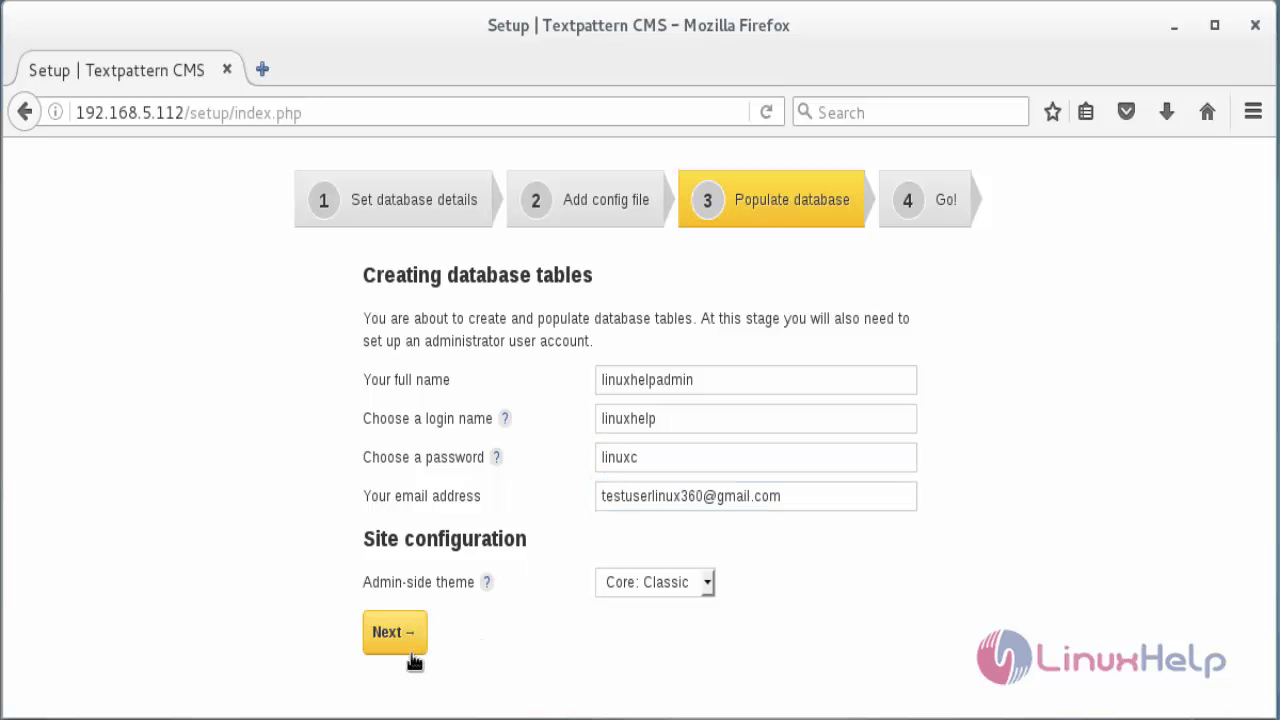
Create the database table by typing the required fields.
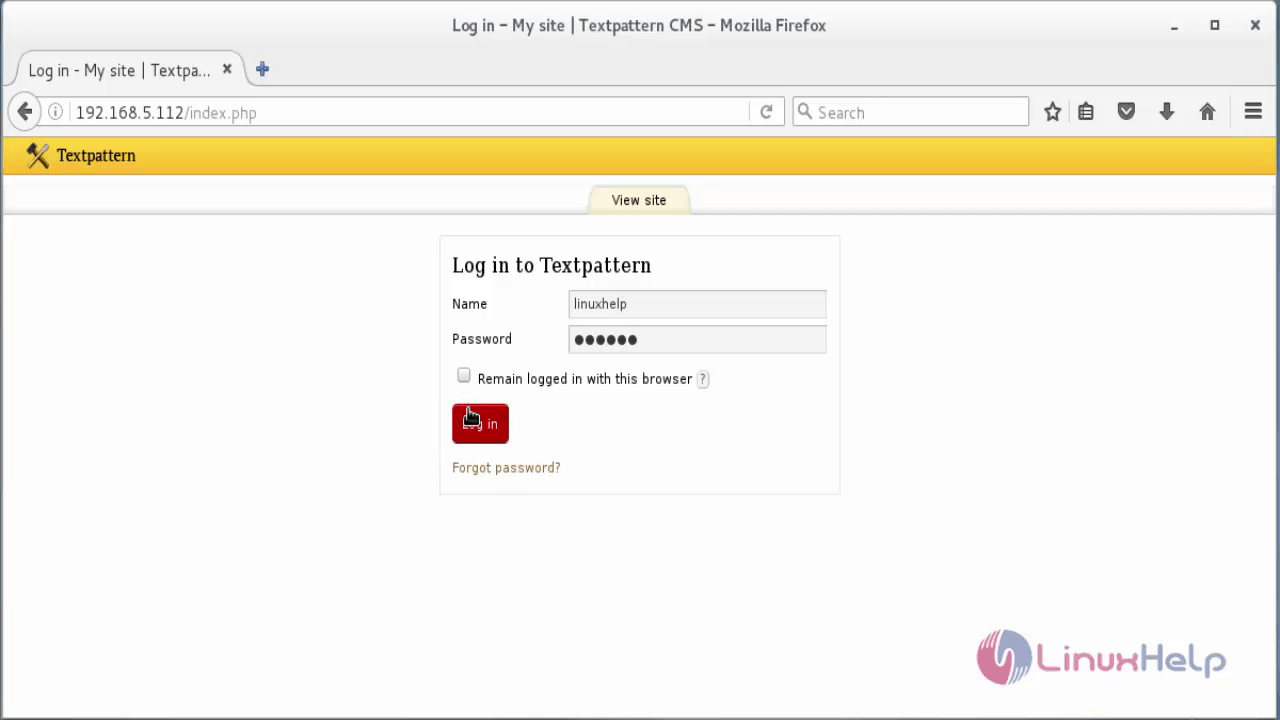
Login with the user credentials.
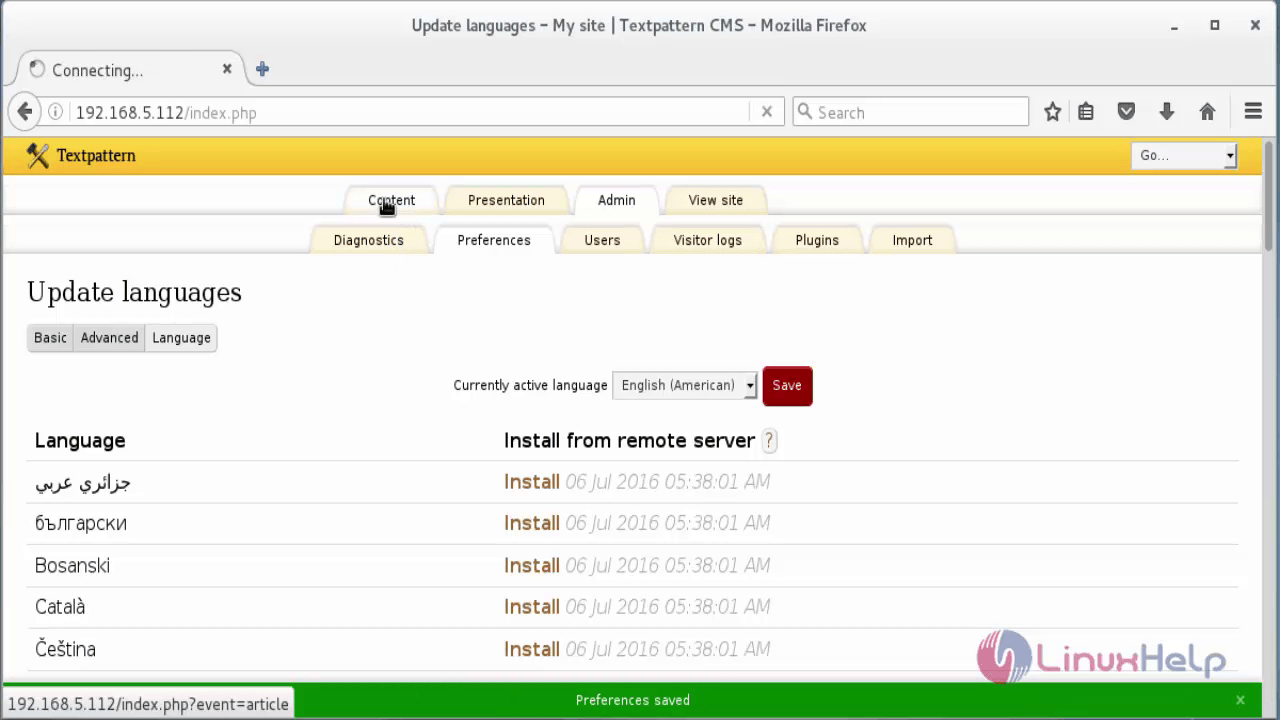
Choose your preferred language and click Save.
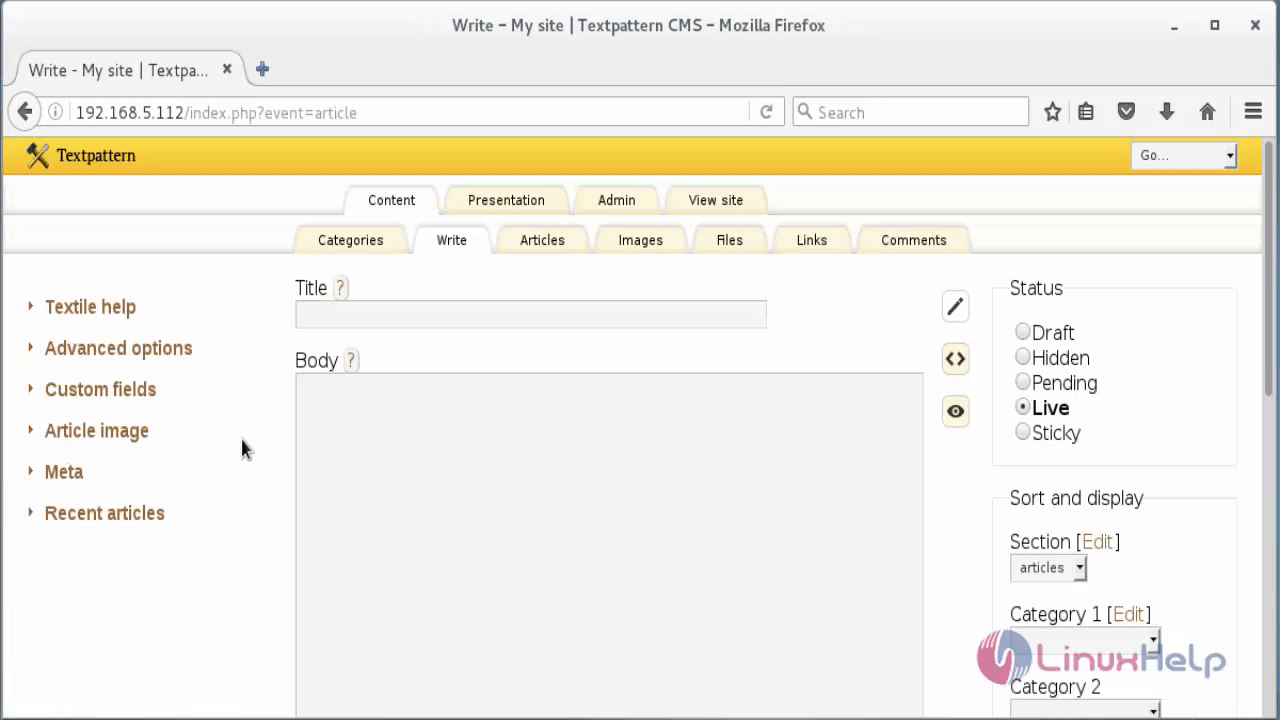
Now start creating your own blog.
Comments ( 0 )
No comments available