How to install the Openshot video editor in Ubuntu
How to install the Openshot video editor in Ubuntu from PPA
OpenShot video editor is an open-source, non-linear video editor which can create and edit videos and movies. It creates videos for YouTube, Vimeo, Metacafe, iPod, Flickr, Xbox etc. This tutorial will show you, how to install the latest stable version of OpenShot video editor in Ubuntu using ppa.
Features
- Support for many video, audio, and image formats.
- Gnome integration support is provided.
- Unlimited tracks / layers.
- Video transitions with real-time previews.
- SVG friendly, to create and include vector titles and credits.
- Support for Rotoscoping / Image sequences.
- Advanced Timeline, Video encoding.
- Key Frame animation.
- Digital zooming of video clips.
Advantages
- Smoother Animation graphics
- Improvisation in the quality of Audios
- Autosave option
- Automatic Backup and Recovery options
- Project File Improvements
- Improved Exception Handling
- Updated Translations
- Improved Stability on Windows
- New Version Detection
- Metrics and Anonymous Error Reporting
- Improved Precision when Dragging
- Debug Mode
To install Openshot
Add the PPA by using the following commands.
user1@user1:~$ sudo add-apt-repository ppa:openshot.developers/ppa
[sudo] password for user1:
 This PPA contains the current stable version of OpenShot Video Editor.

If you would rather the bleeding-edge version, check out the following URL:
https://launchpad.net/~jonoomph/+archive/openshot-edge

 More info: https://launchpad.net/~openshot.developers/+archive/ubuntu/ppa
Press [ENTER] to continue or ctrl-c to cancel adding it

gpg: keyring `/tmp/tmpwc67p662/secring.gpg'  created
gpg: keyring `/tmp/tmpwc67p662/pubring.gpg'  created
gpg: requesting key B9BA26FA from hkp server keyserver.ubuntu.com
gpg: /tmp/tmpwc67p662/trustdb.gpg: trustdb created
gpg: key B9BA26FA: public key " Launchpad OpenShot Development PPA"  imported
gpg: Total number processed: 1
gpg:               imported: 1  (RSA: 1)
OK
Once you have addded the ppa packages, update the source by utilising the following command.
user1@user1:~$ sudo apt-get update
Get:1 http://security.ubuntu.com/ubuntu xenial-security InRelease [94.5 kB]
Hit:2 http://ppa.launchpad.net/openshot.developers/ppa/ubuntu xenial InRelease
Hit:3 http://in.archive.ubuntu.com/ubuntu xenial InRelease
Hit:4 http://in.archive.ubuntu.com/ubuntu xenial-updates InRelease
Hit:5 http://in.archive.ubuntu.com/ubuntu xenial-backports InRelease
Fetched 94.5 kB in 1s (89.7 kB/s)
Reading package lists... Done
Run the following command to install openshot package.
user1@user1:~$ sudo apt-get install openshot openshot-doc
Reading package lists... Done
Building dependency tree
Reading state information... Done
The following additional packages will be installed:
  docbook-xml frei0r-plugins gtk2-engines-pixbuf i965-va-driver libaacs0
  libass5 libavcodec-ffmpeg56 libavdevice-ffmpeg56 libavfilter-ffmpeg5
  libavformat-ffmpeg56 libavresample-ffmpeg2 libavutil-ffmpeg54 libbdplus0
  libbluray1 libbs2b0 libcrystalhd3 libdc1394-22 libflite1 libgavl1 libgme0
.
.
.
Setting up libmlt++3 (6.0.0-2) ...
Setting up melt (6.0.0-2) ...
Setting up python-mlt (6.0.0-2) ...
Setting up openshot (1.4.3-1.2) ...
Processing triggers for libc-bin (2.23-0ubuntu3) ...
To launch Openshot
Once the installation is completed, type openshot in the terminal.
user1@user1:~$ openshot
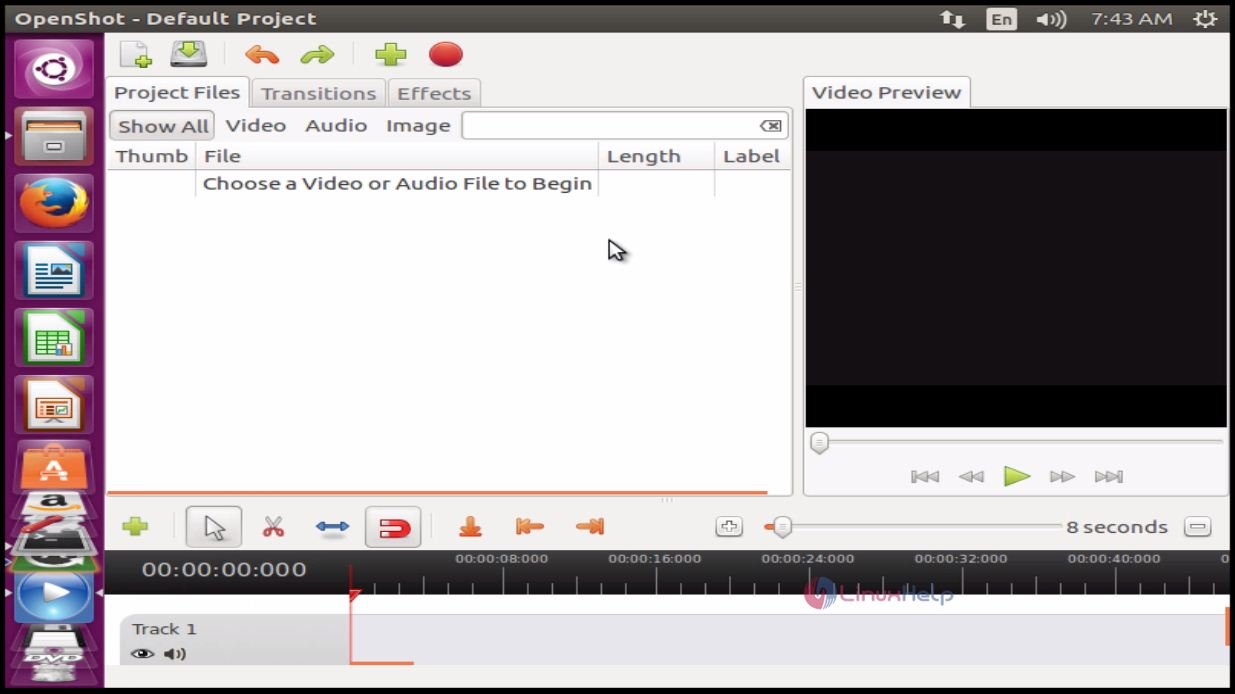
Now the Openshot is ready to use.
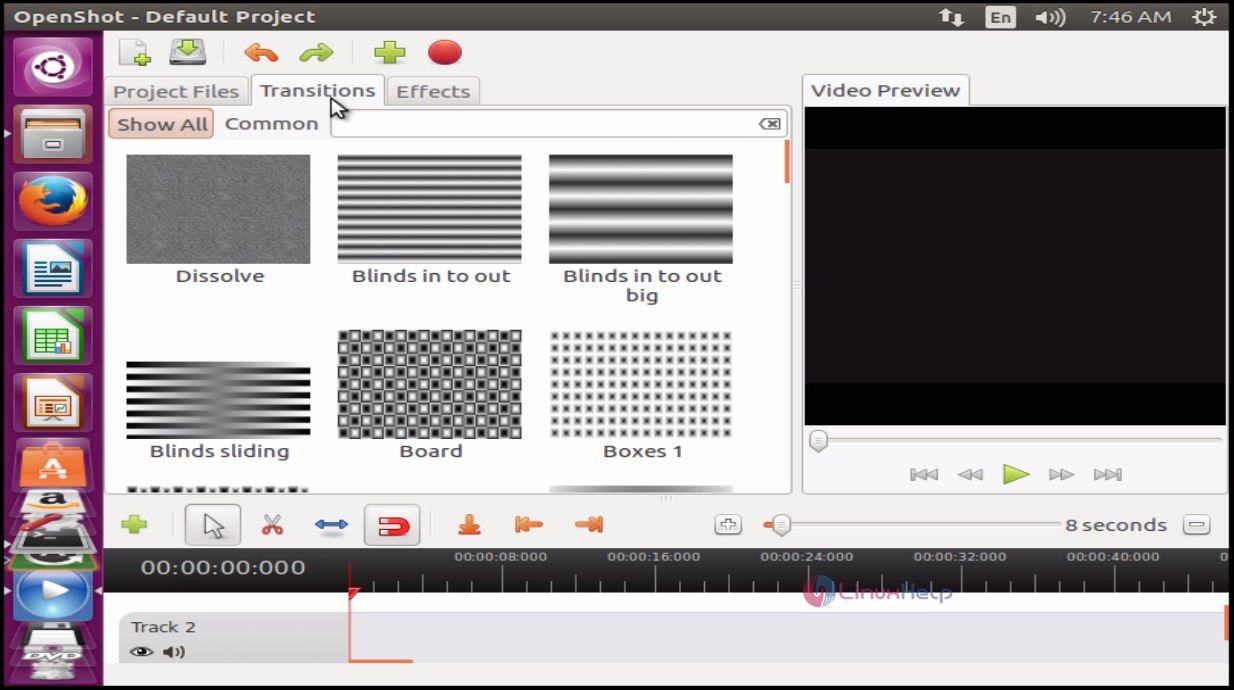
To view the various styles, click Transitions.
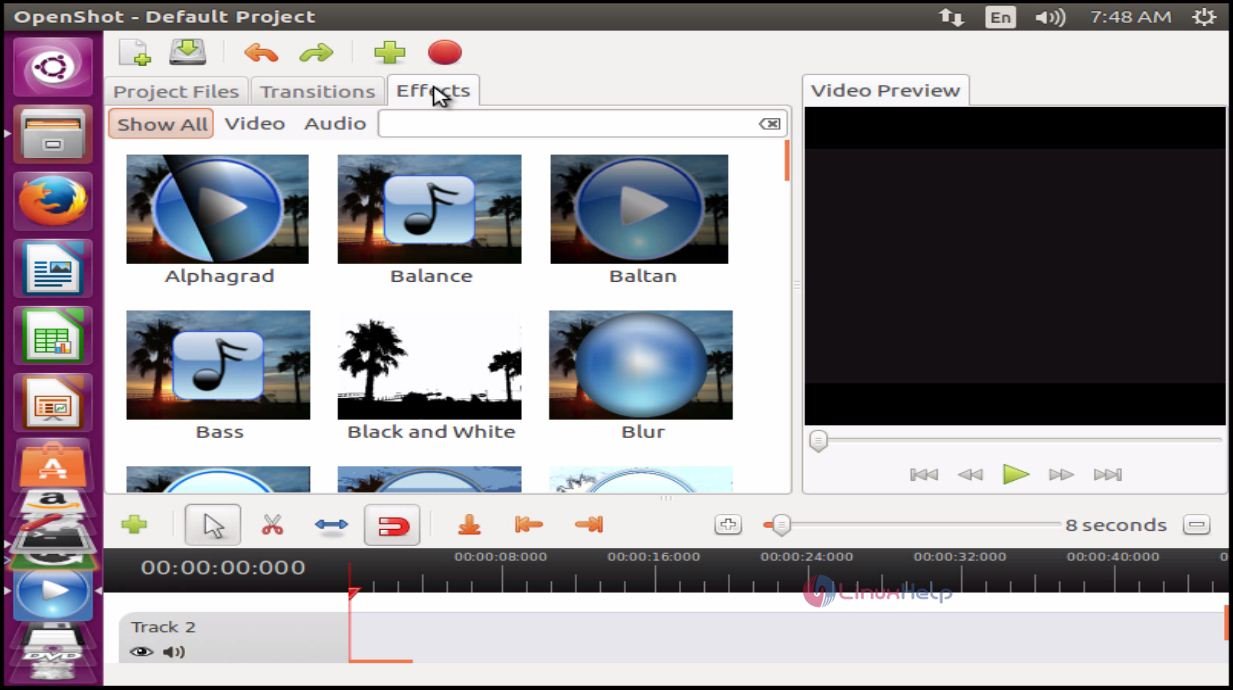
To know the various effects available, hit Effects tab.
To uninstall Openshot
Run the following command to install purge tool.
user1@user1:~$ sudo apt-get install ppa-purge
[sudo] password for user1:
Reading package lists... Done
Building dependency tree
Reading state information... Done
Suggested packages:
  aptitude
The following NEW packages will be installed:
  ppa-purge
.
.
Selecting previously unselected package ppa-purge.
(Reading database ... 212512 files and directories currently installed.)
Preparing to unpack .../ppa-purge_0.2.8+bzr63_all.deb ...
After installing the purge tool, uninstall the openshot with the help of the purge.
user1@user1:~$ sudo apt purge openshot
Reading package lists... Done
Building dependency tree
Reading state information... Done
The following packages were automatically installed and are no longer required:
  frei0r-plugins gtk2-engines-pixbuf i965-va-driver libaacs0 libass5
  libavcodec-ffmpeg56 libavdevice-ffmpeg56 libavfilter-ffmpeg5
  libavformat-ffmpeg56 libavresample-ffmpeg2 libavutil-ffmpeg54 libbdplus0
.
.
.
Comments ( 0 )
No comments available