• Categories
    Category
    {{ postCtrl.tags }}
    • {{ category.tag_type }}

      • {{tag.tag_name}}
      • View more
  • Categories
    Category
    {{ postCtrl.tags }}
    • {{ category.tag_type }}

      • {{tag.tag_name}}
      • View more
  • News
  • Tutorials
  • Forums
  • Tags
  • Users
Tutorial News Comments FAQ Related Articles

How to install Tiled Map Editor on Ubuntu 17.04

{{postValue.id}}

To install Tiled Map Editor on Ubuntu 17.04

Tiled Map Editor is a free and one of the most popular level editor for creating attractive map in game development. Tiled Map Editor supports editing tile maps in various projections. It also has support for building levels with freely positioned, rotated or scaled images or annotating them with objects of various shapes.

Installing Tiled Map Editor

In order to install Tilled Editor, prior addition of the necessary packages is required, so add them via ppa as follows.

root@linuxhelp:~#  add-apt-repository ppa:mapeditor.org/tiled
 Tiled is a general purpose tile map editor, written in C++ using the Qt application framework.
Website: http://www.mapeditor.org
More info: https://launchpad.net/~mapeditor.org/+archive/ubuntu/tiled
Press [ENTER] to continue or ctrl-c to cancel adding it
.
.
gpg: Total number processed: 1
gpg:               imported: 1
OK

After adding the dependency packages, update the machine by executing the apt-get update command.

root@linuxhelp:~#  apt-get update
Get:1 http://security.ubuntu.com/ubuntu zesty-security InRelease [89.2 kB]     
Get:2 http://ppa.launchpad.net/mapeditor.org/tiled/ubuntu zesty InRelease [15.4 kB]
Get:3 http://security.ubuntu.com/ubuntu zesty-security/main amd64 DEP-11 Metadata [12.5 kB]
Hit:4 http://in.archive.ubuntu.com/ubuntu zesty InRelease             
.
.
Get:18 http://in.archive.ubuntu.com/ubuntu zesty-backports/universe amd64 DEP-11 Metadata [5,140 B]
Fetched 626 kB in 14s (42.4 kB/s)                                              
Reading package lists... Done

Now is the time to install Tiled Map Editor, so kick-start its installation by running the following command.

root@linuxhelp:~#  apt-get install tiled-daily
Reading package lists... Done
Building dependency tree       
Reading state information... Done
The following NEW packages will be installed:
  tiled-daily
.
.
Processing triggers for shared-mime-info (1.8-1) ...
Processing triggers for gnome-menus (3.13.3-6ubuntu5) ...
Processing triggers for hicolor-icon-theme (0.15-1) ...

Once the installation is done, go to Ubuntu dashboard and type tiled. The app' s icon will be displayed on your screen. Click on it to access it.
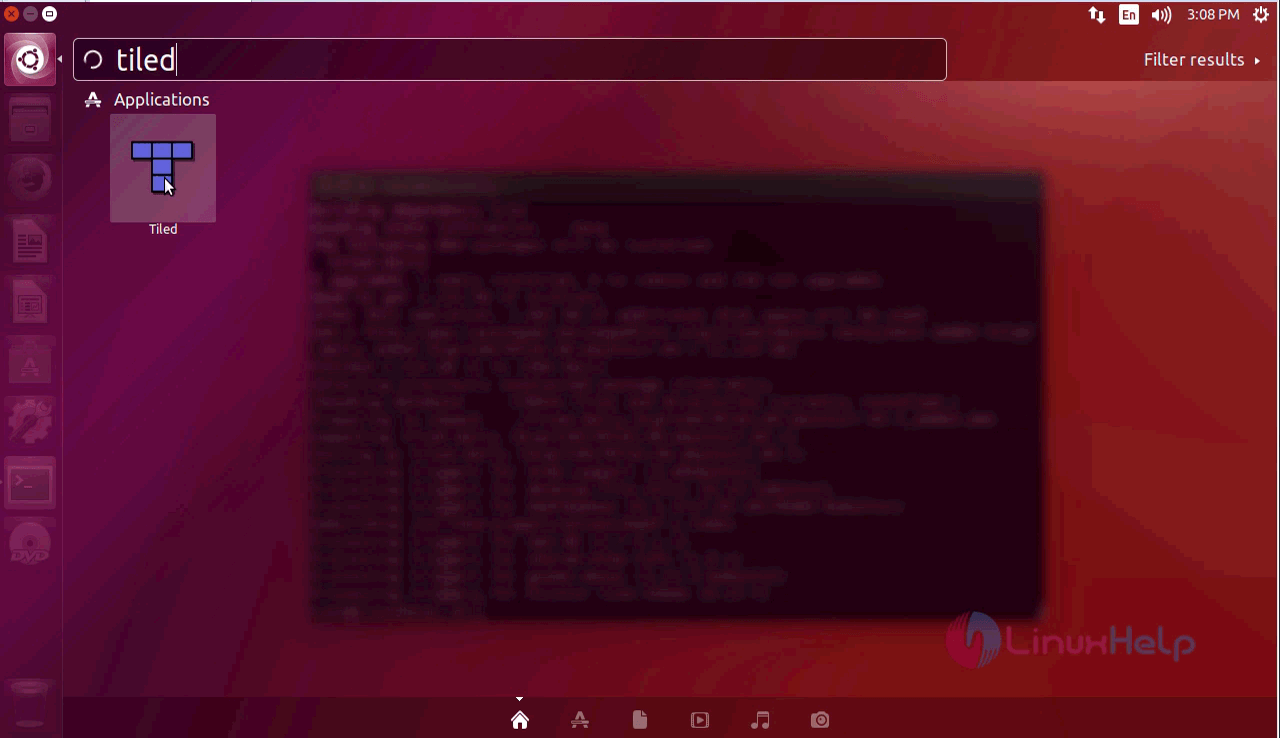
search

Once the application is open, click New Tileset.
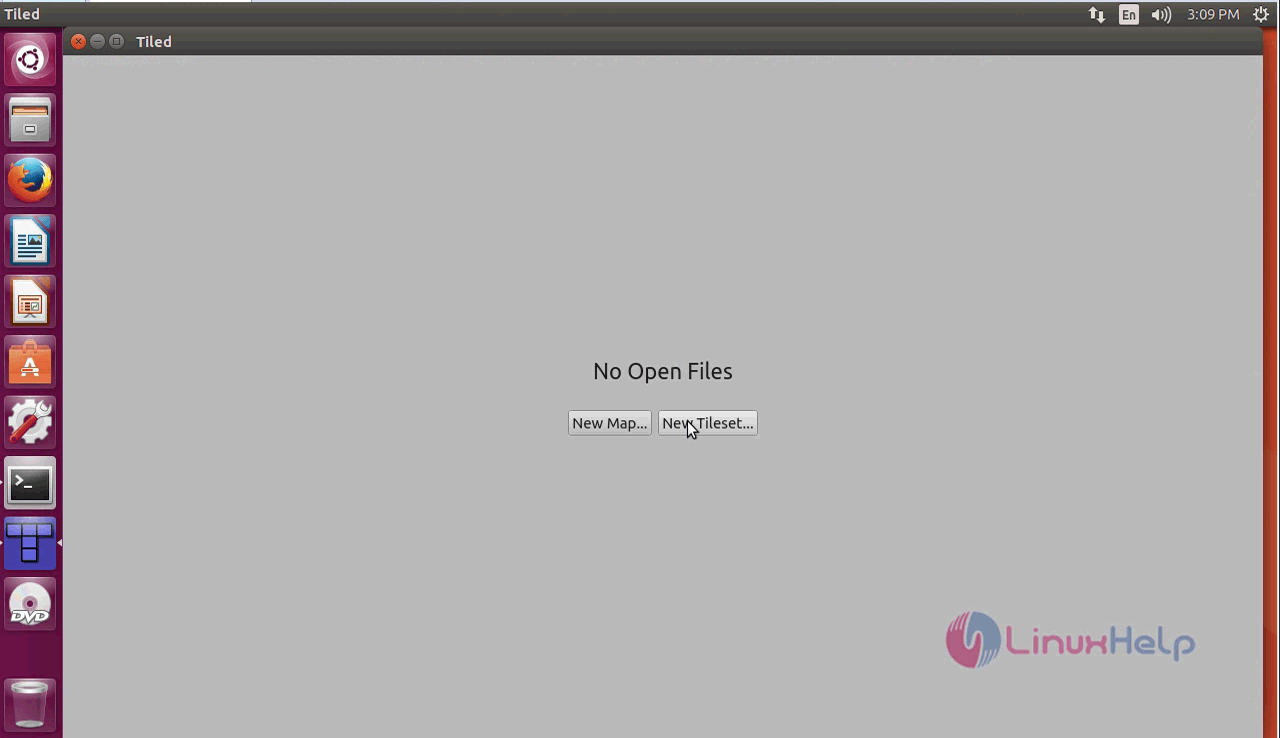
Tiled

Enter name and select source image location. Click Save As.
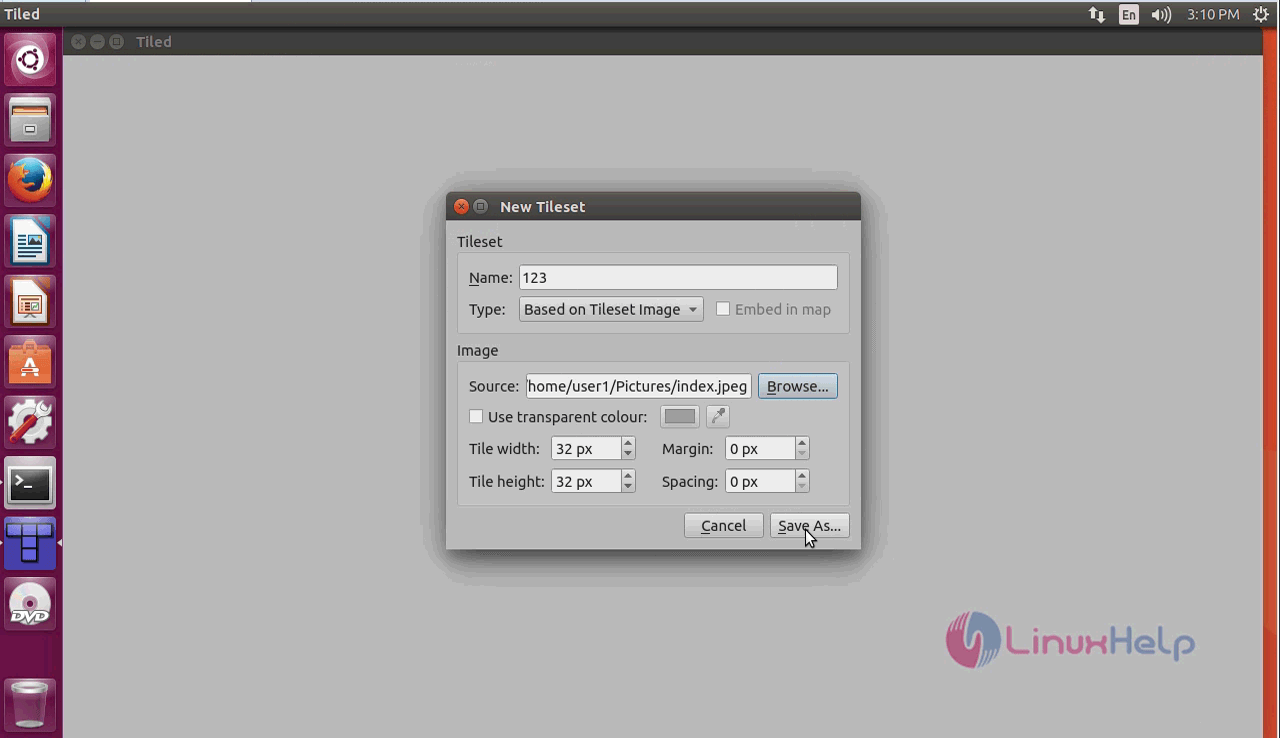
save as

Select the saving location and click save.
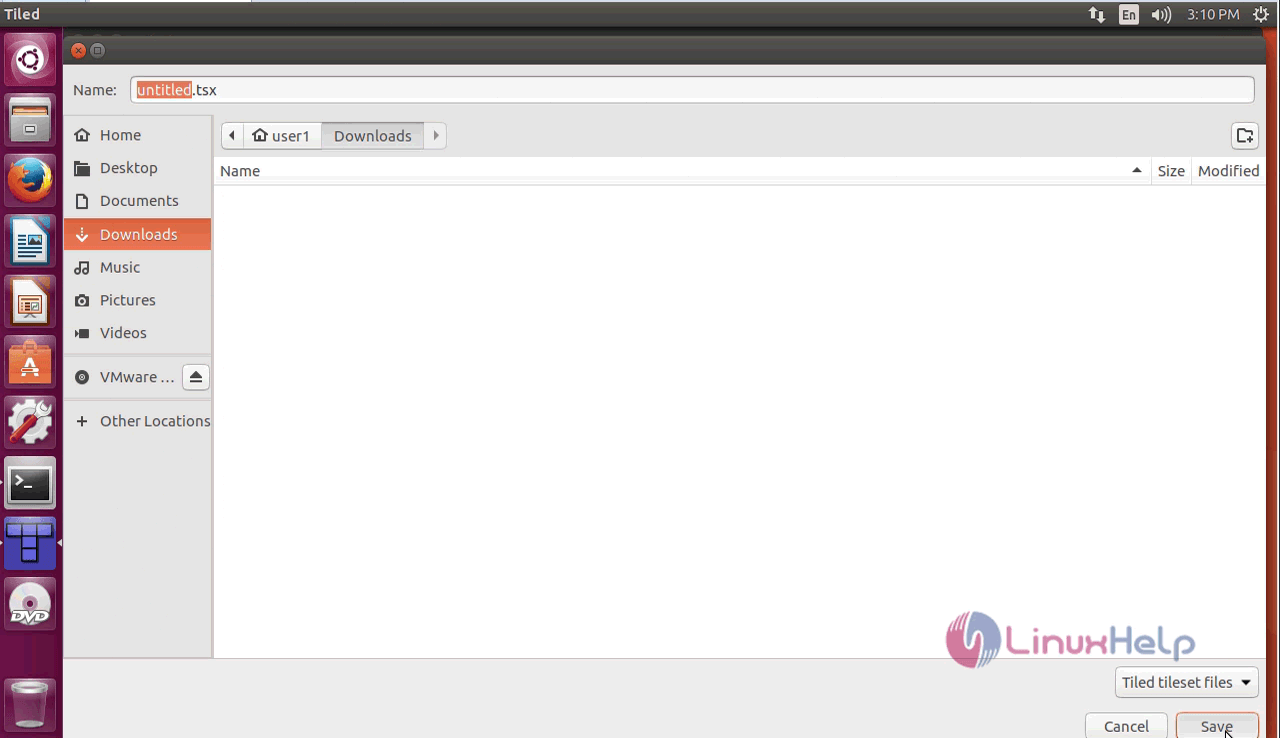
location

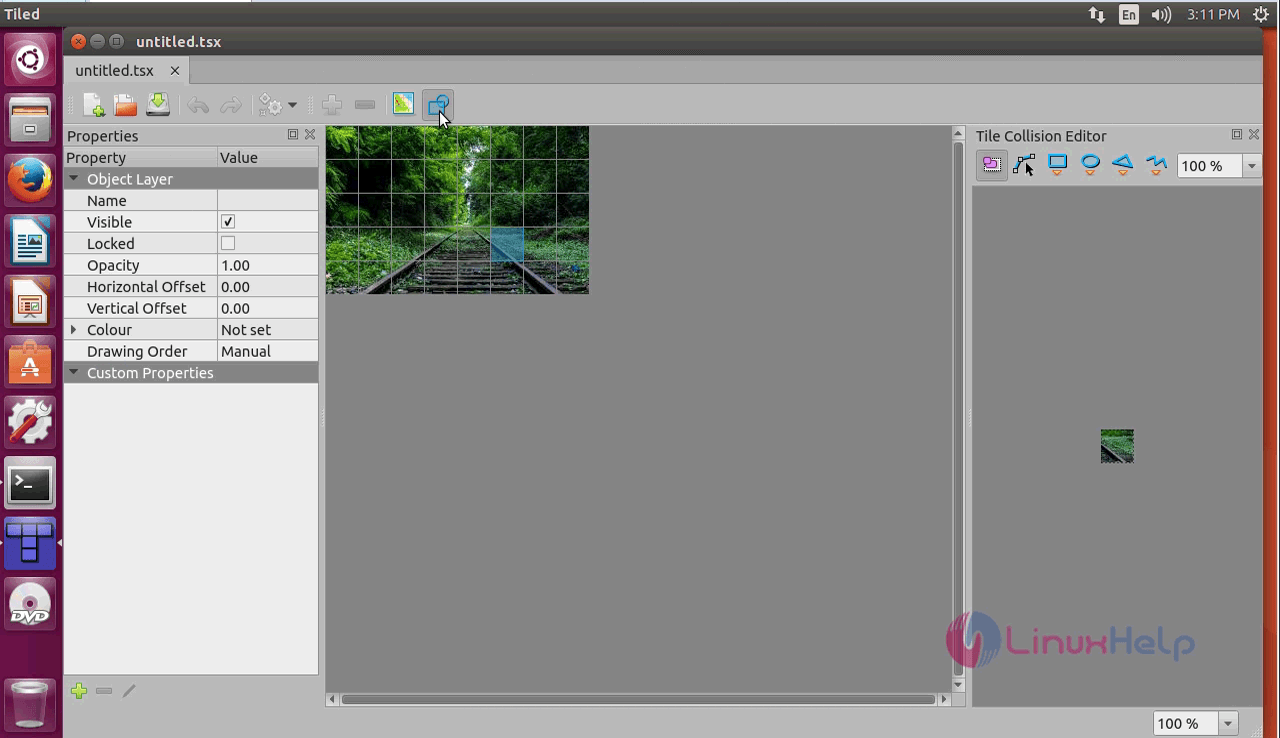
The application opens.

editor

With this, the installation of Tiled Map Editor on Ubuntu is complete.

Tags:
sebastian
Author: 

Comments ( 0 )

No comments available

Add a comment
{{postCtrl.cmtErrMsg}}

Frequently asked questions ( 5 )

Q

What is the stable ppa to be used?

A

run the following command to add repo as "add-apt-repository ppa:mapeditor.org/tiled"

Q

How to install this in Linux mint?

A

Follow thw ame procedure given for ubuntu!

Q

What is Tiled Map Editor ?

A

Tiled Map Editor is a free and one of the most popular level editor for creating attractive map in game development. Tiled Map Editor supports editing tile maps in various projections. It a

Q

What is Tiled map editor?

A

iled is a free software/tool which provides interface for easily creating maps, levels for game development. Tiled can also be used to specifying more abstract things such as collision areas, enemy spawn positions, or power-up positions.

Q

Is there any alternative of tiled map editor?

A

PyMapper, Deadly Alien Map Editor (DAME), MapForge and much more.

Back To Top!
Rank
User
Points

Top Contributers

userNamenaveelansari
135850

Top Contributers

userNameayanbhatti
92510

Top Contributers

userNamehamzaahmed
32150

Top Contributers

1
userNamelinuxhelp
31040

Top Contributers

userNamemuhammadali
24500
Can you help legeek ?
Installation of the call center module

hello

I wish to install a call center in virtual with issabel, I downloaded the latest version of it , but I don' t arrive to install the call center module in issabel. please help me

thanks!

Networking
  • Routing
  • trunk
  • Netmask
  • Packet Capture
  • domain
  • HTTP Proxy
Server Setup
  • NFS
  • KVM
  • Memory
  • Sendmail
  • WebDAV
  • LXC
Shell Commands
  • Cloud commander
  • Command line archive tools
  • last command
  • Shell
  • terminal
  • Throttle
Desktop Application
  • Linux app
  • Pithos
  • Retrospect
  • Scribe
  • TortoiseHg
  • 4Images
Monitoring Tool
  • Monit
  • Apache Server Monitoring
  • EtherApe 
  • Arpwatch Tool
  • Auditd
  • Barman
Web Application
  • Nutch
  • Amazon VPC
  • FarmWarDeployer
  • Rukovoditel
  • Mirror site
  • Chef
Contact Us | Terms of Use| Privacy Policy| Disclaimer
© 2025 LinuxHelp.com All rights reserved. Linux™ is the registered trademark of Linus Torvalds. This site is not affiliated with linus torvalds in any way.