How to install Tixati 2.55 on Linux Mint 18.3
To install Tixati 2.55 on Linux Mint 18.3
Tixati torrent software is an open source and cross-platform torrent client application like utorrent client and it is used to download content like videos, audios, documents and so on from internet using P2P technology. It’ s a nice lightweight and user-friendly application. It is so simple to install Tixati 2.55 on Linux Mint 18.3 and this tutorial covers the ground on the same process.
Installing Tixati
First, make sure you update your system repository by making use of the following command.
linuxhelp user # apt-get update
Get:1 http://archive.canonical.com/ubuntu xenial InRelease [11.5 kB]
Hit:2 http://archive.ubuntu.com/ubuntu xenial InRelease
Ign:3 http://packages.linuxmint.com sylvia InRelease
Get:4 http://archive.canonical.com/ubuntu xenial/partner amd64 Packages [3,132 B]
Get:5 http://archive.canonical.com/ubuntu xenial/partner i386 Packages [3,124 B]
Hit:6 http://packages.linuxmint.com sylvia Release
Get:8 http://archive.ubuntu.com/ubuntu xenial-updates InRelease [102 kB]
.
.
Get:24 http://security.ubuntu.com/ubuntu xenial-security/multiverse amd64 Packages [3,208 B]
Get:25 http://archive.ubuntu.com/ubuntu xenial-updates/multiverse i386 Packages [15.3 kB]
Get:26 http://security.ubuntu.com/ubuntu xenial-security/multiverse i386 Packages [3,376 B]
Get:27 http://archive.ubuntu.com/ubuntu xenial-backports/universe amd64 Packages [7,080 B]
Get:28 http://archive.ubuntu.com/ubuntu xenial-backports/universe i386 Packages [7,064 B]
Get:29 http://archive.ubuntu.com/ubuntu xenial-backports/universe Translation-en [3,812 B]
Fetched 5,323 kB in 9s (588 kB/s)
Reading package lists... Done
And then you shall download the package by making use of the following command.
linuxhelp user # wget https://download2.tixati.com/download/tixati_2.55-1_amd64.deb
--2018-03-17 03:05:11--  https://download2.tixati.com/download/tixati_2.55-1_amd64.deb
Resolving download2.tixati.com (download2.tixati.com)... 91.219.237.221, 91.219.238.175
Connecting to download2.tixati.com (download2.tixati.com)|91.219.237.221|:443... connected.
HTTP request sent, awaiting response... 200 OK
Length: 9035940 (8.6M) [application/vnd.debian.binary-package]
Saving to: ‘ tixati_2.55-1_amd64.deb’
tixati_2.55-1_amd64.deb      100%[=============================================> ]   8.62M   474KB/s    in 28s
2018-03-17 03:05:42 (310 KB/s) - ‘ tixati_2.55-1_amd64.deb’  saved [9035940/9035940]
And then, list out the downloaded package by making use of the following command.
linuxhelp user # ls -l tixati_2.55-1_amd64.deb
-rw-r--r-- 1 root root 9035940 Aug 11 2017 tixati_2.55-1_am
And then, once again you should update the system repository.
linuxhelp user # apt-get update
Hit:1 http://archive.ubuntu.com/ubuntu xenial InRelease
Hit:2 http://security.ubuntu.com/ubuntu xenial-security InRelease
Hit:3 http://archive.canonical.com/ubuntu xenial InRelease
Hit:4 http://archive.ubuntu.com/ubuntu xenial-updates InRelease
Ign:5 http://packages.linuxmint.com sylvia InRelease
Hit:6 http://archive.ubuntu.com/ubuntu xenial-backports InRelease
Hit:7 http://packages.linuxmint.com sylvia Release
Reading package lists... Done
You shall now install Tixati by making use of the following command.
linuxhelp user # dpkg -i tixati_2.55-1_amd64.deb
Selecting previously unselected package tixati.
(Reading database ... 219622 files and directories currently installed.)
Preparing to unpack tixati_2.55-1_amd64.deb ...
Unpacking tixati (2.55-1) ...
dpkg: dependency problems prevent configuration of tixati:
tixati depends on libpango1.0-0 (> = 1.14.0)  however:
Package libpango1.0-0 is not installed.
.
.
dpkg: error processing package tixati (--install):
dependency problems - leaving unconfigured
Processing triggers for desktop-file-utils (0.22+linuxmint1) ...
Processing triggers for mime-support (3.59ubuntu1) ...
Processing triggers for hicolor-icon-theme (0.15-0ubuntu1) ...
Errors were encountered while processing:
Tixati
Also, you perform the action by using dpkg.
linuxhelp user # dpkg -l tixati
Desired=Unknown/Install/Remove/Purge/Hold
| Status=Not/Inst/Conf-files/Unpacked/halF-conf/Half-inst/trig-aWait/Trig-pend
|/ Err?=(none)/Reinst-required (Status,Err: uppercase=bad)
||/ Name                   Version          Architecture     Description
+++-======================-================-================-==================================================
iU  tixati                 2.55-1           amd64            Tixati P2P Client
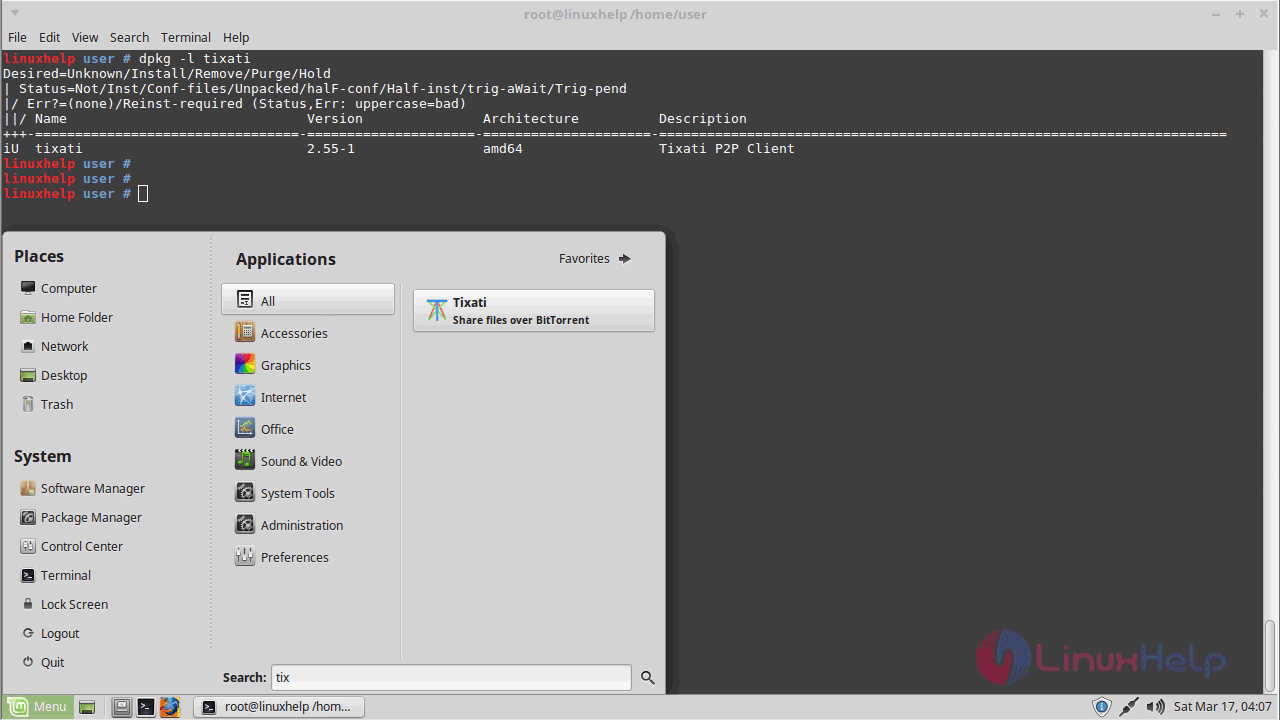
Now that Tixati has been installed, you can launch it from your Linux Mint search field.
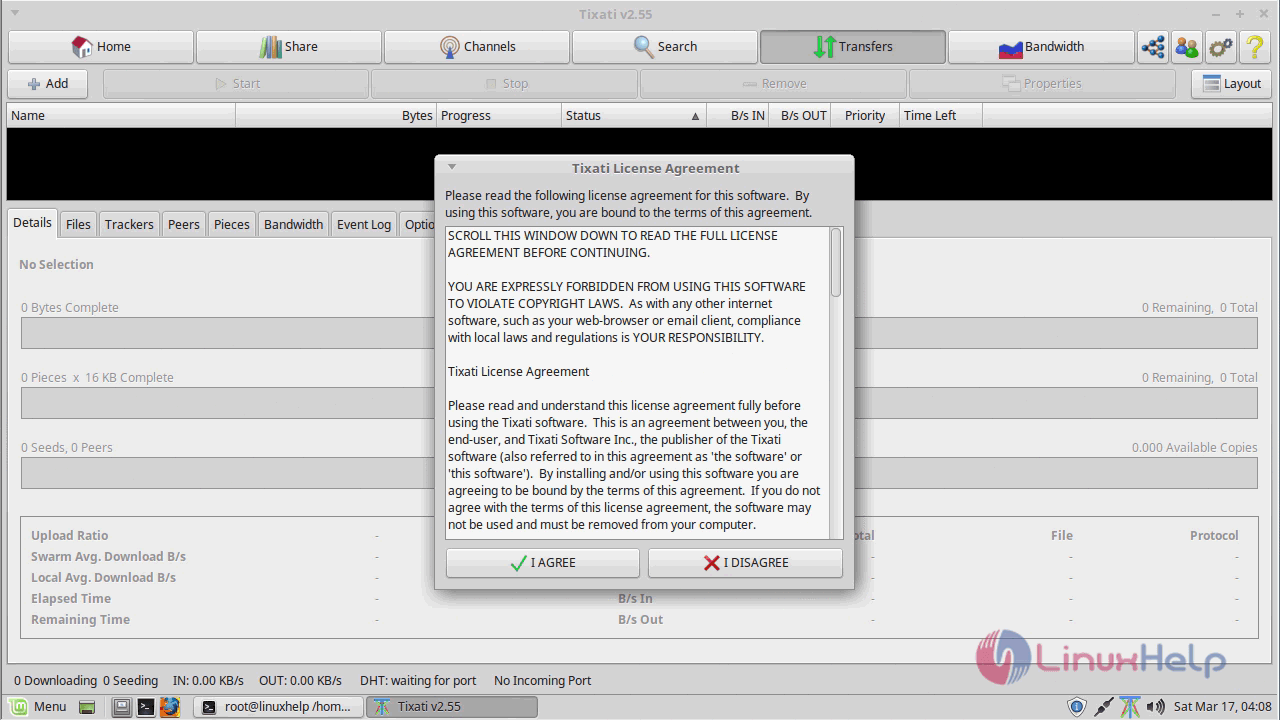
You need to accept the license agreement to proceed further.
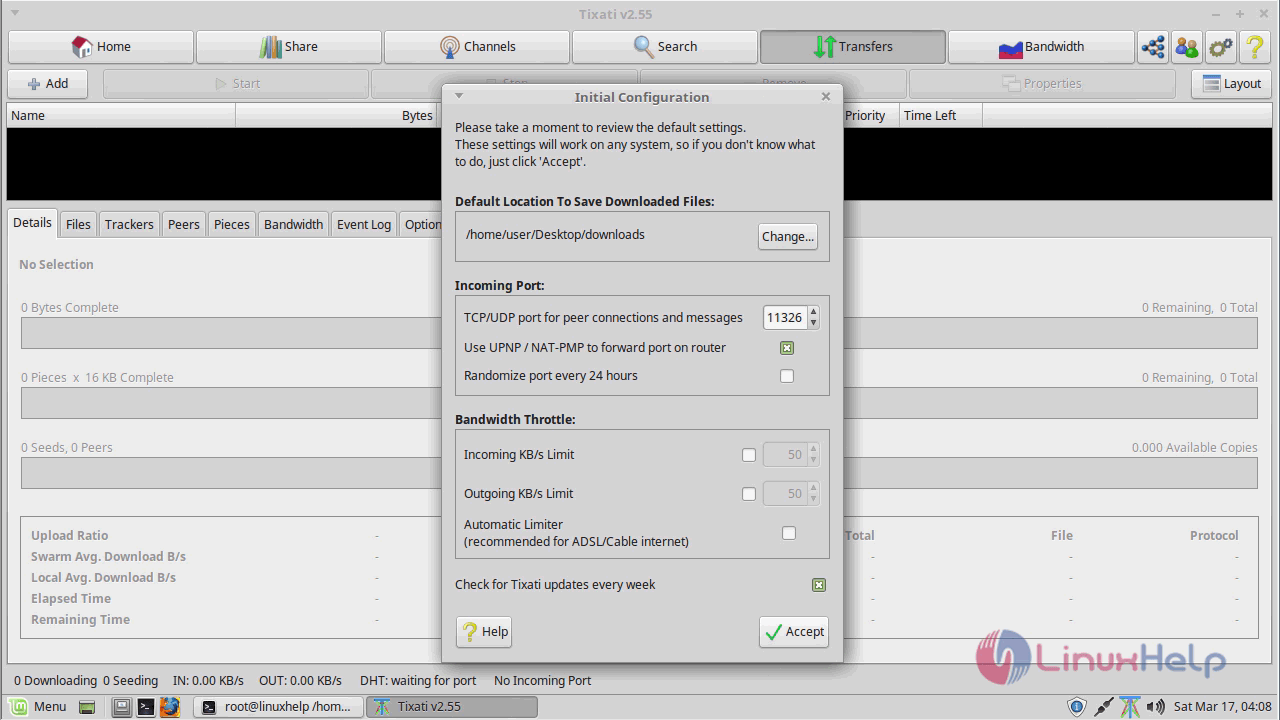
And make all the necessary initial configuration.
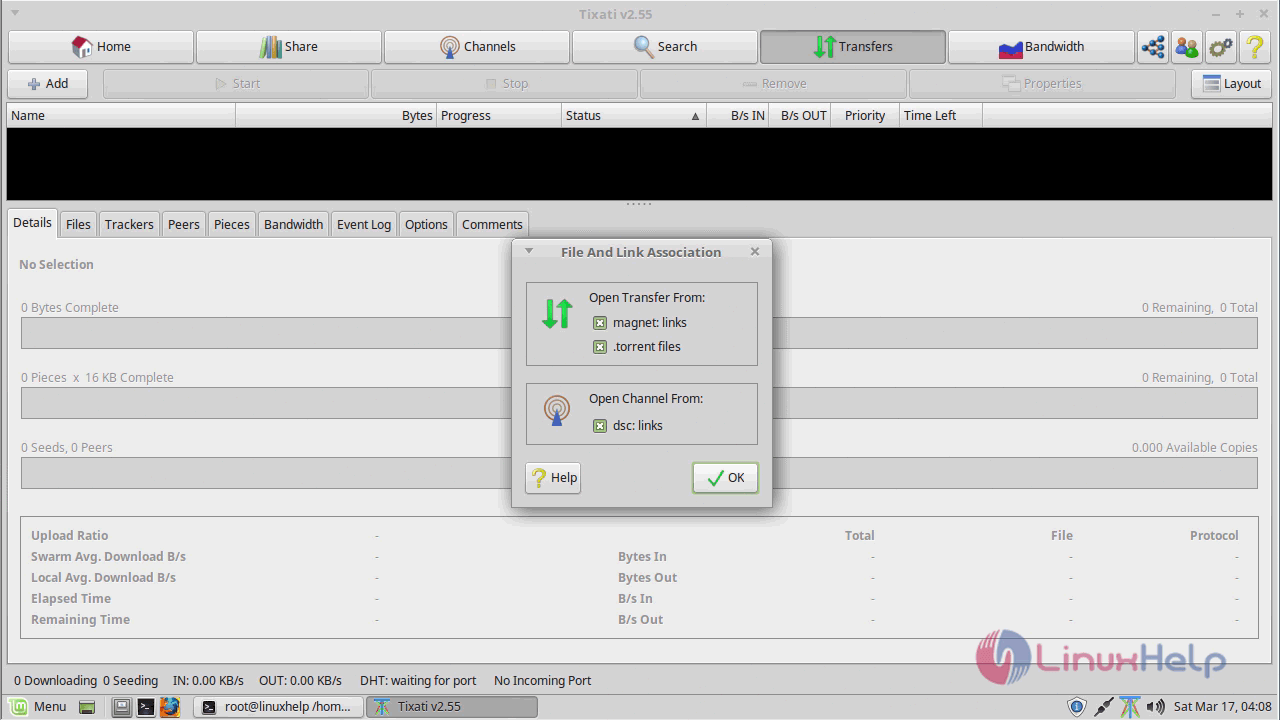
The file and link association now appears.
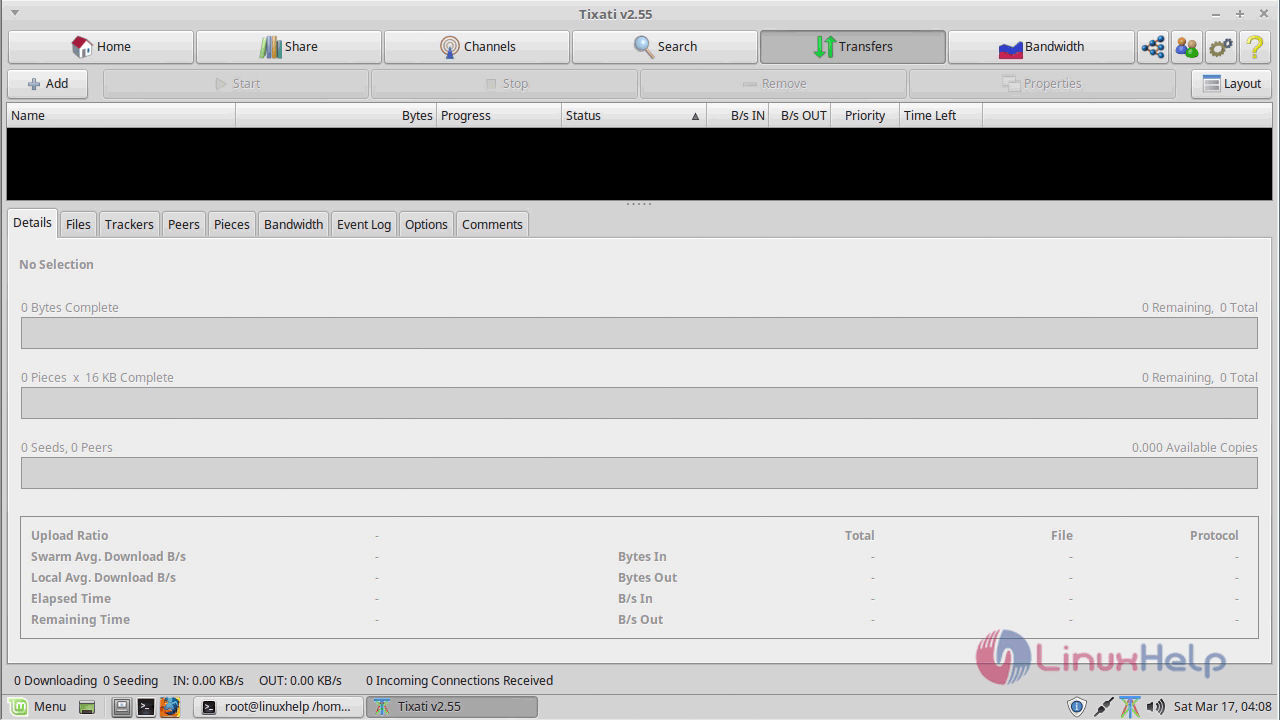
The Tixati application now appears on your screen.
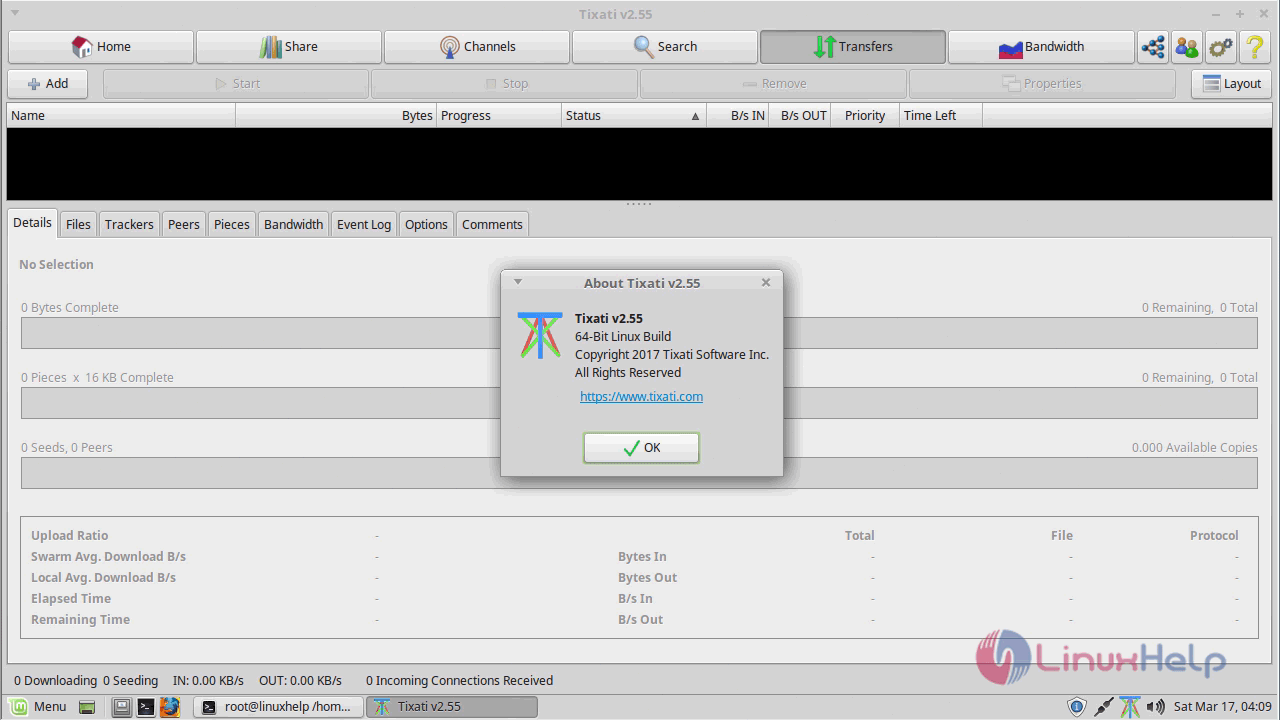
You shall check the version
With this, the method to install Tixati on Linux Mint 18.3 comes to an end.
Comments ( 0 )
No comments available