How To Install TomatoCart on Popos
To Install TomatoCart on Popos
TomatoCart is a professional and innovative open source eCommerce solution. The back-end is an impressive desktop-like ExtJS-powered interface, offering significant usability improvements and user experience. It' s the most easy-to-use shopping cart.
Pre-requirements
&bull Install LAMP (Apache, php5.6, MariaDB-server)
&bull For MariaDB (create database, user and give privileges to the user)
&bull For php
add-apt-repository ppa:ondrej/php
apt-get update
apt-get install -y php5.6  php5.6-mysql php5.6-curl php5.6-xml  php5.6-mcrypt php5.6-gd
Installation
enter into html location
root@linuxhelp:~# cd /var/www/html/
Download package using wget command.
root@linuxhelp:/var/www/html# wget https://sourceforge.net/projects/tomatocart/files/latest/download -O tomato.zip
--2018-06-20 02:22:35--  https://sourceforge.net/projects/tomatocart/files/latest/download
Resolving sourceforge.net (sourceforge.net)... 216.105.38.13
Connecting to sourceforge.net (sourceforge.net)|216.105.38.13|:443... connected.
HTTP request sent, awaiting response... 302 Found
Location: https://downloads.sourceforge.net/project/tomatocart/TomatoCart-1.1.8.6.1.zip?r=& ts=1529421609& use_mirror=excellmedia [following]
--2018-06-20 02:22:36--  https://downloads.sourceforge.net/project/tomatocart/TomatoCart-1.1.8.6.1.zip?r=& ts=1529421609& use_mirror=excellmedia
Resolving downloads.sourceforge.net (downloads.sourceforge.net)... 216.105.38.13
Connecting to downloads.sourceforge.net (downloads.sourceforge.net)|216.105.38.13|:443... connected.
HTTP request sent, awaiting response... 302 Found
Location: https://excellmedia.dl.sourceforge.net/project/tomatocart/TomatoCart-1.1.8.6.1.zip [following]
--2018-06-20 02:22:39--  https://excellmedia.dl.sourceforge.net/project/tomatocart/TomatoCart-1.1.8.6.1.zip
Resolving excellmedia.dl.sourceforge.net (excellmedia.dl.sourceforge.net)... 202.153.32.19
Connecting to excellmedia.dl.sourceforge.net (excellmedia.dl.sourceforge.net)|202.153.32.19|:443... connected.
HTTP request sent, awaiting response... 200 OK
Length: 15426242 (15M) [application/octet-stream]
Saving to: ‘ tomato.zip’

tomato.zip          100%[===================> ]  14.71M   244KB/s    in 64s

2018-06-20 02:23:46 (235 KB/s) - ‘ tomato.zip’  saved [15426242/15426242]
Extract the downloaded file using unzip command
root@linuxhelp:/var/www/html# unzip tomato.zip
Archive:  tomato.zip
d22e3b3fb38ba24d84b7db57ee138e01322ef438
   creating: TomatoCart-v1-released-v1.1.8.6.1/
  inflating: TomatoCart-v1-released-v1.1.8.6.1/.htaccess
  inflating: TomatoCart-v1-released-v1.1.8.6.1/INSTALL.TXT
  inflating: TomatoCart-v1-released-v1.1.8.6.1/LICENSE.txt
  inflating: TomatoCart-v1-released-v1.1.8.6.1/README.md
  inflating: TomatoCart-v1-released-v1.1.8.6.1/RELEASE.txt
.
.
.
creating: TomatoCart-v1-released-v1.1.8.6.1/templates/system/images/
  inflating: TomatoCart-v1-released-v1.1.8.6.1/templates/system/images/tomatocart.ico
  inflating: TomatoCart-v1-released-v1.1.8.6.1/templates/system/offline.php
  inflating: TomatoCart-v1-released-v1.1.8.6.1/templates/system/stylesheet.css
Rename the extracted directory
root@linuxhelp:/var/www/html# mv TomatoCart-v1-released-v1.1.8.6.1/ TomatoCart
change ownership and permission of directory Tomatocart
root@linuxhelp:/var/www/html# chown -R www-data:www-data TomatoCart/ chmod -R 775 TomatoCart/
Create a new virtual host in sites-available location. Create a new conf file In sites-available location and add the following lines
root@linuxhelp:/var/www/html# vim /etc/apache2/sites-available/tomatocart.conf

< virtualhost *:80>
ServerAdmin admin@linux.com
servername linuxhelp1.com
Documentroot /var/www/html/TomatoCart
< Directory /var/www/html/TomatoCart>
AllowOverride all
order allow,deny
allow from all
< /Directory>
ErrorLog /var/log/apache2/tomato.com-error_log
CustomLog /var/log/apache2/tomato.com-access_log common
< /virtualhost>
Enable newly created conf file
root@linuxhelp:/var/www/html# a2ensite tomatocart.conf
Enabling site tomatocart.
To activate the new configuration, you need to run:
  systemctl reload apache2
Disable the default conf file
root@linuxhelp:/var/www/html# a2dissite  000-default.conf
Site 000-default disabled.
To activate the new configuration, you need to run:
  systemctl reload apache2
Make an entry in the host file as follows
root@linuxhelp:/var/www/html# vim /etc/hosts
< machine-ip>   < domain-name>
Restart apache service
root@linuxhelp:/var/www/html# systemctl restart apache2.service
Now you can proceed the further installation and configuration from the browser by navigating to the following URL: http://< ipaddress or domain name
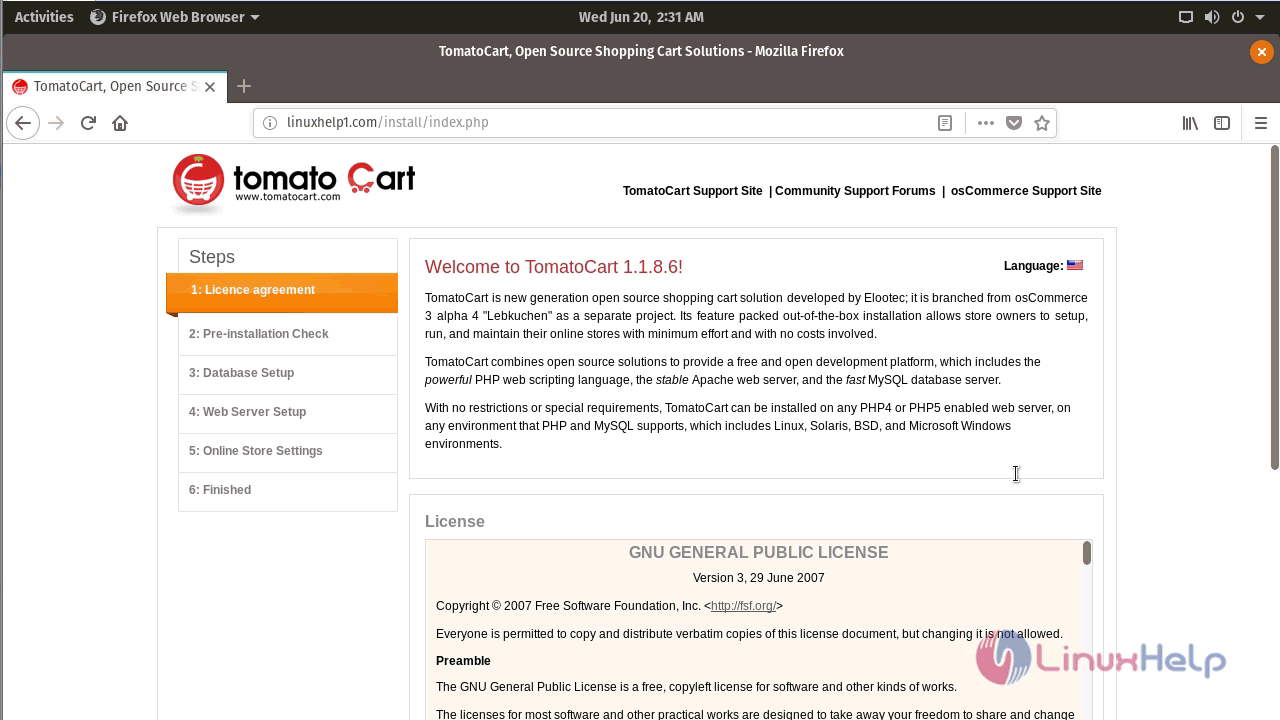
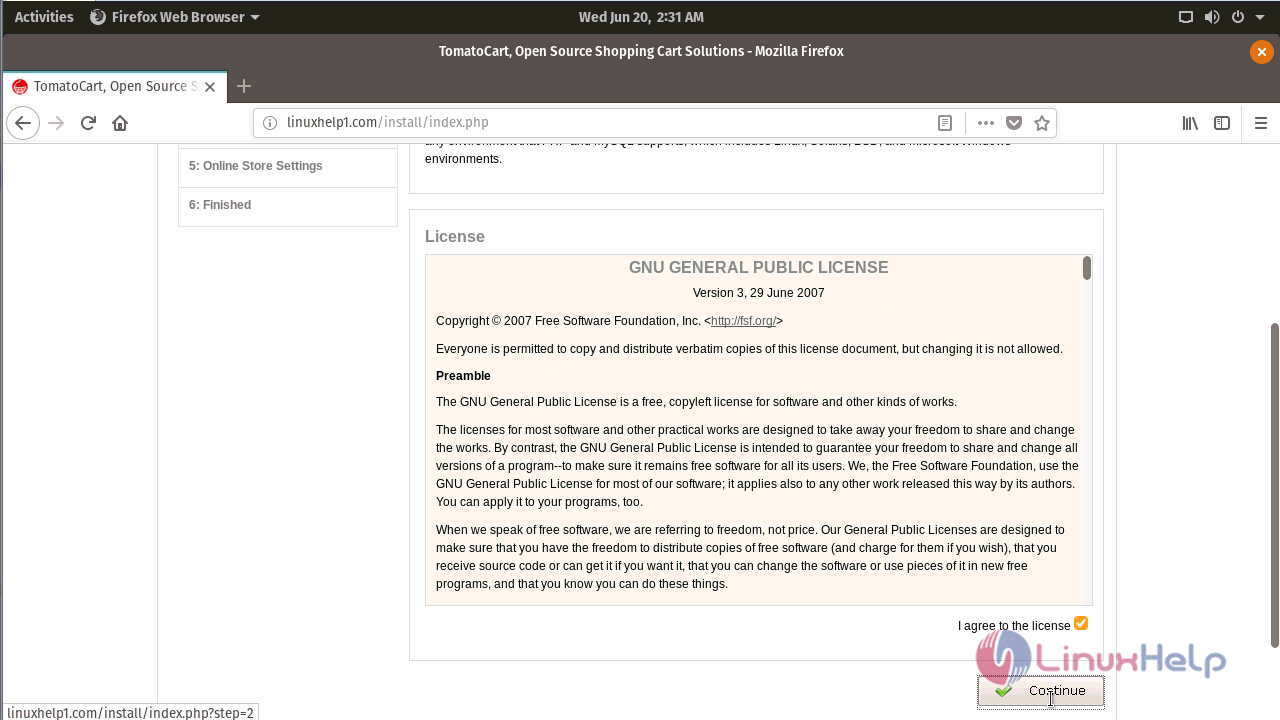
Click I agree and continue
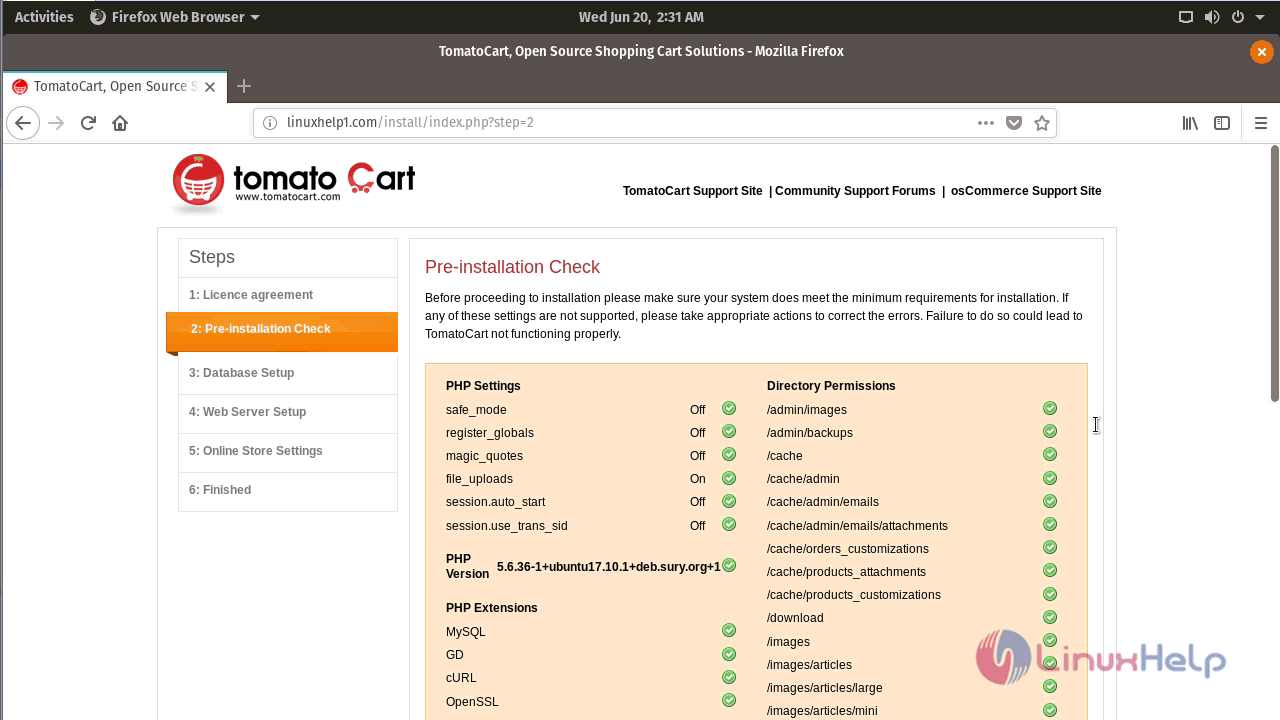
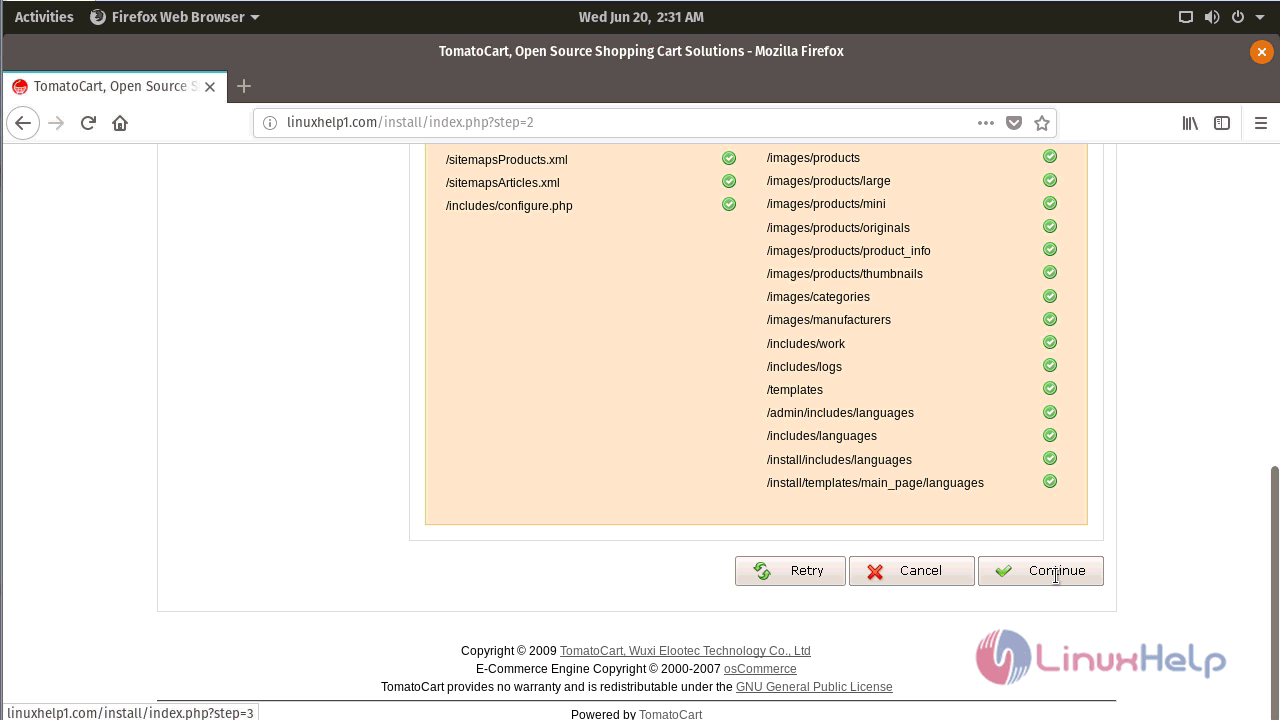
Show pre-requirement check, click continue
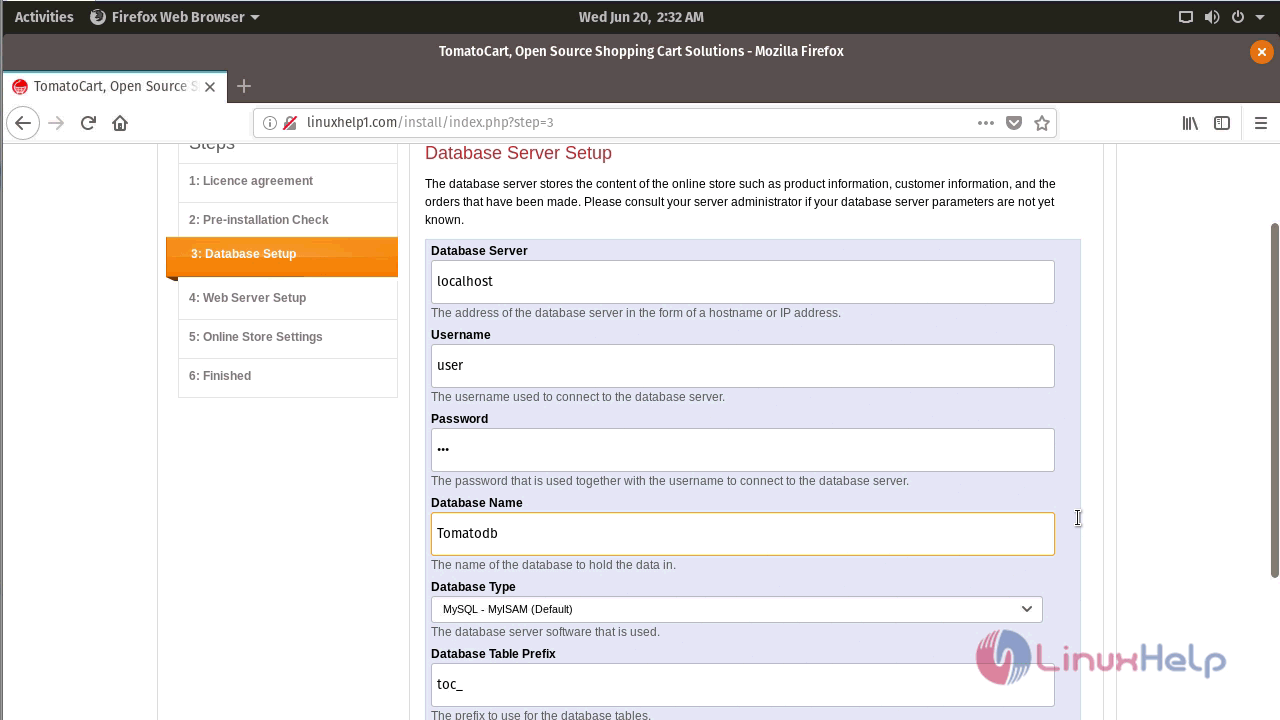
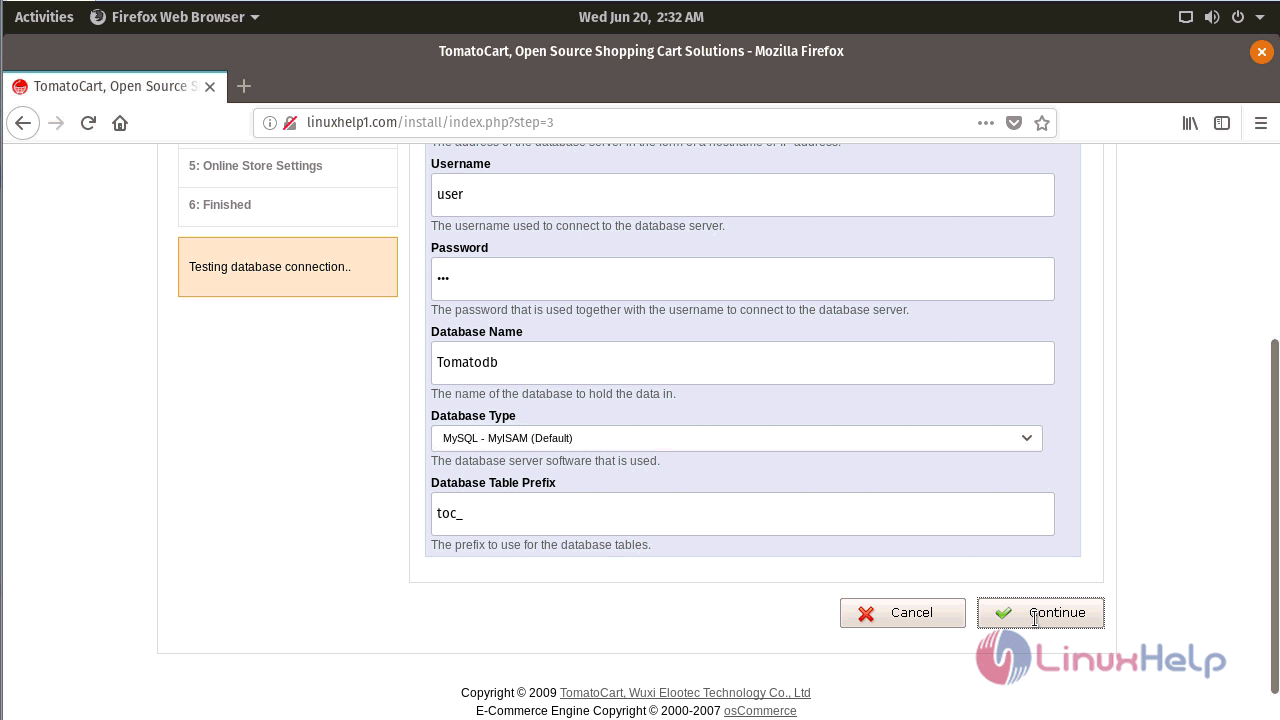
Fill database detail and click continue
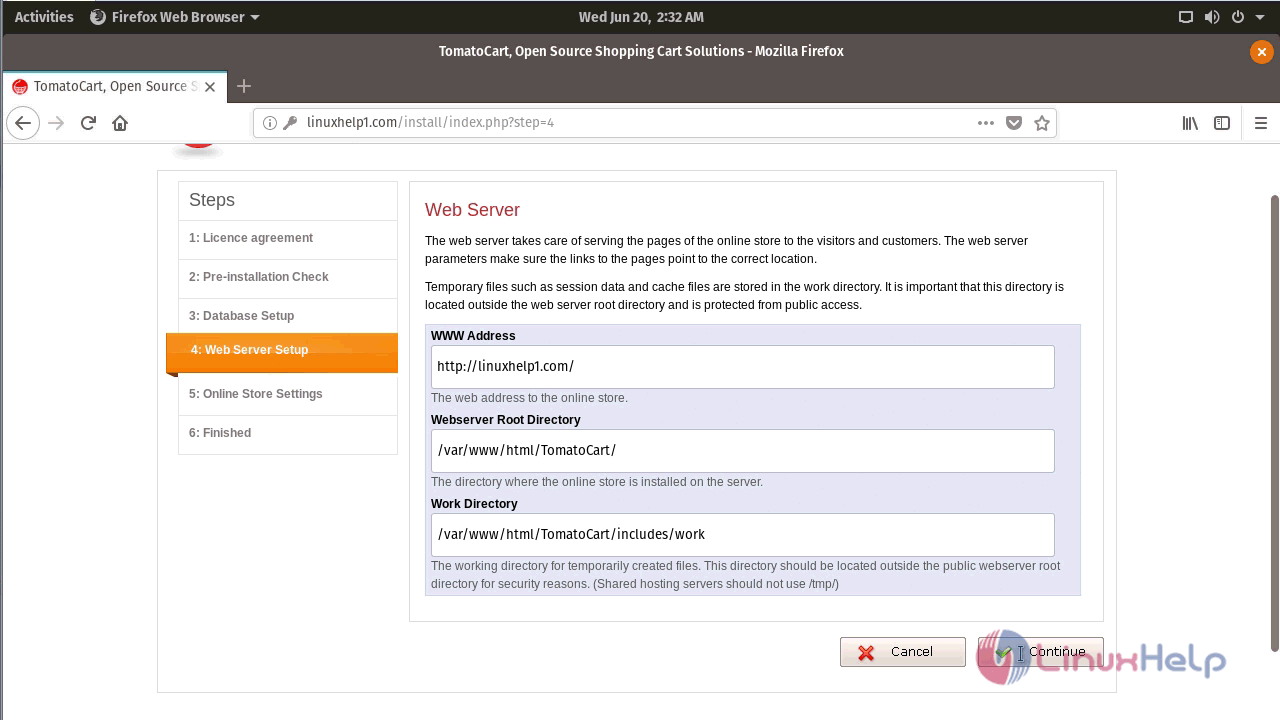
Check web server details and click continue
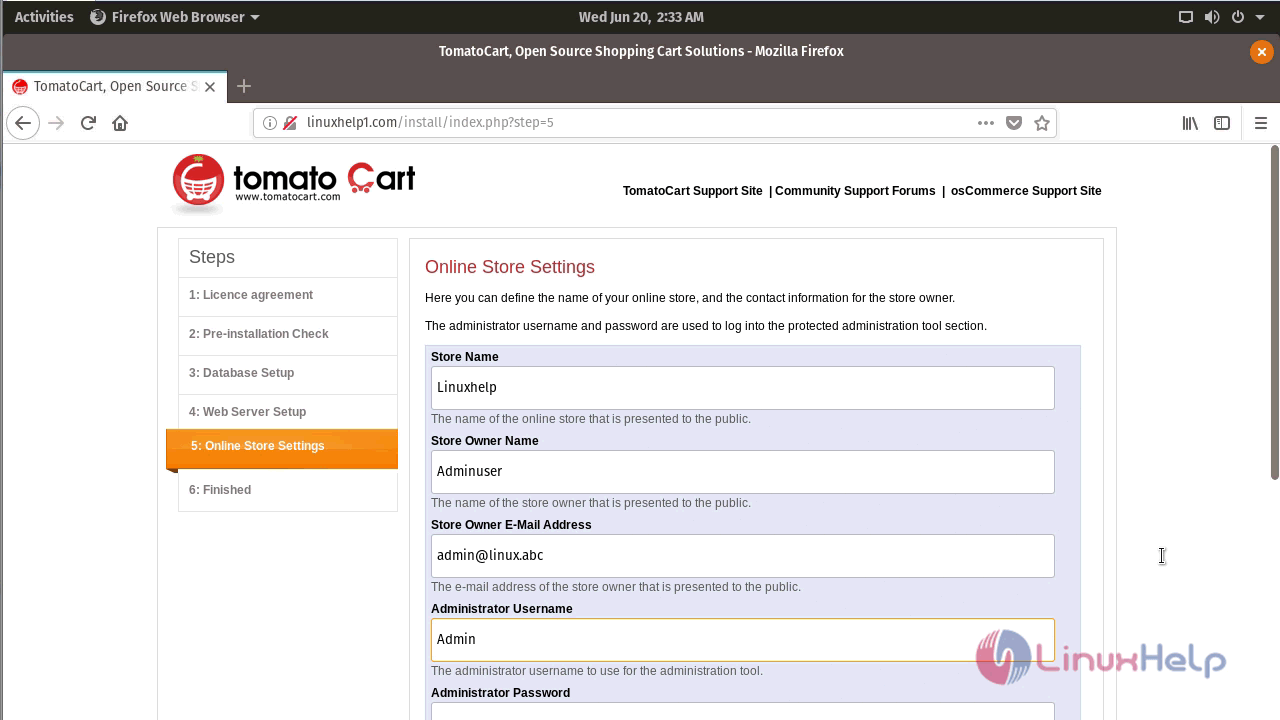
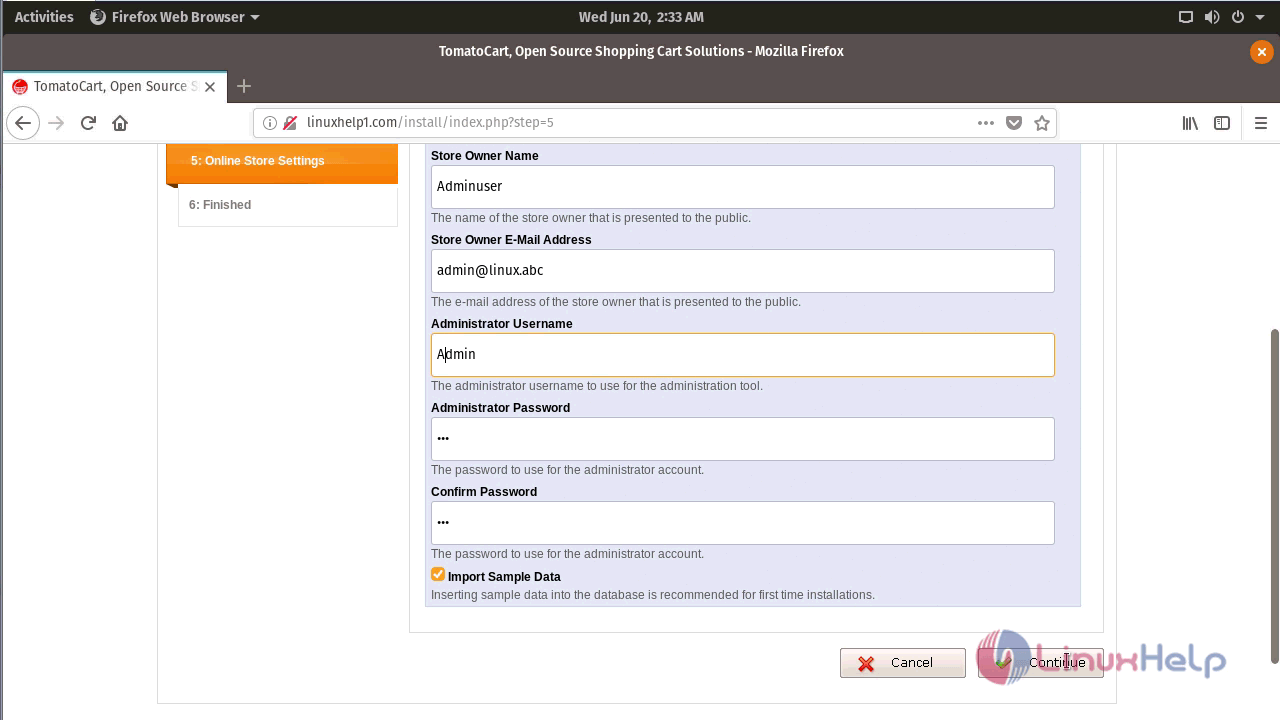
Fill online Store details and click continue
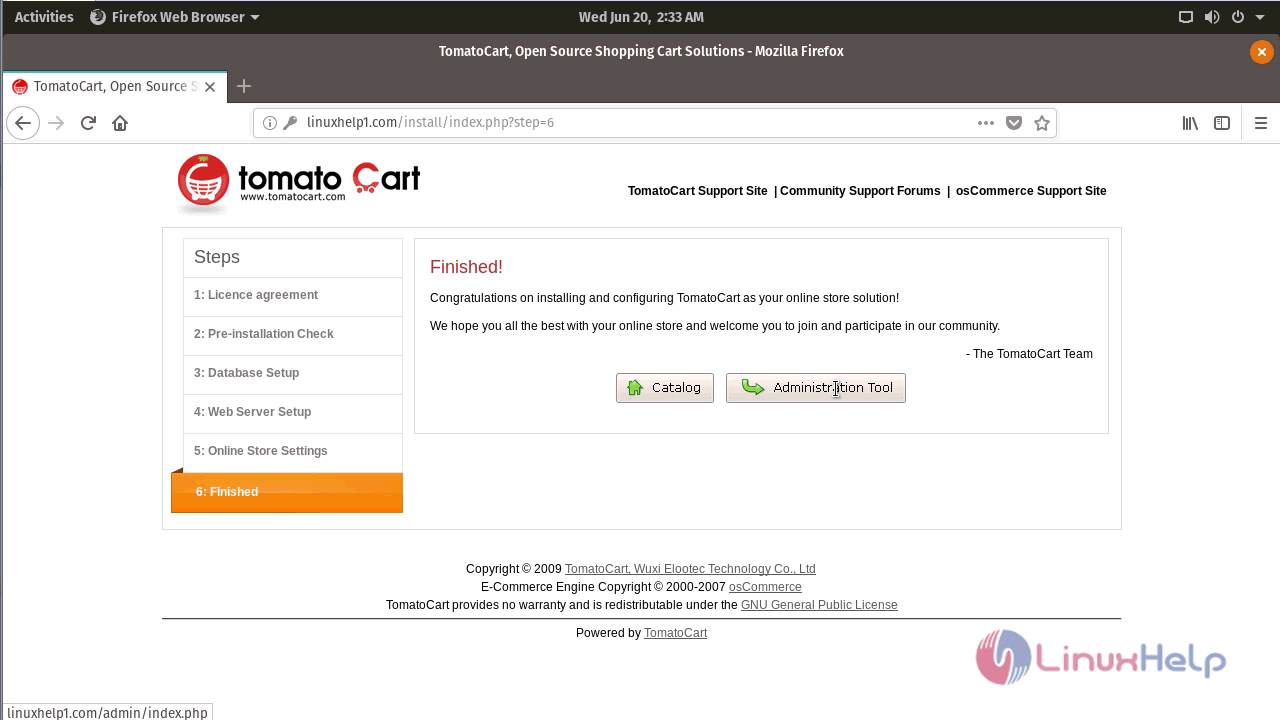
Installation complete. To open admin page click administration tool.
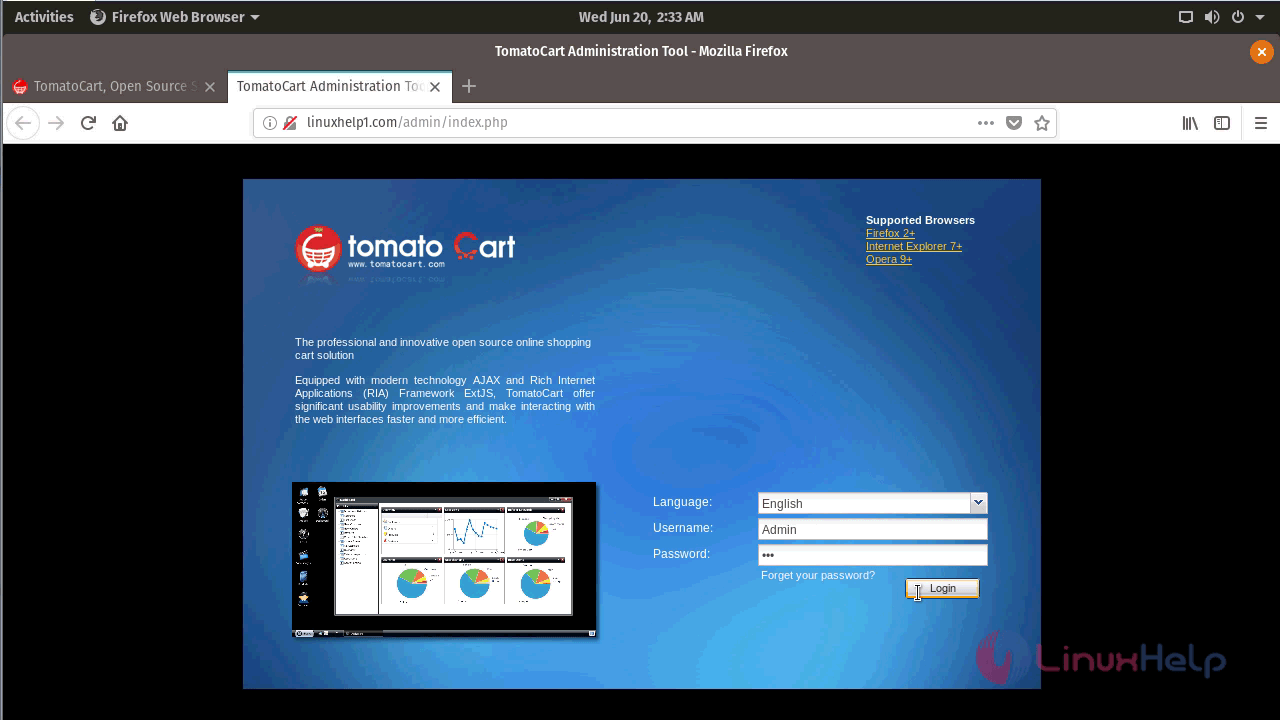
Give Admin login credentials and click login.
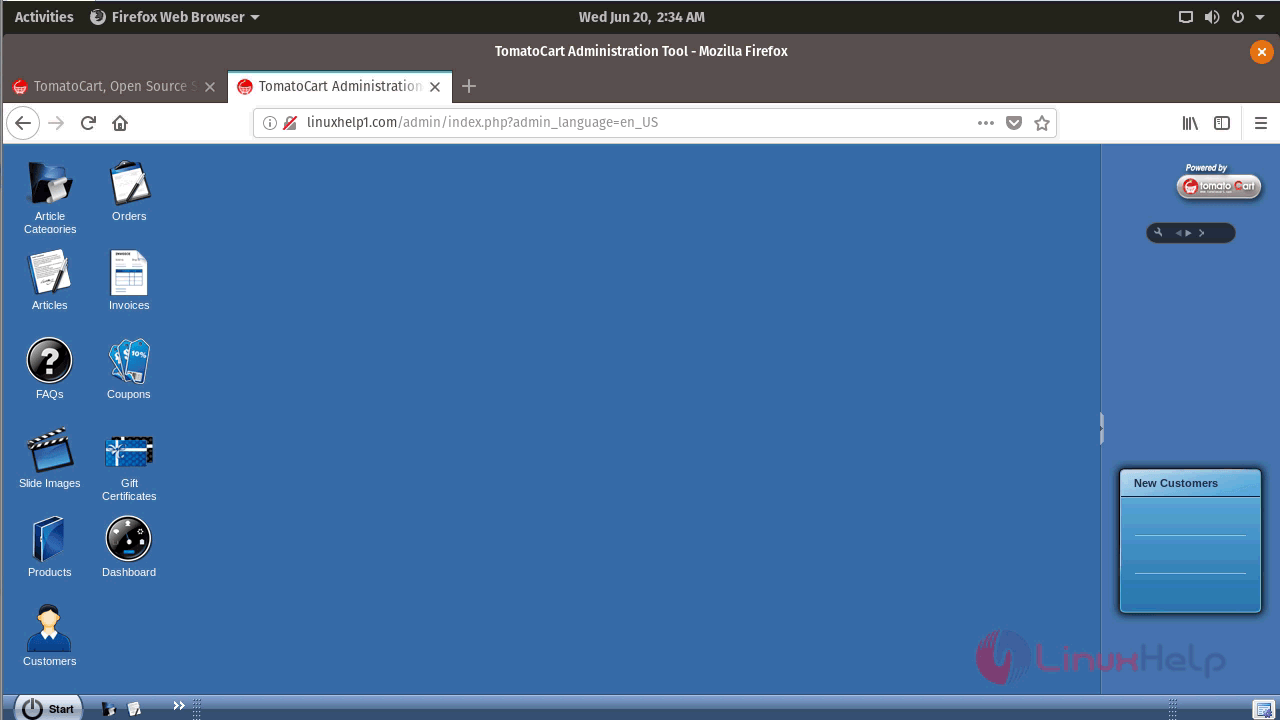
Admin dashboard of Tomatocart
Comments ( 0 )
No comments available