• Categories
    Category
    {{ postCtrl.tags }}
    • {{ category.tag_type }}

      • {{tag.tag_name}}
      • View more
  • Categories
    Category
    {{ postCtrl.tags }}
    • {{ category.tag_type }}

      • {{tag.tag_name}}
      • View more
  • News
  • Tutorials
  • Forums
  • Tags
  • Users
Tutorial News Comments FAQ Related Articles

How to install µTorrent on linuxmint 18.3

{{postValue.id}}

To install µ Torrent on Linux Mint 18.3
µ Torrent is a freeware, closed source BitTorrent client by BitTorrent, Inc. Its the Software Developed for Downloading a Large Number of Files. Its a peer-to-peer file sharing protocol used for distributing large amounts of data. It is so simple to install µ Torrent on Linux Mint 18.3 and this tutorial covers the ground on the same process.

Install µ Torrent

Open up your terminal window and run the following command to download the latest version of µ Torrent.

linuxhelp ~ # curl http://download.ap.bittorrent.com/track/beta/endpoint/utserver/os/linux-x64-ubuntu-13-04 -o utorrent-server.tar.gz
  % Total    % Received % Xferd  Average Speed   Time    Time     Time  Current
                                 Dload  Upload   Total   Spent    Left  Speed
100 2206k  100 2206k    0     0   411k      0  0:00:05  0:00:05 --:--:--  714k 

After the download completes, extract the downloaded package.

linuxhelp ~ # tar -zxvf utorrent-server.tar.gz -C /opt/
utorrent-server-alpha-v3_3/
utorrent-server-alpha-v3_3/webui.zip
utorrent-server-alpha-v3_3/utserver
utorrent-server-alpha-v3_3/docs/
utorrent-server-alpha-v3_3/docs/style.css
utorrent-server-alpha-v3_3/docs/license.txt
utorrent-server-alpha-v3_3/docs/Changes.txt
utorrent-server-alpha-v3_3/docs/Server_Changes.pdf
utorrent-server-alpha-v3_3/docs/footer_ut_address.gif
utorrent-server-alpha-v3_3/docs/Server_Changes.html
utorrent-server-alpha-v3_3/docs/Server_Changes.txt
utorrent-server-alpha-v3_3/docs/uTorrent_Server.txt
utorrent-server-alpha-v3_3/docs/uTorrent_Server.pdf
utorrent-server-alpha-v3_3/docs/ut-logo.gif
utorrent-server-alpha-v3_3/docs/uTorrent_Server.html

Assign a permission to grant access for everyone.

linuxhelp ~ # chmod 777 /opt/utorrent-server-alpha-v3_3/

Then create a symbolic link as follows.

linuxhelp ~ # ln -s /opt/utorrent-server-alpha-v3_3/utserver /usr/bin/utserver

Once it is done, you shall start the torrent. Use the following command to start uTorrent server. By default, uTorrent server listens on 0.0.0.0:8080. If there’ s another service also listens on port 8080, you should temporarily stop that service. uTorrent will also use port 10000 and 6881.

linuxhelp ~ # utserver -settingspath /opt/utorrent-server-alpha-v3_3/

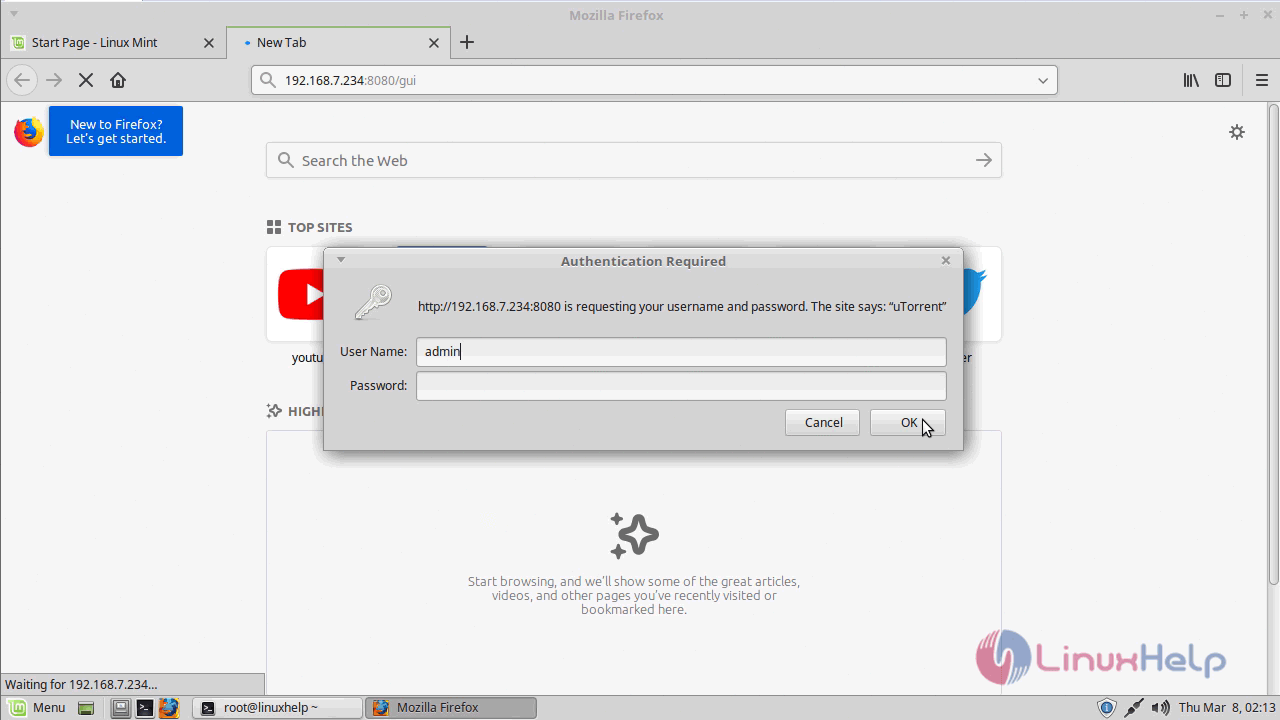
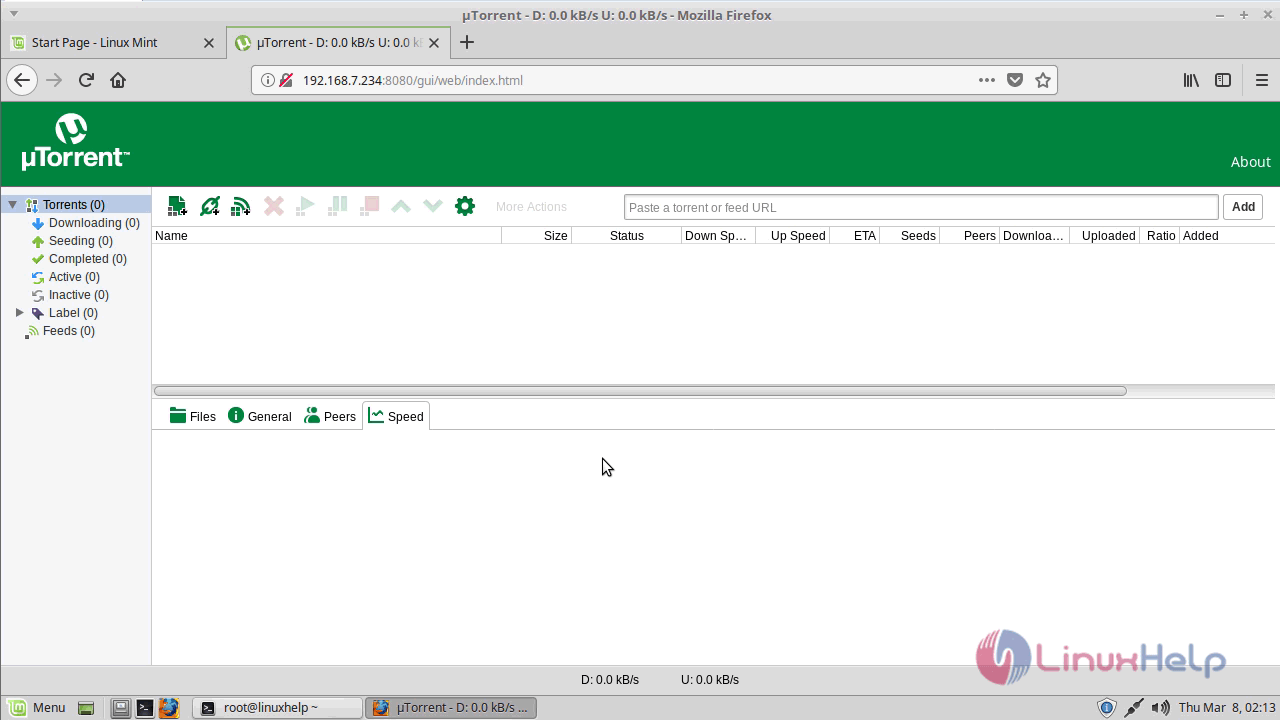
You can now visit the uTorrent web UI in your browser by entering the following URL in the browser:
your-server-ip:8080/gui or localhost:8080/gui
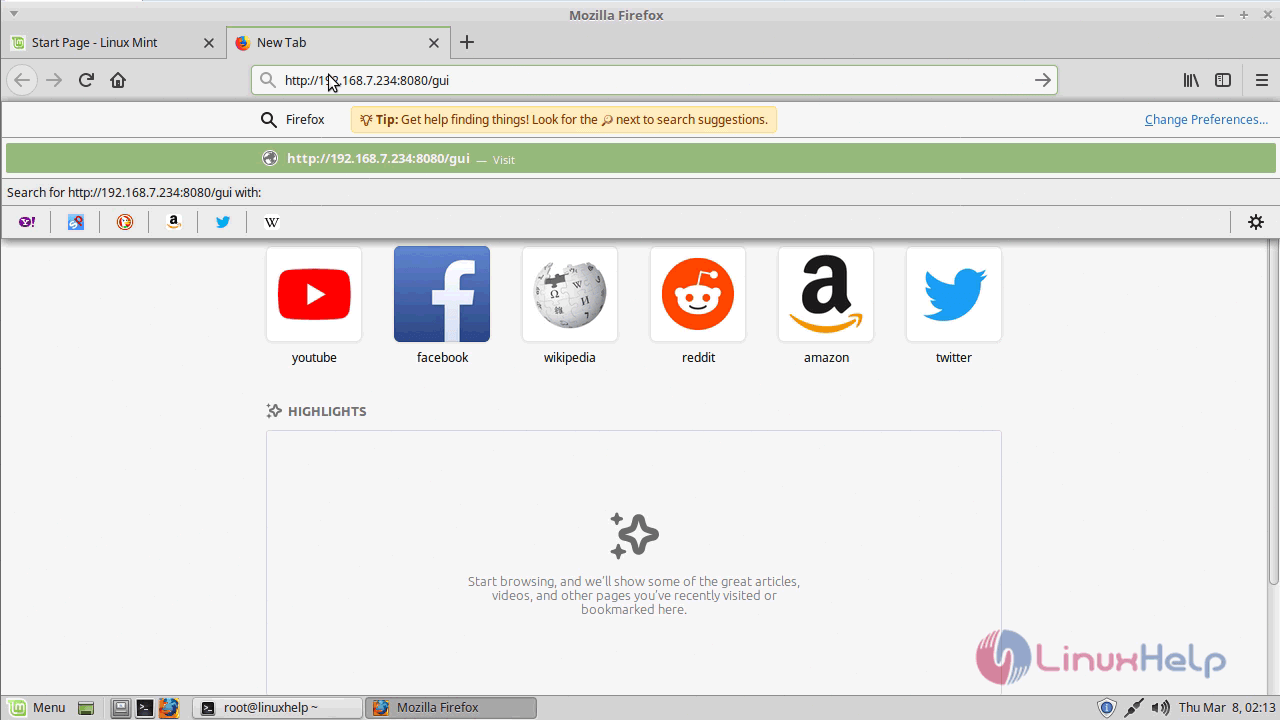
browser

auth_torrent

torrent_application

With this, the method to install µ Torrent on Linux Mint18.3 comes to an end.

Tags:
matthew
Author: 

Comments ( 0 )

No comments available

Add a comment
{{postCtrl.cmtErrMsg}}

Frequently asked questions ( 5 )

Q

What is µTorrent & its uses?

A

µ Torrent is a freeware, closed source BitTorrent client by BitTorrent, Inc. Its the Software Developed for Downloading a Large Number of Files. Its a peer-to-peer file sharing protocol used for distributing large amounts of data.

Q

How to download the µTorrent from the command line?

A

To download the µTorrent from the command line use the following command

#curl http://download.ap.bittorrent.com/track/beta/endpoint/utserver/os/linux-x64-ubuntu-13-04 -o utorrent-server.tar.gz

Q

How to craete a symbiloc link for utorrent?

A

To craete a symbolica link use the following command

#ln -s /opt/utorrent-server-alpha-v3_3/utserver /usr/bin/utserver

Q

HOw to access the urorrent web?

A

TO access the utorrent web access the local host from browser with port number 8080

Q

How to addd files in utorrent web?

A

To add files from Utorrent web use magnet link or drag and drop torrent files

Back To Top!
Rank
User
Points

Top Contributers

userNamenaveelansari
135850

Top Contributers

userNameayanbhatti
92510

Top Contributers

userNamehamzaahmed
32150

Top Contributers

1
userNamelinuxhelp
31040

Top Contributers

userNamemuhammadali
24500
Can you help Isaiah ?
What is the use of SUID & SGID commands

How to set the special permissions to the files and folders using SUID and SGID commands...

Networking
  • Routing
  • trunk
  • Netmask
  • Packet Capture
  • domain
  • HTTP Proxy
Server Setup
  • NFS
  • KVM
  • Memory
  • Sendmail
  • WebDAV
  • LXC
Shell Commands
  • Cloud commander
  • Command line archive tools
  • last command
  • Shell
  • terminal
  • Throttle
Desktop Application
  • Linux app
  • Pithos
  • Retrospect
  • Scribe
  • TortoiseHg
  • 4Images
Monitoring Tool
  • Monit
  • Apache Server Monitoring
  • EtherApe 
  • Arpwatch Tool
  • Auditd
  • Barman
Web Application
  • Nutch
  • Amazon VPC
  • FarmWarDeployer
  • Rukovoditel
  • Mirror site
  • Chef
Contact Us | Terms of Use| Privacy Policy| Disclaimer
© 2025 LinuxHelp.com All rights reserved. Linux™ is the registered trademark of Linus Torvalds. This site is not affiliated with linus torvalds in any way.