How to install Typing Tutor Applications on Ubuntu
To install Typing Tutor Applications on Ubuntu
A Typing Tutor is an application which can allows us to learn and test our typing skills. There are several popular Typing Tutor applications which can run efficiently on Ubuntu. In this article, let us see the installation of Klavaro and Tuxtype, two of the most popular typing tutor applications.
Installing Klavaro
Before installing Klavaro, make sure you update your repositories. Use the following command for the same purpose.
root@linuxhelp1:~# apt-get update
Get:1 http://security.ubuntu.com/ubuntu xenial-security InRelease [102 kB]
Hit:2 http://in.archive.ubuntu.com/ubuntu xenial InRelease
Get:3 http://in.archive.ubuntu.com/ubuntu xenial-updates InRelease [102 kB]
Get:4 http://in.archive.ubuntu.com/ubuntu xenial-backports InRelease [102 kB]
Fetched 306 kB in 1s (167 kB/s)
Reading package lists... Done
Once it is done, you can install Klavaro by simply running the following command.
root@linuxhelp1:~# apt-get install klavaro -y
Reading package lists... Done
Building dependency tree
Reading state information... Done
The following NEW packages will be installed:
  klavaro
0 upgraded, 1 newly installed, 0 to remove and 459 not upgraded.
Need to get 679 kB of archives.
After this operation, 3,306 kB of additional disk space will be used.
Get:1 http://in.archive.ubuntu.com/ubuntu xenial/universe amd64 klavaro amd64 3.01-1 [679 kB]
Fetched 679 kB in 4s (151 kB/s)
Selecting previously unselected package klavaro.
(Reading database ... 176721 files and directories currently installed.)
Preparing to unpack .../klavaro_3.01-1_amd64.deb ...
Unpacking klavaro (3.01-1) ...
Processing triggers for man-db (2.7.5-1) ...
Processing triggers for gnome-menus (3.13.3-6ubuntu3) ...
Processing triggers for desktop-file-utils (0.22-1ubuntu5) ...
Processing triggers for bamfdaemon (0.5.3~bzr0+16.04.20160415-0ubuntu1) ...
Rebuilding /usr/share/applications/bamf-2.index...
Processing triggers for mime-support (3.59ubuntu1) ...
Processing triggers for hicolor-icon-theme (0.15-0ubuntu1) ...
Setting up klavaro (3.01-1) ...
Processing triggers for libc-bin (2.23-0ubuntu3) ...
Once the installation has been completed, open the application from your terminal using the command “ klavaro.” The Klavaro application appears on your screen.
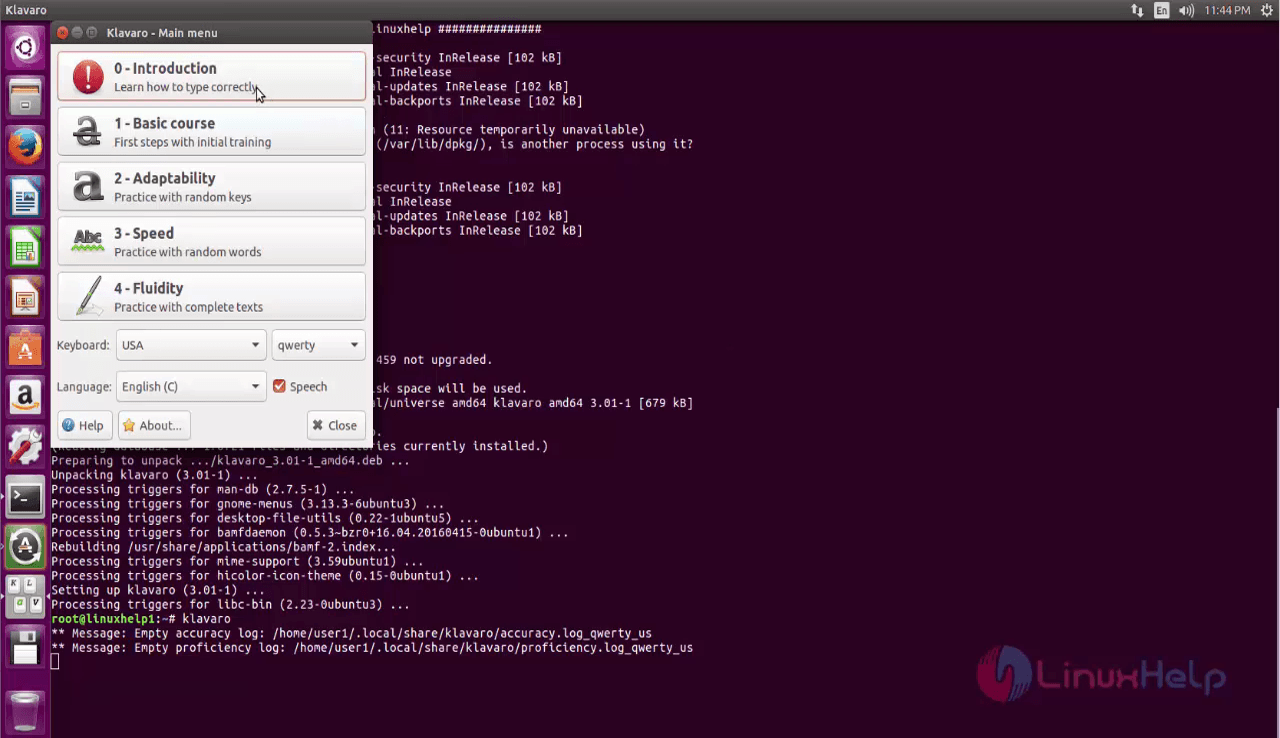
You can choose the test options and test your typing skills. Here, the speed test has been chosen.
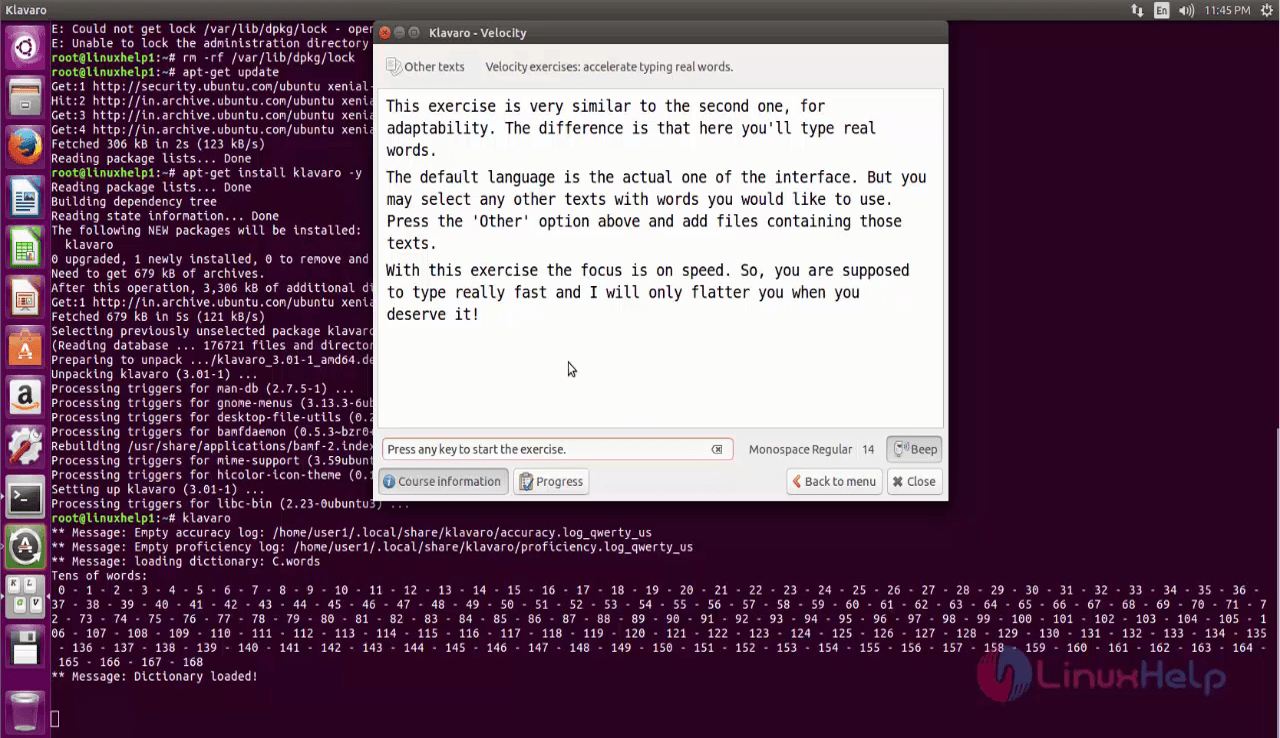
Now type the passage shown on the screen.
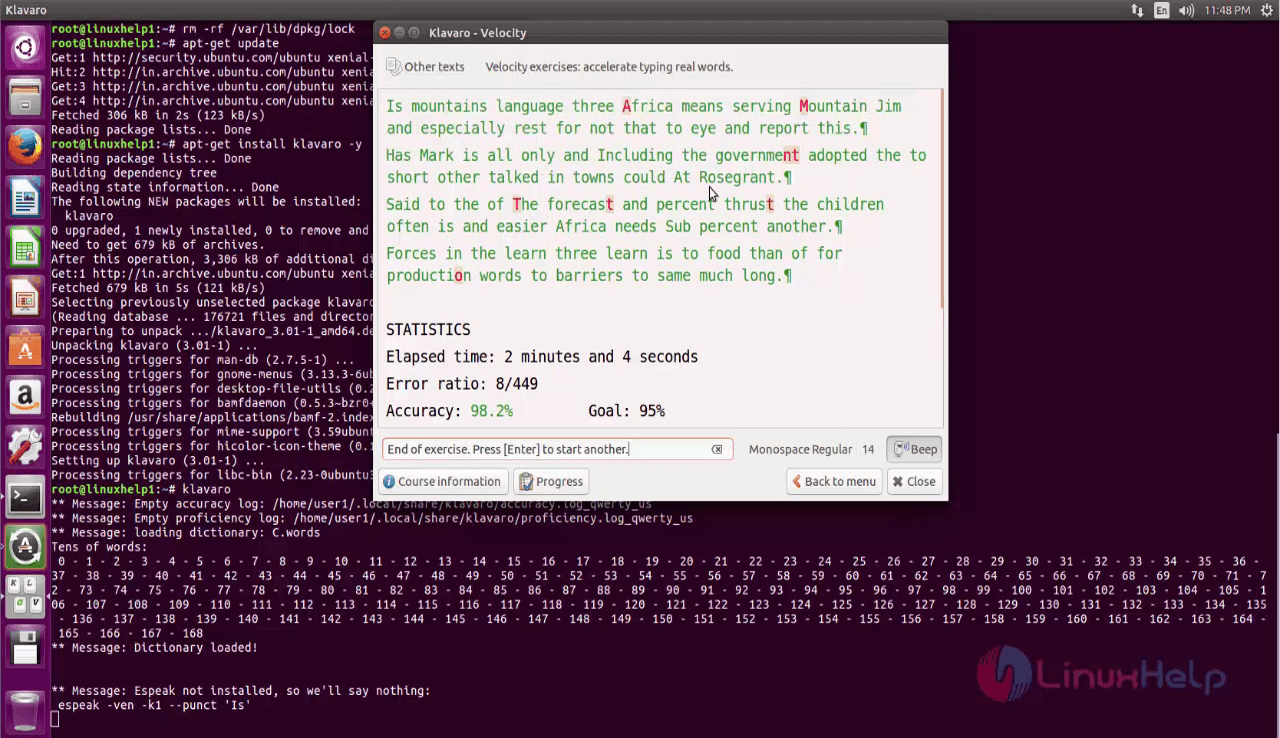
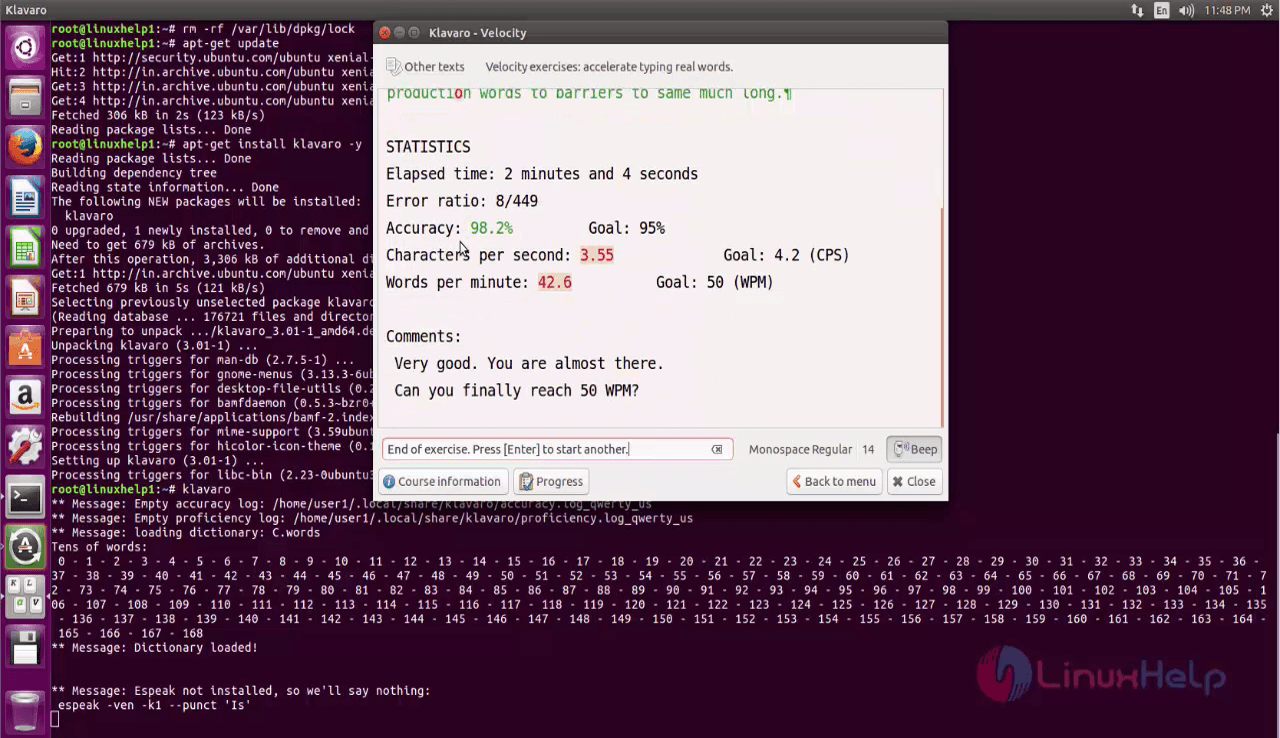
Once you have completed the test, your test analysis is displayed on the screen.
Installing TuxType
You can simply install TuxType by running the following command.
root@linuxhelp1:~# apt-get install tuxtype -y
Reading package lists... Done
Building dependency tree
Reading state information... Done
The following additional packages will be installed:
  fonts-beng fonts-beng-extra fonts-deva fonts-deva-extra fonts-gargi fonts-gubbi fonts-gujr fonts-gujr-extra fonts-kalapi fonts-knda fonts-lohit-beng-assamese
  fonts-lohit-beng-bengali fonts-lohit-deva fonts-lohit-gujr fonts-lohit-knda fonts-lohit-orya fonts-lohit-taml fonts-lohit-taml-classical fonts-lohit-telu fonts-nakula
  fonts-navilu fonts-orya fonts-orya-extra fonts-sahadeva fonts-samyak-deva fonts-samyak-gujr fonts-samyak-taml fonts-sarai fonts-sil-andika fonts-sil-doulos fonts-taml
  fonts-telu fonts-telu-extra libfluidsynth1 libmad0 libmikmod3 libopenal-data libopenal1 libsdl-image1.2 libsdl-mixer1.2 libsdl-pango1 libsdl1.2debian musescore-soundfont-gm
  timgm6mb-soundfont tuxtype-data
.
.
.
Setting up fonts-lohit-taml-classical (2.5.3-2) ...
Setting up fonts-lohit-telu (2.5.3-1) ...
Setting up fonts-orya-extra (2.0-3) ...
Setting up fonts-orya (2:1.2) ...
Setting up fonts-samyak-taml (1.2.2-4) ...
Setting up fonts-sil-doulos (5.000-3) ...
Setting up fonts-taml (2:1.3) ...
Setting up fonts-telu-extra (2.0-3) ...
Setting up fonts-telu (2:1.2) ...
Setting up timgm6mb-soundfont (1.3-2) ...
Setting up musescore-soundfont-gm (2.0.2+dfsg-2ubuntu0.1) ...
Setting up tuxtype-data (1.8.3-1) ...
Setting up tuxtype (1.8.3-1) ...
Processing triggers for libc-bin (2.23-0ubuntu3) ...
TuxType has been installed, launch it through your Ubuntu dashboard.
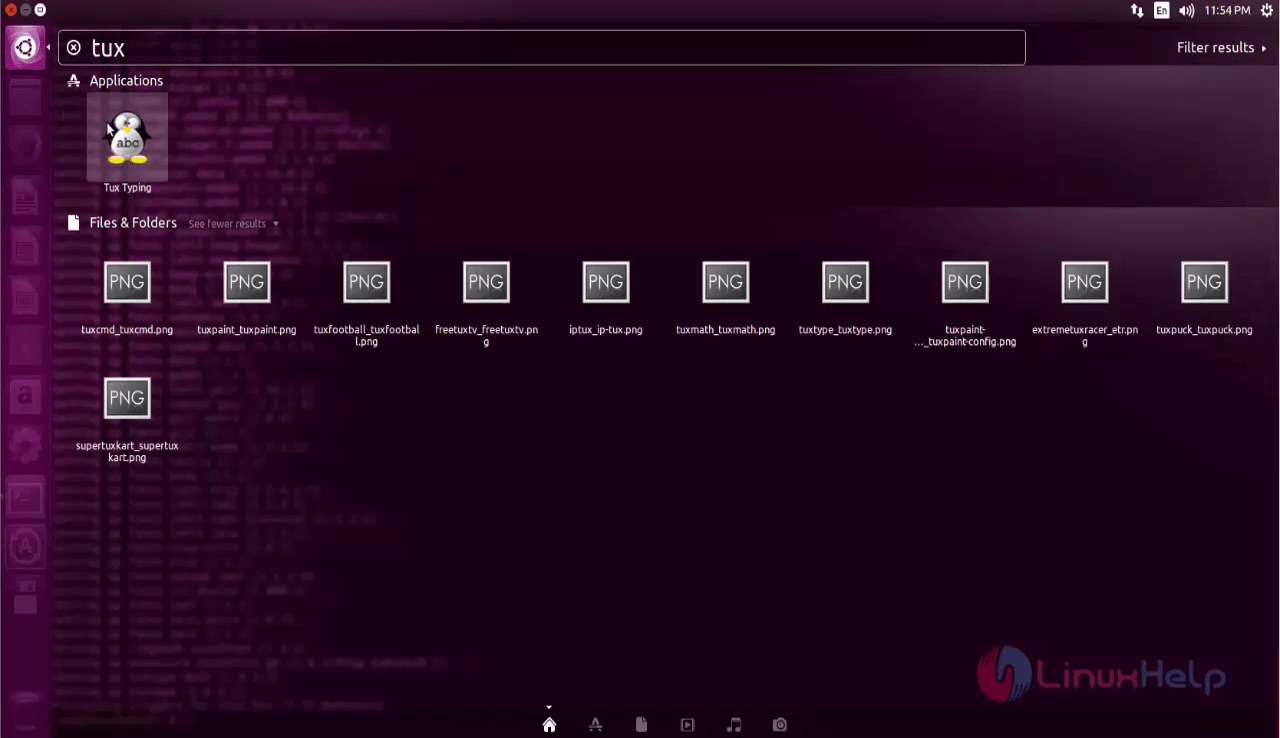
Choose from the list of menus available on TuxType as per your wish, and check your typing skills.
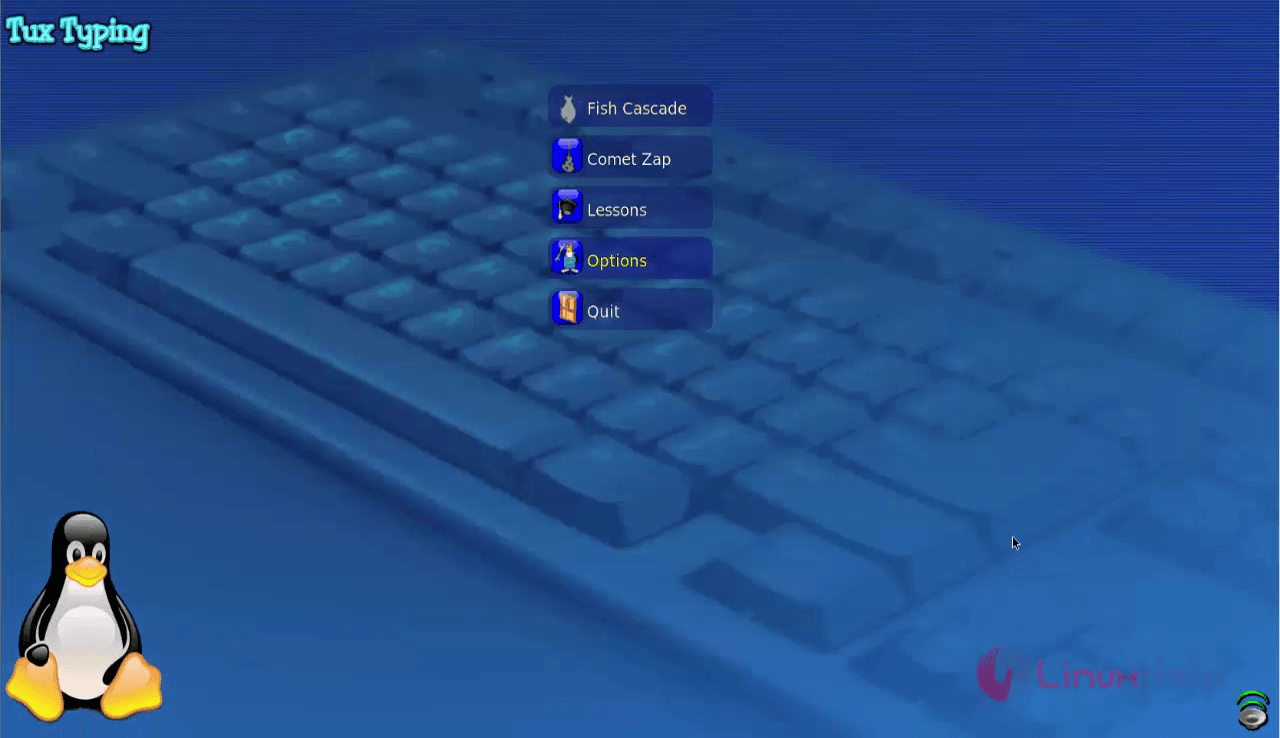
Both the Typing Tutor applications were simple to install, weren' t it? You can also check how many words you are capable of typing in a minute (words per minute). Enjoy and enhance your typing skills with the help of these typing tutor applications.
Comments ( 0 )
No comments available