How to install Typo3 CMS on CentOS 6.9
To install Typo3 CMS on CentOS 6.9
TYPO3 is a free and open source enterprise content management system. It is written in PHP and uses MySQL to store its data. TYPO3 can run on HTTP server such as Apache or IIS. It also runs on PHP 5.3 or newer versions. TYPO3 is a responsive, multilingual and secure CMS. It can also be customized and extended without writing any code. It also contains features like modularity, extensions, flexible administrators system, content types, changing a page structure and internel TypoScript language. This tutorial covers the ground on the installation procedure of Typo3 CMS on CentOS 6.9.
Pre-Requisite
Before starting the installation procedure, check whether the target system has been installed with the LAMP environment for the Typo3 CMS to work in. Create a MySQL database and an user with all privileges granted.
Installation procedure
To proceed with the installation procedure, enter into HTML location by running the following command.
[root@linuxhelp1 ~]# cd /var/www/html/
Next download the typo3 package from its official site by executing the wget command followed by the download link.
[root@linuxhelp1 html]#  wget https://get.typo3.org/8.7.3 -O typo3.tar.gz
--2017-09-21 15:02:00--  https://get.typo3.org/8.7.3
Resolving get.typo3.org... 46.4.110.202, 136.243.44.180, 2a01:4f8:212:cb0::2:171, ...
Connecting to get.typo3.org|46.4.110.202|:443... connected.
HTTP request sent, awaiting response... 302 Moved Temporarily
Location: https://typo3.azureedge.net/typo3/8.7.3/typo3_src-8.7.3.tar.gz [following]
--2017-09-21 15:02:02--  https://typo3.azureedge.net/typo3/8.7.3/typo3_src-8.7.3.tar.gz
Resolving typo3.azureedge.net... 117.18.232.200, 2606:2800:147:120f:30c:1ba0:fc6:265a
Connecting to typo3.azureedge.net|117.18.232.200|:443... connected.
HTTP request sent, awaiting response... 200 OK
Length: 18024088 (17M) [application/octet-stream]
Saving to: “ typo3.tar.gz”
100%[======================================> ] 18,024,088   594K/s   in 50s

2017-09-21 15:02:52 (355 KB/s) - “ typo3.tar.gz”  saved [18024088/18024088]
Extract the downloaded file by executing the tar command.
[root@linuxhelp1 html]# tar -xvf typo3.tar.gz
typo3_src-8.7.3/
typo3_src-8.7.3/CONTRIBUTING.md
typo3_src-8.7.3/INSTALL.md
typo3_src-8.7.3/LICENSE.txt
typo3_src-8.7.3/README.md
typo3_src-8.7.3/_.htaccess
typo3_src-8.7.3/composer.json
.
.
typo3_src-8.7.3/vendor/typo3fluid/fluid/src/ViewHelpers/ThenViewHelper.php
typo3_src-8.7.3/vendor/typo3fluid/fluid/src/ViewHelpers/VariableViewHelper.php
Rename the extracted file to typo3.
[root@linuxhelp1 html]# mv typo3*/ typo3/
Rename the .htaccess file by running the following command.
[root@linuxhelp1 html]# mv typo3/_.htaccess typo3/.htaccess
Create a empty file in typo3 directory and while installing the typo3 application, it will automatically get the file.
[root@linuxhelp1 html]# touch /var/www/html/typo3/FIRST_INSTALL
Edit the php configuration file and edit the following changes in the file and save it.
[root@linuxhelp1 html]#  vim /etc/php.ini
max_input_vars = 1500
max_execution_time = 240
Change the ownership and permission of file in typo3 directory.
[root@linuxhelp1 html]# chown -R apache:apache /var/www/html/typo3
[root@linuxhelp1 html]# chmod -R 775 /var/www/html/typo3
Restart the Apache service.
[root@linuxhelp1 html]# service httpd restart
Stopping httpd:                                            [  OK  ]
Starting httpd:                                            [  OK  ]
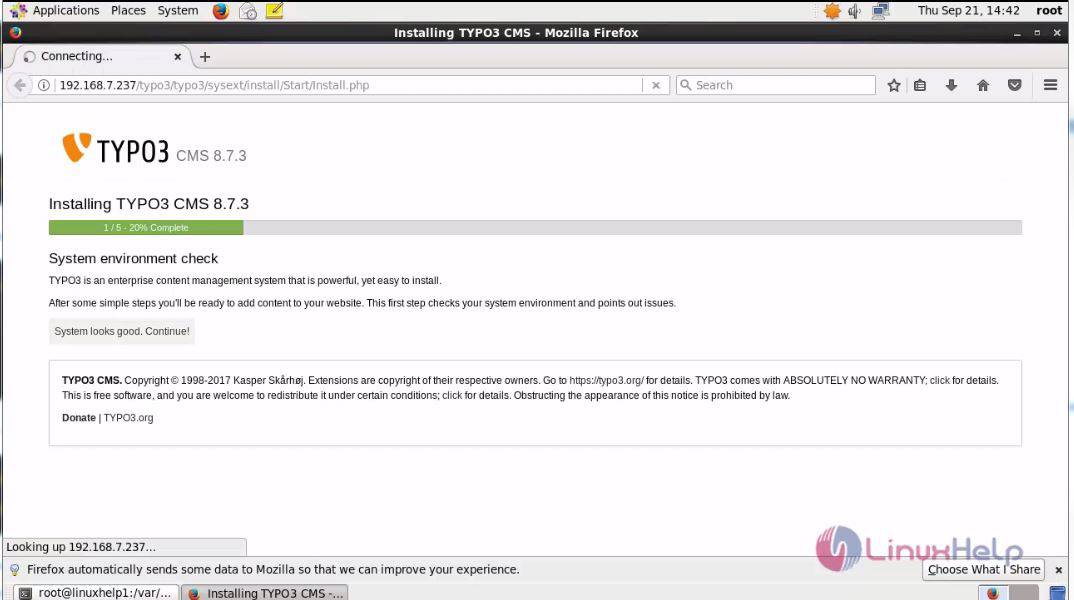
Switch over to a browser and give the URL as https://machineip/typo3. The installation page appears on the screen. Click continue.
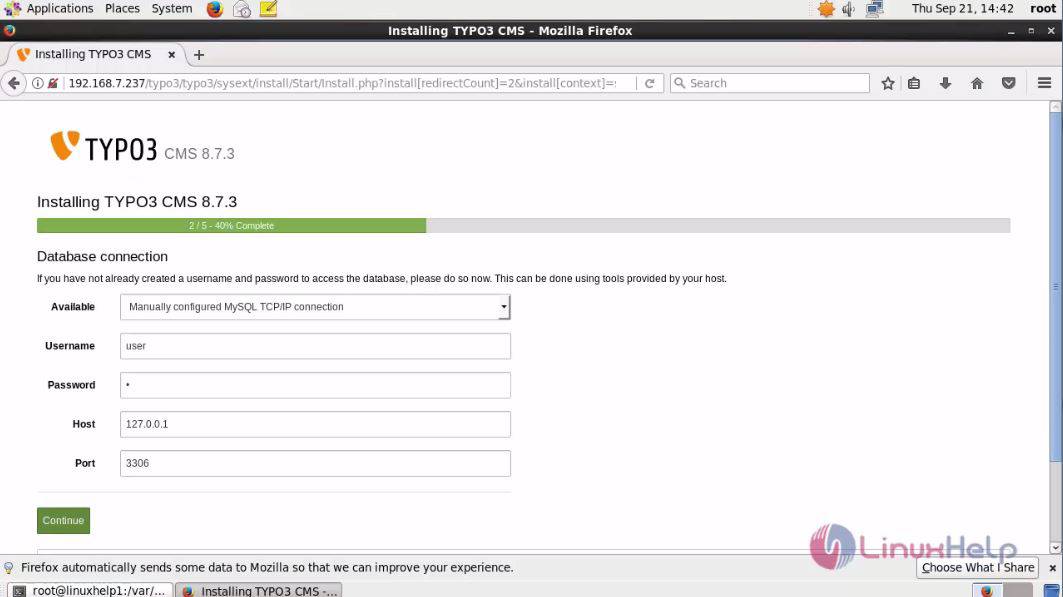
Enter the database connection detail and click continue
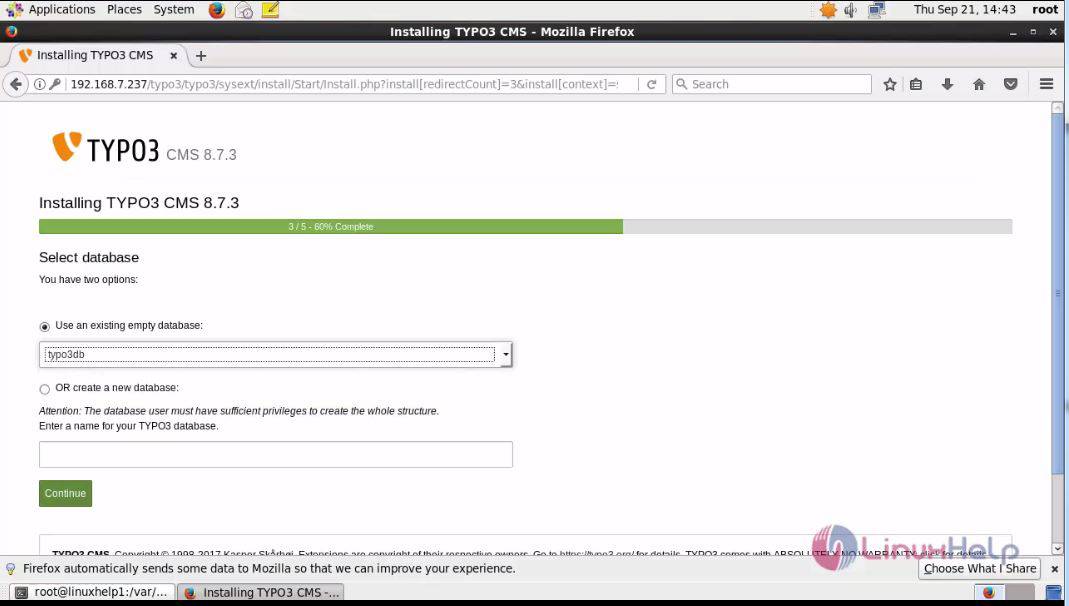
Select the database and click continue.
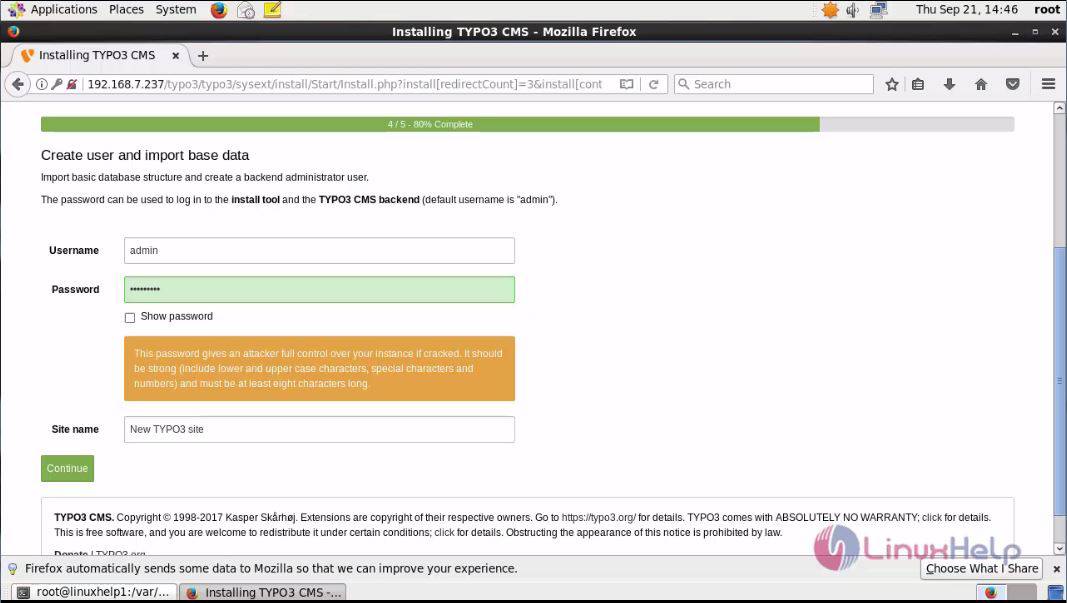
Enter the admin credentials details and click continue.
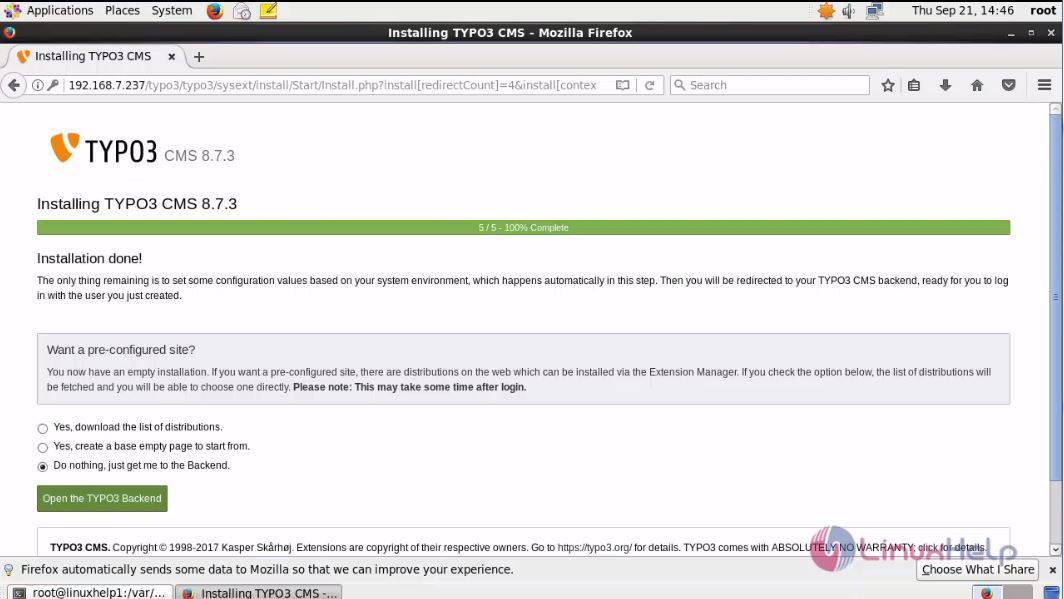
The installation is complete. Click open typo backend option to access the admin side of the Typo3 CMS.
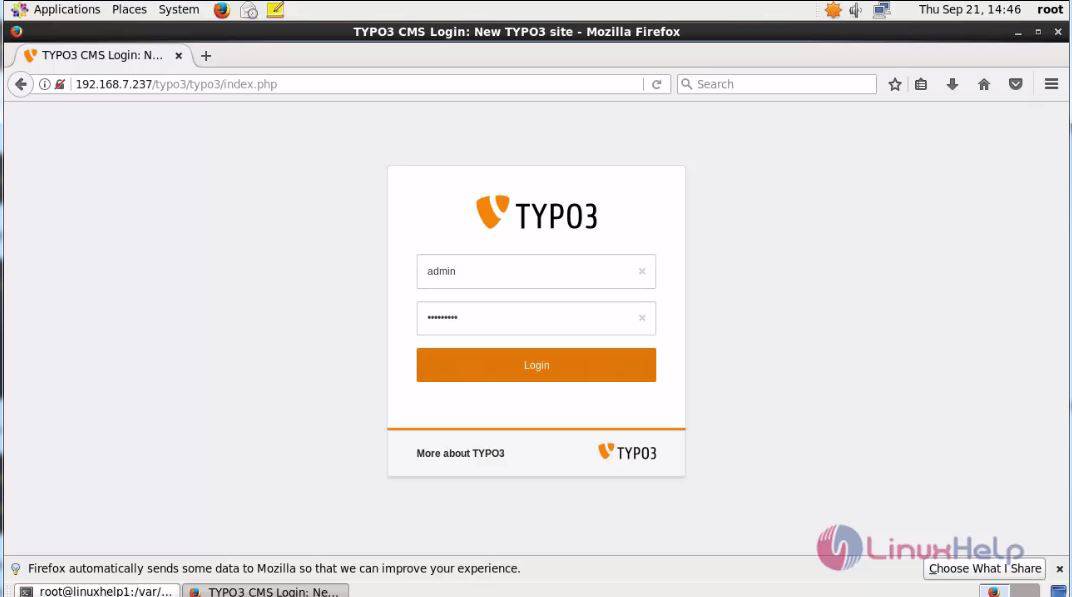
Enter the admin credentials and click login.
The Admin page of typo 3 is shown to the user as below.
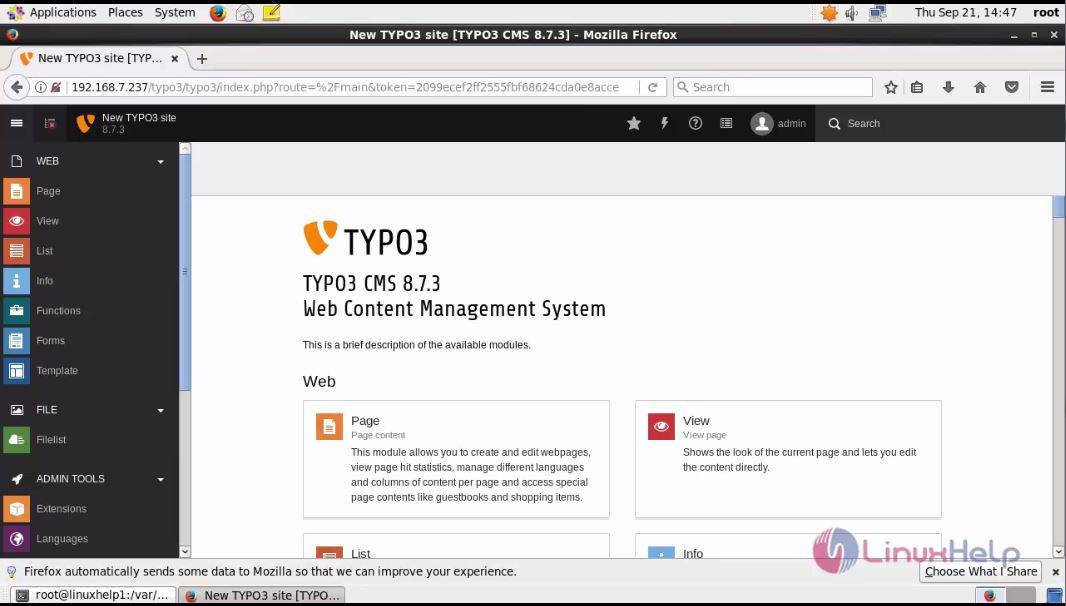
The installation procedure of Typo3 CMS on CentOS 6.9.
Comments ( 0 )
No comments available