• Categories
    Category
    {{ postCtrl.tags }}
    • {{ category.tag_type }}

      • {{tag.tag_name}}
      • View more
  • Categories
    Category
    {{ postCtrl.tags }}
    • {{ category.tag_type }}

      • {{tag.tag_name}}
      • View more
  • News
  • Tutorials
  • Forums
  • Tags
  • Users
Tutorial News Comments FAQ Related Articles

How to install uGet 2.2.0 in ubuntu 17.04

{{postValue.id}}

To install uGet 2.2.0 in Ubuntu 17.04

Get is an Open Source download manager application for GNU/Linux developed with GTK+. uGet uses very few resources while at the same time packs a powerful feature set. These features include a Queue, Pause/Resume, Multi-Connection (with adaptive segment management), Mirrors (multi-source), Multi-Protocol, Advanced Categorization, Clipboard Monitor, Batch Downloads, Individualized Category Default Settings, Speed Limiting, and Total Active Downloads Control. This tutorial covers the installation procedure of uGet download manager on Ubuntu 16.04.

Features

  • Support for downloading from YouTube
  • Support for downloading from MEGA
  • Batch Downloading up to 3 Wildcard Ranges
  • Better support for Wayland

Installing uget

In order to install uget you need to add the required repository into repo by making use of the following command.

root@linuxhelp11:~# add-apt-repository ppa:plushuang-tw/uget-stable
 This PPA is for the stable version of uGet.
Press [ENTER] to continue or ctrl-c to cancel adding it
.
.
.
gpg: /tmp/tmpf1uto5sx/trustdb.gpg: trustdb created
gpg: key 8BE3EAB5EBE14A20: public key " Launchpad PPA for plushuang.tw"  imported
gpg: Total number processed: 1
gpg:               imported: 1
OK

Once it is added, make sure you update the system with the help of the following command.

root@linuxhelp11:~# apt-get update
Hit:1 http://security.ubuntu.com/ubuntu zesty-security InRelease                   
Hit:2 http://ppa.launchpad.net/dhor/myway/ubuntu zesty InRelease                   
Hit:3 http://ppa.launchpad.net/flexiondotorg/youtube-dl-gui/ubuntu zesty InRelease        
Hit:4 http://us.archive.ubuntu.com/ubuntu zesty InRelease     
.
.
.
Get:10 http://ppa.launchpad.net/plushuang-tw/uget-stable/ubuntu zesty/main Translation-en [168 B]
Fetched 16.7 kB in 2s (6,036 B/s)
Reading package lists... Done

After that, you should install uget download manager by executing the following command.

root@linuxhelp11:~# apt install uget
Reading package lists... Done
Building dependency tree      
Reading state information... Done
Suggested packages:
  aria2
.
.
.
Processing triggers for bamfdaemon (0.5.3+17.04.20170406-0ubuntu1) ...
Rebuilding /usr/share/applications/bamf-2.index...
Processing triggers for gnome-menus (3.13.3-6ubuntu5) ...
Processing triggers for hicolor-icon-theme (0.15-1) ...

uGet has been installed, you shall open the application from Ubuntu dash board.
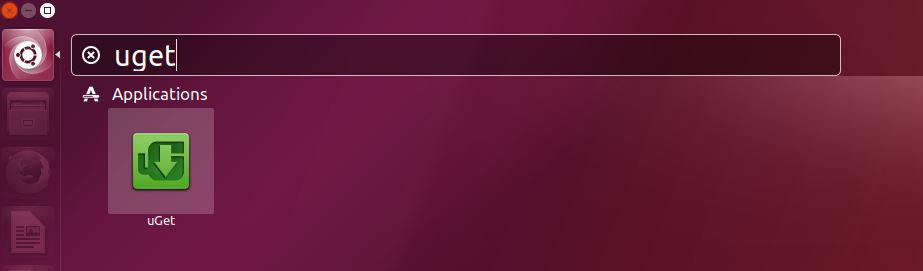
search

Now the uGet download manager is installed successfully.
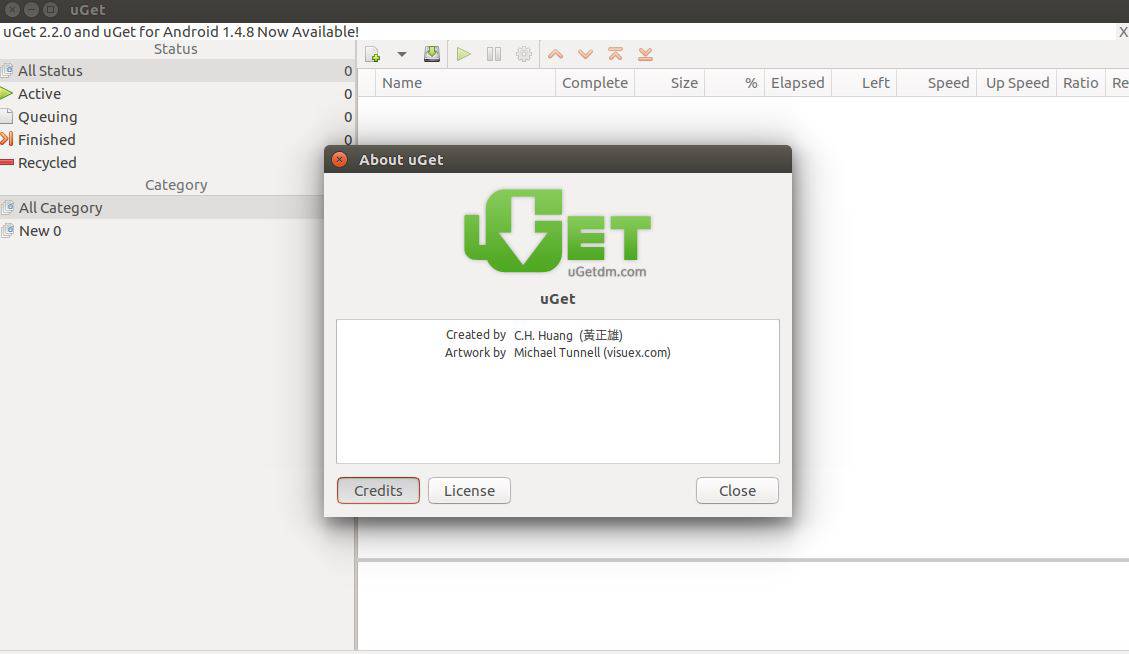
uGet

With this, the installation of uget download manager comes to an end.

Tags:
jackson
Author: 

Comments ( 0 )

No comments available

Add a comment
{{postCtrl.cmtErrMsg}}

Frequently asked questions ( 5 )

Q

What are the features in uGet 2.2.0?

A

Support for downloading from YouTube
Support for downloading from MEGA
Batch Downloading up to 3 Wildcard RangesBetter support for Wayland

Q

What is the stable ppa ? Where to get update?

A

The following link gives the stable ppa for uGet:
https://launchpad.net/~plushuang-tw/+archive/ubuntu/uget-stable

Q

What is uGet 2.2.0 in Ubuntu?

A

Get is an Open Source download manager application for GNU/Linux developed with GTK+. uGet uses very few resources while at the same time packs a powerful feature set. These features include a Queue, Pause/Resume, Multi-Connection (with adaptive segment management), Mirrors (multi-source), Multi-Protocol, Advanced Categorization, Clipboard Monitor, Batch Downloads, Individualized Category Default Settings, Speed Limiting, and Total Active Downloads Control.

Q

How to install uGet 2.2.0 in Ubuntu?

A

Use the following command to install uget in Ubuntu:
# apt install uget

Q

What’s new in uGet 2.0?

A

uGet 2.0 was the major release and it brought up several changes both in terms of looks, performance, and new features.
Every category has its data file. (file format is JSON)
The program can set priority for each download in global speed limit mode.
Auto classifier by file extension, host, and scheme.

Back To Top!
Rank
User
Points

Top Contributers

userNamenaveelansari
135850

Top Contributers

userNameayanbhatti
92510

Top Contributers

userNamehamzaahmed
32150

Top Contributers

1
userNamelinuxhelp
31040

Top Contributers

userNamemuhammadali
24500
Can you help Lucas ?
Various options in Top command

Am using Top command only to view the load average, what are the various options in Top command..??

Networking
  • Routing
  • trunk
  • Netmask
  • Packet Capture
  • domain
  • HTTP Proxy
Server Setup
  • NFS
  • KVM
  • Memory
  • Sendmail
  • WebDAV
  • LXC
Shell Commands
  • Cloud commander
  • Command line archive tools
  • last command
  • Shell
  • terminal
  • Throttle
Desktop Application
  • Linux app
  • Pithos
  • Retrospect
  • Scribe
  • TortoiseHg
  • 4Images
Monitoring Tool
  • Monit
  • Apache Server Monitoring
  • EtherApe 
  • Arpwatch Tool
  • Auditd
  • Barman
Web Application
  • Nutch
  • Amazon VPC
  • FarmWarDeployer
  • Rukovoditel
  • Mirror site
  • Chef
Contact Us | Terms of Use| Privacy Policy| Disclaimer
© 2025 LinuxHelp.com All rights reserved. Linux™ is the registered trademark of Linus Torvalds. This site is not affiliated with linus torvalds in any way.