How to install uGet on Debian 9.0
To install uGet on Debian 9.0
uGet is an Open Source download manager application for GNU/Linux developed with GTK+. uGet uses very few resources while at the same time packs a powerful feature set. These features include a Queue, Pause/Resume, Multi-Connection (with adaptive segment management), Mirrors (multi-source), Multi-Protocol, Advanced Categorization, Clipboard Monitor, Batch Downloads, Individualized Category Default Settings, Speed Limiting, and Total Active Downloads Control. This tutorial covers the installation procedure of uGet download manager on Debian 9.0.
Installation procedure
Before starting the installation procedure, add the repo by using nano command to open the sources.list configuration file. Now add these lines at end of the file. Save and exit from the file.
root@debian:~# nano /etc/apt/sources.list

deb http://deb.debian.org/debian-security stable/updates main
deb-src http://deb.debian.org/debian-security stable/updates main
deb http://ftp.debian.org/debian stretch-backports main
deb-src http://ftp.debian.org/debian stretch-backports main
The repositories are added to the system. Update the apt sources.list file by running the apt-get update command.
root@linuxhelppp:~# apt-get update
Ign:1 http://deb.debian.org/debian stable InRelease
Get:2 http://ftp.debian.org/debian stretch-backports InRelease [91.8 kB]
Hit:3 http://deb.debian.org/debian stable-updates InRelease
Get:4 http://deb.debian.org/debian-security stable/updates InRelease [62.9 kB]
Get:5 http://ftp.debian.org/debian stretch-backports/main Sources [86.5 kB]
Get:6 http://ftp.debian.org/debian stretch-backports/main amd64 Packages [137 kB]
Hit:7 http://deb.debian.org/debian stable Release
Get:8 http://ftp.debian.org/debian stretch-backports/main Translation-en [71.9 kB]
Get:10 http://deb.debian.org/debian-security stable/updates/main Sources [60.9 kB]
Get:11 http://deb.debian.org/debian-security stable/updates/main amd64 Packages [155 kB]
Get:12 http://deb.debian.org/debian-security stable/updates/main Translation-en [70.1 kB]
Fetched 736 kB in 2s (337 kB/s)
Reading package lists... Done
The repositories are updated with the latest repositories. Now install the uGet package by running the following command.
root@linuxhelppp:~# apt-get install uget
Reading package lists... Done
Building dependency tree
Reading state information... Done
The following packages were automatically installed and are no longer required:
  libgtkspell0 libimage-magick-perl libimage-magick-q16-perl libmagick++-6.q16-7 libpotrace0
  python-bs4 python-html5lib python-lxml python-scour python-webencodings
Use ' apt autoremove'  to remove them.
The following additional packages will be installed:
  libcurl3
The following NEW packages will be installed:
  libcurl3 uget
0 upgraded, 2 newly installed, 0 to remove and 33 not upgraded.
Need to get 624 kB of archives.
After this operation, 2,014 kB of additional disk space will be used.
Do you want to continue? [Y/n] y
.
.
Processing triggers for hicolor-icon-theme (0.15-1) ...
Setting up uget (2.0.8-1+b1) ...
Once the package is installed, click on the activities window and type the uGet package name. Click on the icon to run the application.
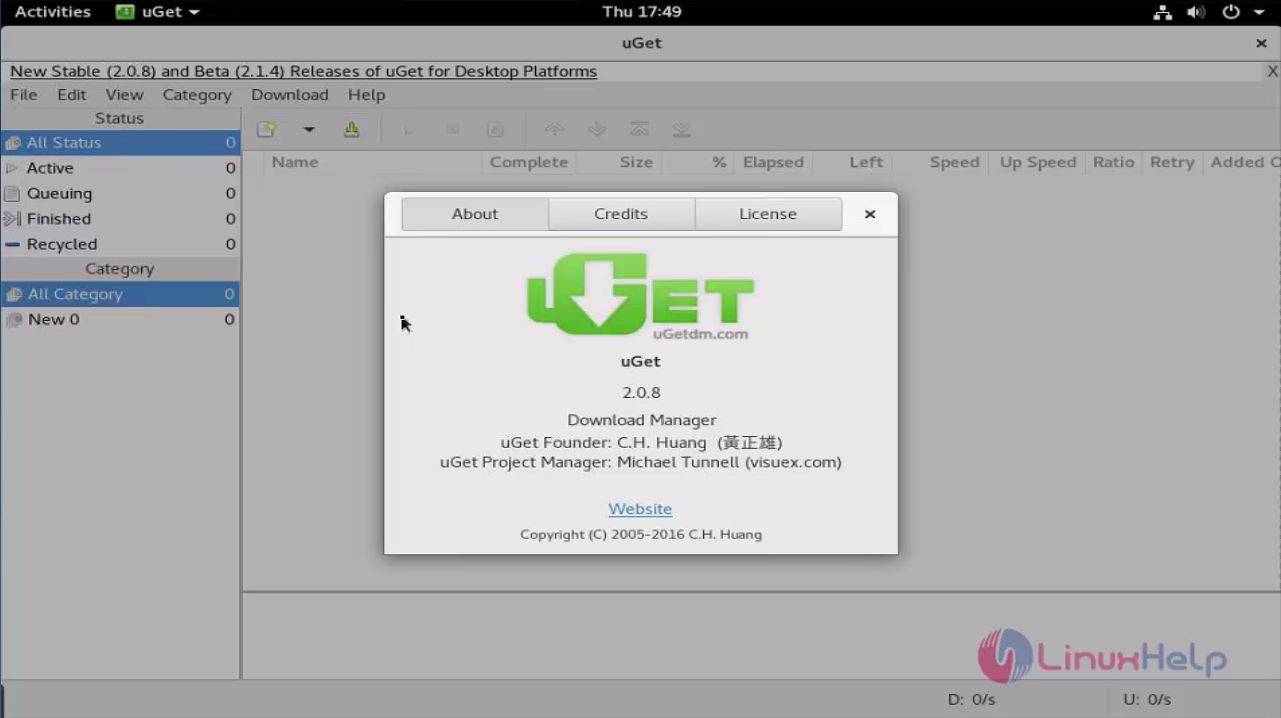
The uGet application is done successfully.
Comments ( 0 )
No comments available