How to Install UGet on Pop OS
To Install UGet on Pop OS
UGet is an Open Source download manager application for GNU/Linux developed with GTK+. uGet uses very few resources while at the same time packs a powerful feature set. These features include a Queue, Pause/Resume, Multi-Connection (with adaptive segment management), Mirrors (multi-source), Multi-Protocol, Advanced Categorization, Clipboard Monitor, Batch Downloads, Individualized Category Default Settings, Speed Limiting, and Total Active Downloads Control. Apart from this, UGet is also packed with several features and some of them are listed as follows.
Features
- Support for downloading from YouTube.
- Support for downloading from MEGA.
- Batch Downloading up to 3 Wildcard Ranges.
- Better support for Wayland.
It is really so simple to install UGet on Pop OS and this tutorial covers the ground on the same process.
Installing UGet
Before you begin with the installation, make sure you add the essential repo by making use of the following command.
root@linuxhelp11:~# add-apt-repository ppa:plushuang-tw/uget-stable
 This PPA is for the stable version of uGet.

This project was created in 2003-01-23.
SourceForge.net project page : http://sourceforge.net/projects/urlget/
Homepage : http://urlget.sourceforge.net/

uGet (formerly called urlgfe) is a download manager. It allows you to classify download, and allows you to import download from HTML files. Every category has an independent configuration that can be inherited by each download in that category.
 More info: https://launchpad.net/~plushuang-tw/+archive/ubuntu/uget-stable
Press [ENTER] to continue or Ctrl-c to cancel adding it.

gpg: keybox ' /tmp/tmp2zr1loze/pubring.gpg'  created
gpg: /tmp/tmp2zr1loze/trustdb.gpg: trustdb created
gpg: key 8BE3EAB5EBE14A20: public key " Launchpad PPA for plushuang.tw"  imported
gpg: Total number processed: 1
gpg:               imported: 1
OK
Once it is done, you need to update the newly added repository by making use of the following command.
root@linuxhelp11:~# apt-get update
Hit:1 http://security.ubuntu.com/ubuntu artful-security InRelease
Get:2 http://ppa.launchpad.net/plushuang-tw/uget-stable/ubuntu artful InRelease [15.4 kB]
Hit:3 http://us.archive.ubuntu.com/ubuntu artful InRelease
Hit:4 http://ppa.launchpad.net/system76/pop/ubuntu artful InRelease
Hit:5 http://us.archive.ubuntu.com/ubuntu artful-updates InRelease
Hit:6 http://us.archive.ubuntu.com/ubuntu artful-backports InRelease
Get:7 http://ppa.launchpad.net/plushuang-tw/uget-stable/ubuntu artful/main i386 Packages [600 B]
Get:8 http://ppa.launchpad.net/plushuang-tw/uget-stable/ubuntu artful/main amd64 Packages [596 B]
Get:9 http://ppa.launchpad.net/plushuang-tw/uget-stable/ubuntu artful/main Translation-en [168 B]
Fetched 16.7 kB in 1s (8,792 B/s)
Reading package lists... Done
And then, finally you can install the UGet. You shall trigger the installation process by executing the following command.
root@linuxhelp11:~# apt install uget -y
Reading package lists... Done
Building dependency tree
Reading state information... Done
Suggested packages:
  aria2
The following NEW packages will be installed:
  uget
0 upgraded, 1 newly installed, 0 to remove and 34 not upgraded.
Need to get 367 kB of archives.
After this operation, 1,535 kB of additional disk space will be used.
Get:1 http://ppa.launchpad.net/plushuang-tw/uget-stable/ubuntu artful/main amd64 uget amd64 2.2.0-0ubuntu0~artful [367 kB]
Fetched 367 kB in 3s (101 kB/s)
Selecting previously unselected package uget.
(Reading database ... 192922 files and directories currently installed.)
Preparing to unpack .../uget_2.2.0-0ubuntu0~artful_amd64.deb ...
Unpacking uget (2.2.0-0ubuntu0~artful) ...
Setting up uget (2.2.0-0ubuntu0~artful) ...
Processing triggers for mime-support (3.60ubuntu1) ...
Processing triggers for desktop-file-utils (0.23-1ubuntu3) ...
Processing triggers for gnome-menus (3.13.3-6ubuntu5) ...
Processing triggers for hicolor-icon-theme (0.17-1) ...
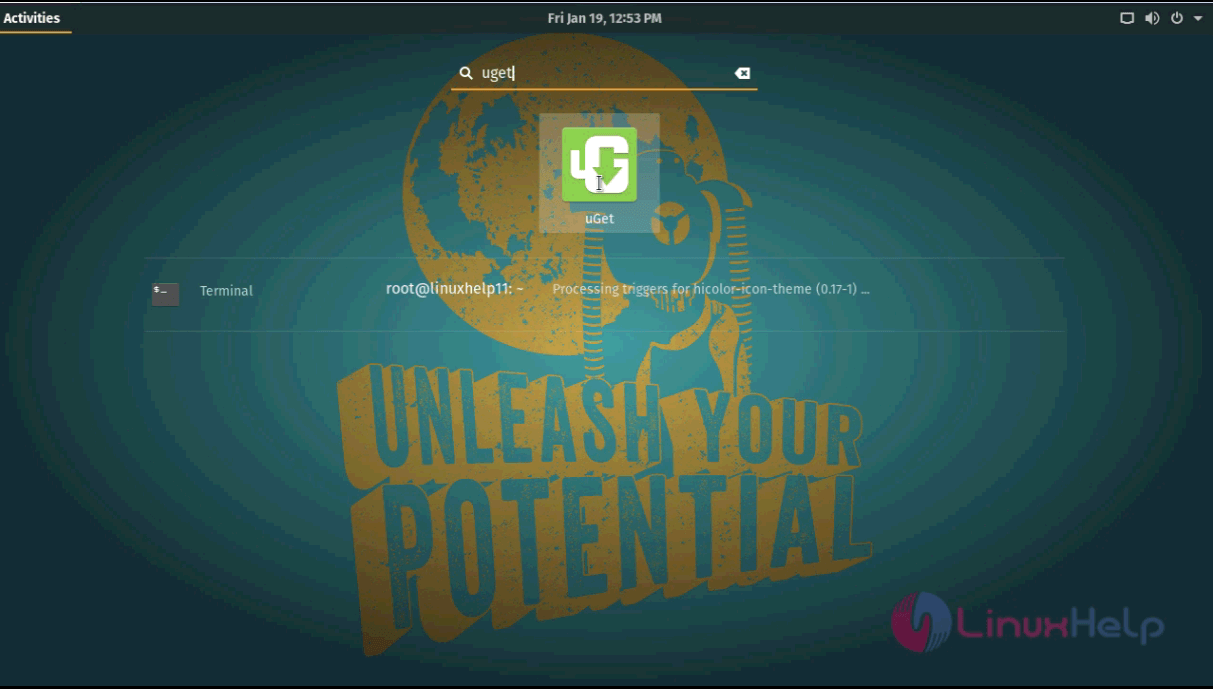
The installation is complete, so once it is done, you need to go to the Activities search field and type uget, and the application icon will appear on your screen.
Once the application is open, you can begin using it.
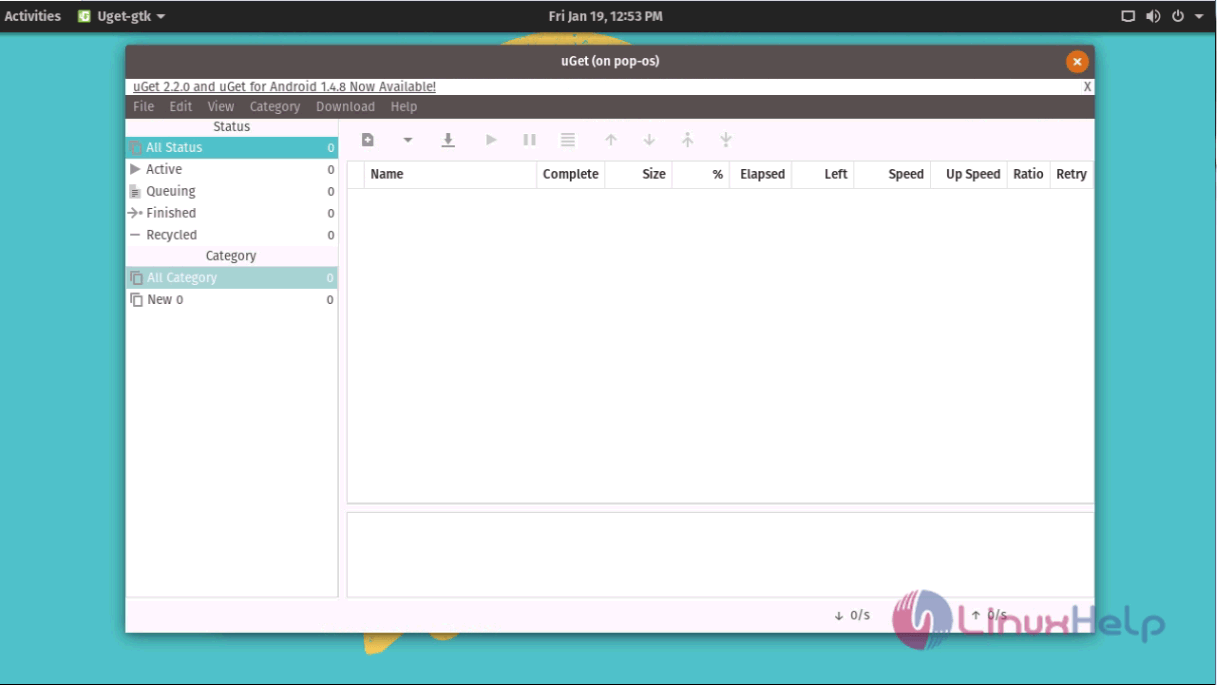
With this, the installation of UGet on Pop OS comes to an end.
Comments ( 0 )
No comments available