• Categories
    Category
    {{ postCtrl.tags }}
    • {{ category.tag_type }}

      • {{tag.tag_name}}
      • View more
  • Categories
    Category
    {{ postCtrl.tags }}
    • {{ category.tag_type }}

      • {{tag.tag_name}}
      • View more
  • News
  • Tutorials
  • Forums
  • Tags
  • Users
Tutorial News Comments FAQ Related Articles

How To Install Unity 3D On LinuxMint 19

  • 00:39 lsb_release -a
  • 00:57 wget https://public-cdn.cloud.unity3d.com/hub/prod/UnityHub.AppImage
  • 01:19 chmod a+x UnityHub.AppImage
  • 01:36 ./UnityHub.AppImage
{{postValue.id}}

Installation of Unity 3D On Linux Mint 19

Process

Check the Linux Mint version by using the following command

root@linuxhelp:~# lsb_release -a
No LSB modules are available.
Distributor ID:	LinuxMint
Description:	Linux Mint 19 Tara
Release:	19
Codename:	tara

Download the Unity3d using wget command

root@linuxhelp:~# wget https://public-cdn.cloud.unity3d.com/hub/prod/UnityHub.AppImage
--2019-10-28 05:43:13--  https://public-cdn.cloud.unity3d.com/hub/prod/UnityHub.AppImage
Resolving public-cdn.cloud.unity3d.com (public-cdn.cloud.unity3d.com)... 23.211.209.87
Connecting to public-cdn.cloud.unity3d.com (public-cdn.cloud.unity3d.com)|23.211.209.87|:443... connected.
HTTP request sent, awaiting response... 200 OK
Length: 60000352 (57M) [binary/octet-stream]
Saving to: ‘UnityHub.AppImage’

UnityHub.AppImage              100%[==================================================>]  57.22M  1.11MB/s    in 52s     

2019-10-28 05:44:05 (1.11 MB/s) - ‘UnityHub.AppImage’ saved [60000352/60000352]

Set the executable permission for unity hub\

root@linuxhelp:~# chmod a+x UnityHub.AppImage

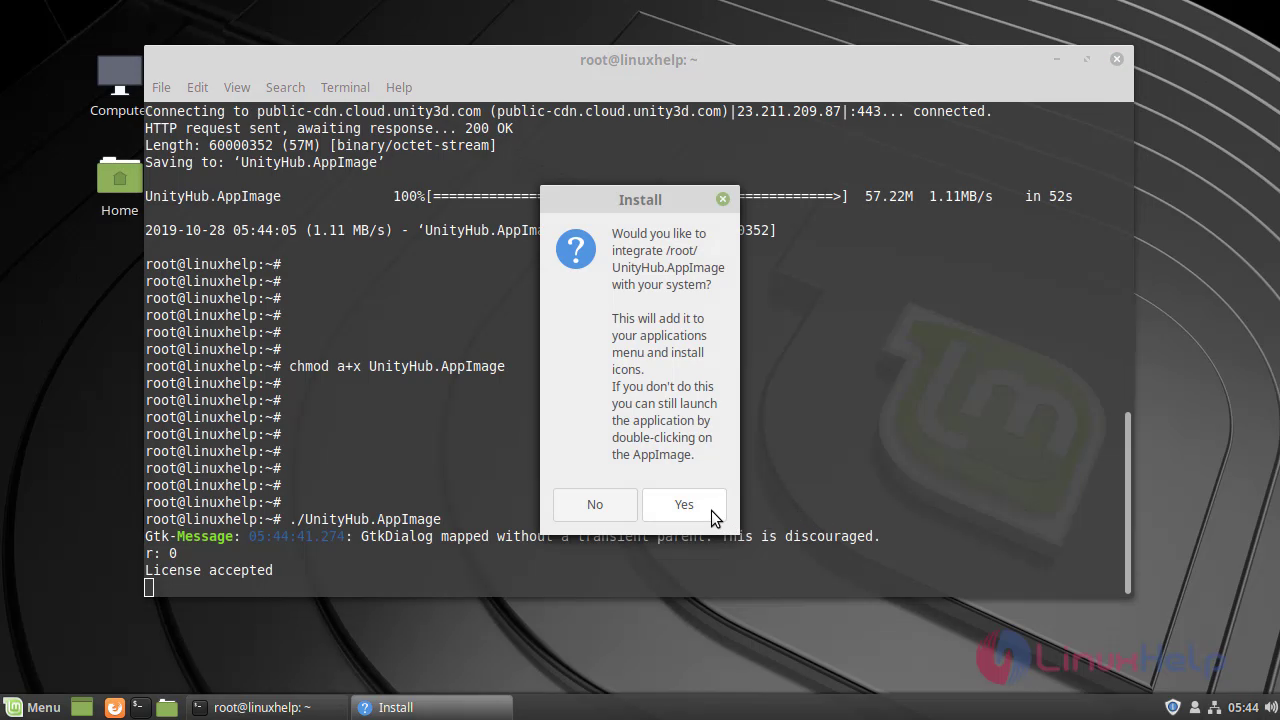
Run the following command to install UnityHub

root@linuxhelp:~# ./UnityHub.AppImage
Gtk-Message: 05:44:41.274: GtkDialog mapped without a transient parent. This is discouraged.
r: 0
License accepted
Checking for update
Generated new staging user ID: e0c5193f-0531-5c74-9262-ea21e655e79d
Update for version 2.1.3 is not available (latest version: 2.1.3, the downgrade is disallowed).

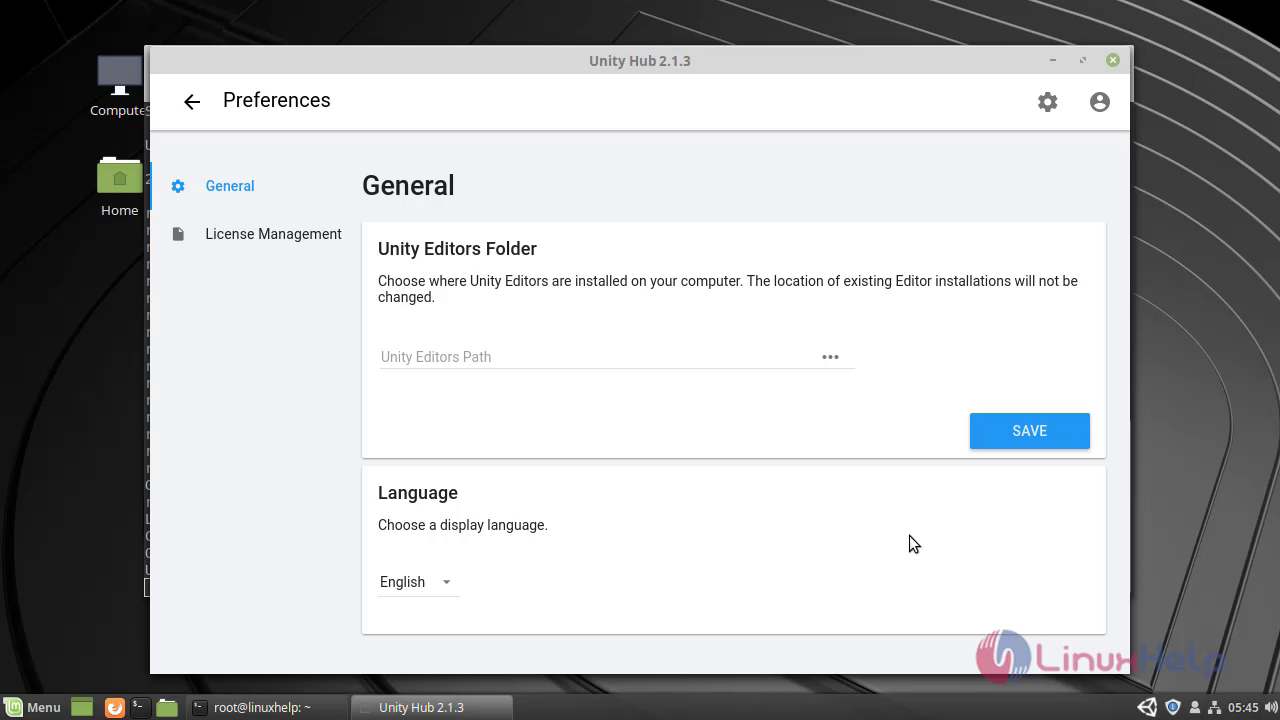
Accept term and condition snap1 Click yes to continue the installation snap2 This is the unity3d snap3 This is the method to install Unity 3D On LinuxMint 19
Tags:
michael
Author: 

Comments ( 0 )

No comments available

Add a comment
{{postCtrl.cmtErrMsg}}

Frequently asked questions ( 5 )

Q

How to install Unity Hub?

A

Use the following command

./UnityHub.AppImage

Q

How to install Unity Hub?

A

Use the following command

./UnityHub.AppImage

Q

Are there any alternatives in the Unity Hub?

A

The alternatives are,
Godot Engine.
Unreal Engine.
GDevelop.
Stencyl.
Polycode.
Urho3D.

Q

How can I download the UnityHub package?

A

wget https://public-cdn.cloud.unity3d.com/hub/prod/UnityHub.AppImage

Execute the following link:
# wget

Q

What is UnityHub?

A

The Unity Hub is a management tool that you can use to manage all of your Unity Projects and installations. Use the Hub to manage multiple installations of the Unity Editor along with their associated components, create new Projects, and open existing Projects

Load more

Back To Top!
Rank
User
Points

Top Contributers

userNamenaveelansari
135850

Top Contributers

userNameayanbhatti
92510

Top Contributers

userNamehamzaahmed
32150

Top Contributers

1
userNamelinuxhelp
31040

Top Contributers

userNamemuhammadali
24500
Can you help Sebastian ?
How to change non required to required field in SuiteCRM Custom/Default Modules

How to change not required to the required field in SuiteCRM Custom/Default Modules?

Networking
  • Routing
  • trunk
  • Netmask
  • Packet Capture
  • domain
  • HTTP Proxy
Server Setup
  • NFS
  • KVM
  • Memory
  • Sendmail
  • WebDAV
  • LXC
Shell Commands
  • Cloud commander
  • Command line archive tools
  • last command
  • Shell
  • terminal
  • Throttle
Desktop Application
  • Linux app
  • Pithos
  • Retrospect
  • Scribe
  • TortoiseHg
  • 4Images
Monitoring Tool
  • Monit
  • Apache Server Monitoring
  • EtherApe 
  • Arpwatch Tool
  • Auditd
  • Barman
Web Application
  • Nutch
  • Amazon VPC
  • FarmWarDeployer
  • Rukovoditel
  • Mirror site
  • Chef
Contact Us | Terms of Use| Privacy Policy| Disclaimer
© 2025 LinuxHelp.com All rights reserved. Linux™ is the registered trademark of Linus Torvalds. This site is not affiliated with linus torvalds in any way.