How to Install VariCAD on Linuxmint 18.03
{{postValue.id}}
To install vari CAD on Linuxmint 18.03
VariCAD is a 2D or 3D CAD system for mechanical engineering design. VariCAD provides support for parameters, geometric constraints, tools for shells, pipelines, sheet metal unbending and crash tests, assembly support and much more. In this tutorial, we will cover the installation of vari CAD on Linux mint 18.03.
Installation
Download the varicad application by using wget command.
linuxhelp ~ # wget https://www.varicad.com/userdata/files/release/en/varicad2018-en_2.03_amd64.deb
--2018-07-13 14:08:09--  https://www.varicad.com/userdata/files/release/en/varicad2018-en_2.03_amd64.deb
Resolving www.varicad.com (www.varicad.com)... 82.208.39.225
Connecting to www.varicad.com (www.varicad.com)|82.208.39.225|:443... connected.
HTTP request sent, awaiting response... 200 OK
Length: 98829450 (94M) [application/x-debian-package]
Saving to: ‘ varicad2018-en_2.03_amd64.deb’

varicad2018-en_2.03_amd64 100%[=====================================> ]  94.25M   215KB/s    in 5m 37s

2018-07-13 14:13:50 (286 KB/s) - ‘ varicad2018-en_2.03_amd64.deb’  saved [98829450/98829450]
Install the Vari cad application.
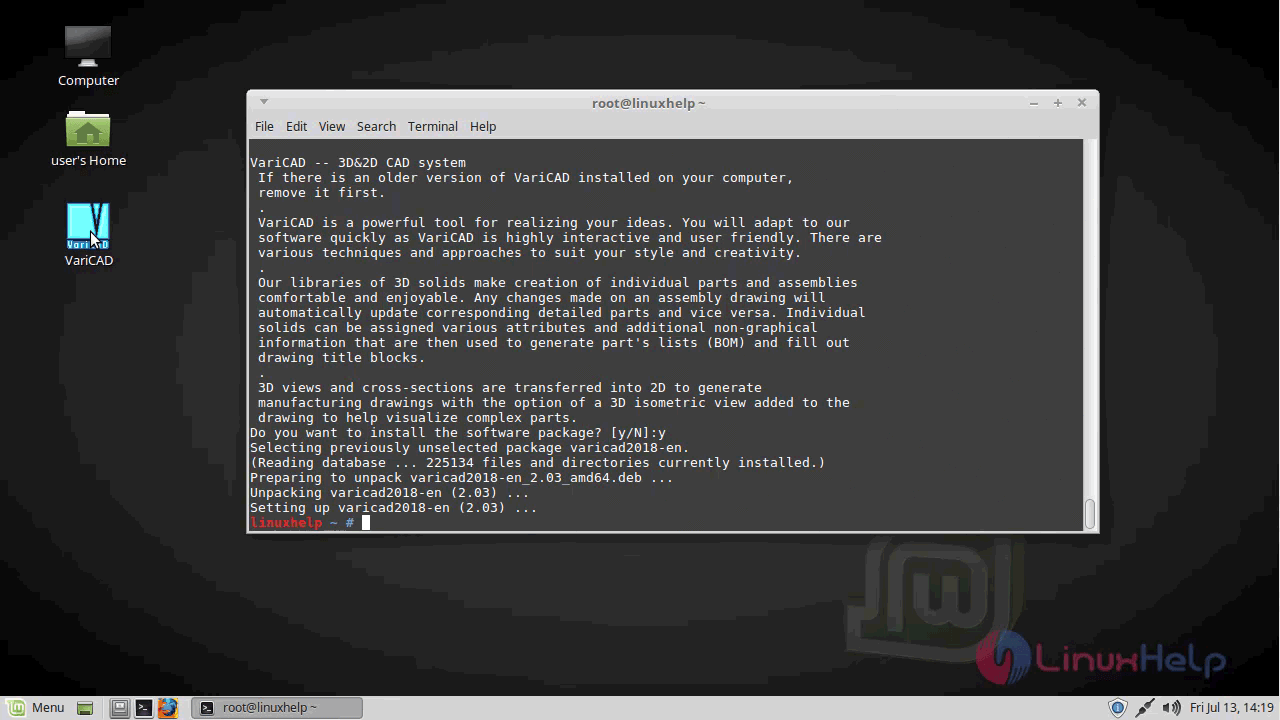
linuxhelp ~ # gdebi varicad2018-en_2.03_amd64.deb
Reading package lists... Done
Building dependency tree
Reading state information... Done
Reading state information... Done

VariCAD -- 3D& 2D CAD system
 If there is an older version of VariCAD installed on your computer,
 remove it first.
 .
 VariCAD is a powerful tool for realizing your ideas. You will adapt to our
 software quickly as VariCAD is highly interactive and user friendly. There are
 various techniques and approaches to suit your style and creativity.
 .
 Our libraries of 3D solids make creation of individual parts and assemblies
 comfortable and enjoyable. Any changes made on an assembly drawing will
 automatically update corresponding detailed parts and vice versa. Individual
 solids can be assigned various attributes and additional non-graphical
 information that are then used to generate part' s lists (BOM) and fill out
 drawing title blocks.
 .
 3D views and cross-sections are transferred into 2D to generate
 manufacturing drawings with the option of a 3D isometric view added to the
 drawing to help visualize complex parts.
Do you want to install the software package? [y/N]:y
Selecting previously unselected package varicad2018-en.
(Reading database ... 225134 files and directories currently installed.)
Preparing to unpack varicad2018-en_2.03_amd64.deb ...
Unpacking varicad2018-en (2.03) ...
Setting up varicad2018-en (2.03) ...
Once Installation is done you can access the application from the Menu as shown here
Vari cad application.
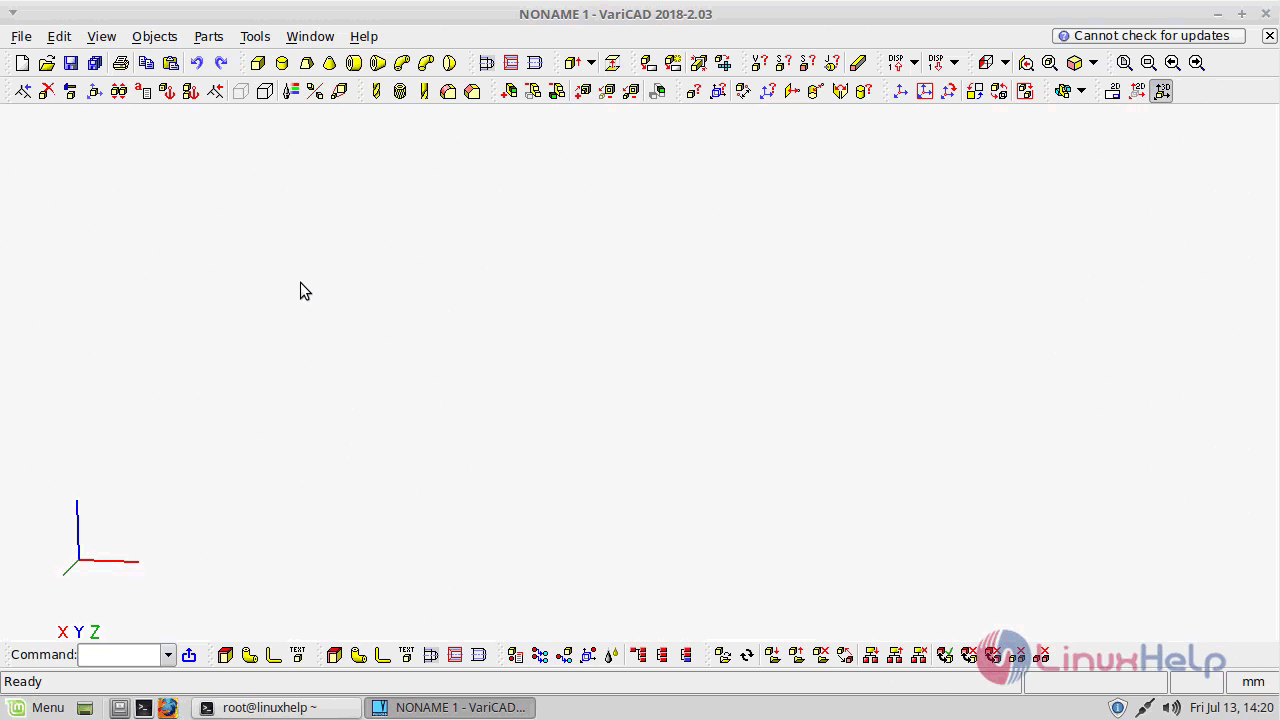
With this, the method to install Vari CAD on Linux mint-18.03 comes to an end.
Comments ( 0 )
No comments available