How To Install Vidcutter V5.5.0 On linuxmint-18.3
{{postValue.id}}
To Install Vidcutter V5.5.0 On Linux Mint-18.3
VidCutter is a free and open source video editing software that lets you trim and edit various video files with the different format. It is so simple to install Vidcutter V5.5.0 On Linux Mint-18.3 and this article covers the ground on the same process.
Installation
Add the repository of vidcutter using PPA
linuxhelp ~ # add-apt-repository ppa:ozmartian/apps
You are about to add the following PPA:
 [ OFFICIAL VidCutter PPA ]
Welcome to the official Ubuntu-flavoured home of VidCutter.
If packages for your distro are not available you can head over to the GitHub Releases page and download the latest version as an AppImage, which comes pre-bundled with the latest versions of all dependencies &  tested to work on Trusty through to current stable release Ubuntu versions.
* RELEASES PAGE: https://github.com/ozmartian/vidcutter/releases/latest *
More info: https://launchpad.net/~ozmartian/+archive/ubuntu/apps
Press Enter to continue or Ctrl+C to cancel

Executing: /tmp/tmp.Is9ApWG5yT/gpg.1.sh --keyserver
hkp://keyserver.ubuntu.com:80
--recv-keys
51A082C4
gpg: requesting key 51A082C4 from hkp server keyserver.ubuntu.com
gpg: key 51A082C4: public key " Launchpad PPA for ozmartian"  imported
gpg: Total number processed: 1
gpg:               imported: 1  (RSA: 1)
Update the system repository
linuxhelp ~ # apt-get update
Ign:1 http://packages.linuxmint.com sylvia InRelease
Get:2 http://ppa.launchpad.net/ondrej/php/ubuntu xenial InRelease [23.9 kB]
Get:3 http://archive.canonical.com/ubuntu xenial InRelease [11.5 kB]
Hit:4 http://archive.ubuntu.com/ubuntu xenial InRelease
Get:5 http://ppa.launchpad.net/ozmartian/apps/ubuntu xenial InRelease [18.0 kB]
Get:6 http://packages.linuxmint.com sylvia Release [24.2 kB]
Get:7 http://archive.canonical.com/ubuntu xenial/partner amd64 Packages [3,124 B]
Get:8 http://packages.linuxmint.com sylvia Release.gpg [819 B]
Get:9 http://security.ubuntu.com/ubuntu xenial-security InRelease [107 kB]
Get:10 http://archive.canonical.com/ubuntu xenial/partner i386 Packages [3,124 B]
Get:11 http://ppa.launchpad.net/ondrej/php/ubuntu xenial/main Sources [27.4 kB]
Get:12 http://packages.linuxmint.com sylvia/main amd64 Packages [18.4 kB]
.
.
.
Get:41 http://archive.ubuntu.com/ubuntu xenial-updates/multiverse Translation-en [8,344 B]
Get:42 http://archive.ubuntu.com/ubuntu xenial-backports/main amd64 Packages [4,844 B]
Get:43 http://archive.ubuntu.com/ubuntu xenial-backports/main i386 Packages [4,836 B]
Get:44 http://archive.ubuntu.com/ubuntu xenial-backports/universe amd64 Packages [7,400 B]
Get:45 http://archive.ubuntu.com/ubuntu xenial-backports/universe Translation-en [3,996 B]
Fetched 5,949 kB in 16s (368 kB/s)
Reading package lists... Done
Now, install the vidcutter using the following command
linuxhelp ~ # apt install vidcutter
Reading package lists... Done
Building dependency tree
Reading state information... Done

The following packages were automatically installed and are no longer required:

  libcurl3 libmcrypt4

Use ' sudo apt autoremove'  to remove them.
The following additional packages will be installed:


  ffmpeg freeglut3 libass5 libavcodec-ffmpeg56 libavdevice-ffmpeg56 libavfilter-ffmpeg5
  libavformat-ffmpeg56 libavresample-ffmpeg2 libavutil-ffmpeg54 libbluray1 libbs2b0 libcrystalhd3
  libdc1394-22 libenca0 libflite1 libgme0 libguess1 libmediainfo0v5 libmms0 libmodplug1
  libmp3lame0 libmpv1 libnorm1 libopenal-data libopenal1 libopencv-core2.4v5
  libopencv-imgproc2.4v5 libopenjpeg5 libpgm-5.2-0 libpostproc-ffmpeg53 libqt5clucene5
.
.
.
Setting up libqt5x11extras5:amd64 (5.5.1-3build1) ...
Setting up mediainfo (0.7.82-1) ...
Setting up python3-opengl (3.0.2-1) ...
Setting up python3-sip (4.17+dfsg-1build1) ...
Setting up python3-pyqt5 (5.5.1+dfsg-3ubuntu4) ...
Setting up python3-pyqt5.qtopengl (5.5.1+dfsg-3ubuntu4) ...
Setting up python3-pyqt5.qtx11extras (5.5.1+dfsg-3ubuntu4) ...
Setting up vidcutter (5.5.0~201802070610~ubuntu16.04.1) ...
Processing triggers for libc-bin (2.23-0ubuntu9) ...
After the installation, you can access the application from the menu as follows.
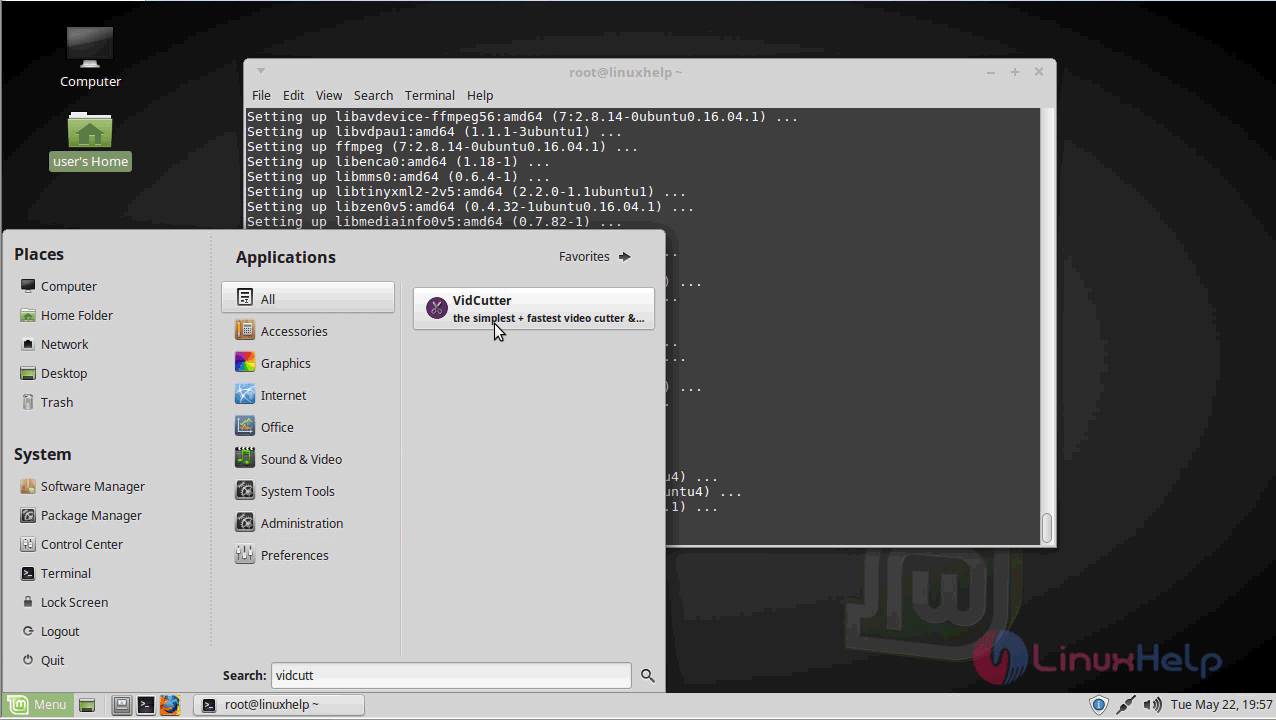
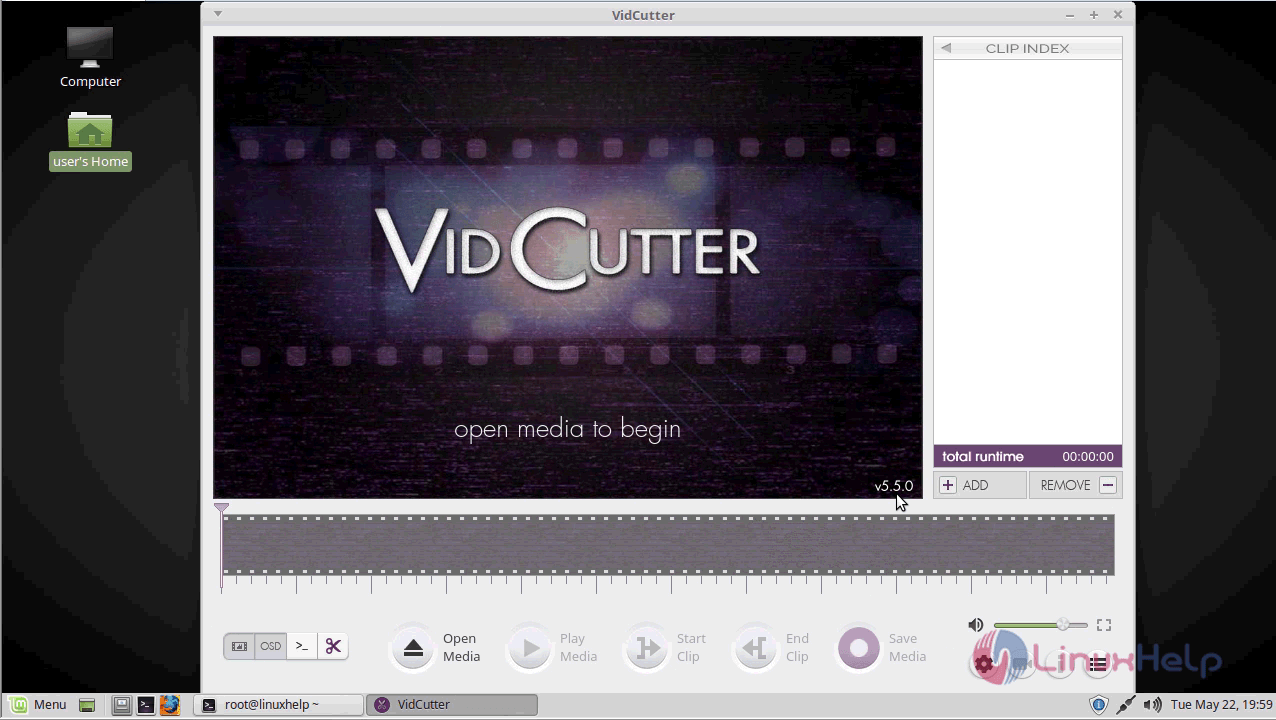
With this, the method to Install Vidcutter V5.5.0 On linuxmint-18.03 comes to an end.
Comments ( 0 )
No comments available