• Categories
    Category
    {{ postCtrl.tags }}
    • {{ category.tag_type }}

      • {{tag.tag_name}}
      • View more
  • Categories
    Category
    {{ postCtrl.tags }}
    • {{ category.tag_type }}

      • {{tag.tag_name}}
      • View more
  • News
  • Tutorials
  • Forums
  • Tags
  • Users
Tutorial News Comments FAQ Related Articles

How to install vinagre in Ubuntu

{{postValue.id}}

To install vinagre in Ubuntu

Vinagre is a remote desktop tool like VNC server. It is used to view the client machine remotely. Support the protocols such as ssh, spice, vnc and rdp. Installation of vinagre in Ubuntu is explained in this manual.

To install Vinagre

Append the repo link in sources.list file

root@linuxhelp:~# vim /etc/apt/sources.list

Add the following line into file.

deb http://us.archive.ubuntu.com/ubuntu vivid main universe

Update the repository by using the following command.

root@linuxhelp:~# apt-get update
Hit http://security.ubuntu.com wily-security InRelease                                                                                                           
Hit http://in.archive.ubuntu.com wily InRelease                                                                                                                  
Get:1 http://us.archive.ubuntu.com vivid InRelease [218 kB]            
Get:2 http://in.archive.ubuntu.com wily-updates InRelease [65.9 kB]          
Hit http://security.ubuntu.com wily-security/main Sources                                                           
Hit http://security.ubuntu.com wily-security/restricted Sources                                                     
Hit http://security.ubuntu.com wily-security/universe Sources                              
Hit http://in.archive.ubuntu.com wily-backports InRelease                                                 
Hit http://in.archive.ubuntu.com wily/main Sources                                                      
Hit http://in.archive.ubuntu.com wily/restricted Sources                                     
Hit http://in.archive.ubuntu.com wily/universe Sources                                       
.
.
.
Hit http://in.archive.ubuntu.com wily-backports/multiverse amd64 Packages                                                                                                  
Hit http://in.archive.ubuntu.com wily-backports/main i386 Packages                                                                                                         
Hit http://in.archive.ubuntu.com wily-backports/restricted i386 Packages                                                                                                   
Hit http://in.archive.ubuntu.com wily-backports/universe i386 Packages                                                                                                     
Hit http://in.archive.ubuntu.com wily-backports/multiverse i386 Packages                                                                                                   
Hit http://in.archive.ubuntu.com wily-backports/main Translation-en                                                                                                        
Hit http://in.archive.ubuntu.com wily-backports/multiverse Translation-en                                                                                                  
Hit http://in.archive.ubuntu.com wily-backports/restricted Translation-en                                                                                                  
Hit http://in.archive.ubuntu.com wily-backports/universe Translation-en                                                                                                    
Get:17 http://us.archive.ubuntu.com vivid/main i386 Packages [1,361 kB]                                                                                                    
Get:18 http://us.archive.ubuntu.com vivid/universe i386 Packages [6,486 kB]                                                                                                
Get:19 http://us.archive.ubuntu.com vivid/main Translation-en [793 kB]                                                                                                     
Get:20 http://us.archive.ubuntu.com vivid/universe Translation-en [4,456 kB]                                                                                               
Fetched 22.1 MB in 8min 34s (43.0 kB/s)                                                                                                                                    
Reading package lists... Done

Finally, install the vinagre package by using apt-get install command.

root@linuxhelp:~# apt-get install vinagre -y
Reading package lists... Done
Building dependency tree       
Reading state information... Done
The following extra packages will be installed:
  freerdp-x11 libfreerdp-rail1.1 libgtk-vnc-2.0-0 libgvnc-1.0-0 liblz4-1 libopus0 libspice-client-glib-2.0-8 libspice-client-gtk-3.0-4 libusbredirhost1 libusbredirparser1
  libxfreerdp-client1.1 spice-client-glib-usb-acl-helper
Suggested packages:
  opus-tools
The following NEW packages will be installed:
  freerdp-x11 libfreerdp-rail1.1 libgtk-vnc-2.0-0 libgvnc-1.0-0 liblz4-1 libopus0 libspice-client-glib-2.0-8 libspice-client-gtk-3.0-4 libusbredirhost1 libusbredirparser1
  libxfreerdp-client1.1 spice-client-glib-usb-acl-helper vinagre
.
.
.
Setting up libxfreerdp-client1.1:amd64 (1.1.0~git20140921.1.440916e+dfsg1-5ubuntu1) ...
Setting up freerdp-x11 (1.1.0~git20140921.1.440916e+dfsg1-5ubuntu1) ...
Setting up libgvnc-1.0-0 (0.5.3-1.3) ...
Setting up libgtk-vnc-2.0-0 (0.5.3-1.3) ...
Setting up liblz4-1:amd64 (0.0~r131-1) ...
Setting up libusbredirparser1:amd64 (0.7-1ubuntu2) ...
Setting up libusbredirhost1:amd64 (0.7-1ubuntu2) ...
Setting up spice-client-glib-usb-acl-helper (0.28-1ubuntu1) ...
Setting up libspice-client-glib-2.0-8:amd64 (0.28-1ubuntu1) ...
Setting up libspice-client-gtk-3.0-4:amd64 (0.28-1ubuntu1) ...
Setting up vinagre (3.16.1-1) ...
Processing triggers for libc-bin (2.21-0ubuntu4) ...

Once the package is installed, search and open vinagre in the unity dashboard.
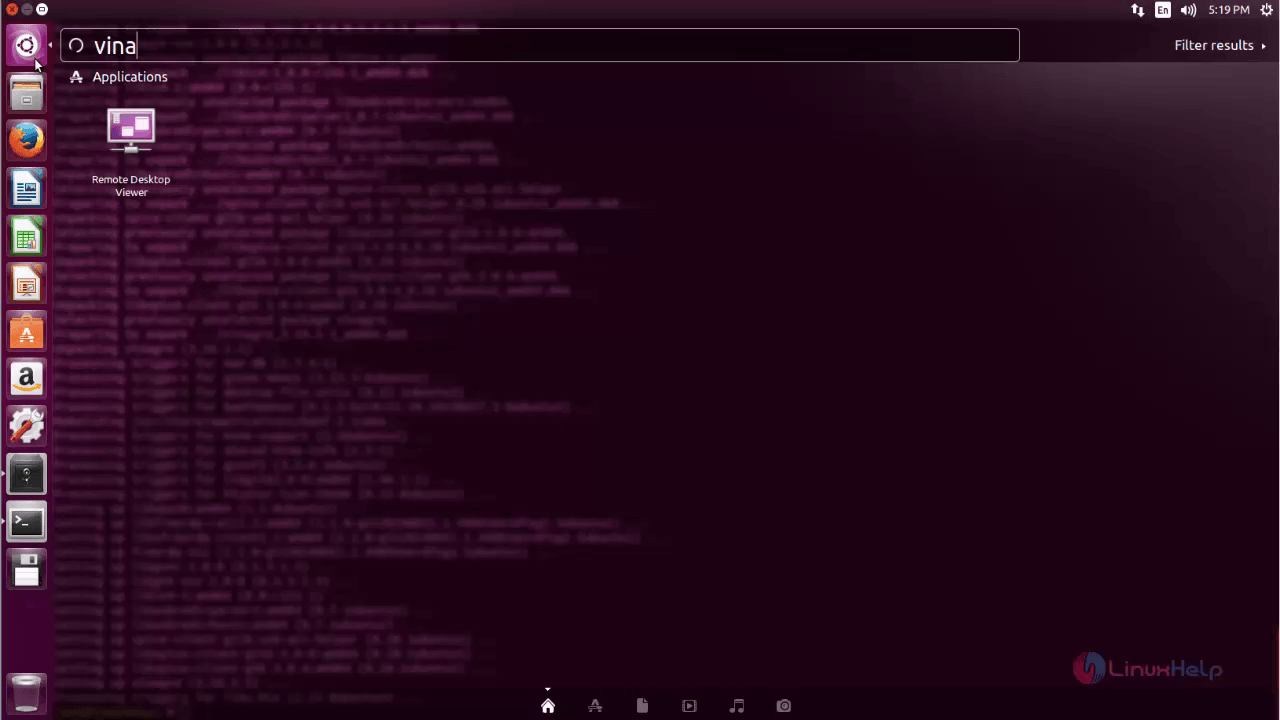
vinagre

Click connect to view your client machine.
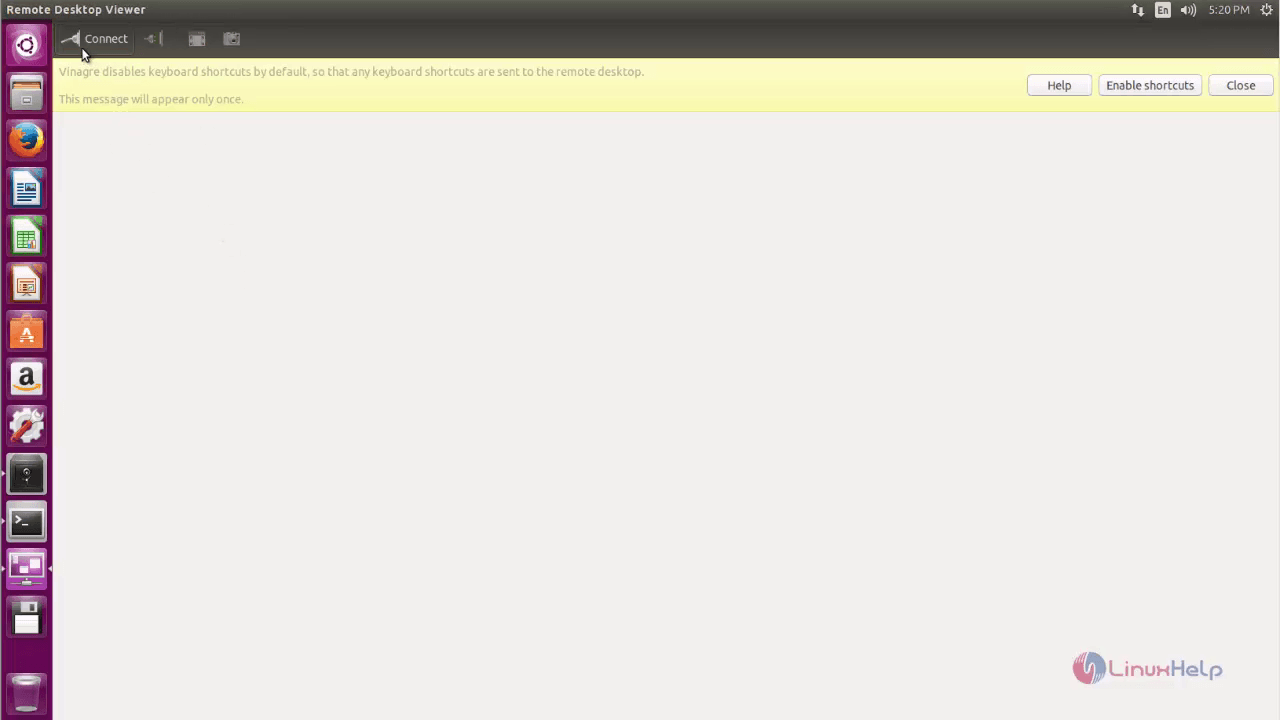
client_system


Choose your preferred protocols and click connect.
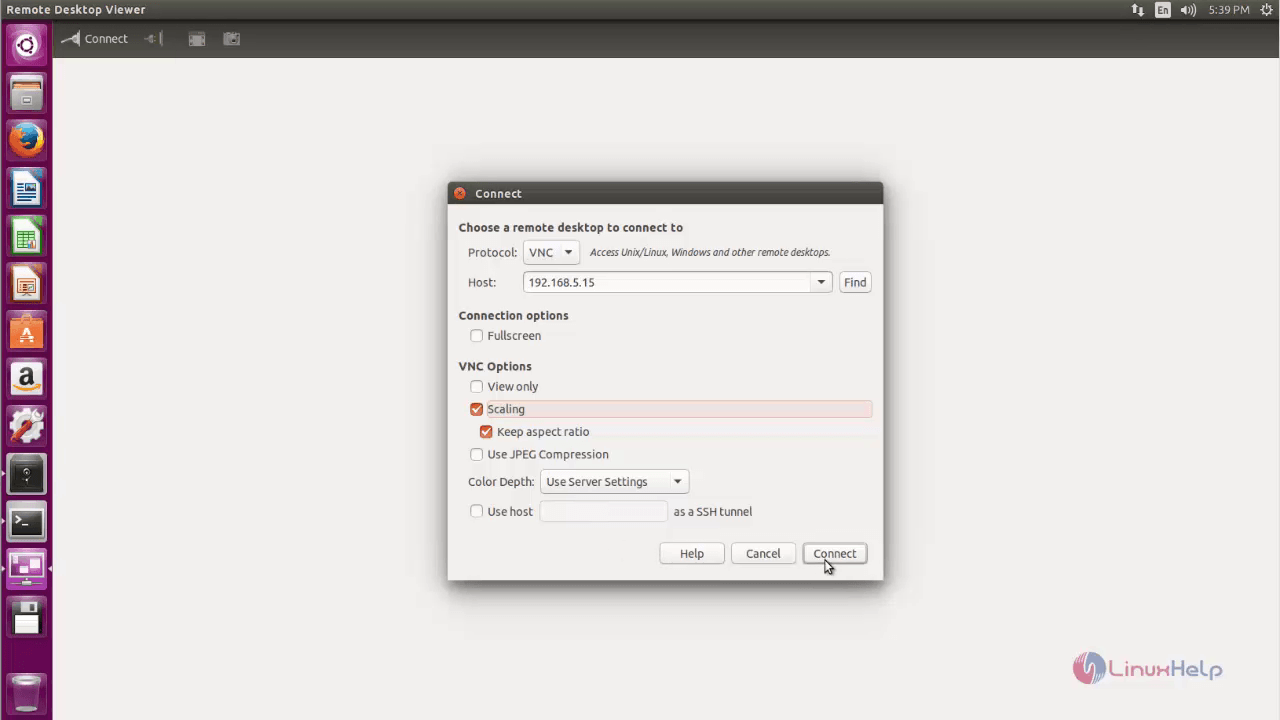
prefered_protocol
Now you can control the client system.
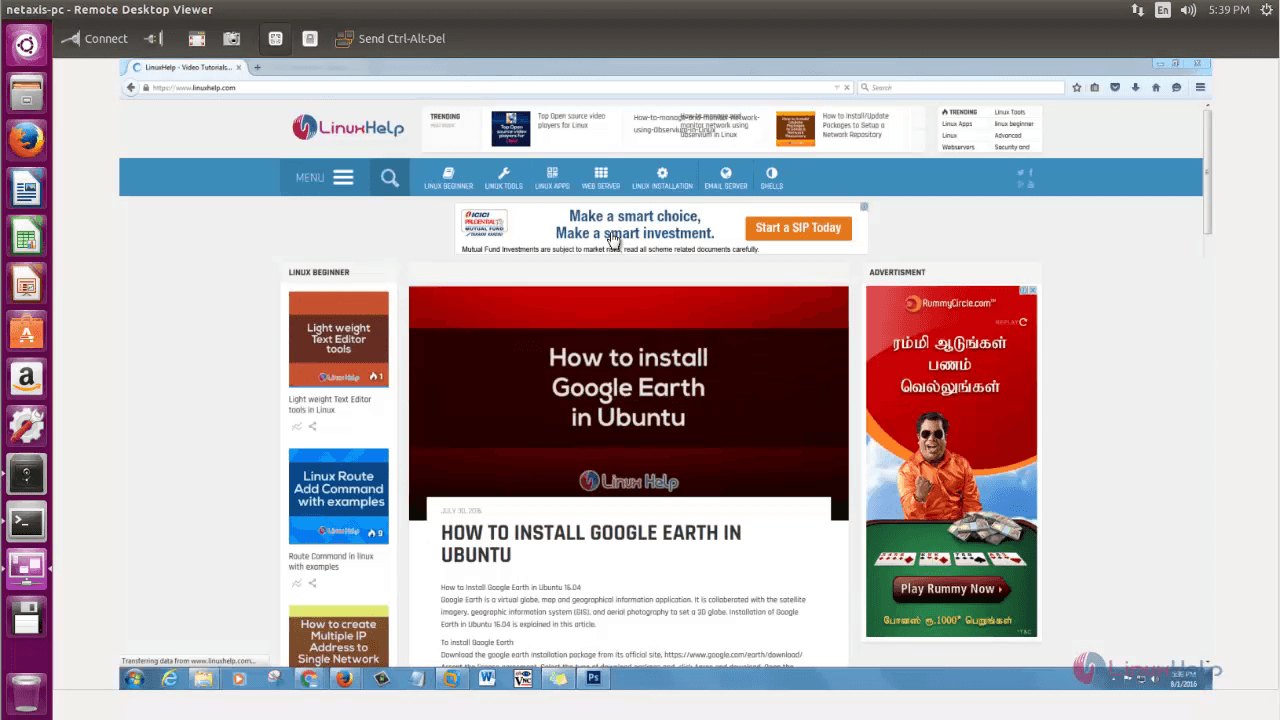
control_client

Tags:
jacob
Author: 

Comments ( 0 )

No comments available

Add a comment
{{postCtrl.cmtErrMsg}}

Frequently asked questions ( 5 )

Q

What is the Purpose of using the Vinagre?

A

Vinagre is a remote desktop tool like VNC server. It is used to view the client machine remotely. Support the protocols such as ssh, spice, vnc and rdp.

Q

What are the alternatives of Vinagre?

A

Following are the alternatives of Vinagre
PuTTY,
Chrome remote desktop,
Anydesk,
Remote desktop connection,
TightVNC

Q

Is it possible to install Vinagre on windows?

A

No, It is not possible to install vinarage on windows

Q

Does vinagre available in default Ubuntu repo?

A

No vinagre is not available in default Ubuntu repo. you need to update the repo that contains the vinagre package.

Q

How to launch the vinagre application after installation?

A

You can launch the vinagre application by searching the application from the ubuntu menu.

Back To Top!
Rank
User
Points

Top Contributers

userNamenaveelansari
135850

Top Contributers

userNameayanbhatti
92510

Top Contributers

userNamehamzaahmed
32150

Top Contributers

1
userNamelinuxhelp
31040

Top Contributers

userNamemuhammadali
24500
Can you help Ryan ?
how to use visual traceroute tool

Am using traceroute command to check for the route. i got this tool while surfing. So pls help me out installation and usage of Visual traceroute tool.

Networking
  • Routing
  • trunk
  • Netmask
  • Packet Capture
  • domain
  • HTTP Proxy
Server Setup
  • NFS
  • KVM
  • Memory
  • Sendmail
  • WebDAV
  • LXC
Shell Commands
  • Cloud commander
  • Command line archive tools
  • last command
  • Shell
  • terminal
  • Throttle
Desktop Application
  • Linux app
  • Pithos
  • Retrospect
  • Scribe
  • TortoiseHg
  • 4Images
Monitoring Tool
  • Monit
  • Apache Server Monitoring
  • EtherApe 
  • Arpwatch Tool
  • Auditd
  • Barman
Web Application
  • Nutch
  • Amazon VPC
  • FarmWarDeployer
  • Rukovoditel
  • Mirror site
  • Chef
Contact Us | Terms of Use| Privacy Policy| Disclaimer
© 2025 LinuxHelp.com All rights reserved. Linux™ is the registered trademark of Linus Torvalds. This site is not affiliated with linus torvalds in any way.