• Categories
    Category
    {{ postCtrl.tags }}
    • {{ category.tag_type }}

      • {{tag.tag_name}}
      • View more
  • Categories
    Category
    {{ postCtrl.tags }}
    • {{ category.tag_type }}

      • {{tag.tag_name}}
      • View more
  • News
  • Tutorials
  • Forums
  • Tags
  • Users
Tutorial News Comments FAQ Related Articles

How to install VMware workstation in Ubuntu 17.04

{{postValue.id}}

How to install VMware workstation in Ubuntu 17.04

VMware Workstation is the most popular Virtualization software used on operating systems like Linux and Microsoft Windows.It is used to create and run multiple Virtual machines simultaneously. This tutorial covers the installation process of VMware workstation on Ubuntu 17.04.

Installation procedure

To start the installation procedure, install the dependency packages for VMware workstation by executing the following command.

root@linuxhelp1:/home/user1# apt-get install gcc build-essential
Reading package lists... Done
Building dependency tree      
Reading state information... Done
The following additional packages will be installed:
  g++
&hellip 
&hellip 
&hellip 
Processing triggers for man-db (2.7.6.1-2) ...
Setting up g++ (4:6.3.0-2ubuntu1) ...
update-alternatives: using /usr/bin/g++ to provide /usr/bin/c++ (c++) in auto mode
Setting up build-essential (12.1ubuntu2) ...

Now download and install the VMware workstation by downloading the VMware workstation .bundle installation package from VMware official site by running the following link http://www.vmware.com/go/tryworkstation-linux-64. Change the directory to Downloads and now install the required package by running the following command.

root@linuxhelp1:/home/user1# cd Downloads/
root@linuxhelp1:/home/user1/Downloads# chmod +x VMware-Workstation-Full-12.5.5-5234757.x86_64.bundle
root@linuxhelp1:/home/user1/Downloads# ./VMware-Workstation-Full-12.5.5-5234757.x86_64.bundle
Extracting VMware Installer...done.

The installation procedure is started. To continue with the procedure, accept the license agreement and click next option.
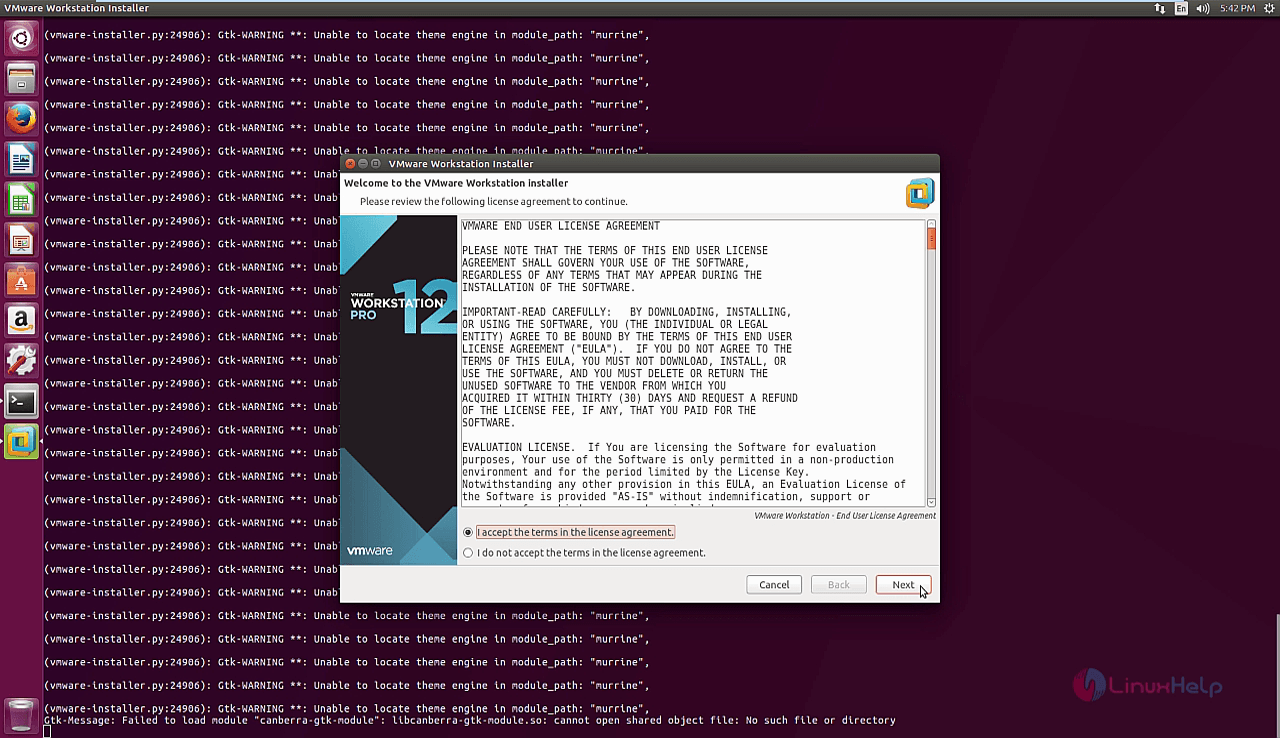
license agreement

The next window contains the question to check the product updates. Disable the product updates at startup and click on the next.
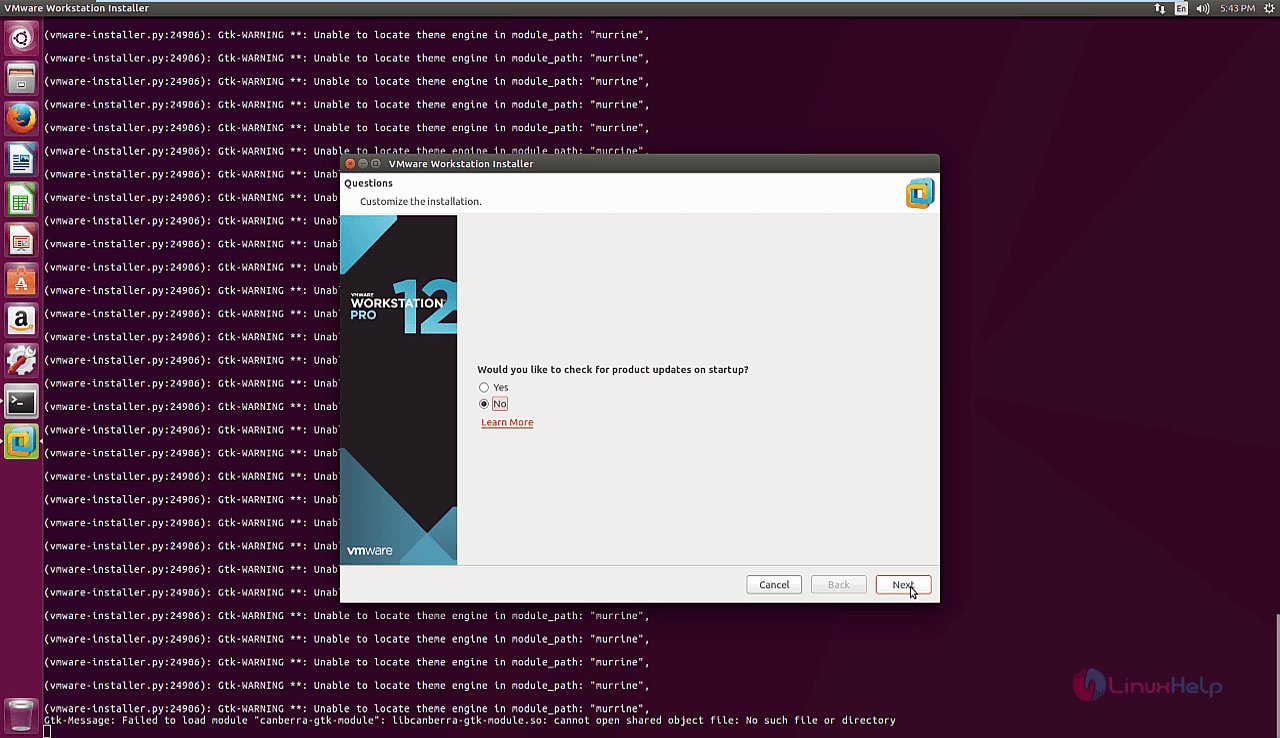
product updates

Enter the user that will initially connect to workstation server and click next.
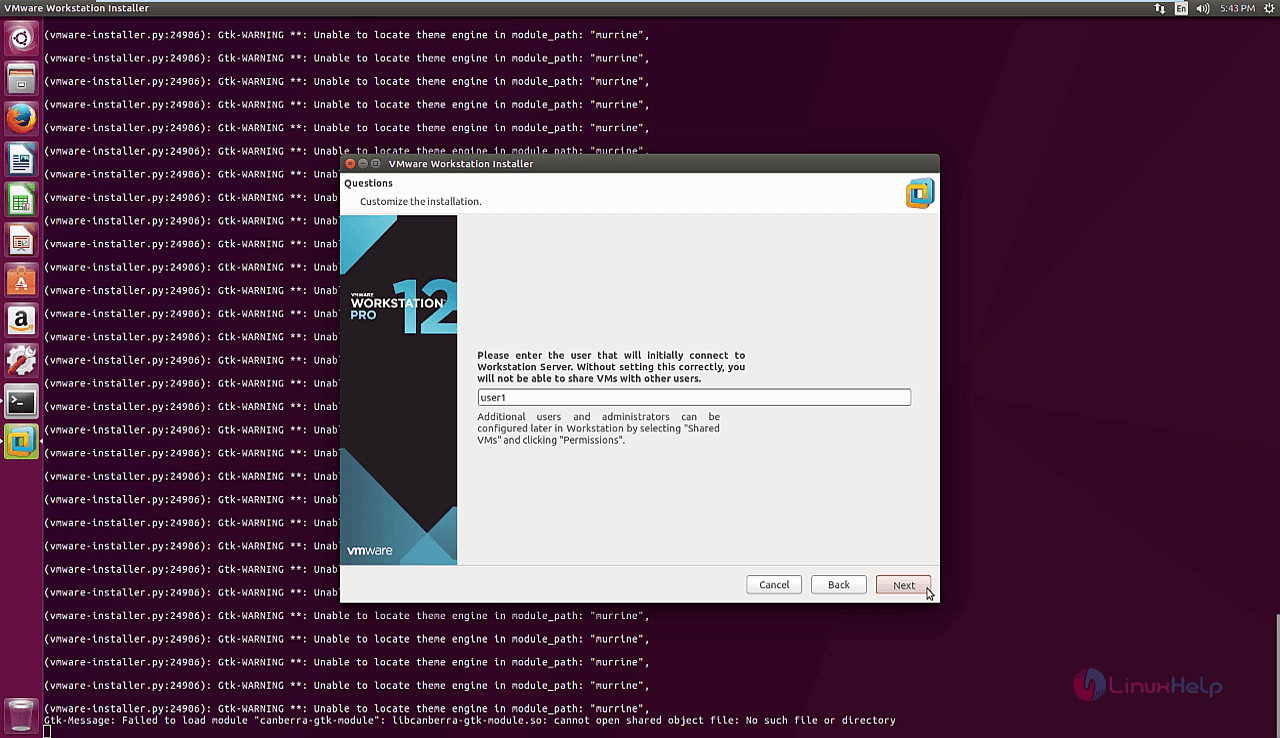
workstation server

Next, choose the directory for shared virtual machines by browsing the location for the directory to be installed and click next.
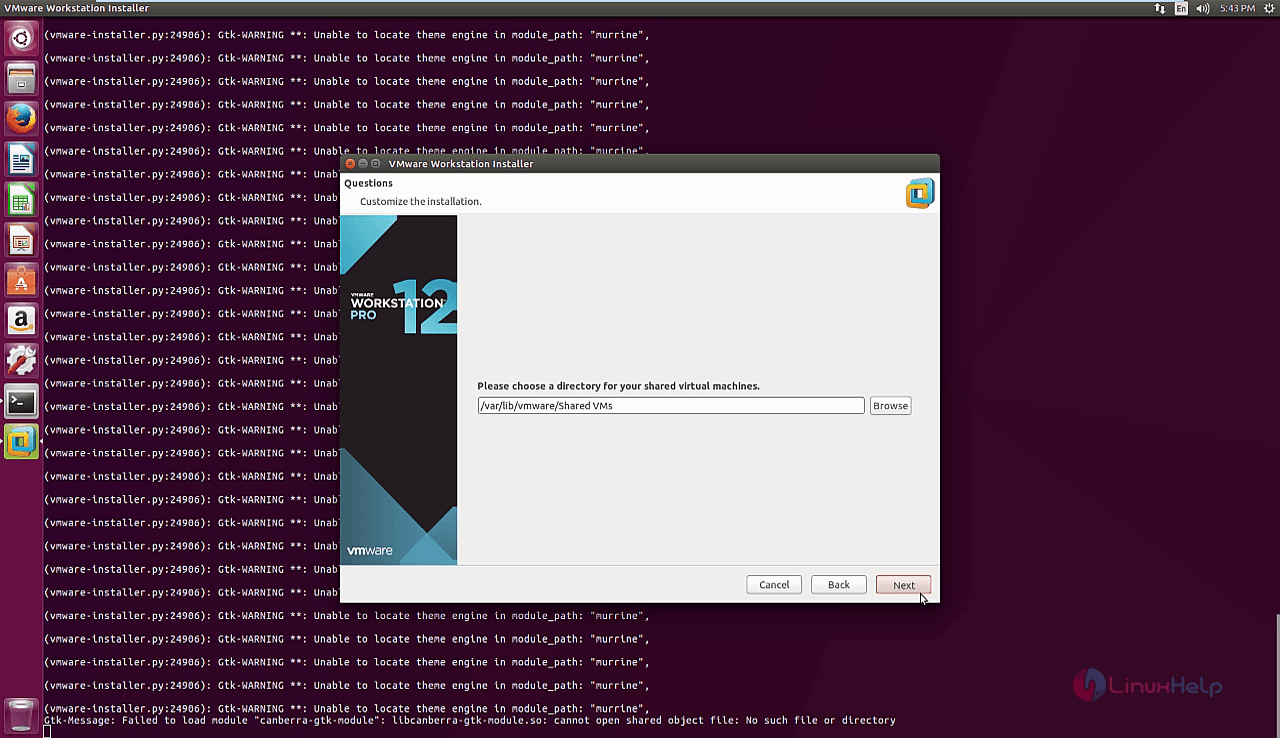
shared virtual machines

Now, enter the HTTPS port the user desires and click next on the installation wizard.
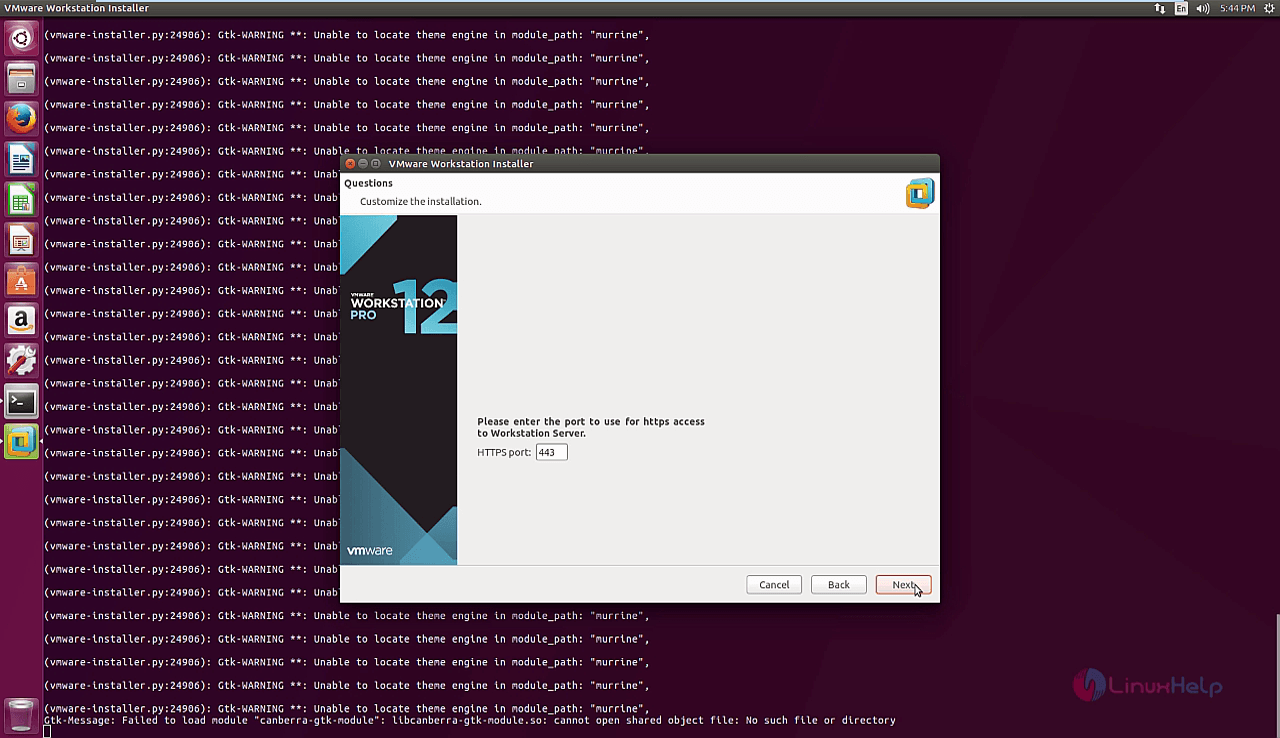
https port

Click install to start the installation process.
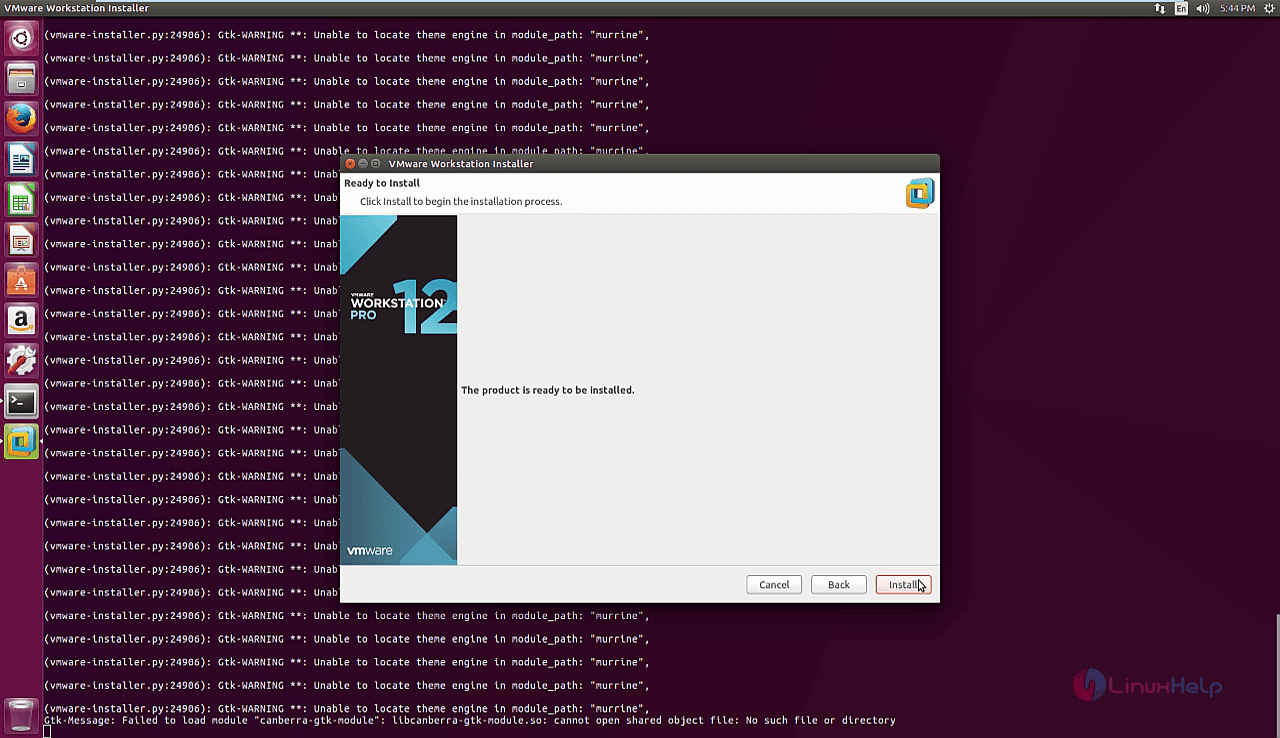
installation process

The installation is in progress which will take some time and the user needs to wait until the installation is done.
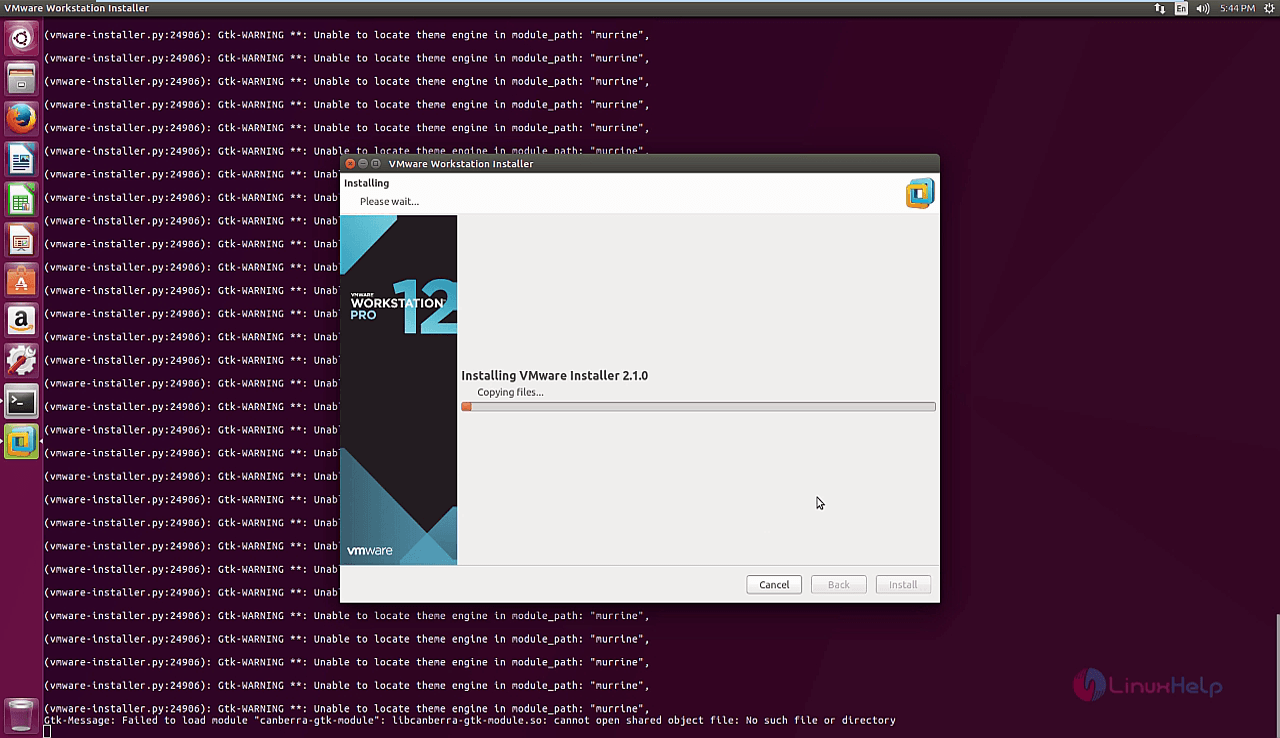
installation progress

The installation is completed and click close to finish the installation process.
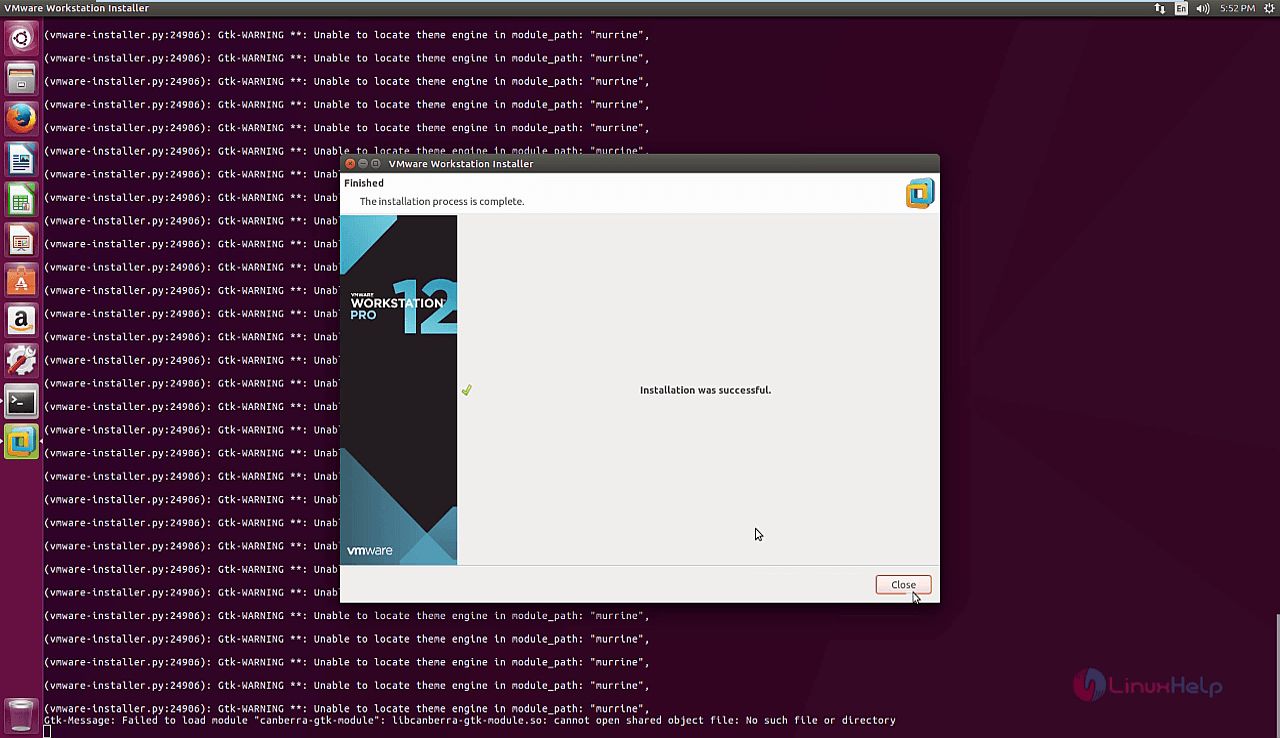
installation completed

Now click the search bar in ubuntu and type VMware, click the VMware workstation icon to open the application.
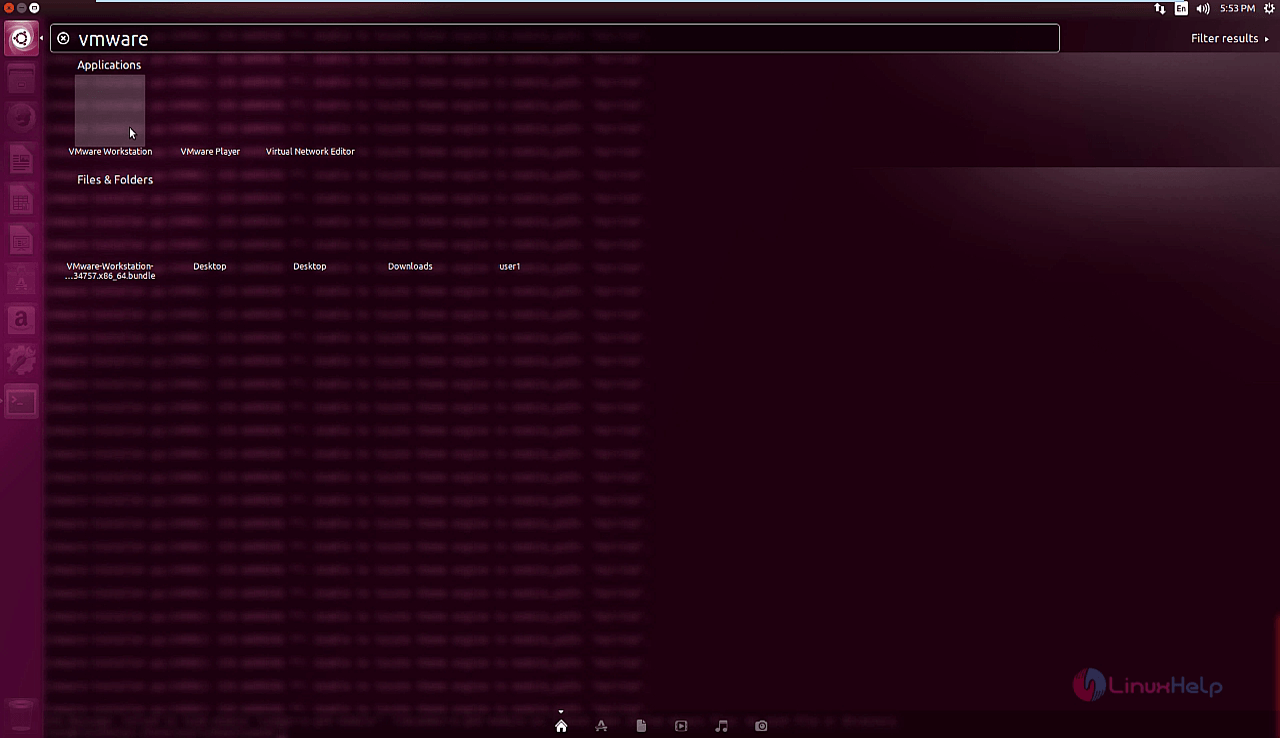
vmware

Enter the user' s e-mail address to start the trial version of the VMware workstation.
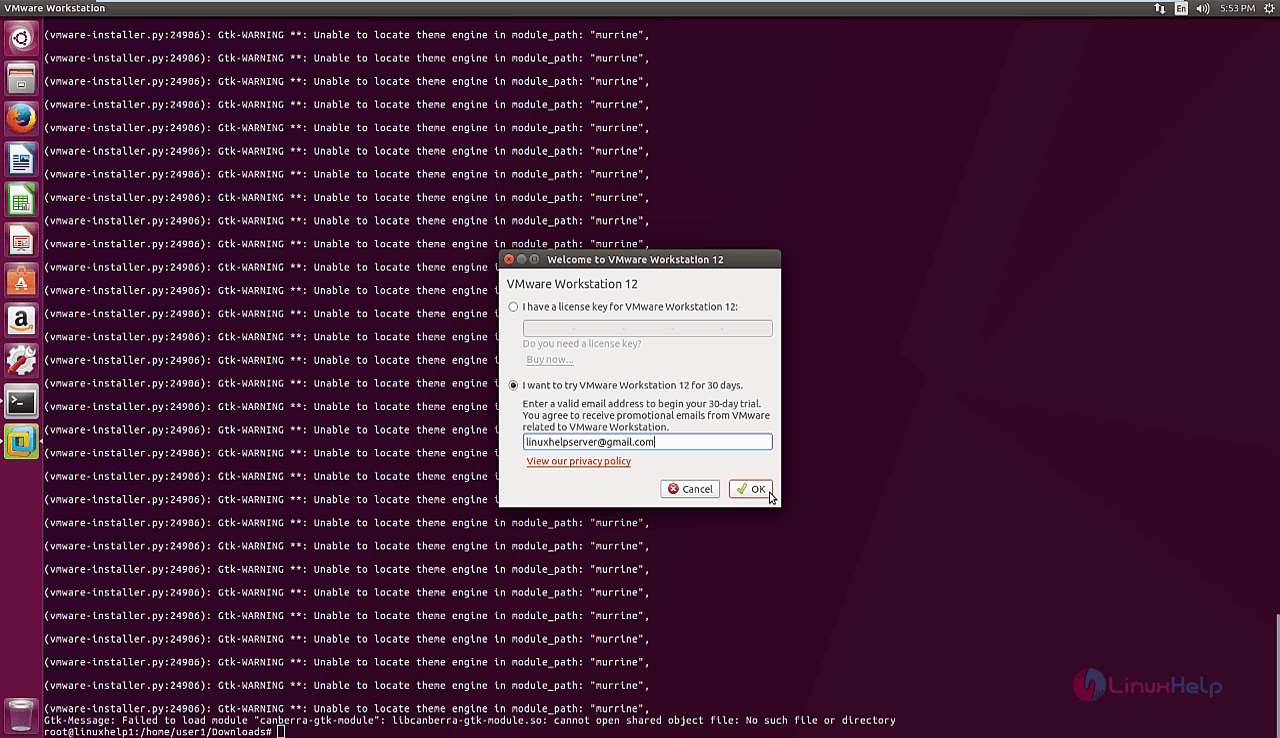
email address

The VMware workstation homepage appears and now the user can create, manage the virtual machines.
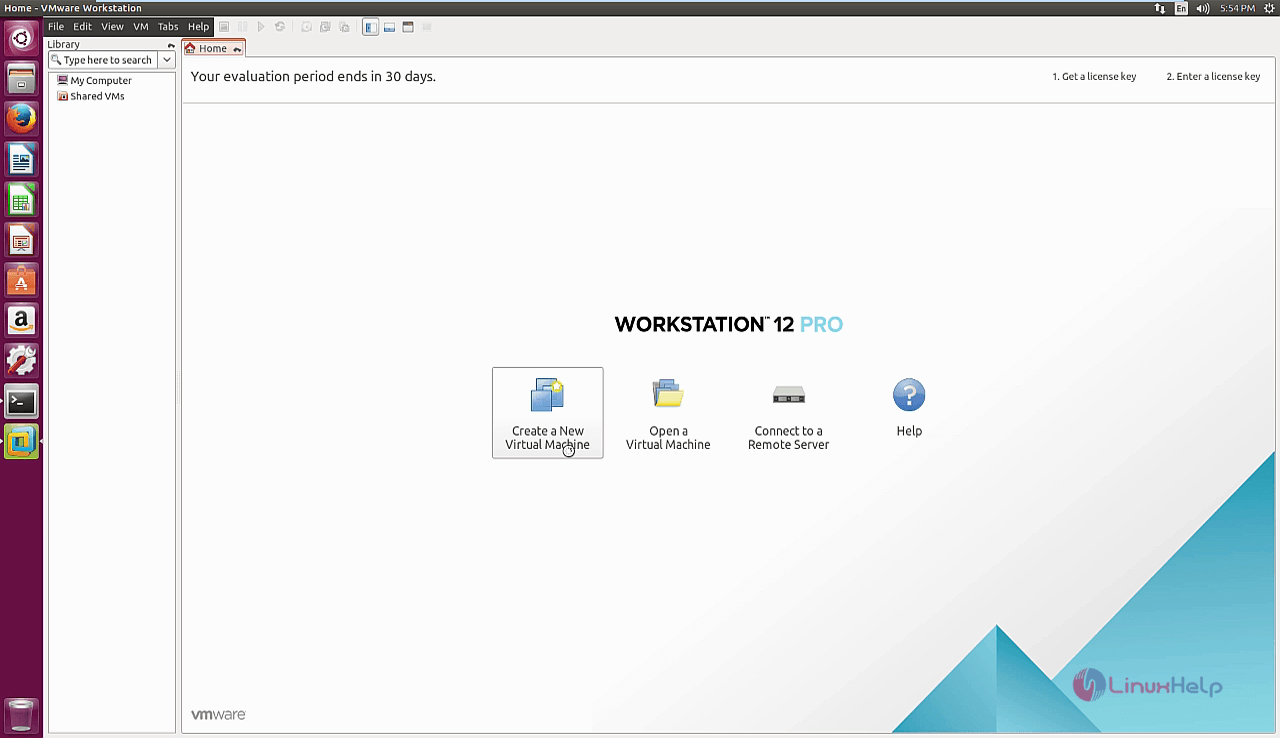
VMware workstation

Wasn' t that a simple procedure? Stay connected to learn more about VMware in the future articles.

Tags:
grayson
Author: 

Comments ( 0 )

No comments available

Add a comment
{{postCtrl.cmtErrMsg}}

Frequently asked questions ( 5 )

Q

How to configure each operating system installed in VMware?

A

Once you have installed VMware Workstation Pro, you "configure" a virtual machine by assigning it memory,
disk, ports, and networking. You then power on that virtual machine with the operatin

Q

which link to download the VMware workstation in ubuntu?

A

installation package from VMware official site by running the following link
http://www.vmware.com/go/tryworkstation-linux-64.

Q

which command to install the vmware in ubuntu?

A

use the below command to install the vmware in ubuntu
# ./VMware-Workstation-Full-12.5.5-5234757.x86_64.bundle

Q

what are all the dependencies needed to install the VMware in ubuntu?

A

the dependencies needed to install the VMware in ubuntu by below,
# apt-get install gcc build-essential

Q

which permission to be given for executing vmware package?

A

use the below command to execute permission for vmware
# chmod +x VMware-Workstation-Full-12.5.5-5234757.x86_64.bundle

Back To Top!
Rank
User
Points

Top Contributers

userNamenaveelansari
135850

Top Contributers

userNameayanbhatti
92510

Top Contributers

userNamehamzaahmed
32150

Top Contributers

1
userNamelinuxhelp
31040

Top Contributers

userNamemuhammadali
24500
Can you help Isaac ?
How to run windows application in linux

I need to run the windows application in my Linux machine, instead of installing from yum repo or any other repos. How to do that..??

Networking
  • Routing
  • trunk
  • Netmask
  • Packet Capture
  • domain
  • HTTP Proxy
Server Setup
  • NFS
  • KVM
  • Memory
  • Sendmail
  • WebDAV
  • LXC
Shell Commands
  • Cloud commander
  • Command line archive tools
  • last command
  • Shell
  • terminal
  • Throttle
Desktop Application
  • Linux app
  • Pithos
  • Retrospect
  • Scribe
  • TortoiseHg
  • 4Images
Monitoring Tool
  • Monit
  • Apache Server Monitoring
  • EtherApe 
  • Arpwatch Tool
  • Auditd
  • Barman
Web Application
  • Nutch
  • Amazon VPC
  • FarmWarDeployer
  • Rukovoditel
  • Mirror site
  • Chef
Contact Us | Terms of Use| Privacy Policy| Disclaimer
© 2025 LinuxHelp.com All rights reserved. Linux™ is the registered trademark of Linus Torvalds. This site is not affiliated with linus torvalds in any way.