How to install Webmin on OpenSUSE 42.1
To install Webmin on OpenSUSE 42.1
Webmin is a free and open source web based control panel tool used by system administrators to configure Linux and other UNIX like applications. Webmin has an easy-to-use interface and allows its users to manage internal system configuration like HTTP, DNS, PHP or MySQL, file sharing, etc. This tutorial covers the installation procedure of Webmin on OpenSUSE 42.1.
Installation procedure
To install Apache as a web server, execute the following command.
www:~ # zypper -n install apache2
Loading repository data...
Warning: Repository ' openSUSE-Leap-42.1-Update'  appears to be outdated. Consider using a different mirror or server.
Reading installed packages...
Resolving package dependencies...

The following 5 NEW packages are going to be installed:
  apache2 apache2-mod_dnssd apache2-prefork apache2-utils git-web
5 new packages to install.
Overall download size: 1.6 MiB. Already cached: 0 B. After the operation, additional 4.8 MiB will be used.
Continue? [y/n/? shows all options] (y): y
Retrieving package apache2-utils-2.4.16-18.1.x86_64                                                                                               (1/5), 133.0 KiB (221.4 KiB unpacked)
Retrieving: apache2-utils-2.4.16-18.1.x86_64.rpm ................................................................................................................................[done]
Retrieving package git-web-2.12.0-10.1.x86_64                                                                                                     (2/5), 179.5 KiB (322.2 KiB unpacked)
Retrieving: git-web-2.12.0-10.1.x86_64.rpm ......................................................................................................................................[done]
Retrieving package apache2-2.4.16-18.1.x86_64                                                                                                     (3/5),   1.0 MiB (  3.6 MiB unpacked)
Retrieving: apache2-2.4.16-18.1.x86_64.rpm ........................................................................................................................[done (244.8 KiB/s)]
Retrieving package apache2-prefork-2.4.16-18.1.x86_64                                                                                             (4/5), 261.9 KiB (588.0 KiB unpacked)
.
.
.
/usr/sbin/suexec: cannot verify root:root 0755 - not listed in /etc/permissions
Updating /etc/sysconfig/apache2...

(4/5) Installing: apache2-prefork-2.4.16-18.1.x86_64 ............................................................................................................................[done]
(5/5) Installing: apache2-mod_dnssd-0.6-23.1.x86_64 .............................................................................................................................[done]
Next install a few dependencies of Webmin and run the following command to install the dependencies.
linuxhelp:~ # zypper -n install openssl openssl-devel
Loading repository data...
Warning: Repository ' openSUSE-Leap-42.1-Update'  appears to be outdated. Consider using a different mirror or server.
Reading installed packages...
' openssl'  is already installed.
No update candidate for ' openssl-1.0.1i-21.1.x86_64' . The highest available version is already installed.
' openssl-devel'  not found in package names. Trying capabilities.
Resolving package dependencies...

The following 4 NEW packages are going to be installed:
  glibc-devel libopenssl-devel linux-glibc-devel zlib-devel
.
.
.
.
(3/4) Installing: zlib-devel-1.2.8-8.1.x86_64 ...................................................................................................................................[done]
(4/4) Installing: libopenssl-devel-1.0.1i-21.1.x86_64 ...........................................................................................................................[done]
Then issue the following command in the terminal for installing Perl and other Perl related components.
linuxhelp:~ # zypper -n install perl perl-Net-SSLeay perl-Crypt-SSLeay
Loading repository data...
Warning: Repository ' openSUSE-Leap-42.1-Update'  appears to be outdated. Consider using a different mirror or server.
Reading installed packages...
' perl'  is already installed.

No update candidate for ' perl-5.18.2-5.1.x86_64' . The highest available version is already installed.
' perl-Net-SSLeay'  is already installed.
.
.
.
.................[done]
(1/1) Installing: perl-Crypt-SSLeay-0.72-2.2.x86_64 .............................................................................................................................[done]
Now download Webmin from its official site and execute the wget command followed by the download link.
linuxhelp:~ # wget http://prdownloads.sourceforge.net/webadmin/webmin-1.770-1.noarch.rpm
--2017-10-10 09:56:34--  http://prdownloads.sourceforge.net/webadmin/webmin-1.770-1.noarch.rpm
Resolving prdownloads.sourceforge.net (prdownloads.sourceforge.net)... 216.34.181.59
Connecting to prdownloads.sourceforge.net (prdownloads.sourceforge.net)|216.34.181.59|:80... connected.
HTTP request sent, awaiting response... 301 Moved Permanently
Location: http://downloads.sourceforge.net/project/webadmin/webmin/1.770/webmin-1.770-1.noarch.rpm [following]
--2017-10-10 09:56:35--  http://downloads.sourceforge.net/project/webadmin/webmin/1.770/webmin-1.770-1.noarch.rpm
Resolving downloads.sourceforge.net (downloads.sourceforge.net)... 216.34.181.59
Connecting to downloads.sourceforge.net (downloads.sourceforge.net)|216.34.181.59|:80... connected.
HTTP request sent, awaiting response... 302 Found
Location: https://excellmedia.dl.sourceforge.net/project/webadmin/webmin/1.770/webmin-1.770-1.noarch.rpm [following]
--2017-10-10 09:56:36--  https://excellmedia.dl.sourceforge.net/project/webadmin/webmin/1.770/webmin-1.770-1.noarch.rpm
Resolving excellmedia.dl.sourceforge.net (excellmedia.dl.sourceforge.net)... 202.153.32.19
Connecting to excellmedia.dl.sourceforge.net (excellmedia.dl.sourceforge.net)|202.153.32.19|:443... connected.
HTTP request sent, awaiting response... 200 OK
Length: 28393526 (27M) [application/octet-stream]
Saving to: ‘ webmin-1.770-1.noarch.rpm’
100%[=============================================================================================================================================> ] 28,393,526   896KB/s   in 33s

2017-10-10 09:57:09 (847 KB/s) - ‘ webmin-1.770-1.noarch.rpm’  saved [28393526/28393526]
Execute the following command to run the webmin.
linuxhelp:~ # rpm -ivh webmin-1.770-1.noarch.rpm
warning: webmin-1.770-1.noarch.rpm: Header V3 DSA/SHA1 Signature, key ID 11f63c51: NOKEY
Preparing...                          ################################# [100%]
Operating system is SuSE Linux
Updating / installing...
   1:webmin-1.770-1                   ################################# [100%]
Webmin install complete. You can now login to https://linuxhelp:10000/
as root with your root password.
Switch over to the browser and enter the URL https://localhost:10000. The browser will be displayed as follows.
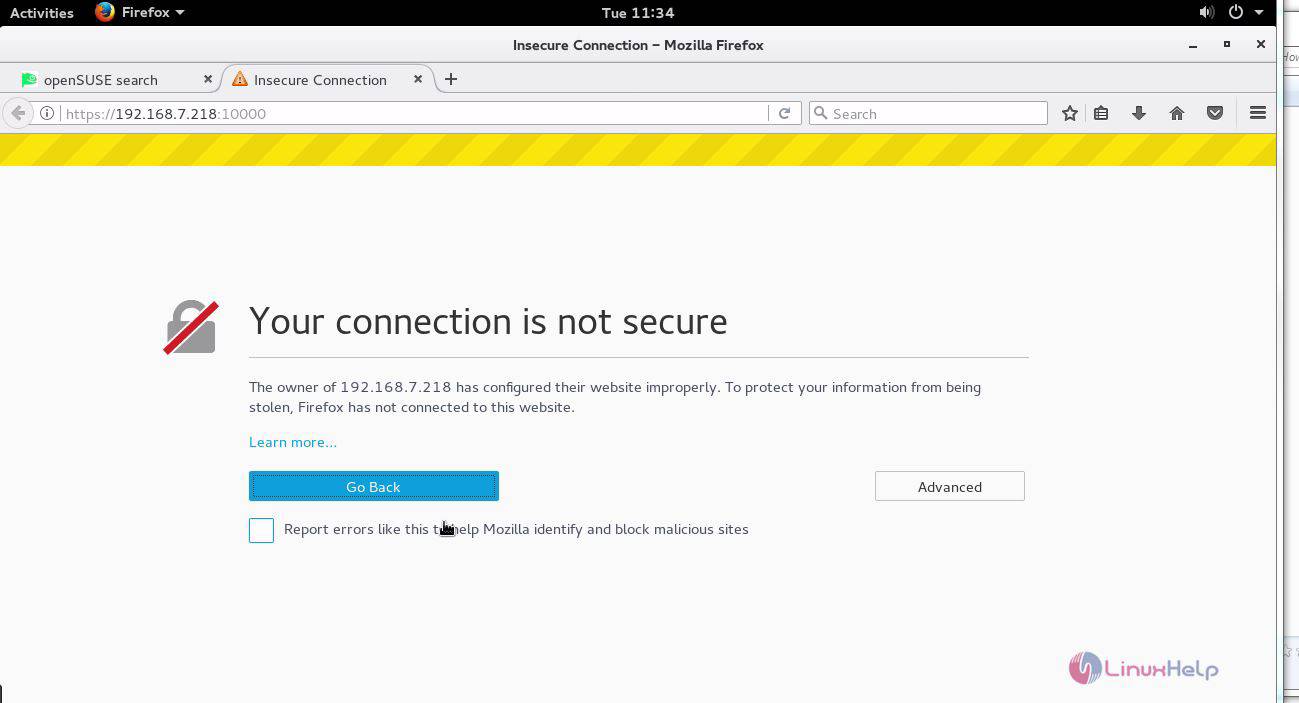
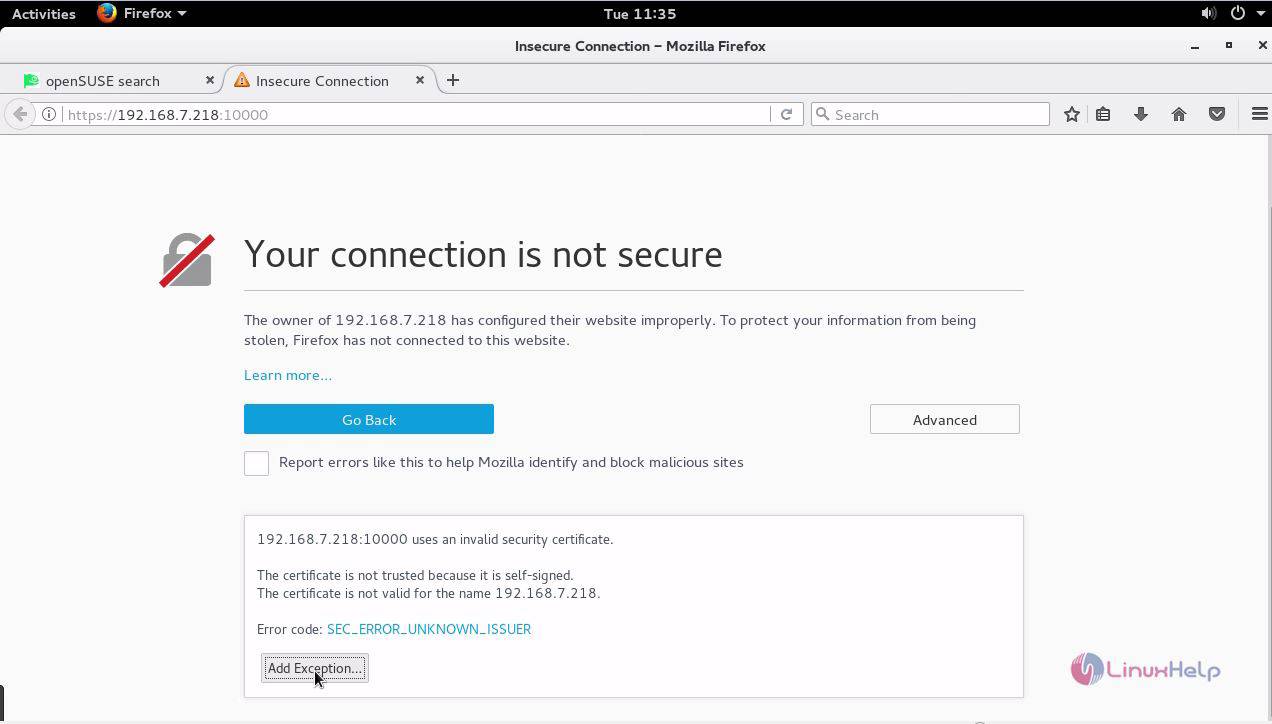
Click the Add Exception option in the browser.
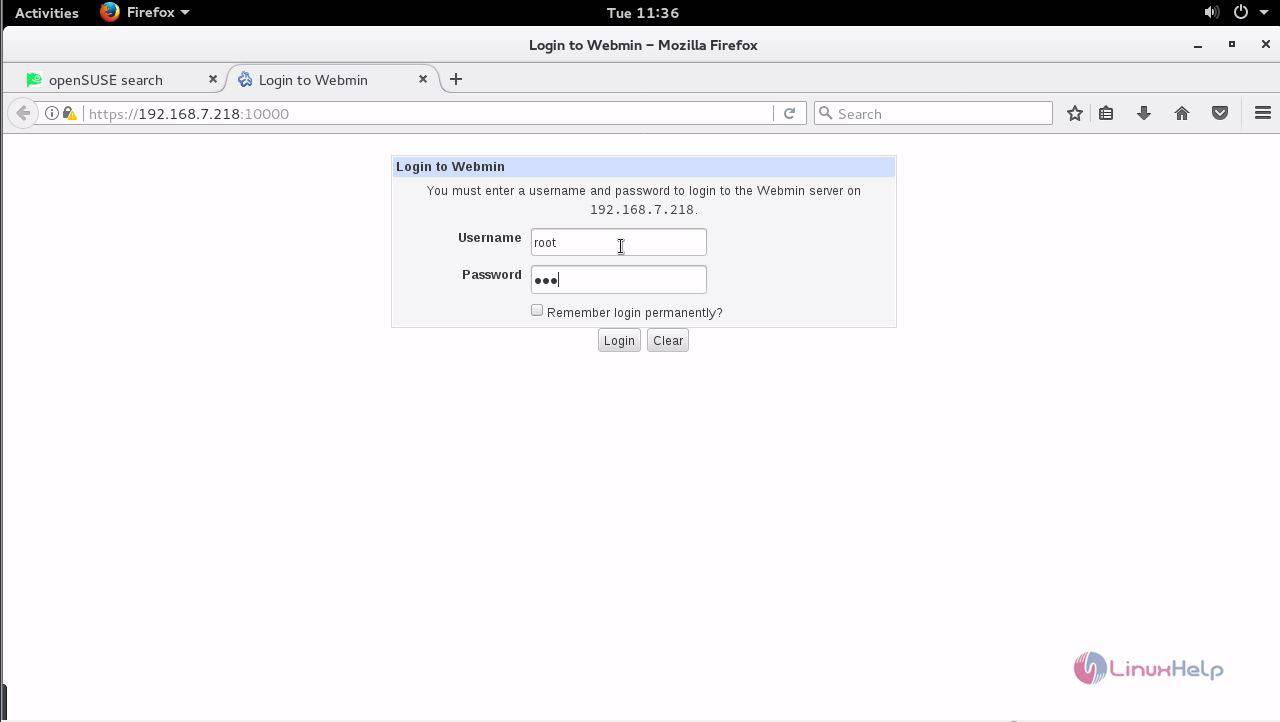
Now the login page of Webmin appears on the screen. Enter the admin credentials and login.
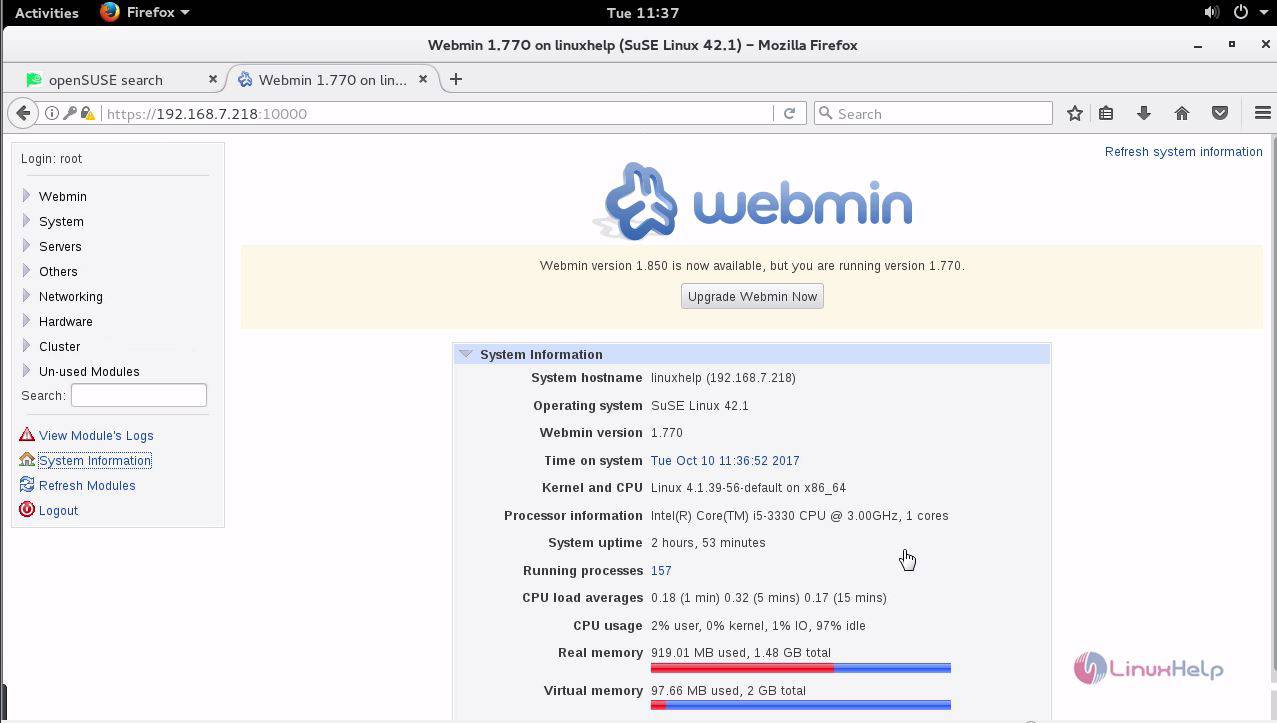
The dashboard of Webmin appears. The system information of the webmin appears on the screen.
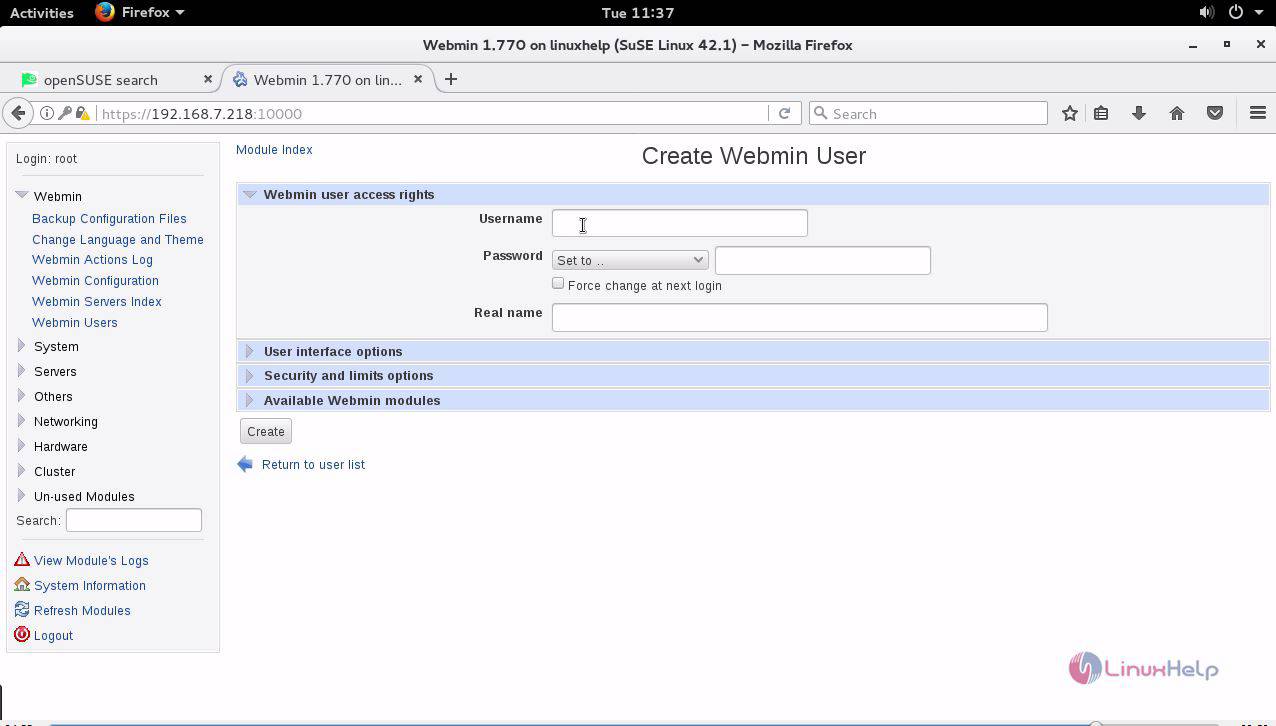
Now create a new user for webmin by entering the required details.
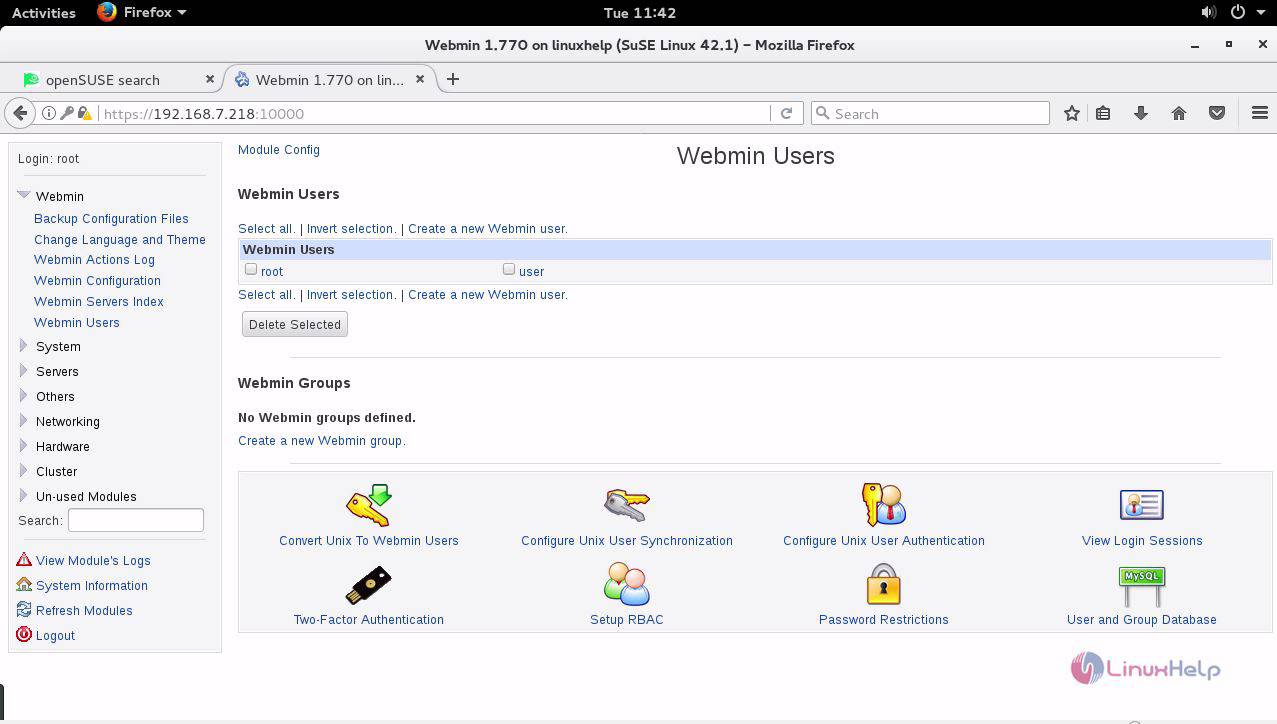
The dashboard for users in Webmin appears on the screen.
Thus concludes the installation procedure of Webmin on OpenSUSE 42.1.
Comments ( 0 )
No comments available