How to install Websitebaker cms on Ubuntu-18.04
To install Websitebaker CMS on Ubuntu-18.04
Website Baker is an open source content management system (CMS) it’ s built on PHP and uses MySQL database for data storage. It also has a template based front-end and multi-user administration with privilege levels.
Pre-requirements
Install LAMP (Apache, php7.0, mariadb-server)
In MariaDB (create database, user and give privileges to the user)
For Installation
add-apt-repository ppa:ondrej/php
apt-get update
apt-get install php7.0 php7.0-mysql php7.0-curl php7.0-json php7.0-cgi libapache2-mod-php7.0 php7.0-mcrypt php7.0-xmlrpc php7.0-gd php7.0-mbstring php7.0  php7.0-common  php7.0-xmlrpc php7.0-soap
php7.0-xml php7.0-intl  php7.0-cli  php7.0-ldap php7.0-zip php7.0-readline php7.0-imap php7.0-tidy php7.0-recode php7.0-sq php7.0-intl
Download a websitebaker package using wget command
root@linuxhelp:~# wget https://addon.websitebaker.org/pages/en/browse-add-ons.php?download=04A499A4
--2018-05-23 15:48:44--  https://addon.websitebaker.org/pages/en/browse-add-ons.php?download=04A499A4
Resolving addon.websitebaker.org (addon.websitebaker.org)... 81.169.212.225
Connecting to addon.websitebaker.org (addon.websitebaker.org)|81.169.212.225|:443... connected.
HTTP request sent, awaiting response... 302 Found
Location: https://addon.websitebaker.org/media/wbaddons/caa7a1f93096aae319a1c6735b20ee51/WebsiteBaker-2_12_0_r81.zip [following]
--2018-05-23 15:48:46--  https://addon.websitebaker.org/media/wbaddons/caa7a1f93096aae319a1c6735b20ee51/WebsiteBaker-2_12_0_r81.zip
Reusing existing connection to addon.websitebaker.org:443.
HTTP request sent, awaiting response... 200 OK
Length: 7531332 (7.2M) [application/zip]
Saving to: ‘ browse-add-ons.php?download=04A499A4’

browse-add-ons.php? 100%[===================> ]   7.18M  97.5KB/s    in 78s

2018-05-23 15:50:04 (94.3 KB/s) - ‘ browse-add-ons.php?download=04A499A4’  saved [7531332/7531332]
The downloaded package is a zip file, so unzip the package using the following command
root@linuxhelp:~# ls
' browse-add-ons.php?download=04A499A4'
root@linuxhelp:~# unzip ' browse-add-ons.php?download=04A499A4'  -d website
Archive:  browse-add-ons.php?download=04A499A4
   creating: website/account/
  inflating: website/account/details.php
  inflating: website/account/email.php
  inflating: website/account/forgot.php
  inflating: website/account/forgot_form.php
  inflating: website/account/frontend.css
   creating: website/account/languages/
  inflating: website/account/languages/DE.php
.
.
.
  inflating: website/templates/DefaultTheme/templates/users_form.htt
  inflating: website/templates/DefaultTheme/templates/warning.html
  inflating: website/templates/DefaultTheme/theme.css
  inflating: website/templates/DefaultTheme/upgrade.php
  inflating: website/upgrade-script.php
   creating: website/var/
   creating: website/var/logs/
  inflating: website/var/logs/PLACEHOLDER
Move the file to HMTL directory
root@linuxhelp:~# mv website/ /var/www/html/
Now we have to switch the directory
root@linuxhelp:~# cd /var/www/html/
root@linuxhelp:/var/www/html# ls
index.html  website
Change the ownership and permission of the website directory
root@linuxhelp:/var/www/html# chown -R www-data.www-data website/
root@linuxhelp:/var/www/html# chmod -R 775 website/
Rename the config.php.new file
root@linuxhelp:/var/www/html# ls
index.html website
root@linuxhelp:/var/www/html# cd website/
root@linuxhelp:/var/www/html/website# ls
account         favicon.ico   index.php  modules  templates
admin           framework     install    pages    upgrade-script.php
config.php.new  htaccess.txt  languages  search   var
DOCU            include       media      temp
root@linuxhelp:/var/www/html/website# mv config.php.new config.php
Create a new virtual host configuration for accessing the Doorgets application
root@linuxhelp:/var/www/html# cd /etc/apache2/sites-available/
root@linuxhelp:/etc/apache2/sites-available# vim website.conf
< VirtualHost *:80>
ServerName www.linuxhelp1.com
DocumentRoot /var/www/website/
< Directory /var/www/website>
AllowOverride All
allow from all
< /Directory>
< /virtualHost>
Enable the door.conf file
root@linuxhelp:/etc/apache2/sites-available# a2ensite website.conf
Enabling site website.
To activate the new configuration, you need to run:
systemctl reload apache2
Next, make an entry to the host file as follows
root@linuxhelp:/var/www/html/website# vim /etc/hosts
< give your ip address>       < give your domain name>
Restart your Apache web server
root@linuxhelp:/etc/apache2/sites-available# systemctl restart apache2
Now you can proceed the further installation and configuration from the browser by navigating to the following URL: http://< ipaddress or domain name
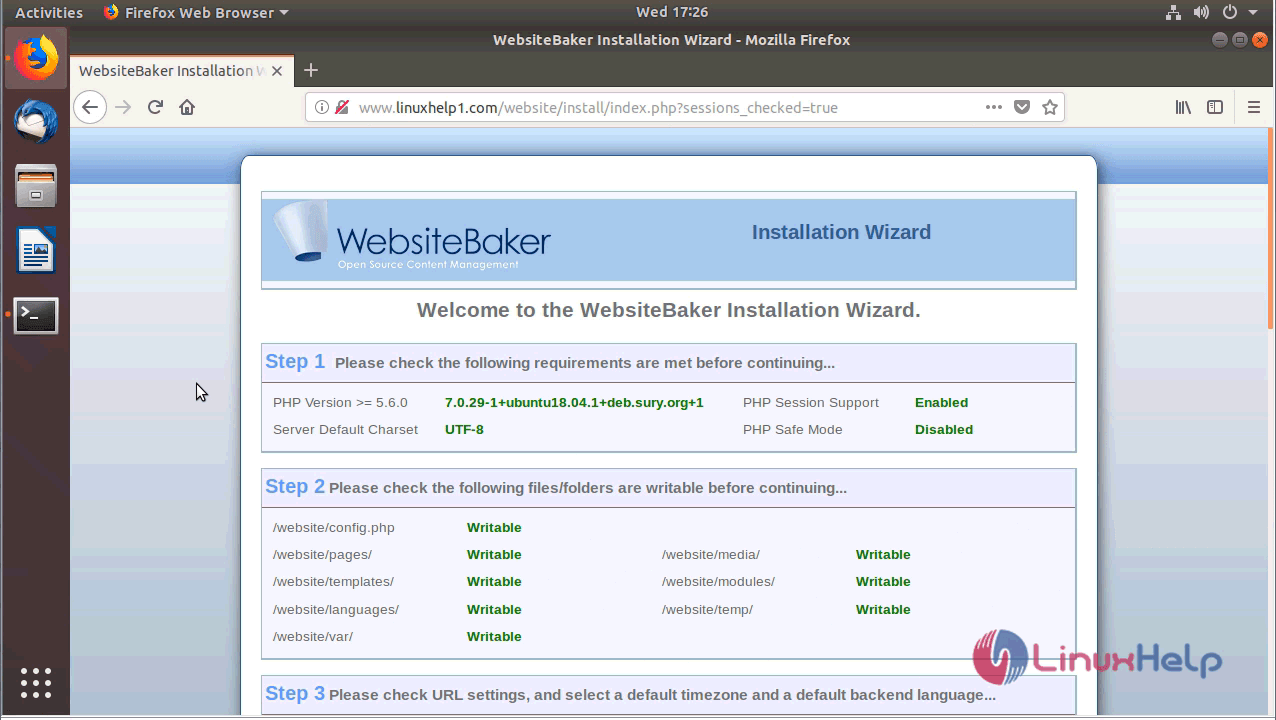
You will see the installation wizard as follows. verify the requirements and file permissions.
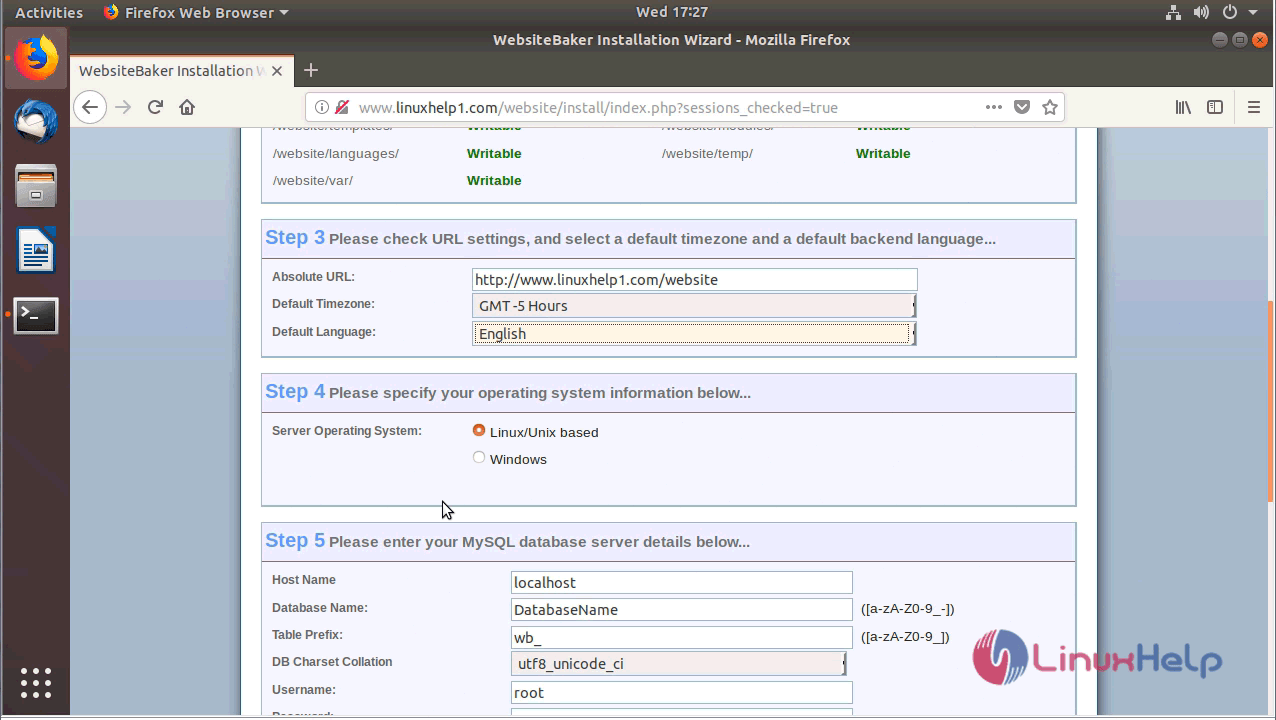
Adjust the timezone of the website and also configure the DB setup.
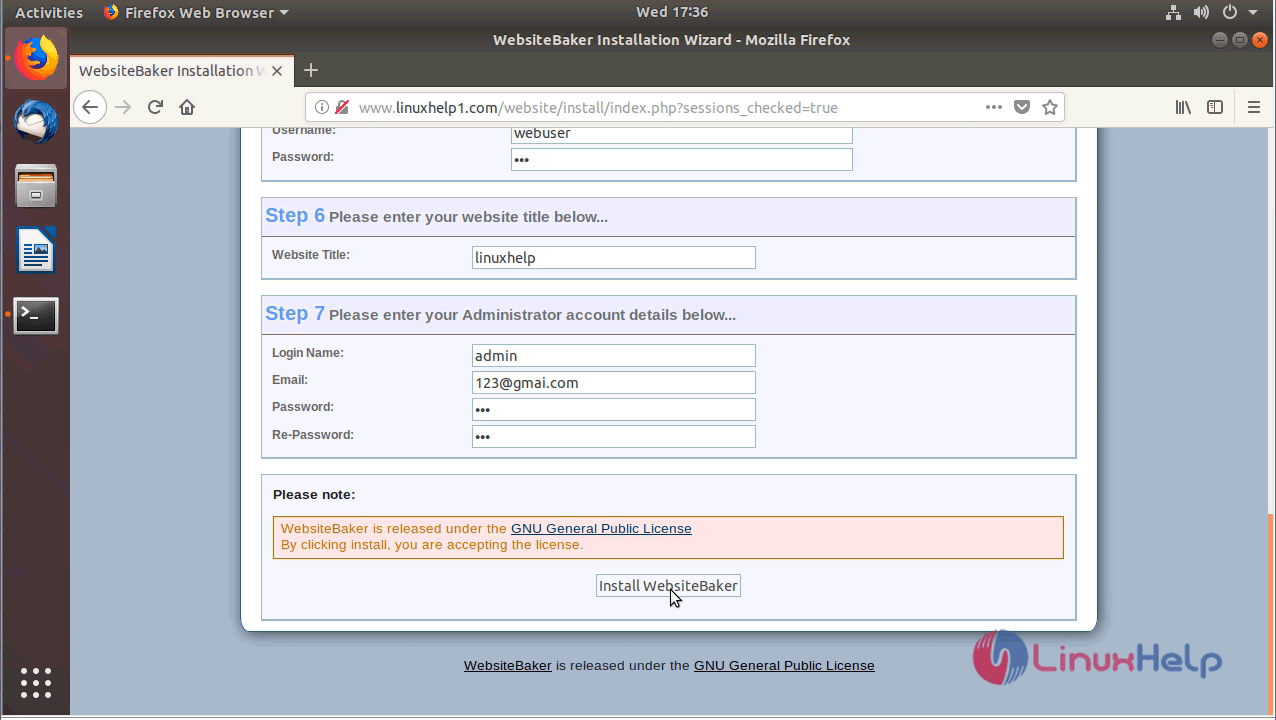
Configure the site setup and admin account details.
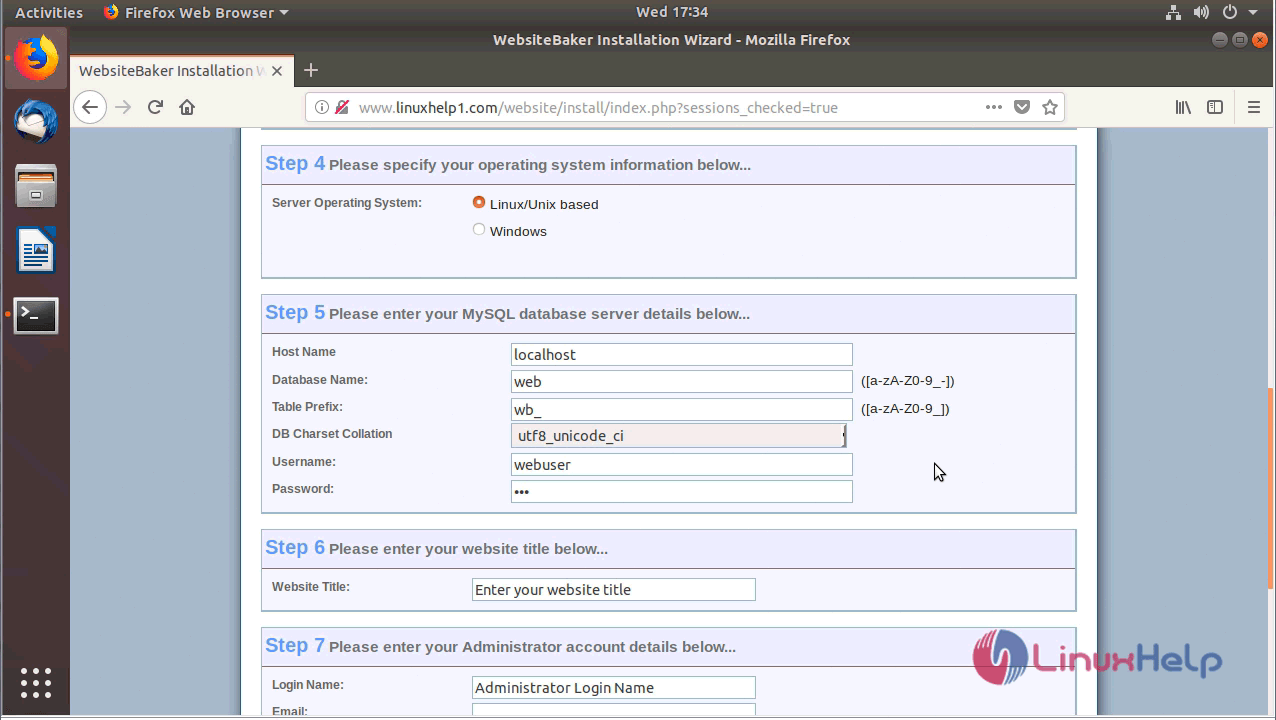
After the setup click on install button.
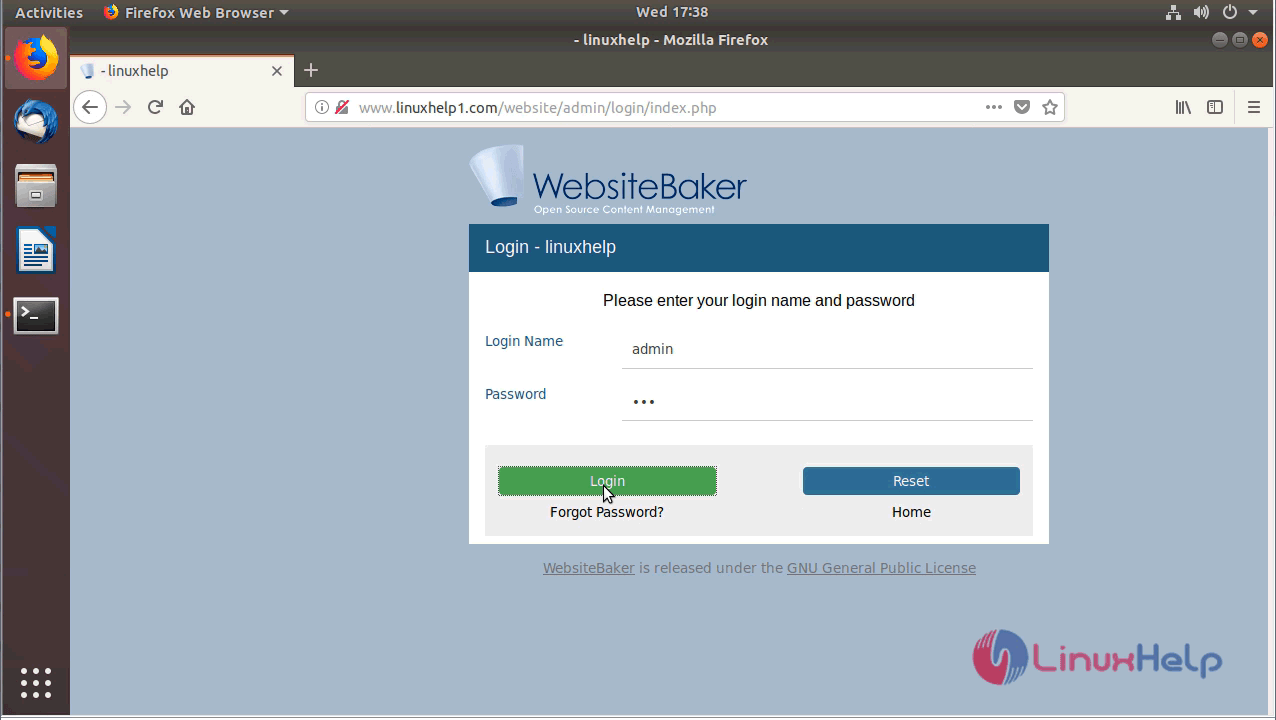
After installation login using admin credential setup.
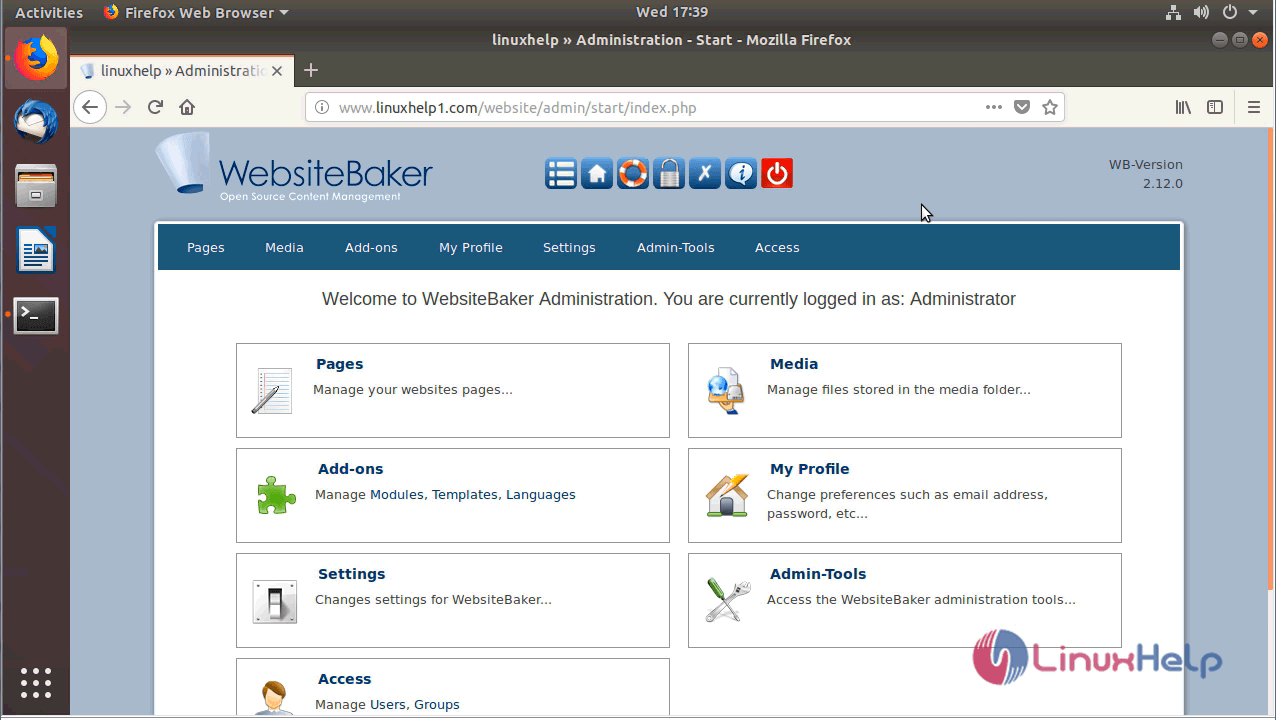
After the successful login, you will see the admin dashboard of websitebaker as follows
With this, the method to install Websitebaker CMS on Ubuntu-18.04 comes to an end.
Comments ( 0 )
No comments available