How To Install Weechat 1.9.1 on Ubuntu 18.04
{{postValue.id}}
To Install Weechat on Ubuntu 18.04
WeeChat is a free and open-source Internet Relay Chat client, which is designed to be light and fast. It is released under the terms of the GNU General Public License 3
Installation
Update the system repository using the following command
root@linuxhelp1:~# apt-get update
Hit:1 http://in.archive.ubuntu.com/ubuntu bionic InRelease
Hit:2 http://in.archive.ubuntu.com/ubuntu bionic-updates InRelease
Hit:3 http://security.ubuntu.com/ubuntu bionic-security InRelease
Hit:4 http://in.archive.ubuntu.com/ubuntu bionic-backports InRelease
Reading package lists... Done
Install Weechat from the terminal using the following command
root@linuxhelp1:~# apt-get install weechat -y
Reading package lists... Done
Building dependency tree
Reading state information... Done
The following packages were automatically installed and are no longer required:
  apache2-bin apache2-data apache2-utils libapr1 libaprutil1 libaprutil1-dbd-sqlite3 libaprutil1-ldap linux-image-4.15.0-20-generic
  linux-modules-4.15.0-20-generic
Use ' sudo apt autoremove'  to remove them.
The following additional packages will be installed:
  liblua5.1-0 weechat-core weechat-curses weechat-plugins
Suggested packages:
  weechat-doc weechat-scripts
The following NEW packages will be installed:
.
.
Selecting previously unselected package weechat.
Preparing to unpack .../weechat_1.9.1-1ubuntu1_all.deb ...
Unpacking weechat (1.9.1-1ubuntu1) ...
Selecting previously unselected package weechat-plugins.
Preparing to unpack .../weechat-plugins_1.9.1-1ubuntu1_amd64.deb ...
Unpacking weechat-plugins (1.9.1-1ubuntu1) ...
Setting up weechat-core (1.9.1-1ubuntu1) ...
Setting up weechat-curses (1.9.1-1ubuntu1) ...
Processing triggers for libc-bin (2.27-3ubuntu1) ...
Processing triggers for man-db (2.8.3-2) ...
Setting up liblua5.1-0:amd64 (5.1.5-8.1build2) ...
Setting up weechat-plugins (1.9.1-1ubuntu1) ...
Setting up weechat (1.9.1-1ubuntu1) ...
Processing triggers for libc-bin (2.27-3ubuntu1) ...
Open the Weechat on the terminal as follows
root@linuxhelp1:~# weechat
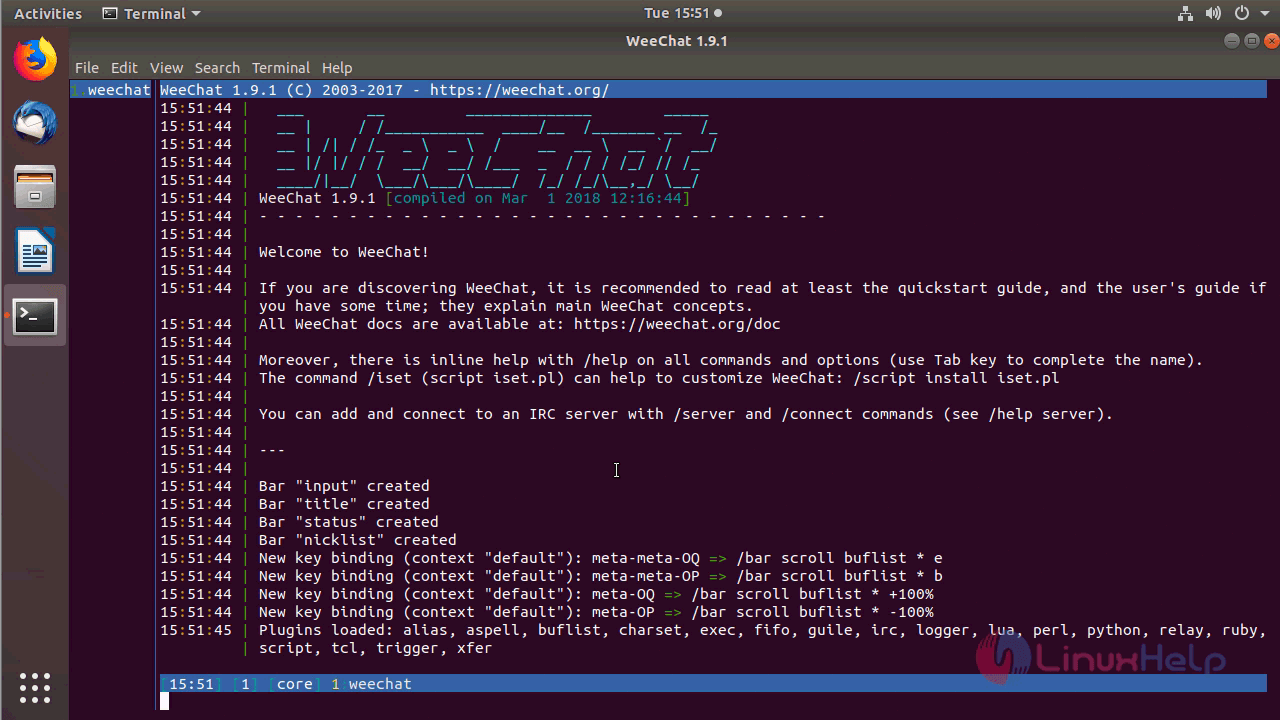
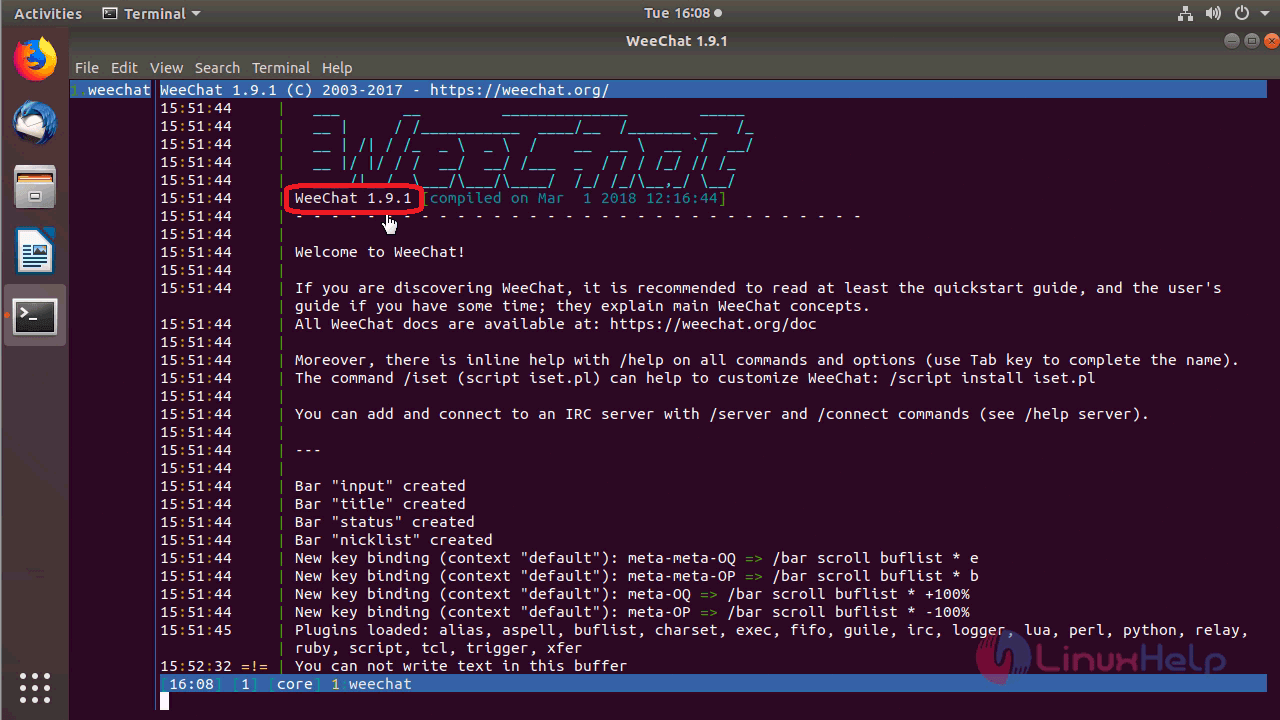
Version of Weechat
With this, the method to install Weechat on Ubuntu 18.04 comes to an end.
Comments ( 0 )
No comments available