How to Install Winff on Linuxmint-18.03
{{postValue.id}}
To Install Winff on Linuxmint-18.03
WinFF is a graphical front-end for the free video conversion tool. which aims to help you convert movie clips from one format to another format. In this tutorial, we will see the installation of Winff on Linux mint 18.3
Installation
Let's first start with updating the system repositories.
linuxhelp ~ # apt-get update
Hit:1 http://archive.canonical.com/ubuntu xenial InRelease
Hit:2 http://archive.ubuntu.com/ubuntu xenial InRelease
Ign:3 http://packages.linuxmint.com sylvia InRelease
Hit:4 http://packages.linuxmint.com sylvia Release
Get:6 http://security.ubuntu.com/ubuntu xenial-security InRelease [107 kB]
.
.
.

Get:16 http://security.ubuntu.com/ubuntu xenial-security/universe i386 Packages [304 kB]
Get:17 http://archive.ubuntu.com/ubuntu xenial-updates/universe amd64 Packages [641 kB]
Get:18 http://security.ubuntu.com/ubuntu xenial-security/universe Translation-en [133 kB]
Get:19 http://archive.ubuntu.com/ubuntu xenial-updates/universe i386 Packages [585 kB]
Get:20 http://archive.ubuntu.com/ubuntu xenial-updates/universe Translation-en [257 kB]
Fetched 5,652 kB in 19s (290 kB/s)
Reading package lists... Done
Install the winff application run the following command.
linuxhelp ~ # apt-get install winff -y
Reading package lists... Done
Building dependency tree
Reading state information... Done
The following additional packages will be installed:
  ffmpeg libass5 libavcodec-ffmpeg56 libavdevice-ffmpeg56 libavfilter-ffmpeg5 libavformat-ffmpeg56
  libavresample-ffmpeg2 libavutil-ffmpeg54 libbluray1 libbs2b0 libcrystalhd3 libdc1394-22 libflite1
  libgme0 libmodplug1 libmp3lame0 libopenal-data libopenal1 libopencv-core2.4v5
  libopencv-imgproc2.4v5 libopenjpeg5 libpostproc-ffmpeg53 libschroedinger-1.0-0 libshine3
  libsnappy1v5 libsodium18 libsoxr0 libssh-gcrypt-4 libswresample-ffmpeg1 libswscale-ffmpeg3 libtbb2
  libtwolame0 libva1 libvdpau1 libx264-148 libx265-79 libxvidcore4 libzmq5 libzvbi-common libzvbi0
  winff-gtk2
Suggested packages:
  ffmpeg-doc libbluray-bdj firmware-crystalhd winff-doc libavcodec-extra
Recommended packages:
  va-driver-all | va-driver vdpau-driver-all | vdpau-driver
The following NEW packages will be installed:
  ffmpeg libass5 libavcodec-ffmpeg56 libavdevice-ffmpeg56 libavfilter-ffmpeg5 libavformat-ffmpeg56
.
.
.
Setting up libavfilter-ffmpeg5:amd64 (7:2.8.14-0ubuntu0.16.04.1) ...
Setting up libdc1394-22:amd64 (2.2.4-1) ...
Setting up libavdevice-ffmpeg56:amd64 (7:2.8.14-0ubuntu0.16.04.1) ...
Setting up libvdpau1:amd64 (1.1.1-3ubuntu1) ...
Setting up ffmpeg (7:2.8.14-0ubuntu0.16.04.1) ...
Setting up winff (1.5.3-6) ...
Setting up winff-gtk2 (1.5.3-6) ...
update-alternatives: using /usr/bin/winff-gtk2 to provide /usr/bin/winff (winff) in auto mode
Processing triggers for libc-bin (2.23-0ubuntu9) ...
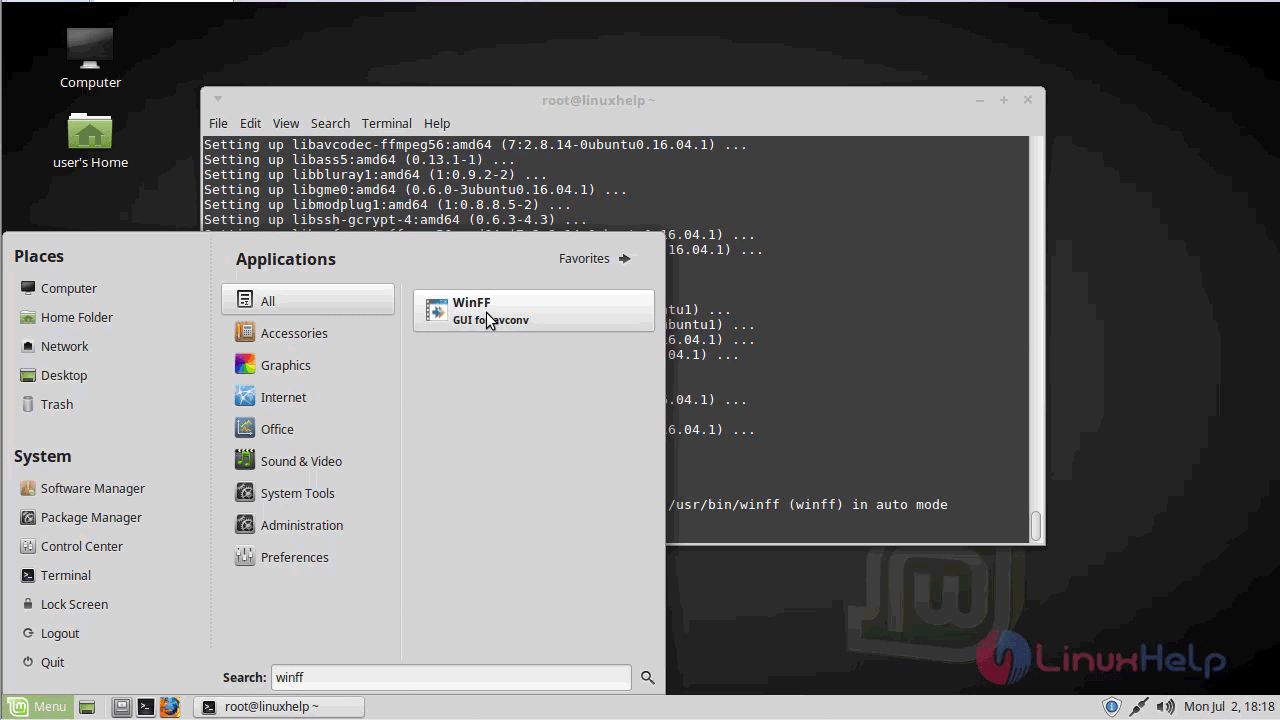
Once Installation is done you can access the application from the Menu as shown here.
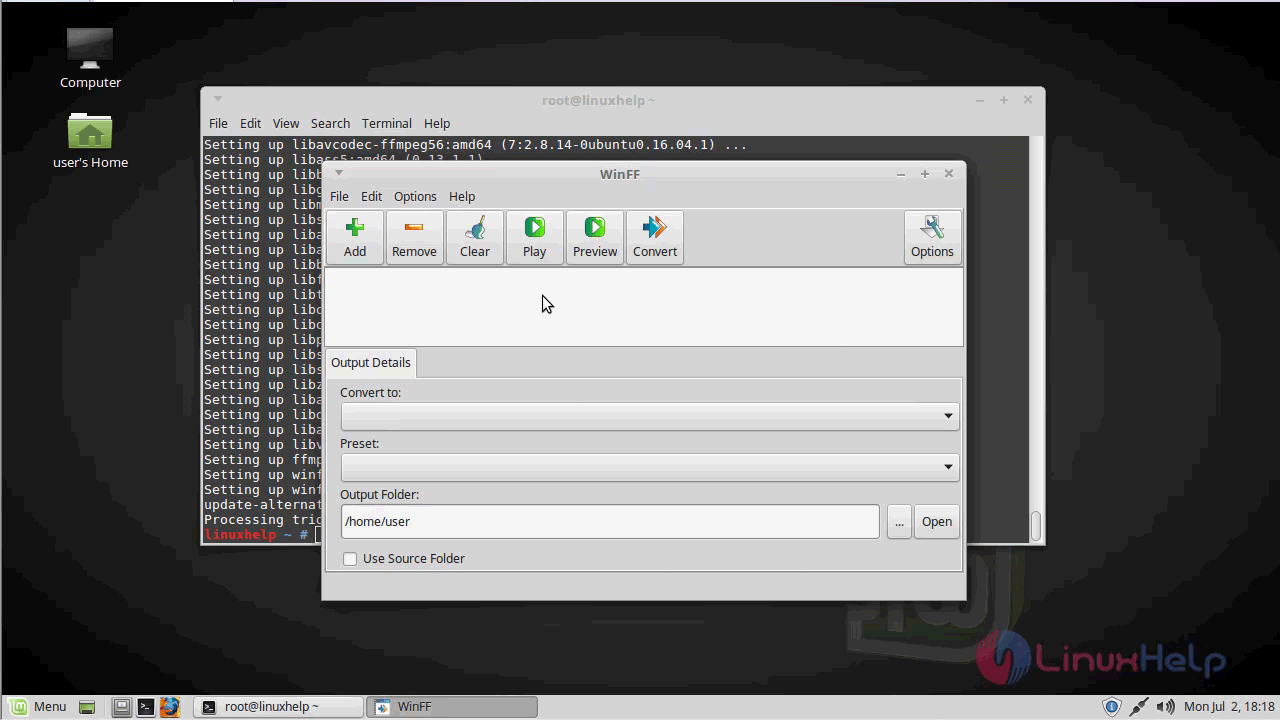
Now, you can able to use this winff application
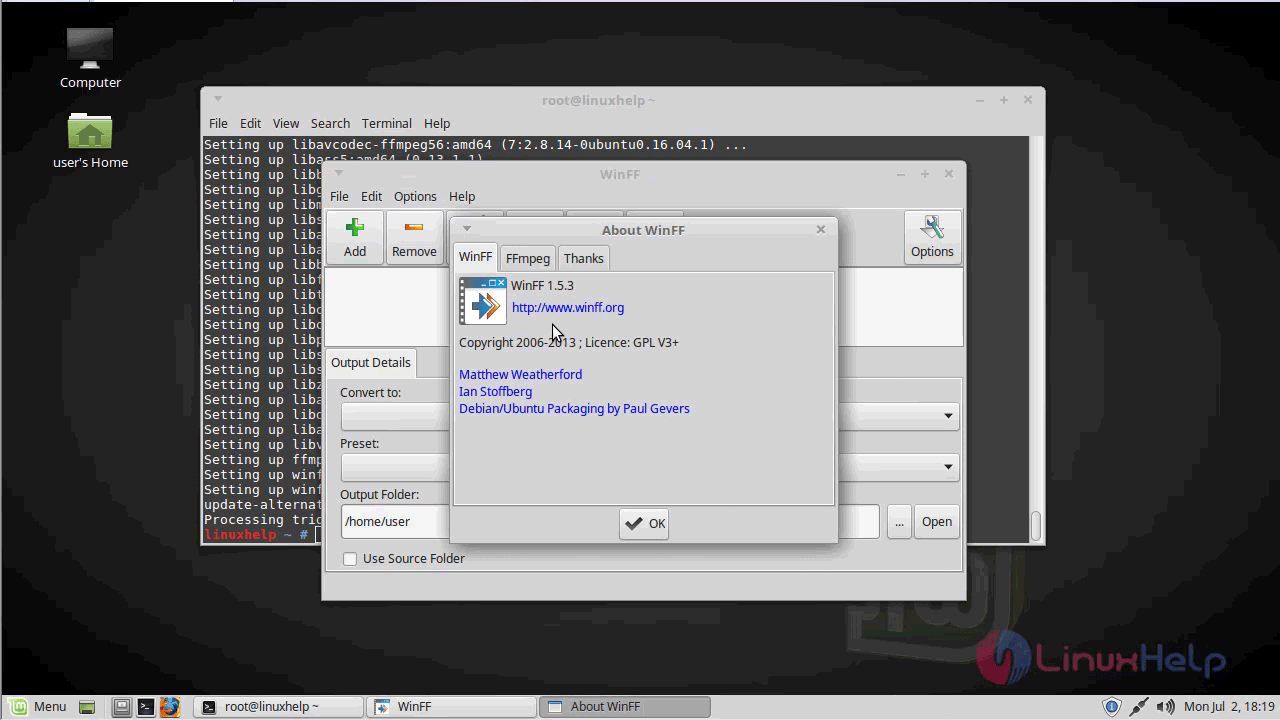
the version of winff.
With this, the method to install winff on linuxmint-18.03 comes to an end
Comments ( 0 )
No comments available