How to install Wire in Ubuntu
How to install Wire in Ubuntu
Wire is VoIP application which has full end-to-end encryption and it is alternative for Skype. It supports voice and video calls, send text messages, files, images, videos, audio files and audio message. It is available for iOS, Android, Linux, Windows, MacOS and Web browser clients. This tutorial explains the installation procedure of Wire in Ubuntu.
Installation procedure
Before beginning the installation procedure, install the apt-transport-https package to receive the package via HTTPS and execute the command.
root@linuxhelp:/home/user1# apt-get install apt-transport-https
Reading package lists... Done
Building dependency tree
Reading state information... Done
The following packages will be upgraded:
  apt-transport-https
1 upgraded, 0 newly installed, 0 to remove and 307 not upgraded.
Need to get 26.1 kB of archives.
After this operation, 1,024 B of additional disk space will be used.
Get:1 http://in.archive.ubuntu.com/ubuntu xenial-updates/main amd64 apt-transport-https amd64 1.2.20 [26.1 kB]
Fetched 26.1 kB in 0s (44.8 kB/s)
(Reading database ... 205941 files and directories currently installed.)
Preparing to unpack .../apt-transport-https_1.2.20_amd64.deb ...
Unpacking apt-transport-https (1.2.20) over (1.2.15ubuntu0.2) ...
Setting up apt-transport-https (1.2.20) ...
Now download the repository for wire by running the following command.
root@linuxhelp:/home/user1# wget -q https://wire-app.wire.com/linux/releases.key -O- | sudo apt-key add -
OK
The downloaded package is added to the system. Run the following command to add the repositories to the target system.
root@linuxhelp:/home/user1# echo " deb https://wire-app.wire.com/linux/debian stable main"  | sudo tee /etc/apt/sources.list.d/wire-desktop.list
deb https://wire-app.wire.com/linux/debian stable main
The repositories are added to the system. Run the apt-get update command to update the system with the required repositories.
root@linuxhelp:/home/user1# apt-get update
Hit:1 http://in.archive.ubuntu.com/ubuntu xenial InRelease
Get:2 http://security.ubuntu.com/ubuntu xenial-security InRelease [102 kB]
Get:3 http://in.archive.ubuntu.com/ubuntu xenial-updates InRelease [102 kB]
&hellip
&hellip
&hellip
Get:20 http://in.archive.ubuntu.com/ubuntu xenial-backports/universe amd64 DEP-11 Metadata [3,976 B]
Fetched 1,344 kB in 6s (201 kB/s)
AppStream cache update completed, but some metadata was ignored due to errors.
Reading package lists... Done
The system is updated with the required repositories. Now install the wire package by executing the following command.
root@linuxhelp:/home/user1# apt-get install wire-desktop
Reading package lists... Done
Building dependency tree
Reading state information... Done
&hellip
&hellip
&hellip
Setting up libappindicator1 (12.10.1+16.04.20170215-0ubuntu1) ...
Setting up wire-desktop (2.13.2741-125) ...
Processing triggers for libc-bin (2.23-0ubuntu7) ...
The application is installed successfully. To open the wire application, run the following command from the terminal.
root@linuxhelp:/home/user1# wire-desktop
The application is running. First create an account in wire by providing an email address and the password.
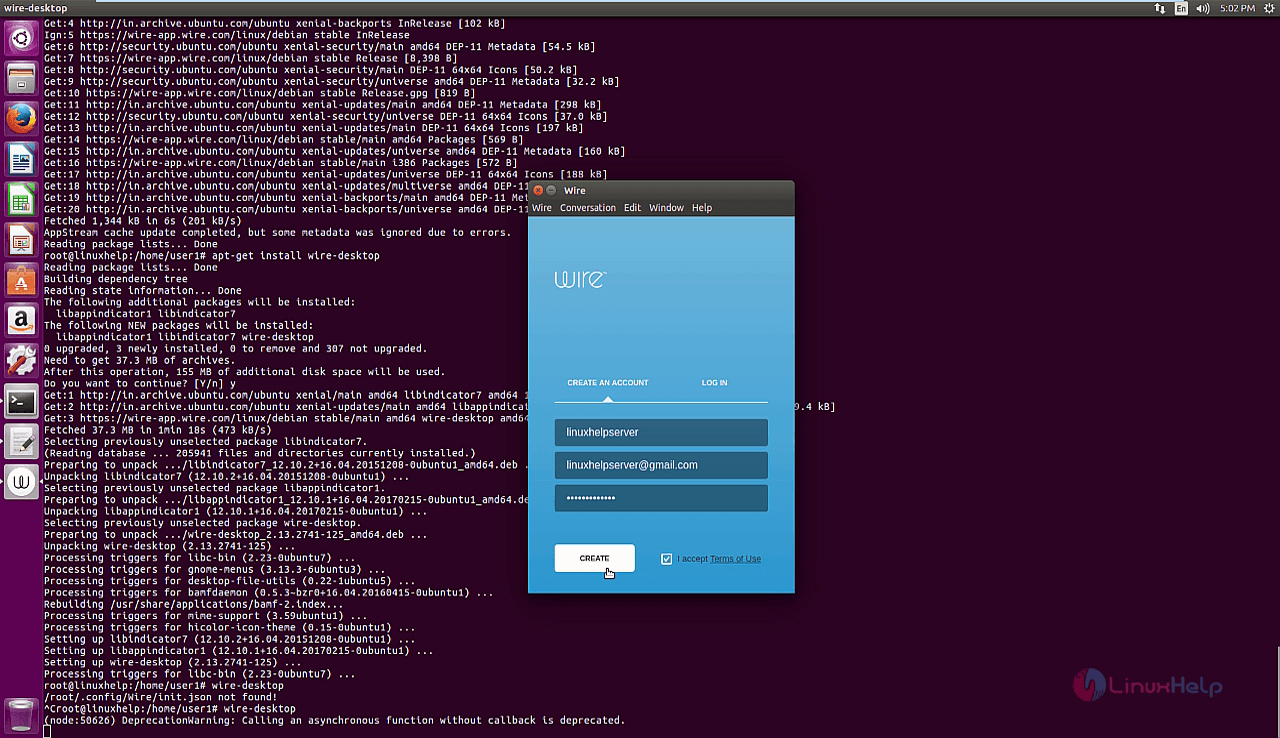
The Wire account is created successfully. It will be redirected to the e-mail account which has been configured.
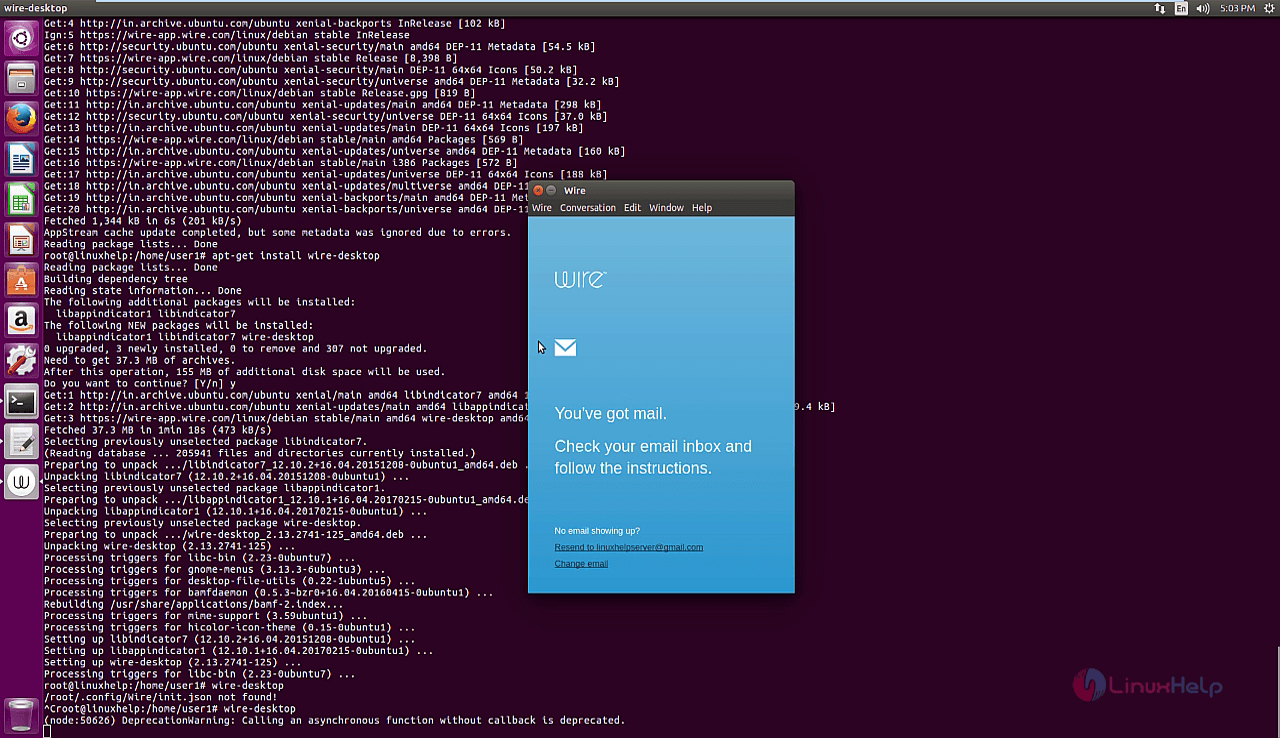
Verify the wire account by logging into the configured registered e-mail and click verify option.

After verifying, login using the wire account which has been created.

The user can change the username if the user desires.

The wire application is configured. Invite other people to join and start a conversation between people.

The user can also change their Account settings and also keep profile pictures if the user desires.

The use can also import contacts,modify notifications and sound alert customization for every call.

The settings are customized according to the user. Start a conversation between the friends using call and video call.

The About wire option shows the current version of the Wire application.
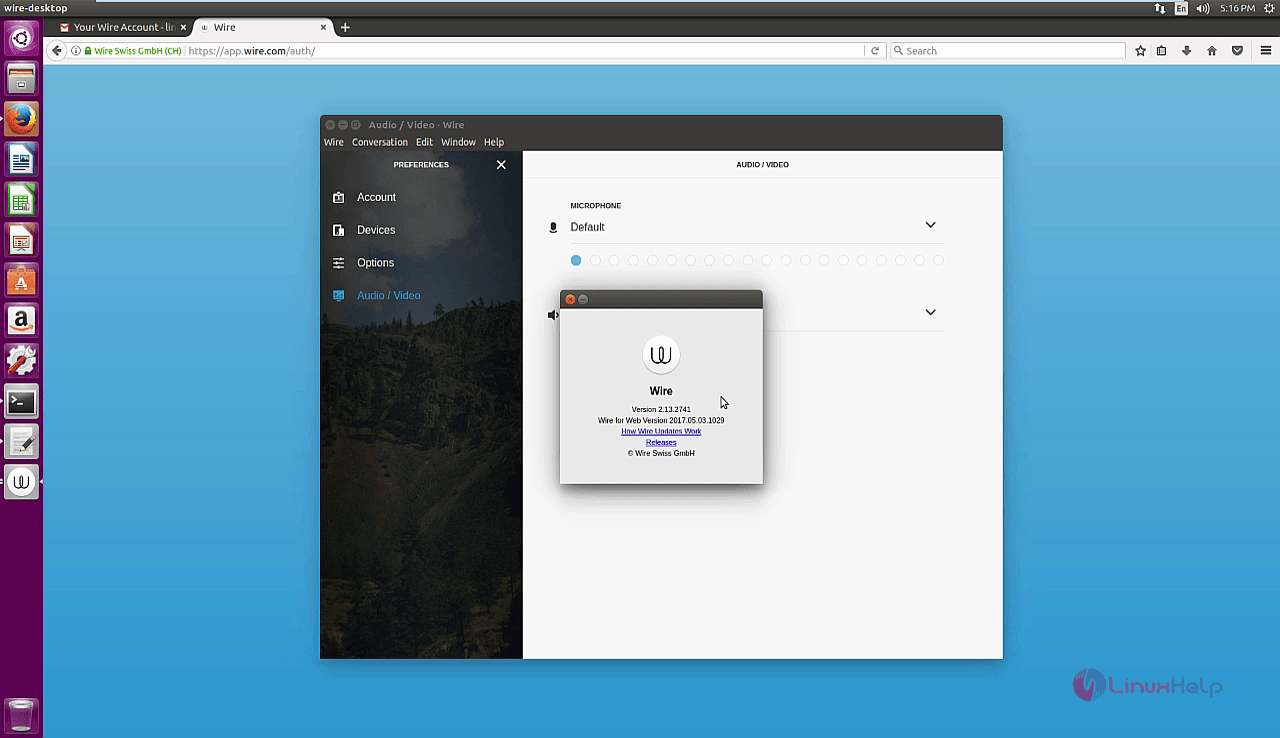
Wasn' t that an easy installation procedure? The Wire application is encypted instant messaging client created by Wire Swiss.
Comments ( 0 )
No comments available